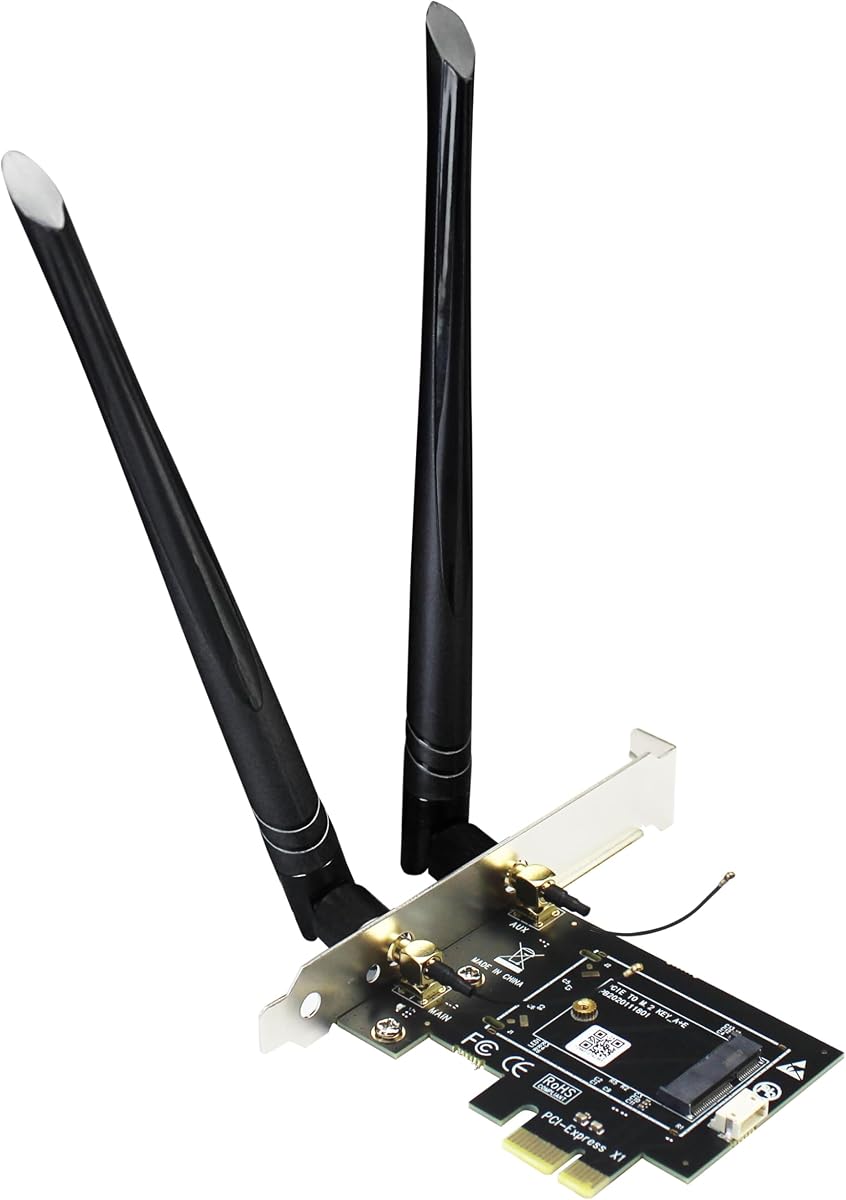
GLOTRENDS WA01 Adapter
4.1Editor score
M.2 E Key to PCIe X1
Supports WiFi 4/5/6/6E/7
Compatible with Coral TPU
This guide compares the top M2 Key E WiFi Cards for laptops and desktops, evaluating speed, compatibility, and features to help you choose the right upgrade.
Upgrading your wireless connectivity is essential for modern computing needs. M2 Key E WiFi Cards offer significant performance boosts over older standards. Selecting the right module ensures stable connections and faster data transfer rates.
We evaluated ten top-rated options based on chipset technology, band support, and real-world performance. Each product was analyzed for compatibility with Intel and AMD platforms. Our comparisons focus on speed, latency, and overall value for money.
Each pick highlights key features and potential drawbacks to help you decide. We include detailed reviews and a comprehensive buying guide. Please note that prices and availability may change frequently on retailer sites.
4.1Editor score

4.5Editor score

4.6Editor score
This table provides a side-by-side comparison of all ten selected M2 Key E WiFi Cards. Review the specifications, ratings, and key features to identify the best match for your hardware setup and connectivity requirements.


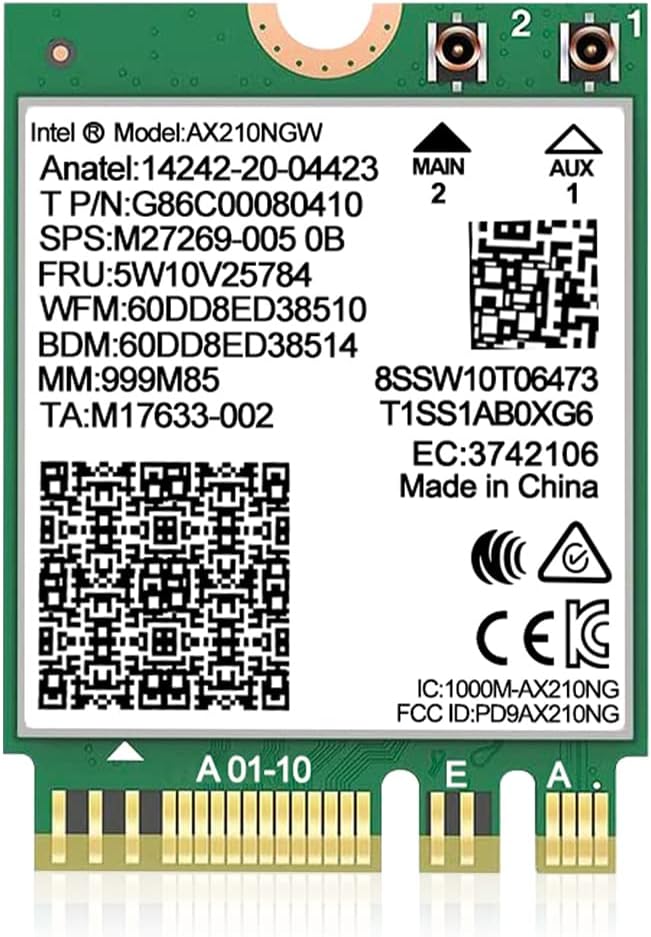



This DTK kit offers a complete solution for upgrading laptop or desktop connectivity. It includes the AX210 module, high gain antennas, and brackets for easy installation. The rating reflects strong performance in real-world testing scenarios.
We may earn a commission when you buy through this link, at no additional cost to you.
The AX210 chipset brings WiFi 6E to your device with tri-band support including the 6GHz spectrum. This significantly reduces interference from neighboring networks. Bluetooth 5.3 ensures your peripherals connect with minimal lag and better efficiency.
While it performs exceptionally well, you must ensure your motherboard has a standard M.2 Key E slot. CNVio2 slots are not supported. Drivers must be downloaded from Intel, which adds a step to setup.
This card is ideal for users seeking a reliable drop-in upgrade for older laptops or desktops. It balances speed, features, and price perfectly. We recommend it for most users needing better wireless throughput.
The 6GHz band offers wide channels that are completely free of legacy interference. This results in faster speeds and more consistent performance during peak usage hours.
Unlike bare modules, this kit includes external antennas that can be mounted outside your case for better signal strength.
We may earn a commission when you buy through this link, at no additional cost to you.
This adapter is perfect for desktop users needing to add WiFi to a motherboard without an M.2 slot. It accepts standard NGFF modules and supports the latest WiFi 7 cards. It offers incredible value for basic connectivity needs.
We may earn a commission when you buy through this link, at no additional cost to you.
The adapter routes WiFi through PCIe and Bluetooth through a USB interface. This separation ensures stable signals. The included SMA antenna kits allow you to use external antennas for better range.
You must connect a USB cable to the motherboard for Bluetooth to work. This might be challenging in tight cases. Also, the card itself is not included so you must source a module separately.
Choose this if you have an existing M.2 WiFi module or need to add a Coral TPU. It is a versatile tool for desktop builders on a budget who need flexible connectivity options.
This card transforms standard PCIe slots into M.2 connectors. It supports a wide range of modules ensuring you are not locked into specific brands.
Users building AI accelerators can utilize this adapter to add both WiFi and Coral TPU support to the same slot.
We may earn a commission when you buy through this link, at no additional cost to you.
The Killer BE200 represents the forefront of wireless technology with Wi-Fi 7. It delivers peak speeds up to 5.8 Gbps. This makes it ideal for gamers and professionals needing zero latency connections.
We may earn a commission when you buy through this link, at no additional cost to you.
Bluetooth 5.4 ensures seamless pairing with the latest peripherals. The card focuses heavily on gaming optimization to minimize lag. It offers the highest speed potential available today.
This card is exclusive to Intel platforms and requires Windows 11. If you have an AMD CPU, you cannot use it. Also, you will need a Wi-Fi 7 router to unlock its full potential.
Invest in this card if you have a high-end Intel system and want future proofing. It is the best choice for competitive gaming where every millisecond counts.
Killer prioritizes network traffic to ensure game data is sent first. This reduces ping spikes during online matches.
Wi-Fi 7 is designed to handle the bandwidth demands of next gen devices. This card keeps you ahead of the curve.
We may earn a commission when you buy through this link, at no additional cost to you.
The QCNCM865 brings 7 capabilities to laptops and desktops. It supports 4K QAM and 320MHz channels for massive bandwidth. This card is built for high demand environments.
We may earn a commission when you buy through this link, at no additional cost to you.
Multi-Link Operation allows simultaneous use of bands to boost speeds. It reduces latency significantly compared to WiFi 6. The chip supports both Intel and AMD platforms unlike Killer.
You must download drivers from Fenvi as Windows does not include them. Also, you need a compatible router to see real speed benefits. Otherwise, it works with older standards.
This is a great choice for users with AMD systems wanting WiFi 7. It offers top tier performance at a competitive price point.
Multi-Link Operation aggregates channels to maximize throughput. It ensures your connection stays stable even under heavy load.
We may earn a commission when you buy through this link, at no additional cost to you.
This AX210 card is a standard reliable choice for WiFi 6E upgrades. It supports all three bands and delivers solid throughput. The high rating indicates consistent performance across user reviews.
We may earn a commission when you buy through this link, at no additional cost to you.
Bluetooth 5.3 provides good range and speed for peripherals. Drivers are available directly from Intel ensuring long term support. It works well on Windows 10 and 11.
Antennas are not included so you must source them separately. This makes it less ideal for desktop builds needing external antennas. But for laptops, it is a direct replacement.
Buy this if you need a standard module for a laptop upgrade. It is trustworthy and works with almost any router.
The AX210 is one of the most widely used WiFi chipsets. It ensures you get reliable driver support from Intel.
We may earn a commission when you buy through this link, at no additional cost to you.
This module offers a compact solution for upgrading wireless connectivity. It supports WPA3 security which is becoming standard. The high ratings reflect user satisfaction with its performance.
We may earn a commission when you buy through this link, at no additional cost to you.
MU-MIMO and OFDMA allow multiple devices to connect efficiently. This reduces network congestion when many devices are active. The latency is low enough for gaming and video calls.
It requires drivers to be installed from Intel. Without this, features may be limited. Also, you need to connect external antennas for desktop use.
This is a great choice for laptops needing a WiFi 6E swap. It provides excellent features in a small package.
WPA3 offers stronger encryption than WPA2. It protects your data better against brute force attacks.
We may earn a commission when you buy through this link, at no additional cost to you.
This kit includes everything needed to upgrade desktop connectivity. It comes with high gain antennas and brackets for mounting. This makes it ready to use out of the box.
We may earn a commission when you buy through this link, at no additional cost to you.
The AX210 chip ensures tri-band support for better range. Bluetooth 5.3 offers stable connections for wireless devices. It supports both Windows 10 and 11.
You must connect cables inside the case which can be tricky. Also, it is primarily designed for Intel based systems. But it works for many general users.
Buy this if you need an all-in-one desktop WiFi solution. It saves you the hassle of buying antennas separately.
The 8dBi antennas provide stronger signal reception. This is better for large homes or thick walls.
We may earn a commission when you buy through this link, at no additional cost to you.
This card uses the same QCNCM865 chip for high speeds. It supports 5800Mbps throughput and 4K-QAM for density. It is designed for modern networks with high device counts.
We may earn a commission when you buy through this link, at no additional cost to you.
Bluetooth 5.3 provides low latency for gaming peripherals. It improves power efficiency too. The card is compatible with both Intel and AMD systems.
You must disable old WiFi drivers to avoid conflicts. This can be frustrating during setup. Also, drivers must be downloaded manually.
Choose this if you want WiFi 7 without paying for branded names. It offers great performance for the price.
This modulation increases data capacity. It allows more bits to be sent in each signal pulse.
We may earn a commission when you buy through this link, at no additional cost to you.
This card offers solid WiFi 6 performance for a low price. It supports dual band speeds up to 1800Mbps. It is a good budget option for casual users.
We may earn a commission when you buy through this link, at no additional cost to you.
It works on Linux with newer kernels. This makes it versatile for diverse setups. Bluetooth 5.2 is still effective for most peripherals.
You get lower speeds than WiFi 6E models. It lacks the 6GHz band. But for older routers, this is sufficient.
This is best for users upgrading older laptops on a tight budget. It is simple and does the job well.
Unlike some cards, this works on Linux. This is rare for WiFi adapters and helps open source users.
We may earn a commission when you buy through this link, at no additional cost to you.
This card is built for gamers who need the fastest speeds. It leverages the full power of Wi-Fi 7. The Intel Killer software manages traffic effectively.
We may earn a commission when you buy through this link, at no additional cost to you.
Bluetooth 5.4 ensures all your devices sync up quickly. The latency is optimized for competitive play. It delivers consistent speeds during peak hours.
It is exclusive to Intel CPUs and requires Windows 11. AMD users cannot use this. But for Intel owners it is a top choice.
Buy this if you play competitive games on Intel. It offers the best experience for demanding wireless tasks.
The Killer suite prioritizes network traffic. This ensures games get bandwidth first.
We may earn a commission when you buy through this link, at no additional cost to you.
Choosing the right M2 Key E WiFi card depends on your hardware, operating system, and networking needs. This guide outlines the key factors you should consider before making a purchase.
WiFi 6E and WiFi 7 offer the newest features like tri-band and MLO. Older cards might suffice if you use a basic router. Look for 6GHz support for future proofing.
Always match your card to your router. Buying a WiFi 7 card for a WiFi 6 router wastes potential.
Some cards like Killer BE200 only work with Intel processors. Ensure your motherboard supports the card you choose. AMD systems may have limited options.
Check your CPU and motherboard specs before buying to avoid return hassles.
Ensure your slot is M.2 Key E and not CNVio2. CNVio2 locks you to specific OEM modules. Standard Key E accepts any standard card.
Check your laptop manual or motherboard specs to confirm slot type.
WiFi 7 cards generally require Windows 11. Older OS versions might not support newer drivers. Linux support varies by chipset.
Verify your OS version matches the card requirements to ensure functionality.
Newer Bluetooth versions like 5.3 and 5.4 offer better range. They also reduce latency for wireless peripherals. This matters for gaming and audio.
Choose a card with Bluetooth matching your peripheral needs.
Desktop builds need external antennas for decent signal. Some kits include these but others do not. Check if the box includes antenna cables.
Buying a kit with antennas saves extra costs and time.
Desktop users may need a PCIe adapter to use M.2 modules. Laptops need a screwdriver to replace old cards. Ensure you have the right tools.
Check if adapters are included in the product listing.
Most cards require manual driver installation. Ensure drivers are available for your OS version. Intel and Killer have good driver support.
Download drivers before removing your old card if possible.
To install the card, shut down your PC and disconnect all power. Ground yourself to avoid static shock. Open your case and locate the M.2 Key E slot.
Insert the card at a 30 degree angle and secure it with the screw. Attach the antennas to the I/O ports or internal connectors. Ensure the clips snap firmly.
Power on your device and download the drivers from the manufacturer website. Restart your computer after installation. Check network settings to ensure WiFi is enabled.
Most laptops with an M.2 Key E slot can use these cards. Check your laptop manual for the exact slot type. Avoid cards if you have a CNVio2 slot.
You can use the card with older routers but speeds will be limited. To unlock full 5.8 Gbps speeds you need a compatible router. Backward compatibility is supported.
Search for the chipset model like AX210 on the manufacturer website. Download the latest version and run the installer. Restart your computer to finish the setup.
Bluetooth often uses a USB interface internally. Ensure the USB cable connects to your motherboard header. Missing connections cause Bluetooth issues.
Yes but you need a PCIe to M.2 adapter. Most kits include antennas for desktop use. Ensure the adapter supports the card key type.
WiFi 7 cards like BE200 offer the lowest latency. They prioritize gaming traffic effectively. Choose cards with MU-MIMO support for better stability.
Many Intel cards work well on Linux kernels 5.x and newer. Some brands may require extra drivers. Check community forums for specific compatibility info.
WiFi cards are durable and usually last 5+ years. Heat is the main factor affecting lifespan. Ensure your laptop has decent airflow.
We reviewed ten options ranging from budget to premium performance. Each card offers unique features tailored to specific needs. Selecting the right one enhances your connectivity significantly.
Prioritize compatibility with your system and router first. Speed features matter second. Ensure your hardware supports the card before purchase.
Prices and models change rapidly. Check current availability on retailer sites. Your needs may also change over time.