
MSI H270 Gaming PRO Carbon
4.0Editor score
Supports 6th 7th Gen Intel
Mystic Light RGB Sync
Gaming LAN with Protect
This guide compares the top H270 motherboards for performance, features, and value. Find the perfect board for your Intel 6th or 7th gen build today.
Choosing the right H270 motherboard is crucial for building a reliable system with Intel 6th and 7th generation processors. These boards offer excellent connectivity and stability for everyday computing needs without the extra cost of overclocking features found in Z-series chipsets.
We evaluated ten distinct models based on their port selection, expansion capabilities, thermal design, and overall build quality. Our comparison focuses on real-world usability for gamers, professionals, and home users looking to maximize their hardware investment effectively.
Each pick highlights specific strengths like audio quality, RGB support, or budget pricing to help you decide quickly. Remember that availability and pricing fluctuate regularly, so verify current stock before finalizing your purchase decision online.
4.0Editor score

4.4Editor score

4.2Editor score
The following table provides a side-by-side look at the key specifications and unique selling points of each model reviewed in this guide to help you make an informed decision.

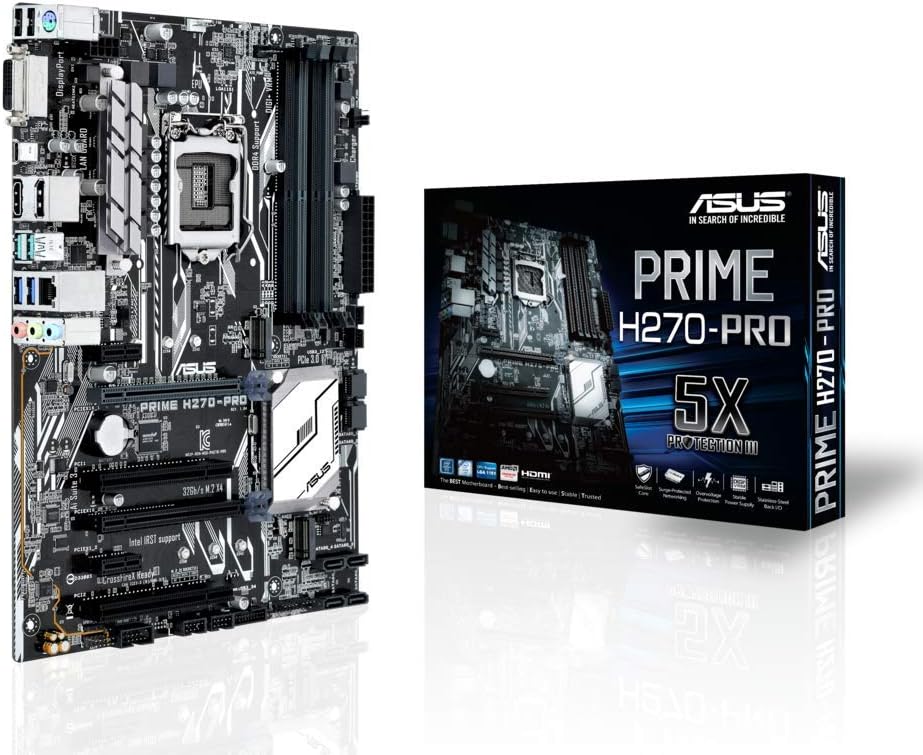

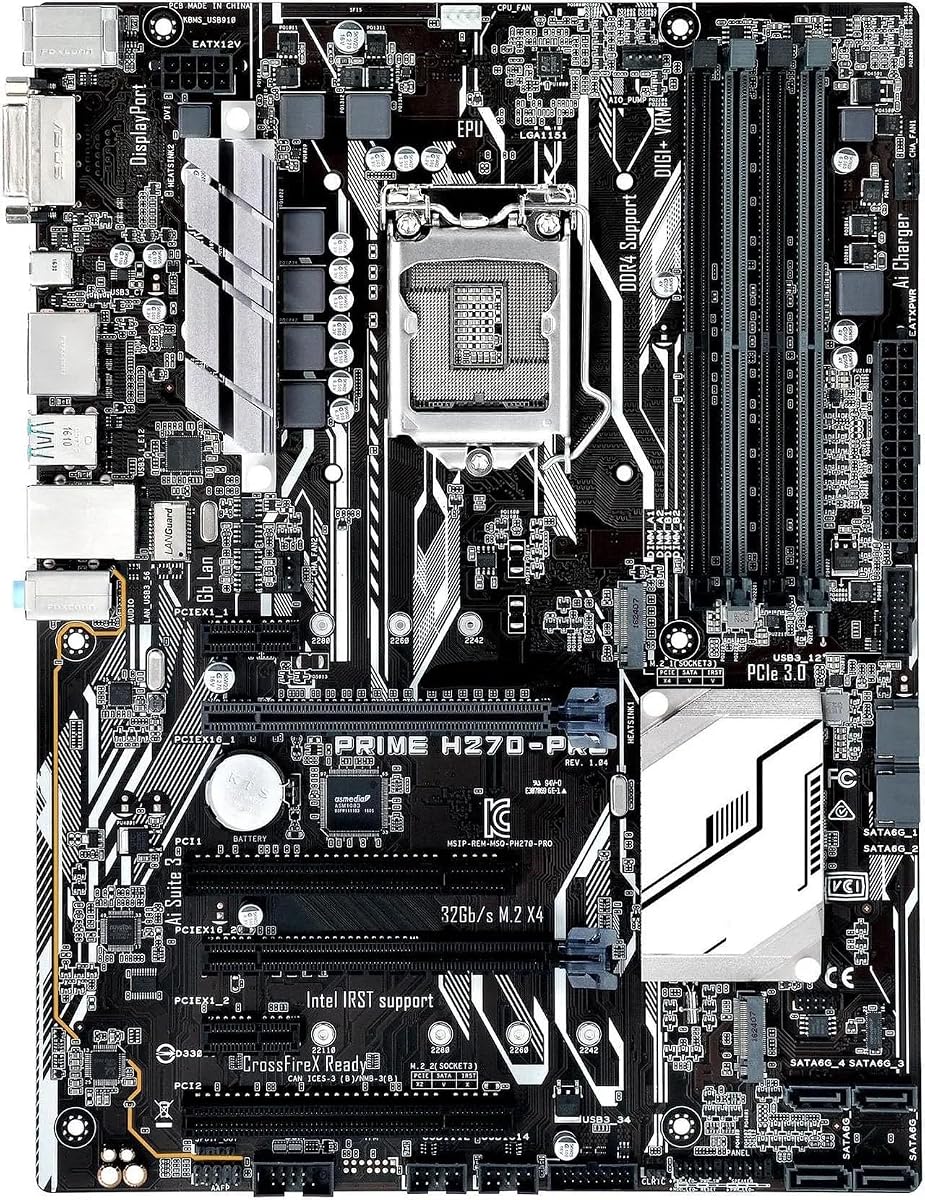


This motherboard stands out as a top choice for users seeking a balance of performance and reliability. With a high rating from verified buyers, it delivers consistent results across various workloads and gaming scenarios.
We may earn a commission when you buy through this link, at no additional cost to you.
Key strengths include dual M.2 slots with Optane support for faster storage speeds. The Safe Slot Core PCIe slot prevents damage from heavy graphics cards, ensuring long-term durability.
Trade-offs involve basic audio capabilities compared to gaming-focused boards. However, for general productivity and moderate gaming, the performance remains robust and efficient.
Ideal for home builders needing solid features without paying for overclocking. We recommend this model for its stability and comprehensive port selection.
Dual M.2 slots allow for quick SSD installations and support Intel Optane Memory for system acceleration.
Hardware-level safeguards like 5X Protection III protect components from dust, moisture, and electrical surges.
We may earn a commission when you buy through this link, at no additional cost to you.
The MSI H270 Gaming PRO Carbon offers exceptional value for gamers on a strict budget. It combines essential gaming features like RGB sync and audio enhancements without breaking the bank.
We may earn a commission when you buy through this link, at no additional cost to you.
Its standout features include Mystic Light synchronization for system aesthetics and Gaming LAN with protection against network disruptions. The DDR4 Boost technology optimizes memory stability for smoother performance.
Limitations include a slightly less robust VRM compared to premium options. While adequate for non-overclocked CPUs, it might limit extreme thermal headroom.
This board is perfect for budget-conscious builders wanting a gaming look. We suggest it for entry-level rigs where cost is a primary concern.
Mystic Light Sync allows you to coordinate lighting effects across compatible devices for a unified system look.
Gaming LAN with protect features ensures stable network performance and protects against LAN disruptions.
We may earn a commission when you buy through this link, at no additional cost to you.
For enthusiasts wanting top-tier features, the ROG Strix H270-F Gaming delivers premium quality in every aspect. Its audio and lighting systems are best-in-class for this chipset generation.
We may earn a commission when you buy through this link, at no additional cost to you.
Key strengths include SupremeFX audio with Japanese capacitors for immersive sound. The Safe Slot PCIe design provides extra physical strength for heavy GPUs.
Trade-offs involve a steeper price tag and complex software. For basic users, these features might be overkill compared to simpler alternatives.
Ideal for gamers building high-end systems with aesthetic goals. We recommend this for those valuing superior audio and customizable lighting.
SupremeFX S1220A audio with Japanese capacitors provides industry-leading sound clarity and depth.
Aura Sync RGB lighting allows you to match your motherboard with other compatible RGB peripherals.
We may earn a commission when you buy through this link, at no additional cost to you.
The ASRock H270 PRO4 is a solid choice for users needing extensive storage connectivity. It provides a straightforward layout that works well for standard builds.
We may earn a commission when you buy through this link, at no additional cost to you.
Strengths include support for six SATA3 ports and an Ultra M.2 slot for fast drives. This makes it ideal for home servers or media centers requiring many drives.
Trade-offs include basic rear I/O and minimal advanced cooling features. It focuses purely on utility rather than aesthetic flair.
Best for functional builds prioritizing storage over gaming looks. We suggest this for server or office PC applications.
Six SATA3 ports and Ultra M.2 support provide excellent options for expanding your storage capacity.
Supports 6th gen Intel Core processors with standard DDR4 memory channels for smooth daily tasks.
We may earn a commission when you buy through this link, at no additional cost to you.
The Asus Prime H270-PRO balances connectivity and reliability effectively. It serves as a dependable base for mainstream desktop systems requiring modern ports.
We may earn a commission when you buy through this link, at no additional cost to you.
Strengths include dual USB 3.0 and a USB 3.1 Type A, plus a Type-C option for modern devices. The ATX form factor ensures compatibility with standard cases.
Trade-offs involve limited PCIe lanes for expansion. It is not ideal for multi-GPU setups or complex expansion needs.
Best for general users needing a stable system with good port selection. We recommend it for office and home PC builds.
Includes USB 3.1 Type A and Type-C ports for fast data transfer with modern peripherals.
5X Protection III provides advanced hardware safeguards for all-round protection against electrical issues.
We may earn a commission when you buy through this link, at no additional cost to you.
The GIGABYTE GA-H270-Gaming 3 targets gamers with specific networking needs. Its Killer networking chip optimizes traffic for lower latency during online sessions.
We may earn a commission when you buy through this link, at no additional cost to you.
Strengths include 2-Way Crossfire support and USB3.1 Type-C for fast external storage. Four DIMM slots ensure room for memory upgrades.
Trade-offs include a bulky heatsink that may block large CPU coolers. The audio section is functional but not exceptional.
Best for gamers prioritizing network stability. We suggest this for online multiplayer builds where ping matters.
Killer E2500 Gaming Network ensures your gameplay traffic gets priority for smoother online experiences.
Supports 2-Way Crossfire allowing you to add a second graphics card for enhanced performance.
We may earn a commission when you buy through this link, at no additional cost to you.
This replacement board targets users repairing systems with contact or power issues. It is designed to resolve common failures seen in older ASUS Prime models.
We may earn a commission when you buy through this link, at no additional cost to you.
Strengths include optimized power design and an advanced heatsink for thermal management. It promises stability under heavy loads through improved circuit layout.
Trade-offs include lack of official brand support or warranty. This is a niche solution for repair scenarios rather than new builds.
Best for repairing older hardware. We suggest this only if you need a direct replacement for damaged components.
Designed to resolve contact issues caused by dust or static electricity for normal system operation.
Advanced heatsink design increases dissipation area to ensure professional-grade stability under heavy loads.
We may earn a commission when you buy through this link, at no additional cost to you.
This budget option provides basic compatibility for Intel 7th Gen processors at a low price. It is suitable for simple builds where cost is the main driver.
We may earn a commission when you buy through this link, at no additional cost to you.
Strengths include support for i5-7400 and i3-7300 CPUs with 64GB memory capacity. It includes M.2 support for modern storage needs.
Trade-offs involve generic product details and unverified long-term performance. It lacks detailed specs common with major brands.
Best for extremely tight budget constraints. We suggest this only for non-critical systems where cost matters most.
Supports Intel Core i5 and i3 7th generation processors for modern daily computing tasks.
Supports up to 64GB of DDR4 memory allowing for future proofing and heavy multitasking.
We may earn a commission when you buy through this link, at no additional cost to you.
A generic entry-level board offering basic LGA 1151 socket support for budget systems. It provides essential functions without extra frills or advanced features.
We may earn a commission when you buy through this link, at no additional cost to you.
Strengths include support for DDR4 memory and 64GB capacity. The basic layout ensures compatibility with standard cases and components.
Trade-offs include very limited ports and extra features. It is strictly for functional computing without expansion needs.
Best for office PCs with minimal needs. We suggest this for replacements where functionality is the only requirement.
Features the common LGA 1151 socket compatible with a wide range of Intel Core processors.
Supports DDR4 memory up to 64GB for standard office and home computing requirements.
We may earn a commission when you buy through this link, at no additional cost to you.
This board supports a wide range of 6th gen CPUs from i3 to i7. It offers basic functionality at a very low price point.
We may earn a commission when you buy through this link, at no additional cost to you.
Strengths include support for i3-6100 and i7-6700 CPUs with M.2 support. It is a functional option for basic desktop builds.
Trade-offs involve very generic specs and lack of brand backing. It lacks detailed technical support for troubleshooting.
Best for extremely low budget projects. We suggest this only for non-critical systems or replacements.
Supports a wide range of 6th gen Intel Core processors from entry level i3 to high end i7.
Includes M.2 ATX support for faster storage options compared to traditional SATA drives.
We may earn a commission when you buy through this link, at no additional cost to you.
Selecting the right H270 motherboard requires evaluating several key factors to ensure compatibility and performance.
Ensure the motherboard supports LGA 1151 sockets for 6th and 7th generation Intel processors. This is essential for physical installation and system boot.
Always verify the specific CPU generation your model supports before purchasing to avoid compatibility issues.
Look for boards supporting DDR4 memory channels to maximize speed and efficiency. Most H270 boards support up to 64GB which is sufficient for most users.
Check the number of DIMM slots to ensure room for future upgrades if needed.
Modern boards should include M.2 slots for fast SSDs. Some models offer dual M.2 slots or SATA Express for expanded storage capacity.
Prioritize models with multiple M.2 slots if you plan to use high-speed drives for your OS and games.
Count the available USB ports including Type-A and Type-C. Ensure you have enough connectors for your peripherals and external drives.
Check for USB 3.0 or 3.1 options which provide faster data transfer rates compared to older standards.
Review PCIe slot configurations for graphics cards or expansion cards. Some models support CrossFire for multi-GPU setups.
Ensure the physical slots match the size of your intended graphics card and other add-on cards.
High-end models may feature SupremeFX or Audio Boost codecs for better sound. Check if the board uses high-quality capacitors and shielding.
Basic models work fine for general use but gamers or audiophiles may want better onboard audio.
Gaming boards often include Killer LAN or specific network protection features. These can help prioritize traffic for smoother online gaming.
Standard Gigabit Ethernet is sufficient for most home users but specialized chips can improve performance.
Stick with established brands like ASUS, MSI, or GIGABYTE for warranty and driver support. Generic boards may lack consistent driver updates.
Consider the reputation of the manufacturer for quality control and customer service before buying.
Always install the motherboard on a non-conductive surface to prevent static damage during installation. Use an anti-static wrist strap if possible to protect sensitive components.
Regularly clean dust from the heatsinks and fans using compressed air. Accumulated dust can block airflow and lead to overheating over time.
Update the BIOS to the latest version from the manufacturer's website. This ensures better hardware compatibility and improved system stability.
Generally, H270 motherboards do not support CPU overclocking. They are designed for stability and standard performance. If you need overclocking capabilities, consider Z-series chipsets instead.
No, H270 motherboards only support DDR4 memory. Using DDR3 modules will not work physically or electronically. Ensure you purchase the correct RAM type for your system.
Many modern H270 boards include at least one USB 3.1 Type-C port. Check specific models to confirm availability if this port is essential for your needs.
Most H270 boards come with 4 to 6 SATA ports. Choose based on your drive needs but consider M.2 for high-speed primary drives to save SATA ports.
You typically need a screwdriver to mount the motherboard to the case. Ensure you use the provided standoffs to prevent short circuits on the board.
H270 generally offers more PCIe lanes and SATA ports than B250. Both support standard performance but H270 is better for systems needing more connectivity options.
Most H270 motherboards with 7th gen CPUs can run Windows 11. Verify TPM support requirements as older chipsets may need BIOS updates for full compatibility.
Most H270 boards support 2-Way Crossfire but not SLI. Check specific models for multi-GPU support if you plan to add a second graphics card.
We reviewed ten H270 motherboards ranging from budget-friendly options to premium gaming boards. The ASUS Prime H270-PLUS stands out for reliability while the MSI Gaming PRO Carbon offers great value.
Prioritize connectivity options like M.2 slots and USB ports based on your specific hardware needs. Ensure the board supports your exact CPU generation to avoid compatibility issues.
Prices and availability change frequently so check current listings before buying. Verify warranty details and support resources for your chosen model.