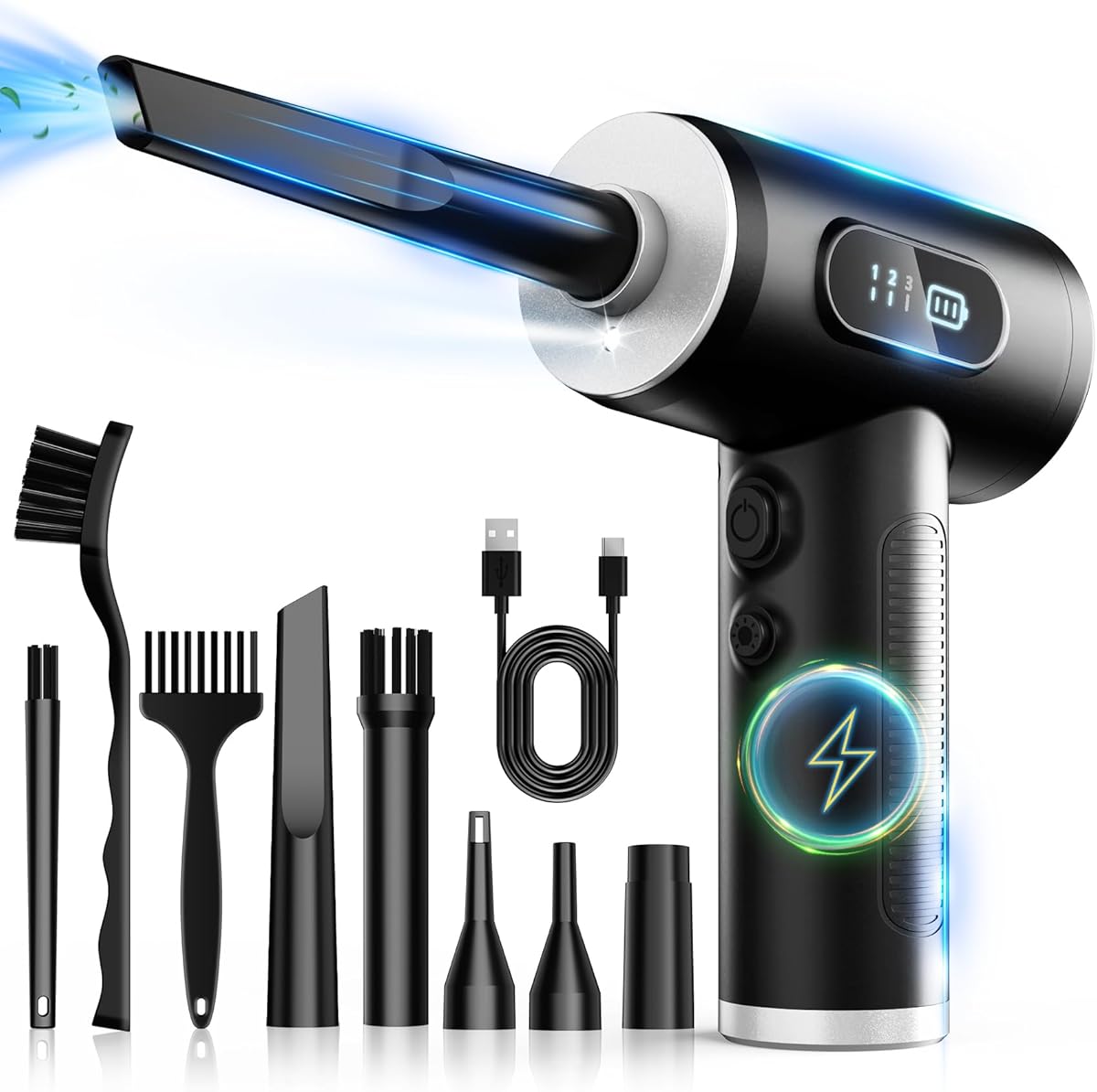
FRESMOL Compressed Air Duster
4.4Editor score
Rechargeable cordless design
100000 RPM motor speed
LED display for battery status
This guide compares the top laptop fan cleaning kits for 2026, evaluating electric dusters, brushes, and tools to help you choose the right maintenance
Keeping your laptop running cool requires regular dust removal from fans and vents. A good cleaning kit combines powerful airflow, anti-static tools, and precision brushes to reach tight spaces without damaging sensitive components or internal parts.
We evaluated ten top-rated products based on motor power, battery life, accessory variety, and ease of use. Our analysis covers rechargeable electric dusters, all-in-one kits, and specialized brush sets designed for laptops, PCs, and other electronics.
Each pick highlights specific strengths like speed settings, LED lighting, or compact portability. Prices and availability change frequently, so verify current details before purchasing. These tools help extend device life and prevent overheating issues effectively.
4.4Editor score

4.9Editor score

4.5Editor score
The following table compares key specifications across all ten selected products. Review motor speed, accessories included, charging options, and portability to find the kit that best matches your cleaning needs and device types.




The iFixit Laptop Cleaning Kit stands out as a top choice for users prioritizing safety and versatility. With a 4.9 rating, it combines essential tools like microfiber cloths and a dust blower to handle screen and keyboard debris effectively.
We may earn a commission when you buy through this link, at no additional cost to you.
This kit excels in protecting delicate surfaces with anti-static brushes and specialized swabs. The inclusion of alcohol wipes ensures grime removal without harsh chemicals, making it ideal for regular maintenance of laptops and tablets alike.
While it lacks an electric motor, the manual dust blower remains effective for light debris. The compact tool pouch ensures all items stay organized, which is beneficial for travelers or those with limited workspace storage options.
Buyers seeking a safe, all-in-one solution for screen and keyboard care will find this kit invaluable. It is particularly recommended for users who prefer non-electric tools to maintain their devices without electrical risks.
Anti-static materials prevent damage to sensitive electronic components during cleaning.
The included pouch keeps tools accessible and organized for on-the-go maintenance.
We may earn a commission when you buy through this link, at no additional cost to you.
The FRESMOL Compressed Air Duster offers an affordable entry into electric cleaning with a 4.4 rating. Its rechargeable design eliminates the need for disposable cans, providing a cost-effective solution for regular dust removal from laptop fans.
We may earn a commission when you buy through this link, at no additional cost to you.
Key strengths include a powerful 100000 RPM motor and three adjustable speed settings. The LED display and light enhance usability in dark corners, while the five nozzles target tight gaps between keys and vents effectively.
Trade-offs include moderate noise levels at top speeds and battery life that depends on usage intensity. However, these are acceptable given the budget-friendly price and the convenience of a cordless, portable design.
Budget-conscious users needing a reliable electric duster should consider this model. It balances performance and cost well, making it a practical choice for maintaining laptops and small electronics without overspending.
Replaces disposable cans, saving money and reducing environmental waste over time.
Built-in light illuminates dark areas to ensure thorough dust removal.
We may earn a commission when you buy through this link, at no additional cost to you.
This electric duster delivers premium performance with a 280000 RPM motor, earning a 4.5 rating. It targets stubborn dust in laptop cooling fans with powerful, high-pressure airflow that rivals traditional canned air.
We may earn a commission when you buy through this link, at no additional cost to you.
Features like a smart LCD screen and Type-C fast charging add convenience. The six versatile attachments handle diverse tasks, from camera lenses to car interiors, making it a multifunctional tool for tech enthusiasts.
The premium price and larger form factor may deter budget seekers. Yet, the durability, extended runtime, and high power justify the investment for users needing professional-grade cleaning capabilities regularly.
Users seeking maximum power and advanced features will appreciate this kit. It is ideal for those who clean multiple devices or require robust airflow to maintain high-performance laptops and gaming rigs.
280000 RPM speed ensures deep cleaning of stubborn dust and debris.
LCD screen provides real-time battery and speed data for better control.
We may earn a commission when you buy through this link, at no additional cost to you.
The WOLFBOX MegaFlow 50 is a robust choice with a 4.6 rating and 110000 RPM motor. Its lightweight build and 240-minute runtime make it suitable for extended cleaning sessions without fatigue or frequent recharging.
We may earn a commission when you buy through this link, at no additional cost to you.
Strengths include three adjustable gears and fast Type-C charging. The four nozzles offer precise targeting for vents and crevices, while durable materials ensure the device withstands daily use in various environments.
Minor drawbacks include potential lanyard tangling and limited color variations. These are negligible compared to the device's performance and portability, which suit both home and travel maintenance needs.
Users valuing long runtime and light weight should consider this option. It is particularly effective for cleaning multiple laptops or workstations efficiently while minimizing interruptions for battery management.
Up to 240 minutes of use ensures uninterrupted cleaning for large setups.
Weighing only 0.45 lb, it is easy to carry and handle comfortably.
We may earn a commission when you buy through this link, at no additional cost to you.
This all-in-one kit offers extensive accessories, earning a 4.6 rating. It includes a keycap puller and retractable brush for deep cleaning, making it ideal for mechanical keyboards and laptop screens.
We may earn a commission when you buy through this link, at no additional cost to you.
The comprehensive set features microfiber cloths, a lens cleaning pen, and more. This variety allows users to address diverse cleaning needs, from earbuds to computer monitors, without buying multiple separate tools.
Manual cleaning requires effort compared to electric dusters. However, the affordability and thoroughness of the manual tools make it a strong choice for detailed maintenance where precision is prioritized over speed.
Tech hobbyists who enjoy keycap removal and detailed cleaning will benefit. It is best suited for users who prefer hands-on maintenance and need versatile tools for multiple device types.
Specialized tools like keycap pullers allow deep access to internal keyboard areas.
One kit serves laptops, cameras, and earbuds for complete device upkeep.
We may earn a commission when you buy through this link, at no additional cost to you.
With 130000 RPM and a 4.6 rating, this duster excels in powerful airflow. It removes stubborn dust efficiently, with gear settings to adjust intensity based on the task at hand.
We may earn a commission when you buy through this link, at no additional cost to you.
Key features include six versatile nozzles and an 8000mAh battery for extended runtime. The AI chip provides overheat protection, ensuring safety during prolonged use while maintaining consistent performance.
Weight and mid-range pricing are minor drawbacks. However, the durability, high power, and extensive accessories justify the investment for users prioritizing strong cleaning capabilities and safety.
Users needing robust cleaning power should choose this model. It fits well for heavy-duty tasks or regular maintenance on devices prone to heavy dust accumulation.
130000 RPM motor delivers rapid debris removal from hard-to-reach areas.
AI chip prevents overcharge and overheating to protect both device and user.
We may earn a commission when you buy through this link, at no additional cost to you.
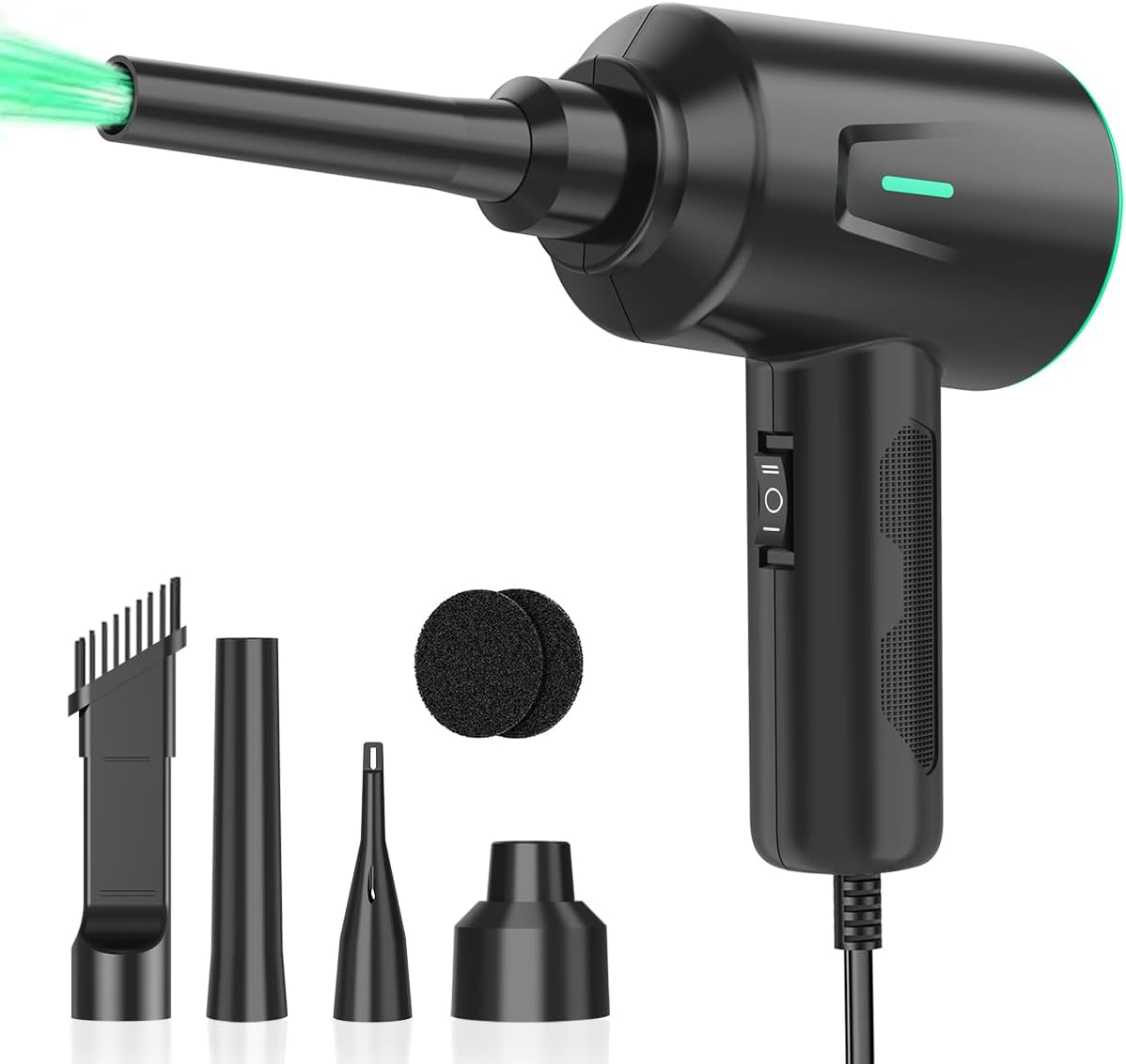
The Meudeen Air Duster offers reliable performance with a 500W motor and 4.5 rating. Its corded design ensures continuous operation without battery limits, ideal for extended cleaning sessions at a desk.
We may earn a commission when you buy through this link, at no additional cost to you.
Strengths include two-speed settings and a range of brushes. The extended cord provides reach without constant repositioning, making it suitable for thorough cleaning of laptops and office electronics.
Portability is limited by the cord. However, for stationary use, the consistent power and lack of battery concerns make it a dependable choice for regular maintenance.
Users seeking a steady, corded option should consider this. It is well-suited for home offices where a power outlet is available and battery charging is a concern.
Corded design guarantees uninterrupted airflow during lengthy cleaning tasks.
Included brushes help target different textures and surface types effectively.
We may earn a commission when you buy through this link, at no additional cost to you.
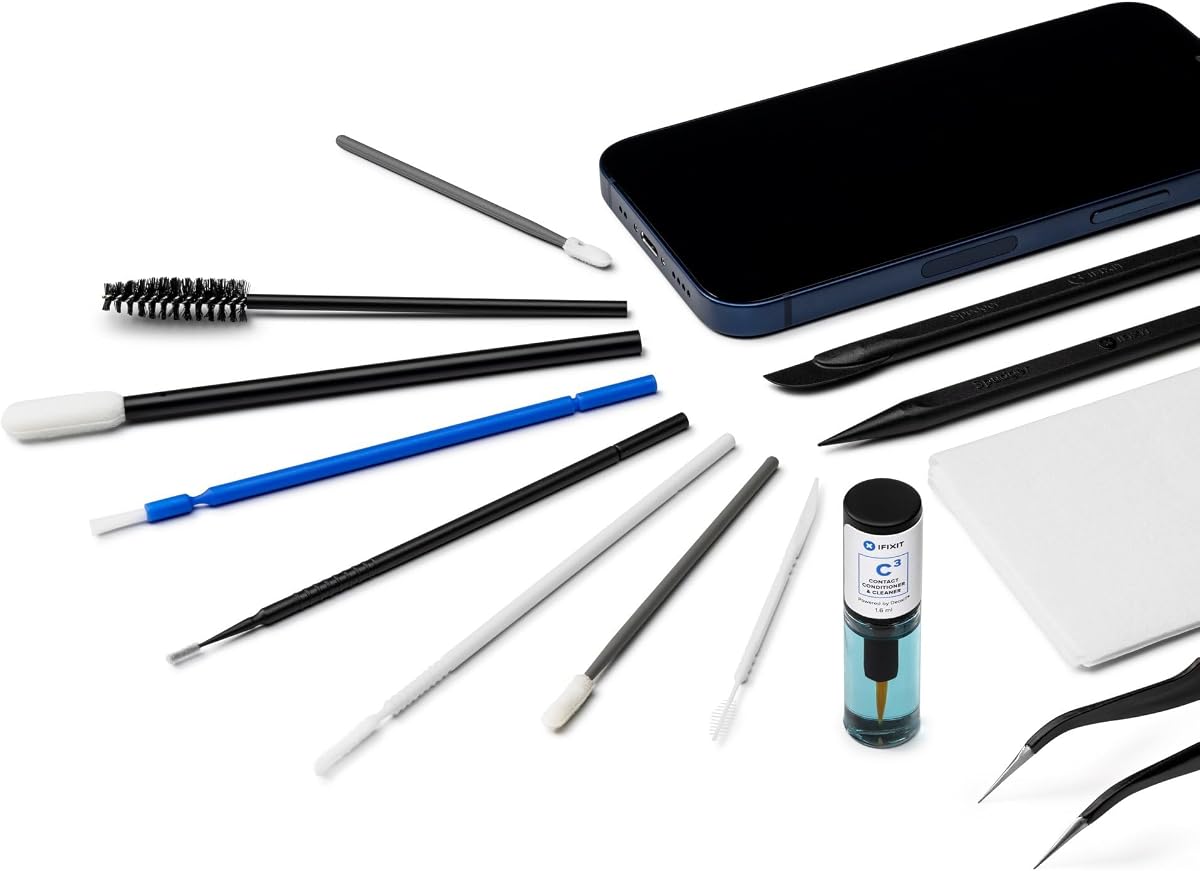
This precision kit focuses on detailed cleaning with a 4.3 rating. It includes tools like spudgers and DeoxIT to tackle grime and oxidation on sensitive laptop components safely.
We may earn a commission when you buy through this link, at no additional cost to you.
Features include foam swabs and lint-free wipes for delicate areas. The inclusion of DeoxIT D100L helps maintain electronic contact points, ensuring longevity of ports and switches.
Manual operation limits speed compared to electric dusters. However, for users focused on detailed maintenance rather than bulk dust removal, the specialized tools offer unmatched precision and care.
Users prioritizing precision and component safety should select this kit. It is ideal for advanced users or repair technicians needing targeted cleaning solutions.
DeoxIT solution helps protect electronic contacts from oxidation and corrosion.
Precision swabs and brushes reach minute areas without causing damage.
We may earn a commission when you buy through this link, at no additional cost to you.
This brush set provides 10 sizes for versatile cleaning, rated 4.4. It targets dust in keyboard gaps and laptop fans with anti-static nylon, preventing static damage to components.
We may earn a commission when you buy through this link, at no additional cost to you.
Soft bristle brushes protect delicate surfaces like monitors. The wide range of sizes allows for precise cleaning in small spaces, making it a valuable addition to any maintenance toolkit.
Lack of air power means manual scrubbing is required. However, for users needing gentle, non-static cleaning options, this kit offers an affordable and effective solution.
Users needing anti-static protection should consider these brushes. They are best used alongside air dusters for a comprehensive cleaning routine.
Nylon material minimizes static risks during cleaning of sensitive components.
Ten different sizes ensure coverage of all hard-to-reach areas.
We may earn a commission when you buy through this link, at no additional cost to you.
This electric blower offers versatile utility with a 4.4 rating. It cleans laptops and keyboards while also functioning as an inflation tool, providing value beyond simple dust removal.
We may earn a commission when you buy through this link, at no additional cost to you.
Features include an ergonomic grip and adjustable speed. The five nozzles support different tasks, from sofa crumbs to car vents, making it a practical all-around cleaning tool.
Battery life and lack of LED are minor limitations. However, the multifunctional nature makes it a cost-effective option for users needing both cleaning and basic inflation capabilities.
Users seeking a versatile tool should consider this model. It suits those who need more than just laptop cleaning, such as inflatables or home maintenance tasks.
Beyond cleaning, it serves as an inflation tool for household items.
Comfortable grip reduces hand fatigue during extended cleaning sessions.
We may earn a commission when you buy through this link, at no additional cost to you.
Selecting the right cleaning kit depends on your specific needs, budget, and how often you maintain your devices. Understanding key features helps you choose tools that are effective and safe.
Look for electric dusters with high RPM ratings for efficient dust removal. Faster motors clear debris from fans and vents more quickly than manual tools.
Prioritize models with adjustable speed settings to balance power and safety for sensitive components.
Rechargeable kits offer convenience but check runtime hours before buying. Short battery life can interrupt deep cleaning sessions.
Choose units with fast charging via Type-C ports to minimize downtime between uses.
A good kit includes multiple nozzles and brushes to reach tight spaces like keyboard gaps. Look for anti-static brushes to protect electronics.
More attachments increase versatility, allowing you to clean various devices with one tool.
Lightweight and cordless designs make cleaning easier around your workspace or while traveling. Heavy units may be tiring during prolonged use.
Consider size and storage options like pouches if you need to carry the kit frequently.
Safe kits include anti-static materials and LED lights to avoid damaging sensitive components or missing dark areas. Safety protects your device from static discharge.
Overheat protection and overcharge safeguards extend the life of electric dusters.
Intuitive controls and ergonomic grips improve the cleaning experience. Complex setups may discourage regular maintenance.
Choose models with clear displays or indicators for battery and speed status to avoid surprises.
Some kits clean more than laptops, including cars and cameras. Versatile tools offer better value if you maintain multiple devices.
Look for inflation capabilities or multi-purpose nozzles if you need broader cleaning functions.
Budget kits may lack power or accessories, while premium ones offer advanced features. Balance cost with long-term durability and performance.
Invest in a kit that reduces need for professional repairs by maintaining your devices effectively.
Before cleaning, shut down your laptop and disconnect power to prevent short circuits. Open any access panels if possible to reach fans directly without damaging the chassis.
Use the air duster from a distance to avoid spinning fans too fast, which can cause damage. Apply gentle bursts of air while holding the fan blade steady if accessible.
Clean accessories regularly by brushing off dust and storing them in a dry place. Check battery levels and charge as needed to ensure readiness for future maintenance sessions.
Yes, using electric dusters is generally safe if done properly. Hold the fan blade to prevent overspinning and keep the nozzle at a safe distance to avoid static damage or moisture.
Ideally, clean your laptop fans every three to six months depending on usage. Heavy use or dusty environments may require more frequent maintenance to prevent overheating.
Canned air works but is less eco-friendly and costly over time. Electric dusters offer consistent pressure and reusable convenience without the risk of liquid residue.
Essential accessories include small nozzles for vents and anti-static brushes for surfaces. Microfiber cloths and swabs help clean screens and tight crevices effectively.
Yes, most kits are versatile enough for cameras, consoles, and keyboards. Adjustable nozzles and brushes make them suitable for various electronic maintenance needs.
Most rechargeable dusters last one to three years with proper care. Charging cycles and usage frequency impact longevity, so follow manufacturer guidelines for best results.
It is best to hold the fan blade to prevent rapid spinning, which can damage the motor. Brief air blasts can clean dust without forcing rotation.
Anti-static brushes reduce the risk of static discharge damaging sensitive components. They are recommended for internal electronics where regular brushes might cause harm.
This guide highlights ten top laptop fan cleaning kits, with the iFixit kit leading as an overall choice for safety and versatility. Electric options like FRESMOL and MiaEpic offer powerful airflow for deeper cleaning.
Prioritize motor power, battery life, and accessory variety based on your device types and cleaning habits. Safety features like anti-static tools ensure your electronics remain protected during maintenance.
Prices change often so check current details before purchasing. Regular cleaning extends device life and improves performance, making any of these kits a smart investment for tech care.