
ASUS ROG Raikiri II Pro PC Controller
4.0Editor score
Competition-Level 8K Sampling Rate
Hot-Swappable TMR Joysticks
Full Color Customization Display
Choosing the right controller can transform your gaming experience significantly. Whether you play on PC or Xbox, having a responsive and durable controller is essential for competitive play and casual fun alike.
We analyzed ten top-rated controllers from ASUS and compatible brands. Our comparison focuses on connectivity, build quality, customization options, and overall user feedback to help you find the perfect fit.
Each selection highlights key strengths and potential trade-offs to inform your decision. Please note that product availability and pricing may change over time, so check current listings before purchasing.
4.0Editor score

3.9Editor score

3.9Editor score
As an Amazon Associate we earn from qualifying purchases.
The following table offers a side-by-side look at the key specifications and unique features of each controller to help you make an informed choice quickly.


The ASUS ROG Raikiri II is a versatile wireless controller designed for both PC and Xbox use. It carries a 3.9 rating from users who appreciate its adaptability and robust feature set for various gaming scenarios.
We may earn a commission when you buy through this link, at no additional cost to you.
Its standout quality is the tri-mode connectivity supporting 2.4GHz RF, Bluetooth, and wired USB-C modes. The 1000Hz polling rate ensures ultra-low latency in both wired and wireless modes enhanced by ROG SpeedNova technology. Anti-drift TMR joysticks provide accurate control while consuming less power than Hall Effect alternatives. The four programmable rear buttons allow for complex in-game commands without taking thumbs off sticks.
Some users note the controller can feel slightly bulky in smaller hands. Additionally, while the RGB lighting is customizable, keeping it on can reduce the total battery runtime. These trade-offs are acceptable given the high level of customization and long battery life available when RGB is turned off.
This controller is ideal for gamers who frequently switch between platforms and demand precise control. If you value customization and reliability over compact size, this model is a strong recommendation for your next purchase.
Use low-latency 2.4GHz RF, Bluetooth, or wired USB-C to play on PC and ROG Xbox Ally seamlessly.
Anti-drift TMR joysticks and a skin-friendly ergonomic grip provide lasting comfort and stability during extended sessions.
We may earn a commission when you buy through this link, at no additional cost to you.
The ROG Raikiri II Pro is a high-performance controller tailored for competitive PC gaming. With a 4.0 rating, it stands out for its advanced sampling rates and extensive customization capabilities for serious players.
We may earn a commission when you buy through this link, at no additional cost to you.
Its key strength is the competition-level 8K sampling rate for extremely responsive control and low latency. Hot-swappable TMR joysticks allow you to replace modules without tools while maintaining anti-drift performance. A full color display lets you customize key features like profile changes and joystick calibration. You can also reassign 4 removable buttons on the back and additional front bumpers for faster in-game commands.
The main drawback is the premium price compared to standard controllers. Additionally, utilizing the full color display and extended customization may impact battery usage despite the high 79-hour capacity. However, for competitive gamers, the performance gains justify these minor inconveniences.
Choose this controller if you seek the highest level of responsiveness and personalization for competitive play. It is best suited for dedicated PC gamers willing to invest in top-tier hardware for maximum control.
ROG SpeedNova technology with an 8K sampling rate delivers low latency for improved gaming performance in wired and wireless modes.
Use the full color display to manage profile changes, joystick calibration, and button reassignment on the fly.
We may earn a commission when you buy through this link, at no additional cost to you.
The ROG Raikiri Pro features a unique built-in OLED display that sets it apart visually. It holds a 3.9 rating and is praised for its ability to display status indicators and animations while playing on PC and Xbox.
We may earn a commission when you buy through this link, at no additional cost to you.
The OLED display allows you to create a unique look and switch profiles on the fly. Tri-mode connectivity offers versatile flexibility with wired USB-C, 2.4 GHz RF, and Bluetooth modes. Selectable step triggers let you choose between short or full-range modes with customizable dead zones. A built-in ESS DAC enhances immersive audio directly through the controller.
Some users find the display can be distracting during intense gameplay. Additionally, the mixed rating suggests varying user experiences with the display functionality or software. These trade-offs are acceptable for those who prioritize visual flair and deep customization options over pure simplicity.
This model is perfect for gamers who want to personalize their setup visually and functionally. If you appreciate custom animations and detailed status tracking, this controller offers features you will not find elsewhere.
Create a unique look with customizable animations, view status indicators, and switch profiles on the fly.
Built-in ESS DAC provides immersive audio, plus a 3.5 mm earphone jack and a mute button for convenience.
We may earn a commission when you buy through this link, at no additional cost to you.
The ROG Tessen is a compact mobile controller designed exclusively for Android phones. With a 4.1 rating, it is highly regarded for its foldable design and console-grade controls tailored for mobile gaming.
We may earn a commission when you buy through this link, at no additional cost to you.
Its ultra-portable secure foldable design easily fits in a pocket and securely holds your phone in landscape orientation. It features console-grade sticks with a 22 degree range of movement for unmatched accuracy. Zero-latency is achieved with a 500Hz polling rate via wired USB-C. The controller also supports 18W pass-through charging so you can game without battery anxiety.
Since it is wired-only and Android-specific, it lacks the versatility of wireless multi-platform controllers. However, for mobile gaming on the go, the secure fit and ergonomic handles provide exceptional comfort that wireless alternatives often lack.
If you primarily play on Android and want a controller that feels like a console experience, this is an excellent choice. It is specifically optimized for popular mobile titles and offers great value for mobile enthusiasts.
Folds for pocket-sized portability and securely holds your phone in landscape orientation, safeguarding the USB-C connector.
Features console-grade sticks and analog triggers for fine-tuned control with outward-extended ergonomic handles for extended gameplay.
We may earn a commission when you buy through this link, at no additional cost to you.
The ROG Raikiri Pro offers a balanced set of features with a built-in OLED display. It has a 3.4 rating and provides users with a solid mix of connectivity and customization for PC and Xbox gaming.
We may earn a commission when you buy through this link, at no additional cost to you.
The built-in OLED display allows you to create a unique look and switch profiles on the fly. It supports low-latency 2.4 GHz RF, Bluetooth, or wired USB-C connectivity for versatile use. Intuitive rear controls can be programmed for in-game commands or sensitivity shifts. A built-in ESS DAC delivers premium sound with a 3.5 mm earphone jack and mute button.
Some users report inconsistencies with software or battery performance over time. Additionally, the lower rating suggests potential quality control issues compared to newer models. These factors are worth considering if you prioritize specific features like the display over overall reliability.
This controller is suitable for gamers looking for OLED features without the highest price tag. If you value visual customization and decent battery life, it may still serve your needs well with the right setup.
Create a unique look with customizable animations and switch profiles on the fly using the built-in OLED display.
Versatile tri-mode connectivity includes low-latency 2.4 GHz RF, Bluetooth, or wired USB-C to play on PC or Xbox.
We may earn a commission when you buy through this link, at no additional cost to you.
This renewed ROG Raikiri Pro is tested and certified to look and work like new. While there is no current rating, it offers the same premium OLED features at a reduced cost for budget-conscious gamers.
We may earn a commission when you buy through this link, at no additional cost to you.
The product includes a 90-day warranty and undergoes rigorous functionality testing and inspection. It features a built-in OLED display for customizable animations and profile switching. Tri-mode connectivity ensures compatibility with various devices via USB-C, Bluetooth, or 2.4GHz RF. Premium audio and extensive customization remain available through Armoury Crate software.
Since it is a renewed product, cosmetic wear might vary slightly despite testing. Also, availability depends on stock of refurbished units. However, the warranty and functional guarantees reduce the risk for buyers seeking value without sacrificing key features.
If you want high-end features like OLED and customization without the full new price, this renewed option is worth considering. It is ideal for cost-effective upgrades where minor cosmetic imperfections are acceptable.
This Renewed product is tested and certified to look and work like new with limited to no signs of wear.
Retains full OLED display and tri-mode connectivity capabilities found in the brand new version of the controller.
We may earn a commission when you buy through this link, at no additional cost to you.
The ROG Xbox Ally is a powerful handheld that brings the Xbox experience to life. With a 4.3 rating, it is praised for its console-caliber performance and seamless integration with Xbox ecosystems and services.
We may earn a commission when you buy through this link, at no additional cost to you.
It boots straight into the Xbox experience just like a console with Game Bar integration for easy access to favorites. Powered by an efficient AMD Ryzen Z2 A processor, it offers all-day gaming on a 60Whrs battery. The 120Hz display with FreeSync Premium ensures smooth motion with zero tearing. Comfort is prioritized with contoured grips inspired by Xbox Wireless Controllers.
This device is a standalone handheld and does not include an external controller in the box. Its high price also limits it to those seeking an all-in-one solution rather than an add-on accessory. Despite this, the performance and battery life make it a top tier choice for portable gaming.
Consider this if you want a complete portable gaming setup with native Xbox support. It is best suited for gamers who want high performance and Xbox compatibility in a dedicated portable form factor.
The Xbox gaming legacy meets ROG design so you can boot straight into the Xbox experience just like a console.
120Hz display with FreeSync Premium variable refresh rate keeps every frame smooth with vivid viewing at 500 nits.
We may earn a commission when you buy through this link, at no additional cost to you.
This renewed ROG Raikiri II brings the original high-performance features at a more accessible price. Although no current rating is available, it is tested to work reliably with premium accessories included in the package.
We may earn a commission when you buy through this link, at no additional cost to you.
It features TMR joysticks for anti-drift performance and precision. The 2.4GHz and Bluetooth connectivity options ensure flexible use across devices. A durable anti-slip grip enhances stability during gameplay. The included travel case allows for safe transport while the controller supports web-based configuration for easy customization.
As a renewed item, physical condition may vary. Additionally, specific warranty terms may differ from new products. However, the core functionality and included case make it a strong practical choice for those needing a reliable wireless controller.
Select this option if you prioritize value and convenience without sacrificing the core performance of the original model. It is perfect for users needing a durable controller with travel-ready accessories.
Includes a travel case designed to support charging the controller while inside for safe transport between games.
TMR Joysticks and anti-slip grip ensure precision and stability for Xbox X, S, Ally, and PC platforms.
We may earn a commission when you buy through this link, at no additional cost to you.
The CRKD NEO S is a wireless collectible controller that supports multiple platforms. With a 4.3 rating, users value its retro designs and Hall Effect sensors that ensure precise control and durability.
We may earn a commission when you buy through this link, at no additional cost to you.
Its Hall Effect thumbsticks mean no stick drift while guaranteeing precise and responsive control. The controller pairs seamlessly with Nintendo Switch OLED, PC, mobile, Steam Deck, and Rog Ally via Bluetooth. Re-mappable back buttons add speed and versatility. Adjustable trigger sensitivity allows you to fine-tune actuation points to your preference.
Designs are limited and collectible so availability may vary by model. Since it is a third-party product, software support relies on a mobile companion app rather than proprietary software. These trade-offs are acceptable given the unique aesthetic and robust sensor technology.
This is a great choice if you want a stylish controller that performs well across many systems. It is especially appealing to collectors who want limited edition looks with functional Hall Effect technology.
Hall Effect sensor thumbsticks mean no stick drift while guaranteeing precise and responsive control for extended use.
Bluetooth allows for wireless pairing to Nintendo Switch OLED, PC, Mobile, Smart TV, Steam Deck OLED, Legion Go, or Rog Ally.
We may earn a commission when you buy through this link, at no additional cost to you.
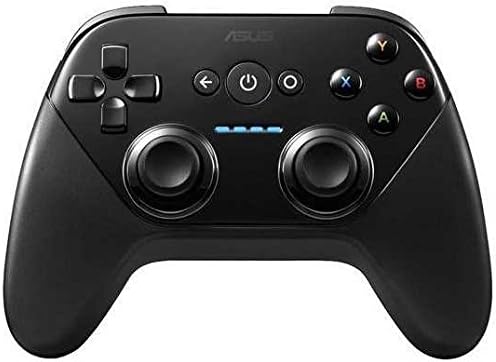
The TV500BG is a wireless gaming controller designed for Android and Windows systems. With a 4.2 rating, it is known for accurate control and seamless integration with Google Play Games on Android TVs.
We may earn a commission when you buy through this link, at no additional cost to you.
It is engineered for accurate control in Android TV and PC games to enhance your home entertainment experience. You can play with friends and track progress across phone, tablet, and TV. The controller supports Android Lollipop and Windows operating systems for wide compatibility. It allows you to earn achievements across your devices efficiently.
This model lacks advanced customization like remappable buttons or triggers found in newer controllers. It is a simpler device focused on core functionality. For casual TV gamers, this simplicity is a benefit rather than a drawback.
If you primarily play on Android TV and want reliable wireless control without extra complexity, this is a solid option. It is best suited for users prioritizing basic connectivity and comfort over advanced gaming features.
Track your progress and earn achievements across your Android phone, tablet, and TV using Google Play Games.
Engineered for accurate control in Android TV and PC games to bring stunning life-like visuals to your HDTV.
We may earn a commission when you buy through this link, at no additional cost to you.
Selecting the right controller depends on your platform, play style, and budget. Here are key factors to consider before making your final choice.
Look for controllers that support multiple modes like 2.4GHz wireless, Bluetooth, and wired USB-C. This ensures you can connect to PC, Xbox, or mobile devices without interruption.
Prioritize tri-mode connectivity for maximum versatility across your gaming setups.
TMR and Hall Effect joysticks offer anti-drift performance and longer durability compared to traditional potentiometers. This is crucial for maintaining accuracy over time.
Choose models with replaceable or hot-swappable sticks if you want extended lifespan and easy maintenance.
Controllers with programmable rear buttons allow faster in-game commands and improved ergonomics. Adjustable triggers with short or full travel add depth to your play style.
Opt for models that support software customization like Armoury Crate for button remapping and sensitivity tuning.
Long battery life ensures uninterrupted gaming sessions without frequent recharging. Some models offer up to 80 hours depending on usage and lighting settings.
Check if the controller supports pass-through charging or fast charging features for convenience during play.
Ensure the controller is certified for your primary platform whether PC, Xbox, or Android. Some models are designed specifically for mobile or handheld devices.
Universal controllers that support multiple ecosystems provide better value if you switch between devices often.
Ergonomic grips and durable materials enhance comfort during long gaming sessions. Look for anti-slip textures that keep your hands stable.
Consider the weight distribution and button tactility to avoid hand fatigue during extended play.
Some premium models include OLED displays for status indicators and profile changes. These add visual flair but may impact battery usage.
Decide if you value the display for customization or prefer simpler designs for efficiency.
Premium controllers cost more but offer advanced features like 8K sampling and hot-swappable parts. Budget models provide reliable basics for casual use.
Balance your needs with your budget to find the best value for your specific gaming requirements.
Start by connecting your controller to your device using the preferred method such as USB-C for wired or pairing via Bluetooth or 2.4GHz RF for wireless. Ensure the battery is charged before the first use to avoid connectivity interruptions.
Install the companion software like Armoury Crate on your PC to customize button mappings, trigger sensitivity, and lighting effects. This step ensures you get the most out of the controller's programmable features.
Keep your controller clean by wiping it with a soft dry cloth after use. Avoid exposing it to extreme temperatures or moisture and store it in a safe place to prolong its lifespan.
The ASUS ROG Raikiri II Xbox Wireless Controller is ideal for both platforms. It supports 2.4GHz and Bluetooth for seamless switching and is certified for Xbox via USB-C connection.
Both technologies offer anti-drift performance. TMR joysticks consume less power while Hall Effect is known for high precision. The Raikiri II Pro uses hot-swappable TMR for balanced efficiency and control.
You can change trigger settings using the Armoury Crate software or onboard controls. Select between short or full travel modes depending on your game genre preferences.
Yes many support Bluetooth and wired connections for Android and iOS devices. However the Tessen model is designed exclusively for Android phones with foldable clamps.
The Pro models feature OLED displays and higher sampling rates while II models offer robust connectivity. Pro versions include more customization options for advanced players.
Battery life varies by model ranging from 30 hours to over 80 hours. Using RGB lighting and audio will reduce total runtime significantly.
Renewed products undergo functionality testing and inspection to work like new. They typically include a warranty for added peace of mind on price.
Yes most wireless models can connect via Bluetooth or USB-C to Steam Deck. Check specific compatibility before purchasing for handheld integration.
We reviewed ten top controllers including the Raikiri II and Pro models offering diverse options from budget to premium. Each provides unique features like TMR joysticks OLED displays and customizable triggers to suit different needs.
When choosing prioritize connectivity options and build quality to ensure long-term satisfaction. Consider whether you need advanced customization or a simple reliable device for casual gaming.
Prices and availability may change so check current listings before making your final purchase. Stay informed about the latest models to get the best value for your gaming setup.