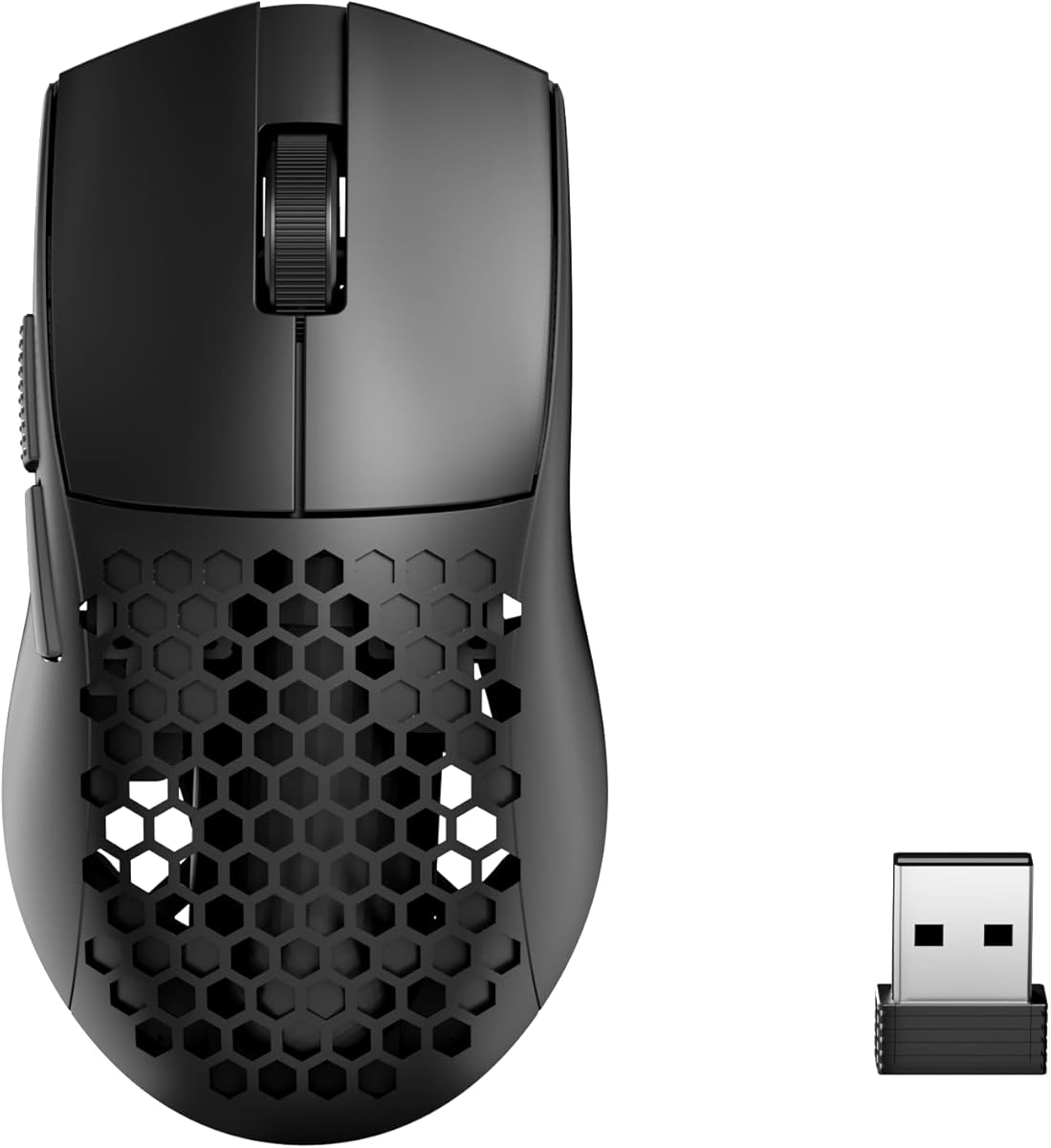
Redragon M725 Honeycomb Shell Gaming Mouse
4.4Editor score
49g ultralight weight
Tri-mode connectivity
Programmable buttons
This guide compares the lightest mice for gaming available in October 2026, evaluating weight, sensors, battery life, and build quality for competitive players.
Finding the right gaming mouse can significantly impact your performance in competitive titles. Gamers increasingly seek lighter options to reduce wrist fatigue and improve reaction times during intense sessions. This guide explores the lightest mice available today.
We have analyzed ten top-rated models based on their weight, sensor accuracy, battery longevity, and build durability. Our comparison focuses on wireless and wired options that prioritize speed and precision without compromising comfort for extended use periods.
Each selection highlights unique features tailored to different grip styles and budget ranges. Please note that prices and availability change frequently, so check current listings before making a final purchase decision for your setup.
4.4Editor score

4.5Editor score

4.3Editor score
This side-by-side comparison evaluates all ten selected mice across critical performance metrics. We examine weight, sensor type, connectivity options, and user ratings to help you choose the ideal lightweight mouse for your specific gaming needs.


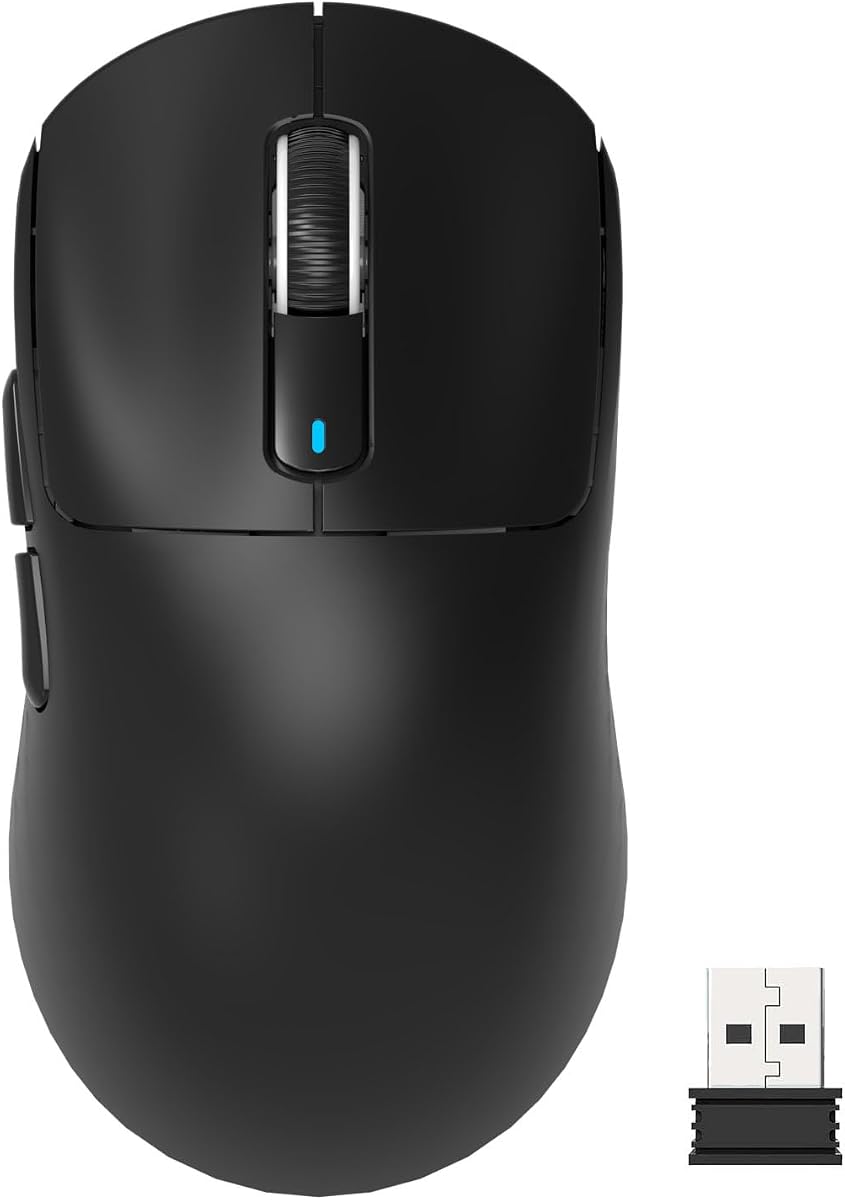


The Logitech G PRO X Superlight 2 stands as a top contender for competitive gamers seeking minimal weight without sacrificing performance. With a rating of 4.5 stars, users praise its seamless connectivity and refined ergonomic shape that suits various hand sizes comfortably.
We may earn a commission when you buy through this link, at no additional cost to you.
Its HERO 2 sensor delivers unmatched tracking accuracy with over 44,000 DPI settings and zero smoothing. The 8 kHz polling rate ensures that every movement is registered instantly, which is crucial for fast-paced shooters requiring split-second reactions during critical moments.
While the price is higher than average, the durability and battery life justify the investment for serious players. Some users note the lack of RGB lighting as a minor downside, but performance-focused individuals often prefer the clean aesthetic over flashy effects.
This mouse is ideal for esports professionals and enthusiasts who prioritize speed and accuracy. If you want a reliable, top-tier wireless experience that lasts through marathon sessions, the G PRO X Superlight 2 is a strong recommendation worth considering.
The HERO 2 sensor provides precise tracking across various surfaces without needing calibration adjustments for optimal daily use.
With up to 95 hours of continuous play, you can game for weeks without needing to recharge or swap batteries frequently.
We may earn a commission when you buy through this link, at no additional cost to you.
The Pulsar X2H Crazylight redefines lightweight gaming with an astonishing 37g weight that feels nearly weightless during play. Rated at 4.3 stars, it appeals to players who demand extreme agility and precision without compromising build quality or sensor performance standards.
We may earn a commission when you buy through this link, at no additional cost to you.
Equipped with the exclusive XS-1 sensor, this mouse offers 32,000 DPI resolution and exceptional tracking speed. The optical switches minimize double-click risks while providing tactile feedback, ensuring that every click is intentional and responsive for competitive scenarios.
Its minimalist design supports both claw and relaxed claw grips effectively. While the premium price reflects its high-end materials, the durability and smooth DOT Skates make it a valuable tool for those seeking a competitive edge in fast-paced environments.
Recommended for competitive FPS players who need the lightest possible tool. If you value speed and precision above all else, the X2H Crazylight delivers heavyweight performance in a truly featherlight package that stands out in the market.
Despite its ultra-light build, the mouse maintains exceptional durability and sleek aesthetics for long-term competitive gaming usage.
Speed of Light Optical Switches ensure swift and pinpoint responses while reducing chances of unintended double clicks during play.
We may earn a commission when you buy through this link, at no additional cost to you.
The Redragon M725 offers an excellent entry point into lightweight wireless gaming with its 49g honeycomb design. With a rating of 4.4 stars, users appreciate its versatility across devices and comfortable symmetrical shape that supports long gaming sessions without fatigue.
We may earn a commission when you buy through this link, at no additional cost to you.
Its tri-mode connectivity allows seamless switching between Bluetooth, 2.4GHz, and wired connections. This flexibility makes it suitable for multi-device users who need to transition between work and gaming setups without carrying multiple peripherals for different tasks.
While the sensor is not as advanced as premium models, it handles casual to intermediate gaming well. The honeycomb design reduces weight significantly but may collect dust over time, requiring occasional cleaning to maintain optimal performance and hygiene standards.
Ideal for budget-conscious gamers seeking a reliable wireless option. If you need a functional, lightweight mouse that works across various devices without breaking the bank, the M725 Honeycomb is a solid choice for everyday use.
Three connectivity modes ensure seamless connection with devices within 10 meters for efficient multitasking and work transitions.
Symmetrical design is ideal for long-term use, allowing easy handling of gaming marathons or extended work sessions.
We may earn a commission when you buy through this link, at no additional cost to you.
The Redragon M808 Storm provides a lightweight wired experience for those who prefer zero latency without wireless concerns. Rated 4.5 stars, it stands out for its honeycomb shell design and customizable features that appeal to gamers seeking cost-effective performance solutions.
We may earn a commission when you buy through this link, at no additional cost to you.
Its No-Drag Weave Cable minimizes friction and weight, ensuring smooth movement across the mousepad. The 12,400 DPI sensor supports precise aiming, while seven programmable buttons allow for complex macro setups during intensive gameplay sessions or creative work tasks.
Although heavier than ultralight wireless models, it remains light for a wired mouse. The RGB lighting and customization options add aesthetic value, though purists may find the honeycomb holes accumulate dust if not cleaned regularly for best hygiene standards.
Best for players on a tight budget who prefer wired reliability. If you prioritize cost savings and customizable features over absolute minimum weight, the M808 Storm offers a capable wired performance that delivers real value for the price.
The cable is made of lightest material to kill weight and friction as much as possible for smooth movement.
Sets Your DPI/RGB with 16.8 Million colors are all customizable with software support for engineer your liked way to win.
We may earn a commission when you buy through this link, at no additional cost to you.
The Logitech G305 Lightspeed delivers reliable wireless gaming with impressive battery efficiency. Rated 4.6 stars, it is a favorite for portable setups due to its compact design and ability to run for months on a single AA battery without interruption.
We may earn a commission when you buy through this link, at no additional cost to you.
Its LIGHTSPEED wireless technology provides a lag-free experience comparable to wired models. While slightly heavier than the lightest options, its mechanical design ensures efficient battery usage, making it ideal for travelers or those who prefer simplicity over advanced customization.
Users appreciate the reliable sensor and durable construction that withstands daily wear and tear. The lack of RGB and extra buttons keeps costs down, appealing to those who prioritize core performance and long-term reliability over flashy aesthetics.
Perfect for travelers and casual gamers needing a lightweight wireless mouse. If you value battery longevity and portability above extreme weight reduction, the G305 Lightspeed offers a dependable option that performs consistently across various gaming scenarios.
Ultra-fast LIGHTSPEED wireless technology gives you a lag-free gaming experience with 1 ms report rate for competition performance.
Boasts 250 hours continuous gameplay on one AA battery with Endurance mode extending life up to nine months.
We may earn a commission when you buy through this link, at no additional cost to you.
The ASUS ROG Harpe Ace Mini is designed specifically for gamers with smaller hands or those preferring fingertip grips. Rated 4.4 stars, its 49g weight and semi-symmetrical form factor make it ideal for quick movements and competitive play on desktop or laptop setups.
We may earn a commission when you buy through this link, at no additional cost to you.
Its ROG AimPoint Pro sensor tracks perfectly on glass surfaces without a mat. Tri-mode connectivity ensures seamless switching between devices, while the compact design minimizes fatigue during long sessions by fitting comfortably in smaller hand sizes for precise control.
Though not the absolute cheapest, it balances performance and ergonomics well for its target audience. Users note that the shape is optimized for claw and fingertip grips, though palm grip users might find it too small for comfortable extended usage sessions.
Recommended for FPS players with smaller hands. If you need a portable, high-performance mouse that feels natural for quick flicks and precise aiming, the Harpe Ace Mini delivers the control you need in a pro-approved package.
ROG AimPoint Pro optical sensor delivers pixel-perfect accuracy and responsiveness for competitive gaming on various surfaces.
Enjoy flexibility with wired USB, low-latency 2.4 GHz RF, and Bluetooth pairing for up to three devices.
We may earn a commission when you buy through this link, at no additional cost to you.
The ATTACK SHARK X3 offers a compelling mix of premium sensor tech and affordability. With a rating of 4.4 stars, users appreciate its lightweight build and ergonomic design that supports various grip styles without causing fatigue during extended gaming sessions.
We may earn a commission when you buy through this link, at no additional cost to you.
It features the PAW3395 flagship sensor, known for exceptional accuracy and tracking speed. The Kailh GM8.0 switches provide a crisp tactile feel, ensuring durable performance over millions of clicks while the multi-device support adds versatility for hybrid work-play setups.
While the driver software is functional, it lacks some advanced features found in higher-end brands. However, the price-to-performance ratio is strong, making it an accessible option for those who want high-end sensor capabilities without breaking their budget.
Best for gamers seeking flagship sensor performance at mid-range prices. If you need a reliable, lightweight wireless mouse that handles competitive play effectively, the X3 delivers solid value and consistent tracking performance.
Pixart PAW3395 flagship optical sensor provides adjustable DPI, 650 IPS tracking speed, and precise positioning for gaming enthusiasts.
Kailh GM8.0 switches offer 80 million clicks lifespan ensuring durable stable performance with quick triggers.
We may earn a commission when you buy through this link, at no additional cost to you.
The Pulsar X2 Crazylight brings the same lightweight performance as the Mini version in a medium size. Rated 4.3 stars, it supports both claw and fingertip grips with its low-profile shape, appealing to gamers who prefer symmetrical balance during gameplay.
We may earn a commission when you buy through this link, at no additional cost to you.
With the exclusive XS-1 sensor, it ensures unparalleled precision and speed. The optical switches provide swift responses and minimize double clicks, while the included Dot Skates offer smooth gliding on glass and hard surfaces for consistent performance over time.
Its minimalist design ensures ultra-light handling without losing durability or aesthetics. Although the cost is higher than average, the build quality and specialized sensor make it a worthwhile investment for competitive players seeking specific symmetrical shapes.
Ideal for users preferring medium symmetrical mice with high performance. If you need a lightweight, precise tool with excellent tracking, the X2 Crazylight is a strong choice for serious gamers.
Low-profile wide symmetrical shape supports both claw and fingertip grips for optimal control tailored to your unique preference.
Pulsar Dot Skates deliver exceptional low friction for smooth gliding and enhanced speed on any surface.
We may earn a commission when you buy through this link, at no additional cost to you.
The MCHOSE L7 Pro offers an 8K polling rate in a remarkably lightweight 39g shell. Rated 4.4 stars, it appeals to gamers seeking cutting-edge wireless speeds without the bulk typically associated with high-performance peripherals in the competitive market.
We may earn a commission when you buy through this link, at no additional cost to you.
Its ergonomic design balances weight distribution to support various hand shapes comfortably. The tri-mode connection allows flexibility, while the optical switches provide clear tactile feedback. The 8K receiver ensures ultra-low latency, ideal for competitive environments requiring instant response times.
As a newer brand, long-term driver support may be less predictable than legacy names. However, the hardware quality and sensor performance deliver solid results for those willing to try innovative options in the market space.
Best for gamers wanting 8K tech in a light package. If you value high polling rates and lightweight ergonomics, the L7 Pro offers a competitive edge worth exploring for your setup.
Offers 40-fold energy efficiency, 650 fps velocity, 8k Hz polling rate, and exceptional accuracy for optimal tracking.
Supports three connection modes including USB-C wired, 2.4G wireless, and BT wireless for flexible setups.
We may earn a commission when you buy through this link, at no additional cost to you.
The Razer Viper V3 HyperSpeed balances weight and features for a robust wireless gaming experience. Rated 4.4 stars, it stands out with a massive battery life of up to 280 hours on a single AA battery, making it ideal for extended usage.
We may earn a commission when you buy through this link, at no additional cost to you.
Its FOCUS PRO 30K sensor ensures flawless tracking on various surfaces, including glass. On-mouse DPI control allows quick adjustments during gameplay, while Hyperspeed wireless technology maintains stable connections even in noisy environments.
While heavier than some ultralight options, its build quality justifies the extra weight for durability. Users appreciate the mechanical switches rated for 60 million clicks, ensuring longevity that matches the demands of competitive daily gaming sessions.
Ideal for those seeking a reliable wireless mouse with great battery life. If you want a balanced option that handles long sessions without frequent recharging, the Viper V3 is a solid choice for many gamers.
FOCUS PRO 30K optical sensor ensures a finer degree of accuracy while maintaining flawless tracking on a wide variety of surfaces.
Power through intense scrimming with up to 280 hours of high-performance gaming on just a single AA battery.
We may earn a commission when you buy through this link, at no additional cost to you.
Choosing the right lightweight mouse involves considering weight, sensor type, connectivity, and ergonomics to match your playstyle and budget effectively.
Weight is the primary factor for competitive play. A lighter mouse reduces strain on your wrist and allows faster movements. Look for models between 37g and 60g if you prioritize speed. Ensure the center of gravity is balanced to prevent flickering or uneven handling during rapid aiming.
Balance the weight with comfort. If the mouse feels too light, it might lack stability for precise shots.
The sensor determines tracking accuracy. Opt for optical sensors with high DPI and IPS values. Look for zero acceleration and smoothing for raw input. Top-tier sensors like HERO or PAW3395 ensure your movements are translated perfectly to the screen.
Always test the sensor on your specific mousepad to ensure smooth tracking without jitter or loss of sensitivity.
Decide between wireless and wired options. Wireless offers freedom of movement but adds slight weight from the battery. Wired mice are lighter but restrict range. Modern wireless tech like Hyperspeed or Lightspeed minimizes latency effectively.
Check battery life for wireless models to ensure they last through long sessions without interruption.
The mouse shape must suit your hand size and grip style. Symmetrical shapes work well for claw and fingertip grips. Ergonomic shapes suit palm grips. Ensure the size fits comfortably in your hand for extended play periods.
A shape that causes discomfort can lead to wrist fatigue regardless of how lightweight the device is.
Optical switches reduce debounce delay and double-click issues. Mechanical switches provide tactile feedback. Check the rated lifespan of switches to ensure they last through heavy use over time.
Durability matters even in light mice. Avoid models with fragile shells that might crack easily.
Honeycomb designs reduce weight but may collect dust. Solid shells are more robust. Ensure the material feels premium and does not flex under pressure. Quality construction ensures the mouse lasts years of regular usage.
Look for PTFE feet for smooth gliding and low friction.
Software allows DPI customization and macro programming. Ensure the brand offers reliable software updates and driver support. Some mice include features like RGB or Bluetooth for multi-device use.
Choose a model that supports your specific workflow needs beyond just gaming performance.
Budget models offer great value but may lack advanced sensors. Premium mice justify costs with top-tier tech. Decide how much you can spend based on your skill level and usage frequency.
Invest in a model that offers a balance of features and affordability for your specific needs.
Clean your mouse feet regularly with isopropyl alcohol to maintain smooth gliding. Dust and lint can accumulate on PTFE feet, increasing friction and affecting performance. Use a soft cloth to wipe the surface after every few weeks of heavy usage.
For wireless models, ensure the battery is fully charged or replaced regularly. Low battery can affect connection stability. If using a rechargeable model, check that the USB-C charging port is free of debris for safe charging.
Store your mouse in a cool, dry place to prevent material degradation. Avoid leaving it in direct sunlight or humid environments. For honeycomb shells, use a protective cover to prevent dust buildup when not in use.
Lightweight mice reduce fatigue during long sessions and allow faster flicks with less effort. The reduced mass helps players make precise adjustments quickly without straining wrist muscles. This can provide a competitive edge in fast-paced games.
While honeycomb shells reduce weight, they are designed to be durable under normal gaming conditions. The holes can collect dust so regular cleaning is recommended. Many modern models use high-quality plastics to prevent cracking.
Yes, wireless mice include a battery which adds some weight compared to wired ones. However, many manufacturers balance this by using lightweight materials. Advances in tech keep latency low despite the added component.
Absolutely. A light mouse reduces wrist strain during long work hours just as it does for gaming. Many models offer versatile connectivity for multiple devices making them suitable for mixed-use setups.
Most modern lightweight mice feature top-tier optical sensors comparable to heavier models. Brands prioritize performance so reducing weight does not compromise tracking accuracy. Look for flagship sensors like HERO or PAW.
Clean the feet and surface every two weeks depending on usage. Dust buildup can affect movement quality. Use a soft cloth and isopropyl alcohol for the best results without damaging the material.
We have reviewed ten exceptional options ranging from premium choices to budget-friendly contenders. Each model offers unique strengths tailored to different gaming styles and hand sizes. The Logitech G PRO X Superlight 2 and Pulsar X2H stand out for performance.
Prioritize ergonomics alongside weight to ensure comfort during long play sessions. A mouse that feels good in your hand will improve your performance more than sheer weight reduction alone. Consider how you grip the mouse before purchasing.
Check current pricing and stock levels before making your final decision. Prices fluctuate often due to promotions and availability. Use the links provided to find the best deals on these top-rated models.