
Canon imageCLASS LBP6030w
3.8Editor score
Compact wireless design
19 pages per minute
Low energy usage
Find the best laser printer with cheap toner for home and office use. We compare ten top models for speed, connectivity, and reliable output quality.
Choosing a laser printer with cheap toner means balancing upfront cost with ongoing supply expenses. This guide highlights models that deliver crisp text and reliable performance while keeping per-page costs manageable for budget-conscious users.
We evaluated ten real products based on print speed, connectivity options, paper handling, and toner availability. Our comparison focuses on genuine supply costs, subscription benefits, and overall value to help you find the right fit for your workspace.
Each pick shows key specs, pros, cons, and expert insights to simplify your decision. Prices and availability change frequently, so verify current listings before purchasing to ensure you get the best deal available today.
3.8Editor score

4.1Editor score

4.3Editor score
The following table offers a side-by-side look at all ten models. It highlights core capabilities and key features to help you quickly identify which printer meets your specific workflow needs.





The Brother HL-L2405W is a top choice for those seeking a laser printer with cheap toner. With a 4.1 rating and fast 30 ppm output, it delivers crisp text efficiently. Its compact design fits well in home offices.
We may earn a commission when you buy through this link, at no additional cost to you.
This model features dual-band wireless and a 250-sheet tray, reducing refills and improving connectivity. The Brother Mobile Connect app simplifies remote management and ordering supplies. A trial subscription helps avoid running out of toner unexpectedly.
While it lacks automatic duplex printing, manual duplex options exist. The printer focuses on core monochrome needs, making it ideal for document-heavy environments. Its balance of speed and cost positions it strongly in this guide.
Buyers needing reliable, fast output without multifunction bloat will appreciate this printer. It pairs well with genuine TN830 series toners for consistent quality. For those prioritizing efficiency and low ongoing costs, this is a smart pick.
Refresh EZ Print offers up to 50% savings on genuine toner. The subscription ensures timely delivery and reduces supply worries for consistent printing.
Dual-band Wi-Fi supports seamless networking on both 2.4GHz and 5GHz. The app enables easy remote printing and supply tracking from phones.
We may earn a commission when you buy through this link, at no additional cost to you.
For tight budgets, the Canon imageCLASS LBP6030w offers essential laser printing without excess features. It prints up to 19 ppm and fits small spaces easily. Its 3.8 rating reflects solid basic performance for occasional users.
We may earn a commission when you buy through this link, at no additional cost to you.
This unit uses Canon Genuine Toner 125 for reliable page yields. Energy saver mode consumes less than 2 watts, lowering electricity costs. Wireless options enable printing from mobile devices within the same network.
While speed and capacity are modest, it suits low-volume needs well. The single-function design keeps costs down but limits versatility. For basic documents where cost per page is critical, it remains a strong contender.
Choose this model if you prioritize initial savings and minimal footprint. It meets straightforward needs without complex setup. Users expecting heavy throughput may consider faster models, but for light work, it delivers value.
Low power consumption in sleep mode reduces environmental impact. It suits energy-conscious offices without sacrificing reliable print output quality.
Canon Genuine 125 is widely available across retailers. This ensures easy replacement and maintains consistent print quality without third-party risks.
We may earn a commission when you buy through this link, at no additional cost to you.
The Brother MFC-L2820DW excels for users needing full office functionality with cheap toner. Its 4.3 rating highlights efficient operation and premium build. At 36 ppm, it handles high-volume tasks with ease and accuracy.
We may earn a commission when you buy through this link, at no additional cost to you.
Features include scan copy fax, auto duplex, and a 50-page auto feeder. The 2.7-inch touchscreen simplifies navigation to cloud apps. Dual-band wireless and Ethernet options offer flexible networking for diverse environments.
While cost is higher than basic units, time savings justify the price. The subscription trial helps manage ongoing supply expenses. Its robust design suits small offices requiring consistent multi-tasking performance daily.
Buyers needing a workhorse will find this printer delivers. It reduces manual steps and supports mobile management. If your workflow demands scanning and faxing, this model stands out as a top premium option.
Seamless printing to and from Google Drive, Dropbox, and OneNote. Cloud workflows stay efficient with easy touchscreen navigation and mobile app support.
At 36 ppm and 23.6 ipm scan speed, this unit handles busy periods well. Duplex printing reduces paper use while maintaining fast throughput rates.
We may earn a commission when you buy through this link, at no additional cost to you.
The Canon imageCLASS MF3010 VP provides dependable multifunction printing with solid toner value. With a 4.2 rating and up to 2,300 pages per cartridge, it lowers cost per page effectively. Setup is straightforward using the included USB cable.
We may earn a commission when you buy through this link, at no additional cost to you.
Its wired design ensures stable performance without network complexity. Sleep mode uses about 1.2 watts, keeping energy costs low. Color scanning up to 600 dpi supports quality document reproduction when needed.
Without wireless features, it may limit mobile printing convenience. However, for desktop-focused users prioritizing reliability and yield, it delivers. The ID card copy function adds practical utility for common office tasks.
Choose this if you value simplicity and supply longevity over connectivity. It works well in controlled environments where wired connections are standard. For budget buyers wanting multifunction capabilities, this is a sensible choice.
The included toner offers substantial capacity to reduce frequent replacements. High yield lowers cost per page and supports consistent operation over time.
Direct USB connection avoids network dropouts. This benefits small offices prioritizing stable performance without relying on wireless reliability.
We may earn a commission when you buy through this link, at no additional cost to you.
The Brother HL-L2460DW brings automatic duplex to users who need speed and paper savings. With a 4.0 rating and 36 ppm output, it handles document-heavy tasks smoothly. Its compact design fits neatly into tight workspaces.
We may earn a commission when you buy through this link, at no additional cost to you.
The 250-sheet tray and manual feed slot support flexible paper options. Dual-band wireless and Alexa connectivity streamline daily use. The Refresh trial helps manage toner costs effectively for consistent operation.
While lacking scanning, it focuses on high-quality print efficiency. Duplex reduces paper waste without manual intervention. This unit suits those prioritizing output speed and supply value in single-function setups.
Buyers needing reliable duplex performance will appreciate its balance. It reduces waste and supports mobile management. For offices focused solely on printing documents, this model offers strong value and efficiency.
Two-sided printing cuts paper costs and waste. It supports eco-friendly workflows while maintaining fast throughput in compact devices.
The 250-sheet tray minimizes refills. This reduces interruptions and keeps workflows efficient for high-volume document environments.
We may earn a commission when you buy through this link, at no additional cost to you.
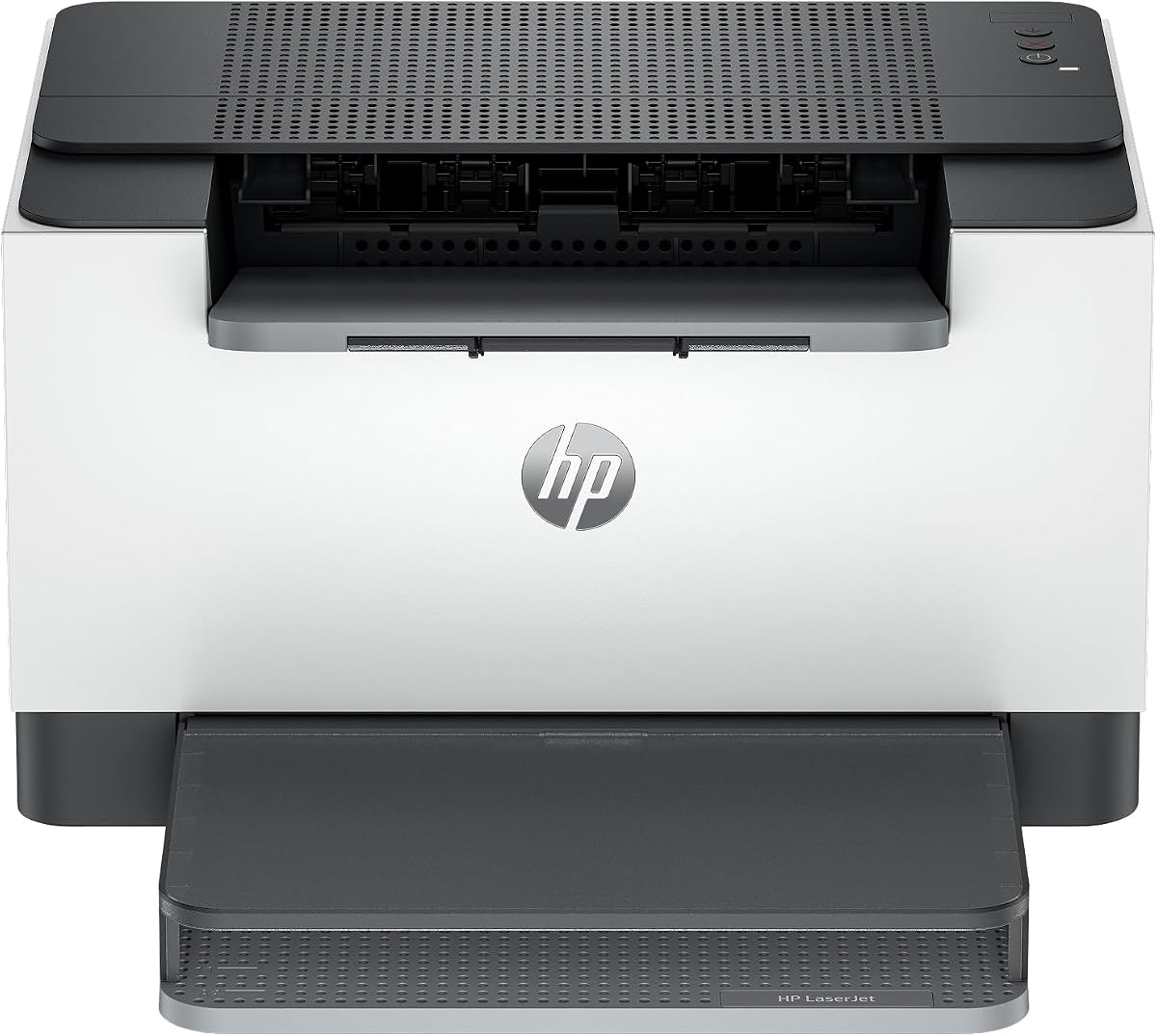
The HP LaserJet M110w is designed for small teams needing simple, wireless printing. With a 3.9 rating and 21 ppm speed, it provides reliable daily output. Its ultra-compact design saves valuable desk space efficiently.
We may earn a commission when you buy through this link, at no additional cost to you.
Using the HP Smart app, users can scan to cloud and manage tasks easily. Wireless self-reset helps maintain connectivity without manual intervention. It works across PC, Mac, mobile, and more devices.
While it lacks duplex and scanning, its focus on print remains clear. The app simplifies workflows for teams needing minimal setup. For small budgets and tight spaces, this unit offers straightforward utility.
Buyers prioritizing portability and connectivity will like this model. It suits low-volume needs without complexity. For those needing only essential print functions, it provides a clean entry into wireless laser printing.
The HP Smart app simplifies scanning and printing. This integration reduces steps for repetitive tasks across mobile devices seamlessly.
Smallest laser in its class, it fits anywhere. The compact build suits cramped desks and shared home office environments well.
We may earn a commission when you buy through this link, at no additional cost to you.
The HP LaserJet M209dw offers fast duplex speeds ideal for small teams. With a 4.2 rating and 19 ppm two-sided output, it handles volume efficiently. Instant Ink eligibility helps manage supply costs effectively.
We may earn a commission when you buy through this link, at no additional cost to you.
Its dual-band Wi-Fi with self-reset maintains reliable connections. Built-in security features protect the printer from potential network attacks. The setup remains easy across devices without complex configurations.
While it lacks scanning, print performance remains strong. The speed saves time and supports continuous workflows. For those prioritizing speed and supply flexibility, it delivers consistent value.
Choose this if you need reliable duplex printing without scanning. Its security and network options fit small offices well. For users wanting managed ink services, this model supports that approach seamlessly.
Enables flexible, subscription-based cartridge delivery. This helps manage costs and ensures timely supply without manual tracking efforts.
Built-in security protects against network attacks. It maintains safe operations for teams prioritizing data and device protection.
We may earn a commission when you buy through this link, at no additional cost to you.
The Canon imageCLASS LBP122dw delivers duplex speed at a value price. With a 3.9 rating and 30 ppm output, it prints efficiently for everyday documents. Its compact design suits home or small office use.
We may earn a commission when you buy through this link, at no additional cost to you.
Using the Canon PRINT app, mobile tasks are simplified. Genuine Toner 071 and its high-capacity variant ensure reliable quality. Wireless printing connects devices easily without extra hardware setups.
Lacking multifunction features, it focuses purely on printing. Duplex capability saves paper and time automatically. For users wanting speed without complexity, it offers solid performance at a reasonable cost.
Buyers needing wireless duplex will find this model practical. It balances speed, cost, and footprint well. For document-focused workflows where scanning isn't needed, it remains a strong contender.
Automatic two-sided printing reduces paper use. This supports sustainable workflows while maintaining fast 30 ppm output speeds.
The PRINT app enables remote management and setup. It simplifies connectivity tasks for mobile-first office users easily.
We may earn a commission when you buy through this link, at no additional cost to you.
The HP LaserJet MFP M235sdw brings scan copy duplex to offices seeking efficiency. With a 4.0 rating and 28 ppm speed, it handles multiple tasks smoothly. Its design fits small office workflows without excess features.
We may earn a commission when you buy through this link, at no additional cost to you.
Ethernet and dual-band Wi-Fi ensure flexible connectivity options. Strong security helps protect devices from network threats. The printer works with multiple platforms and supports mobile printing from any device.
Lacking an auto document feeder adds manual steps for multi-page tasks. However, its duplex speed offsets this for smaller loads. For those needing core multifunction at a value price, it suits well.
Choose this if you want scan, copy, and print flexibility. Its speed and security suit office teams effectively. For small offices needing reliable multifunction output, this model delivers practical value.
Integrated scan copy and duplex reduce device clutter. This consolidation supports efficient small office workflows and cost savings.
Ethernet and dual-band Wi-Fi support various setups. This adaptability suits diverse office environments requiring stable connections.
We may earn a commission when you buy through this link, at no additional cost to you.
The Brother HL-L2480DW stands out with a high 4.5 rating and 3-in-1 capability. Its flatbed scan glass and 36 ppm speed support diverse document tasks. Refresh trial helps manage toner costs for sustained printing.
We may earn a commission when you buy through this link, at no additional cost to you.
The 2.7-inch touchscreen simplifies navigation to cloud apps like Dropbox and Google Drive. Dual-band wireless and Ethernet options ensure flexible networking. It works well with Alexa for voice-activated printing convenience.
Lacking fax functionality, it fits modern scanning and printing needs. The manual feed slot adds flexibility for envelopes. For those prioritizing scan versatility and speed, it offers strong value.
Buyers needing reliable multifunction with high ratings will appreciate this choice. Its balance of features and speed makes it practical for home offices. For consistent output with smart connectivity, this model excels.
Flatbed glass supports books and odd formats. This expands scanning utility beyond flat sheet-fed document limits.
Works with Alexa for voice commands. This simplifies workflow tasks and adds hands-free convenience for users.
We may earn a commission when you buy through this link, at no additional cost to you.
Selecting the right printer involves weighing print needs against ongoing supply expenses. This guide outlines key factors that influence cost and performance for home and office users.
The most critical factor is the cost and yield of compatible toner. Genuine cartridges often offer higher page counts but may be pricier. Consider whether a subscription service or bulk buying reduces long-term expenses.
Choose printers using widely available, high-yield toners to minimize per-page costs. This approach ensures consistent quality without financial strain over time.
Print speed impacts workflow efficiency, especially for multi-page documents. Models ranging from 19 to 36 ppm suit different volumes. Higher speeds reduce wait times and improve overall productivity.
Select a speed that matches your average monthly output. Overestimating leads to wasted costs, while underestimating hampers productivity.
Modern printers often feature dual-band Wi-Fi, Ethernet, or USB. Wireless connectivity enables mobile printing and remote management. Ethernet ensures stable connections in networked offices.
Prioritize connectivity that fits your workspace setup. Versatile options simplify sharing among multiple users without extra hardware.
Paper trays ranging from 150 to 250 sheets affect refilling frequency. Larger capacities reduce interruptions. Manual feed slots add support for envelopes and specialty paper.
Choose capacity based on expected job sizes. More sheets mean fewer interruptions and smoother continuous printing.
Automatic duplex reduces paper use by half. Manual duplex works but costs time and effort. This feature supports eco-friendly workflows and lowers material costs.
If you print frequently, duplex is worth the investment. It maintains quality while reducing physical waste.
All-in-One models combine print, scan, copy, and fax. Single-function units focus on printing. Multifunction saves space but often increases upfront costs.
Assess whether scanning or copying is needed regularly. If not, a simpler model may offer better value.
Programs like Refresh EZ Print or Instant Ink offer toner delivery. These can reduce costs by up to 50% and prevent running out mid-job. They suit those preferring automated supply management.
Check if your printer supports subscriptions before buying. The trial periods often highlight long-term value effectively.
Built-in security features protect networks from attacks. Regular firmware updates maintain performance and safety. HP and Brother include options like self-reset and encryption.
For offices handling sensitive data, prioritize security features. They ensure reliable operations without network vulnerabilities.
Set up the printer in a dry, ventilated area. Connect to your Wi-Fi or Ethernet and install drivers using official software. Use genuine or subscription toner to avoid quality issues.
Regularly clean the scanner glass and paper path to maintain quality. Keep firmware updated for security and performance improvements. Clear jams immediately to prevent mechanical damage or misfeeds.
Store unused toner in cool, dry environments. Avoid exposing it to direct sunlight or humidity. Replace cartridges when low to ensure consistent print density and prevent streaking.
A cost-effective printer combines high-yield toner with reliable performance. Look for models with subscription options or bulk-friendly cartridges. Consistent quality and durable parts reduce repair or replacement expenses.
Third-party toners can lower costs but may affect print quality. Some printers block non-genuine chips. Use genuine or subscription toners for consistent reliability unless you accept the risks.
Duplex printing uses half the paper per document. Over time, this cuts material costs significantly. It supports sustainability while improving overall workflow efficiency.
Most modern laser printers support mobile printing via apps or AirPrint. Verify compatibility with your operating system. Connectivity ensures remote printing from devices in the same network.
Subscriptions offer convenience and potential savings by delivering toner as needed. They prevent stockouts and often include discounts. Compare per-page costs before committing to a plan.
Check that the cartridge is seated correctly and the seal removed. Restart the printer to reset sensors. If issues persist, try updating firmware or using genuine replacements.
This guide highlights ten models balancing speed, connectivity, and supply costs. Top picks like the Brother HL-L2405W and Canon LBP6030w serve distinct needs and budgets effectively.
Prioritize toner availability, duplex capability, and network features based on your workflow. Small offices may prefer multifunction, while home users might value compact single units.
Prices and availability change often. Always check current listings and subscription terms before buying. This ensures you secure the best value for your specific printing needs today.