
Gigabyte Z390 UD
4.4Editor score
New 10+2 Phases design
NVME PCIe Gen3 x4 M.2
Gigabyte 8118 Gaming LAN
This guide compares the best Brand for Z370 Motherboard options available in October 2026. We analyze top models from MSI, ASUS, Gigabyte, and more to help you
Finding the right Brand for Z370 Motherboard is crucial for building a reliable desktop PC. These boards support 8th and 9th Gen Intel Core processors and offer excellent features for gaming and productivity.
We compared ten top-rated models based on user feedback, build quality, and key specifications. Our list covers a range of budgets and needs, ensuring you find a board that fits your specific requirements.
Each pick highlights standout features, pros, cons, and detailed analysis. Prices may change over time, so always check current listings before making a final decision for your new build.
4.4Editor score
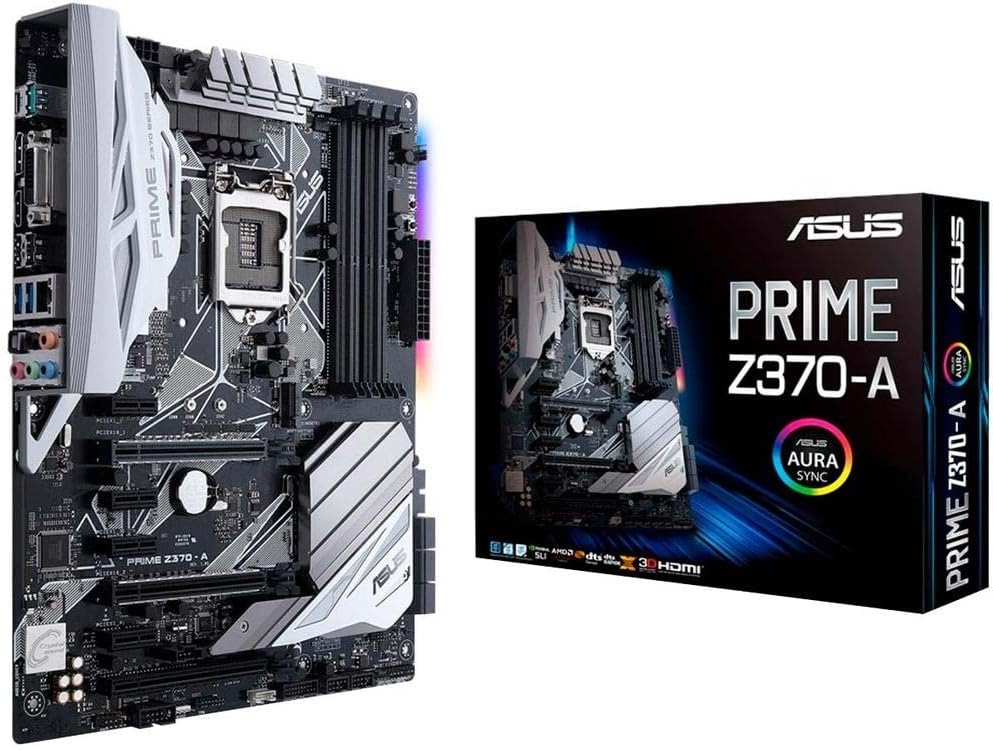
4.6Editor score

4.4Editor score
The table below provides a side-by-side comparison of all ten models. It highlights key specifications like memory support, connectivity options, and unique features to help you make an informed decision quickly.


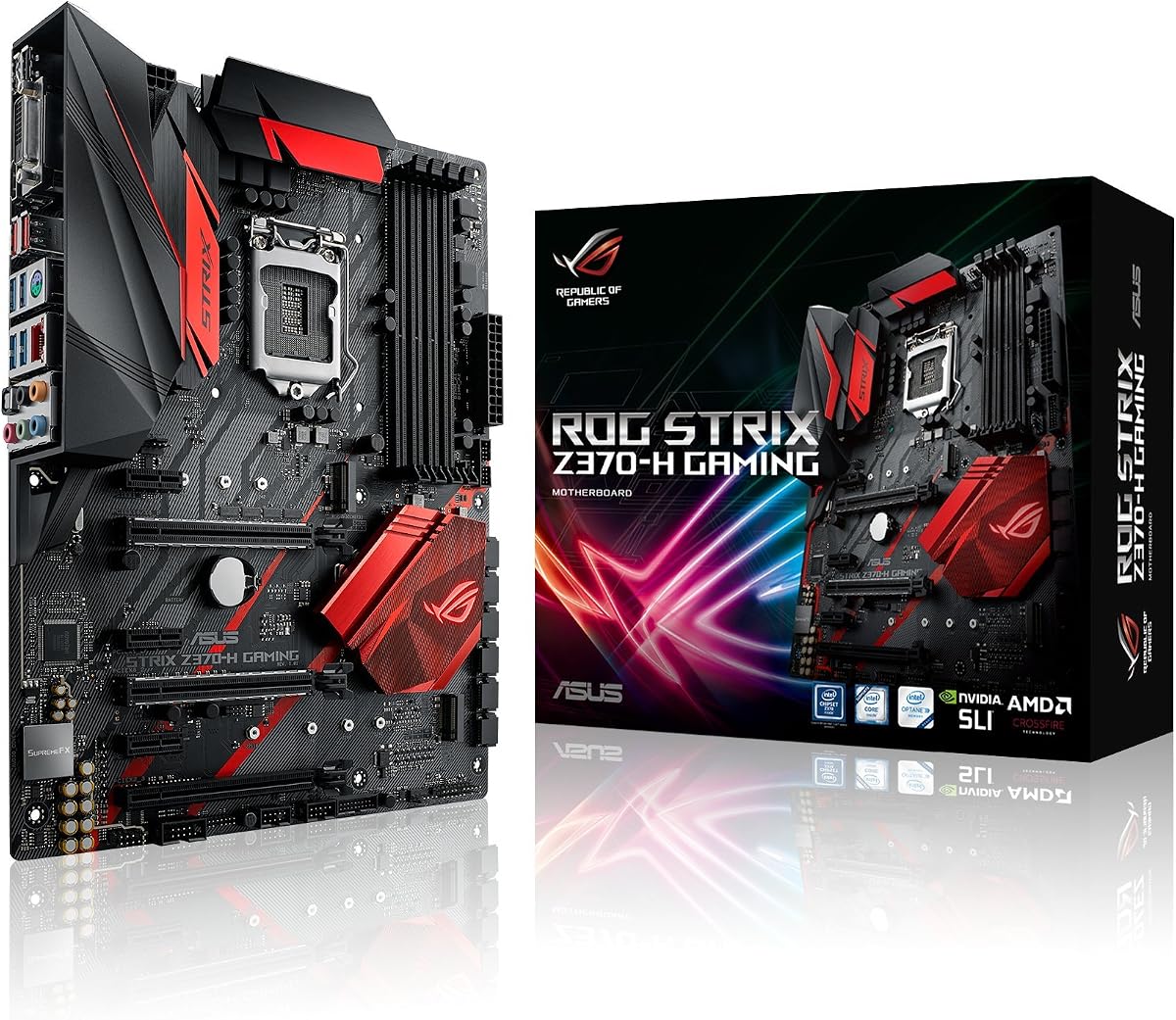
This motherboard is widely regarded as one of the top choices for Z370 systems. It comes with a rating of 4.6 out of 5 stars based on customer feedback. The standout qualities include dual M.2 slots and extensive USB connectivity.
We may earn a commission when you buy through this link, at no additional cost to you.
The board is designed exclusively for 8th generation Intel Core processors. It maximizes connectivity and speed with features like USB 3.1 Gen2 and Intel Thunderbolt 3 support. The 5-Way Optimization automatically tailors overclocking profiles for maximum performance.
While it is a strong performer, some users might find the number of PCIe slots limiting for multi GPU setups. The overclocking tools are good but not as extensive as higher-end enthusiast boards. However, for most users, these trade-offs are acceptable.
This board is ideal for gamers and professionals who need reliable performance and modern connectivity. If you are building a PC with an 8th gen Intel CPU, this is a highly recommended option. It balances features and reliability perfectly.
Dual M.2 slots allow for fast NVMe storage without occupying PCIe slots.
Realtek S1220A codec with Crystal Sound 3 delivers immersive audio.
We may earn a commission when you buy through this link, at no additional cost to you.
This Gigabyte board offers incredible value for those on a budget. It holds a strong 4.4 star rating from users. Its key appeal lies in having six PCIe slots and a robust 10+2 phase power design.
We may earn a commission when you buy through this link, at no additional cost to you.
The motherboard supports 9th and 8th Intel Core processors. It features a new 10+2 Phases digital PWM design for better efficiency. The NVME PCIe Gen3 x4 M.2 Connector ensures fast storage access.
Audio is handled by a standard codec which is functional but not audiophile grade. There are fewer RGB headers compared to premium boards. However, for budget builds, these compromises are minor compared to the savings.
This is a perfect choice for budget gaming rigs or workstations. If you need multiple expansion slots without spending a fortune, this is the way to go. It provides the essentials well.
With six PCIe slots, you can add multiple cards for specialized tasks.
Above 4G Decoding allows for better support of modern GPUs and devices.
We may earn a commission when you buy through this link, at no additional cost to you.
This high-end model is designed for serious gamers and enthusiasts. It maintains a 4.4 star rating due to its feature-rich design. The standout qualities are the triple M.2 slots and the ESS Sabre DAC for audio.
We may earn a commission when you buy through this link, at no additional cost to you.
It supports 8th Generation Intel Core Processors with a focus on performance. USB3.1 Gen2 with USB Type-C is available on both front and back. Killer E2500 Gaming Network ensures stable online performance.
The main downside is the higher price which might not fit all budgets. The large heatsinks can sometimes interfere with large CPU coolers. These are standard trade-offs for a premium gaming board.
Buy this if you want top-tier features and build quality. It is ideal for those who demand the best performance and aesthetics. The investment pays off in reliability and performance.
Three M.2 slots provide extensive high-speed storage capacity.
ESS Sabre DAC delivers high fidelity audio for immersive gaming.
We may earn a commission when you buy through this link, at no additional cost to you.
This MSI board is known for its reliability and straightforward features. It has a rating of 4.5 stars from users. The main draw is its support for up to 64GB of RAM for heavy tasks.
We may earn a commission when you buy through this link, at no additional cost to you.
It supports 8th Generation Intel Core, Pentium, and Celeron Processors. The Intel Z370 Express Chipset provides stable performance for everyday use. It is VR Ready for virtual reality applications.
RGB lighting is minimal compared to gaming boards. There is only one M.2 slot. For workstations or home servers, these are not significant issues.
This board is best for those who value stability over flashy features. If you need high RAM capacity for editing or multitasking, this is a solid pick. It gets the job done efficiently.
Certified VR Ready ensures smooth performance with headsets.
Support up to 64GB of DDR4 memory for intensive workflows.
We may earn a commission when you buy through this link, at no additional cost to you.
This board offers strong protection features and expansion slots. It has a rating of 4.4 stars. It is designed to maximize connectivity and speed with M.2 and USB 3.1 Gen2.
We may earn a commission when you buy through this link, at no additional cost to you.
It is designed for 9th and 8th Generation Intel Core processors. It includes 5x Protection III Hardware-level safeguards to ensure component longevity. Safe Slot Core fortified PCIe Slots prevent damage from GPUs.
It is marketed towards mining which may not appeal to all gamers. The audio codec is standard high definition. For most builds, these are acceptable trade-offs for the price.
This is a great option for those needing many PCIe slots. If you are building a specialized system, this board offers the flexibility you need. It is robust and reliable.
5x Protection III safeguards protect against electrical spikes and heat.
Fanxpert 4 with AIO pump header delivers advanced system cooling.
We may earn a commission when you buy through this link, at no additional cost to you.
This board focuses on rugged durability. It has a rating of 4.5 stars. It is designed exclusively for 8th generation Intel Core processors for maximum connectivity.
We may earn a commission when you buy through this link, at no additional cost to you.
It includes Military-Grade TUF Components like LANGuard and MOSFETs. These maximize durability and reliability. Gamer's Guardian with safe Slot provides hardware-level safeguards.
The aesthetic is more military than RGB gaming. Audio is good but not the highlight. For those who value longevity over looks, this is ideal.
This board is a solid choice for demanding environments. If you want a board that will last, TUF is the right choice. It offers peace of mind.
Military-grade components ensure the board withstands harsh conditions.
5-year warranty built on military grade engineering for reliability.
We may earn a commission when you buy through this link, at no additional cost to you.
This board offers a solid balance of features. It holds a 4.4 rating. It is designed exclusively for 8th generation Intel Core processors to maximize connectivity.
We may earn a commission when you buy through this link, at no additional cost to you.
It features Dual M.2 and USB 3.1 Gen2. 5X Protection III Hardware-level safeguards provide longevity. Safe Slot Core fortifies PCIe slots against damage.
It lacks RGB headers which might limit lighting customization. VRMs are standard. For basic builds, this is more than enough.
This is a great pick for standard builds. If you need dual M.2 slots without extra cost, this works well. It is simple and effective.
Dual M.2 slots allow for fast boot and game loading times.
5X Protection III ensures the board remains reliable over time.
We may earn a commission when you buy through this link, at no additional cost to you.
This is an affordable option for budget systems. It has a 4.4 rating. It supports 8th Generation Intel Core Processors effectively.
We may earn a commission when you buy through this link, at no additional cost to you.
It features a PCIE Gen3 x4 M.2 Connector for speed. Dual Channel DDR4 support is provided. 2 Way Crossfire Support is available for multi GPU.
It has limited USB ports and basic RGB. For a budget build, it covers essentials. Not for power users.
This board is for basic users. If you need a reliable board for a simple system, this works. It gets the job done.
2 Way Crossfire support allows for dual GPU setups.
HDMI and M.2 are included for modern display and storage.
We may earn a commission when you buy through this link, at no additional cost to you.
This board offers strong connectivity. It has a rating of 4.3. It supports 8th generation Intel Core processors.
We may earn a commission when you buy through this link, at no additional cost to you.
It features USB 3.1 Gen2 Type-A and Type-C ports. 4 x DDR4 DIMM Slots are included. This allows for good RAM capacity.
Audio is decent but not the highlight. It is priced higher than basic boards. For those needing modern ports, this is good.
This is a great option for modern builds. If you need USB-C on board, this is a strong pick. It handles connectivity well.
USB 3.1 Gen2 Type-C offers fast data transfer speeds.
4 x DDR4 DIMM Slots allow for extensive RAM expansion.
We may earn a commission when you buy through this link, at no additional cost to you.
This board is built for gaming. It has a rating of 4.4. It supports 64GB DDR4 and uses ATX form factor.
We may earn a commission when you buy through this link, at no additional cost to you.
It has LGA1151 socket for 8th-gen Intel Core processors. There are multiple USB ports for peripherals. 3 years warranty is backed by manufacturers.
It is larger than micro ATX boards. The price is higher. For gamers needing ports, this is good.
This is a good pick for gamers. If you need many USB ports and RAM, this works. It is a reliable choice.
Multiple USB ports ensure all your devices connect easily.
64GB DDR4 support allows for heavy multitasking.
We may earn a commission when you buy through this link, at no additional cost to you.
Selecting the right motherboard depends on your specific needs and budget. This section outlines key factors to consider before purchasing.
Ensure the motherboard supports your Intel processor generation. Z370 boards typically support 8th and 9th Gen Intel Core chips.
Check the socket type (LGA1151) and ensure your CPU is compatible before purchase.
Look for the number of DDR4 slots and maximum capacity. Most boards support up to 64GB which is suitable for most users.
If you plan on heavy multitasking, opt for a board with 4 DIMM slots.
M.2 slots provide fast NVMe storage. Ensure the board has enough M.2 slots for your needs.
Some boards have thermal guards for M.2 slots to maintain performance under load.
Check for USB 3.1 Gen2 and Type-C ports. Modern peripherals benefit from faster data transfer speeds.
Ensure the back panel has enough USB ports for your devices like keyboards, mice, and webcams.
Gaming boards often feature better codecs like Realtek ALC1220 or ESS Sabre DAC.
If audio is critical, look for dedicated audio enhancements like capacitors or shielding.
Some boards offer extensive RGB headers and lighting zones for customization.
Consider if you want a clean look or RGB sync with other components.
Gaming LAN cards like Killer E2500 prioritize network traffic for stability.
Standard Gigabit LAN is sufficient for most general users and browsing.
Features like Safe Slot Core and Overvoltage Protection add longevity.
Military-grade components and warranties provide additional peace of mind for long-term use.
Install the motherboard carefully on a non-conductive surface. Align the standoffs correctly to prevent short circuits.
Apply thermal paste to the CPU before attaching the cooler. Ensure all cables are connected securely to the correct headers.
Update the BIOS to the latest version for stability. Clean the system periodically to prevent dust buildup that can cause overheating.
The Z370 chipset supports 8th Generation Intel Core processors and some 9th Gen models depending on BIOS updates. Always check the manufacturer's CPU support list before buying.
No special power supply is needed, but ensure it has enough wattage for your GPU and CPU. Most standard ATX PSUs work fine with these boards.
Yes, some Z370 boards support 9th Gen CPUs after a BIOS update. However, Z390 boards offer better power delivery for these newer chips.
Most gaming boards have decent integrated audio. High-end models feature better codecs like ESS Sabre DAC for immersive sound experiences.
Safe Slot Core is a reinforced PCIe slot design that prevents damage from heavy graphics cards. It provides extra strength and durability.
Not always, but if you change to a significantly different CPU generation, clearing the BIOS settings helps ensure stability and proper detection.
Most Z370 boards support 2-way CrossFire or SLI. Running three GPUs requires a board with at least three x16 slots which is rare on Z370.
Most manufacturers offer a 3-year warranty. ASUS TUF boards often include a 5-year warranty for added reliability and protection.
We have reviewed ten excellent options for Z370 systems. Each board offers unique strengths for different needs and budgets.
Prioritize your needs like storage, connectivity, and durability when selecting. The right board makes a huge difference in build quality.
Remember to check current prices as they fluctuate. Choose the model that best fits your build requirements and budget.