
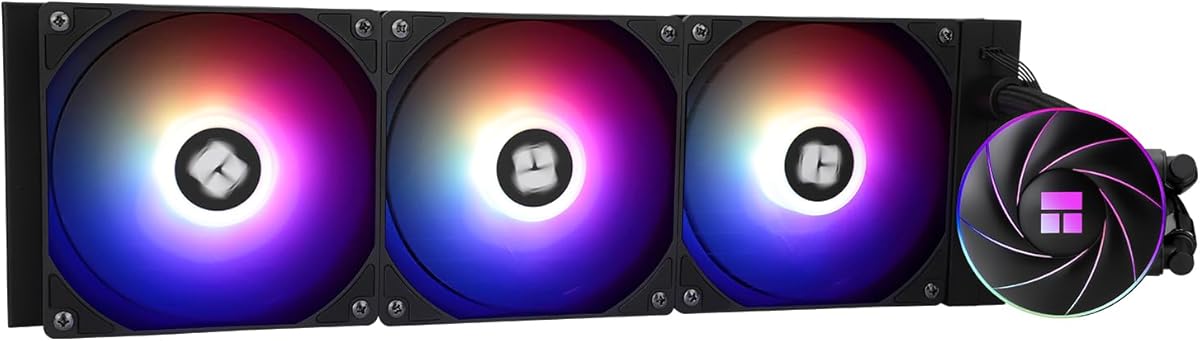
Thermalright Aqua Elite 120 V3
4.6Editor score
120mm compact design
ARGB PWM fans included
Low vibration operation
This guide compares the top ten Aio for Am4am5 coolers based on cooling performance, noise levels, compatibility, and advanced features to help you choose the
Selecting the right cooling solution is crucial for maintaining optimal performance in modern computing builds. All-in-one liquid coolers offer efficient heat dissipation and sleek aesthetics for your system.
We have evaluated ten top-rated models specifically designed for AMD AM4 and AM5 platforms. Our analysis focuses on thermal efficiency, build quality, and user-friendly installation processes.
Each selection highlights key strengths and potential trade-offs to guide your decision. Please note that pricing and availability may fluctuate frequently across online retailers.
4.6Editor score

4.6Editor score

4.2Editor score
The following table provides a side-by-side overview of the selected liquid cooling units. It highlights key specifications and unique features to simplify your comparison process.


This unit stands out with its advanced contact frame and offset mounting design. It delivers exceptional thermal performance while maintaining a clean aesthetic profile.
We may earn a commission when you buy through this link, at no additional cost to you.
The P12 PRO fans provide high power without excessive noise. The integrated VRM fan ensures stability during heavy computational loads.
While the single cable routing helps reduce clutter, the physical size may not fit all cases. Users should verify case compatibility before purchase.
Ideal for power users seeking top-tier cooling efficiency. This model is highly recommended for demanding AM5 workloads.
The offset mounting shifts the cold plate center toward the CPU hotspot for improved heat transfer efficiency.
A dedicated PWM-controlled fan cools the voltage converters to ensure reliable performance under sustained loads.
We may earn a commission when you buy through this link, at no additional cost to you.
This model shares many features with its RGB counterpart but focuses on pure cooling utility. It remains a robust choice for AM4 and AM5 systems.
We may earn a commission when you buy through this link, at no additional cost to you.
The P12 PRO fans operate quietly even at low speeds. The offset mounting ensures better heat transfer from the CPU core.
Installation may be challenging due to the radiator size. Users should ensure sufficient clearance within their chassis.
Best for builders prioritizing thermal efficiency over aesthetics. It provides reliable cooling for extended use.
Optimized contact pressure distribution extends CPU life and improves heat dissipation significantly.
The P12 PRO fans are specifically engineered to be quieter while delivering higher maximum speeds.
We may earn a commission when you buy through this link, at no additional cost to you.
This unit features a standout 3.95-inch LCD screen that displays system parameters and custom images. The design is perfect for showcasing your build.
We may earn a commission when you buy through this link, at no additional cost to you.
The TL-M12Q fans offer high airflow with low noise. PWM control automatically adjusts speed based on CPU temperature for efficiency.
Note that AMD users must use the motherboard backplane as it is not included. This adds a step to the installation process.
Highly recommended for enthusiasts wanting visual customization. It balances cooling power with advanced display features.
The IPS screen supports DIY backgrounds and dynamic themes to personalize your system status.
S-FDB bearings reduce friction and vibration while prolonging fan lifespan and quiet operation.
We may earn a commission when you buy through this link, at no additional cost to you.
MSI delivers a robust cooler with a unique split-flow radiator design. It aims for long-term durability and consistent cooling performance.
We may earn a commission when you buy through this link, at no additional cost to you.
The pump operates at 3800 RPM for efficient coolant circulation. High-quality ceramic bearings ensure silent operation over time.
The reinforced tubing prevents leaks and evaporation. Pre-applied thermal paste simplifies the initial setup process.
Excellent for users needing reliable long-term stability. It is a solid choice for modern AM5 systems.
The high-performance pump achieves a balance between cooling power and quiet operation.
Triple-layered netted plastic ensures water stays inside the closed-loop system at all times.
We may earn a commission when you buy through this link, at no additional cost to you.
This 240mm unit is designed for smaller cases without compromising cooling efficiency. It features a fourth-generation pump head for improved reliability.
We may earn a commission when you buy through this link, at no additional cost to you.
The pump lifespan reaches up to 40,000 hours. ARGB lighting syncs with the motherboard for a unified look.
While compact, it may struggle with extreme thermal loads compared to 360mm units. It suits mid-range builds well.
Ideal for compact AM4 or AM5 builds. It offers a great balance of size and performance.
The octagonal pump head features an exclusive frame for durability and visual appeal.
16. million color soft light effects create a customized visual experience.
We may earn a commission when you buy through this link, at no additional cost to you.
This cooler offers a versatile LCD screen for displaying temps and custom GIFs. It integrates seamlessly with NZXT CAM software for control.
We may earn a commission when you buy through this link, at no additional cost to you.
The Turbine pump delivers high flow and head pressure. Zero RPM mode stops fans at low loads for silent operation.
Installation is straightforward with pre-applied paste and a single cable. Tool-free brackets simplify mounting.
Best for premium builds prioritizing customization. It delivers top-tier cooling with unique visual features.
The screen supports web integrations like Spotify and YouTube for a dynamic display.
A single breakout cable from the pump cap reduces cable clutter in your system.
We may earn a commission when you buy through this link, at no additional cost to you.
This 120mm model is perfect for small form factor builds where space is limited. It provides reliable cooling for lower TDP processors.
We may earn a commission when you buy through this link, at no additional cost to you.
The pump uses fourth-generation technology for long lifespan. Fans operate quietly with ARGB lighting to match your system.
While limited in capacity, it is an excellent entry-level liquid cooling option. It avoids the noise of high-speed air coolers.
Ideal for budget builders with tight space constraints. It offers liquid cooling basics at an accessible price point.
Simple mounting process allows installation according to clear instructions and tutorials.
Fans operate at low decibels ensuring a quiet computing environment.
We may earn a commission when you buy through this link, at no additional cost to you.
This model offers a robust cooling solution with a 360mm radiator. It ensures quiet operation even under heavy gaming loads.
We may earn a commission when you buy through this link, at no additional cost to you.
The single-frame design reduces screws and cables for cleaner assembly. Direct motherboard connection simplifies the setup process.
RGB fans are optimized for airflow rather than visual customization. This focuses on performance over software features.
Great for performance-focused users without complex RGB needs. It provides stable cooling for demanding AM5 tasks.
Multiple fans in one solid frame reduce installation complexity and build clutter.
Direct connection to motherboard allows faster building without extra controllers.
We may earn a commission when you buy through this link, at no additional cost to you.
This cooler emphasizes low-noise operation and easy wiring. The daisy-chain connection reduces clutter significantly.
We may earn a commission when you buy through this link, at no additional cost to you.
The pump generates only 20 dBA while maintaining high flow rates. AirGuide technology ensures strong static pressure for cooling.
The convex cold plate ensures maximum CPU contact. Pre-applied paste speeds up the installation process.
Perfect for quiet builds needing efficient heat management. It delivers CORSAIR reliability in a simple package.
Daisy-chaining fans reduces wiring complexity for a cleaner system build.
Convex shape ensures maximum contact with the CPU integrated heat spreader.
We may earn a commission when you buy through this link, at no additional cost to you.
This unit focuses on raw cooling performance with a 360mm radiator. It features a full copper mirror plane base for efficient heat transfer.
We may earn a commission when you buy through this link, at no additional cost to you.
The fans operate at low speeds yet maintain high static pressure. S-FDB bearings solve hanging mode vibration issues effectively.
PWM control adjusts speed based on CPU temperature automatically. The copper base ensures excellent thermal conductivity.
Recommended for users prioritizing thermal capacity. It provides strong cooling for high-performance AM5 systems.
Full copper mirror plane base provides high cooling efficiency and low resistance.
High static pressure ensures effective air movement through the radiator fins.
We may earn a commission when you buy through this link, at no additional cost to you.
Choosing the right all-in-one cooler involves evaluating several critical factors to match your specific build requirements.
Radiator size determines cooling capacity. Common options include 240mm and 360mm sizes. You must verify your case supports the specific dimensions before purchasing to ensure the radiator fits inside the chassis.
Always check case specifications for clearance height and width before selecting a larger unit.
Ensure the cooler supports your specific CPU socket. Most modern units support AM4 and AM5. Older units may require adapters or not support newer sockets like AM5.
Verify AM4/AM5 support explicitly in the product specifications to avoid mounting issues.
Fan speed affects both cooling performance and noise levels. Look for models with PWM control for automatic speed adjustment. Lower decibel ratings indicate quieter operation.
Prioritize PWM fans if silence is a priority for your computing environment.
The pump circulates coolant and is the heart of the system. High-quality pumps often feature ceramic bearings for longevity. Lifespan ratings can exceed 40,000 hours in premium models.
Select units with documented high RPM and ceramic bearings for extended reliability.
RGB lighting can enhance aesthetics but may require specific motherboard headers. Some units include LCD screens for system monitoring. Check software support for control.
Confirm motherboard header compatibility before purchasing RGB units to avoid installation headaches.
Installation complexity varies between brands. Some include pre-applied thermal paste and tool-free brackets. Others require more steps and careful alignment.
Models with pre-applied paste simplify the process significantly for new builders.
Look for features like offset mounting or high flow pumps. These improve heat transfer efficiency. Copper bases are generally better than aluminum for thermal conductivity.
Prioritize copper bases and offset designs for the best cooling results.
Prices vary significantly based on features. Budget options may lack advanced pumps or screens. Determine your budget early to find the best value.
Balance your budget with the necessary features for your specific workload.
Install the cooler following the manufacturer's instructions carefully. Ensure all mounting brackets are secure and thermal paste is applied correctly.
Keep your system dust-free to maintain airflow through the radiator. Regularly clean dust filters and fan surfaces to prevent overheating.
Monitor temperatures via BIOS or software to ensure proper operation. Check for unusual noises that might indicate pump issues over time.
Most modern AIO coolers support both AM4 and AM5 sockets. Always verify compatibility in the product specifications. Older models may not support AM5 without specific backplate updates.
Offset mounting shifts the cold plate toward the CPU hotspot. This ensures more efficient heat transfer. It helps lower peak temperatures significantly.
Noise levels vary by model. Premium units often operate around 20-30 dBA. Always check fan noise specifications to ensure quiet operation.
You must check case dimensions. Larger 360mm radiators require specific clearance. Ensure your case supports the radiator length before buying.
LCD screens allow system monitoring and customization. They add value for enthusiasts. Consider your preference for visuals versus budget.
Install mounting brackets first then apply thermal paste. Secure the pump head and connect the fans. Follow the provided manual for specific steps.
The options presented offer diverse solutions for every type of build. From budget-friendly 120mm units to premium 360mm models there is something for everyone.
Prioritize thermal performance and compatibility with your specific AM4 or AM5 system. Ensure your case has enough space for the radiator dimensions.
Remember to verify current pricing and availability before purchasing. Prices fluctuate frequently so check retailers for the best deals.