
Dell 52-Inch 6K
4.1Editor score
52-Inch Curved Screen
120Hz Refresh Rate
IPS Black Panel Tech
Finding the right display can transform your workflow. A 6K monitor offers immense pixel density, sharpening text and details while expanding your creative canvas. It suits design, editing, and productivity where precision matters most.
We evaluated ten leading models based on panel quality, color fidelity, connectivity options, and ergonomic features. Our analysis focuses on real-world performance for professionals needing high resolution without compromising on usability or reliability in daily tasks.
Each pick highlights distinct strengths from touch capabilities to ultra-wide formats. We include key specs and ratings to help you decide. Note that availability and pricing fluctuate frequently so check current listings before purchasing your ideal display.
4.1Editor score

3.9Editor score

3.7Editor score
As an Amazon Associate we earn from qualifying purchases.
This table summarizes key specifications across all ten models to help you compare resolution, panel types, refresh rates, and connectivity at a glance for informed decision making.



The ASUS ProArt PA32QCV delivers exceptional 6K resolution tailored for creative professionals working on Mac systems. Its 3.9 rating reflects strong color accuracy and connectivity options that streamline complex workflows without requiring external adapters.
We may earn a commission when you buy through this link, at no additional cost to you.
With a 6016 by 3384 pixel count this screen provides immense workspace for video editing and design. The factory calibration ensures Delta E under 2 while the dual Thunderbolt 4 ports support high-speed data transfer and laptop charging simultaneously.
One trade-off is the premium price point which may deter casual users. However the included Adobe Creative Cloud subscription and extended warranty add significant value for professionals needing reliable color fidelity across multiple devices.
If you prioritize seamless integration with MacBook displays and need precise color reproduction this monitor stands out. It remains the top recommendation for designers and editors seeking a unified display solution.
The dedicated MacBook color matching preset aligns hues with Apple displays for consistent visual output.
Dual Thunderbolt 4 connections allow daisy-chaining peripherals while delivering 96 watts of power to laptops.
We may earn a commission when you buy through this link, at no additional cost to you.
The Dell 52-Inch 6K monitor redefines workspace immersion with its curved format and high refresh rate. Its 4.1 rating highlights exceptional contrast and smooth motion handling suitable for both productivity and content creation.
We may earn a commission when you buy through this link, at no additional cost to you.
Featuring a 21 by 9 aspect ratio this display offers cinematic viewing without compromising clarity. The IPS Black technology improves contrast significantly over standard panels while the 120Hz rate ensures fluid scrolling and video playback.
The size demands a generous desk footprint and adequate ventilation due to higher power usage. Despite this the eye comfort features including hardware low blue light make long sessions manageable for dedicated users.
Professionals needing expansive screen real estate and deep blacks will find this model unmatched. It excels in multimedia editing and multitasking where screen width and detail matter most.
IPS Black panel technology delivers deeper blacks and richer contrast for more realistic image representation.
Integrated KVM and Picture-by-Picture features allow control over multiple PCs using one keyboard and mouse.
We may earn a commission when you buy through this link, at no additional cost to you.
The Samsung Odyssey G8 brings 6K gaming to the forefront with impressive refresh rates and speed. Its 3.7 rating reflects solid performance in motion clarity though color precision lags behind professional models.
We may earn a commission when you buy through this link, at no additional cost to you.
With Dual Mode technology users can switch between 6K visuals and 3K ultra-fast action. This flexibility caters to gamers who need high fidelity in strategy games and speed in competitive shooters.
Color accuracy and HDR brightness are modest compared to pro displays which may disappoint creatives. However the price point makes it an accessible entry into high resolution gaming without sacrificing frame rates.
Gamers seeking crisp 6K visuals and responsive motion will appreciate this monitor. It balances resolution and speed effectively for those prioritizing gameplay performance over color critical work.
Dual Mode allows switching between 6K at 165Hz and 3K at 330Hz depending on your visual needs.
NVIDIA G-SYNC and AMD FreeSync Premium compatibility reduces tearing and stuttering for fluid gameplay.
We may earn a commission when you buy through this link, at no additional cost to you.
The G32P offers a glossy finish that enhances color vibrancy and contrast for static viewing. Its 4.6 rating indicates strong user satisfaction with build quality and color accuracy suitable for diverse creative tasks.
We may earn a commission when you buy through this link, at no additional cost to you.
Boasting 223 PPI this screen delivers sharp text and fine details without needing scaling. The 500 nit brightness ensures content stands out even in well-lit offices while the aluminum body supports long-term durability.
Glossy surfaces can show fingerprints and reflections in bright environments which requires careful placement. The 60Hz refresh rate also limits motion fluidity making it better for design than fast-paced gaming.
Users valuing vivid colors and sturdy construction will find this monitor appealing. It fits well in controlled lighting setups where image fidelity and premium aesthetics are priorities.
Glossy panel technology enhances contrast and color depth for more engaging static content viewing.
CNC-machined aluminum with honeycomb cooling ensures premium aesthetics and consistent performance over time.
We may earn a commission when you buy through this link, at no additional cost to you.
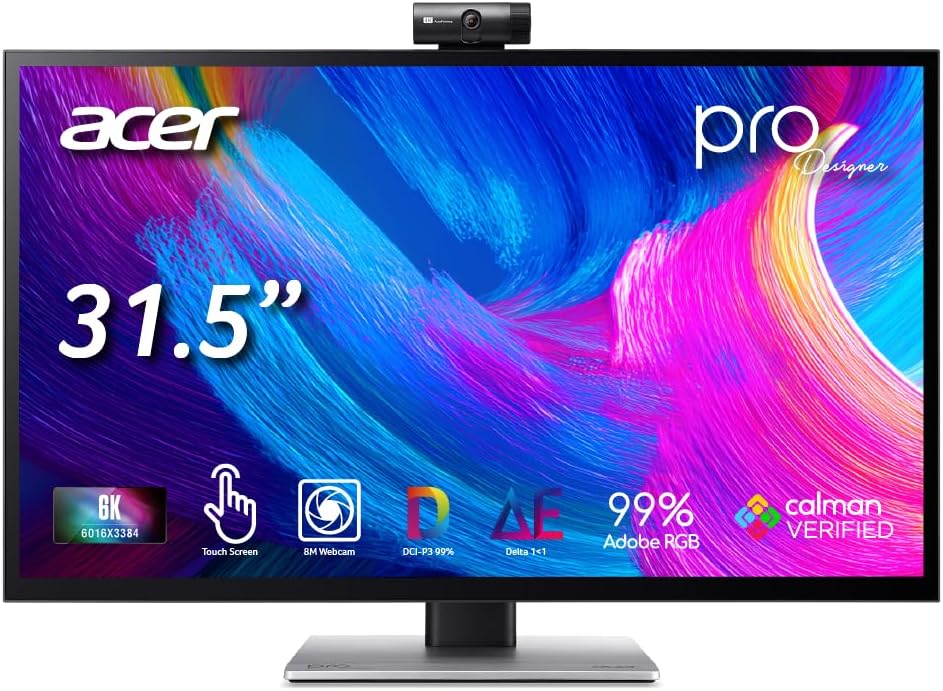
The Acer ProDesigner PE320QXT combines high resolution with touch functionality for intuitive creative workflows. Its 4.0 rating reflects excellent color precision and convenience features that eliminate the need for extra peripherals.
We may earn a commission when you buy through this link, at no additional cost to you.
With MPP 2.0 stylus support artists can sketch and retouch directly on the screen. The included webcam and mic array simplify remote collaboration while the factory calibration ensures professional accuracy across color spaces.
Touch interaction on glossy screens may suffer from glare depending on room lighting. The high price also reflects its specialized features which might not suit users who do not need touch input.
Designers and editors seeking all-in-one creation tools will find this model compelling. It bridges the gap between drawing tablets and monitors efficiently for professional media production.
Touch and stylus support allow direct sketching and annotation without switching between devices.
Integrated 8MP webcam and 4-mic array enable client calls and presentations without external hardware.
We may earn a commission when you buy through this link, at no additional cost to you.
The G32X stands out with a clean minimalist design that suits modern office aesthetics. Its perfect 5.0 rating suggests exceptional reliability and performance consistency across daily use scenarios.
We may earn a commission when you buy through this link, at no additional cost to you.
Featuring 218 PPI this monitor offers sharp text and image clarity ideal for productivity. The multi-layer anti-reflective coating reduces glare effectively while USB-C power delivery streamlines desk cabling significantly.
Limited branding or specific feature highlights may make it less distinct in a crowded market. However the user satisfaction score indicates strong overall build quality and ergonomic comfort for long work sessions.
Professionals valuing a clutter-free workspace and dependable performance should consider this model. It delivers essential high resolution features without unnecessary distractions or complex setup requirements.
Minimalist design focuses on screen visibility and reduces visual clutter in professional environments.
Multi-layer anti-reflective coating ensures clearer viewing in varied lighting conditions.
We may earn a commission when you buy through this link, at no additional cost to you.
The Dell U5226KW provides robust hub features for complex multi-device setups. Its 3.0 rating points to mixed user experiences despite strong technical specifications aimed at advanced users.
We may earn a commission when you buy through this link, at no additional cost to you.
Dual Thunderbolt 4 ports allow connecting multiple high-speed devices while delivering 140 watts to laptops. The IPS Black panel enhances contrast making dark scenes clearer for video editing and design work.
Setup complexity and connectivity requirements can overwhelm casual users. Lower satisfaction ratings suggest potential driver or firmware issues that may need troubleshooting before reaching full potential.
Advanced users needing centralized power and data connectivity will appreciate its capabilities. It serves as a powerful workstation anchor when correctly configured and supported.
Dual Thunderbolt 4 ports support high-speed data transfer and laptop charging simultaneously.
IPS Black technology provides superior contrast for realistic image representation in dark content.
We may earn a commission when you buy through this link, at no additional cost to you.
The LG UltraFine evo 32U990A leads with cutting-edge Thunderbolt 5 connectivity and accurate color. Its 4.5 rating reflects strong performance in professional workflows requiring fast data transfer and visual precision.
We may earn a commission when you buy through this link, at no additional cost to you.
Nano IPS Black panel delivers vibrant colors and deep blacks for rich visual experiences. Thunderbolt 5 ensures rapid data speeds while integrated speakers simplify setups by removing extra hardware needs.
A 60Hz refresh rate limits motion smoothness compared to gaming monitors. The bundle nature may confuse buyers expecting standalone unit features though it adds value for immediate use.
Users prioritizing connection speed and color fidelity will find this model ideal. It remains a top contender for high-end desktop workstations requiring robust future-ready interfaces.
Thunderbolt 5 connectivity offers up to 80Gbps data transfer and rapid laptop charging.
Nano IPS technology delivers accurate hues and wide gamut coverage for professional content.
We may earn a commission when you buy through this link, at no additional cost to you.
The Dell U3224KB bundle offers reliable performance with added protection for peace of mind. Its 3.3 rating indicates moderate satisfaction though the included warranty adds significant value over standard options.
We may earn a commission when you buy through this link, at no additional cost to you.
Featuring a fast 5ms response time it handles motion better than many static-focused displays. The 450 nit brightness ensures visibility in bright offices while USB-C simplifies laptop connectivity.
Color accuracy lags behind higher-end professional models which might affect critical design work. The protection plan justifies the cost for users seeking long-term hardware security over cutting-edge specs.
General business users needing stable performance and warranty protection will find this appealing. It serves as a dependable option for daily tasks requiring clarity and reliability.
Included 2-year premium protection ensures long-term support against hardware defects.
USB Type-C transmission supports fast data transfer for efficient workflow management.
We may earn a commission when you buy through this link, at no additional cost to you.
The Dell U5226KW WOST provides a budget-friendly path to high resolution curved displays for tech-savvy users. Renewed options offer cost savings but lack stand accessories and standard warranty assurances.
We may earn a commission when you buy through this link, at no additional cost to you.
Boasting 120Hz refresh and Thunderbolt hub features it supports smooth visuals and strong connectivity. The curved format enhances immersion making it suitable for wide-screen video editing and productivity.
Absence of a stand requires purchasing a third-party VESA mount which adds extra cost. Renewed units may show minor cosmetic wear and warranty coverage might vary depending on seller terms.
Those comfortable installing their own mount and seeking premium specs at lower cost should consider this. It fits best in flexible setups where hardware customization is acceptable.
Renewed pricing offers significant savings for users willing to manage their own mounting.
Wide curved display reduces eye strain and enhances peripheral visual experience.
We may earn a commission when you buy through this link, at no additional cost to you.
Selecting the right 6K monitor requires balancing resolution, panel technology, and connectivity. This guide outlines key factors to ensure your choice aligns with professional needs and budget constraints.
6K resolution typically ranges from 6016×3384 to 6144×3456 pixels. Higher pixel density ensures sharper text and finer detail without scaling which is crucial for design and editing workflows.
Look for at least 200 PPI to maximize screen space efficiency.
IPS panels remain popular for accurate viewing angles and color consistency. IPS Black variants improve contrast significantly which enhances dark scene visibility in creative work.
Choose IPS or Nano IPS for professional tasks requiring color fidelity.
Check coverage for DCI-P3 and Adobe RGB. Calibration standards like Delta E under 2 ensure colors match print and delivery outputs correctly.
Verify factory calibration certifications to avoid additional setup costs.
Thunderbolt 4 or 5 allows single-cable solutions for video data and power. HDMI 2.1 and DisplayPort 2.1 support high refresh rates and resolution simultaneously.
Ensure ports match your laptop or desktop output capabilities.
60Hz suits static content editing while 120Hz improves motion fluidity. Gamers or video editors may benefit from higher rates to reduce motion blur.
Prioritize refresh rate based on your primary use cases.
Adjustable stands with height swivel and tilt reduce neck strain during long sessions. VESA mount compatibility offers flexibility for custom arms.
Choose monitors with ergonomic flexibility for comfort.
Extended warranties cover defects and dead pixels which is vital for expensive displays. Some brands include accidental damage protection or color calibration guarantees.
Always confirm warranty duration and registration requirements.
6K monitors vary widely in cost. Budget options sacrifice color or connectivity while premium models include specialized features like touch or high power delivery.
Balance essential features against total cost of ownership.
Connect the monitor using the highest bandwidth cable supported by your device to achieve full 6K resolution. Adjust scaling settings in your operating system to ensure text and apps remain sharp without excessive zooming.
Calibrate your display using built-in tools or external sensors to maintain color accuracy over time. Regularly clean the screen with microfiber cloths to prevent smudges and protect anti-glare coatings.
Avoid leaving static images on screen for extended periods to prevent image retention. Adjust brightness and color temperature to match room lighting for comfortable viewing and eye health.
6K resolution provides more pixel density which allows for larger workspaces and sharper detail without scaling. It is ideal for professional creative tasks requiring high precision and multitasking on a single display.
Yes running native 6K resolutions requires a strong GPU and recent operating system updates. Ensure your graphics card supports the resolution and refresh rate to avoid performance bottlenecks.
Yes some 6K monitors support high refresh rates and adaptive sync technologies. Look for models with 120Hz or higher refresh rates and compatibility with your GPU for smooth gaming.
For professionals needing extensive workspace and color accuracy they are highly valuable. Casual users may find 4K sufficient depending on their specific use cases and budget constraints.
Some models include integrated speakers while others do not. Check product specifications carefully to confirm audio capabilities if external speakers are not preferred.
Use a microfiber cloth and avoid harsh chemicals that could damage coatings. For stubborn marks use a slight amount of distilled water and wipe gently in circular motions.
The ASUS ProArt PA32QCV Dell 52-Inch 6K and Samsung Odyssey G8 offer distinct advantages depending on your needs. Each excels in color accuracy workspace size and gaming speed respectively.
Prioritize panel quality and connectivity if you are a creative professional. Gamers should focus on refresh rates and response times to ensure smooth gameplay experiences.
Prices and availability fluctuate so review current listings before purchasing to secure the best deal for your workflow and budget.