
HP 255 G10 Laptop for Home or Work
4.3Editor score
AMD Ryzen 3 7330U Processor
15.6 Inch Full HD Display
Windows 11 Home System
This guide compares the top 10 laptops with 64GB RAM for business, creative work, and multitasking performance in October 2026 based on specs and user needs.
Finding a laptop with 64GB RAM is essential for professionals who need seamless multitasking and heavy workload handling. These machines support demanding applications without slowdowns or lag during intensive sessions.
We analyzed ten top-rated models featuring high-capacity memory and powerful processors. Our comparison covers business laptops, creative workstations, and versatile options tailored to different performance requirements.
Each pick highlights specific strengths like display quality, connectivity, and storage capacity. Prices and availability change frequently, so verify details before purchasing to ensure you get the best value available.
4.3Editor score

4.0Editor score

5.0Editor score
This table provides a side-by-side comparison of all ten selected laptops highlighting key specifications like processor type, screen size, memory capacity, and storage options to help you decide quickly.





This HP 255 G10 laptop stands out for its impressive memory and storage configuration making it ideal for business users who juggle multiple tasks simultaneously. It holds a solid rating for reliability and performance in professional settings.
We may earn a commission when you buy through this link, at no additional cost to you.
The AMD Ryzen 7 7730U processor paired with 64GB of high-bandwidth RAM ensures that heavy applications run smoothly without delays. You can open dozens of browser tabs and large spreadsheets without noticeable slowdowns.
While the screen is clear and anti-glare it does not offer the highest brightness levels which might affect outdoor use. The standard components are well suited for office environments where screen exposure is controlled.
Business professionals seeking a reliable machine with enterprise features and fast processing will find this model highly suitable. The combination of speed and capacity makes it a strong contender for daily workloads.
The 64GB RAM allows seamless switching between virtual machines browsers and office suites without performance bottlenecks.
Windows 11 Pro provides enhanced security tools and management capabilities essential for corporate environments.
We may earn a commission when you buy through this link, at no additional cost to you.
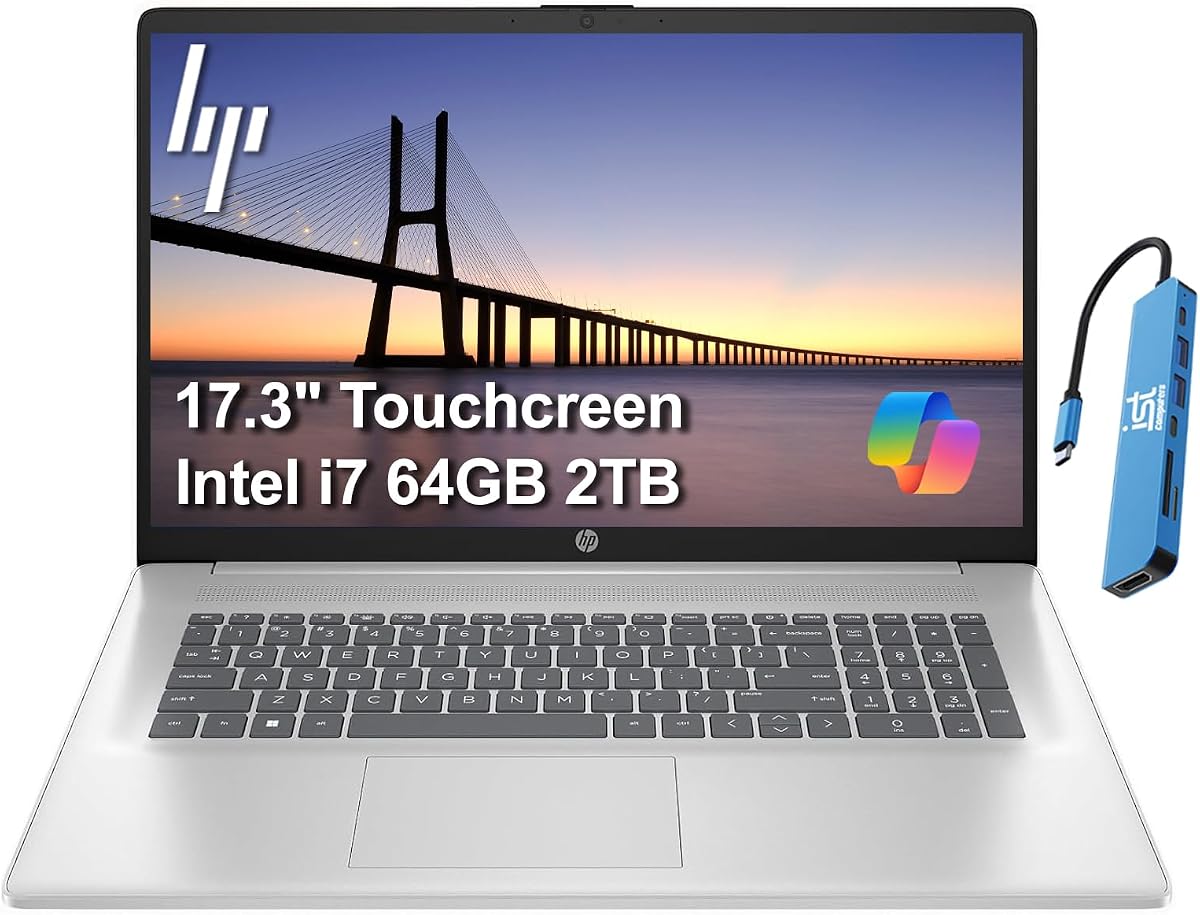
The HP Essential 17t offers a spacious 17.3 inch touchscreen display which is rare in business laptops with this memory configuration. It combines visual convenience with robust processing power for everyday tasks.
We may earn a commission when you buy through this link, at no additional cost to you.
Equipped with a 13th Gen Intel Core i7 processor this model handles productivity applications efficiently. The 64GB RAM ensures that background processes do not interfere with your primary workflow activities.
Touch functionality adds versatility to presentations and note-taking but the screen resolution is HD+ rather than full HD. This trade-off provides a larger interface area while maintaining decent clarity for text and images.
Users who prefer large screens for data visualization or multimedia consumption will appreciate this design. It balances size with performance to accommodate diverse business needs effectively.
Touch input allows direct interaction with content making navigation and annotation more intuitive during meetings.
A built-in fingerprint reader provides quick secure login access without needing to enter passwords repeatedly.
We may earn a commission when you buy through this link, at no additional cost to you.
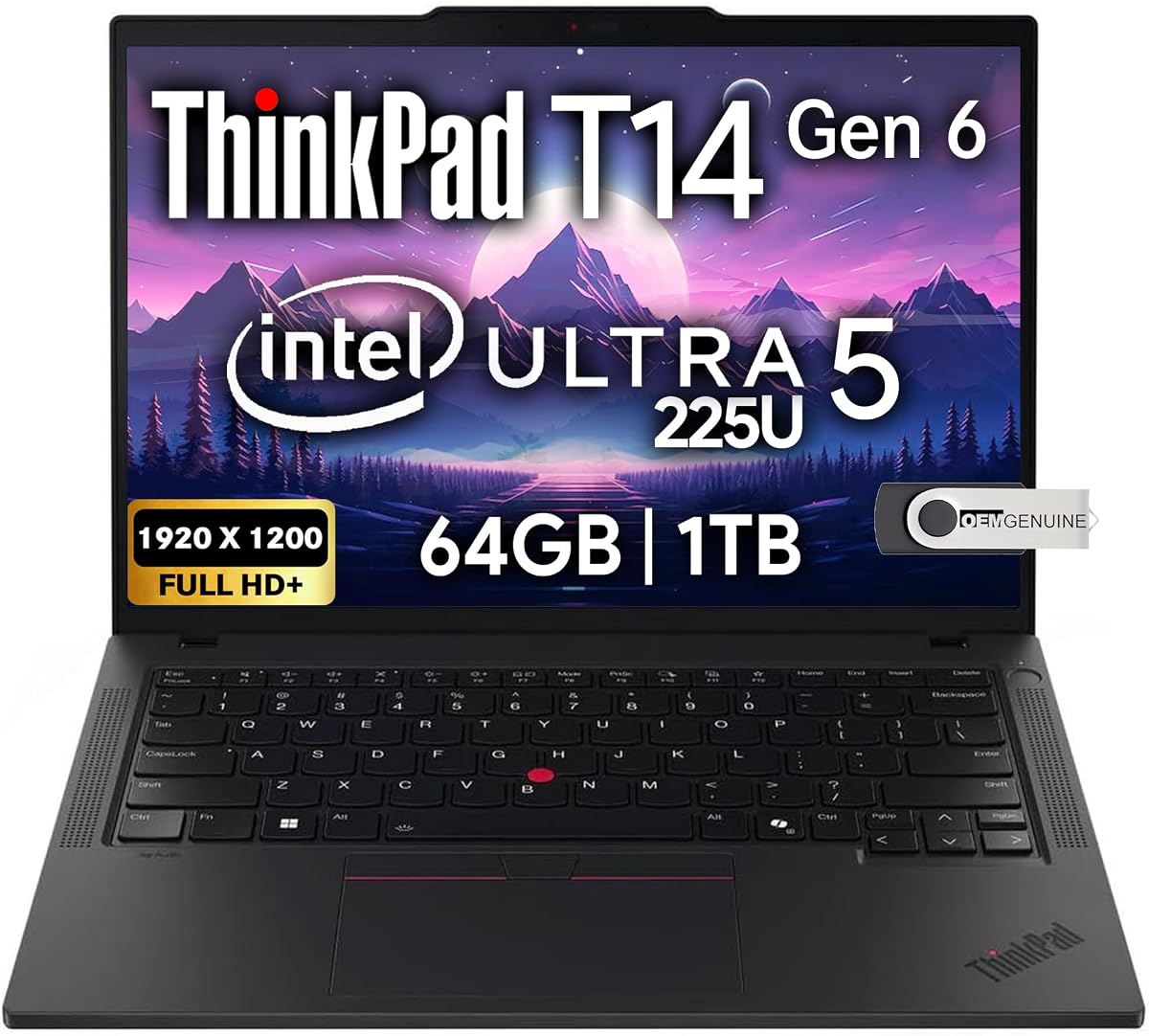
This Lenovo ThinkPad T14 Gen 6 is designed for professionals who need a portable yet powerful workstation. It features the latest DDR5 memory and AI-enhanced processors for future-proof performance.
We may earn a commission when you buy through this link, at no additional cost to you.
The compact 14 inch form factor makes it easy to carry while maintaining a high-resolution display for sharp visuals. Its MIL-STD certification ensures durability against physical shocks and environmental stress during travel.
Storage is somewhat lower at 1TB compared to other models but the speed of the NVMe SSD compensates for many use cases. Thunderbolt 4 ports allow for high-speed data transfer and multi-monitor setups.
Business users valuing portability and cutting-edge technology should consider this option for their daily operations. It represents a solid step forward in portable business computing capabilities.
DDR5 RAM provides faster data access speeds enhancing overall system responsiveness for heavy workloads.
Thunderbolt 4 and Wi-Fi 6E ensure lightning-fast connections for external devices and high-speed networks.
We may earn a commission when you buy through this link, at no additional cost to you.
This HP model stands out by including a docking station with additional storage which simplifies setting up a desktop replacement environment. It is built for users who want a complete productivity package out of the box.
We may earn a commission when you buy through this link, at no additional cost to you.
The 17.3 inch display provides ample space for split-screen work reducing the need for external monitors. Combined with 64GB RAM it handles extensive multitasking and data entry tasks efficiently.
Although the processor is an i5 the 10 cores ensure adequate performance for most office applications. The inclusion of Microsoft Office and earphones makes it a ready-to-use solution for remote work.
Professionals looking for a comprehensive solution with accessories included will find this model very convenient. It minimizes extra costs for peripherals while delivering strong performance for standard tasks.
Pre-installed software and bundled accessories save time and effort in setting up a productive workspace.
The docking station offers additional capacity for storing large files locally without filling the main drive.
We may earn a commission when you buy through this link, at no additional cost to you.
The HP OmniBook 7 delivers a premium visual experience with its 2K OLED touchscreen which offers vibrant colors and deep blacks ideal for content creators. It is the top choice for those prioritizing display quality.
We may earn a commission when you buy through this link, at no additional cost to you.
Powered by the Intel Core 9 270H processor it provides exceptional performance for heavy creative workloads and virtualization. The 64GB RAM ensures that rendering software runs smoothly without interruption.
While OLED screens offer great contrast users should be mindful of static images to prevent burn-in over time. This trade-off is acceptable for professionals who value color accuracy and visual fidelity above all else.
Creative professionals and media enthusiasts will appreciate the combination of high-end specs and cutting-edge connectivity. It sets a new standard for visual performance in portable workstations.
The OLED panel delivers perfect blacks and high contrast making images and videos look incredibly lifelike.
Wi-Fi 7 support ensures ultra-fast wireless speeds and lower latency for cloud-based workflows.
We may earn a commission when you buy through this link, at no additional cost to you.
This HP 17 model emphasizes energy efficiency without sacrificing performance making it suitable for long work sessions. The lift-hinge design improves cooling and typing comfort significantly during extended use.
We may earn a commission when you buy through this link, at no additional cost to you.
The 17.3 inch touchscreen offers a spacious workspace while the privacy shutter on the webcam adds a layer of security for video calls. It is well designed for hybrid work environments requiring secure communications.
Although the screen resolution is HD+ the larger diagonal helps reduce scrolling in documents and spreadsheets. This design choice prioritizes workspace over pixel density which benefits many office users.
Students and professionals needing a large screen for research or data entry will find this laptop very functional. It balances screen real estate with portability effectively.
The lift-hinge design elevates the keyboard and improves airflow keeping the system cool during heavy tasks.
A physical webcam shutter allows you to block the camera physically ensuring privacy during sensitive meetings.
We may earn a commission when you buy through this link, at no additional cost to you.
For users on a tight budget this laptop offers an incredible amount of memory capacity. It proves that you do not need to spend a fortune to get 64GB RAM for multitasking and general productivity tasks.
We may earn a commission when you buy through this link, at no additional cost to you.
The Ryzen 3 processor handles everyday tasks smoothly and the Full HD display ensures text and images remain crisp. This combination makes it suitable for students and home users needing reliable performance.
The lack of a mouse requires purchasing a separate one which might be an inconvenience for some. However the lightweight design makes it easy to carry to class or a cafe.
Buyers looking for value without compromising on core specs will find this model highly recommended. It delivers solid performance for everyday use at an accessible price point.
You get high-bandwidth memory that allows multiple apps to run concurrently without slowing down the system.
A thin and light form factor makes it easy to slip into a bag for mobile work or travel.
We may earn a commission when you buy through this link, at no additional cost to you.
This model offers a responsive touchscreen experience at a competitive price point. While it features 32GB of RAM it still delivers excellent performance for daily office tasks and light creative work.
We may earn a commission when you buy through this link, at no additional cost to you.
The AMD Ryzen 5 processor ensures efficient multitasking and the IPS touch screen provides accurate color reproduction for presentations. A numeric keypad is included which benefits accounting and data entry tasks significantly.
Users who do not strictly require 64GB of RAM will find this machine sufficiently powerful for their needs. The high customer rating reflects satisfaction with its build quality and reliability.
Students and small business owners needing a versatile machine will appreciate the included features like the backlit keyboard. It is a solid all-rounder for standard business requirements.
Touch functionality allows for intuitive navigation and quick gestures while browsing or managing files.
A dedicated numeric keypad streamlines data entry making it faster to input financial or numerical data.
We may earn a commission when you buy through this link, at no additional cost to you.
With a perfect user rating this HP laptop excels in providing a balanced feature set for business and home use. It features a 2TB SSD and 64GB RAM which supports extensive local storage and multitasking.
We may earn a commission when you buy through this link, at no additional cost to you.
The AMD Ryzen 7 processor delivers robust performance and the dedicated AI Copilot key offers quick access to intelligent assistance for drafting emails or summaries. This integration enhances productivity significantly.
Battery life is decent but usage patterns will vary based on workload. The fast charge capability ensures you can get a significant charge in a short time which helps during busy days.
Users seeking high satisfaction ratings and a complete feature set will find this model highly attractive. It offers premium specs at a competitive price point for general productivity.
The Copilot key provides instant access to AI tools helping you draft and summarize content quickly.
The battery charges quickly from zero to eighty percent in about an hour reducing downtime.
We may earn a commission when you buy through this link, at no additional cost to you.
This laptop comes with a wireless keyboard and mouse bundle making it a complete desktop replacement solution. The large 17 inch display is perfect for professionals who prefer a full-sized workspace without a separate monitor.
We may earn a commission when you buy through this link, at no additional cost to you.
Powered by an AMD Ryzen 5 processor it offers a balance of efficiency and power for daily tasks. The included accessories save time and cost setting up a remote workstation at home or in a new office.
With a perfect user rating this model indicates high satisfaction among business users. It provides a practical setup for spreadsheets documents and daily productivity tasks without extra hardware hassle.
Remote workers and professionals needing a full desktop experience in a portable package will appreciate this bundle. It ensures all essentials are ready to use immediately.
The bundled wireless peripherals provide a complete setup right out of the box for immediate productivity.
The large screen and numeric keypad mimic a desktop environment making long work sessions more comfortable.
We may earn a commission when you buy through this link, at no additional cost to you.
Selecting the right laptop involves evaluating several key factors that align with your specific professional requirements and budget constraints.
The processor is the brain of your computer and it determines how fast your system can execute commands. Look for high core counts and modern architectures like Intel Core i7 or AMD Ryzen 7 to ensure smooth multitasking and future-proofing for demanding applications.
A powerful processor ensures that complex calculations and data processing happen quickly without lag.
While 64GB RAM is the focus of this guide understanding the type of RAM is also important. DDR5 offers faster speeds than DDR4 which can significantly impact overall system responsiveness and bandwidth utilization during intensive tasks.
Higher speed RAM improves the efficiency of data transfer between the CPU and memory modules.
Solid State Drives (SSDs) provide much faster read and write speeds than traditional Hard Disk Drives. Aim for at least 1TB of PCIe NVMe SSD storage to ensure quick boot times and ample space for large project files and software installations.
Fast storage reduces load times and improves the overall user experience.
A high-resolution display is crucial for professionals working with graphics or detailed spreadsheets. Look for IPS panels with anti-glare coatings to reduce eye strain and ensure wide viewing angles for collaborative work.
A good screen improves clarity and reduces fatigue during long hours of use.
Modern laptops need to support various peripherals and external monitors. Ensure the device has USB-C Thunderbolt ports HDMI outputs and reliable Wi-Fi 6 or Wi-Fi 7 support to keep all your devices connected seamlessly.
Versatile ports allow you to connect monitors printers and external storage without adapters.
Windows 11 Pro offers enterprise features like BitLocker encryption and remote desktop capabilities that are not available in the Home version. Consider if your organization requires these advanced tools for security and management.
The right OS provides necessary security and management tools for business environments.
If you travel frequently or work remotely battery life is a critical factor. Look for models with efficient processors and energy-saving displays to ensure you can work through a full day without needing a power outlet constantly.
Long battery life ensures productivity on the go without interruptions.
Durability matters for laptops used daily. Look for laptops with military-grade certifications or robust chassis designs that can withstand the rigors of travel and daily use.
A durable build extends the lifespan of your investment and protects your data.
To maximize the performance of your high-memory laptop ensure you keep your operating system and drivers updated regularly. This optimizes how the system utilizes your RAM and prevents unnecessary background processes from slowing down your workflow.
Maintain good airflow by using the laptop on a hard flat surface. If you plan to work on soft surfaces like a bed use a laptop stand or cooling pad to prevent overheating which can degrade performance and hardware longevity.
Backup your data frequently to an external drive or cloud service. With large storage capacities you are likely to accumulate significant amounts of work files which makes regular backups essential for protecting your important data.
For basic office tasks like writing and email 16GB is usually sufficient. However if you run virtual machines or heavy data processing 64GB ensures your system remains fast. It is future-proofing for more demanding software releases.
It depends on the specific model and motherboard design. Some business laptops have soldered RAM which cannot be upgraded. Always check the product specifications or manufacturer details before buying to confirm upgradeability.
While gaming benefits from high RAM speed and capacity most modern games run well with 16GB or 32GB. However if you stream while playing or run background recording software 64GB provides extra headroom for smooth performance.
These laptops excel at video editing 3D rendering running virtual machines and complex data analysis. They are ideal for professionals who need to keep multiple large applications open simultaneously without slowdowns.
Yes pairing high RAM with a fast SSD is essential for optimal performance. An SSD ensures that data transfers to and from memory happen quickly preventing bottlenecks when handling large datasets or heavy multitasking.
Students in fields like engineering or computer science will benefit from the power. For general studies the performance might be more than needed but it ensures the laptop remains fast for their entire degree program.
We have reviewed ten powerful laptops featuring 64GB RAM suitable for diverse professional needs. The HP OmniBook 7 stands out for display quality while the HP 255 G10 offers excellent value for business tasks.
When making your choice prioritize the processor power and screen size that best match your daily tasks. A well-matched machine ensures you get the most productivity out of every dollar spent.
Always check current availability and pricing as these factors change frequently online. Verify the exact specifications to ensure the model meets your specific memory and storage requirements before finalizing your purchase.