
M.2 Heatsink Cooler 2280 SSD
4.6Editor score
Double-sided clip design for stability
Aluminum alloy with silver plating
Ideal for PS5 and desktop PCs
Compare top low profile SSD heatsinks for PS5 laptops and desktops ensuring cooling performance compatibility and ease of installation for all 2280 M.2 NVMe
Low profile SSD heatsinks are essential for maintaining optimal performance in modern computing setups. They prevent thermal throttling by dissipating heat efficiently from M.2 drives during intensive tasks like gaming and data transfers.
We evaluated ten top-rated models based on material quality, thermal conductivity, thickness, and compatibility. Each product was analyzed for real-world cooling gains and ease of installation without requiring specialized tools.
Each pick highlights key strengths and ideal use cases for different users. Prices vary by retailer so check current listings before purchasing to ensure you get the best deal for your specific build needs today.
4.6Editor score

4.5Editor score

4.7Editor score
This side-by-side comparison helps you identify the right low profile SSD heatsink for your specific build. We compare materials dimensions cooling performance and compatibility across all ten top picks.


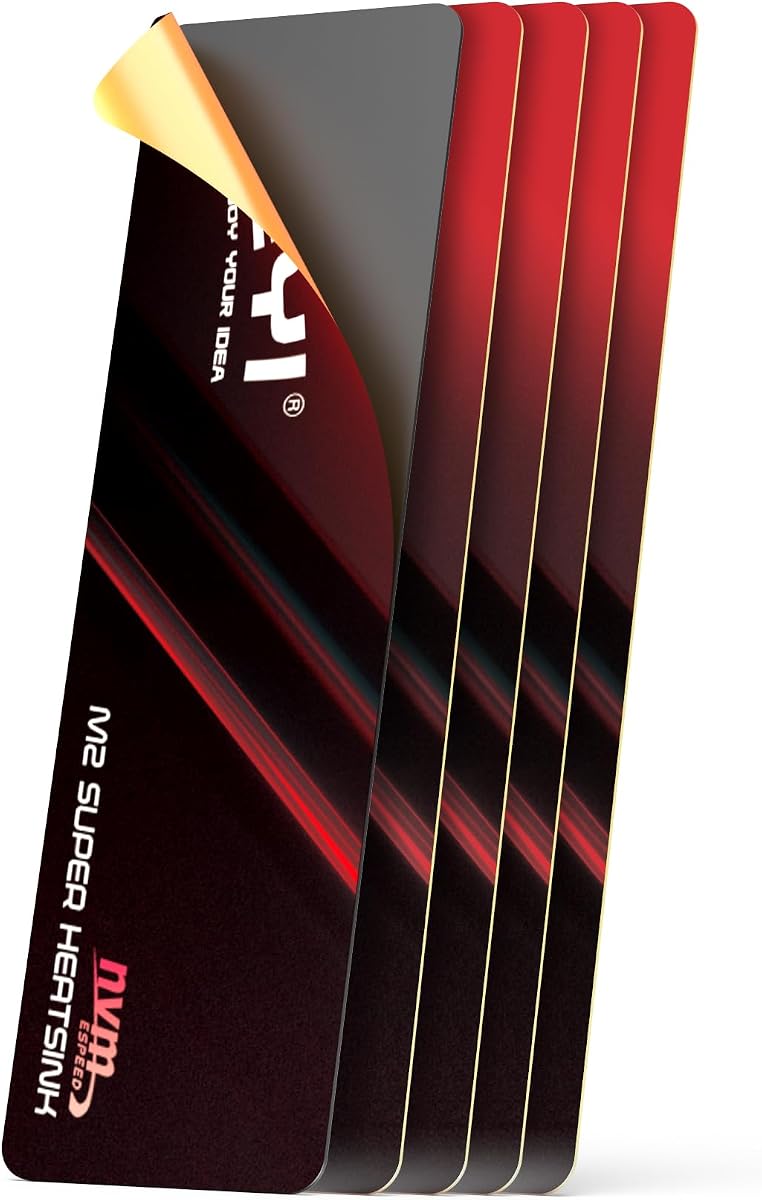


The GLOTRENDS 2-Pack is a versatile solution for cooling M.2 SSDs in desktops and consoles. With a 4.5 rating it offers significant thermal relief without active components. Its low profile design fits into tight spaces while protecting your drive investment.
We may earn a commission when you buy through this link, at no additional cost to you.
It uses aluminum fins to passively pull heat away from the controller during heavy usage like game installs or large file transfers. Users report temperature drops between 5 to 20 degrees Celsius which helps prevent throttling and maintains steady write speeds over time.
The only limitation is that it is not designed for laptops which may have tighter internal constraints. However for desktops and PS5 expansions the tool-less installation makes setup quick. The included metal clasps and rubber bands ensure a secure fit without screws.
This product is ideal for anyone looking for reliable cooling at a budget-friendly price. If you need to cool two drives or simply want a spare the two pack offers flexibility. We recommend checking your case clearance before purchasing.
Aluminum fins dissipate heat effectively without needing fans or power. This ensures silent operation and zero additional power draw from your system.
Designed to fit every 2280 M.2 SSD including Gen3 to Gen5 drives. This makes it a future-proof choice for various storage upgrades.
We may earn a commission when you buy through this link, at no additional cost to you.
This double-sided heatsink is a strong contender for budget-conscious builders. It features a stable clip design that holds the SSD firmly in place. With a 4.6 rating it performs well in keeping temps safe during normal usage.
We may earn a commission when you buy through this link, at no additional cost to you.
The aluminum alloy body provides good heat dissipation while silver plating helps reduce static electricity. Low viscosity pads ensure easy contact without damaging components. Users appreciate the simple installation process that does not require screws.
While it is affordable it still delivers a cooling effect of 10 to 20 degrees Celsius. The only trade-off is that it is designed for single-sided drives. Ensure your SSD matches this specification before purchase.
It is a great pick for PS5 owners or desktop users needing a quick fix. The low price makes it accessible for everyone. Just verify your drive type to ensure compatibility before installing.
Double-sided clips provide a secure fit without the need for screws. This prevents accidental movement that could damage connections during handling.
Silver plating helps eliminate static electricity risks. This protects sensitive SSD components from potential electrostatic discharge damage.
We may earn a commission when you buy through this link, at no additional cost to you.
The be quiet! MC1 stands out as a premium choice for reliable thermal management. It earns a 4.7 rating for consistent performance in high-end setups. This cooler enables maximum read and write speeds by preventing thermal throttling.
We may earn a commission when you buy through this link, at no additional cost to you.
It fits both single and double-sided modules which adds versatility to your setup. The dimensions are optimized for PS5 expansion slots making it an ideal choice for console upgrades. It ensures your drive runs cool during extended gaming sessions.
The main consideration is the higher price compared to budget options. However the build quality and precise fit justify the cost for many users. Check your case or console space before buying to avoid fit issues.
For those prioritizing quality and performance this model is highly recommended. It provides peace of mind with its robust design. Consider it if you need a cooling solution that matches your premium hardware.
Designed to work with both single and double-sided modules. This flexibility means you can use it with almost any standard 2280 drive.
Ideal dimensions ensure a perfect fit in PS5 expansion slots. It solves the overheating issue that some PS5 SSDs face without modifications.
We may earn a commission when you buy through this link, at no additional cost to you.
This heatsink uses graphene coating which provides exceptional thermal conductivity. It is rated 4.4 and delivers efficient cooling for laptops and PCs. The stripe pattern adds an aesthetic touch to your internal build.
We may earn a commission when you buy through this link, at no additional cost to you.
Copper base combined with graphene ensures rapid heat transfer. It is suitable for narrow spaces where standard heatsinks might not fit. The adhesive pad simplifies installation by allowing direct bonding without extra tools.
However the adhesive can make future upgrades or replacements tricky. Ensure you plan to keep the cooler installed for the long term. Also verify your laptop internal height to prevent interference.
It is a solid choice for gamers who want style and function. The graphene material is a standout feature for performance seekers. Consider the adhesive option if you prefer a clean permanent solution.
Graphene conductivity outperforms pure copper and aluminum by a wide margin. This means faster heat dissipation even in compact enclosures.
Tailored for laptops and narrow internal spaces. The slim profile helps maintain airflow without sacrificing cooling efficiency.
We may earn a commission when you buy through this link, at no additional cost to you.
Designed specifically for laptops this copper heatsink is ideal for slim builds. It boasts a 4.6 rating and uses 100 percent copper for heat transfer. The 1.5mm minimum height requirement makes it suitable for tight cases.
We may earn a commission when you buy through this link, at no additional cost to you.
Copper transfers heat more efficiently than aluminum which is critical for thin chassis. It comes with silicone thermal pads that adapt to uneven surfaces. You can use rubber rings for quick installation without tools.
The main challenge is ensuring your laptop has at least 1.5mm of clearance. Measure before purchasing to avoid physical interference. Also confirm your drive size fits the 2280 specification exactly.
This is a great pick for mobile users experiencing thermal throttling. It helps maintain performance during travel or intensive use. Prioritize measuring your internal space before buying.
The 1.5mm requirement ensures it fits within tight laptop constraints. This allows for cooling without modifying the chassis or casing.
100 percent copper construction maximizes heat dissipation. It is superior to aluminum in conductivity which matters for compact devices.
We may earn a commission when you buy through this link, at no additional cost to you.
This graphene-copper thermal film is the thinnest option available at 0.5mm. It is perfect for ultra-thin laptops and PS5 expansions. The 4.4 rating reflects its effectiveness in cutting peak temperatures significantly.
We may earn a commission when you buy through this link, at no additional cost to you.
With 1500W/mK thermal conductivity it dissipates heat rapidly. You can apply thermal pads to both sides for enhanced cooling. The adhesive ensures permanent bonding so it stays in place securely.
Handling the film requires care because it is fragile. If bent gently bend it back flat to ensure proper contact. Be cautious not to tear it during installation to avoid damage.
Ideal for users with extremely tight space constraints. It solves cooling issues without adding bulk. Ensure your drive has enough clearance before purchasing this thin option.
At only 0.5mm it fits where other heatsinks cannot. This makes it a lifesaver for very thin laptops or tight slots.
Applying pads on both sides doubles heat dissipation. This strategy prevents throttling effectively even without airflow.
We may earn a commission when you buy through this link, at no additional cost to you.
This pure copper heatsink is designed for laptops and compact devices. It earns a 4.5 rating for its high-quality material. The groove design increases the surface area for better heat dissipation.
We may earn a commission when you buy through this link, at no additional cost to you.
Copper efficiently transfers heat to the air quickly. It fits standard 2280 M.2 SSDs with a low 1.5mm height. Included silicone pads help maximize contact with the drive surface.
Installation requires checking your device space carefully. The compact size is great for tight spots but demands precise fitting. Ensure your device can accommodate the dimensions before buying.
It is ideal for users upgrading laptops or portable consoles. The copper material ensures reliability over time. Confirm the dimensions match your clearance to avoid issues.
Grooves increase heat dissipation area significantly. This design helps the heatsink release accumulated heat faster than flat models.
Works with various devices like laptops and Switch. It provides cooling for many precision equipment internal boards beyond just SSDs.
We may earn a commission when you buy through this link, at no additional cost to you.
This heatsink combines graphene coating with a copper base for high performance. It is designed specifically for PS5 and laptops. The 4.7 rating highlights its efficiency in dissipating heat quickly.
We may earn a commission when you buy through this link, at no additional cost to you.
Air duct design increases contact area for better heat exchange. This ensures rapid dissipation even in enclosed spaces. The slanted slot design adds aesthetic appeal to your internal build.
The 4mm height is thicker than some options so check your PS5 case clearance. Ensure your system can accommodate this height before purchase. If it fits the cooling gains are significant.
Ideal for gamers upgrading their PS5 storage. It prevents throttling during long gaming sessions. Verify clearance carefully to enjoy a cool upgrade without issues.
Professional air duct design maximizes heat exchange. It helps dissipate heat faster by increasing the contact area with air.
Slanted slots provide a pleasing visual finish. It makes internal builds look more polished and intentional.
We may earn a commission when you buy through this link, at no additional cost to you.
This slim heatsink measures just 0.5mm thick making it ideal for tight spaces. It is made of pure copper for efficient heat transfer. The 4.4 rating indicates solid performance across various devices.
We may earn a commission when you buy through this link, at no additional cost to you.
Chemical polished pads prevent short circuits and oxidation. This enhances longevity and protection for your SSD. It also comes with installation tools like screwdrivers and plastic spudgers.
The thin profile demands careful handling to avoid bending. Check your device dimensions before buying to ensure a perfect fit. It is designed specifically for 2280 M.2 SSDs.
Best for laptops or consoles needing minimal height addition. The inclusion of tools makes setup easier. Always check exact clearance before purchasing.
Includes screwdrivers and plastic spudgers for easy setup. These tools help avoid damaging components during installation.
Chemical polished pads prevent short circuits. They also resist oxidation and rust for a long service life.
We may earn a commission when you buy through this link, at no additional cost to you.
This Micro Connectors heatsink offers a reliable low profile design. It earns a 4.6 rating for its durable aluminum fins. The cross-cut design optimizes heat dissipation for consistent cooling.
We may earn a commission when you buy through this link, at no additional cost to you.
It works on motherboards or M.2 adapters effectively. The 5mm height is a standard low profile size suitable for many builds. Heat resistant silicone rings secure the heatsink in place safely.
While heavier than thin films it provides solid structural support. Check your case clearance to ensure the 5mm height fits. It is ideal for users needing robust protection.
A good choice for desktop or PS5 upgrades. It balances performance with ease of use. Verify your system compatibility before purchasing.
Cross-cut aluminum fins maximize dissipation surface. This ensures optimal heat release during high-load operations.
Heat resistant silicone rings hold the heatsink securely. They prevent movement while protecting your SSD from damage.
We may earn a commission when you buy through this link, at no additional cost to you.
Choosing the right low profile SSD heatsink involves understanding material efficiency thickness and compatibility. This guide outlines key factors to ensure optimal cooling for your specific setup.
Material choice impacts thermal conductivity significantly. Graphene and copper offer the best heat dissipation while aluminum is lighter and more affordable.
Prioritize materials that match your budget and performance needs for effective cooling.
Thickness is critical for laptops and tight cases. Models range from 0.5mm to 5mm so always measure your available space before buying.
Ensure the heatsink height fits your device to avoid physical interference.
Most heatsinks target 2280 M.2 NVMe SSDs. Verify if your drive is single or double-sided to match the heatsink design.
Check your motherboard or PS5 slot specifications to confirm fit.
Tool-less installation is preferred for ease. Look for models with metal clasps rubber bands or thermal pads for secure mounting.
Avoid adhesive only if you plan to upgrade your drive soon.
Thermal pads transfer heat between the SSD and heatsink. Ensure the product includes high-quality pads to maximize cooling efficiency.
Low viscosity pads are safer for the SSD surface during application.
Performance varies by environment and load. Expect temperature drops between 5 to 20 degrees Celsius under sustained usage.
Higher quality materials generally provide better temperature reduction results.
Price ranges differ by material and brand. Budget options use aluminum while premium picks use copper or graphene.
Consider the value offered by two packs or included tools for better savings.
Some heatsinks feature aesthetic designs like slanted slots or patterns. These are ideal for visible builds where appearance matters.
Choose models that complement your case or console design style.
Prepare your workspace by powering off your device and unplugging it. Remove the SSD carefully according to the manufacturer instructions to avoid damaging components.
Apply the thermal pad gently between the SSD and heatsink. Ensure the surface is clean and aligned properly for maximum contact efficiency.
Secure the heatsink using included clasps or screws. Check that it sits flat and does not block any airflow within your case.
Many low profile heatsinks fit laptops if the internal clearance allows. Look for models that are 1.5mm or thinner to ensure proper fit.
Yes PS5 requires a heatsink to prevent SSD overheating. Low profile models are designed to fit the internal expansion slot correctly.
Measure the height between the M.2 slot and any cover above it. Subtract the drive height to find the maximum allowed heatsink thickness.
Copper offers better thermal conductivity than aluminum. However aluminum is lighter and often more affordable for most desktop builds.
Most heatsinks support both NVMe and SATA 2280 drives. Verify the compatibility specifications before purchasing to ensure proper support.
Thermal pads are usually included and preferred for SSDs. Paste can be messy and harder to apply consistently on the flat surface.
Generally using a heatsink does not void the warranty. Avoid using strong adhesives that could leave residue on the drive surface.
Yes a heatsink reduces thermal throttling significantly. It keeps the drive within safe temperatures during sustained heavy workloads.
The GLOTRENDS 2-Pack offers excellent value for desktop and PS5 users. The be quiet! MC1 stands out for premium build quality and console optimization.
Prioritize measuring your internal clearance to ensure the right fit. Choosing the right material ensures long-lasting cooling performance for your drives.
Always check current prices and compatibility before purchasing. Investing in a quality heatsink protects your drive and maintains optimal performance.