
MOSDART 64GB Metal USB 2.0
4.5Editor score
Waterproof and durable metal casing
Built-in key ring design
Broad compatibility across systems
This guide compares the top keychain USB flash drives for storage, durability, and speed to help you find the perfect portable memory solution for your needs.
Finding a reliable storage solution is essential in our digital age. A keychain USB flash drive offers portability and security for your important files. These devices combine convenience with durability, ensuring your data is always accessible.
We evaluated ten top-rated models based on storage capacity, transfer speed, and build quality. Our comparison focuses on real-world performance and user feedback. This list covers various options to suit different budgets and technical requirements.
Each pick highlights unique features and potential trade-offs to consider. Prices and availability can change frequently, so verify details before purchasing. Use this guide to make an informed decision for your next portable storage upgrade.
4.5Editor score

4.7Editor score

4.4Editor score
This table provides a side-by-side overview of the selected models. It highlights key specifications and ratings to help you compare options quickly. Use this data to narrow down choices based on your specific storage needs.



This Macerler drive offers an impressive 230GB of storage in a compact metal design. It is rated well for its ability to handle large media files and documents easily. The waterproof casing adds significant durability for daily transport and use.
We may earn a commission when you buy through this link, at no additional cost to you.
It features ultra-fast data transfer speeds that reduce waiting times during backups. The plug-and-play functionality ensures you can start using it immediately on Windows or Mac. The keychain design keeps it secure when attached to keys or bags.
While the rating is solid, some users might prefer higher speeds for very large transfers. The price point is higher than standard 64GB models but justified by the capacity. It is a reliable choice for professionals needing extra space.
Buyers looking for high capacity without external drives should consider this model. It suits students and creatives who manage large video or photo libraries. The durability makes it a safe bet for travel and outdoor use.
The 230GB space allows storing thousands of photos or hours of video without deleting files.
Waterproof and shockproof features protect data from accidental drops or exposure to elements.
We may earn a commission when you buy through this link, at no additional cost to you.
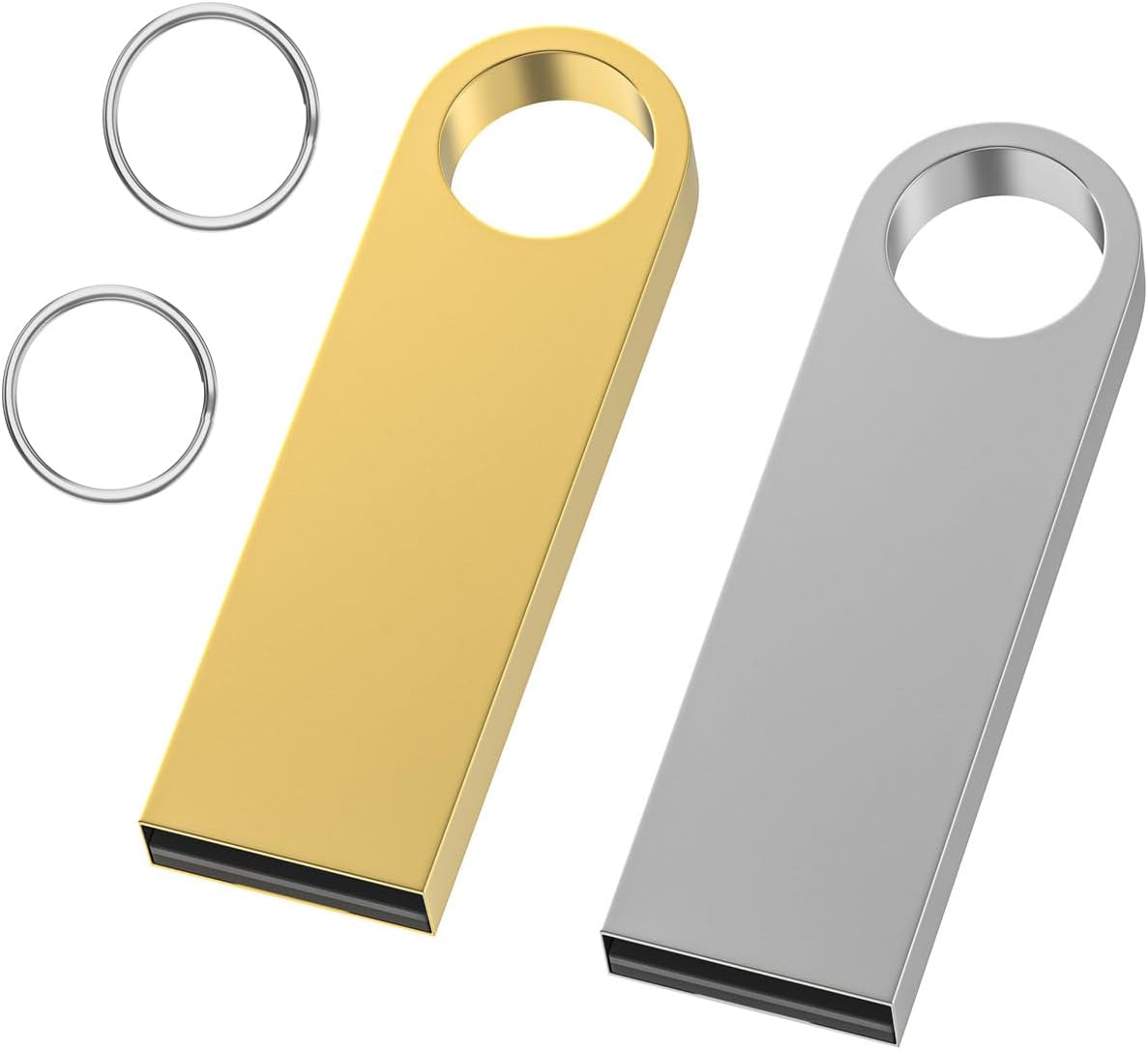
This MOSDART drive balances cost and performance effectively for budget-conscious buyers. It holds 64GB which is sufficient for most documents and moderate media needs. The silver metal casing provides a sleek look with practical durability.
We may earn a commission when you buy through this link, at no additional cost to you.
Its waterproof feature ensures protection against spills or rain. The built-in key ring makes it easy to attach to keys or backpacks. It supports a wide range of operating systems including older Windows versions.
The USB 2.0 interface means transfers are slower than modern USB 3.0 drives. However for standard file sharing it remains adequate and reliable. The price makes it an accessible option for everyday users.
Ideal for those needing a simple backup solution without high speed requirements. Students or office workers can use it for presentations and reports. It is a practical gift or replacement for lost drives.
Low cost combined with waterproof durability makes it a safe purchase for general use.
Supports systems from Windows 2000 to modern Mac OS ensuring it works everywhere.
We may earn a commission when you buy through this link, at no additional cost to you.
Getting two 128GB drives offers excellent value for individuals or small teams. Each drive has a slim metal design that fits narrow ports easily. The cap-less design removes the risk of losing small covers during use.
We may earn a commission when you buy through this link, at no additional cost to you.
You can personalize these drives with logos for professional branding needs. The waterproof seal protects data from moisture or dust exposure. Grade A chips ensure stable data storage without corruption issues.
The USB 2.0 standard is the main limitation compared to faster models. Transfers might take longer for large video files or backups. However the convenience of two drives offsets this for many users.
Great for businesses needing branded drives or families wanting separate backups. It suits users who want backup drives to avoid single points of failure. The durability ensures long-term use in various environments.
Having two drives allows one for daily use and one for emergency backups.
Adding logos makes these drives ideal for corporate events or promotional giveaways.
We may earn a commission when you buy through this link, at no additional cost to you.
This dual drive supports both modern USB-C phones and traditional USB-A computers. The 64GB capacity is ample for transferring photos between Android devices and laptops. The 150MB/s speed significantly reduces wait times during transfers.
We may earn a commission when you buy through this link, at no additional cost to you.
The rotating metal design protects ports without needing caps to lose. The longer USB-C port allows use even with phone cases on. A sturdy keychain clip ensures it stays attached to your keyring or bag.
It may be slightly thicker than single connector drives due to dual ports. Some users might find the navy color shows wear after heavy use. However the convenience of one drive for all devices is unmatched.
Perfect for travelers who use multiple device types daily. Students with Android phones and MacBooks benefit from the versatility. It eliminates the need to carry multiple adapters or drives.
Direct transfer between smartphones and computers saves time and effort without apps.
The rotating mechanism shields ports from dust while maintaining a sleek profile.
We may earn a commission when you buy through this link, at no additional cost to you.
This drive focuses on simplicity and ease of use for everyday storage tasks. The metal construction offers a premium feel while keeping the weight low. It is designed to fit discreetly in a pocket or bag.
We may earn a commission when you buy through this link, at no additional cost to you.
You can use it for storing music, photos, or work files without issues. The keychain attachment keeps it handy when you need quick access to data. It works seamlessly with Windows and Mac systems instantly.
It lacks advanced features like USB-C or waterproofing found in other models. Speeds are standard for USB 2.0 which might slow large transfers. However it remains a solid tool for basic data management.
Ideal for users who need a reliable backup without extra frills. It is a good choice for school projects or office document sharing. The minimalist look fits professional settings well.
No drivers or software needed means you can start saving files immediately.
Lightweight and compact design ensures it adds almost no bulk to your keychain.
We may earn a commission when you buy through this link, at no additional cost to you.
This SAMSUNG drive delivers top-tier speed for users who value efficiency. The 300MB/s read speed allows quick access to large files and media. The champagne silver metal finish looks professional and resists daily wear.
We may earn a commission when you buy through this link, at no additional cost to you.
It offers five-proof protection including water, shock, and temperature resistance. This ensures your data remains safe even in harsh conditions. The key ring prevents loss during busy workdays or travel.
While it costs more than basic models, the performance justifies the investment. Users transferring heavy video files will appreciate the speed advantage. It remains backward compatible with older USB ports too.
Best for professionals requiring reliable and fast data transfers regularly. Photographers and videographers can offload content quickly. It is a premium choice for critical data storage needs.
Transfer files in seconds rather than minutes thanks to USB 3.1 technology.
The metal casing protects against water, shocks, and magnets for peace of mind.
We may earn a commission when you buy through this link, at no additional cost to you.
This small drive is perfect for emergency storage when phones fill up. The dual connectors allow easy file transfers between phones and laptops without cables. The swivel design keeps ports safe and ready for use.
We may earn a commission when you buy through this link, at no additional cost to you.
It includes a protective cap for the USB-C end to prevent scratches. The ring hole makes it easy to attach to lanyards or keys. It supports a wide range of devices including recent iPhone models.
16GB is limited for video or large photos but fine for documents. USB 2.0 speeds are acceptable for small file backups or transfers. The affordable price makes it a great backup option for everyone.
Recommended for casual users needing quick photo transfers from events. It is a handy tool for travelers managing photos on the go. The compact size ensures it fits anywhere easily.
Use it to clear space on your phone by moving photos instantly without Wi-Fi.
Swivel and cap mechanisms protect connectors from physical damage over time.
We may earn a commission when you buy through this link, at no additional cost to you.
Getting two drives offers convenience for sharing or backups at a low cost. The aluminum body gives a premium look while keeping them lightweight. Each drive has a dedicated hole for keychains or lanyards easily.
We may earn a commission when you buy through this link, at no additional cost to you.
Read speeds range from 18 to 20 MB/s which is decent for files. It supports Windows, Linux, and Mac systems for broad compatibility. The minimalist design makes them easy to hide in pockets.
Write speeds are lower which might slow saving large files slightly. 16GB is not enough for HD video or system images. It serves best for documents, photos, or small backups.
Good for families needing multiple drives for different members. Teachers or students can use one for class and one for travel. The affordable price reduces worry about losing one accidentally.
Two drives ensure you always have a spare ready for unexpected needs.
Metal construction provides better protection and a professional aesthetic for work.
We may earn a commission when you buy through this link, at no additional cost to you.
This Lexar drive balances high capacity with solid performance for professionals. The 128GB space stores many hours of video or large archives. USB 3.2 Gen 1 technology ensures quick access to files when needed.
We may earn a commission when you buy through this link, at no additional cost to you.
Lexar DataShield adds an extra layer of security for sensitive data. It is backward compatible with older ports so you can use it anywhere. The design is stylish yet durable enough for travel.
While write speeds may vary, read speeds are consistently high for access. The price is higher but justified by brand reputation and reliability. It fits well for users needing secure portable storage.
Recommended for business users who handle sensitive data regularly. Photographers can manage large raw files efficiently. It is a robust choice for long-term portable storage projects.
Built-in security tools help keep your personal files safe from unauthorized access.
128GB allows storing entire projects or libraries without needing to delete files.
We may earn a commission when you buy through this link, at no additional cost to you.
This Transcend drive offers a reliable solution for high-capacity storage needs. The USB 3.0 interface ensures fast transfers between modern computers. The capless design slides out the connector safely without losing parts.
We may earn a commission when you buy through this link, at no additional cost to you.
It includes a keyring loop for attaching to bags or keys easily. Transcend Elite software helps manage backups and restore data efficiently. The black finish looks professional in any setting.
The drive is slightly bulky due to its mechanical slide mechanism. However this ensures durability compared to removable caps. It works well for daily office or home use tasks.
Best for users prioritizing data security and brand reputation. It suits professionals managing large datasets regularly. The included software adds value beyond simple storage.
Included software helps automate backups so you never lose important files.
Slide-out design prevents port damage and removes the need for separate caps.
We may earn a commission when you buy through this link, at no additional cost to you.
Selecting the right drive requires considering storage, speed, and durability. This guide explains the key factors to ensure you find a model that fits your needs.
Consider what files you need to store before choosing a size. Documents require less space than videos or large software. A 16GB or 32GB drive suits basic tasks while 128GB or higher helps for media.
Choose a capacity that accommodates future growth to avoid upgrading soon.
USB 3.0 or 3.1 drives transfer files faster than USB 2.0 models. Look for read and write speed ratings to gauge performance. Faster speeds save time when backing up large folders.
Prioritize higher speeds if you often move large video files regularly.
Metal casings offer better protection against drops and heat. Waterproof models guard against spills or rain during travel. Shockproof drives are safer for active users or frequent travelers.
Select models with protective coatings if you use them outdoors.
Check if your devices use USB-A or USB-C ports. Dual connector drives allow use across phones and laptops easily. Ensure the drive matches your current hardware to avoid buying adapters.
Opt for dual connectors if you use multiple device types.
Some drives offer password protection or hardware encryption for data. This keeps sensitive files safe if the drive is lost or stolen. Look for brands that offer reliable security software.
Choose encrypted options for handling confidential business documents.
Compact drives fit easily in pockets or small bags. Keychain attachments prevent losing the drive when out. Caps or slide mechanisms protect ports without adding bulk.
Pick a slim design that fits your daily carry habits comfortably.
Ensure the drive works with your Windows, Mac, or Linux systems. Most drives are plug-and-play but some may need formatting. Check compatibility lists before purchasing to avoid issues.
Verify compatibility with your specific OS version beforehand.
Higher quality drives often cost more but offer longer lifespans. Check warranty terms to understand protection against defects. A balanced budget should cover essential features without overspending.
Invest in a brand with a strong warranty for peace of mind.
To use your drive, simply plug it into a USB port on your computer. Your operating system will recognize it automatically and assign a drive letter. You can then drag and drop files to copy them onto the drive.
Always eject the drive safely using the operating system options before unplugging. This prevents data corruption or loss during write operations. Wait until the system confirms the drive is safe to remove.
Store the drive in a cool dry place when not in use. Avoid exposing it to direct sunlight or extreme temperatures. Regular backups of your drive data to another location help prevent loss.
Yes, they are designed for regular use and travel. Metal models offer extra protection against drops. Just ensure you eject them properly to avoid data corruption.
Most quality drives last several years with careful handling. Lifespan depends on usage frequency and environmental exposure. Proper care can extend their functional life significantly.
Most drives are compatible with Macs out of the box. Some may need reformatting to APFS or exFAT. Check the product description for OS support specifics.
Drives with USB-C ports work directly with Android. Others need an adapter to connect. Always verify connector types before buying for mobile use.
Capless designs avoid this issue entirely. For capped models, losing a cap might expose the port. Consider a slide-out or rotating mechanism instead.
Standard drives store data without built-in encryption. For security, choose models with password protection. Always keep backups in separate locations.
Yes, you can format them to FAT32 or NTFS as needed. This changes file system compatibility. Be aware formatting erases all existing data.
This often happens when the drive is near full capacity. Try deleting files or formatting the drive. Hardware switches on some drives may also restrict writing.
We reviewed ten options ranging from high-capacity models to budget-friendly picks. The Samsung BAR Plus stands out for speed and durability. The MOSDART models offer great value for general users.
Prioritize capacity and connector types based on your device needs. Ensure durability features match your environment for better longevity. Always verify compatibility before finalizing your purchase.
Prices fluctuate often so check current deals before buying. A good drive saves time and protects your data effectively. Use this guide to make a confident choice for your portable storage.