
MNN 15.6" FHD 60Hz Portable Monitor USB-C HDMI
4.3Editor score
Full HD 1080p
Dual USB-C ports
Includes protective smart cover
Choosing the right external monitor for your MacBook Neo can transform your workspace into a highly efficient environment. Whether you are working remotely or need extra screen real estate for creative projects, a compatible display is essential.
We have carefully evaluated ten top-rated portable and desktop monitors based on compatibility, screen quality, and ease of use. Each product was selected to ensure it meets the specific needs of modern laptop users.
This list provides detailed insights into every model, highlighting their unique strengths and potential limitations. Please note that availability and pricing may change, so check the latest offers before purchasing.
4.3Editor score

4.8Editor score
4.8Editor score
As an Amazon Associate we earn from qualifying purchases.
Here is a side-by-side comparison of the ten selected monitors to help you decide which one fits your specific needs and budget best.


The VisionOwl portable monitor stands out as a top choice for users seeking a premium second screen. With a 16-inch display and a 2.5K resolution, it offers sharp visuals that make text and images pop.
We may earn a commission when you buy through this link, at no additional cost to you.
Its 16:10 aspect ratio is perfectly matched to many modern laptops, ensuring seamless full-screen mirroring without black bars. The 144Hz refresh rate adds fluidity to scrolling and video playback, which is a rare find in portable screens.
While it is a bit heavier due to its metal construction, this trade-off provides durability and a premium feel. The built-in stand is sturdy, and the included cables make setup straightforward for immediate use.
This monitor is ideal for professionals and gamers who need high performance on the go. It delivers a desktop-like experience in a portable form factor that fits easily into most bags.
The 16:10 aspect ratio eliminates black bars when mirroring screens, creating a seamless visual experience for MacBook users.
With 144Hz refresh rate and 470 nits brightness, this screen handles both fast-paced gaming and detailed creative work with ease.
We may earn a commission when you buy through this link, at no additional cost to you.
The MNN portable monitor offers incredible value for those looking to expand their workspace without breaking the bank. Its Full HD resolution ensures clear visuals for daily tasks like browsing and document editing.
We may earn a commission when you buy through this link, at no additional cost to you.
One of its strongest features is the dual Type-C port setup, allowing for versatile connectivity options. The included smart cover is well-designed, protecting the screen while also serving as a stable stand for viewing.
The plastic build is lighter than metal alternatives, which is great for travel but may lack the durability of higher-end models. However, for the price, the image quality and portability are hard to beat.
This is the perfect choice for students or casual users who need a reliable second screen for work or light gaming. It delivers solid performance where it counts without unnecessary extras.
The included smart cover provides scratch protection and can be folded to hold the monitor upright in both landscape and portrait modes.
Dual Type-C ports allow you to connect your laptop and power source with a single cable if your device supports power delivery.
We may earn a commission when you buy through this link, at no additional cost to you.
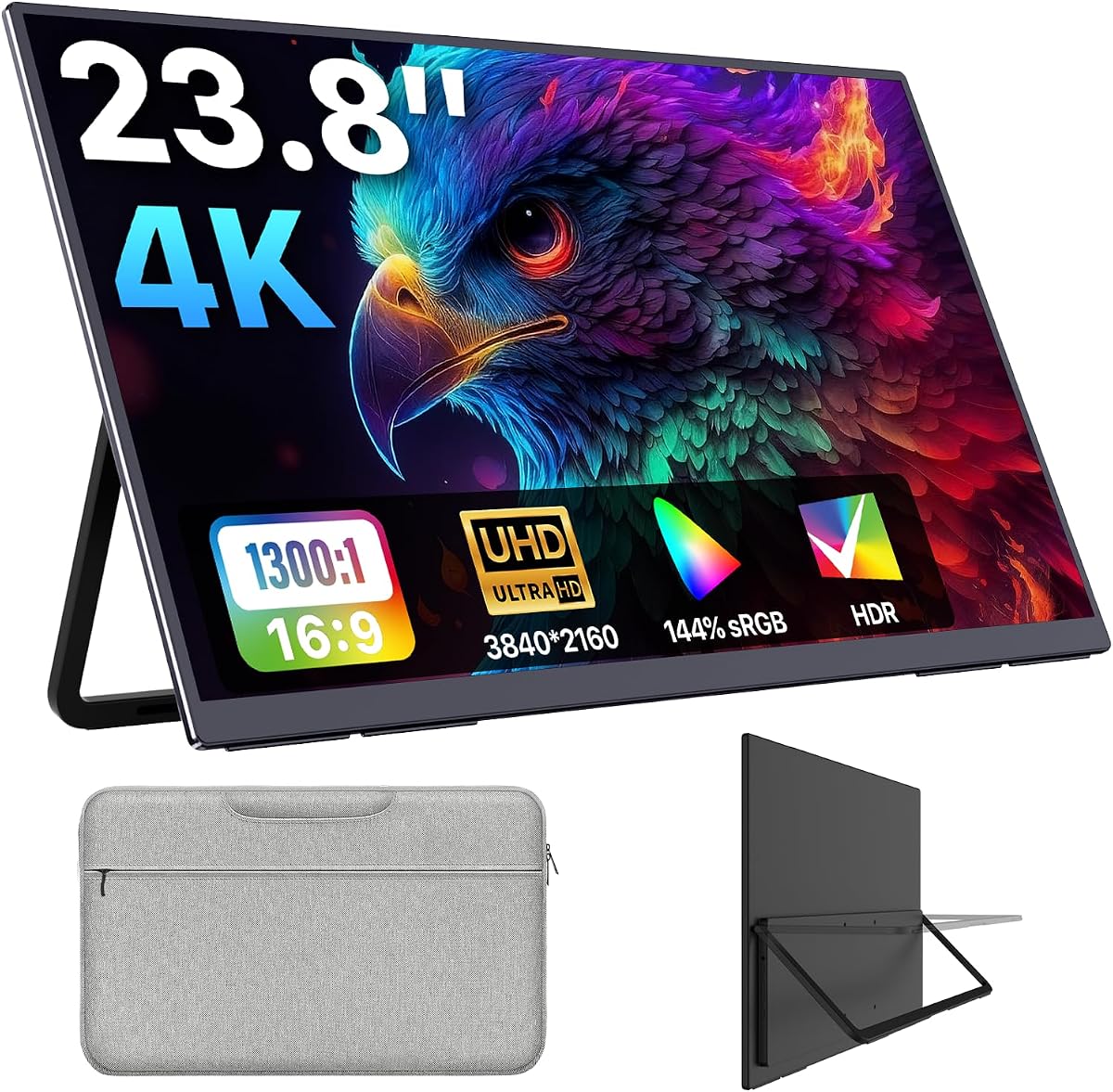
The Upperizon monitor is a powerhouse for professionals who need a large, high-resolution screen on the go. Its 23.8-inch 4K display provides ample workspace and sharp details for complex projects.
We may earn a commission when you buy through this link, at no additional cost to you.
With a 144% sRGB color gamut, this monitor excels at color-sensitive work like photo and video editing. The anti-glare coating helps maintain visibility even in environments with significant ambient light.
While it is heavier and requires a bit more setup space, the trade-off is a desktop-class viewing experience. The sturdy kickstand and VESA compatibility offer flexibility for how you mount it.
This is the ideal choice for creatives and power users who prioritize screen real estate and color fidelity. It transforms a laptop setup into a fully capable workstation anywhere you go.
The 144% sRGB coverage ensures that colors are represented accurately, which is critical for design and media production tasks.
A 23.8-inch screen allows you to view multiple windows side-by-side, reducing the need to constantly switch between apps.
We may earn a commission when you buy through this link, at no additional cost to you.
The ASUS ZenScreen is a classic choice known for its reliability and focus on eye comfort. It features an anti-glare surface that makes it suitable for use in bright offices or outdoor settings.
We may earn a commission when you buy through this link, at no additional cost to you.
ASUS Eye Care technology helps reduce eye strain during long sessions, which is a significant benefit for heavy users. The inclusion of a 3-year warranty adds extra peace of mind for your purchase.
While it lacks some of the high-end specs of newer models, its hybrid signal solution ensures compatibility with a wide range of laptops and devices. The kickstand allows for easy adjustment to portrait or landscape modes.
This monitor is best for business professionals who need a trustworthy display for presentations and meetings. Its durability and warranty support make it a smart long-term investment.
TUV Rheinland-certified flicker-free and low blue light technologies help reduce eye fatigue during extended work sessions.
A comprehensive three-year warranty covers defects and issues, providing strong support for users concerned about long-term reliability.
We may earn a commission when you buy through this link, at no additional cost to you.
The InnoView monitor offers a complete package with its included protective case and built-in speakers. This makes it a convenient choice for users who want an all-in-one solution.
We may earn a commission when you buy through this link, at no additional cost to you.
It supports plug-and-play functionality via USB-C or HDMI, making it easy to set up without technical hassle. The Full HD resolution delivers clear images for general use and media consumption.
While the speakers are a nice addition, they are not a replacement for dedicated audio gear. The protective case ensures the screen stays safe in transit, which is vital for travelers.
This model is ideal for students or travelers who want a simple, reliable screen extender. Its focus on ease of use and protection makes it a practical daily driver.
Built-in speakers allow you to hear media directly from the screen, saving you from carrying extra audio gear.
No driver installation is required, so you can start using the monitor immediately after connecting it to your device.
We may earn a commission when you buy through this link, at no additional cost to you.
This InnoView model is designed for portability with an ultra-slim profile that slips easily into any bag. The 90-degree adjustable stand allows you to find the perfect viewing angle for any setting.
We may earn a commission when you buy through this link, at no additional cost to you.
It uses an IPS A+ screen that offers high contrast and vibrant colors. The included sleeve ensures your monitor stays scratch-free during travel, adding to its practical appeal.
The adjustable stand is a feature not found on many competitors, giving you more control over ergonomics. However, ensure your laptop can provide enough power for stable operation.
This monitor is a great fit for remote workers who value flexibility and convenience. Its design prioritizes ease of transport and adaptable viewing options.
The built-in stand adjusts up to 90 degrees, allowing you to tilt the screen to avoid glare or sit comfortably.
An upgraded contrast ratio makes blacks look deeper and whites brighter, enhancing image quality for movies and games.
We may earn a commission when you buy through this link, at no additional cost to you.
The cocopar monitor combines high performance with an ultra-lightweight design. It uses a metal chassis that feels premium while keeping the weight manageable for daily commuting.
We may earn a commission when you buy through this link, at no additional cost to you.
With 110% sRGB coverage and a 144Hz refresh rate, it delivers visuals that are both colorful and smooth. This makes it suitable for gaming, media consumption, and creative work.
Its dual high refresh rate options offer flexibility depending on your connection. The metal stand is robust and offers stable angles, ensuring the monitor stays put during use.
This monitor is perfect for professionals who need color accuracy and speed without bulk. It balances quality and portability in a way few others do at this size.
A full metal chassis provides better heat dissipation and durability compared to plastic alternatives.
Wide color gamut coverage ensures that images look vibrant and true to life for professional creative workflows.
We may earn a commission when you buy through this link, at no additional cost to you.
The KEFEYA screen extender is a compact solution designed to attach directly to many laptops. It creates an immediate dual-screen setup without needing external stands or bulky accessories.
We may earn a commission when you buy through this link, at no additional cost to you.
Its 180-degree rotation allows for flexible positioning, which can help in collaborative settings or presentations. The Full HD panel ensures that text remains readable and sharp.
Because it is designed to mount on the laptop, it may not fit every model perfectly. Checking compatibility is recommended to ensure a secure fit for your device.
This is a great option for users who want a simple dual-screen experience. It saves space and simplifies the workflow for business travelers.
The extender attaches directly to the screen, keeping your setup compact and reducing clutter on your desk.
All necessary cables are provided, so you can set up your second screen immediately after purchase.
We may earn a commission when you buy through this link, at no additional cost to you.
The kksmart monitor stands out with its 18.5-inch frameless screen. This size offers a wider view than standard models, providing more workspace without adding too much bulk.
We may earn a commission when you buy through this link, at no additional cost to you.
Its 100Hz refresh rate ensures smooth motion, which is beneficial for scrolling and watching content. The frameless design creates an immersive experience by minimizing distractions.
The built-in stand is adjustable and provides a stable base. While it is not a 4K panel, the Full HD resolution is sufficient for most everyday tasks and general usage.
This model is ideal for those who need a bit more width for spreadsheets or multi-window setups. It offers a good balance of size and portability for travel.
A 4-side frameless design reduces bezel distractions, allowing you to focus more on your content.
The extra width lets you view more of a spreadsheet or multiple documents side by side efficiently.
We may earn a commission when you buy through this link, at no additional cost to you.
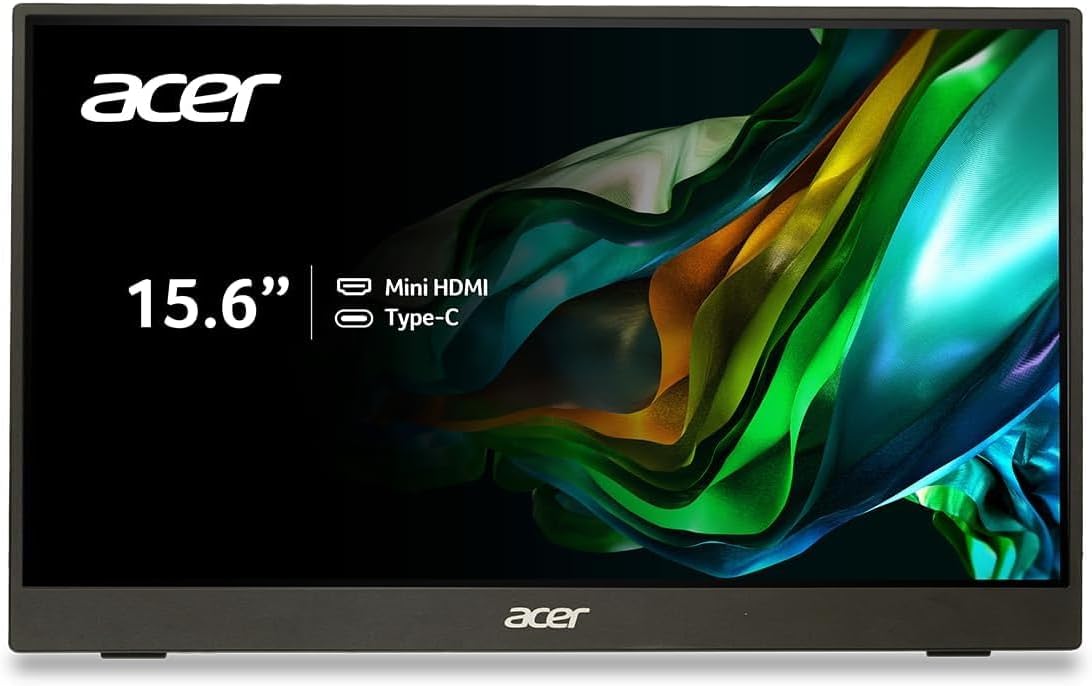
The Acer PM161Q is a reliable portable option from a well-known brand. It delivers solid Full HD performance with an IPS panel that provides wide viewing angles for all users.
We may earn a commission when you buy through this link, at no additional cost to you.
It supports AMD FreeSync technology, which helps reduce tearing during gaming or video playback. This adds a layer of visual smoothness that is appreciated during multimedia consumption.
The ergonomic tilt range allows for comfortable viewing at different angles. While it lacks some extra features, it focuses on delivering a dependable experience for work or play.
This monitor is a great choice for those who trust established brands for quality. It offers a no-fuss experience that covers all the basics of a portable display.
AMD FreeSync technology helps eliminate screen tearing, providing smoother visuals during gaming or high motion content.
The monitor tilts between 45 and 60 degrees, helping you find a comfortable angle to reduce neck strain.
We may earn a commission when you buy through this link, at no additional cost to you.
Selecting the right external monitor involves considering several key factors that align with your daily needs and usage patterns.
Screen size impacts how much workspace you get, while resolution determines clarity. For detailed work, opt for 1080p or higher, but balance this with portability needs.
Choose a size that fits your bag and a resolution that matches your visual requirements for text and images.
Aspect ratio affects how content is displayed on the screen. A 16:10 ratio is often better for productivity as it offers more vertical space.
Look for 16:10 if you want a seamless mirroring experience with most modern MacBooks and laptops.
Ensure the monitor has the right ports for your device. USB-C is ideal for single-cable setups that deliver both power and video.
Check for HDMI or USB-C ports to avoid needing extra adapters or dongles for connection.
Higher refresh rates like 144Hz make scrolling and motion look smoother. This is particularly useful for gaming or dynamic content.
Standard 60Hz is fine for office work, but faster rates improve visual fluidity for media users.
For creative work, color accuracy is essential. Look for sRGB coverage above 90% to ensure colors are true to life.
Brightness should be sufficient for your environment. 300+ nits is recommended for outdoor or bright office use.
Since this is for travel, weight and slimness matter. Lightweight monitors are easier to carry in backpacks without adding bulk.
Consider the total weight including cables and cases to ensure it remains manageable during daily commutes.
Some monitors draw power directly from the laptop, while others need an external adapter. Check if your laptop supports Power Delivery over USB-C.
If your device cannot power the screen alone, ensure you have a compatible adapter included or available.
A built-in stand offers convenience, but VESA compatibility allows for more flexible mounting solutions like arms or wall mounts.
Check if the monitor includes a stand or if you need to purchase one separately for your preferred setup.
To set up your monitor, connect it to your MacBook using a USB-C or HDMI cable. Adjust the display settings in System Preferences to extend or mirror your screen as needed.
Keep the screen clean with a soft, lint-free cloth to avoid scratches. Avoid using harsh chemicals or paper towels that might damage the anti-glare coating.
When traveling, always use the protective sleeve or case to guard against impacts. Store the monitor flat or upright to prevent internal stress on the panel.
Most modern monitors use standard USB-C or HDMI cables. Check your MacBook's ports and the monitor's requirements to see if you need an adapter. Many models include all necessary cables in the box.
Many portable monitors can draw power from your laptop via USB-C if the laptop supports sufficient power delivery. However, some models may still need a separate power adapter for stable operation.
Yes, most monitors support HDMI or USB-A connections which are common on older models. USB-C monitors may require a simple adapter if your laptop lacks a USB-C port.
Portable monitors are designed to be slim and lightweight, fitting easily into most laptop bags. Always measure your bag's dimensions against the monitor's size before purchasing to be sure.
Go to System Settings, then Displays to manage resolution and arrangement. You can choose to extend your desktop or mirror your main display depending on your workflow.
Some models like the VisionOwl offer 144Hz for smooth visuals. Check the product specifications to ensure the refresh rate meets your gaming or multimedia needs.
We have highlighted top options ranging from budget-friendly picks to high-end premium displays. Each offers unique strengths for different users and workflows.
Prioritize features like resolution, portability, and connection type to match your specific needs. A good monitor can significantly enhance your productivity and comfort on the go.
Remember that prices and availability can change over time. Always check the current listings to ensure you are getting the best value before you buy.