
ASUS RT-AX1800S
4.3Editor score
WiFi 6 with MU-MIMO
Four Gigabit LAN ports
AiProtection Classic included
Compare the top ASUS WiFi routers for speed and security. This guide reviews ten models to help you choose the best wireless network solution for your home or
Choosing the right wireless router is crucial for maintaining a fast and secure home network. ASUS offers a wide range of options to meet diverse needs and budgets effectively.
We evaluated ten top models based on speed, coverage, security features, and ease of use. Our analysis covers both new WiFi 7 standards and reliable WiFi 6 alternatives.
Each pick highlights key strengths and potential trade-offs to guide your decision. Note that availability and pricing can change frequently, so check current listings before buying.
4.3Editor score

4.3Editor score
3.4Editor score
This side-by-side comparison highlights key specifications across all ten selected models to help you quickly identify the best fit for your specific networking requirements and budget constraints.
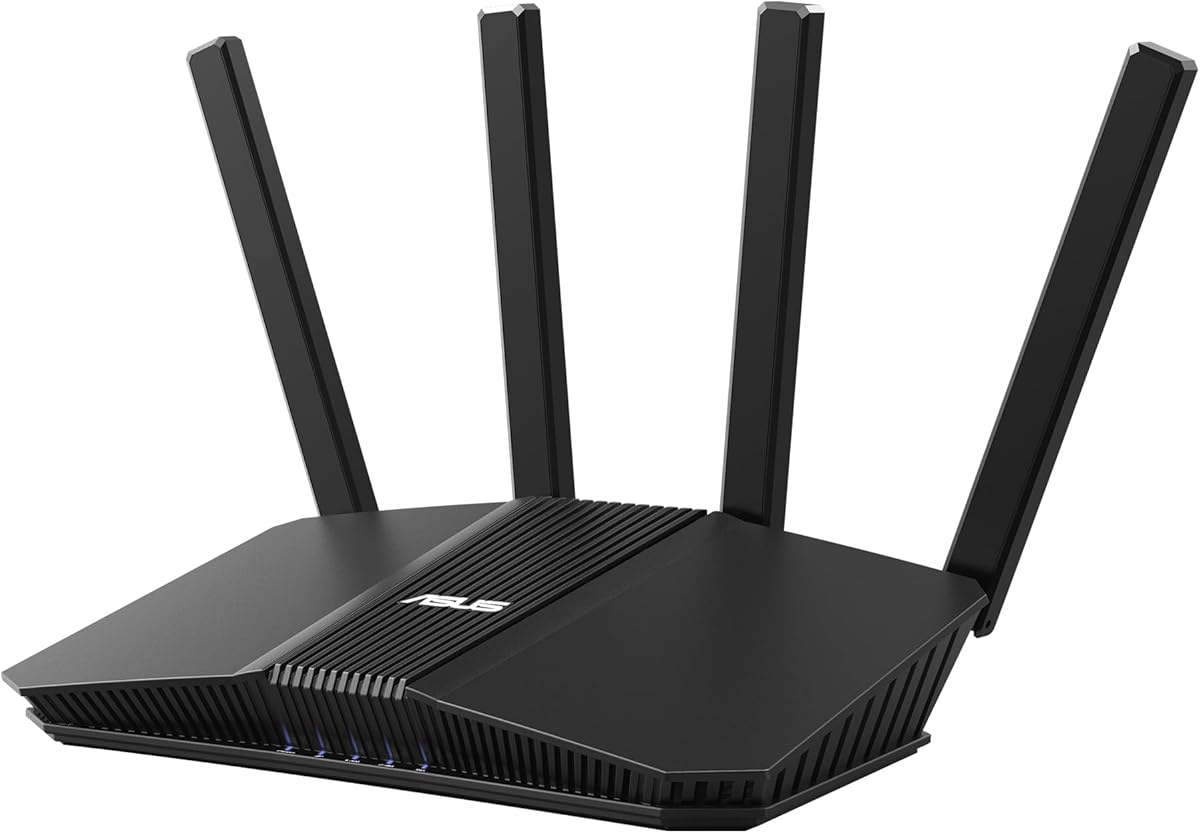



The ASUS RT-AX1800S is a highly accessible entry point into modern WiFi 6 networking. With a solid 4.3 rating, it delivers reliable connectivity for average households without breaking the bank. Its standout quality lies in balancing cost with essential security features like AiProtection Classic powered by Trend Micro.
We may earn a commission when you buy through this link, at no additional cost to you.
This router supports MU-MIMO and OFDMA technology, allowing it to handle multiple devices simultaneously with greater efficiency. The inclusion of four Gigabit LAN ports ensures fast wired connections for desktops or consoles. Additionally, the built-in VPN feature provides secure access when you are away from home.
While it lacks the raw speed of higher-end models, the trade-off is acceptable for standard streaming and browsing needs. Users may find the exterior design less striking compared to gaming-focused units. However, functionality remains the priority here for budget-conscious shoppers.
If you need a dependable router for a small to medium home, this model is an excellent choice. It offers future-proof WiFi 6 support at a fraction of the cost of premium competitors. We recommend it for users prioritizing value and security over maximum throughput.
AiProtection Classic offers commercial-grade protection without requiring a subscription fee, ensuring your network stays safe from threats effortlessly.
OFDMA technology optimizes channel usage, reducing latency and improving overall network performance even when multiple devices are active simultaneously.
We may earn a commission when you buy through this link, at no additional cost to you.
The ASUS RT-BE58U brings next-generation WiFi 7 technology to the mainstream market. With speeds up to 3.6 Gbps, it handles demanding tasks with ease. Its dual-WAN capability ensures you maintain internet connectivity even if your primary line fails, making it ideal for remote workers.
We may earn a commission when you buy through this link, at no additional cost to you.
Multi-link operation allows the router to link multiple bands simultaneously for ultra-smooth connectivity. The Smart Home Master feature simplifies managing IoT devices by segmenting them onto separate SSIDs. AiProtection Pro further secures the network against vulnerabilities and unsafe browsing.
To fully utilize this router, you need compatible devices that support the new WiFi 7 standard. Without them, you may not see the full potential of the hardware yet. This is a transitional product aimed at early adopters.
Buyers looking for future-proofing and business reliability should consider this model seriously. The USB port supports mobile tethering for added redundancy. It is a robust choice for households planning ahead for next-gen technology.
AI WAN detection and USB tethering options ensure your connection stays alive during outages by switching to a mobile hotspot automatically.
Smart Home Master lets you create distinct networks for different device types, improving security and performance for your smart home ecosystem.
We may earn a commission when you buy through this link, at no additional cost to you.
The ROG Rapture GT-BE98 Pro is the ultimate router for enthusiasts who demand the absolute best performance. Rated highly by users, it supports speeds up to 30 Gbps using the latest 320MHz channels. This makes it perfect for 8K streaming and competitive gaming alike.
We may earn a commission when you buy through this link, at no additional cost to you.
Triple-Level Game Acceleration prioritizes traffic specifically for gaming PCs to minimize lag and latency. The dual 10G ports and quad 2.5G ports provide incredible flexibility for high-speed wired connections. External antennas significantly boost signal strength to eliminate dead zones.
The sheer power of this device comes with a significant price tag, making it inaccessible for many casual users. It requires a high-speed internet plan to maximize its potential. However, those who invest in it rarely regret the upgrade.
Serious gamers and tech enthusiasts with large homes will appreciate the raw capability of this router. It sets a new standard for wireless networking performance. We recommend it for anyone willing to pay for top-tier specifications.
Triple-Level Game Acceleration automatically routes gaming traffic efficiently from your PC to the game server for minimal latency.
With dual 10G and quad 2.5G ports, you can connect multiple high-bandwidth devices without compromising on speed or stability.
We may earn a commission when you buy through this link, at no additional cost to you.
The RT-BE92U brings tri-band WiFi 7 performance to the table, offering speeds up to 9.7 Gbps. It is designed for large networks that require consistent high-speed data transfer. The dual WAN support ensures stable connectivity for remote work or critical tasks.
We may earn a commission when you buy through this link, at no additional cost to you.
With Multi-link Operation, the router optimizes data transfers by linking multiple bands simultaneously. Smart Home Master helps manage IoT devices effectively. AiProtection Pro provides robust security without extra monthly fees, adding significant value to the purchase.
Advanced features may overwhelm casual users who simply need basic internet access. The hardware requirements for full speed are also substantial. It is best suited for tech-savvy users who understand network configurations.
For households needing reliable high-speed internet for multiple heavy users, this router is a solid investment. It balances speed and security well. We recommend it for users needing professional-grade connectivity at home.
Using three frequency bands allows more devices to connect simultaneously without slowing down the network due to congestion.
AiProtection Pro provides ongoing commercial-grade security and safe browsing without requiring any additional subscription fees.
We may earn a commission when you buy through this link, at no additional cost to you.
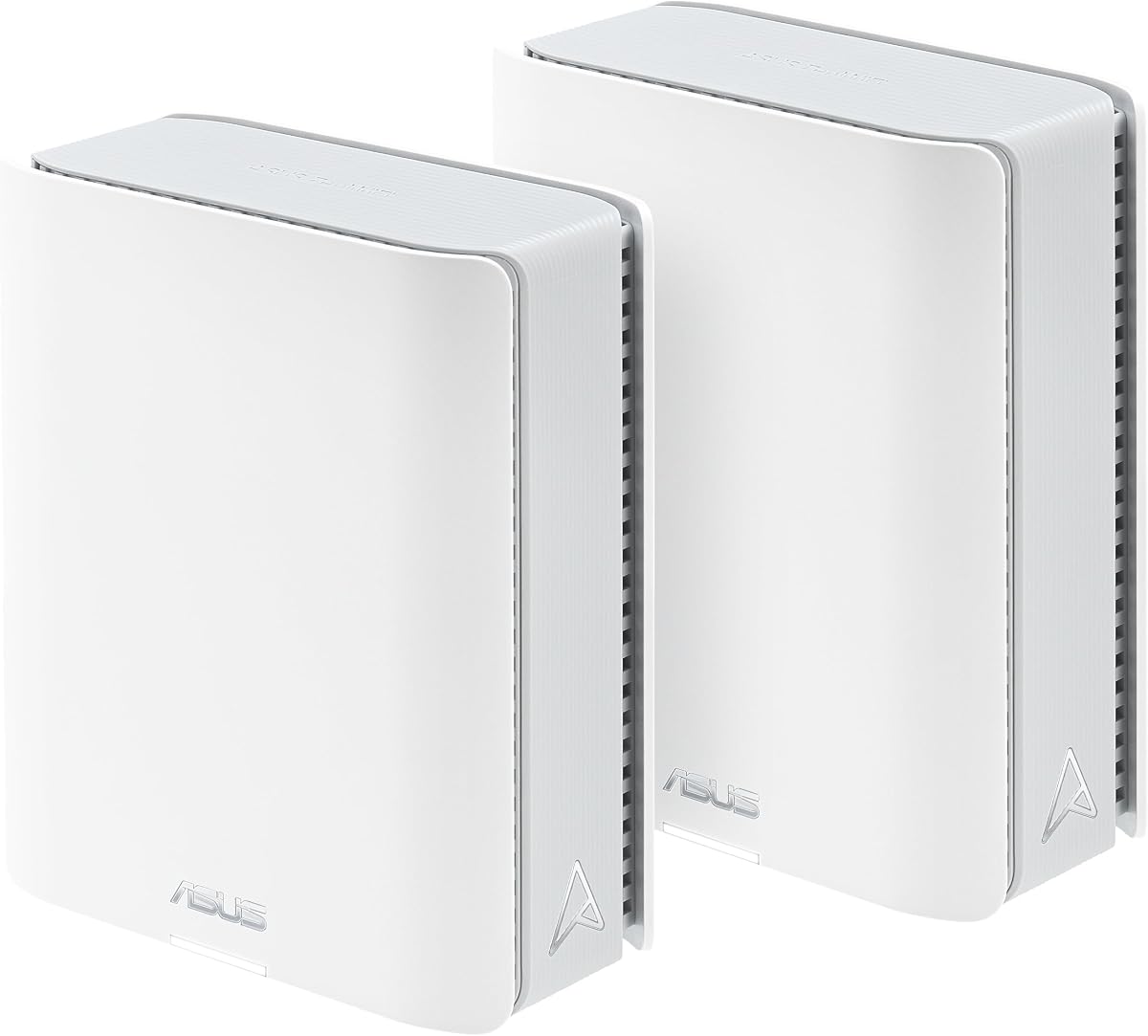
The ZenWiFi BT10 is a mesh system designed to blanket large properties in seamless WiFi coverage. With speeds up to 18 Gbps across two packs, it ensures every room has access. Its rating reflects a mix of praise and some user adjustments needed initially.
We may earn a commission when you buy through this link, at no additional cost to you.
Eight internal antennas eliminate dead zones effectively in all directions. The whole-home network scales effortlessly with other ASUS extendable routers. This system is ideal for multi-story homes where signal penetration is often an issue.
The high price reflects the extensive coverage and speed capabilities. Some users might find setup complex if they are not familiar with mesh networks. However, once configured, the performance is excellent.
If you need reliable coverage for a large property without running cables, this system is the best choice. It provides the ultimate in convenience and speed. We recommend it for large homes needing whole-network WiFi.
The mesh design allows you to cover up to 6000 square feet with a single package, eliminating weak spots easily.
Internal antennas provide a clean look while still delivering robust signal strength in every direction.
We may earn a commission when you buy through this link, at no additional cost to you.
The RT-AX82U combines performance with style for gamers who want a router that matches their setup. It supports speeds up to 5400 Mbps with 160MHz channels. Aura RGB lighting allows you to customize the device to match your gaming vibe.
We may earn a commission when you buy through this link, at no additional cost to you.
Mobile Game Mode minimizes lag for smartphone gaming with a simple tap. AiMesh support ensures seamless expansion if you need more coverage. AiProtection Pro keeps your network safe from online threats without subscription costs.
While it is a gaming router, the aesthetics might not suit every home office environment. It is also limited to WiFi 6 technology, though this is still very fast. For most gamers, this limitation is not a major issue.
This router is a great fit for users who want style and performance without spending on premium gaming models. It delivers stable connections and easy management. We recommend it for PC and mobile gamers.
The Mobile Game Mode app feature optimizes your connection specifically for mobile games to reduce latency.
Aura RGB lighting lets you choose from various effects to match your room decor or gaming setup.
We may earn a commission when you buy through this link, at no additional cost to you.
The ZenWiFi BT8 is a single-pack mesh unit that delivers tri-band WiFi 7 speeds up to 14 Gbps. It covers up to 3000 square feet, making it suitable for medium-sized homes. AI-powered Smart AiMesh ensures robust coverage and seamless roaming.
We may earn a commission when you buy through this link, at no additional cost to you.
Seven internal antennas and eight high-power modules eliminate dead zones effectively. The Smart Home Master simplifies setting up IoT networks. You can easily expand the system with compatible routers if your needs grow.
As a single unit, it might not cover very large properties alone. However, it serves well as a standalone solution or part of a larger mesh system. The price reflects its high-end capabilities.
This router is ideal for those needing WiFi 7 performance without a multi-pack system. It offers a balance of speed and smart features. We recommend it for medium homes or as a starting point for mesh.
Smart AiMesh uses AI to boost coverage and ensure all devices connect seamlessly to the best available signal.
Smart Home Master helps you organize and manage your smart devices separately from your main network for better security.
We may earn a commission when you buy through this link, at no additional cost to you.
The RT-AX3000 is a widely praised router known for reliability and ease of use. With speeds up to 3000 Mbps and a range of 3000 sq ft, it handles most household tasks well. It uses advanced OFDMA and MU-MIMO for better efficiency.
We may earn a commission when you buy through this link, at no additional cost to you.
AiMesh compatibility allows you to expand coverage easily by adding more units. The USB 3.0 port enables sharing storage devices across your network. AiProtection Pro protects all devices with advanced security features.
While it lacks the latest WiFi 7 tech, it remains a strong choice for existing devices. The setup is straightforward for most users. It offers good value for families needing stable internet.
This model is perfect for users seeking proven reliability without the cost of premium features. It balances performance and security well. We recommend it for general home use and small offices.
OFDMA and MU-MIMO technology ensure that your network remains stable even when many devices are active at once.
The USB 3.0 port lets you connect storage drives to share files across your network effortlessly.
We may earn a commission when you buy through this link, at no additional cost to you.
The RT-AC68U is a classic router that has proven its worth over time. It delivers combined speeds of up to 1900 Mbps across dual bands. Despite being older, it remains a solid choice for basic internet needs.
We may earn a commission when you buy through this link, at no additional cost to you.
It includes multiple Gigabit LAN ports for wired connections. AiProtection provides multi-stage defense against security threats. The web-based interface is intuitive for quick setup and management.
Since it is AC standard, it lacks the efficiency of newer WiFi 6 models. It might not support the highest broadband speeds available today. However, for many homes, it provides sufficient connectivity.
This router is suitable for users on a tight budget or those with older devices. It offers reliable performance for everyday tasks. We recommend it for basic home networking requirements.
AiProtection secures your network against malicious sites and vulnerable devices automatically.
The ASUSWRT web-based interface makes configuring your network straightforward for users of all skill levels.
We may earn a commission when you buy through this link, at no additional cost to you.
The ExpertWiFi EBR63 is designed specifically for business environments needing robust security and management. It offers separate SSIDs to prioritize traffic. Customizable guest portals help brands maintain a professional image for visitors.
We may earn a commission when you buy through this link, at no additional cost to you.
VLAN support and secure usage features allow strict network segmentation. Remote management via the ExpertWiFi app simplifies maintenance for IT admins. Backup WAN ensures business continuity even if the primary line fails.
This device is tailored for offices rather than casual home users. It may lack the gaming features found in other models. However, for small businesses, it delivers the necessary control and reliability.
If you run a business or co-working space, this router provides essential tools. It ensures guest security without compromising your private network. We recommend it for small to medium business setups.
Customize the guest portal to match your brand while keeping guest traffic separate from internal business data.
Backup WAN support via USB keeps your business connected even when primary internet service experiences downtime.
We may earn a commission when you buy through this link, at no additional cost to you.
Selecting the right router depends on your internet speed, house size, and specific needs. We break down the critical factors to consider before you buy.
The current market offers both WiFi 6 and WiFi 7 routers. WiFi 7 offers higher speeds, lower latency, and better multi-link operation. However, it requires new devices to fully utilize. If your devices are older, WiFi 6 is still powerful and cost-effective. Consider upgrading to WiFi 7 if you plan to keep the router for many years.
For most users, WiFi 6 provides sufficient performance. Check if your devices support the standard before purchasing expensive WiFi 7 units.
Large homes often need mesh systems to eliminate dead zones. Single routers might not reach every room effectively. If you have a large property, look for models like the ZenWiFi BT10 or BT8 that allow seamless expansion. Mesh systems ensure you get a consistent signal throughout the house.
Choose mesh systems for larger properties. Single routers work well for apartments or small homes.
Speeds vary significantly across models, from 1800 Mbps to 30 Gbps. Ensure the router can handle your internet plan. A 500 Mbps plan won't benefit from a 30 Gbps router immediately. However, higher speeds ensure future-proofing as internet providers upgrade their plans.
Match router speed to your internet plan. Don't overspend on capacity you cannot use yet.
Security is paramount in today's digital landscape. ASUS routers typically include AiProtection Pro, which uses Trend Micro. This blocks malicious sites and vulnerable devices. Some models require subscriptions, but many offer free lifetime features. Prioritize models with strong built-in security.
Look for included security suites like AiProtection Pro to save on subscriptions.
If you use wired devices, check the number and speed of LAN ports. Gaming PCs and desktops benefit from Gigabit or Multi-Gigabit ports. Some high-end models offer 2.5G or even 10G ports for extreme speed. Ensure the router meets your wired connectivity needs.
Check for enough LAN ports for your wired devices. Look for Multi-Gigabit support for high-speed needs.
Gamers need low latency and stable connections. ROG routers offer Game Acceleration features to prioritize gaming traffic. This ensures smooth gameplay without lag spikes. If you play competitively, investing in a gaming-specific router is often worth it.
Gaming routers offer optimized traffic routing. Look for Game Acceleration for competitive play.
Parents need to manage screen time and block inappropriate content. Most ASUS routers include intuitive parental control apps. These allow scheduling and content filtering for specific devices. Ensure the interface is easy to use for daily management tasks.
Use parental control features to manage children's internet access safely.
Prices range from under $100 to over $600. Determine your budget before shopping. Basic models cover most needs without breaking the bank. Premium models offer extra features you might not need. Balance cost with actual utility.
Choose a router that fits your budget while meeting core needs.
Start by connecting the router to your modem via the WAN port. Power it on and wait for the LED lights to stabilize. Download the ASUS Router app or access the web interface to begin setup.
Place the router in a central, elevated location for best performance. Avoid placing it inside cabinets or near other electronics that cause interference. Proper ventilation ensures the hardware does not overheat during heavy use.
Keep the firmware updated through the admin interface to patch vulnerabilities. Regularly restart the device to clear temporary glitches. Clear the app cache if the mobile interface becomes unresponsive for smoother management.
Yes, ASUS offers excellent gaming routers especially in their ROG series. They include Game Acceleration technology to prioritize traffic for low latency. The built-in VPN and strong security also protect gamers from threats.
Most ASUS routers include AiProtection Pro for free which covers basic security and parental controls. Some advanced features might require a subscription. However, the included features are usually sufficient for most families.
Yes, you can use AiMesh to connect multiple compatible ASUS routers. This creates a seamless mesh network with a single WiFi name. It allows you to extend coverage to large areas without buying a new system.
WiFi 7 offers significantly higher speeds and lower latency than WiFi 6. It uses new 6 GHz bands and wider channels. While it is the future standard, you need new devices to fully utilize its capabilities.
You can update firmware by logging into the router admin page via a browser or app. Look for the firmware update section and download the latest version. Always ensure power stability during the update process to avoid corruption.
Slow speeds can result from distance, interference, or device issues. Move the router to a central location and update firmware. Check if too many devices are connected simultaneously and restart the router to reset connections.
We have covered ten distinct models ranging from budget-friendly options to high-end gaming beasts. The ASUS RT-AX1800S remains a great value starter, while the ROG GT-BE98 Pro delivers unmatched performance.
Prioritize your specific needs such as coverage area or gaming requirements when making your final decision. A mesh system might be better for a large home while a simple router suffices for an apartment.
Always verify current pricing and availability before purchasing as these values can change frequently. Our guide provides a solid foundation to help you invest in the right hardware for your network.