
ASUS ROG Rapture GT-BE98 Pro WiFi 7 Gaming Router
4.3Editor score
Quad-Band with 30Gbps throughput
Dual 10G Ethernet ports
Triple-Level Game Acceleration
This guide compares the top high end WiFi router models available in October 2026 to help you choose the fastest and most reliable device for your home network
Finding the right high end WiFi router is crucial for modern homes filled with smart devices and bandwidth-intensive applications. These powerful networking hubs ensure seamless streaming and gaming without interruptions or lag across every room.
We evaluated ten top models based on speed, coverage, security, and ease of use. Our analysis focuses on real-world performance and feature sets that matter most to demanding users today.
Each pick highlights specific strengths and ideal use cases for different household sizes and internet plans. Keep in mind that availability and promotional offers can change frequently online.
4.3Editor score

4.3Editor score

4.3Editor score
Compare the full lineup of top high end WiFi routers side by side. This table breaks down key specifications and capabilities to help you make a confident decision.



The TP-Link BE6500 stands out as a top-tier choice for households demanding high-speed connectivity. Rated 4.3 stars by users, this WiFi 7 router delivers impressive throughput and stability across a large home area.
We may earn a commission when you buy through this link, at no additional cost to you.
Its standout feature is the support for Multi-Link Operation, which aggregates bands for better speed and latency. The 2.5Gbps ports ensure your wired devices benefit from multi-gigabit internet plans without bottlenecks.
While it requires modern devices to unlock full potential, the investment pays off in smoother streaming and gaming. Users appreciate the straightforward setup and reliable performance even under heavy load.
Ideal for tech-savvy homeowners and families with numerous connected devices, this router balances performance and value effectively. It remains a top recommendation for those ready to upgrade to next-gen networking.
WiFi 7 technology offers significantly higher capacity and lower latency compared to previous generations, ensuring your network remains relevant as more smart home devices are added.
TP-Link HomeShield provides comprehensive network protection without requiring extra subscriptions, giving peace of mind against potential online threats and vulnerabilities.
We may earn a commission when you buy through this link, at no additional cost to you.
The TP-Link AXE5400 is a powerful option for users seeking the benefits of the 6 GHz band without breaking the bank. With a 4.3 rating, it has been recognized by PCMag as an Editors' Choice for good reason.
We may earn a commission when you buy through this link, at no additional cost to you.
This router excels in crowded environments by leveraging the less congested 6 GHz spectrum. Its tri-band design ensures that streaming on one device does not impact gaming on another.
While it does not support the latest WiFi 7 features, it remains highly capable for current needs. The 1.0 GHz CPU and ample memory handle multiple connections smoothly without lag.
Best for families wanting reliable speeds and easy management, this router offers a solid upgrade from older WiFi 5 or 6 systems. It strikes a great balance between cost and capability.
The 6 GHz band provides a clear lane for compatible devices, minimizing interference from neighbors and significantly improving throughput for high-bandwidth tasks like 4K streaming.
You can extend coverage throughout larger homes by adding EasyMesh-compatible extenders or routers, creating a seamless network that eliminates dead zones efficiently.
We may earn a commission when you buy through this link, at no additional cost to you.
The NETGEAR Nighthawk WiFi 7 is designed to keep up with busy households streaming 4K video and playing online games simultaneously. Rated 4.3 stars, it delivers fast and stable connections up to 2500 square feet.
We may earn a commission when you buy through this link, at no additional cost to you.
Its dedicated 6 GHz band ensures that your fastest devices get priority bandwidth, reducing latency significantly. The 2.5Gbps ports allow you to connect a modem or NAS directly for optimal wired speed.
While some security features require a subscription, the base protection is robust and easy to manage via the app. Users find it reliable for managing guest networks and pausing devices for kids.
Ideal for those who prioritize speed and simple management, this router is a strong performer in the high-end category. It effectively meets the demands of modern multi-user environments without complexity.
The Nighthawk App makes setup and daily adjustments intuitive, allowing you to run speed tests or pause devices for anyone in your household easily.
Optimized for gaming, this router reduces lag through advanced traffic management, ensuring smooth experiences during competitive matches or streaming sessions.
We may earn a commission when you buy through this link, at no additional cost to you.
The NETGEAR Nighthawk RS700S is a powerhouse designed for the largest homes and the fastest internet plans available. Rated 4.4 stars, it delivers up to 19 Gbps and covers up to 3500 square feet effortlessly.
We may earn a commission when you buy through this link, at no additional cost to you.
Its 10 Gigabit WAN port ensures you can utilize premium fiber internet without any slowdowns. The 12-stream design provides superior signal strength even through multiple walls or floors.
While expensive, the performance justifies the cost for power users who need maximum capacity. Security features like Armor protect every connected device automatically from threats or malware.
Perfect for large families or smart homes with dozens of devices, this router ensures no corner of your property is left disconnected. It is a top choice for those willing to invest in top-tier performance.
The inclusion of 10 Gigabit ports prepares your network for the future, allowing wired connections that match the speed of your high-speed fiber internet plan.
With a 12-stream design, this router maintains strong signals throughout large multi-story homes, reducing the need for additional extenders or mesh units.
We may earn a commission when you buy through this link, at no additional cost to you.
The ASUS ROG Rapture GT-BE98 Pro is engineered specifically for gamers who need the absolute best latency and throughput. Rated 4.3 stars, it offers speeds up to 30 Gbps and advanced traffic prioritization.
We may earn a commission when you buy through this link, at no additional cost to you.
Its Triple-Level Game Acceleration optimizes traffic from your PC directly to the game server, reducing ping and lag effectively. The dual 10G ports ensure wired connections are as fast as possible.
Although it is a premium device with a high price tag, serious gamers find the investment worthwhile. The build quality is robust, and the software provides deep control over network settings.
Ideal for competitive gamers and streaming professionals, this router delivers unmatched performance. If your priority is reducing lag during critical moments, this model stands above the rest in reliability.
This router identifies gaming traffic and prioritizes it automatically, ensuring your matches remain smooth even when others are streaming 4K video on the same network.
Dual 10G Ethernet ports allow you to connect high-speed devices like NAS drives or gaming consoles without any bandwidth limitations or bottlenecks.
We may earn a commission when you buy through this link, at no additional cost to you.
The Synology RT6600ax offers advanced users deep control over their home network with features like VLAN segmentation and robust VPN capabilities. Rated 4.2 stars, it is known for reliability and security.
We may earn a commission when you buy through this link, at no additional cost to you.
Its ability to create separate networks for IoT devices protects your main devices from potential threats effectively. The parental controls and traffic management tools are among the most detailed available.
While it does not support the latest WiFi 7 speeds, its tri-band WiFi 6E performance is still very strong for most needs. Users appreciate the freedom to customize every aspect of their connection.
Best for privacy-conscious users or tech enthusiasts who want to segment their network, this router provides peace of mind. It is a solid choice for those who value control over maximum speed.
You can create separate virtual networks for guests or IoT devices, preventing potential security risks from spreading to your personal computers or mobile devices.
The built-in VPN server allows you to securely access your home network remotely, offering flexible connectivity for traveling or remote work scenarios.
We may earn a commission when you buy through this link, at no additional cost to you.
The ASUS Rog Strix GS-BE18000 brings stylish design and solid gaming features to the table. Rated 4.1 stars, it combines tri-band connectivity with specific optimizations for online gaming.
We may earn a commission when you buy through this link, at no additional cost to you.
Its build quality is durable, and the software provides detailed stats and control over traffic flow. The 2.5 Gigabit ports ensure that your wired devices run at top speeds without issue.
While the interface may be complex for some users, those who want granular control will appreciate it. It balances performance with a distinct look that fits well in gaming setups.
Ideal for gamers who want both performance and style, this router offers a reliable upgrade. It supports heavy gaming loads effectively while maintaining stability during intense sessions.
This router identifies and prioritizes gaming traffic automatically, helping to keep latency low and ensuring a smooth experience during critical matches.
Designed with heat dissipation and sturdy components, it ensures long-term reliability even when running at high loads continuously for extended periods.
We may earn a commission when you buy through this link, at no additional cost to you.
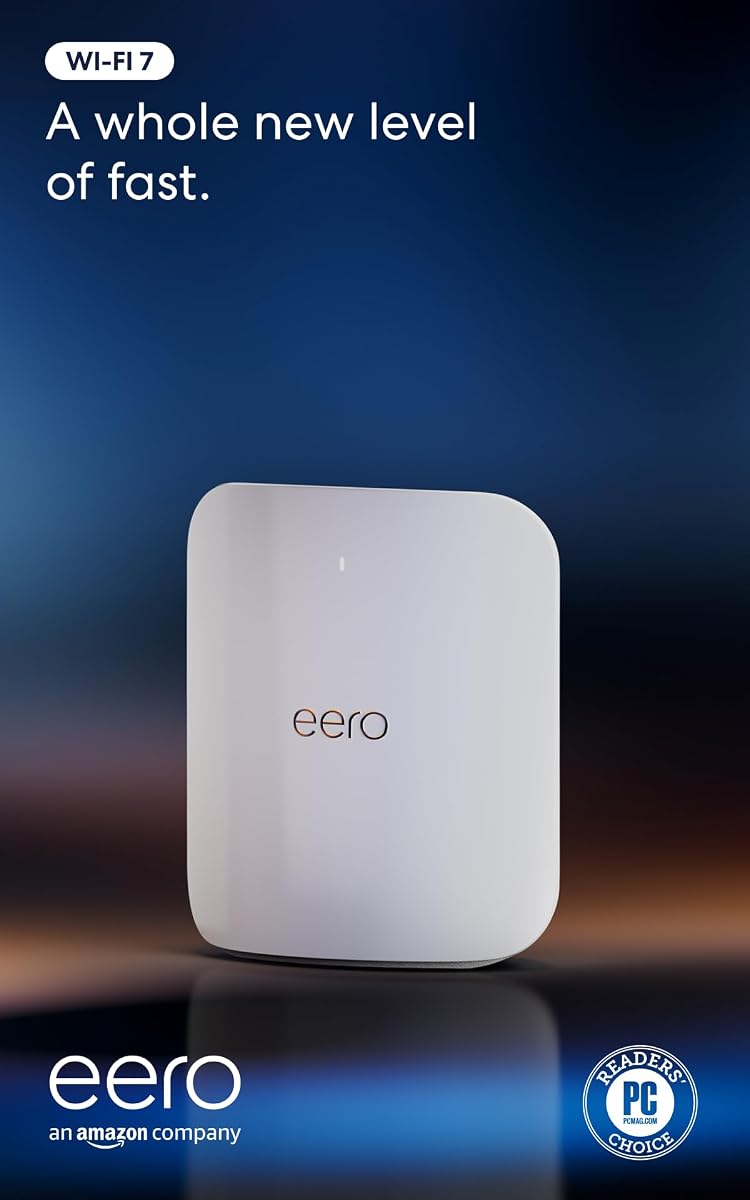
The Amazon eero Pro 7 simplifies high-end networking with its user-friendly interface and TrueMesh technology. Rated 4.3 stars, it offers reliable coverage up to 2000 square feet and supports fast internet plans.
We may earn a commission when you buy through this link, at no additional cost to you.
Its mesh capabilities allow for seamless expansion across floors and rooms without dead zones. The setup process is straightforward, and the app makes managing devices intuitive for everyone.
While it lacks some advanced customization found in other models, its reliability is top-notch. The three-year warranty provides extra peace of mind for long-term investment.
Ideal for users who want a straightforward, reliable Wi-Fi 7 setup without technical fuss, this router excels. It is perfect for homes that prioritize ease of use and consistent coverage.
eero's patented TrueMesh intelligently routes traffic to avoid interference, ensuring stable connections as you move around your home.
Adding more eero units is seamless, allowing you to extend coverage to larger areas or eliminate dead spots without technical headaches.
We may earn a commission when you buy through this link, at no additional cost to you.
The Amazon eero Max 7 takes mesh performance to the next level with support for plans up to 10 Gbps. Rated 4.2 stars, it connects over 250 devices and covers up to 2500 square feet reliably.
We may earn a commission when you buy through this link, at no additional cost to you.
It serves as a smart home hub for Matter and Zigbee devices, consolidating control into one central node. The dual 10 Gigabit ports ensure wired connections are as fast as your internet allows.
Although expensive, its performance and integration make it worthwhile for tech-savvy homes. The setup is simple, and the system handles large numbers of connections effortlessly.
Best for households needing massive capacity and seamless smart home integration, this router delivers. It combines speed, coverage, and ease of use in a single, reliable package.
Built-in support for Thread, Matter, and Zigbee devices allows you to manage various smart home products directly through your network router.
Designed to handle over 250 devices simultaneously, ensuring that every gadget remains connected without performance drops or congestion issues.
We may earn a commission when you buy through this link, at no additional cost to you.
The NETGEAR Nighthawk RS90 offers an accessible entry into WiFi 7 technology without a massive price tag. Rated 4.3 stars, it provides up to 3.6 Gbps speeds and covers up to 2000 square feet effectively.
We may earn a commission when you buy through this link, at no additional cost to you.
Its dual-band design utilizes the 5 GHz band effectively, offering faster speeds than older standards while maintaining broad compatibility. The 2.5 Gigabit WAN port helps future-proof your wired connection.
While it lacks the 6 GHz band found in tri-band models, it remains a strong option for many families. Users appreciate the straightforward setup and reliable performance for daily tasks.
Ideal for those wanting WiFi 7 performance on a budget, this router is a practical choice. It balances cost and capability well for average homes needing improved speed and reliability.
This model introduces WiFi 7 features at a lower cost, making next-gen performance accessible to more households without requiring a full premium investment.
With up to 3.6 Gbps speeds, it handles streaming, gaming, and browsing smoothly, offering a solid upgrade from older router technology.
We may earn a commission when you buy through this link, at no additional cost to you.
Choosing the right high end WiFi router requires understanding your household needs and current internet capabilities. This guide breaks down the most important factors to consider.
Look for routers supporting at least WiFi 6E or WiFi 7 standards. Newer standards provide more bandwidth and lower latency, which is essential for high-speed internet plans over 500 Mbps.
Prioritize models with 4K-QAM and Multi-Link Operation to maximize throughput and stability as your internet plan evolves.
Assess the square footage of your home and the number of walls or floors that need coverage. Larger homes benefit from routers with more antennas or tri-band capabilities.
Consider mesh systems if you have a very large property, as they can eliminate dead spots more effectively than a single router unit.
Count all your smart home devices, computers, and mobile phones to determine your needs. High-end routers support hundreds of connections simultaneously without slowing down.
Ensure the router uses OFDMA and MU-MIMO technology to handle multiple devices efficiently during peak usage times.
Check for Ethernet ports that match your internet plan. Look for at least one 2.5 Gigabit or higher port if you want to connect a high-speed modem or NAS drive.
Routers with 10 Gigabit ports are ideal for fiber connections and future-proofing, allowing wired devices to reach maximum speeds.
Security is critical with IoT devices. Look for routers with built-in firewall and automatic firmware updates to protect against vulnerabilities.
Advanced models offer subscription-based protection like parental controls and threat analysis, which can save you from costly malware issues later.
Choose a router with a user-friendly app for setup and management. This makes it easier to monitor usage, update firmware, and set up guest networks.
Simple interfaces help ensure you can manage your network effectively without needing technical expertise, saving time on troubleshooting.
High-end routers range from budget-friendly to premium prices. Determine how much you are willing to spend based on how much you value performance and future-proofing.
Sometimes spending more on a router with faster Ethernet ports offers better long-term value than buying the cheapest option that lacks necessary features.
Consider well-established brands known for reliability and good customer service. A strong warranty and responsive support can be invaluable if issues arise.
Reading reviews for specific models helps confirm the brand delivers on promises regarding longevity and network stability over years of use.
Place your router in a central location away from thick walls or metal objects to maximize coverage. Elevate it on a shelf to ensure signals reach all floors effectively.
Regularly update the router's firmware to keep security features current and improve performance. Most modern routers allow automatic updates through their mobile apps.
Periodically restart your router to clear temporary memory and resolve connectivity issues. A quick reboot can often improve speed and stability for all connected devices.
WiFi 7 offers faster speeds and more capacity than WiFi 6E, with support for wider channels and Multi-Link Operation. It is best for users with very fast internet plans and many devices.
No, most high-end routers work with existing modems via Ethernet. However, you might need to change your modem to support multi-gigabit speeds to fully utilize the new router.
Mesh systems are better for large homes with multiple floors to eliminate dead zones. Single routers are sufficient for smaller spaces and are more cost-effective for basic needs.
Top models can handle over 250 devices simultaneously. This capacity ensures smooth performance even in households with dozens of smart home gadgets and mobile devices.
No, it improves local network speeds and efficiency. Your internet speed is limited by your ISP plan, but a faster router ensures you get the full speed available.
Most routers include parental controls in their mobile apps. You can easily pause internet access or set time limits for specific devices directly from your phone.
Ethernet ports provide stable, high-speed connections for devices like PCs or gaming consoles. They are ideal for tasks that require low latency and consistent performance.
Yes, WiFi 7 offers greater capacity and efficiency for future smart home growth. It ensures your network can handle upcoming devices and higher bandwidth needs efficiently.
The best high end WiFi router depends on your specific needs, from budget-friendly options like the eero Pro 7 to premium models like the ASUS ROG Rapture.
Consider your home size, internet plan, and the number of devices you connect before making a decision. Performance and ease of use should be your top priorities.
Remember to check current availability and compatibility with your existing modem before purchasing. These models offer the speed and stability needed for a modern connected home.