
DJI Osmo Pocket 3 Creator Combo
4.5Editor score
1-inch CMOS sensor
4K at 120fps
ActiveTrack 6.0
3-axis stabilization
This guide compares the top 10 cameras for social media content creators, evaluating video quality, portability, and features to help you choose the best tool
Creating high-quality content for platforms like TikTok and YouTube requires reliable video tools. A good camera for social media content delivers sharp visuals, stable footage, and easy sharing features that streamline your workflow without demanding professional expertise.
We evaluated ten top-rated cameras based on resolution, stabilization, battery life, and ease of use. Our comparison focuses on models that balance performance with portability, ensuring creators can capture engaging moments whether they are traveling or streaming from home.
Each pick highlights specific strengths like 4K recording, rotating lenses, or built-in Wi-Fi for quick uploads. Prices and availability change frequently, so verify current offers before purchasing to ensure you get the best value for your creative goals.
4.5Editor score
5.0Editor score

4.4Editor score
The following table provides a side-by-side overview of key specifications for each model to help you quickly compare resolution, zoom capabilities, and unique features across the entire selection.


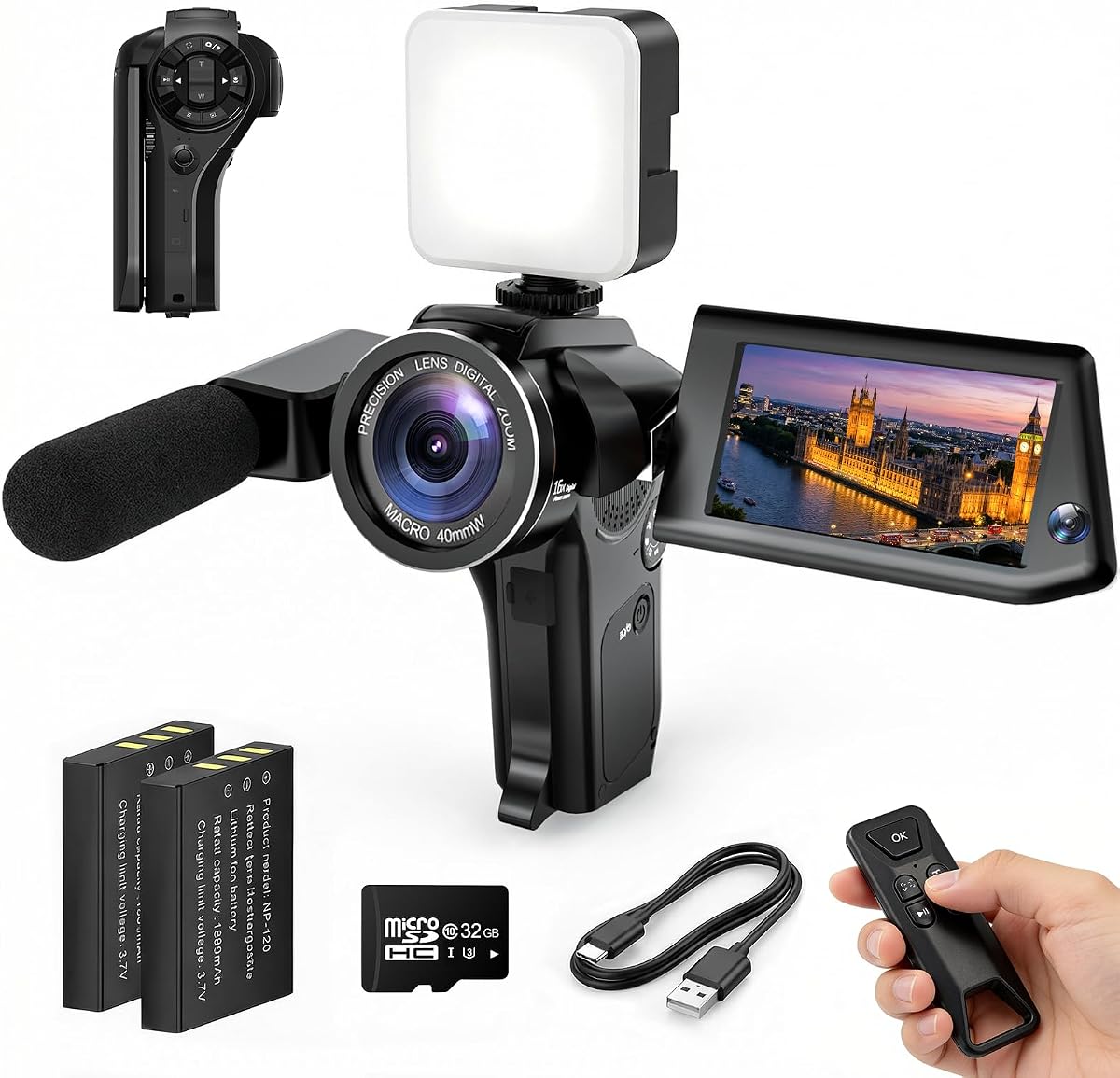
This 4K vlogging camera stands out as an excellent choice for first-time content creators. It offers high-resolution 4K video and 75MP photos while remaining simple enough for anyone to operate without technical training.
We may earn a commission when you buy through this link, at no additional cost to you.
The rotating lens allows you to frame yourself easily without needing a second person. WiFi connectivity ensures you can transfer files to your smartphone quickly for editing on social media platforms like TikTok or YouTube.
While it excels at everyday recording, the battery life is moderate and low-light quality is not its strongest suit. These trade-offs are acceptable given the low price point and the inclusion of essential gear.
If you are starting a channel and need an affordable, all-in-one solution, this camera provides the essentials you need to begin creating shareable content immediately.
The 330-degree rotating lens lets you see yourself while filming, making it perfect for travel logs or daily updates without help.
It comes with a memory card, tripod, and bag, so you can start filming right out of the box without extra purchases.
We may earn a commission when you buy through this link, at no additional cost to you.
The DJI Osmo Pocket 3 delivers professional-grade video quality in a compact form factor. With a 1-inch CMOS sensor and 4K recording, it produces cinematic footage that rivals much larger cameras.
We may earn a commission when you buy through this link, at no additional cost to you.
Its 3-axis mechanical stabilization ensures smooth footage even when walking or moving quickly. ActiveTrack 6.0 keeps you in focus automatically, which is ideal for solo creators who want consistent framing.
While the price is higher than budget options, the image quality and ease of use justify the investment for serious creators. The rotating screen also simplifies framing for both vertical and horizontal content.
If you prioritize image quality and smooth motion in your social media videos, this camera is the top choice for premium performance in a pocket-sized device.
The 3-axis gimbal keeps videos steady during movement, eliminating shaky shots that can distract viewers on social platforms.
Accessories like mics and tripods are included, making it a complete solution for high-quality content creation right away.
We may earn a commission when you buy through this link, at no additional cost to you.
This FlyFrost camera offers a wide range of features at a competitive price. It supports 8K video recording and 88MP photos, providing flexibility for high-quality content creation.
We may earn a commission when you buy through this link, at no additional cost to you.
The inclusion of IR night vision allows you to record in low light conditions. WiFi transfer and an external microphone make it convenient for sharing and improving audio quality on social media.
While the 8K resolution may not be as polished as premium models, the variety of included accessories adds significant value. It is a great option for those who want advanced features without spending a fortune.
For creators who need versatility and extra gear included, this camera provides a strong balance of performance and cost-effectiveness.
IR night vision lets you capture clear images even in very dark environments, expanding your shooting options.
The kit includes batteries, a remote, and stabilizer, reducing the need to buy separate items for a full setup.
We may earn a commission when you buy through this link, at no additional cost to you.
This camera is designed with beginners in mind, offering a simple interface with powerful features. The 180-degree flip screen makes it easy to frame yourself for vlogs and tutorials.
We may earn a commission when you buy through this link, at no additional cost to you.
HDR imaging enhances dynamic range, making images look more realistic even in challenging light. The 20X zoom allows you to capture distant subjects without losing detail.
While digital zoom is not as sharp as optical, the overall quality is impressive for the price. The inclusion of two batteries ensures you can record for extended periods without interruption.
If you want a user-friendly camera that produces vibrant images and video for social media, this is an excellent choice for new creators.
The flip screen helps you see exactly how you look while recording, ensuring perfect framing every time.
With two batteries included, you can shoot for longer sessions without worrying about running out of power.
We may earn a commission when you buy through this link, at no additional cost to you.
This mini camcorder is the ultimate tool for casual recording. It is small enough to fit in your pocket and simple enough to operate with one button.
We may earn a commission when you buy through this link, at no additional cost to you.
The 7-hour battery life is excellent for a device this size, allowing you to capture events without frequent recharging. It is perfect for travelers who want to document trips without carrying heavy gear.
The video quality is functional rather than cinematic, but that is acceptable given the price. It excels at capturing memories rather than producing broadcast-quality videos.
If you need a simple backup camera or an entry point for social media, this is a highly practical and affordable option.
No complex menus to navigate, start recording instantly with the touch of a single button.
Up to 7 hours of continuous recording makes it reliable for all-day events or travel.
We may earn a commission when you buy through this link, at no additional cost to you.
This kit is perfect for those who want everything they need in one box. It includes a tripod, memory card, and travel bag, saving you from buying extra gear.
We may earn a commission when you buy through this link, at no additional cost to you.
The 4K video quality ensures your content looks crisp on social media platforms. WiFi transfer speeds up the process of getting videos to your phone for editing and posting.
While the battery life is not exceptional, the inclusion of extras makes up for it. The rotating lens is a standout feature for self-recording scenarios.
For travelers and content creators who value convenience, this all-in-one solution is a smart purchase.
Every accessory you need is included, so you can start recording immediately after unboxing.
Transfer files to your phone quickly using built-in WiFi for fast editing and sharing.
We may earn a commission when you buy through this link, at no additional cost to you.
This camera stands out with its Picture-in-Picture mode, allowing you to capture your reaction alongside the scene. This feature is perfect for reaction videos and tutorials.
We may earn a commission when you buy through this link, at no additional cost to you.
It helps build a personal connection with your audience by showing your emotions as events unfold. The flip screen ensures you are always framed correctly during these dual-view recordings.
The creative possibilities are extensive, making it ideal for vlogs and review content. While it is specialized, it adds a unique element that other cameras cannot easily replicate.
If you want to add personality and engagement to your videos, this camera offers a distinctive advantage.
See the scene and your reaction simultaneously for more engaging and personal content.
It has a top rating, indicating that users love the creative flexibility it provides.
We may earn a commission when you buy through this link, at no additional cost to you.
This bundle transforms your smartphone into a professional vlogging station. It includes a wireless mic and tripod to solve the common challenges of mobile content creation.
We may earn a commission when you buy through this link, at no additional cost to you.
The RGB fill light improves video quality significantly, allowing you to adjust lighting for better skin tones. The flexible tripod lets you mount your phone in creative places.
While it depends on your phone's camera, the audio and lighting upgrades make a huge difference. It is cost-effective compared to buying each item separately.
For smartphone users looking to upgrade their quality quickly, this kit is the best way to go.
Wireless mics and RGB lights ensure professional sound and visuals without a dedicated camera.
The flexible tripod wraps around objects for unique angles that are impossible with standard tripods.
We may earn a commission when you buy through this link, at no additional cost to you.
This kit is designed for seamless solo recording with smart features like auto face tracking. It follows your movement automatically, keeping you in frame without manual adjustment.
We may earn a commission when you buy through this link, at no additional cost to you.
Gesture control allows you to start or stop tracking with simple hand movements. The dual wireless microphones ensure high-quality audio from multiple angles.
It simplifies the setup process for live streams and video calls. While tracking has limits, it works well for most indoor social media content.
If you stream frequently and want to stay in focus effortlessly, this kit is the most practical option.
Control tracking with simple hand gestures, making it easy to start recording without touching the device.
Two microphones capture clear sound, ensuring your voice is heard clearly in all environments.
We may earn a commission when you buy through this link, at no additional cost to you.
This webcam is ideal for creators who broadcast from a desktop setup. It delivers sharp 1080p video and improves brightness automatically with RightLight technology.
We may earn a commission when you buy through this link, at no additional cost to you.
The privacy cover ensures your safety when not on a call. It works seamlessly with major platforms like Zoom and Teams, making it a reliable tool for live content.
While it is fixed to a desk, the quality is consistent and easy to use. It is a great choice for tutorial creators who do not move around much.
If you need a reliable camera for streaming and meetings, this Logitech model is a top pick.
Auto light balance brightens your image automatically so you look clear even in dim rooms.
A built-in slide cover gives you total control over your privacy when the camera is not in use.
We may earn a commission when you buy through this link, at no additional cost to you.
Selecting the right camera depends on your content style, budget, and technical comfort. This section outlines the essential factors to consider.
Look for cameras that offer 4K video for sharp details. Higher resolution like 8K is optional but provides flexibility for cropping.
Prioritize 4K resolution to ensure your content looks professional on modern platforms.
Stabilization is critical for smooth handheld footage. Opt for mechanical 3-axis stabilization if you move often.
Ensure your camera has strong stabilization to avoid shaky videos that distract viewers.
Choose a compact design if you travel or film on the go. Pocket cameras make it easy to capture moments spontaneously.
Pick a lightweight model that fits in your pocket for maximum convenience during travel.
Beginners should look for intuitive controls and flip screens. Features like auto-focus simplify the recording process.
Select a camera with simple navigation to reduce setup time and frustration.
Built-in WiFi allows for quick transfer to smartphones for editing. This is essential for fast uploads.
Ensure the camera supports wireless transfer to streamline your workflow.
Sensors with larger pixels perform better in dim settings. Check reviews for night performance before buying.
Choose models with good low-light capabilities for indoor or evening shoots.
Long recording times are vital for events. Consider kits that include spare batteries.
Prioritize long battery life or extra packs to avoid interruptions during filming.
Budget models often include useful extras like tripods. Determine what you need versus what you can buy later.
Evaluate the total cost including accessories to find the best value package.
Always charge your camera fully before filming. Keep spare batteries handy for long recording sessions to avoid missing key moments.
Use a tripod for stationary shots to ensure stability. Clean the lens with a soft cloth to remove dust and smudges.
Transfer footage regularly to your phone or computer. Update firmware to ensure performance remains optimal over time.
The DJI Osmo Pocket 3 is excellent for TikTok due to its vertical screen and stability. Budget options like the 4K Vlogging Camera also work well.
Many cameras have built-in mics, but external ones improve quality. Kits with wireless mics are a cost-effective way to upgrade audio.
Not really. 4K is sufficient for most platforms. 8K is useful for heavy editing but adds file size.
Look for at least 2 hours of recording. Long-life models can last 5 to 7 hours for extended use.
Yes, webcams like the Logitech Brio 101 work for desktop content. However, cameras offer more mobility for travel.
Focus on flip screens, auto-focus, and simple menus. These features make framing and shooting easier for new users.
Use built-in WiFi to send files to your phone. This is faster than using SD cards for social media uploads.
Kits enhance phones but cameras offer better sensors. Choose based on whether you want to upgrade your phone or switch hardware.
The DJI Osmo Pocket 3 and the 4K Vlogging Camera lead our list for quality and budget respectively. Each offers unique strengths for different creator needs.
Prioritize features like stabilization and WiFi transfer to improve your workflow. A good camera helps you focus on creativity rather than technical issues.
Prices and inventory change often, so check current deals before buying. Investing in the right tool will help your channel grow faster.