
Lightning to HDMI Adapter for iPhone to TV
4.4Editor score
Includes charging port
Plug and play setup
Supports iOS 17
Lightweight pocket size
Five year warranty
This guide compares the top ten HDMI Lightning adapters for iPhone to help you choose the best video mirroring solution for your Apple device.
Finding the right HDMI Lightning adapter for iPhone is essential for anyone who wants to share content on a bigger screen. These small devices let you connect your iPhone to TVs or projectors easily.
We evaluated ten popular adapters based on compatibility, video quality, build quality, and ease of use. Our goal was to find reliable options that work seamlessly with different iPhone models and iOS versions.
Each pick below highlights key strengths and potential limitations to help you decide quickly. Please note that prices and availability can change frequently, so check current listings before purchasing your chosen adapter.
4.4Editor score

4.3Editor score

4.2Editor score
The table below provides a side-by-side look at key specifications for each adapter so you can quickly compare features like compatibility and output resolution before making a choice.





This Lightning to HDMI adapter offers reliable screen mirroring for iPhone users who need to connect to a display quickly. It holds an MFi certification which helps ensure stable performance across iOS versions.
We may earn a commission when you buy through this link, at no additional cost to you.
The adapter supports mirroring of content like images, movies, and presentations to your TV or projector in up to 1080P HD. It includes a Lightning charging port so you can keep your device powered while using it.
It is compatible with a wide range of iPhone models from older ones up to newer releases. While it supports many apps like YouTube, it does not support those with HDCP copyright protection like Netflix.
This is a good choice for travelers or presenters who want a plug and play solution without needing extra power sources. Just connect it to your HDMI cable and trust the device to get started.
The adapter works without needing any special drivers or WiFi. You just plug it in and accept the trust prompt on your iPhone.
Its compact form factor makes it easy to carry in a bag or pocket for meetings or travel.
We may earn a commission when you buy through this link, at no additional cost to you.
This adapter delivers consistent performance for users who need to mirror their iPhone screen to a larger display. It is MFi certified to avoid common connection issues seen with third party alternatives.
We may earn a commission when you buy through this link, at no additional cost to you.
It supports mirroring of apps and presentations in up to 1080P HD. The charging port lets you keep your device powered during long presentations or media sessions without interruption.
The adapter works with many iPhone models and iOS versions. It is great for local videos and supported apps but blocked by copyright protection on streaming services like Prime Video.
It is a straightforward tool for quick sharing without needing internet or apps. Its pocket size design makes it easy to keep handy whenever you need to present or watch on a big screen.
Connect directly to HDMI devices for instant mirroring without complex settings or internet access.
Small enough to carry everywhere yet durable for daily use in work or travel.
We may earn a commission when you buy through this link, at no additional cost to you.
KikoSaka has created a Lightning to HDMI adapter that stands out for its reliability and broad compatibility. Users trust this cable for seamless mirroring across many Apple devices and iOS versions.
We may earn a commission when you buy through this link, at no additional cost to you.
It ensures compatibility with multiple Apple devices including the latest iPhones and iPads. The MFi certification helps maintain a stable connection without dropouts during presentations or movie watching.
The adapter supports content mirroring for local files and compatible apps. It does not work with HDCP protected services due to Apple policies but handles everyday content very well.
For those seeking a dependable adapter that just works, this is a strong option. Its design is compact and easy to carry making it perfect for both home use and business travel.
Works with all Lightning interface devices and supports all iOS versions for broad usability.
MFi certification ensures the adapter meets Apple standards for performance and safety.
We may earn a commission when you buy through this link, at no additional cost to you.
This adapter comes with a built in 6.6 foot cable so you do not need to carry a separate HDMI cable. It simplifies setup and makes it easy to connect your iPhone to a TV nearby.
We may earn a commission when you buy through this link, at no additional cost to you.
It supports mirroring of content in up to 1080P HD with stable output thanks to MFi certification. You can view movies, games, and presentations clearly without lag or signal loss.
Compatible with a wide range of iPhone models and iOS versions it handles local videos and supported apps well. Just note that HDCP protected services are not supported due to copyright rules.
The included cable length gives you flexibility in placement. This makes it ideal for home entertainment or quick presentations where you want a complete solution in one package.
No need for extra cables. The built in connector simplifies setup and reduces clutter.
MFi certified chip ensures stable video and audio output for stress-free viewing.
We may earn a commission when you buy through this link, at no additional cost to you.
As the official option from Apple this adapter delivers guaranteed compatibility with all Lightning devices. It is built to Apple standards ensuring reliable performance and build quality.
We may earn a commission when you buy through this link, at no additional cost to you.
It supports mirroring of what is displayed on your device screen in up to 1080p HD. It outputs video and audio to your big screen for movies and shows with clear fidelity.
This adapter requires you to connect it to your HDMI cable which you must purchase separately. It does not have a charging port so your device will drain while in use if not charged.
For users who want the most trusted hardware for their Apple devices this is the top choice. It is perfect for professionals who need consistent results without worrying about third party issues.
Official hardware ensures seamless integration with your iPhone and iOS without conflicts.
Mirrors apps presentations and websites reliably for business and entertainment use.
We may earn a commission when you buy through this link, at no additional cost to you.
This budget friendly adapter offers solid performance without breaking the bank. It is designed for iPhone users who want to share content on a bigger screen easily.
We may earn a commission when you buy through this link, at no additional cost to you.
It supports mirroring in up to 1080P HD and works with iOS 17. The charging port allows you to keep your phone powered. and it comes with a five year worry free warranty.
Compatible with many iPhone models it handles local videos and supported apps well. Just note that it does not work with apps that have HDCP copyright protection like Netflix or Prime Video.
Its compact size makes it easy to carry in a bag or pocket. This is a great value pick for travelers or students who need an affordable reliable adapter.
Affordable price point with long warranty makes it a safe buy for many users.
Updated to work with iOS 17 and latest iPhone models without issues.
We may earn a commission when you buy through this link, at no additional cost to you.
Lulaven offers a Lightning to HDMI adapter that has gained trust through thousands of verified ratings. It is a solid choice for those who need reliable mirroring without complex setup.
We may earn a commission when you buy through this link, at no additional cost to you.
It works as a digital AV adapter for meetings and classrooms with zero signal lag. It supports PowerPoint and photos for presentations and is great for extending the life of older Lightning devices.
The adapter is pocket sized and easy to carry everywhere. It does not support USB-C so it is for iPhone 14 and earlier. It handles most apps except those with HDCP protection.
For professionals or students who travel often this adapter is a dependable tool. It simplifies sharing content in hotels or classrooms without needing internet or passwords.
Designed to work well in conferences and classrooms with fast reliable connection.
Just plug and play without needing apps or WiFi. Perfect for quick connections.
We may earn a commission when you buy through this link, at no additional cost to you.
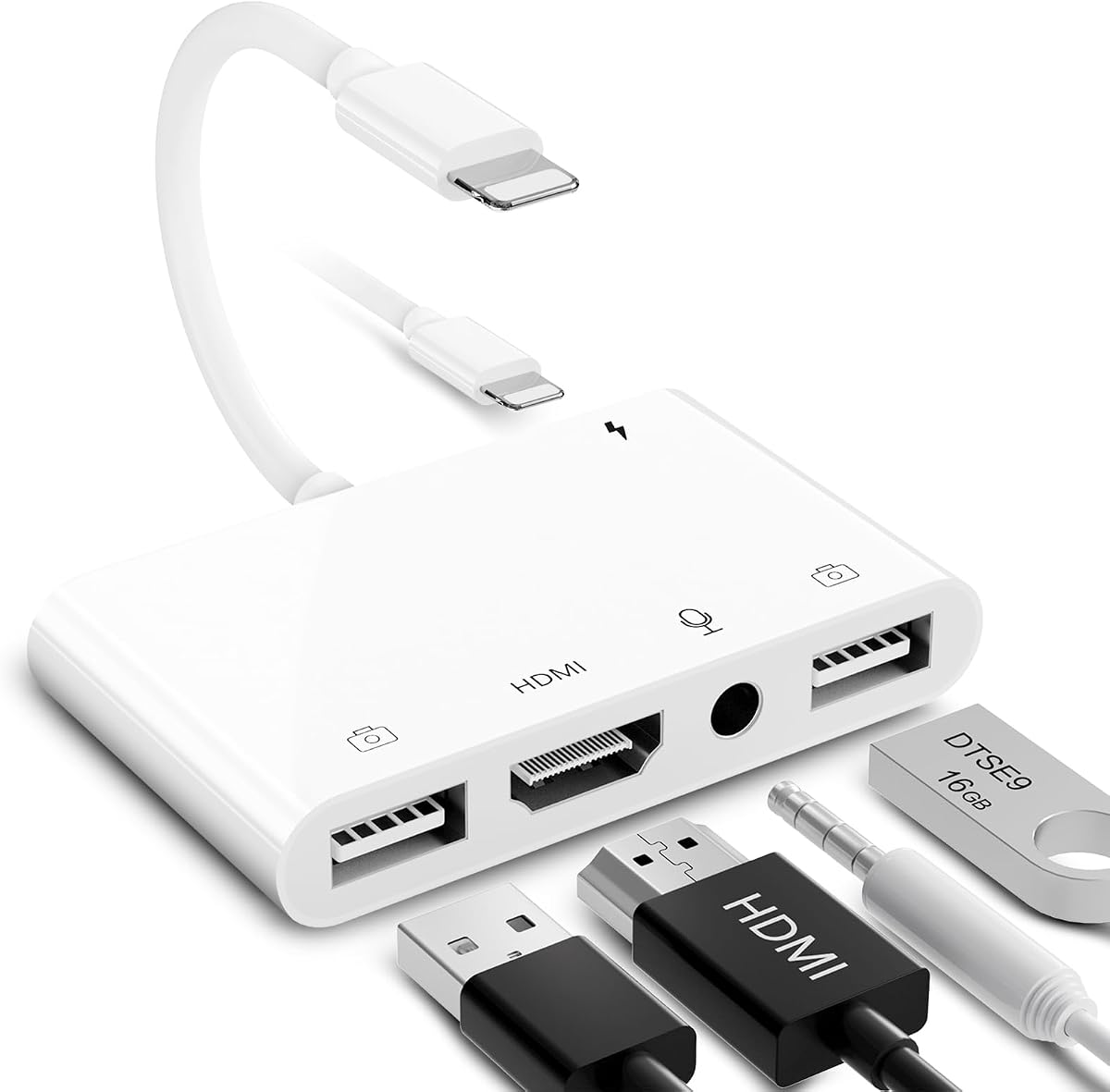
This adapter stands out by offering multiple ports including USB and a microphone jack alongside HDMI. It turns your iPhone into a versatile workstation for work and creative tasks.
We may earn a commission when you buy through this link, at no additional cost to you.
You can connect keyboards or mice to your iPhone for easier document editing. The headphone jack allows live streaming and high quality audio while watching videos or presenting.
It supports mirroring in HD and works with many apps. Just note that HDCP protected apps are blocked. It is best for users who need more than just video output from their iPhone.
While larger than basic adapters it adds significant functionality. This makes it ideal for content creators or business users who need to connect peripherals while streaming.
Use USB ports to attach keyboards mice or flash drives for enhanced productivity.
Microphone jack enables direct audio input for streaming or recording videos.
We may earn a commission when you buy through this link, at no additional cost to you.
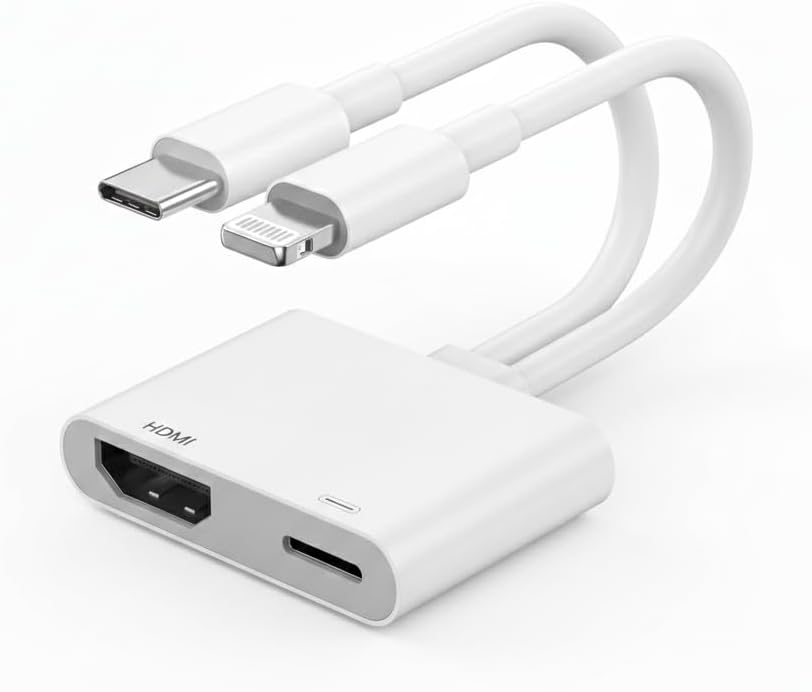
This adapter bridges the gap between Lightning and USB-C devices making it ideal for households with mixed Apple gear. It includes an MFi certified chip for stable connections.
We may earn a commission when you buy through this link, at no additional cost to you.
For USB-C devices it supports 4K at 60Hz and HDCP protected content. For Lightning devices it mirrors YouTube and network channels with stable output and 100W charging support.
It is great for presentations and family time since it works on Macs and iPhones alike. The 100W power delivery means you can charge your device while streaming without interruption.
If you plan to use USB-C devices in the future this adapter will grow with you. It is a versatile tool that simplifies connections across different devices and screens.
Works with both USB-C and Lightning so you only need one adapter for multiple devices.
100W power delivery keeps your devices charged even while streaming high resolution video.
We may earn a commission when you buy through this link, at no additional cost to you.
This is another official Apple adapter that delivers reliable performance and compatibility. It is a popular choice for users who want guaranteed quality for their Lightning devices.
We may earn a commission when you buy through this link, at no additional cost to you.
It supports mirroring of apps and presentations in up to 1080p HD. The build is sturdy and it is designed to work seamlessly with iPhones and iPads for clear visuals.
You will need to connect it to a separate HDMI cable which you must purchase. It does not include a charging port so your battery will drain during long use without external power.
For those who prefer sticking with official Apple accessories this is a solid pick. It ensures stability and long term performance for your home or business presentations.
Made by Apple for seamless integration with your iPhone and iPad devices.
Works with all Lightning devices and supports mirroring of all compatible apps.
We may earn a commission when you buy through this link, at no additional cost to you.
Choosing the right adapter requires looking at compatibility features and build quality. Here are key factors to consider before purchasing.
MFi certification means the adapter meets Apple standards for safety and performance. Look for this to avoid connection errors or damage to your device.
Choose MFi certified options for reliable performance.
Most adapters support up to 1080P HD which works for most TVs. Some USB-C adapters offer 4K but Lightning is limited to 1080P due to hardware.
Ensure the resolution matches your display needs.
Check which iPhone models and iOS versions the adapter supports. Some older adapters may have issues with new iOS updates without firmware support.
Select an adapter that works with your current device.
Some adapters have a built in charging port to keep your phone powered during use. Others do not and will drain your battery quickly.
Pick one with a charging port for long sessions.
Look for durable materials and compact designs if you plan to travel often. A sturdy build ensures the adapter will last longer in your bag.
Prioritize quality materials for daily use.
Some adapters include a cable while others need a separate HDMI cable. If included check the length to ensure it fits your setup comfortably.
Consider if you need a long or short connection.
Most adapters work with local videos and apps like YouTube but blocked apps with HDCP protection like Netflix. Check if your content is supported before buying.
Understand which apps will and will not work.
Some brands offer warranties or customer support for issues. Look for these in case you face connection problems or defects.
Choose brands with good support options.
To use the adapter plug the lightning end into your iPhone and connect an HDMI cable to the adapter then your TV. Wait for your iPhone to recognize the device and tap trust when prompted.
If you use a model with a charging port plug a power adapter into it while streaming to keep your battery charged. This prevents interruptions during long meetings or movies.
Store the adapter in a protective case or pouch to keep it safe from dust and scratches. Avoid bending the cable or plug too much to extend its lifespan.
Most Lightning adapters do not work with Netflix or Prime Video due to HDCP copyright protection. Only specific USB-C adapters may support these apps. Check the product description for compatibility before buying.
No apps are needed to use most adapters. They work plug and play. Just connect the device to your iPhone and the display and accept the trust prompt on your iPhone.
Yes many adapters work with iPads that have a lightning port. Check the model compatibility list to ensure it matches your iPad model before purchasing.
Most Lightning adapters support up to 1080P HD. Only USB-C adapters with specific features may support 4K. Check product details for resolution limits before buying.
Use an adapter with a built in charging port. Plug a power source into that port to keep your iPhone charged during use without draining the battery.
Yes some dual adapters support both Lightning and USB-C. These are ideal if you have multiple devices like MacBooks or newer Android phones alongside your iPhone.
MFi certification means the adapter is approved by Apple for safe use. It helps prevent connection issues and ensures compatibility with iOS updates and your device.
Some adapters include a cable but others require you to buy one separately. Check the product listing carefully to know if a cable is included before you purchase.
We covered ten solid adapters ranging from official Apple gear to versatile third party options. Each one offers reliable mirroring for your content and presentations.
Prioritize MFi certification and charging ports if you plan to use the adapter often. For USB-C users consider hybrid adapters for future proofing your setup.
Prices and availability change frequently so check current listings before ordering to ensure you get the best deal for your needs.