
Wathai 2 Pack 120mm
4.7Editor score
PVC construction
Standard 120mm fit
Noise reduction support
Keeping your computer clean is essential for long-term performance and reliability. Dust accumulation can clog fans and cause overheating, so using a reliable computer fan dust filter is a smart first step for any PC owner.
We evaluated ten highly rated filters based on their mesh quality, ease of installation, and airflow efficiency. Our list covers magnetic options, cut-to-fit sheets, and screw-mounted grills to suit different case designs.
Each pick highlights key features and real-world performance traits. Please note that availability and pricing may change over time, so check the current details before making your final decision.
4.7Editor score

4.8Editor score

4.6Editor score
As an Amazon Associate we earn from qualifying purchases.
The following table provides a side-by-side overview of the key specifications for each filter to help you quickly identify the right fit for your specific computer case needs.




This magnetic frame filter offers an ideal balance of protection and ease of use. It holds a high user rating due to its fine mesh design and straightforward installation process.
We may earn a commission when you buy through this link, at no additional cost to you.
The fine mesh effectively stops dust while allowing airflow. The premium PVC material provides durability and flexibility, making it suitable for many standard cooling vents.
While it does not offer custom cutting, the included size covers many common fan vents. The magnetic frame ensures it stays in place without tools.
Anyone seeking a quick and reliable solution for standard vents will appreciate this option. It remains a strong choice for general case maintenance and dust prevention.
The ultra-fine mesh design blocks particles efficiently to keep components clean and reduce noise levels significantly.
No screws or tools are needed for installation or removal, allowing for quick cleaning whenever necessary.
We may earn a commission when you buy through this link, at no additional cost to you.
This pack provides an economical solution for those needing standard 120mm filters. It focuses on essential protection without extra features or premium materials.
We may earn a commission when you buy through this link, at no additional cost to you.
The PVC construction is lightweight yet functional for dust blocking. It is designed to fit standard vents easily while maintaining airflow efficiency.
The limited count means you might need multiple packs for a full case setup. It is best for partial protection or small builds.
Budget builders or those upgrading one fan at a time will find this practical. It delivers solid value for basic dust protection needs.
The mesh prevents dust from entering the case to keep fans clean and extend their operational lifespan.
Getting two units at a low price point makes it easy to cover intake fans without overspending.
We may earn a commission when you buy through this link, at no additional cost to you.
This DIY option offers the flexibility to fit various case shapes and sizes. It is well rated for its strong magnetic system and durable PVC material.
We may earn a commission when you buy through this link, at no additional cost to you.
The 1mm hole size blocks dust while maintaining airflow. The magnetic strips allow easy attachment to metal cases without screws.
Cutting the mesh adds a step but ensures a perfect fit. Users should measure carefully before cutting to avoid material waste.
Anyone with a custom case or unusual vent sizes will benefit from this versatility. It remains a top pick for custom PC builders.
The large sheets can be cut to fit any vent or grill for a tailored solution.
Magnetic strips ensure the filter stays securely in place without drilling or tools.
We may earn a commission when you buy through this link, at no additional cost to you.
This option stands out for its sturdy metal construction. The thickened aluminum frame and stainless steel mesh offer durability and finger safety.
We may earn a commission when you buy through this link, at no additional cost to you.
It is designed to fit standard 120mm fans with common hole spacing. The grill design prevents cable cuts and physical contact with blades.
Installation requires screws which adds steps compared to magnetic filters. This trade-off is worth it for users seeking long-term durability.
Anyone prioritizing robust protection and safety will appreciate this build. It is ideal for active environments where durability matters most.
The aluminum frame and stainless steel mesh provide a long-lasting structure that resists wear.
The grill design protects fingers and cables from spinning fan blades for added safety.
We may earn a commission when you buy through this link, at no additional cost to you.
This product offers a flexible solution for custom cases and various devices. The large sheets allow you to cut the exact shape needed for any vent.
We may earn a commission when you buy through this link, at no additional cost to you.
The magnetic mounting ensures secure placement without screws. It balances dust protection with airflow to prevent overheating of sensitive components.
The material is waterproof and easy to rinse clean. This reduces maintenance time and keeps the filter effective over long periods.
Enthusiasts building custom rigs will find this highly adaptable. It is a great choice for unique case shapes and varied needs.
You can cut the mesh to match any device size for precise and effective protection.
The mesh pattern minimizes airflow restriction while still capturing dust effectively.
We may earn a commission when you buy through this link, at no additional cost to you.
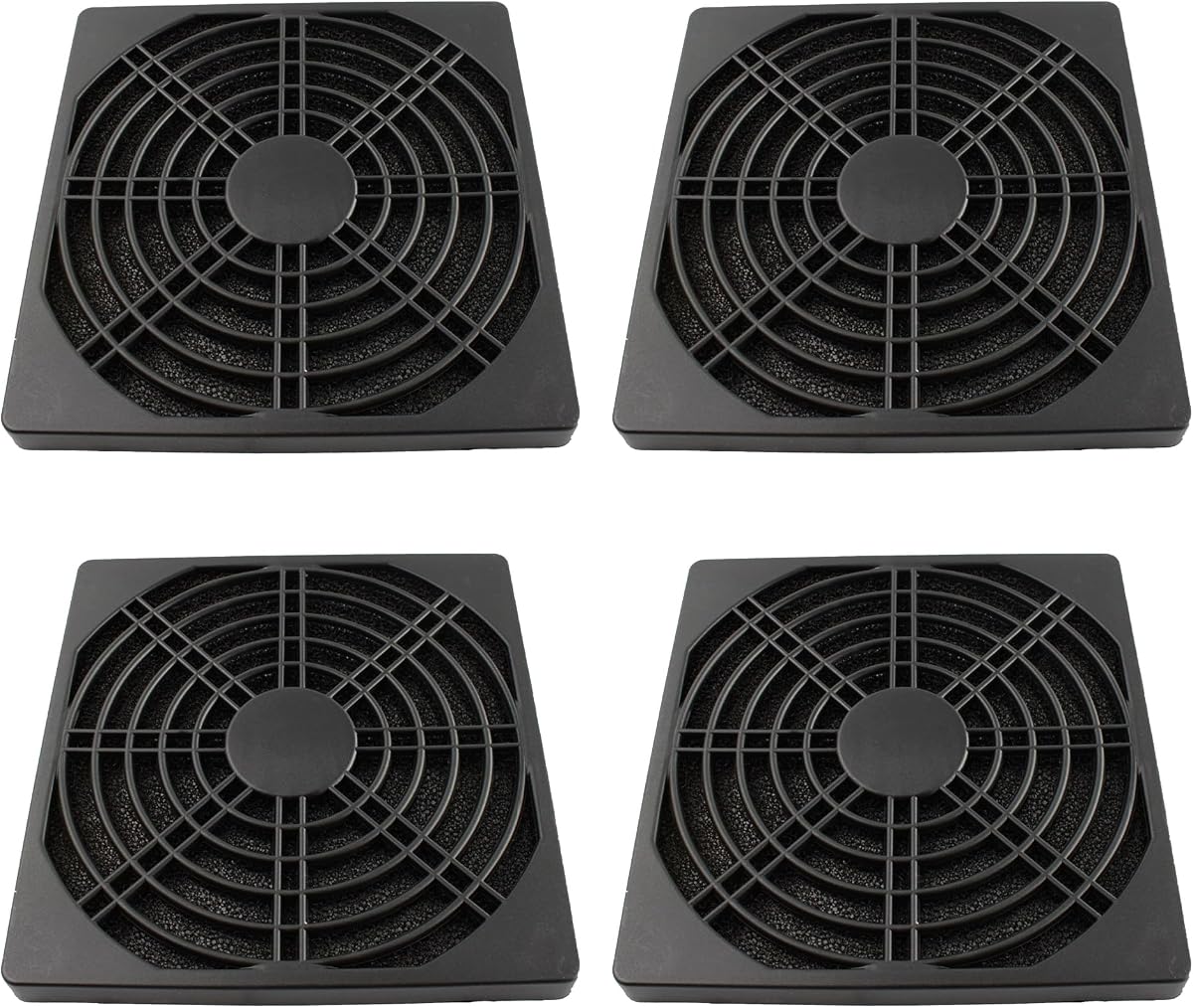
This four-pack offers an economical way to cover multiple intake fans. The plastic construction is lightweight and provides basic dust protection.
We may earn a commission when you buy through this link, at no additional cost to you.
The square shape fits most standard 120mm fans easily. It helps improve overall system performance by keeping internals cleaner.
While not as rugged as metal options, it serves well for light use. The quantity makes it practical for full case coverage.
Those needing multiple filters at a low price will find this useful. It is a solid choice for budget builds or general maintenance.
The four-pack allows you to cover several intake vents simultaneously for comprehensive protection.
The square shape and mesh cover ensure easy installation and compatibility with standard fans.
We may earn a commission when you buy through this link, at no additional cost to you.
This bulk pack provides plenty of filters for extensive case setups. It focuses on affordability while delivering functional dust protection.
We may earn a commission when you buy through this link, at no additional cost to you.
The PVC material helps reduce noise from fans. It keeps components clean and can extend the lifespan of your cooling systems.
The thin material is not as durable as other options. However, the quantity ensures you can replace them easily if needed.
Anyone with multiple PCs or large systems will appreciate the bulk supply. It is a practical solution for widespread protection needs.
Getting twelve units allows you to protect all your system fans without extra expense.
The mesh helps minimize fan noise while maintaining a steady airflow for cooling.
We may earn a commission when you buy through this link, at no additional cost to you.
This option targets larger fans with a dedicated 140mm size. The magnetic frame allows quick installation on compatible metal surfaces.
We may earn a commission when you buy through this link, at no additional cost to you.
The ultra-fine mesh captures dust effectively. It is washable and durable enough for repeated cleaning over time.
The pack size offers good value for larger case setups. Users should verify their fan dimensions match this size before buying.
Anyone with 140mm fans will find this a convenient match. It provides reliable protection for larger intake vents.
Designed specifically for 140mm fans to ensure a proper fit without gaps.
The fine mesh captures smaller particles to keep internal components cleaner.
We may earn a commission when you buy through this link, at no additional cost to you.
This option provides ten filters plus screws for permanent installation. The mesh design allows high airflow while blocking dust clumps.
We may earn a commission when you buy through this link, at no additional cost to you.
It is washable and easy to clean. The included screws ensure the filters stay secure even with vibration.
The rigidity offers long-term reliability but requires more effort to install. Users with kids or pets may prefer the safety grid.
Anyone prioritizing stability and airflow will find this strong. It is ideal for systems needing secure and consistent protection.
Screws provide permanent fixation that magnetic filters may not offer.
Larger holes ensure heat escapes efficiently while still catching dust.
We may earn a commission when you buy through this link, at no additional cost to you.
This pack offers four filters with a magnetic frame for easy use. The ultra fine mesh helps reject dust entry while reducing noise.
We may earn a commission when you buy through this link, at no additional cost to you.
It fits standard 120mm fans and can also be used on power supplies. The mesh is washable and reusable for long-term use.
Users should clean it gently by hand and avoid bending it. This maintains the integrity of the mesh over time.
Anyone looking for a reliable magnetic option will find this suitable. It is a great choice for routine maintenance and protection.
The frame allows placement anywhere on a metal chassis without tools.
Filters can be mounted on cases or power supplies for flexible protection.
We may earn a commission when you buy through this link, at no additional cost to you.
Selecting the right filter involves considering size, material, and installation method. Use these factors to find a model that fits your PC case and needs.
Ensure the filter size matches your intake fans exactly. Standard sizes like 120mm and 140mm are common but larger vents may need custom options.
Always measure your vents before purchasing to avoid gaps or poor coverage.
Magnetic mounts are tool-free but only work on metal surfaces. Screw mounts are more secure and work with any material.
Choose magnets for ease or screws for long-term stability.
Finer mesh captures smaller dust but may restrict airflow. Wider holes allow better cooling but catch less debris.
Balance filtration with cooling needs for your specific build.
PVC and plastic are lightweight and affordable. Aluminum and stainless steel are more durable and robust.
Consider the environment where your PC resides for material choice.
A good filter blocks dust without hindering cooling. Look for mesh designs optimized for airflow efficiency.
Check user reviews for real-world cooling performance feedback.
Filters should be easy to remove and wash. Some materials degrade if soaked or rubbed aggressively.
Choose washable options to maintain protection over time.
Most systems need multiple filters for full coverage. Buying packs offers better value than single units.
Calculate total fan count to determine how many you need.
Black filters often blend well with standard cases. Check if the mesh design matches your system look.
Color and finish affect the overall visual impact.
First measure your intake vents to confirm the correct filter size. If using a DIY sheet, cut it slightly larger than needed for a snug fit.
Clean filters every few weeks with water and mild soap. Air dry them completely before reinstalling to prevent moisture damage.
Check magnetic adhesion regularly to ensure it stays secure. Replace filters if the mesh becomes too clogged or damaged.
Filters can slightly reduce airflow depending on mesh density. Choosing optimized designs helps minimize this impact while still blocking dust effectively.
Cleaning every two to four weeks is typical in dusty environments. Regular maintenance ensures consistent cooling and filter performance.
Magnetic filters require metal surfaces to stick. For plastic cases, use screw-mounted options or add metal adhesive strips.
Washable filters save money and reduce waste over time. They are generally preferred unless the material is prone to degradation.
Yes finer mesh traps pet hair before it reaches internal components. This helps reduce overheating risks and keeps fans running smoothly.
Standard 120mm fans are the most common. Larger cases may also include 140mm or 200mm fans that need matching sizes.
We reviewed ten excellent options including DIY magnetic, standard, and rugged filters. Each offers unique benefits for different build types and budgets.
Prioritize the right size and mounting method for your case. Balancing dust protection with airflow is essential for long system life.
Prices and availability can change so verify details before ordering. The right choice helps keep your PC clean and efficient for years to come.