
TCL NXTPAPER 11 Gen 2
4.4Editor score
Paper-Like Eye Comfort Display
8GB RAM 128GB Storage
AI Voice Memo Translation
AI tablets are transforming how we work, learn, and create by integrating intelligent tools directly into portable devices. These smart screens offer real-time transcription, image generation, and enhanced productivity features that adapt to your workflow seamlessly.
We evaluated ten leading models based on processor power, display quality, battery endurance, and the sophistication of their built-in artificial intelligence capabilities. Our analysis focuses on real-world performance for students, creators, and professionals seeking a reliable companion.
Each pick highlights specific strengths like note-taking precision, screen clarity, or multitasking speed. Prices fluctuate frequently so check current listings before purchasing to ensure you get the best deal on your chosen AI tablet today.
4.4Editor score

5.0Editor score

4.7Editor score
As an Amazon Associate we earn from qualifying purchases.
This side-by-side comparison helps you visualize the core specifications of each model to quickly identify which device meets your performance requirements and budget constraints for daily computing tasks.




The Lenovo Yoga Tab AI Tablet stands out as the top choice in our roundup with a perfect five star rating. It combines raw processing power with intelligent features that make complex tasks feel effortless for professionals and creatives alike.
We may earn a commission when you buy through this link, at no additional cost to you.
Its Snapdragon 8 Gen 3 processor ensures that AI tools like live transcription and photo editing run smoothly without lag. The 144Hz display provides fluid motion for drawing and scrolling while the included keyboard transforms it into a laptop replacement.
While it carries a premium price tag the included accessories and high end specs justify the investment for power users. The weight might feel substantial compared to lighter options but the durability and performance offset this tradeoff during long work sessions.
If you need a versatile device that handles heavy productivity and creative workloads this is the definitive recommendation. It balances portability with desktop class capabilities making it ideal for remote workers who demand reliability and speed.
Tools like Circle to Search and live transcription streamline note taking and research during lectures or meetings efficiently.
The 3K resolution with 144Hz refresh rate ensures sharp text and smooth animations for digital art and media consumption.
We may earn a commission when you buy through this link, at no additional cost to you.
Samsung Galaxy Tab S11 excels with its Galaxy AI features that help organize notes and summarize meetings automatically. It is a robust device for students and professionals who need a reliable companion for daily tasks.
We may earn a commission when you buy through this link, at no additional cost to you.
The device includes a premium S Pen that works seamlessly with Note Assist to turn scribbles into organized text. Its IP68 rating means you can use it confidently in various environments without worrying about dust or water damage.
The price point is higher than some competitors but the build quality and software support offer long term value. The display is vibrant and clear though users preferring physical buttons might miss a headphone jack on this model.
Choose this model if you value durable construction and integrated AI tools that enhance productivity without extra apps. It is especially well suited for those already invested in the Samsung ecosystem for seamless device integration.
Note Assist uses AI to tidy up messy notes and summarize key points instantly during lectures or business meetings.
IP68 rating protects against dust and splashes making it safe to use outdoors or in crowded spaces.
We may earn a commission when you buy through this link, at no additional cost to you.
The TCL NXTPAPER 11 Gen 2 offers an impressive balance of features and affordability making it the best budget pick. It focuses on eye comfort and productivity tools that benefit students and casual users significantly.
We may earn a commission when you buy through this link, at no additional cost to you.
Its NXTPAPER display technology mimics paper to reduce glare and blue light which helps during long reading sessions. AI features like real time translation and smart voice memos add utility that is rare at this price level.
Performance is adequate for daily tasks but heavy gaming might show limitations compared to flagship models. The storage is expandable which helps mitigate the base capacity constraint for those with large media libraries.
If you need a cost effective tablet for reading notes and light work this device delivers excellent value. It is perfect for anyone who prioritizes eye comfort and essential AI functions without a premium price tag.
The paper like screen filters blue light and reduces glare to minimize eye fatigue during extended use periods.
Built in tools handle translation and voice recording to streamline study sessions and travel communication needs.
We may earn a commission when you buy through this link, at no additional cost to you.
The Samsung Galaxy Tab S10+ Plus offers a large premium screen that transforms content creation and media consumption. Its AI tools like Sketch to Image allow users to turn rough ideas into polished art instantly.
We may earn a commission when you buy through this link, at no additional cost to you.
The 12.4 inch Dynamic AMOLED display provides incredible color accuracy and brightness for professional work. SmartThings integration makes it a central hub for controlling home devices which adds practical value beyond entertainment.
Its premium price reflects the high end specs and large form factor which may not suit everyone. The size can be cumbersome for travel but it is ideal for desk use or stationary creative work.
Choose this if you want a top tier experience with advanced AI creativity tools and a stunning display. It is the ultimate choice for professionals who need screen real estate and powerful generation features.
Sketch to Image instantly converts rough drawings into refined artwork helping artists brainstorm ideas quickly.
SmartThings widgets let you control lights and appliances directly from the tablet for convenient home management.
We may earn a commission when you buy through this link, at no additional cost to you.
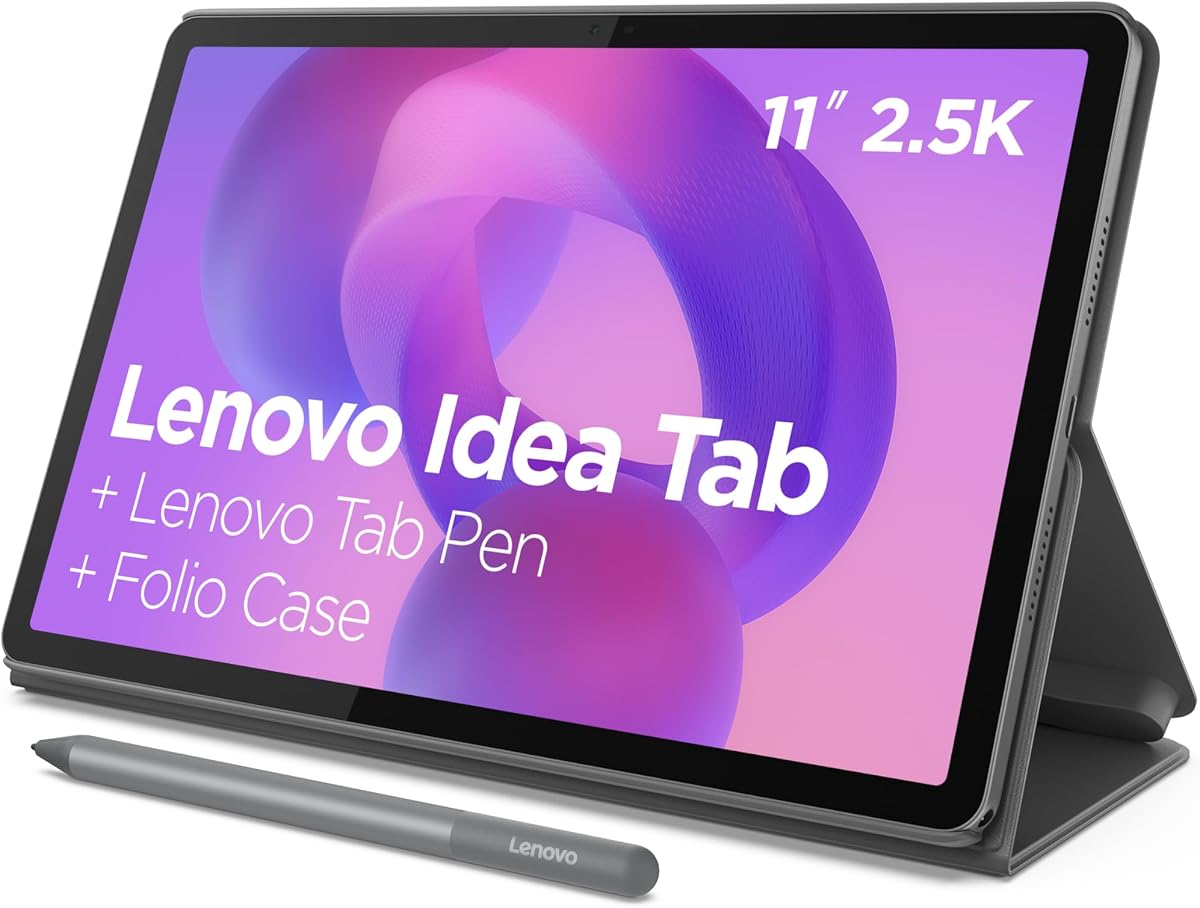
Lenovo Idea Tab is tailored for students with tools that enhance learning and organization. It includes essential accessories like a case and pen so you can start taking notes right away.
We may earn a commission when you buy through this link, at no additional cost to you.
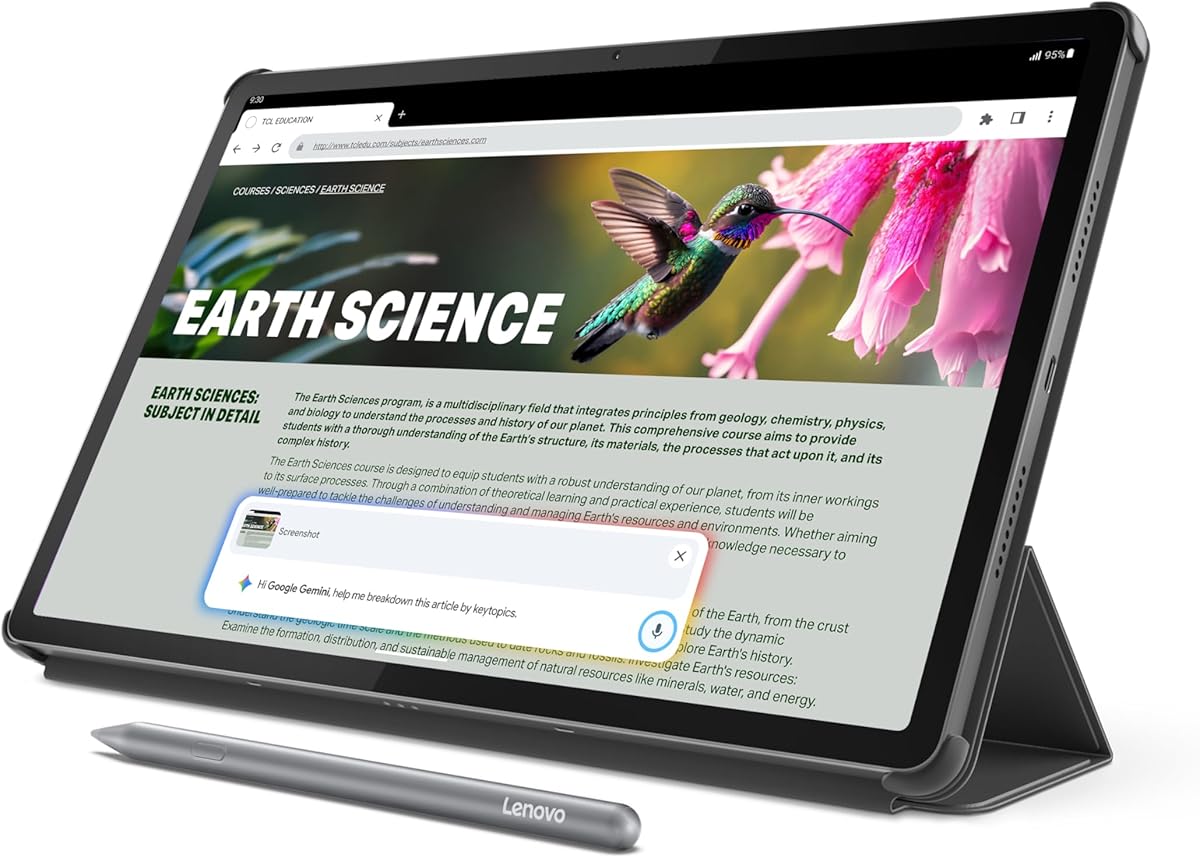
The Circle to Search feature lets you quickly find info without switching apps which speeds up research. Its battery life supports full days on campus and the screen is certified safe for eyes.
Performance is solid for apps and browsing but it is not intended for heavy 3D rendering or gaming. The price point makes it accessible for those on a tight budget while still offering premium AI features.
Students will appreciate the combination of utility accessories and smart search capabilities. It is a reliable daily driver for lectures homework and entertainment without breaking the bank.
Circle to Search allows instant queries on screen content which simplifies looking up terms or images quickly.
The included pen and case provide a complete package for note taking and protection from day one.
We may earn a commission when you buy through this link, at no additional cost to you.
Samsung Galaxy Tab A11+ offers a family friendly experience with ample storage for media and apps. Its fast charging ensures everyone stays connected during busy days without waiting long for a boost.
We may earn a commission when you buy through this link, at no additional cost to you.
The quad speakers deliver rich sound for movies and music which enhances entertainment value for all ages. It is lightweight and slim so it is easy to carry around the house or in a bag.
While it does not match flagship performance it handles daily streaming and web browsing smoothly. The screen refresh rate is standard but sufficient for most users who do not need high frame rate gaming.
Ideal for parents looking for a shared device that offers reliable performance and plenty of storage. It balances cost and features well for households needing a versatile tablet for multiple users.
Ample storage and fast charging cater to the needs of multiple users in a household environment.
Quad speakers with Dolby Atmos provide immersive sound that improves the streaming experience significantly.
We may earn a commission when you buy through this link, at no additional cost to you.
The TCL NXTPAPER 14 features a massive screen that is perfect for reading documents or drawing detailed art. Its paper like display modes make it comfortable to use for hours without eye fatigue.
We may earn a commission when you buy through this link, at no additional cost to you.
The included stylus allows for precise writing and sketching which adds value for students and artists. Charging is fast enough to get you back to work quickly but the large battery means longer sessions.
Performance is balanced for productivity tasks though heavy gaming may not utilize its full potential. The size makes it less portable than smaller tablets but offers better productivity for stationary use.
Select this if you prioritize screen space and eye comfort for reading and creative work. It is an excellent choice for those who need a digital notebook with a large viewing area.
A 14.3 inch display provides plenty of room for split screen multitasking and detailed digital art.
Special modes filter blue light and reduce glare to mimic the feel of paper for better comfort.
We may earn a commission when you buy through this link, at no additional cost to you.
Lenovo Idea Tab Pro combines a sharp display with Google Gemini to offer advanced AI support for students. It is optimized for creative work and light gaming with solid performance and quick charging options.
We may earn a commission when you buy through this link, at no additional cost to you.
The 3K LCD display delivers vivid colors that are great for visual projects and media. Google Gemini helps with brainstorming and task management which boosts productivity during study sessions effectively.
Storage is somewhat limited compared to others so external options might be needed eventually. The gaming focus ensures smooth performance but it remains versatile enough for professional and academic tasks.
If you need a creative tool with strong AI support and a quality screen this is a great choice. It is designed for students who want to create content and stay organized efficiently.
Google Gemini provides smart suggestions and task management to help students organize assignments effectively.
A 12.7 inch 3K LCD screen offers sharp details for design work and media consumption.
We may earn a commission when you buy through this link, at no additional cost to you.
CHUWI Hi10 Max AI brings desktop level performance to a tablet form with an Intel processor. It is unique for its wide range of ports which makes it suitable for connecting monitors and drives.
We may earn a commission when you buy through this link, at no additional cost to you.
The 3:2 aspect ratio provides extra vertical space for documents and web pages which boosts productivity. An SSD ensures fast boot times and quick file access unlike traditional tablet storage options.
It lacks stylus support out of the box and user feedback is limited at this stage. The design leans more towards a mini PC experience than a traditional tablet which limits casual use.
Choose this if you need a portable workstation with robust connectivity and processing power. It is ideal for users who prioritize file management and office tasks over touch gaming or media.
Intel Ultra 5 processor handles complex office tasks and light creative workloads efficiently on battery.
Multiple USB-C and HDMI ports allow connection to external displays and storage devices easily.
We may earn a commission when you buy through this link, at no additional cost to you.
This Android 16 Tablet offers an accessible entry point into the AI tablet market with Gemini support. It provides decent specs like high RAM and a large battery for casual users on a budget.
We may earn a commission when you buy through this link, at no additional cost to you.
The 8000mAh battery ensures you can go through a day of browsing and video without frequent charging. Face ID offers convenient security and the device supports expandable storage for your files and media.
The display quality is average compared to high end models but sufficient for basic apps. Build quality and support may vary since it is a budget brand compared to major manufacturers.
Ideal for users needing a secondary device or gift for family members at a low cost. It covers essential needs like streaming and reading while offering basic AI capabilities.
Low price point makes advanced AI features like Gemini available to users with limited budgets.
An 8000mAh battery provides reliable power for daily use without needing constant outlet access.
We may earn a commission when you buy through this link, at no additional cost to you.
Selecting the right AI tablet requires weighing several factors to ensure the device meets your specific workflow and budget needs effectively.
A strong processor is essential for running AI tools like transcription and image generation smoothly without lag. Look for models with dedicated neural processing units or latest generation chipsets for better efficiency.
Prioritize models with at least 8GB RAM and a modern chip to ensure longevity and speed.
High resolution screens make text clearer and colors more accurate which reduces eye strain during long work sessions. A refresh rate above 90Hz helps with smooth scrolling and drawing animations.
Choose a display with high brightness and color accuracy for accurate visual work.
Since tablets are portable battery endurance is critical to avoid interruptions during travel or meetings. Aim for devices offering at least 8000mAh capacity or 10 hours of video playback time.
Look for fast charging support to reduce downtime when you are on the go frequently.
Different tablets offer unique AI tools such as summarization translation or smart search features. Identify which specific functions align with your daily workflow to maximize productivity gains.
Verify that the AI features are actively supported and integrated into the core system.
Ensure the device has enough internal storage for your apps and files or supports external expansion. At least 128GB is recommended for a smooth experience over several years of use.
Consider models with USB-C or microSD expansion for future storage flexibility.
Included pens keyboards or cases add significant value and reduce the total cost of ownership. Check if styluses support pressure sensitivity and if keyboard cases offer secure typing angles.
Verify accessory availability and compatibility before committing to a specific tablet model.
Rugged features like water or dust resistance ratings protect your investment from accidental damage. Look for IP ratings if you plan to use the device in varied environments.
Select a device with a sturdy build to withstand daily wear and tear effectively.
Strong Wi-Fi and Bluetooth versions ensure stable connections for peripherals and high speed data transfer. Check for USB-C speeds to support external monitors and fast data access.
Prioritize models with modern connectivity standards for seamless integration with other devices.
To maximize battery life avoid exposing the device to extreme temperatures and close unused background apps regularly. Charging the battery before it drops below twenty percent helps extend its overall lifespan over time.
Use a soft microfiber cloth to clean the screen gently and avoid harsh chemicals that might damage coatings. For stylus devices ensure the nib is clean and check for updates to maintain optimal sensitivity.
Protect your tablet with a quality case that cushions impacts and supports different viewing angles for work. Keep the system software updated to access the latest AI features and security patches automatically.
An AI tablet includes built-in intelligence that can summarize notes translate languages or edit photos instantly. These features are integrated into the operating system for faster and more seamless workflows without needing extra apps.
Yes many models support external monitors and keyboards making them suitable for office tasks and creative work. Their AI tools enhance productivity by automating routine tasks like transcription and document organization efficiently.
Most touchscreens work with fingers but a compatible stylus is often required for precise drawing or handwriting tasks. Some AI tools like Circle to Search function better with a stylus for accuracy and control.
Most modern tablets offer between 10 and 12 hours of video playback on a single charge. Actual usage varies by brightness and task intensity but fast charging helps keep the device ready for use.
Students benefit greatly from AI note taking and summarization tools that save time studying and researching. Features like low blue light displays help protect eyes during long study sessions effectively.
At least 128GB is recommended to store apps media and files without constant management of space. If you download a lot of content consider models with expandable storage options for flexibility.
Our top picks like the Lenovo Yoga Tab and Samsung Galaxy Tab S10+ offer exceptional performance and AI capabilities for professionals and creators alike. They stand out for their high end features and reliable build quality.
For those on a budget the TCL NXTPAPER 11 Gen 2 provides impressive eye comfort and essential AI tools without the high price. It is a smart choice for students and casual users needing daily utility.
Always check current pricing and deals before buying since costs change often to ensure you get the best value for your needs. The right device should match your specific workflow requirements and lifestyle perfectly.