
Focusrite Scarlett Solo 4th Gen USB-C Audio Interface
4.6Editor score
Studio quality sound conversion
Improved Air mode for vocals
Includes recording software bundle
Explore our expert guide comparing the top audio interfaces with built in dsp for low latency monitoring and real time effects processing.
Recording music or podcasts often requires high quality audio interfaces that can handle complex processing tasks without overloading your computer. Built in dsp technology allows musicians to apply effects and mixing adjustments in real time while recording. This guide helps you find the right interface for your studio needs and workflow preferences.
We evaluated ten leading models based on their DSP capabilities, conversion quality, input options, and overall value for creators. Each product offers unique strengths ranging from portable solutions for solo artists to powerful systems for professional studios. Our analysis focuses on features that matter most for live monitoring and streamlined production.
Every selection includes detailed specifications and real world usage scenarios to help you make an informed decision. Keep in mind that availability and pricing may vary over time so check current listings before purchasing. We aim to provide clear comparisons that highlight what makes each interface stand out in its category.
4.6Editor score

4.5Editor score
4.7Editor score
This side by side comparison lists all ten selected interfaces with their core specifications and unique features so you can quickly identify which model fits your recording setup and budget requirements.




The Focusrite Scarlett Solo 4th Gen stands out as a top choice for solo creators seeking high fidelity sound. With a 120dB dynamic range and flagship converters it delivers clean recordings. It is ideal for vocalists and guitarists starting their home studio journey.
We may earn a commission when you buy through this link, at no additional cost to you.
Its improved Air mode adds harmonic presence to recordings. The included software like Pro Tools Intro and Ableton Live Lite supports full production. This combination ensures you have tools for recording mixing and mastering from day one.
While it lacks multiple inputs it excels in simplicity and sound quality. The USB-C connection ensures modern compatibility. These minor trade offs are acceptable given its focus on delivering big studio sound in a compact form.
Choose this interface if you need reliable audio capture without complexity. Its reputation for consistency and the included software make it a practical investment for anyone serious about recording music.
The 120dB dynamic range ensures your vocals capture subtle details without noise.
Included plugins give you immediate access to essential effects and instruments.
We may earn a commission when you buy through this link, at no additional cost to you.
The Elgato Wave XLR MK.2 is designed for broadcasters and content creators who need instant control over their audio. With 80dB gain it can drive any XLR microphone effectively. It brings professional quality to streaming setups.
We may earn a commission when you buy through this link, at no additional cost to you.
Its Wave FX Processor allows you to unify DSP effects and VST plugins seamlessly. You get a voice enhancer compressor and EQ all built in. The LED feedback system ensures you always know your levels at a glance.
Some users might prefer more physical knobs but the touch interface is responsive. The Wave Link app provides deep control for routing. These design choices prioritize workflow speed and visual clarity for live performance.
If you stream or podcast this interface simplifies audio management significantly. The combination of high gain and real-time effects makes it a standout for online content creation.
Touch controls and LED feedback help you adjust levels quickly without stopping your broadcast.
The Wave FX Processor offers a unified signal chain for consistent sound quality.
We may earn a commission when you buy through this link, at no additional cost to you.
This interface offers next generation audio conversion and analog emulation unmatched in its class. The Unison preamps let you record through authentic Neve and API models in real time. It is a powerful tool for professionals seeking studio tones.
We may earn a commission when you buy through this link, at no additional cost to you.
You get access to over 200 UAD DSP and native plug-ins. Titles like Capitol Chambers and Sound City Studios add unique character to recordings. Monitor Correction ensures your mix translates well across different listening environments.
The price reflects its professional capabilities. Thunderbolt 3 ensures speed but limits compatibility to specific systems. These requirements are justified by the superior sound quality and extensive plugin ecosystem available.
Invest in this system if you need studio grade conversion and analog warmth. It provides a comprehensive recording environment that eliminates the need for external processing gear.
Unison preamps allow you to experience the sound of legendary hardware during recording.
Access to hundreds of plugins ensures you never run out of sonic options.
We may earn a commission when you buy through this link, at no additional cost to you.
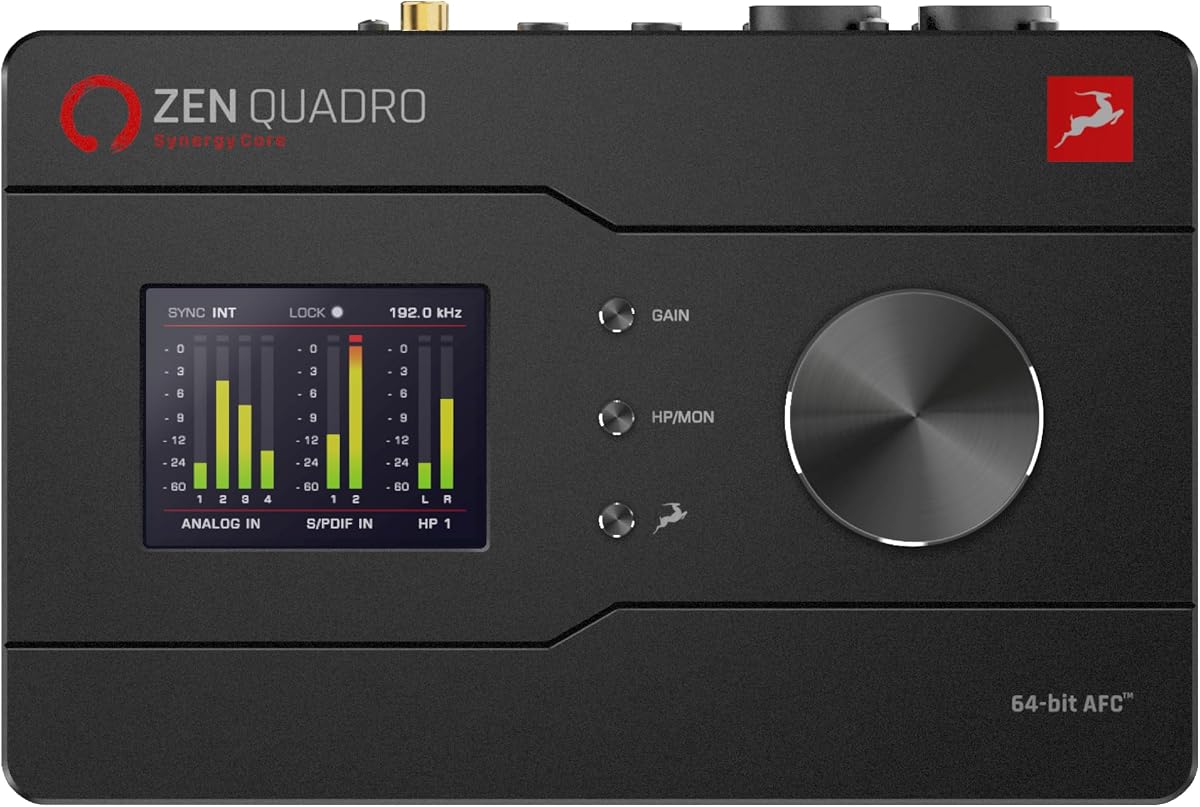
This portable interface captures vocals and instruments with four Discrete preamps offering 75 dB gain. It uses dedicated DSP and FPGA for near-zero latency workflows without host CPU load. This is ideal for live tracking.
We may earn a commission when you buy through this link, at no additional cost to you.
You get 37 included effects and 90 plus available in the Synergy Core library. The conversion technology matches flagship studio interfaces with 130 dB range. Dual USB-C ports support modern creator workflows including mobile devices.
Setup can be complex due to the number of options. The price is high compared to entry level models. These trade offs are acceptable for engineers needing standalone presets and extensive routing.
Choose this if you need expandability and high fidelity processing. It supports multiple computers and ADAT expansion making it a versatile hub for large setups.
Dedicated hardware ensures you monitor effects instantly without delay during recording.
ADAT and S/PDIF ports allow you to grow your studio as needs change.
We may earn a commission when you buy through this link, at no additional cost to you.
Experience analog tones with Unison preamps that emulate Neve API and Fender hardware. You get over 200 UAD DSP and native plug-ins for professional sound. It offers a complete solution for serious audio production.
We may earn a commission when you buy through this link, at no additional cost to you.
Monitor Correction powered by Sonarworks helps you mix with confidence in any room. Auto-Gain sets levels across inputs quickly to ensure you never miss a take. Bass management adds a subwoofer to your monitoring setup.
The cost is a consideration for smaller studios. Thunderbolt 3 ensures performance but limits device compatibility. These constraints are worth it for the quality of conversion and plugin access provided.
Select this interface if you need analog warmth and processing power. It integrates hardware and software seamlessly to provide a professional recording experience.
Record through authentic hardware models for immediate sonic character and depth.
Monitor Correction ensures your mixes translate accurately across different listening environments.
We may earn a commission when you buy through this link, at no additional cost to you.
This USB-C interface supports bus power on both Mac and Windows systems. It features 2 XLR mic preamps and 32-Bit/192 kHz converters for high resolution sound. It is perfect for producers requiring precise audio capture.
We may earn a commission when you buy through this link, at no additional cost to you.
Legacy 4K Analog Enhancement adds depth to tracks. Zero-Latency monitoring ensures you hear your signal instantly. The SSL Production Pack software bundle supports full production workflows.
Outputs are limited to four line outs. MIDI is provided via 5-Pin DIN jacks which might require adapters. These choices favor simplicity and quality over extensive connectivity.
Use this for studio or live recording where quality is paramount. The discrete preamps and enhancement features deliver a signature sound valued by professionals.
32-Bit/192 kHz converters capture every nuance of your performance with clarity.
4K Analog Enhancement provides the classic SSL color to your tracks.
We may earn a commission when you buy through this link, at no additional cost to you.
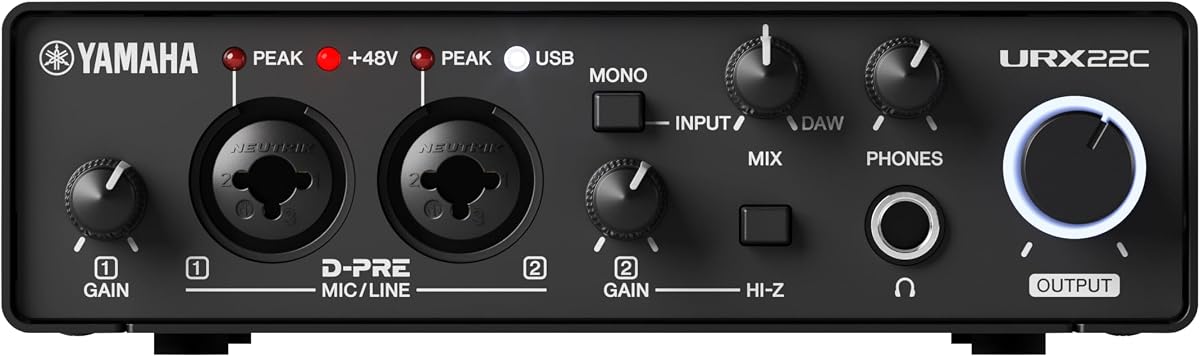
This USB interface supports 32-bit/192kHz audio with 2 analog inputs and MIDI I/O. It features Class-A D-PRE mic preamps and a rugged full-metal housing for durability. It is reliable for daily use.
We may earn a commission when you buy through this link, at no additional cost to you.
DSP-powered monitoring includes REV-X reverb and Channel Strip. VST 3 and AU plug-in versions are included. The dspMixFx application allows control on Windows macOS and iOS systems.
Only two inputs limit multi-track recording. The software suite is basic compared to others. These constraints are acceptable given the build quality and performance.
Choose this if you need a durable interface for consistent recording. The metal build ensures longevity while DSP keeps latency low during sessions.
The full-metal housing withstands daily transport and studio use.
DSP-powered monitoring works across Windows macOS and iOS for flexible setups.
We may earn a commission when you buy through this link, at no additional cost to you.
This interface offers 2 combo inputs 6 analog ins and 10 analog outs. It supports S/PDIF and 8-channel optical I/O for up to 40 simultaneous audio channels. It is designed for complex productions.
We may earn a commission when you buy through this link, at no additional cost to you.
DSP-driven monitor mixing lets you create unique mixes for six separate busses. On-board effects include reverb and dynamics processing. The OLED display provides high-resolution metering for all signal activity.
The size is larger than portable units. Power needs may vary. These trade offs are acceptable for users needing extensive routing options.
Select this for live recording or large studio setups. The CueMix 5 app allows full control from Mac PC or iOS devices.
18×22 channel count supports complex multitrack recording and live performance.
Create unique monitor mixes for each output pair for flexible control.
We may earn a commission when you buy through this link, at no additional cost to you.
This USB Type-C audio interface features a 4.3 touchscreen with five control knobs. It supports 32-bit/192 kHz audio with dual MAIN/SUB USB ports. It is designed for intuitive operation and modern workflows.
We may earn a commission when you buy through this link, at no additional cost to you.
Premium Microphone preamps offer 78 dB gain range and 48 V phantom power. The built-in DSP processor ensures professional sound and latency-free monitoring. Includes Cubase Al WaveLab Cast and Basic FX Suite.
The lack of ratings makes evaluation subjective. Documentation may be limited. These factors are acceptable given the advanced control features.
Use this interface if touchscreen control is a priority. The Steinberg Plus Bundle offers comprehensive software for recording and editing.
The 4.3 touchscreen allows easy access to controls without navigating menus.
Included software gives you a full production suite out of the box.
We may earn a commission when you buy through this link, at no additional cost to you.
This USB-C bus-powered interface works seamlessly with PC Mac iOS and Android. It becomes a guitar rig with Hi-Z inputs and a full studio-grade signal chain. It is designed for creators needing flexible audio.
We may earn a commission when you buy through this link, at no additional cost to you.
Transform your voice with a dedicated Smart Vocal Chain and integrated Loopback. You get two independent headphone mixes for collaboration. It features elite 123 dB conversion and 75 dB of clean gain.
Specialization for streaming means it may lack some studio routing. The optional software panel adds control but the device works standalone. These choices suit content creators and podcasters well.
Choose this for podcasting or streaming where latency matters. The complete software bundle ensures you can start creating immediately without additional purchases.
Onboard DSP eliminates latency ensuring real-time monitoring during streaming.
Connect directly to Hi-Z inputs for full guitar effects and amp simulations.
We may earn a commission when you buy through this link, at no additional cost to you.
Choosing the right interface involves considering your workflow conversion quality and connectivity options. This guide outlines the most important factors to evaluate.
Look for interfaces that offer real-time processing for effects and mixing. This reduces CPU load and ensures low latency monitoring.
Prioritize models with dedicated DSP or FPGA hardware for consistent performance.
Consider how many inputs you need for microphones instruments and line signals. Ensure combo jacks support both XLR and 1/4 inch connections.
Check if your setup requires multiple preamps for simultaneous recording.
Evaluate the number of outputs for monitoring speakers and headphones. Look for independent mixes if you collaborate with others.
Ensure line outputs match your monitor setup requirements.
USB-C offers modern speed and bus power options. Thunderbolt ensures high performance but may limit device compatibility.
Choose interfaces that match your computer's available ports.
Dynamic range and sample rate support affect the clarity of your recordings. Higher dynamic range reduces noise floor.
Select interfaces with industry standard dynamic range specifications.
Included DAWs and plugins reduce extra costs and setup time. Look for production packs that cover recording and mastering.
Ensure software is compatible with your operating system.
Physical knobs and touchscreens offer quick access to levels. LED feedback ensures you can monitor signal status visually.
Prioritize interfaces that match your workflow speed needs.
ADAT and S/PDIF ports allow you to add more inputs later. Choose interfaces that can grow with your studio.
Check if firmware updates expand features.
Connect your interface to your computer using the provided USB or Thunderbolt cable. Ensure drivers are installed if required for optimal performance.
Adjust gain knobs for each input to avoid clipping. Use the DSP controls to set effects levels for your specific recording scenario.
Keep the unit in a dry and dust-free environment. Clean connectors with compressed air regularly to maintain signal integrity.
Built in DSP allows you to process audio effects and mix in real time without taxing your computer. This results in low latency monitoring which is crucial for recording live instruments.
Not necessarily. While Thunderbolt offers high bandwidth for heavy processing, USB-C is sufficient for most tasks. Check the specific DSP capabilities of the interface.
Some modern interfaces support iOS and Android via USB-C. Verify the model supports class compliance or has a dedicated app for mobile routing.
DSP features usually rely on specific drivers or software. Ensure your operating system is supported by the manufacturer for full functionality.
Streaming requires immediate audio processing for voice enhancement and background noise reduction. DSP ensures these effects are applied instantly to your live feed.
Most manufacturers provide a control panel app for firmware updates. Connect your interface and check for updates within the software to access new features.
We reviewed ten models including the Focusrite Scarlett Solo and Antelope Zen Quadro. Each offers unique strengths for solo artists and professional studios.
Prioritize DSP capability and conversion quality that match your recording workflow. Choose interfaces that offer the necessary routing for your setup.
Always verify current specifications before purchasing to ensure compatibility with your existing gear.