
Acer Nitro V 15
4.6Editor score
RTX 4050 GPU
165Hz Refresh Rate
1TB Gen 4 SSD
This guide compares the top ten gaming laptops for Diablo 4, analyzing performance, display quality, and cooling systems to help you choose the perfect machine
Finding the right gaming laptop for Diablo 4 requires balancing powerful graphics with smooth frame rates and reliable cooling. This guide explores ten top contenders that deliver immersive visuals and seamless gameplay for action RPG fans seeking maximum performance.
We evaluated each model based on GPU capabilities, processor speed, display refresh rates, and thermal management. Our analysis focuses on real-world gaming performance to ensure every recommendation meets the demands of modern titles like Diablo 4.
Each pick highlights unique strengths from budget-friendly options to premium powerhouses. Prices fluctuate often, so check current listings before buying. Use this guide to find a machine that fits your needs and budget perfectly.
4.6Editor score

4.4Editor score

4.3Editor score
This table provides a quick overview of key specifications for all ten recommended laptops to help you compare performance and features side-by-side.



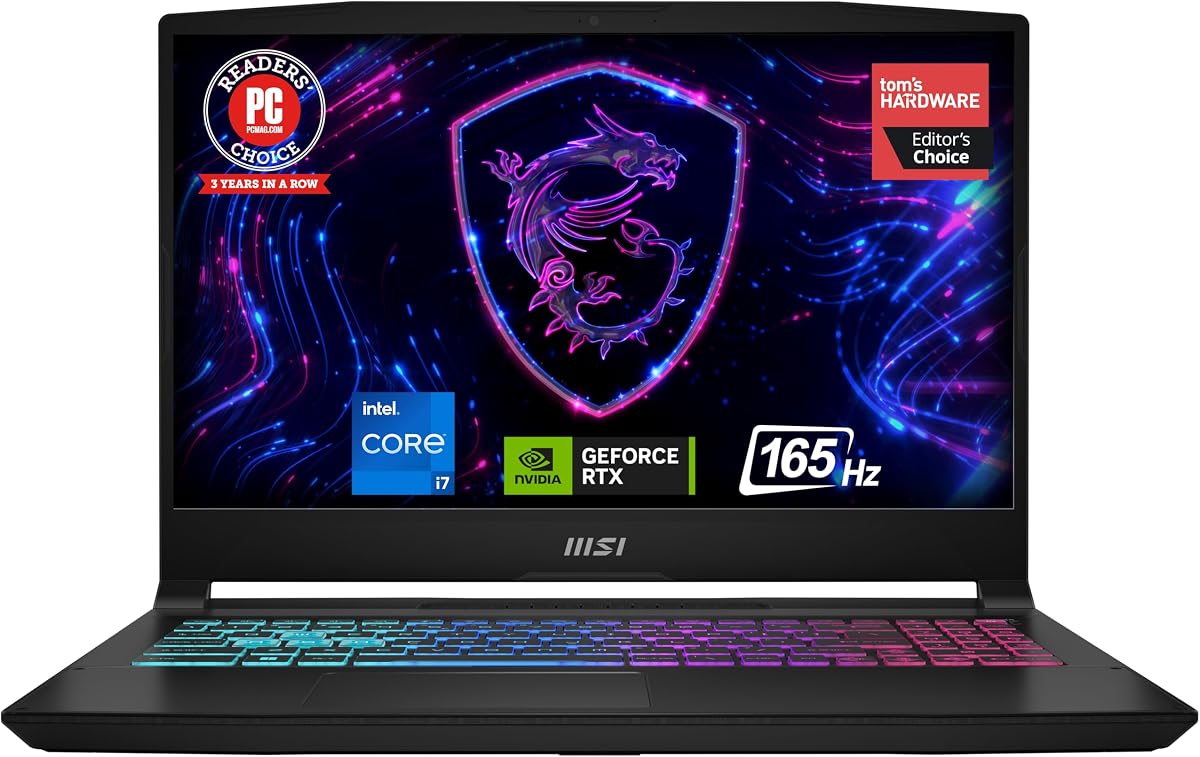

This laptop stands out as a top choice for Diablo 4 due to its balanced performance and visual fidelity. With an RTX 5060 and high refresh rate screen, it handles intense combat smoothly.
We may earn a commission when you buy through this link, at no additional cost to you.
The Intel Core i7 processor ensures quick load times and seamless multitasking. The ROG Intelligent Cooling system keeps temperatures low even during long dungeon runs.
While the battery is standard for gaming laptops, the performance gains are worth the trade-off. The display offers vibrant colors and smooth motion for immersive gameplay.
Ideal for players seeking a reliable machine that delivers consistent frame rates without compromising on visual quality. It is a strong contender for serious gamers.
The 165Hz display ensures fluid motion, making fast-paced combat feel responsive and clear.
Tri-fan technology and liquid metal keep the system cool, maintaining peak performance over time.
We may earn a commission when you buy through this link, at no additional cost to you.
The Nitro V 16S offers impressive specs for its price. The combination of a Ryzen 7 CPU and RTX 5060 GPU makes it a strong option for Diablo 4.
We may earn a commission when you buy through this link, at no additional cost to you.
With 32GB of DDR5 memory, multitasking is effortless. The 180Hz display provides a smooth visual experience that enhances competitive play.
While it may not have premium materials, the performance per dollar is excellent. It is a great choice for those on a budget who need power.
This model suits players who prioritize raw specs and value over premium aesthetics. It delivers a robust gaming experience in a cost-effective package.
The AMD AI engine optimizes tasks for faster processing and improved efficiency during gaming sessions.
The 180Hz screen delivers ultra-smooth motion, reducing blur during fast action sequences.
We may earn a commission when you buy through this link, at no additional cost to you.
This budget-friendly laptop still delivers a solid gaming experience. The RTX 4050 GPU handles Diablo 4 well at medium to high settings.
We may earn a commission when you buy through this link, at no additional cost to you.
The 165Hz screen ensures smooth visuals without breaking the bank. Intel Core i7 processing supports fast load times and stable frame rates.
While it is not the most powerful machine, it is reliable for everyday use and gaming. It is perfect for entry-level gamers seeking performance.
This model is recommended for those who want a dependable machine without spending a fortune. It balances cost and performance effectively for casual play.
A low price point makes high-end gaming accessible to more players without sacrificing essential features.
High refresh rates keep motion fluid, ensuring competitive advantage during fast-paced encounters.
We may earn a commission when you buy through this link, at no additional cost to you.
This laptop represents the peak of performance in our list. The RTX 5070 Ti and Core Ultra 9 CPU ensure maximum visuals and speed in Diablo 4.
We may earn a commission when you buy through this link, at no additional cost to you.
The 240Hz 2.5K display offers stunning clarity and smoothness for an immersive gaming experience. Cooling systems are designed to handle extreme loads efficiently.
While expensive, the hardware ensures longevity and top performance for years. It is an investment for players who demand the absolute best visuals.
Ideal for enthusiasts and professionals seeking high-end power. This model is a powerhouse that excels in every metric of gaming performance.
The 2.5K panel offers exceptional detail, making game environments rich and visually impressive.
Advanced cooling keeps the GPU and CPU running at peak efficiency during extended sessions.
We may earn a commission when you buy through this link, at no additional cost to you.
The 17.3 inch screen provides a huge canvas for Diablo 4's rich environments. Despite its size, it remains portable for a gaming laptop.
We may earn a commission when you buy through this link, at no additional cost to you.
Powered by Intel Core 7 and RTX 5060, it handles modern titles with ease. The translucent design adds a unique modern look to the device.
While battery life is typical for this class, the screen size and performance make up for it. It is great for stationary gaming setups.
Recommended for players who prioritize screen real estate and portability. This model offers a large immersive experience in a surprisingly light chassis.
The 17.3 inch screen creates an immersive viewing area that enhances visual detail and depth.
A unique translucent case design makes the laptop stand out from traditional gaming devices.
We may earn a commission when you buy through this link, at no additional cost to you.
The HP Victus 15 is a reliable machine that meets all gaming needs. Its balanced design makes it great for work and play alike.
We may earn a commission when you buy through this link, at no additional cost to you.
With 32GB of RAM, it multitasks effortlessly. The Ryzen 7 CPU ensures smooth performance even under heavy load.
While the GPU is mid-range, it handles most titles without issues. The build quality and support are excellent for long-term use.
Recommended for users who want a versatile laptop. This model is a trustworthy choice for general gaming and productivity tasks.
A neutral aesthetic allows it to transition easily from gaming setups to office environments.
32GB of RAM ensures smooth multitasking even when running multiple applications simultaneously.
We may earn a commission when you buy through this link, at no additional cost to you.
This model is ideal for those starting out or on a tight budget. It still delivers capable gaming performance for Diablo 4.
We may earn a commission when you buy through this link, at no additional cost to you.
The i5 processor and RTX 4050 combo handles the game well. However, the lower RAM may limit heavy multitasking.
While storage is limited, it offers a solid entry into gaming on a laptop. The 165Hz screen ensures smooth visuals.
Recommended for casual gamers needing a reliable portable solution. It is a budget-friendly way to experience modern gaming titles.
This model provides the essential features needed for gaming at a very accessible price point.
Its small form factor makes it easy to transport for gaming anywhere at home or school.
We may earn a commission when you buy through this link, at no additional cost to you.
This 16-inch model offers a great balance of performance and price. The display quality stands out for visual clarity.
We may earn a commission when you buy through this link, at no additional cost to you.
The RTX 5050 GPU handles Diablo 4 efficiently. With 180Hz refresh rate, gameplay is smooth and responsive.
While it lacks some premium features, it covers all the essentials for a good gaming experience. The cooling is adequate for daily use.
Recommended for those wanting a reliable mid-range machine. This model delivers strong performance without breaking the bank.
The 180Hz screen ensures fluid motion that is vital for competitive gaming and fast action.
The RTX 5050 provides strong power efficiency, delivering good performance without excessive heat.
We may earn a commission when you buy through this link, at no additional cost to you.
This laptop features a QHD display that offers great clarity for gaming. The RTX 4070 GPU ensures high performance in demanding titles.
We may earn a commission when you buy through this link, at no additional cost to you.
The cooling system is effective at managing heat during extended gaming sessions. It delivers a stable frame rate in most scenarios.
While build quality is solid, battery life is average. It is better suited for desktop replacement use than portability.
Recommended for players who want high resolution visuals. This model balances GPU power and display quality well for gamers.
The QHD panel delivers crisp visuals and greater detail than standard HD displays for rich environments.
Cooler Boost 5 technology ensures that thermal throttling is minimal during long gaming sessions.
We may earn a commission when you buy through this link, at no additional cost to you.
This laptop combines high-end performance with a slim design. The RTX 5060 and Ryzen 7 CPU offer powerful processing for modern games.
We may earn a commission when you buy through this link, at no additional cost to you.
Its thin chassis makes it easier to transport than many rivals. AI features help optimize performance on the fly.
While it has limited storage, the speed of the SSD is impressive. It is a strong contender for those needing power on the go.
Recommended for players who need a portable powerhouse. This model delivers top-tier performance in a compact and stylish design.
The ultra-thin chassis makes it easy to carry for gaming anywhere without bulk or heavy weight.
GiMATE AI optimizes system resources to deliver consistent performance during demanding gaming sessions.
We may earn a commission when you buy through this link, at no additional cost to you.
Selecting the right laptop for Diablo 4 involves considering several key factors to ensure smooth gameplay and long-term value.
The GPU is the most critical component for gaming performance. For Diablo 4, aim for an RTX 4050 or higher to ensure stable frame rates at high settings. The RTX 50 series offers better efficiency and future-proofing.
Prioritize models with at least an RTX 4050 or 5060 for optimal visual quality and performance.
A strong processor ensures quick load times and smooth multitasking. Look for Intel Core i7 or AMD Ryzen 7 equivalents to handle the game's demands without bottlenecks.
Choose a modern CPU like an i7 or Ryzen 7 for consistent performance during gaming.
RAM affects how well your system handles multitasking and large game worlds. 16GB is the recommended minimum for gaming, while 32GB provides extra headroom for streaming or other apps.
Opt for 16GB or 32GB of DDR5 RAM to ensure smooth gameplay and multitasking.
A high refresh rate screen makes combat feel fluid and responsive. Look for 144Hz or higher refresh rates for the best experience. Resolution and color accuracy also impact immersion.
Choose a display with at least 144Hz refresh rate for smooth visuals during combat.
Efficient cooling keeps the laptop performing at its best during long sessions. Models with multiple fans and advanced heat pipes maintain lower temperatures and higher frame rates.
Ensure the laptop has advanced cooling to avoid thermal throttling during extended play.
Battery life is often limited in gaming laptops but important for portability. Look for efficient components and larger battery capacities if you plan to use the laptop unplugged.
Check battery life specs if you need to use the laptop away from a power outlet.
Fast storage reduces load times and improves system responsiveness. SSDs are essential for modern gaming. Ensure you have at least 512GB or 1TB of space for games.
Select a laptop with at least 512GB SSD storage for fast load times and ample space.
Good ports allow you to connect external monitors and accessories. Wi-Fi 6 or 7 and Ethernet support help ensure stable online connections for multiplayer features.
Look for modern connectivity options like Wi-Fi 6 and multiple USB ports for flexibility.
Keep the laptop clean by using compressed air to remove dust from vents and fans regularly. This helps maintain optimal cooling performance and prevents overheating during long gaming sessions.
Avoid placing the laptop on soft surfaces like beds or couches that block airflow. Use a hard, flat surface or a cooling pad to ensure the fans can draw in cool air effectively.
Update drivers and BIOS regularly for the best performance and stability. Keeping your system and game updated ensures you benefit from new optimizations and fixes released by manufacturers.
For Diablo 4, you should aim for at least an RTX 4050 GPU, 16GB of RAM, and a modern CPU like an i7 or Ryzen 7. These specs will allow you to play smoothly on high settings without lag or stuttering.
Yes, the RTX 5060 generally offers better performance and efficiency. It handles higher resolutions and settings more easily than the RTX 4050, making it a better long-term investment for modern games.
Not necessarily. 16GB is sufficient for playing Diablo 4 alone, but 32GB is helpful if you stream or run other apps simultaneously. It provides extra headroom for multitasking.
Refresh rate is important for smooth visuals. A 144Hz screen or higher ensures that fast movements and combat feel fluid. Higher refresh rates provide a better competitive edge.
It is possible but not recommended for a good experience. Dedicated GPUs are needed for smooth frame rates and high settings. Integrated GPUs may struggle with performance in demanding scenes.
A 15 to 17 inch laptop offers a good balance between screen size and portability. Larger screens provide better immersion but are heavier, while smaller ones are easier to carry but less immersive.
Our top picks cover a range of budgets and performance levels. The ASUS ROG Strix G16 leads as the best overall choice due to its balanced performance and display quality.
When choosing, prioritize GPU power and display refresh rate to ensure smooth gameplay. If budget is tight, the Acer Nitro V 15 offers strong value with capable specs.
Remember to check current prices and availability as they fluctuate regularly. With the right machine, you can enjoy immersive and seamless gameplay in Diablo 4 for years.