
acer Nitro V 15.6 inch FHD IPS 165Hz Gaming Laptop
4.3Editor score
165Hz FHD IPS Display
Intel Core i5-13420H
16GB DDR4 Memory
This guide compares the top laptops with Rtx 5050 GPUs for gaming and creative work in October 2026 based on performance specs and user feedback.
Finding a laptop with Rtx 5050 graphics means balancing modern AI features with everyday productivity. These machines offer solid ray tracing and DLSS capabilities for gamers and creators alike.
We compared ten real models from leading brands using official specs and verified user ratings. Our focus was on display quality cooling efficiency and overall value in the current market.
Each pick below shows core specs and standout traits to help you decide. Keep in mind that stock and pricing change often so check current listings before buying your next device.
4.3Editor score

4.6Editor score

4.0Editor score
The table below presents a side-by-side overview of all ten models selected for this guide. Each row lists key specifications to help you quickly identify the right fit for your needs.


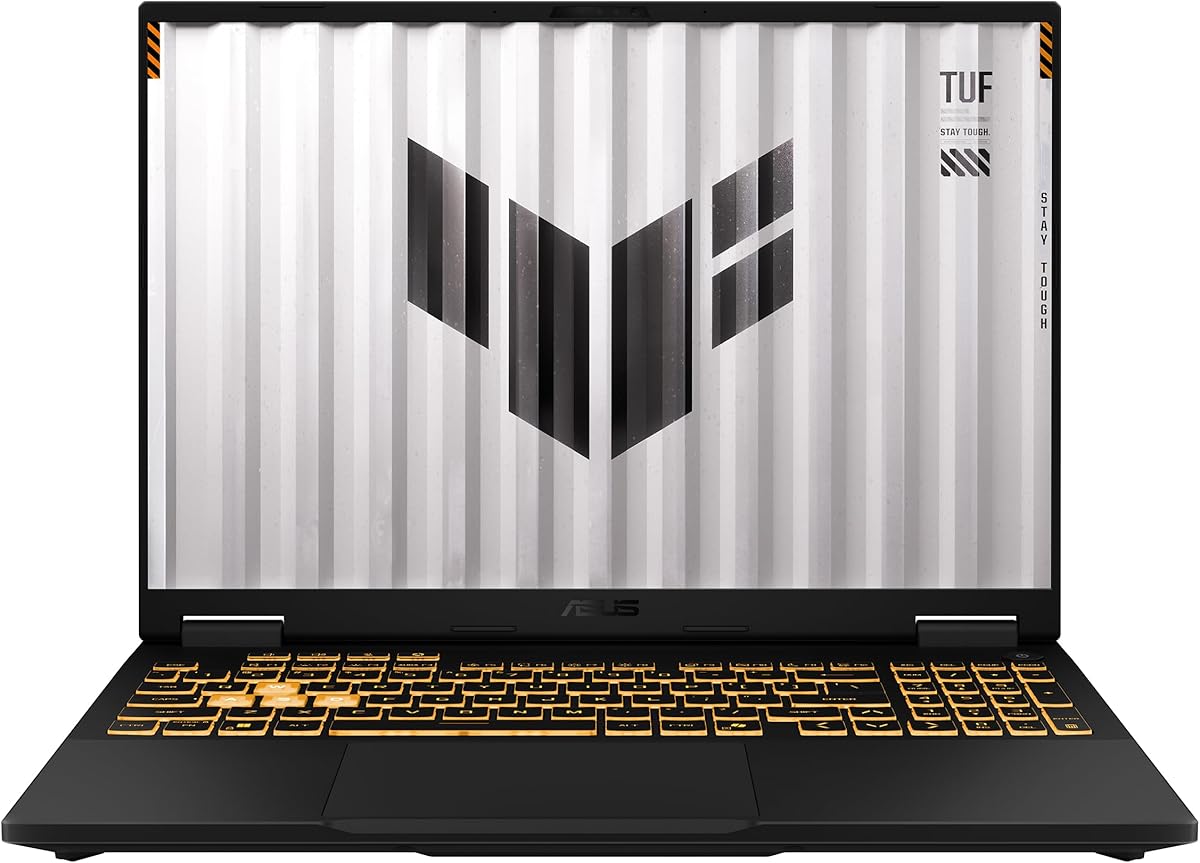


This Acer Nitro V stands out as a top performer in the laptop with Rtx 5050 category. It combines a modern Intel Core 7 processor with the latest RTX 5050 GPU to deliver smooth gaming and creative workflows.
We may earn a commission when you buy through this link, at no additional cost to you.
The 180Hz WUXGA display offers excellent clarity and speed for fast-paced titles. DDR5 memory and a Gen 4 SSD ensure quick load times and responsive multitasking across applications.
While the system runs cool thanks to its dual-fan design, fan noise can increase during intense sessions. The webcam is functional but lacks the resolution some users might expect.
If you need a balanced machine for gaming and productivity, this model is an excellent choice. Its combination of speed display quality and thermal management makes it a leader in its class.
The 180Hz refresh rate minimizes motion blur, giving you smoother visuals during competitive matches or action-heavy scenes.
Built-in AI tools help accelerate rendering and image generation tasks, freeing up time for more creative work.
We may earn a commission when you buy through this link, at no additional cost to you.
Alienware continues to impress with the 16 Aurora, a robust laptop with Rtx 5050 tailored for serious users. Its Cryo-Chamber cooling structure directs airflow precisely to keep components cool during long sessions.
We may earn a commission when you buy through this link, at no additional cost to you.
The WQXGA display delivers vibrant colors and sharp detail. At 300 nits brightness, it handles well-lit environments without losing visual fidelity or contrast levels.
However, the premium build comes with a higher price tag compared to similar models. It is also heavier than ultrabooks, so portability might be a concern for frequent travelers.
For those who value durability and onsite support, this laptop is worth the investment. The included warranty ensures peace of mind, making it a reliable choice for professional or home use.
The Cryo-Chamber focuses airflow on core components, preventing throttling and maintaining consistent performance.
Onsite service means technicians can visit your location to resolve hardware issues quickly without shipping delays.
We may earn a commission when you buy through this link, at no additional cost to you.
This Acer Nitro V offers a compelling entry point into laptop with Rtx 5050 systems. It balances cost with performance, making it accessible for students or casual gamers looking for value.
We may earn a commission when you buy through this link, at no additional cost to you.
The 165Hz FHD IPS panel ensures smooth visuals in games and videos. Paired with an Intel Core i5 processor and 16GB of RAM, it handles daily tasks and moderate gaming with ease.
While it uses DDR4 memory instead of DDR5, the impact on general performance is minimal for most users. The included mouse pad is a thoughtful touch that adds value right out of the box.
If budget is a priority, this laptop delivers solid specs without breaking the bank. It is an ideal choice for those who want modern features like RTX graphics at a lower price tier.
A 165Hz refresh rate reduces motion blur, providing clearer images during fast movement in competitive games.
Including a mouse pad saves you from buying accessories separately, making this a ready-to-use gaming setup.
We may earn a commission when you buy through this link, at no additional cost to you.
The MSI Cyborg A15 AI focuses on portability without sacrificing key specs. Weighing around 4.3 lbs, it is easy to carry for students or professionals who need power on the go.
We may earn a commission when you buy through this link, at no additional cost to you.
Powered by an AMD Ryzen 7 processor and DDR5 memory, it handles multitasking efficiently. The 1TB SSD provides ample space for games and media files without needing external drives.
Some users note that build quality varies, and the rating reflects mixed experiences. It is important to check reviews for your specific region to ensure you receive a high-quality unit.
For those prioritizing weight and storage, this laptop is a strong contender. Its Wi-Fi 6E connectivity also ensures fast network speeds for streaming and online gaming sessions.
Its lightweight chassis fits easily into backpacks, making it ideal for commuting between classes or work.
Wi-Fi 6E offers lower latency and higher speeds, improving online gaming performance and file transfers.
We may earn a commission when you buy through this link, at no additional cost to you.
The ASUS ROG Strix G16 brings next-generation Wi-Fi 7 to the laptop with Rtx 5050 lineup. This ensures future-proof connectivity for the fastest networks available today.
We may earn a commission when you buy through this link, at no additional cost to you.
Its DDR5-5600MHz memory and Gen 4 SSD make for rapid system responsiveness. The 3ms response time on the display helps eliminate ghosting during intense gaming moments.
Users can upgrade RAM and storage without tools thanks to the design. This flexibility extends the laptop lifespan as your needs grow over time.
While storage is limited to 512GB, upgrading is straightforward. For tech-savvy users who value speed and customization, this machine offers a robust platform for gaming and work.
Wi-Fi 7 prepares your device for ultra-low latency connections as ISPs roll out new standards.
Sliding a latch on the bottom allows quick access to internal components without needing a screwdriver.
We may earn a commission when you buy through this link, at no additional cost to you.
The IdeaPad Pro 5 stands out for its vivid OLED display. Colors pop with deep blacks, making it perfect for media consumption and creative work on a laptop with Rtx 5050.
We may earn a commission when you buy through this link, at no additional cost to you.
Powered by the AMD Ryzen AI 7 processor, it handles heavy workloads efficiently. The integration of AI acceleration helps optimize performance for multitasking and content creation.
OLED panels can drain battery faster than LCDs, so expect shorter unplugged sessions. The price is also higher than standard gaming models due to the premium screen quality.
If visual fidelity is your top priority, this laptop is hard to beat. Its combination of a beautiful screen and strong AI features makes it a favorite among creatives and professionals.
The OLED panel delivers true-to-life colors, essential for photo editing and graphic design tasks.
Ryzen AI features speed up tasks like image rendering and voice recognition for better productivity.
We may earn a commission when you buy through this link, at no additional cost to you.
GIGABYTE introduces GiMATE, an AI interface that simplifies device management on this laptop with Rtx 5050. It learns your habits to adjust settings automatically for better performance.
We may earn a commission when you buy through this link, at no additional cost to you.
The 13620H processor ensures smooth multitasking. The slim 19mm chassis and 180-degree hinge add versatility for different usage scenarios like sharing content or presentations.
With fewer user reviews available, real-world feedback is limited. Potential buyers should research recent customer experiences to ensure consistent quality before purchasing.
For those who appreciate smart features, GiMATE sets this model apart. If you need an AI-enhanced workflow and a stylish design, this could be a unique choice in the market.
GiMATE adapts to your usage patterns, adjusting performance profiles to maximize efficiency without manual tweaks.
The 180-degree hinge allows the screen to lie flat, making it easier to share views or use in presentation mode.
We may earn a commission when you buy through this link, at no additional cost to you.
The TUF Gaming F16 earns high marks for its rugged build and performance. Certified to MIL-STD-810H standards, it is designed to withstand harsh conditions and frequent travel.
We may earn a commission when you buy through this link, at no additional cost to you.
Its 165Hz display with Adaptive-Sync ensures smooth visuals. The cooling system with Arc Flow Fans keeps the laptop quiet even under pressure during intense gaming sessions.
While 512GB storage is standard, you might need an external drive for large game libraries. The design is understated but functional, appealing to those who prefer practicality over flash.
If durability is key, this laptop offers peace of mind. It balances reliability with modern gaming features, making it a strong candidate for students and travelers alike.
Military-grade testing means the laptop can handle drops and shocks that might break less rugged devices.
Arc Flow Fans are optimized to reduce noise while maintaining high airflow for stable performance.
We may earn a commission when you buy through this link, at no additional cost to you.
The Lenovo LOQ focuses on smooth gameplay with G-Sync technology. This reduces screen tearing and stuttering, ensuring a cleaner image during competitive matches.
We may earn a commission when you buy through this link, at no additional cost to you.
AI Engine+ optimizes system performance automatically. It adjusts settings to match your current tasks, helping maintain high frame rates without manual intervention.
Its battery charges quickly, reaching 70 percent in under thirty minutes. This rapid charge is useful when you need to top up power during short breaks between sessions.
For gamers who hate screen tearing, this model is a great pick. The combination of G-Sync and intelligent optimization makes it a reliable and efficient gaming companion.
G-Sync synchronizes the display refresh rate with the GPU, eliminating tearing and providing a smoother visual experience.
Lenovo AI Engine+ tunes CPU and GPU settings in real time to maximize performance based on the active application.
We may earn a commission when you buy through this link, at no additional cost to you.
The MSI Katana pairs a powerful i7-14650HX processor with DDR5 RAM for solid multitasking. Its 75Wh battery aims to provide longer usage time than many competitors in this class.
We may earn a commission when you buy through this link, at no additional cost to you.
With 512GB of storage, it offers fast boot times and quick app access. The 144Hz display keeps gameplay fluid, though some rivals offer higher refresh rates for fast action.
User ratings are mixed, so checking recent reviews is wise before buying. It may not suit those who demand top-tier ratings, but the specs are competitive for the price.
If you need a strong CPU and longer battery life, this laptop is worth considering. It delivers essential gaming features in a straightforward package for everyday users.
The i7-14650HX handles heavy applications well, making this laptop suitable for both gaming and work tasks.
A 75Wh battery supports extended sessions away from an outlet, ideal for travel or work outside.
We may earn a commission when you buy through this link, at no additional cost to you.
Choosing a laptop with Rtx 5050 requires balancing performance specs with your specific needs. This guide breaks down the key factors to help you make an informed decision.
The RTX 5050 brings AI-driven upscaling and ray tracing to mid-range machines. Look for models that support DLSS 4 and have sufficient VRAM to handle modern titles.
Prioritize laptops that mention full TGP power limits for better sustained performance during long gaming sessions.
A high refresh rate reduces motion blur and enhances fluidity in fast games. Aim for at least 144Hz, with 165Hz or higher ideal for competitive play.
IPS panels offer better color accuracy and viewing angles compared to TN screens. Consider OLED if you prioritize image depth and contrast.
An Intel Core i5 or i7 provides strong multitasking abilities. DDR5 memory improves data transfer speeds and overall system responsiveness.
Ensure the laptop has at least 16GB of RAM to handle games and applications simultaneously without slowdowns.
PCIe Gen 4 SSDs deliver fast boot times and quick load speeds. A 512GB SSD is common but may fill up quickly with modern game libraries.
Choose a model with 1TB storage or an expansion slot if you plan to keep many titles installed locally.
Efficient cooling prevents thermal throttling and maintains performance. Look for designs with multiple fans, heat pipes, or dedicated cooling chambers.
Check user reviews for noise levels to ensure the laptop stays quiet enough for your environment.
Modern ports like USB-C and HDMI 2.1 support external displays and fast data transfer. Wi-Fi 6E or Wi-Fi 7 offers lower latency for online gaming.
Having enough USB ports for peripherals reduces the need for extra hubs and keeps your desk organized.
Military-grade certifications indicate a device can handle travel and rough use. A sturdy chassis protects internal components and extends the laptop lifespan.
Consider weight if you need portability, as heavier machines may be less convenient for commuting.
At least one year of onsite warranty is valuable for peace of mind. Some brands offer more extended coverage or faster response times for hardware issues.
Read about customer support reputation to ensure you get timely help if you encounter technical problems.
To maintain performance, keep vents clear of dust and use a cooling pad during heavy tasks. Regularly update drivers to unlock the latest GPU optimizations and bug fixes.
Avoid placing the laptop on soft surfaces like beds that block airflow. A hard, flat surface ensures proper ventilation and prevents overheating.
Adjust power settings to balance battery life and performance. Use optimized modes for gaming and power-saving modes for routine tasks to extend battery life.
Yes, the RTX 5050 is a solid choice for mid-range gaming. It supports ray tracing and DLSS to deliver smooth frame rates in modern titles at 1080p or 1440p.
Some models allow RAM upgrades while others have soldered memory. Check product details for available slots before purchasing to ensure future expandability.
Prices vary based on brand and specs. Models range from budget-friendly options to premium builds with advanced features. Always check current listings for the latest pricing.
For gaming, 144Hz or higher is ideal. This reduces motion blur and improves fluidity. Higher rates like 165Hz offer smoother visuals for competitive shooters.
Yes, the RTX 5050 accelerates rendering tasks. Pair it with 16GB of RAM or more for smooth multitasking and faster export times in creative software.
Most models include HDMI and USB-C ports that support external displays. Check the specs for HDMI 2.1 or USB-C DisplayPort support to get higher resolutions.
Our top picks highlight the versatility of the RTX 5050 across different price points. From budget-friendly Acer options to premium Lenovo displays, there is a fit for every user.
Focus on what matters most to you, whether it is screen quality, cooling, or build durability. A balanced combination of specs ensures a smooth experience for both work and play.
Remember that availability and pricing change frequently. Always verify current details on product pages before making your final decision to get the best value today.