
VPFET HDMI Audio Extractor
4.1Editor score
Affordable price point
Supports 4K at 30Hz
Optical and 3.5mm output
This guide compares the top 10 HDMI Audio Extractor models for 2026, evaluating performance, compatibility, audio formats, and build quality to help you choose
Finding the right HDMI Audio Extractor is essential for modern home theater setups. These devices separate audio from video signals allowing you to route sound to external speakers or soundbars while keeping video on your display.
We analyzed ten top-rated models based on resolution support, audio format compatibility, build quality, and ease of use. Our comparison covers extractors ranging from budget-friendly options to high-end units supporting 8K and eARC.
Each pick below highlights key features, pros, and cons to guide your decision. Note that product availability and pricing can change rapidly so verify current details before purchasing to ensure the best value for your needs.
4.1Editor score

4.2Editor score

4.4Editor score
The following table provides a side-by-side overview of all ten models. It highlights critical specifications like resolution support, audio formats, and special features to help you compare them quickly.






This VPFET HDMI Audio Extractor offers a reliable solution for users needing basic audio separation. With a solid rating and straightforward design it stands out as a top budget choice in our comparison.
We may earn a commission when you buy through this link, at no additional cost to you.
It supports 4K video at 30Hz and offers three distinct modes for different audio needs. The ability to switch between 2.0CH 5.1CH and PASS mode ensures compatibility with many source devices without complex configuration.
The lack of eARC support and limited high bandwidth color sampling are trade-offs. However these limitations are acceptable given the low cost and the fact that most casual users will not notice the difference.
Ideal for users seeking an affordable way to connect a soundbar to older consoles or cable boxes this extractor delivers consistent performance. It is a practical choice for basic home theater audio routing needs.
Users can choose between optical digital audio for surround sound systems or analog 3.5mm output for simpler speakers providing flexibility for different setups.
The device requires minimal setup allowing you to connect your HDMI source and select the desired audio mode quickly without needing technical expertise or drivers.
We may earn a commission when you buy through this link, at no additional cost to you.
The OREI HDMI Audio Extractor ARC delivers high performance for modern media setups. Its strong rating reflects its ability to handle 4K content at 60Hz while providing flexible audio output options.
We may earn a commission when you buy through this link, at no additional cost to you.
It supports a wide range of HDR formats including HDR10 HDR10+ and Dolby Vision ensuring your visuals remain vibrant. The downmixing feature allows multichannel audio to be converted to stereo for analog systems effectively.
While it lacks eARC support and remote volume control is not possible on outputs the CEC pass-through helps simplify control for compatible TVs. These trade-offs are minor for users prioritizing video quality.
Best for streaming boxes and consoles requiring 4K video this unit ensures your display gets the best picture while routing audio to external speakers. It is a robust choice for mid-range home theater systems.
This extractor supports multiple HDR standards ensuring high dynamic range content is preserved during video pass-through for a better viewing experience on compatible displays.
The device can send audio to optical and analog outputs simultaneously allowing you to connect multiple audio devices without needing additional hardware or splitters.
We may earn a commission when you buy through this link, at no additional cost to you.
This OREI converter is designed for users who need high-fidelity audio extraction with 4K video support. It handles advanced audio formats like Dolby Atmos and DTS:X making it suitable for immersive sound setups.
We may earn a commission when you buy through this link, at no additional cost to you.
It passes video up to 4K at 60Hz with full bandwidth ensuring no loss in visual quality. The metal housing provides durability while the dual voltage supply makes it versatile for international use.
The absence of ARC support means it is best used with source devices like consoles or players rather than TVs relying on return channels. This limitation narrows its use case but does not impact source connectivity.
If you need an extractor for Blu-ray players or game consoles this model offers strong audio decoding capabilities. It is a solid choice for enthusiasts wanting high-bitrate audio passthrough without sacrificing video quality.
Support for object-based audio formats like Dolby Atmos ensures you get the full surround sound experience when using compatible receivers or soundbars with optical output.
The included adapter and dual voltage support allow this device to work seamlessly in different regions without needing extra transformers or voltage converters for power supply.
We may earn a commission when you buy through this link, at no additional cost to you.
The eSynic Professional unit is tailored for users needing to extract audio from modern TV ARC ports. Its high rating indicates excellent performance in delivering clean audio via analog outputs.
We may earn a commission when you buy through this link, at no additional cost to you.
It supports eARC allowing lossless audio transmission from the TV to external speakers or soundbars. The high sampling rate ensures audio details are preserved providing an immersive experience for movies and shows.
While it lacks optical output and Dolby decoding capabilities the focus on PCM quality makes it ideal for simpler stereo systems. The requirement for TV ARC limits its use to specific TV setups.
If your primary goal is to improve TV audio via analog speakers this is a top choice. It bridges the gap between modern TV interfaces and standard audio systems effectively.
By leveraging eARC this device supports higher bandwidth audio streams from your TV ensuring that the highest quality audio is available for your sound system.
With USB power and plug-and-play functionality you can connect this device quickly without needing additional power sources or configuration on your media devices.
We may earn a commission when you buy through this link, at no additional cost to you.
This J-Tech Digital model is designed to support high refresh rates making it a great option for gamers. It handles up to 1080p at 144Hz ensuring smooth video for fast-paced titles.
We may earn a commission when you buy through this link, at no additional cost to you.
It supports HDR10 and Dolby Digital passthrough maintaining high visual and audio quality. The CEC support helps in streamlining remote control functions across connected devices.
The need to set source audio to PCM for analog output can be a step for some users. Additionally it lacks support for certain older Apple TV models which limits its universality.
For PC gamers and console users wanting high frame rate video this extractor is well-suited. It balances performance and compatibility for modern gaming and media consumption needs.
Support for 1080p at 144Hz allows gamers to use extractors with high refresh rate monitors without sacrificing frame rate or visual smoothness.
HDR10 support ensures that games and movies with high dynamic range content display correctly on compatible monitors and TVs via HDMI pass-through.
We may earn a commission when you buy through this link, at no additional cost to you.
This VPFET extractor excels at providing dual digital outputs from modern TVs. It is ideal for connecting both an optical soundbar and a coaxial DAC simultaneously.
We may earn a commission when you buy through this link, at no additional cost to you.
It supports 192kHz sampling rates ensuring high-quality audio reproduction from your TV. The inclusion of HDMI optical and USB cables in the package makes setup straightforward.
Lack of CEC support means you may need to use separate remotes for volume control which can be slightly inconvenient. However the dual output flexibility offsets this for multi-system setups.
Best for those upgrading older audio systems with coaxial inputs this device provides a clean solution for extracting TV audio without compromising on quality or versatility.
The device provides both optical and coaxial outputs allowing you to connect multiple digital audio systems at once without needing extra splitters.
Having essential HDMI and optical cables included saves you the hassle of sourcing compatible cables separately ensuring you can start using the device immediately.
We may earn a commission when you buy through this link, at no additional cost to you.
The OREI 8K extractor is a top-tier choice for users looking to future-proof their AV setup. Its 48Gbps bandwidth ensures it can handle next-gen content without bottlenecks.
We may earn a commission when you buy through this link, at no additional cost to you.
With support for 8K at 60Hz and HDCP 2.3 it is compatible with the latest high-end TVs and players. It also supports advanced features like ALLM and QMS for smooth gaming experiences.
The absence of eARC is a minor drawback given its focus on forward compatibility. However the inclusion of ARC and robust video pass-through makes it highly versatile for diverse setups.
Ideal for tech enthusiasts and early adopters this unit provides the bandwidth and features needed for cutting-edge home theaters. It is a reliable investment for long-term use.
Features like ALLM and QMS ensure that your gaming console and TV communicate effectively to reduce lag and improve refresh rate switching during use.
The 48Gbps bandwidth supports high resolution and refresh rates allowing you to run 8K or high frame rate 4K video without signal loss or artifacts.
We may earn a commission when you buy through this link, at no additional cost to you.
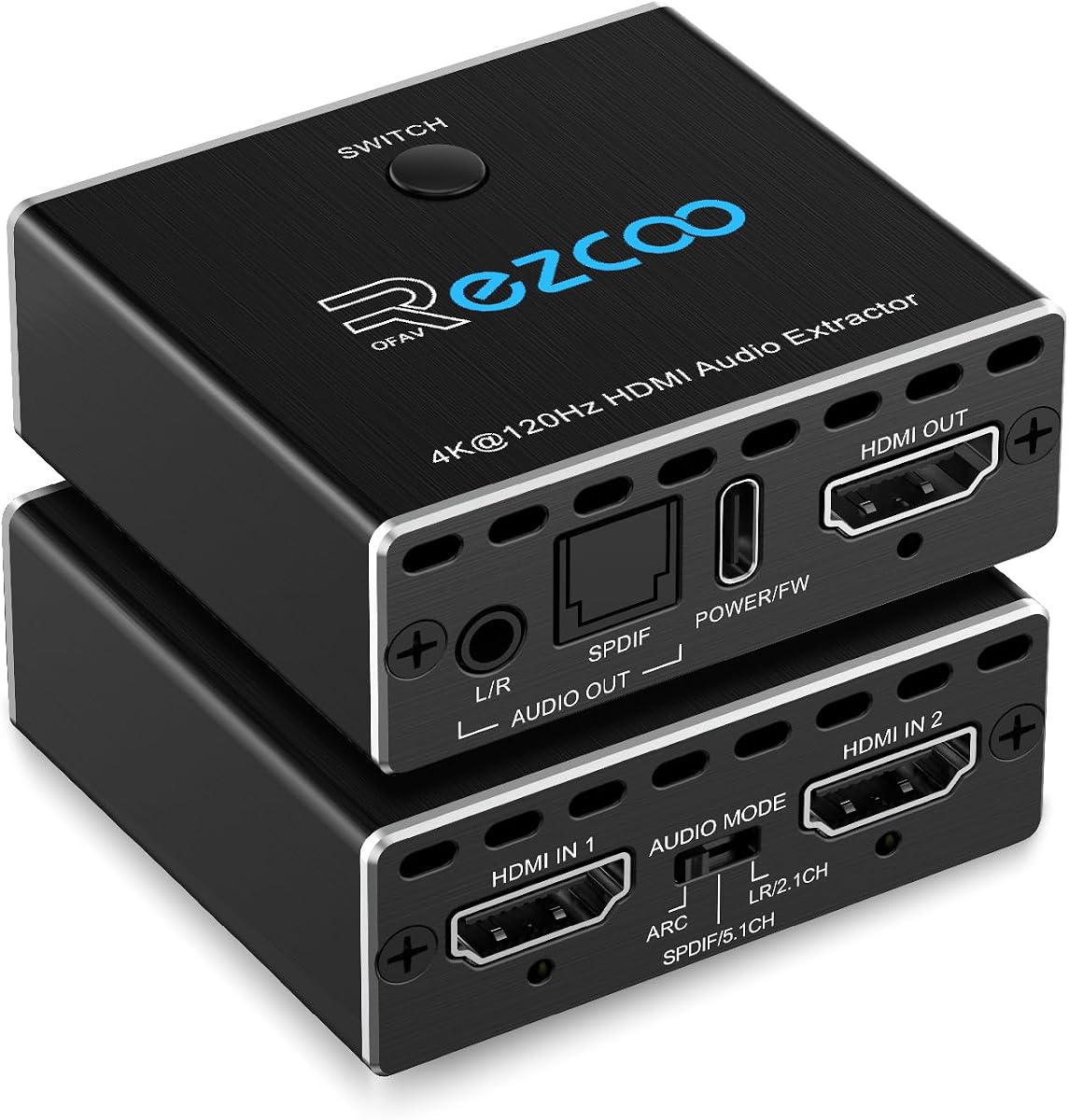
This device combines an HDMI switch and an audio extractor into a single unit which simplifies cable management. Its perfect rating highlights its reliability and feature set for gamers.
We may earn a commission when you buy through this link, at no additional cost to you.
It supports 2 inputs allowing you to switch between a PS5 and Xbox easily. The audio output options cover optical and analog ensuring you can connect to most receivers or speakers.
The device does not support bi-directional switching so it is designed for source-to-display configurations. Using a qualified HDMI 2.1 cable is essential to avoid unstable image transmission.
Perfect for gaming consoles setup where multiple devices share one TV and sound system this unit reduces cable clutter. It is a convenient all-in-one solution for compact entertainment centers.
This unit eliminates the need for separate switch and extractor boxes by handling both switching between sources and separating audio into one device.
It supports advanced audio formats like DTS:X and Dolby Atmos for HDMI output ensuring that you get immersive surround sound for supported content.
We may earn a commission when you buy through this link, at no additional cost to you.
This extractor offers three distinct operating modes to adapt to various audio setups. Its high rating reflects its capability to handle both 8K video and advanced audio formats effectively.
We may earn a commission when you buy through this link, at no additional cost to you.
In PASS mode it mirrors TV audio while SPDIF mode supports premium surround sound. The eARC support allows you to connect to modern TVs for higher quality audio than standard ARC.
Users cannot use a TV as an input source directly meaning it must connect to a media player or console. This limits flexibility if you rely on TV apps as a primary source.
For setups needing flexibility in audio formats and high resolution video support this extractor is a strong contender. It bridges high-end video with versatile audio routing needs.
Three distinct modes allow you to optimize audio for specific outputs whether you need stereo analog audio or multi-channel digital surround sound for your setup.
Support for VRR and HDR10+ ensures that high-end content is delivered without artifacts providing a better viewing experience for gaming and movies.
We may earn a commission when you buy through this link, at no additional cost to you.
This splitter is a compact option for users needing basic audio extraction with 3D video support. It works well with a wide range of devices including consoles and streaming sticks.
We may earn a commission when you buy through this link, at no additional cost to you.
It supports 4K at 30Hz and 3D content making it a versatile choice for media centers with older TVs or projectors. The included USB cable ensures it can power up when needed.
Lack of ARC support means it is not suitable for TV-based audio routing. Additionally some low-power HDMI ports may require external power which can be a minor inconvenience.
Ideal for simple setups with gaming consoles or PCs this device provides a cost-effective way to separate audio without compromising video quality. It is a practical choice for basic AV routing.
If you have a 3D projector or TV this unit maintains 3D signal integrity while extracting audio to ensure you do not lose immersive visual features.
The small form factor makes it easy to install in tight spaces and convenient to move between devices if you share a setup with others.
We may earn a commission when you buy through this link, at no additional cost to you.
Choosing the right HDMI Audio Extractor depends on understanding your specific needs regarding video resolution audio formats and connection types.
Ensure the extractor supports the resolution and refresh rate of your source devices. If you play games at 4K 60Hz or 1080p 120Hz you need an extractor that passes these signals without downscaling.
Check the max supported resolution on the product details to match your display capabilities.
Look for extractors that support the audio formats you use such as Dolby Digital DTS or PCM. Some extractors can pass through bitstream audio while others decode to stereo PCM for analog output.
If you have a surround sound system choose an extractor that supports multi-channel optical outputs.
If you plan to extract audio from a TV rather than a media player you need an extractor with ARC or eARC support. eARC allows for higher quality lossless audio which is great for modern soundbars.
Standard ARC may limit audio to compressed formats so eARC is preferred for high fidelity setups.
HDCP compliance is necessary for playback of copyrighted content on streaming services and Blu-rays. Modern devices require HDCP 2.2 or 2.3 to function correctly with protected content.
Choose an extractor that matches the HDCP version of your source devices to avoid black screen errors.
Determine whether you need optical digital coaxial or analog 3.5mm outputs. Different speakers and receivers use different connectors so compatibility is key for a proper setup.
Some extractors offer dual outputs allowing you to connect multiple audio devices simultaneously for more flexibility.
Some extractors are passive and draw power from the HDMI source while others require an external USB adapter. Passive units are more convenient but may struggle with low power ports.
Check if the device includes a power adapter or USB cable to ensure it works reliably with your hardware.
Extractors made with metal enclosures dissipate heat better and are generally more durable than plastic ones. This is important for devices running continuously in home theaters.
Look for sturdy construction and reliable connectors to ensure long term performance and stability.
Verify that the extractor works with your specific consoles streaming devices and TVs. Some units have limitations with certain brands or older models which can cause connectivity issues.
Check user reviews and compatibility lists to ensure a smooth setup with your existing gear.
Connect the HDMI input from your source device like a console to the HDMI IN port on the extractor. Then connect the HDMI OUT port to your TV or monitor using a high speed HDMI cable.
Connect your speakers or soundbar to the audio output ports on the extractor such as optical or 3.5mm. Ensure the audio settings on your source device are set to PCM if using analog outputs.
Keep the extractor in a well ventilated area to prevent overheating. Avoid blocking ventilation holes and check cables periodically for wear to ensure consistent signal transmission.
Not all extractors work with TVs as input sources unless they support ARC or eARC. Most extractors are designed for media players like consoles or cable boxes so check the compatibility list before buying.
No the 3.5mm output typically supports stereo PCM only. For surround sound you need to use the optical or coaxial digital outputs that support multi-channel audio formats like Dolby Digital.
It depends on the model. Some extractors draw power from the HDMI port while others require an external USB adapter. Check the product specifications to see if it includes a power source.
eARC supports higher bandwidth audio formats like Dolby TrueHD while ARC is limited to compressed audio. If you want lossless audio from your TV choose an extractor that supports eARC.
Ensure your source device is set to output Dolby Digital or DTS rather than PCM for optical. Also check that the extractor is in the correct audio mode for digital output.
Yes you can use the extractor to send video to your monitor and audio to external speakers. This setup works well if your monitor lacks a built-in audio output or speakers.
Yes most extractors are designed to run continuously. Ensure it has proper ventilation to avoid overheating and use a reliable power source if it requires an external adapter.
Yes you should use a high speed HDMI cable rated for the resolution you need such as HDMI 2.0 for 4K. Older cables may not support the bandwidth required for high resolution video.
Our guide highlights the top 10 models ranging from budget picks to premium units with 8K support. Whether you need eARC for a modern TV or simple stereo for a console there is a fit for every setup.
Prioritize compatibility with your source devices and the audio formats you use most. Ensuring your extractor supports the correct resolution and output types will save you from connectivity issues later.
Prices and availability change so always verify current details before purchasing. With the right HDMI Audio Extractor you can enjoy improved sound quality across your home theater and gaming systems.