
Vaultz Locking Storage Chest
4.3Editor score
Dual combination locks for keyless security
Built-in grommet for laptop cable tether
Compact size fits under most dorm beds
Securing your valuable electronics is essential in today's digital world. A laptop lock box provides a reliable solution for protecting your devices from theft, damage, and unauthorized access. Whether you are managing devices in a classroom or storing valuables at home, choosing the right secure storage is crucial.
We evaluated ten leading products based on security features, build quality, and practical design. Our comparison focuses on locking mechanisms, durability, and suitability for different environments like offices, dorms, and healthcare facilities. Each product offers unique advantages to meet diverse security needs effectively.
This list highlights the top options available now with detailed insights into their capabilities. Note that prices can change frequently so verify current costs before purchasing. We aim to help you make an informed decision that balances security with convenience and budget considerations for your specific situation.
4.3Editor score

4.2Editor score
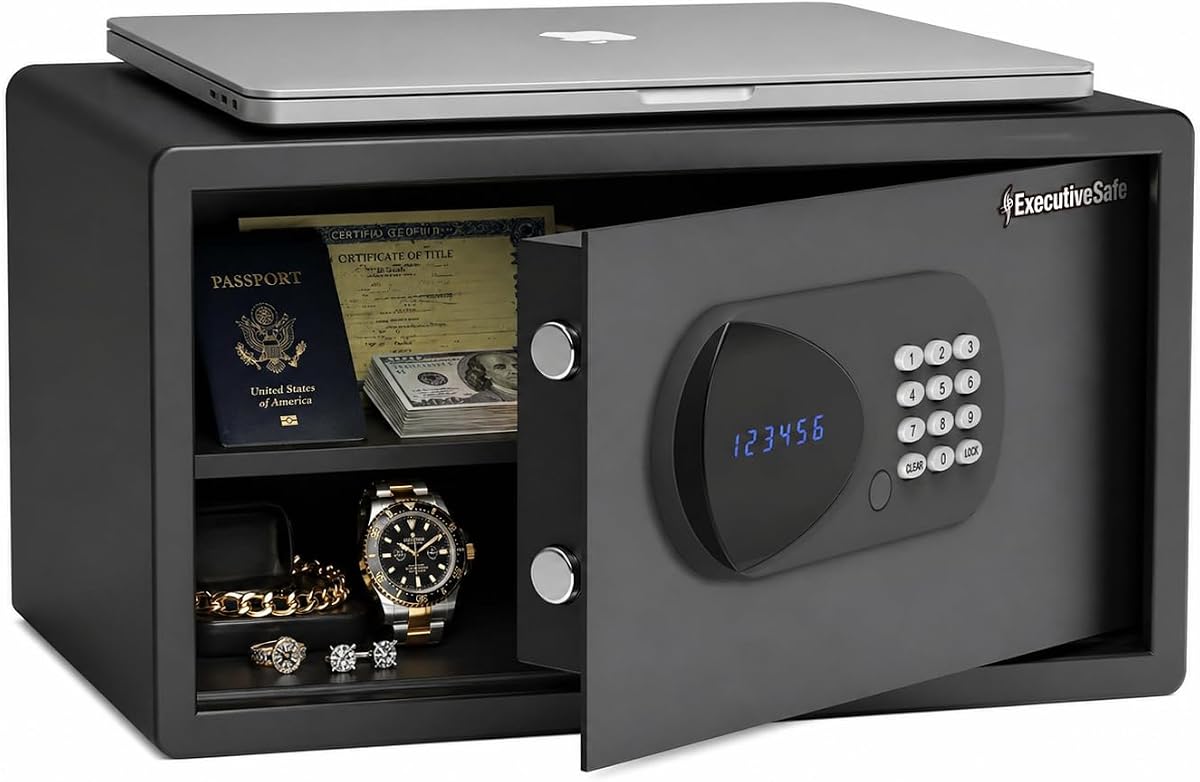
4.7Editor score
As an Amazon Associate we earn from qualifying purchases.
The following table provides a side-by-side overview of each product's key specifications. This helps you quickly compare capacity, dimensions, and unique features to find the model that best fits your storage and security requirements.


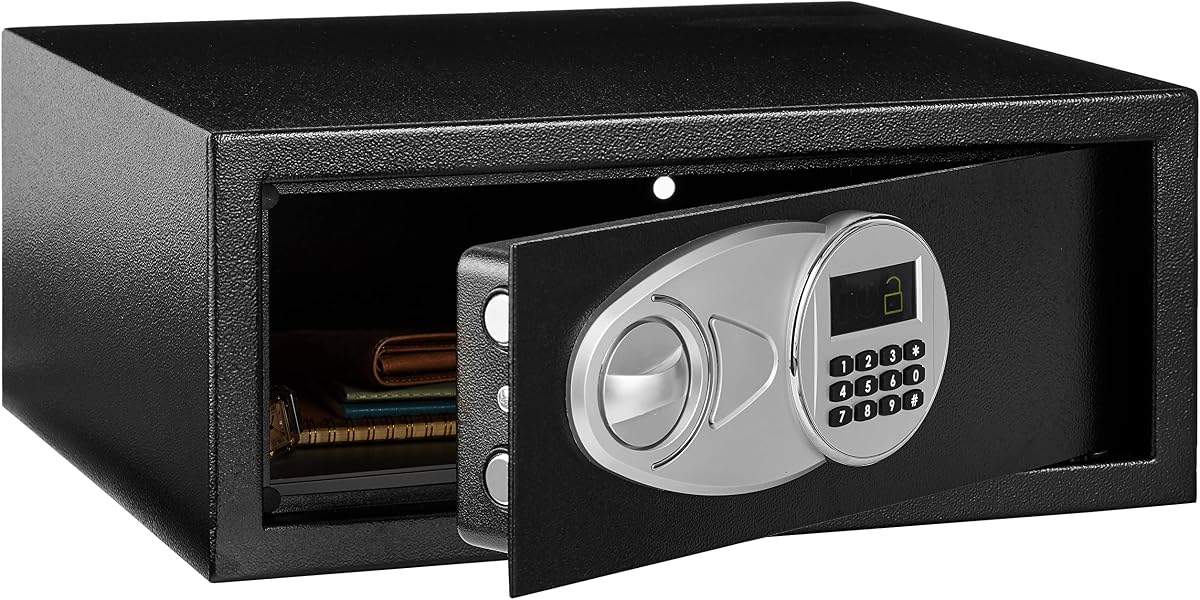


The Meteteel 8 Tablet Charging Station Lock Box offers an organized solution for charging multiple devices securely. With a rating of 4.2 stars it balances functionality with essential security features. Its ventilated design ensures devices stay cool while charging simultaneously in a single unit.
We may earn a commission when you buy through this link, at no additional cost to you.
This unit features eight divider slots that accommodate devices up to 14 inches. The included combination lock and keys provide dual layers of security for classrooms or offices. Ventilated sides help maintain airflow to prevent overheating during extended charging sessions effectively.
While it holds up to eight devices the size limit may not suit larger laptops. The built-in power strip is convenient but limits flexibility if you need additional outlets elsewhere. These trade-offs are acceptable given the compact size and focused design.
Educators and office managers managing multiple tablets will find this box ideal. It simplifies storage and charging while keeping devices secure from unauthorized access. For environments needing organized multi-device charging this remains a strong and practical choice.
The locking mechanism ensures devices remain secure when not in use reducing theft risk during breaks.
Airflow through ventilated sides protects device batteries from heat damage during prolonged charging cycles.
We may earn a commission when you buy through this link, at no additional cost to you.
The Vaultz Locking Storage Chest is an affordable option for students and home users needing basic security. It holds laptops and valuables with a spacious interior. Its keyless design with dual combination locks makes it easy to manage without physical keys to lose.
We may earn a commission when you buy through this link, at no additional cost to you.
The interior includes mesh netting to separate items and prevent scratches. A built-in cable grommet allows for a security tether as an added theft protection layer. The compact dimensions allow it to slide under most standard dorm beds easily.
It lacks an internal power source so charging must happen outside the box. The construction is lighter than heavy steel safes which may concern users wanting maximum protection. For basic dorm security however it remains a solid value.
This chest suits students or home users prioritizing convenience and affordability. It protects laptops and small valuables effectively from casual theft. If you need a portable secure box that fits tight spaces this is a top pick.
Combination locks allow you to reset codes anytime without needing replacement keys for access.
Lightweight handles and compact size make moving between dorms or rooms simple and efficient.
We may earn a commission when you buy through this link, at no additional cost to you.
The POCHAR 8-Unit Charging Cabinet stands out with a dual locking system for enhanced security. It supports eight devices up to 14 inches. The metal frame provides robust protection for expensive electronics in offices or training centers.
We may earn a commission when you buy through this link, at no additional cost to you.
It includes a built-in power strip to charge devices simultaneously. Side handles make it portable between rooms when needed. The top door lock adds an extra layer to prevent unauthorized access to cables or internal components.
Its dimensions are slightly larger than some competing models which might limit placement options. Setup is minimal since it arrives fully assembled. For offices needing reliable device management this cabinet offers strong performance.
Ideal for shared workspaces or training centers managing multiple devices. The dual lock mechanism ensures staff can track access. If you prioritize security and durability this unit delivers consistent and reliable storage for laptops and tablets.
Combining a front combination lock with a top key lock prevents unauthorized entry effectively.
The included power strip simplifies device charging without needing extra outlets in the cabinet.
We may earn a commission when you buy through this link, at no additional cost to you.
This Meteteel model expands capacity to twelve devices making it ideal for larger classrooms or offices. With perfect 5.0 rating it offers reliable performance. The ventilation holes ensure safe charging for many devices at once.
We may earn a commission when you buy through this link, at no additional cost to you.
It supports screens up to 15 inches offering flexibility for larger laptops. The included 12-outlet power strip simplifies management of charging cables. Side handles help move the unit easily if needed.
The larger size demands more wall or desk space which may not suit small rooms. The price reflects its higher capacity compared to standard models. For institutions needing bulk storage this remains highly effective.
Schools and large offices needing to store many laptops will benefit most. It keeps devices organized and secure while charging. If you need high capacity without sacrificing security this unit meets that need perfectly.
Accommodates 15 inch devices allowing more laptop models to fit inside securely.
Twelve outlets match slots ensuring every device can charge without extra adapters needed.
We may earn a commission when you buy through this link, at no additional cost to you.
The Amazon Basics Steel Security Safe offers simple digital access for laptops and valuables. It features a steel build for durability. The keypad provides quick access without keys while override keys ensure you never get locked out.
We may earn a commission when you buy through this link, at no additional cost to you.
Inside the floor is carpeted to prevent scratches on devices. It supports wall or floor mounting for permanent security. Battery operation keeps it simple and avoids wiring hassles for most users.
Space inside is limited which may not fit larger gaming laptops. No internal power means charging happens externally. For secure storage of smaller devices it works well though.
Best for home offices or bedrooms needing simple digital security. It protects electronics from casual theft. If you want a reliable safe without complex features this is a dependable choice.
Reprogrammable digital access makes changing codes easy without needing a locksmith or tools.
Included bolts let you anchor the safe to floors or walls to prevent removal.
We may earn a commission when you buy through this link, at no additional cost to you.
This charging cabinet provides a straightforward way to store and charge eight devices. Its steel door adds security while ventilated panels protect devices. The UL-listed power strip ensures safe electrical connections for all devices.
We may earn a commission when you buy through this link, at no additional cost to you.
It arrives fully assembled so you can start using it right away. Divider slots keep devices separated and secure. Mounting hardware allows for flexible placement options like walls or desks.
While it lacks extra features like audit trails it covers core needs well. The steel door may be heavier than plastic alternatives but ensures durability. For classrooms needing reliable storage it performs well.
Institutions needing cost-effective multi-device storage should consider this option. It protects devices during downtime effectively. If you value simplicity and durability this cabinet delivers strong performance for everyday use.
UL-listed power strip reduces fire risks while charging multiple devices simultaneously safely.
Fully assembled delivery eliminates setup time allowing instant deployment in classrooms.
We may earn a commission when you buy through this link, at no additional cost to you.
The TOTOY Portable Steel Fireproof Safe combines portability with solid protection. Its steel build resists daily wear and offers heat resistance. The foam interior protects laptops from scratches during transport or storage.
We may earn a commission when you buy through this link, at no additional cost to you.
It features a 3-digit combination lock that is resettable for custom codes. A rotatable metal handle makes carrying easy. It fits standard laptops up to 14 inches comfortably inside.
For full fire protection it pairs best with an A4 fireproof document bag. The steel alone is strong but not fully rated for direct flames. For daily security and transport this works well.
Travelers or students needing portable device security will appreciate its design. It secures devices against theft and minor hazards. If you need a lock box you can move anywhere this is ideal.
Contoured foam lines every wall to prevent scratches and shock damage during transport.
Metal handle and compact footprint allow easy transport in cars or backpacks safely.
We may earn a commission when you buy through this link, at no additional cost to you.
The ACS-6 Large Laptop Safe offers premium features including an audit trail to track access. It fits larger 17 inch laptops comfortably. The motorized bolts and digital lock provide smooth operation and high security.
We may earn a commission when you buy through this link, at no additional cost to you.
An external USB port ensures access even if batteries die. The interior is carpeted to protect devices from scratches. It comes with mounting hardware to secure it permanently to walls or floors.
The cost is higher than standard models but the features justify it. Tracking access adds accountability which is useful for offices. If you need reliable storage for valuable laptops this is a top choice.
Best for executives or offices needing high security. The audit trail helps monitor who accessed the safe. If you want smart features alongside protection this unit excels in every way.
Audit trail stores up to one hundred opening records for monitoring and accountability.
USB port allows power backup to unlock the safe if batteries are depleted.
We may earn a commission when you buy through this link, at no additional cost to you.
The LOCKCURX Aluminum Laptop Briefcase is designed for professionals needing portable storage. Its hard shell resists bumps and scratches. Dual combination locks keep confidential documents secure during transit or daily commuting.
We may earn a commission when you buy through this link, at no additional cost to you.
Interior straps hold devices and files in place preventing movement. It fits laptops up to 14 inches easily. The professional design suits office environments where style and security matter equally.
It is not meant for heavy storage like multiple tablets or large safes. Security relies on locks rather than steel walls. For business travel this remains a strong and practical choice.
Professionals needing a secure briefcase will find this useful. It protects laptops and files from casual theft. If you want portable security with a modern look this case delivers.
Aluminum shell and combination locks keep valuables safe during daily commutes or travel.
Adjustable straps ensure devices and papers stay put during transport or walking.
We may earn a commission when you buy through this link, at no additional cost to you.
The AXS-5 Digital Laptop Safe provides smart features similar to the ACS-6. It supports laptops up to 17 inches with ample space. Its motorized bolts and digital keypad ensure smooth and secure access for users.
We may earn a commission when you buy through this link, at no additional cost to you.
An audit trail logs access times and dates for monitoring. A USB port prevents lockouts if batteries die. The interior is carpeted to protect screens and delicate devices from scratches.
Mounting is recommended for maximum security to prevent removal. It is heavier than standard boxes due to steel build. For dorms or offices needing reliable storage this is a robust choice.
Best for students or staff needing secure storage for large laptops. The audit trail adds accountability and peace of mind. If you want smart features at a mid-range price this unit delivers.
Stores recent access records helping you monitor who opened the safe.
USB port provides temporary power to access items if batteries run out.
We may earn a commission when you buy through this link, at no additional cost to you.
Selecting the right laptop lock box depends on your specific security and storage needs. This guide outlines the key factors to consider to ensure you choose a model that meets your requirements.
Determine how many devices you need to store. Options range from single laptop safes to cabinets holding twelve or more. Measure your devices to ensure they fit within the internal dimensions provided by the manufacturer.
Choose a size that matches the number of devices you manage daily.
Lock types include digital keypads combination locks and traditional keys. Digital locks offer convenience and code changes while combination locks eliminate keys to lose. Keys provide reliable access but can be lost easily.
Pick a lock type that suits your preference for access convenience.
Materials range from aluminum plastic to steel. Steel offers the highest durability and resistance to prying. Aluminum provides a lightweight alternative while plastic is often for for budget or portable cases.
Steel is best for heavy duty protection against physical threats.
If charging inside the box look for ventilated sides to prevent overheating. Poor airflow can damage batteries during extended use. Cabinets often include this feature to support safe charging.
Ensure the box has airflow if charging multiple devices simultaneously.
Consider if you need to move the box frequently. Portable models include handles and lightweight designs. Fixed safes are heavier and meant to stay anchored in one place for maximum security.
Choose a portable model if you need transport between locations.
Features like power strips audit trails or USB power ports add value. Power strips simplify charging while audit trails track access. USB ports prevent lockouts if batteries fail unexpectedly.
Look for extras that match your usage needs for efficiency.
Many safes come with mounting hardware to secure them to walls or floors. Anchoring prevents theft of the whole unit. Check if mounting is included or if you need to purchase it separately.
Mounting provides extra security against theft of the entire box.
Prices vary widely based on features and materials. Basic boxes cost less while smart safes with audit trails are pricier. Check warranty terms to ensure support if issues arise after purchase.
Balance your budget with the necessary features you require.
Place your devices inside the box ensuring they are separated by dividers if available. Close the door and engage the locking mechanism securely. For digital locks enter your code clearly to avoid triggering lockouts.
Regularly test the locking mechanism to ensure it functions smoothly. Clean the exterior with a damp cloth to prevent dust buildup. For steel models check for rust and treat any spots early.
If the box uses batteries replace them when the low battery warning appears to prevent lockouts. If you have an audit trail feature review access logs occasionally. Ensure the box is not placed in direct sunlight to avoid overheating.
Most models accommodate laptops up to 14 or 17 inches. Check the internal dimensions listed in the product specs. Larger safes like the ACS-6 or AXS-5 fit 17 inch laptops comfortably. Smaller boxes may only hold tablets or smaller notebooks.
Some models include built-in power strips allowing you to charge devices inside. Look for features like ventilation to prevent overheating during charging. Not all lock boxes support internal charging so verify before purchase.
Most digital safes include emergency override keys for this purpose. Some also offer USB power ports to bypass battery issues. Always keep the override keys in a safe separate location.
Standard lock boxes are not fully fireproof but some offer heat resistance. Models like the TOTOY have steel builds that resist heat. For full fireproof protection use an A4 document bag inside the box.
Use the included mounting hardware to anchor the box to walls or floors. Many safes come with pre-drilled holes and bolts. This prevents thieves from carrying away the entire box with devices inside.
Most charging cabinets arrive fully assembled ready for immediate use. Safes may require minor setup like inserting batteries or mounting. Check the product description for assembly instructions before ordering.
Yes many models are designed specifically for classrooms and training centers. They offer secure storage for multiple devices and include features like ventilation. Look for options with multiple charging slots for efficiency.
Most power strips are UL-listed for safety. If one fails contact the manufacturer for warranty support. Always unplug devices before accessing the box to avoid electrical issues.
We reviewed ten top laptop lock box options offering solutions for various needs. From basic portable cases to smart safes with audit trails there is a choice for every user. The Meteteel 8 Tablet Station and Vaultz Chest stood out as top picks.
Prioritize security and size based on your daily usage. If you manage multiple devices a charging cabinet is ideal. For single laptops a steel safe with digital access works best.
Prices may vary so check current costs before buying. These models provide reliable protection for your devices. Choosing the right box ensures your electronics stay safe and accessible.