
NZXT Kraken Elite 420 RGB
4.4Editor score
Large 2.72 inch IPS LCD screen
High flow turbine pump design
Syncs with Google Photos and Spotify
Finding the right cooling solution for a high-performance workstation is critical for stability. A 420mm AIO liquid cooler offers massive surface area and efficient heat dissipation to handle demanding tasks without thermal throttling.
We compared ten top models based on radiator design pump noise levels and mounting compatibility. Our analysis focuses on real-world performance metrics and user feedback to ensure reliable recommendations for your next upgrade.
Each pick highlights unique strengths like LCD displays or silent operation. Note that prices fluctuate frequently so verify current listings before purchasing to secure the best value for your specific system requirements.
4.4Editor score

4.6Editor score
4.1Editor score
As an Amazon Associate we earn from qualifying purchases.
This table provides a side-by-side look at key specifications for all ten models. Compare pump types fan counts and special features to find the unit that matches your case and performance needs.


The ARCTIC Liquid Freezer III Pro 420 A-RGB earns our top spot with its exceptional thermal performance and thoughtful design. With a 4.6 rating this model stands out for its ability to handle high-heat workloads without excessive noise.
We may earn a commission when you buy through this link, at no additional cost to you.
Its P14 PRO fans deliver powerful airflow while remaining quiet especially at low speeds. The native offset mounting ensures better heat transfer by shifting the cold plate towards the CPU hotspot which improves efficiency under load.
One trade-off is the need for significant case space due to the radiator size. However this is expected for a 420mm unit. The integrated cable management keeps your build looking clean with minimal visible wires.
You should buy this if you prioritize raw cooling power and reliability. It is the perfect choice for workstation users or gamers who need stable temperatures during intense sessions.
The contact frame optimizes pressure distribution for longer CPU life and better heat dissipation across the processor surface.
A PWM-controlled fan lowers the temperature of voltage converters ensuring reliable performance for high-end systems.
We may earn a commission when you buy through this link, at no additional cost to you.
This version offers the same core cooling performance as the RGB variant but focuses on value. It holds a solid 4.4 rating among users who prefer a clean non-lighting aesthetic in their builds.
We may earn a commission when you buy through this link, at no additional cost to you.
The P14 PRO fans remain a highlight delivering power at any speed. Native offset mounting for Intel and AMD ensures efficient heat transfer by targeting the CPU hotspot directly.
The absence of RGB might not suit everyone but it lowers the cost significantly. Installation is straightforward with integrated cable management that hides wires inside the sheathing.
Buy this if you want top-tier cooling without paying for unnecessary lighting features. It is ideal for those focused on pure performance and budget efficiency.
Shifting the cold plate center towards the CPU hotspot ensures more efficient heat transfer for sustained loads.
The integrated PWM fan lowers voltage converter temperatures to ensure reliable performance during intensive tasks.
We may earn a commission when you buy through this link, at no additional cost to you.
Rated 4.7 this model lives up to its brand promise with incredibly low noise levels. It uses a powerful 3-chamber pump design that significantly reduces turbulences for a silent experience.
We may earn a commission when you buy through this link, at no additional cost to you.
The Silent Wings 4 fans are dampened and adjustable making them virtually inaudible even at high speeds. The engineered cooling block delivers high performance while the pump motor remains hidden and quiet.
The main drawback is the higher cost compared to other options. However the reduction in noise makes it worth the investment for quiet studios or bedrooms.
You should choose this if silence is your top priority. It works great for creators who need a quiet environment while maintaining high system performance.
A powerful 3-chamber pump design significantly reduces turbulences and noise for a quieter system.
Wide CPU plate coverage supports demanding Threadripper processors ensuring full heat dissipation.
We may earn a commission when you buy through this link, at no additional cost to you.
This variant offers a balance of performance and lighting. Users rate it 4.4 stars noting that the ARGB adds visual flair without compromising the cooling efficiency expected from the brand.
We may earn a commission when you buy through this link, at no additional cost to you.
Like its siblings it features P14 PRO fans and native offset mounting. The integrated VRM fan ensures voltage converters stay cool which protects your motherboard components over time.
The trade-off is the need for a case that supports 420mm radiators. Not all cases offer this size so verify dimensions before purchasing to avoid fitment issues.
Buy this if you want a stylish build with high cooling power. It is a strong choice for gamers who value both looks and performance.
Optimized contact pressure distribution ensures longer CPU life and better heat dissipation for your processor.
Integrated cable management hides PWM cables in the hose sheathing for only one visible cable.
We may earn a commission when you buy through this link, at no additional cost to you.
The NZXT Kraken Elite 420 RGB stands out with its large IPS LCD screen. With a 4.4 rating it appeals to users who want to personalize their system with live system stats or custom images.
We may earn a commission when you buy through this link, at no additional cost to you.
The custom-designed NZXT Turbine pump delivers high flow rates to cool even the most heat-prone CPUs. The display features a crisp 640 x 640 resolution with smooth refresh rates for clear visuals.
Installation is simple with pre-applied thermal paste and tool-free brackets. However the price is higher than other options which is a trade-off for the premium display features.
You should buy this if you value visual customization. It is perfect for showpiece builds where real-time monitoring and branding matter most.
Enjoy stunning visuals on the large 2.72-inch IPS LCD featuring crisp resolution and vibrant colors.
Integrate with Google Photos Spotify and YouTube to display favorite GIFs or system performance data.
We may earn a commission when you buy through this link, at no additional cost to you.
This model offers high-end features like an advanced K6 pump with 1.5 L/min flow rate. Rated 4.6 it delivers strong cooling performance suitable for high heat processors at a reasonable price.
We may earn a commission when you buy through this link, at no additional cost to you.
The large 55.8 x 55.8mm copper base ensures efficient heat absorption. Vibrant ARGB diffused CPU blocks add style while the pre-installed Squama 2503 fans provide high static pressure.
The main trade-off is the brand's niche presence compared to giants. However the specs suggest reliability and support for the latest Intel and AMD sockets is robust.
Buy this if you want advanced cooling at a fair price. It is ideal for builders looking for value without sacrificing key performance metrics.
An advanced K6 liquid pump with 1.5 L/min flow rate ensures rapid heat transfer.
Pre-installed high-static pressure Squama 2503 ARGB fans push air effectively through the radiator.
We may earn a commission when you buy through this link, at no additional cost to you.
This cooler is designed for creative professionals. With a 4.4 rating it offers robust cooling and a unique illuminated meter that shows system load temperatures and fan speeds live.
We may earn a commission when you buy through this link, at no additional cost to you.
Noctua NF-A14 fans deliver high airflow with minimal noise which is critical for editing or rendering tasks. The thicker radiator offers larger coolant storage for enhanced performance under sustained loads.
The minimalist design complements other ProArt components beautifully. The main trade-off is the premium price compared to standard gaming coolers.
You should buy this if you need professional-grade stability. It is perfect for video editors or designers who run long render sessions.
An illuminated meter indicates live system load temperatures and fan speeds for quick monitoring.
A thicker radiator with larger coolant storage delivers enhanced cooling performance for demanding workloads.
We may earn a commission when you buy through this link, at no additional cost to you.
This unit offers a high-resolution LCD for showing off videos or photos. Rated 4.0 it provides a balance of performance and customization for those who want a screen without spending too much.
We may earn a commission when you buy through this link, at no additional cost to you.
The industrial look keeps the focus on the 2.1 LCD. The high-performance copper base plate accelerates heat conductivity efficiently. It supports a wide range of sockets including Intel LGA 1700.
Sync options are broad supporting ASUS Aura Sync and MSI Mystic Light. The trade-off is the reliance on TT RGB Plus 2.0 software for full control.
Buy this if you want an LCD on a budget. It is good for users who prioritize screen customization over extreme thermal specs.
Show off 16.8M color videos or photos with a 480*480 high resolution LCD.
A high-performance copper base plate accelerates heat conductivity to keep the pump continuously cool.
We may earn a commission when you buy through this link, at no additional cost to you.
This unit features a large 3.95 inch square LCD and swappable fan blades. Rated 3.3 it offers innovative features like magnetic fan connections that make linking fans easy and secure.
We may earn a commission when you buy through this link, at no additional cost to you.
The MAGForce 2.0 design improves contact surface area to prevent signal drop out. You can easily change airflow direction with included reverse blades to keep the LED side visible.
The trade-off is the lower user satisfaction compared to established brands. Installation might be complex for first-time builders due to the unique magnetic parts.
Buy this if you want unique customization options. It is for those who value screen size and magnetic fan tech over pure thermal benchmarks.
Magnetic daisy chain cables make linking multiple fans together easy and secure.
Included reverse blades let you change airflow so the LED side remains visible for your case.
We may earn a commission when you buy through this link, at no additional cost to you.
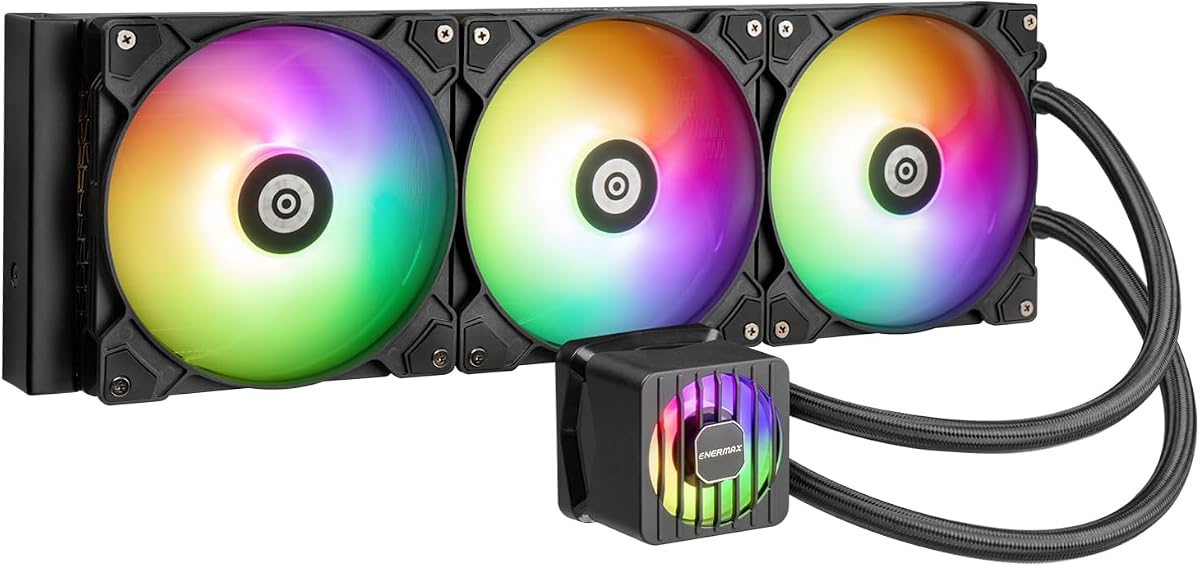
This budget-friendly option offers strong specs like a pump up to 3000 RPM. Rated 4.1 it delivers high performance for the price making it a great choice for cost-conscious builders.
We may earn a commission when you buy through this link, at no additional cost to you.
A 38mm thick radiator ensures efficient heat dissipation. The pressure-optimized silent fans and VRM fan provide cooling where needed. Pre-applied thermal grease makes installation effortless.
The design is functional but basic compared to premium models. However the performance per dollar is hard to beat for a 420mm solution.
You should buy this if you need reliable cooling on a budget. It is ideal for builds that need to stay cool without overspending.
A high performance pump up to 3000 RPM ensures fast coolant circulation for better heat removal.
A 38mm thick radiator delivers enhanced cooling performance by maximizing surface area.
We may earn a commission when you buy through this link, at no additional cost to you.
Choosing a large AIO cooler involves more than just picking a brand. You must consider case fit, cooling needs, and special features like LCD screens or noise levels to ensure satisfaction.
A 420mm radiator requires a case with specific mounting points and depth clearance. Measure your case to ensure the radiator can mount without blocking other components like graphics cards or fans.
Always check case specs for 420mm support before buying.
Pumps vary from standard to multi-chamber designs that reduce noise. Higher RPM pumps circulate fluid faster which helps with intense workloads but may produce more sound.
Look for multi-chamber pumps if you want silent high-speed operation.
Fans should balance airflow and pressure. PWM control allows automatic speed adjustment based on temperature which saves noise when cooling needs are low.
Verify the fans use fluid dynamic bearings for longevity.
Ensure the cooler supports your CPU socket like LGA1851 or AM5. Offset mounting designs can improve heat transfer by targeting the CPU hotspot.
Check the manufacturer's list for your specific CPU socket.
RGB lights and LCDs add style but require software support. Ensure the cooler syncs with your motherboard or preferred control app for a unified look.
Decide if visual customization matters more than cooling performance.
Integrated cables reduce clutter and simplify installation. Look for designs where hoses hide wires or use daisy chains to minimize visible connections.
Good cable management keeps your build looking professional.
VRM fans cool voltage converters which are critical for system stability. Ensure your cooler includes a dedicated fan for this if you plan to overclock.
VRM cooling is essential for high-performance builds.
Pre-applied thermal paste speeds up installation. Verify if the paste is high quality or if you need to purchase one separately for optimal transfer.
Included paste is a convenience that saves setup time.
Always mount the radiator at the top or front of your case with proper clearance to allow airflow. Secure the pump head to the CPU with even pressure using the provided bracket and screws.
Use the manufacturer software to adjust fan curves and RGB effects. Monitor temperatures regularly to ensure the pump is working and there are no air bubbles in the loop.
Check for dust buildup on the radiator and fans every few months. Cleaning with compressed air helps maintain airflow and prevents performance drops over time.
Not for standard office PCs. A 420mm AIO is best for high-end processors like Threadripper or overclocked CPUs that generate significant heat. For lighter tasks smaller coolers suffice.
Many modern models like the Silent Loop 3 are designed to be virtually inaudible at low speeds. Noise levels depend on fan quality and RPM settings.
Some mid-towers support 420mm radiators but you must check case depth and clearance. Larger cases are typically recommended for this size to avoid fit issues.
Most support sockets like LGA1851 and AM5 but check the specific model. Mounting kits may need updates for newer platforms.
Offset mounting shifts the cold plate to align with the CPU hotspot. This improves heat transfer efficiency and lowers peak temperatures during use.
If you value customization and monitoring LCDs are worth it. For pure cooling performance a standard unit saves money without compromising thermal results.
No, most AIO pumps connect to the CPU fan header. Some may require a pump header for best control but standard connections work fine.
Most AIOs last 5 to 7 years. Maintenance and keeping dust levels low can extend the lifespan of the radiator and fans.
Our top picks include the ARCTIC Liquid Freezer III Pro for cooling power and the NZXT Kraken Elite for premium display features. The EnerMAX LIQMAXFLO offers excellent value for budget builds.
Prioritize case fit and pump quality to ensure reliability. If silence is key look at the be quiet Silent Loop 3 for its specialized noise reduction design.
Check current listings before purchasing to confirm socket compatibility and availability. Prices change often so verify that the model matches your requirements for your specific build.