
MINISFORUM DEG1 Docking Station
4.5Editor score
Compact portable design for travel
OCuLink 4i interface support
Force power on functionality
This guide compares the top ten egpu docks for laptops and mini PCs, evaluating bandwidth, compatibility, cooling, and port options to help you choose the
Finding the right external graphics enclosure can transform a thin laptop into a powerful workstation capable of handling intensive tasks. Whether you need more frames for gaming or faster render times for creative work, an egpu dock provides the necessary expansion. These enclosures connect via high-speed interfaces like Thunderbolt or OCuLink to deliver desktop-grade performance to portable devices.
To compile this list, we evaluated products based on their interface speeds, power supply compatibility, build quality, and additional connectivity features. We considered how well each dock supports modern graphics cards and whether they offer versatile options for different user needs. The selection includes models ranging from compact portable solutions to full-featured docking stations with integrated storage and networking.
Each pick below highlights specific strengths such as bandwidth capabilities, cooling efficiency, or unique features like M.2 storage slots. While we focus on technical specifications and user feedback, remember that compatibility depends on your host device ports and power requirements. Prices and availability can change frequently, so always verify the latest details before making a purchase decision.
4.5Editor score

4.4Editor score

4.8Editor score
The following table provides a side-by-side comparison of all ten selected egpu docks, highlighting their key specifications and unique features to help you make an informed decision based on your specific requirements.


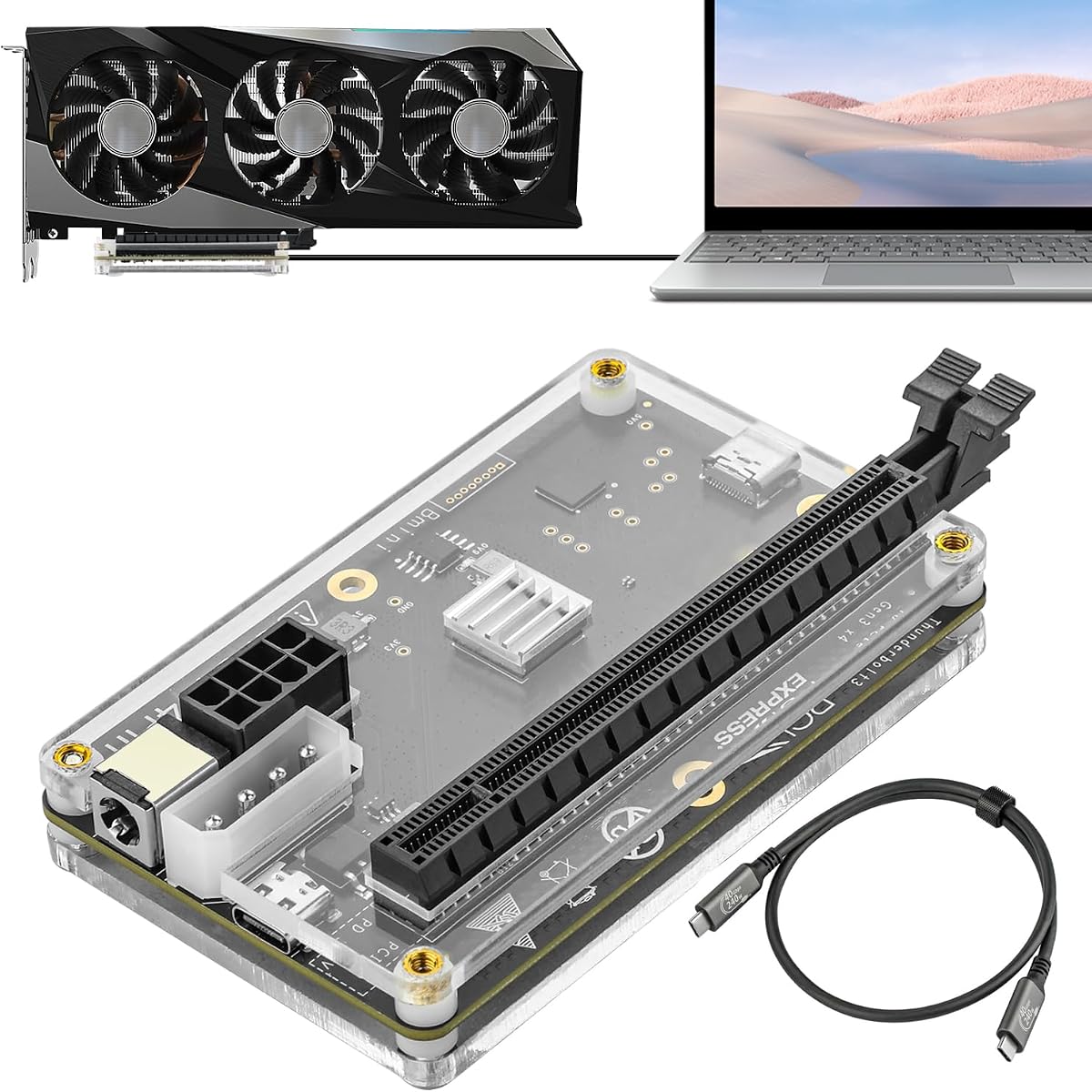


The MINISFORUM DEG2 stands out as a top-tier solution for users demanding maximum flexibility and performance from their external GPU setup. With a rating of 4.4 stars, it combines cutting-edge USB4 V2 and OCuLink dual modes to offer transfer speeds up to 80Gbps. This dock is designed to handle the most demanding workloads including 8K rendering and LLM inference while maintaining stable connections.
We may earn a commission when you buy through this link, at no additional cost to you.
One of its most compelling features is the integrated M.2 NVMe slot which allows you to store AI models and project files directly on the dock. This eliminates the need to constantly transfer large files between your host and external storage. Additionally the built-in re-drive signal booster ensures minimal latency and connection interruptions during high-bandwidth tasks which is critical for professional creatives and gamers alike.
While the docking system offers incredible versatility it does require some technical knowledge to configure optimally. Users need to ensure their host device supports the selected interface mode since switching between TB5 and OCuLink requires a physical toggle. Also the power supply is not included which means you need to factor in the cost of an ATX or SFX unit when budgeting for this setup.
This dock is ideal for power users who need a unified workspace that can sync with multiple host devices seamlessly. The automatic power-on feature and single-cable workflow make it feel like a native desktop extension rather than a peripheral. If you prioritize future-proofing and maximum bandwidth for your external graphics needs this model offers the best balance of features currently available on the market.
The ability to switch between USB4 and OCuLink modes ensures you can use this dock with a wide range of host devices without compromising on speed or compatibility.
Storing files directly on the dock M.2 slot streamlines your workflow by keeping project assets close to the GPU reducing file transfer bottlenecks significantly.
We may earn a commission when you buy through this link, at no additional cost to you.
Achieving a perfect five-star rating this MINISFORUM DEG2 variant is praised for its seamless interoperability and user-friendly design. It works equally well with OCuLink and Thunderbolt 5 allowing you to choose the best mode for your specific device without needing to swap cables. This flexibility makes it a robust choice for environments where multiple laptop models are used interchangeably with the same GPU.
We may earn a commission when you buy through this link, at no additional cost to you.
The workstation benefits from its rich connectivity which includes a 2.5G LAN port and multiple USB 3.2 ports alongside the M.2 storage slot. This setup supports complex workflows where network stability and peripheral connectivity are as important as GPU power. The signal-optimized design ensures that dropouts are rare even under heavy loads which is essential for professional rendering or online gaming sessions.
Despite its high praise users should note that this dock does not support the MINISFORUM MS-02 Wokstation which limits compatibility in some specific ecosystem setups. Additionally like most docks of this class it requires you to source your own graphics card and power supply which adds to the total cost of ownership. You must also manage the physical toggle switch to change interface modes which can be slightly inconvenient during rapid switching.
If you need a highly reliable dock that supports a wide array of accessories and offers fast network connectivity this model is an excellent choice. The automatic power synchronization simplifies daily use by removing the need for manual startups every time you connect your host. For users who value a plug-and-play ecosystem that can adapt to different workflows without performance compromises this dock delivers on its promises.
The inclusion of a 2.5G LAN port allows for fast network speeds which is vital for data transfers and online gaming while using the external GPU.
Physical toggle switching between TB5 and OCuLink provides a reliable way to change interfaces without software configuration or cable swapping.
We may earn a commission when you buy through this link, at no additional cost to you.
The Razer Core X V2 is a premium option designed for users who need maximum physical compatibility with desktop graphics cards. It supports PCIe 4.0 x4 cards up to four slots wide which is a significant advantage for those using large cooling solutions. The chassis is built from vented steel and features an active cooling fan that automatically ramps up during heavy loads to sustain maximum performance.
We may earn a commission when you buy through this link, at no additional cost to you.
Supporting Thunderbolt 5 with bandwidth up to 80Gbps ensures that this enclosure can handle the most demanding creative apps and AAA games with ease. The setup process is straightforward with an included Thunderbolt 5 cable that allows for quick connections and disconnections. The modular design lets you swap out GPUs and power supplies easily using tool-free thumbscrews which is great for upgrades.
However users should be aware that Mac devices with M1 or later chipsets are not supported by this enclosure which limits its utility for Apple ecosystem users. Additionally while it supports 140W power delivery via USB C the power supply unit itself is sold separately which means extra cost and cabling work. The rating of 4.0 reflects strong performance but also acknowledges these compatibility and cost considerations.
For Windows users who need a robust and spacious enclosure for high-end desktop GPUs this is a solid investment. The build quality and thermal management are top-notch ensuring that your card runs cool and quiet even during extended sessions. If you prioritize physical room for large graphics cards and next-gen connectivity this model offers a reliable and durable solution for your desktop expansion needs.
The vented steel chassis combined with a 120mm fan ensures efficient cooling which is critical for maintaining performance during long rendering or gaming sessions.
Tool-free installation using thumbscrews makes it simple to upgrade your graphics card or power supply without needing screwdrivers or technical expertise.
We may earn a commission when you buy through this link, at no additional cost to you.
The MINISFORUM DEG1 is a fantastic budget-friendly option for those who need portable performance without breaking the bank. It features an OCuLink 4i interface that supports data transfer rates up to 64Gbps ensuring smooth graphics processing for gaming and professional tasks. Its compact design measures only 14cm in length making it easy to carry in a backpack for on-the-go upgrades.
We may earn a commission when you buy through this link, at no additional cost to you.
A standout feature is the Force Power On function which allows one-click switching between startup modes to ensure stable system operation. This is particularly useful if you want to avoid manually adjusting BIOS settings every time you start your computer. The dock uses high-quality signal amplifier chips to maintain stable transmission and includes a locking mechanism on the connector to prevent damage during plugging.
While it is highly portable users should note that the OCuLink interface does not support hot plugging so the computer must be turned off before unplugging the cable. Also the Force Power On feature is only compatible with MINISFORUM mini PCs which limits its utility for other brands without original cables. The rating of 4.5 reflects strong user satisfaction with its performance and portability despite these minor limitations.
If you need a lightweight solution that can deliver desktop performance from a small form factor this dock is an ideal choice. It supports various GPU sizes and standard power supplies giving you flexibility in component choices. For travelers or users with limited desk space the DEG1 offers a balanced combination of speed convenience and affordability that is hard to beat in its price range.
Its small dimensions allow it to fit easily in a handbag or backpack making it perfect for users who move between locations frequently.
The high-quality signal amplifier chips ensure that data transmission remains stable reducing the risk of connection drops during intensive tasks.
We may earn a commission when you buy through this link, at no additional cost to you.
This eGPU dock offers a straightforward and efficient design for users who want reliable PCIe 4.0 x4 connectivity. It includes an OCuLink SFF-8612 to PCIe x16 enclosure and a flexible flat cable that reduces port damage risks compared to traditional rigid cables. The PCB board features 10μm gold-plated contacts which ensure superior conductivity and reduce oxidation-related resistance that could cause system crashes.
We may earn a commission when you buy through this link, at no additional cost to you.
The detachable design on both ends improves portability and makes storage much easier when the dock is not in use. Multi-status LED indicators provide clear visual feedback for real-time device monitoring which helps troubleshoot connection issues quickly. It supports standard ATX power supplies and works with a wide variety of graphics cards including high-end models like the RTX 4090 without length restrictions.
One limitation is that it supports ATX power supplies only which means if you need an SFX unit for a smaller build this dock may not be suitable. Also like other OCuLink docks it does not support hot plugging so you must turn off the computer before disconnecting. The rating of 4.4 indicates that users find the performance and design solid for the price point it occupies.
If you prioritize conductivity and portability in a dock this model delivers on both fronts with its gold-plated contacts and detachable form factor. The flexible cable design is a thoughtful addition that protects your ports during regular use. For DIY enthusiasts who want a reliable enclosure with good monitoring features this dock provides a practical solution for external GPU expansion.
The gold-plated contacts on the PCB ensure high-quality conductivity which helps prevent oxidation and resistance issues that can lead to system instability.
The ultra-thin flat cable design minimizes the risk of port damage and offers better aesthetics compared to traditional round cables used in many docks.
We may earn a commission when you buy through this link, at no additional cost to you.
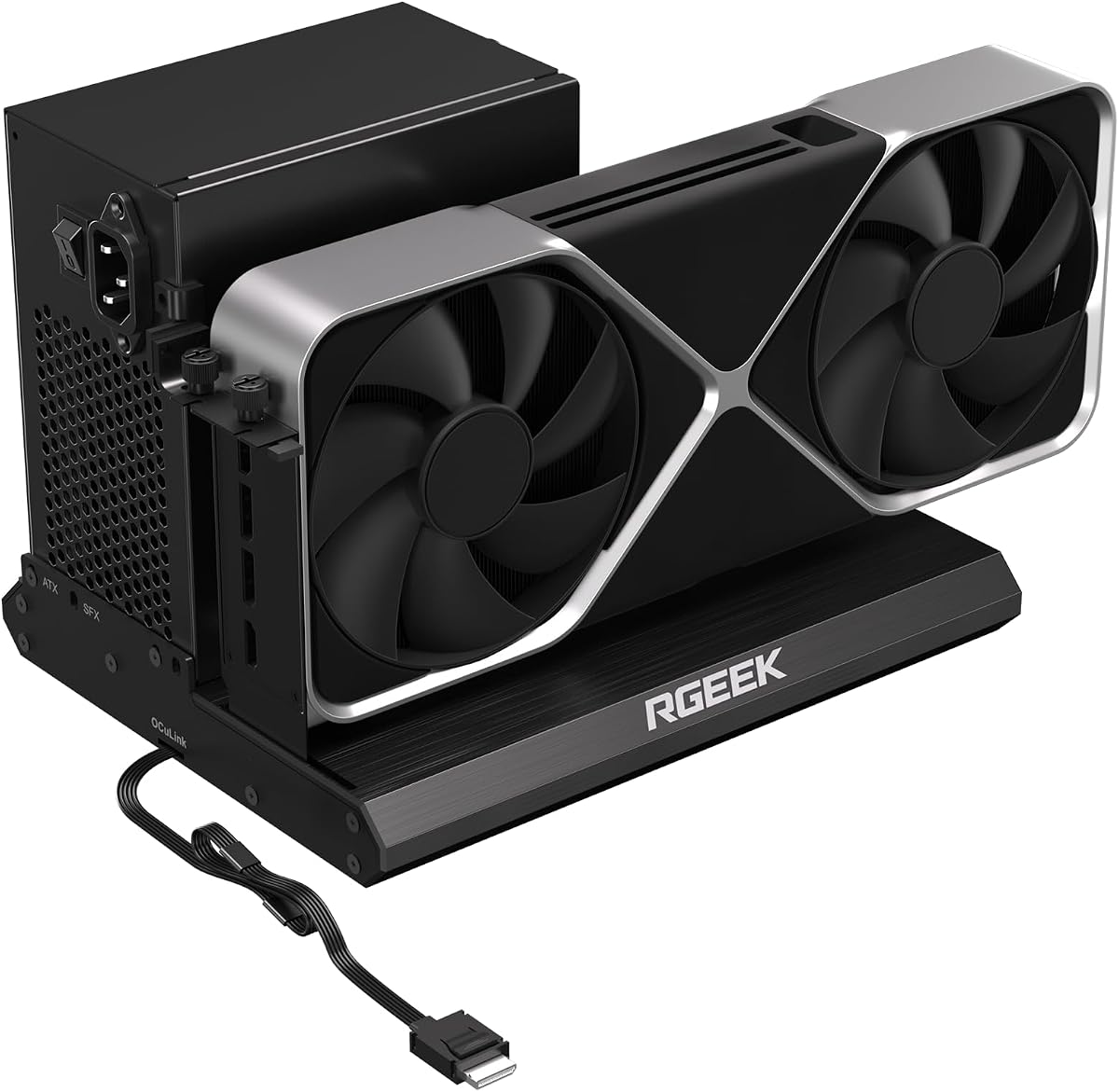
The RGEEK OCuLink eGPU dock is one of the few options that supports PCIe 5.0 x4 bandwidth offering up to 128Gbps for future-proof performance. It is constructed from full aluminum which provides great heat dissipation and sturdy durability for long-term use. The factory-soldered cable avoids the need for extra adapters reducing signal loss and simplifying the setup process significantly.
We may earn a commission when you buy through this link, at no additional cost to you.
It supports mainstream NVIDIA and AMD graphics cards without size restrictions making it ideal for gaming and professional GPU needs. The dock is backward compatible with PCIe 4.0 and 3.0 so it works with most existing systems even if you do not have a PCIe 5.0 host yet. The uniform I/O port layout keeps your desktop wiring neat and installation is hassle-free with clear driver instructions.
However to reach full PCIe 5.0 speed you need an M.2 slot or a specific adapter which is not included in the package. This means some users may need to purchase additional components to unlock the full potential of this dock. The rating of 4.0 reflects its strong build and potential but also acknowledges the dependency on host capabilities for maximum performance.
If you are looking for a dock that prepares you for the next generation of GPU interfaces this is a forward-thinking choice. The aluminum construction ensures your card stays cool and the included cable saves you the trouble of sourcing one separately. For tech enthusiasts who want to stay ahead of the curve while maintaining compatibility with current hardware this dock is a compelling option.
Supporting PCIe 5.0 x4 ensures that your setup can handle future GPUs that require higher bandwidth than current PCIe 4.0 standards provide.
The full aluminum material helps dissipate heat efficiently which is crucial for maintaining performance when running high-load GPU tasks.
We may earn a commission when you buy through this link, at no additional cost to you.
The UGREEN LinkStation eGPU Dock earns a high 4.8 rating thanks to its versatility and robust build quality. It offers dual-channel performance with OCuLink for zero latency and USB4 for universal compatibility allowing you to choose based on your needs. The semi-open all-aluminum chassis provides efficient cooling and is designed to be library-quiet during operation which is rare in competitive products.
We may earn a commission when you buy through this link, at no additional cost to you.
One of its biggest strengths is the ability to support graphics cards up to four slots thick with the removable top cover extending compatibility. This makes it compatible with most modern high-end cards like the RTX 4090 without requiring adapters. The integrated cable storage compartment keeps your setup clean and organized which enhances the overall user experience and desk aesthetics.
While it is a premium option it is compatible with NVIDIA AMD and Intel desktop GPUs across Windows Linux and Intel-based macOS. The built-in signal booster ensures stable transmission for 4K gaming and intensive AI tasks. However the bracket opening supports dual-slot brackets only which may limit some specific GPU configurations. The rating reflects strong user satisfaction despite this minor restriction.
If you need a versatile hub that handles a wide range of GPUs and offers quiet cooling this dock is an excellent investment. The single cable solution with 100W PD charging simplifies your desk setup significantly. For creators and gamers who demand reliable desktop-grade power without compromising on noise or organization this model delivers a premium experience worth the price.
Choosing between OCuLink and USB4 allows you to optimize for either maximum bandwidth or universal compatibility based on your specific workflow needs.
The integrated cable storage compartment helps keep your desk tidy by providing a dedicated space to store excess cable length.
We may earn a commission when you buy through this link, at no additional cost to you.
This eGPU dock uses the JHL6340 controller to deliver stable speeds around 22Gbps which is suitable for graphics work video editing and AAA gaming. It comes with a high-quality Thunderbolt 4 cable and offers multiple power input options including CPU Molex PD and DC5521 which gives you flexibility in how you power the dock. It works with most Windows laptops and consoles including the Lenovo Legion Go.
We may earn a commission when you buy through this link, at no additional cost to you.
The compatibility range is impressive supporting any GPU with available drivers from NVIDIA or AMD websites. This includes top-end RTX 5090 cards down to older models making it a versatile choice for various budgets. The device offers better stability on Windows 10 and Windows 11 which ensures reliable performance for daily tasks and creative workloads alike.
However the transfer speed is limited to 22Gbps which may not be enough for users seeking maximum gaming performance or heavy data transfers. Some consoles may also require a BIOS update to enable USB4 functionality adding a step to the setup process. The rating of 3.8 reflects these bandwidth limitations despite the flexibility in power and GPU support.
If you need a dock that is easy to power and supports a broad range of GPUs this is a solid option for moderate workloads. The included cable and power flexibility make setup simpler than many competitors. For users who prioritize stability and compatibility over raw speed this dock provides a practical solution for external GPU expansion.
Multiple power input options allow you to adapt the dock to your existing power supply setup without needing extra adapters.
Supporting any GPU with official drivers means you can use almost any NVIDIA or AMD card with this dock without compatibility issues.
We may earn a commission when you buy through this link, at no additional cost to you.
This variant of the DEG2 focuses on optimized workflows with its integrated M.2 slot for faster GPU access to project files. It supports both Oculink and TBT5 modes allowing you to switch with a physical toggle without cable changes. The dock includes a 2.5G LAN port and multiple USB ports providing rich connectivity for various peripherals and network needs.
We may earn a commission when you buy through this link, at no additional cost to you.
The auto power-on feature eliminates manual startups by syncing power with your host device which simplifies daily use significantly. It leverages USB4 V2 reverse power to deliver a seamless plug-and-play experience that transforms your workspace into a ready ecosystem. The signal-optimized design ensures minimal degradation and connectivity errors across diverse cables and host devices.
Despite its feature-rich design it has a lower user rating of 3.2 which may indicate inconsistencies in performance or setup challenges for some users. Users must also source their own GPU and power supply which adds to the complexity of the purchase. However the potential for streamlined workflows makes it worth considering for those who need integrated storage and network options.
If you need a dock that offers both network connectivity and storage in one package this model provides unique functionality. The signal optimization helps maintain stability which is essential for high-bandwidth tasks. For users who value a comprehensive feature set over simplicity this dock offers capabilities that can enhance productivity when configured correctly.
Storing project assets on the dock M.2 slot reduces file transfers between devices streamlining your creative or work workflow.
The inclusion of a 2.5G LAN port and multiple USB options provides a versatile hub for all your peripherals and network needs.
We may earn a commission when you buy through this link, at no additional cost to you.
This eGPU dock uses an officially certified JHL7440 controller module to ensure high performance in gaming and AI training tasks. It provides a 40Gbps and 85W PD charging TB4 port which can also function as a USB hub with additional USB A and daisy chain ports. It supports local deployment of Deepseek-R1 and works with NVIDIA RTX 50 series and AMD RX 7000 Series GPUs.
We may earn a commission when you buy through this link, at no additional cost to you.
Compatibility extends to NUCs laptops and gaming machines featuring USB4 TB3 or TB4 interfaces. The port functions well as a hub allowing you to attach external devices as needed without extra dongles. However you must ensure your laptop has the correct Thunderbolt 3 4 or USB 4 port to use this dock effectively or it will not work.
Users should note that the package does not contain the ATX power supply or the graphics card which adds to the setup cost. There is also an important note about inserting CPU cables which must be avoided to prevent automatic power-off protection. The rating of 3.9 reflects solid performance but also points to these setup considerations that users must manage.
If you need a dock that doubles as a hub and supports the latest GPU series this is a practical choice for modern setups. The 85W PD charging helps keep your laptop powered while using the GPU. For users who value multi-functionality and compatibility with new hardware this dock offers a reliable solution for external GPU expansion.
The additional USB A and daisy chain ports allow you to connect multiple peripherals without needing a separate hub for your desktop setup.
The JHL7440 controller is officially certified which ensures stability and compatibility for demanding tasks like AI training and gaming.
We may earn a commission when you buy through this link, at no additional cost to you.
Choosing the right egpu dock involves understanding interface speeds power requirements and additional features that suit your workflow. This guide covers the essential factors to consider before making your purchase decision.
The interface type determines how much data can transfer between your laptop and the dock. Thunderbolt 5 offers up to 80Gbps while OCuLink provides up to 64Gbps. Higher bandwidth ensures better performance for gaming and rendering.
Prioritize docks with Thunderbolt 5 or OCuLink if you need maximum speed. Check if your host device supports these interfaces before buying.
Most docks require you to provide your own power supply. ATX and SFX are the common standards but ensure the dock supports the size you plan to use. Some models include power adapters while others do not.
Check the dock specifications for supported PSU types. If you already have a PSU this can save money but buying a new one adds to the total cost.
The physical dimensions of the dock determine which graphics cards fit inside. Some models accommodate up to four slots wide while others are more compact. Consider the size of your chosen GPU when selecting a dock.
Ensure the chassis supports your GPU length and width. Docks with removable covers offer more flexibility for larger cards.
Many docks include extra ports like USB A USB-C LAN or M.2 storage slots. These features allow you to connect peripherals or store files directly on the dock reducing host load.
Look for ports that match your needs. M.2 storage is useful for keeping project files close to the GPU for faster access.
Good cooling prevents thermal throttling during long sessions. Look for docks with fans or aluminum chassis that dissipate heat effectively. Steel chassis are durable but may retain more heat without ventilation.
Choose models with active cooling or high-quality materials. Silent fans are preferable for office environments or quiet setups.
Not all docks work with every operating system. Some models support Windows and Linux but exclude certain macOS devices with newer chips. Verify compatibility with your specific OS and hardware.
Check manufacturer documentation for OS support. If you use a Mac ensure the dock supports your device before purchasing.
Some docks require manual driver installation or BIOS tweaks while others are plug-and-play. Auto power-on features simplify the process by syncing with your host device. Consider how much technical effort you want to invest.
Prioritize docks with automatic power features for daily use. Clear instructions and driver support reduce frustration during setup.
Choose a dock that allows easy upgrades for GPU or power supply. Models with tool-free installation or flexible interfaces like PCIe 5.0 ensure your setup remains relevant longer.
Invest in docks with modern standards. This helps you adopt new cards without replacing the entire enclosure.
Begin by connecting the dock to a power source and installing your graphics card securely. Ensure all PCIe slots are properly seated to avoid connection issues during operation.
Connect the dock to your host device using the appropriate cable like Thunderbolt or OCuLink. If your device supports auto power-on simply open the dock lid to start the connection.
Keep the dock in a well-ventilated area to prevent overheating. Clean dust from vents regularly using compressed air to maintain optimal cooling performance.
Most OCuLink docks do not support hot plugging meaning you must turn off your computer before connecting or disconnecting. Thunderbolt docks typically allow hot plugging so check the model specs before use.
Yes most docks support standard desktop GPUs including NVIDIA and AMD cards. Ensure your power supply can handle the card wattage and the physical dimensions fit inside the enclosure.
Thunderbolt offers universal compatibility and hot plugging while OCuLink provides higher bandwidth with less latency. OCuLink requires specific host ports but delivers near-native performance.
Most eGPU docks do not include a power supply. You will need to purchase an ATX or SFX unit separately unless the model specifies otherwise in the product details.
Support varies by model. Thunderbolt docks often work with Mac but check specific compatibility since newer Apple chips may have limitations. Always verify with manufacturer info.
Check if your laptop has a Thunderbolt or OCuLink port. The system requirements on the dock product page will list compatible devices and ports you need.
If you need desktop performance for gaming or rendering on a laptop an egpu dock is a solid investment. It extends the life of your laptop by adding significant graphics power.
Some docks like the MINISFORUM DEG2 include M.2 NVMe slots. Check the product specifications to see if storage is supported before purchasing for this feature.
The MINISFORUM DEG2 UGREEN LinkStation and Razer Core X V2 stand out as top choices for different needs from integrated storage to premium build quality. Each offers unique strengths depending on your workflow and host device capabilities.
Prioritize interface bandwidth and power compatibility to ensure your dock meets your performance goals. Consider additional features like LAN ports or M.2 slots if they align with your daily tasks.
Always verify current availability and compatibility details before purchasing as product specs and support can change over time. This ensures you get the best value for your specific setup.