
Moread 4K DisplayPort to HDMI Adapter
4.6Editor score
Passive DP to HDMI adapter
Compact and lightweight design
Gold plated connectors included
This guide compares the best HDMI to Displayport converters for 4K video, gaming, and workstations to help you choose the right active or passive adapter.
Connecting modern devices often requires bridging different video standards. An HDMI to Displayport converter allows you to link HDMI sources like consoles to DP monitors. This essential tool ensures compatibility and high-quality signal transfer for your setup.
We evaluated ten top-rated converters based on resolution support and build quality. Each product was analyzed for directionality and compatibility with common devices. Our goal is to help you find a reliable adapter for your specific needs.
Each pick highlights key features and ideal use cases. We also include a buying guide to clarify technical requirements. Please note that availability and specifications may change over time without notice.
4.6Editor score

4.4Editor score

5.0Editor score
This table compares the top ten converters side by side. It highlights directionality and resolution limits for each model to help you decide.



The Cable Matters HDMI to DisplayPort Adapter is a top choice for active conversion needs. It holds a solid rating and delivers reliable signal transfer from HDMI sources to DP displays.
We may earn a commission when you buy through this link, at no additional cost to you.
Its active chip ensures stability where passive cables fail. The included USB cable helps power the conversion process for higher resolutions like 4K at 30Hz.
The main trade-off is the need for an extra USB connection. This can add clutter to setups but ensures consistent performance across different devices.
Choose this adapter if you need to connect an HDMI laptop to a DP monitor. It is ideal for office workstations and home desktops requiring stable connectivity.
This adapter uses an active chip to translate signals reliably. This ensures compatibility where passive adapters might fail to display an image.
A USB power cable is included to support stable performance. Connect it to a USB port if you experience flickering or signal loss.
We may earn a commission when you buy through this link, at no additional cost to you.
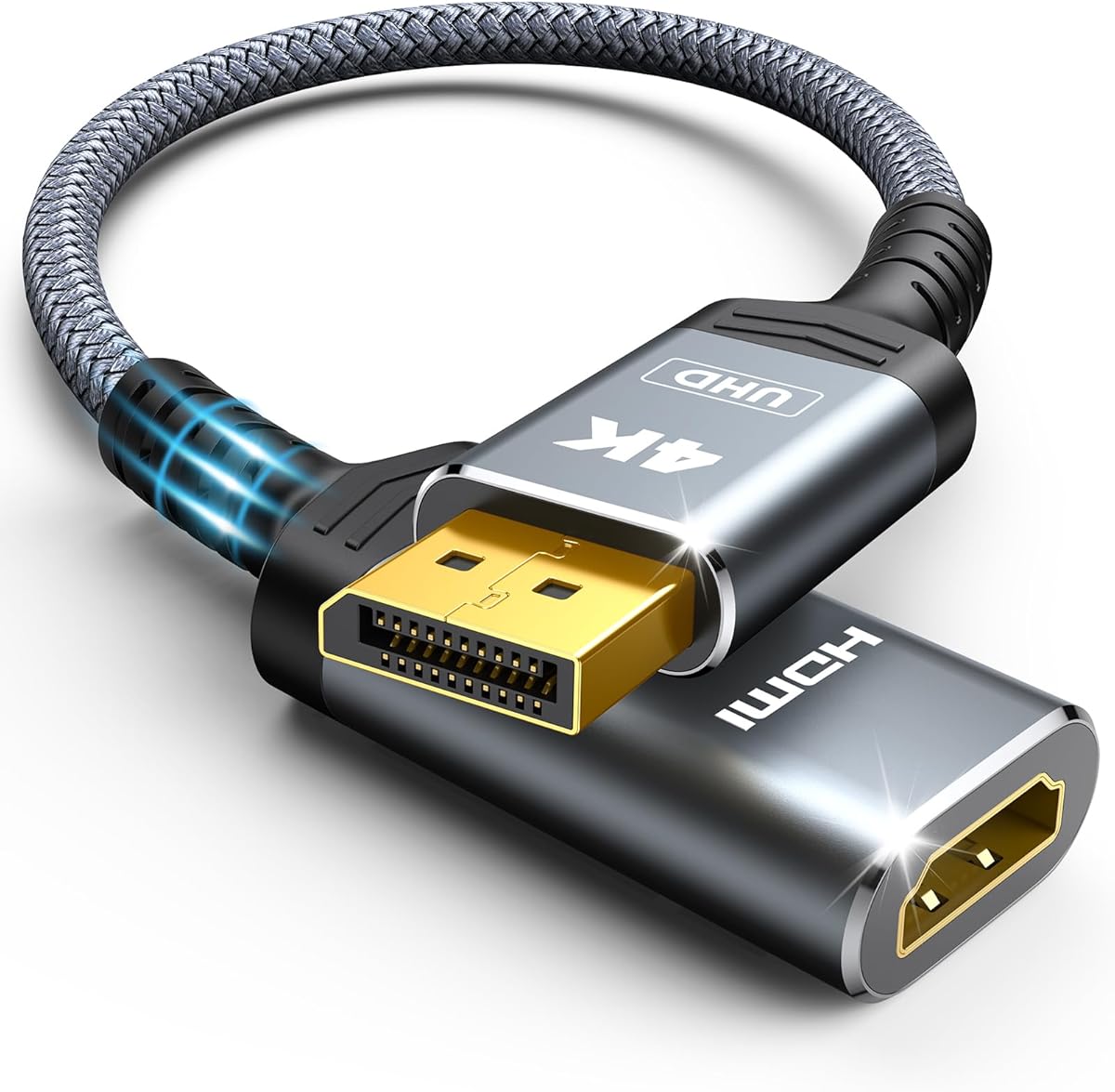
The Moread 4K DisplayPort to HDMI Adapter is a highly rated passive solution. It connects DP sources to HDMI displays efficiently and is great for presentations or second screens.
We may earn a commission when you buy through this link, at no additional cost to you.
Its compact design makes it easy to carry in a laptop bag. The five year warranty offers peace of mind for long term daily use.
It is limited to passive conversion which restricts directionality. Ensure your source is a DP device before purchasing to avoid compatibility issues.
This adapter is perfect for budget conscious users with DP laptops. It provides reliable 4K visuals without breaking the bank for simple setups.
This adapter is designed to fit easily in a pocket. It comes with a five year warranty for long term reliability.
It works only from DisplayPort source to HDMI display. Confirm your device setup matches this direction before buying.
We may earn a commission when you buy through this link, at no additional cost to you.
The Answin HDMI to DisplayPort Adapter is a premium choice for gamers and power users. It supports 4K at 60Hz and high refresh rates for smooth visuals.
We may earn a commission when you buy through this link, at no additional cost to you.
Its active design and included power cable ensure stable signal transmission. This makes it suitable for consoles and laptops that need extra power.
The main drawback is the requirement for an external power connection. This adds a cable but enables higher performance than passive options.
Select this adapter for gaming setups with HDMI consoles. It delivers lag free viewing and high refresh rates for an immersive experience.
This adapter supports high refresh rates like 144Hz at 2K. It is ideal for gamers who need smooth motion and clear visuals.
The included USB cable ensures stable performance. Connect it to a power source to avoid signal drops at high resolutions.
We may earn a commission when you buy through this link, at no additional cost to you.
The Highwings adapter is built for durability with a military grade design. It features a nylon braid and gold plated ports to resist wear and corrosion.
We may earn a commission when you buy through this link, at no additional cost to you.
Its passive design supports 4K video and synchronized audio. It is a solid choice for users who need reliable daily connections.
It does not work with docking stations or bidirectional needs. Ensure your setup is a standard DP source to HDMI display for best results.
Choose this for long term use where durability matters. It withstands frequent plugging and provides consistent performance for monitors.
This adapter features tensile nylon and gold plated ports. It resists corrosion and bending for long lasting use.
It ensures synchronized audio and video transmission. This prevents lag issues during streaming or gaming on large screens.
We may earn a commission when you buy through this link, at no additional cost to you.
The BENFEI adapter stands out for its secure latching connector. This design prevents accidental disconnection which is great for portable setups.
We may earn a commission when you buy through this link, at no additional cost to you.
It is lightweight and easy to pocket for presentations. The compact design ensures it fits easily in bags without bulk.
The latching mechanism requires a release button to remove. This adds a step but ensures the connection remains secure during use.
Pick this adapter for users who need a secure connection. It is ideal for frequent travel or moving setups where cables might get bumped.
The latching connector prevents accidental unplugging. This ensures stable video output during presentations or work.
This adapter is lightweight and fits in a pocket. It is perfect for on the go presentations or extending desktops.
We may earn a commission when you buy through this link, at no additional cost to you.
This adapter uses an aluminum housing to dissipate heat efficiently. It supports HDCP 2.2 for high definition content on compatible displays.
We may earn a commission when you buy through this link, at no additional cost to you.
The multi-layer shielding minimizes signal loss for clear video. It is a strong choice for users prioritizing signal integrity.
It does not support 1440P at 144Hz which limits gaming. Ensure your resolution needs align with its 4K 60Hz capabilities.
Choose this for setups requiring high bandwidth and heat management. It is reliable for desktops and laptops needing stable 4K output.
The aluminum housing helps dissipate heat effectively. This maintains performance during long periods of high resolution usage.
Multi-layer shielding protects against signal interference. This ensures clear video transmission even in noisy environments.
We may earn a commission when you buy through this link, at no additional cost to you.
This product includes two adapters in one package for great value. It is ideal for users needing multiple connections or backups.
We may earn a commission when you buy through this link, at no additional cost to you.
The aluminum housing offers durability and heat resistance. It keeps the devices safe during regular use in different environments.
Having two units allows flexibility for multiple workstations. This reduces the need to buy more adapters in the future.
Select this if you need connectors for multiple devices. It is a cost effective solution for offices or homes with several laptops.
You get two adapters in one package. This offers great value for multi device setups or backups.
The aluminum case improves heat dissipation. It ensures safety and longevity during regular use.
We may earn a commission when you buy through this link, at no additional cost to you.
This adapter is a short cable ideal for nearby connections. It helps reduce cable clutter while maintaining stable signal transfer.
We may earn a commission when you buy through this link, at no additional cost to you.
The braided sheath protects against bending and wear. This durability ensures long term use without damage to the wires.
The short length might not reach distant displays. Measure your setup to ensure the length meets your spatial needs.
Choose this for clean desk setups with nearby monitors. It keeps connections neat without visible cable loops on your desk.
The cable is only 0.66ft long. This is perfect for connecting devices that are close together.
A braided sheath protects the cable. It ensures flexibility and resists wear during plugging.
We may earn a commission when you buy through this link, at no additional cost to you.
This adapter supports high refresh rates up to 165Hz. It is an excellent choice for gamers and high performance users.
We may earn a commission when you buy through this link, at no additional cost to you.
The braided nylon cable adds durability and flexibility. It withstands daily use better than standard plastic connectors.
It requires an external power supply for operation. This ensures stability but adds complexity to the setup process.
Select this for gaming rigs with HDMI consoles. It delivers smooth motion and clear visuals at high frame rates.
It supports up to 165Hz at 1080p. This is ideal for fast paced gaming and motion clarity.
The cable is made of braided nylon. This resists wear and maintains flexibility over time.
We may earn a commission when you buy through this link, at no additional cost to you.
This adapter is compact and suitable for travel. It supports high refresh rates making it great for gaming on the go.
We may earn a commission when you buy through this link, at no additional cost to you.
Gold plated connectors resist corrosion and ensure quality. This protects the signal path from degradation over time.
It needs a power cable which adds to the setup. Ensure you have a USB port available to use this product.
Choose this for portable gaming or compact setups. It fits easily in bags while delivering high performance visuals.
The adapter is small and easy to carry. It fits in laptop bags for travel setups.
Gold plated connectors ensure signal quality. They resist corrosion and maintain clear transmission.
We may earn a commission when you buy through this link, at no additional cost to you.
Choosing the right converter requires understanding directionality and power needs.
HDMI to Displayport converters are often uni-directional. Ensure you know if you are connecting an HDMI source to a DP monitor or vice versa. Confusing these can lead to buying the wrong product.
Active adapters convert signals and often need power. Passive ones rely on the source and only work in specific directions. For HDMI to DP, active converters are typically required for stability.
Check the max resolution and refresh rate supported. Some adapters limit 4K to 30Hz while others offer 60Hz. Match this to your monitor and source capabilities.
Active HDMI to DP adapters usually need USB power. Ensure your device has an available USB port. If not, you may need a powered hub.
Look for durable materials like aluminum and nylon braiding. Gold plated connectors resist corrosion better than standard ones. This ensures longevity for daily use.
Many converters carry audio signals too. Check if it supports multi-channel audio if you need surround sound. This is vital for home theater setups.
Ensure the adapter works with your source like PS5 or Xbox. Some adapters restrict certain consoles. Check the product details for specific exclusions.
A longer warranty indicates manufacturer confidence. Some brands offer five years while others offer less. This can save costs if the adapter fails.
Connect the adapter to the source device like a laptop or console. Then plug an HDMI cable into the adapter and to the display. Ensure your monitor has a DP input for HDMI to DP use.
If the adapter needs power, connect the USB cable to a port. This ensures stable signal transmission especially at 4K resolutions. Check that your monitor input is set to DP mode.
Store the adapter in a cool dry place. Avoid bending the cables sharply to protect the internal wires. Regularly dust the connectors to prevent signal interference.
Yes, active HDMI to Displayport adapters usually require power. They use a chip to convert signals which needs energy. Connect the included USB cable to a port for stable performance.
Active adapters can work for gaming but check refresh rates. Some limit 4K to 30Hz which may cause lag. Look for models supporting 60Hz or higher for smooth play.
Active adapters use a chip to convert signals and need power. Passive ones rely on the source to handle conversion. Active is usually needed for HDMI to DP connections.
Flickering often means the adapter needs more power. Connect the USB power cable to a dedicated port. Also ensure your resolution settings match the adapter support.
Yes, you can use these adapters for projectors. Ensure the laptop has the correct port and the projector has the matching input. Check directionality for HDMI to DP setups.
Many adapters work with MacBooks but check directionality. If your MacBook has HDMI you need an HDMI to DP converter. Some passive adapters may not support USB-C sources.
Most adapters support audio transmission alongside video. However, check if it supports your specific audio format. Multi-channel audio may require specific support.
Some adapters work with hubs if they provide enough power. Ensure the hub can output sufficient current for the converter. Test before long use to avoid signal drops.
The best converters offer reliable directionality and power stability. Our picks cover various needs from budget passive options to high refresh active adapters.
Prioritize resolution and refresh rates for your use case. Ensure you have the right power source for active adapters to work properly.
Always check current availability and specifications before buying. Prices and models may change but the advice here remains valid for 2026.