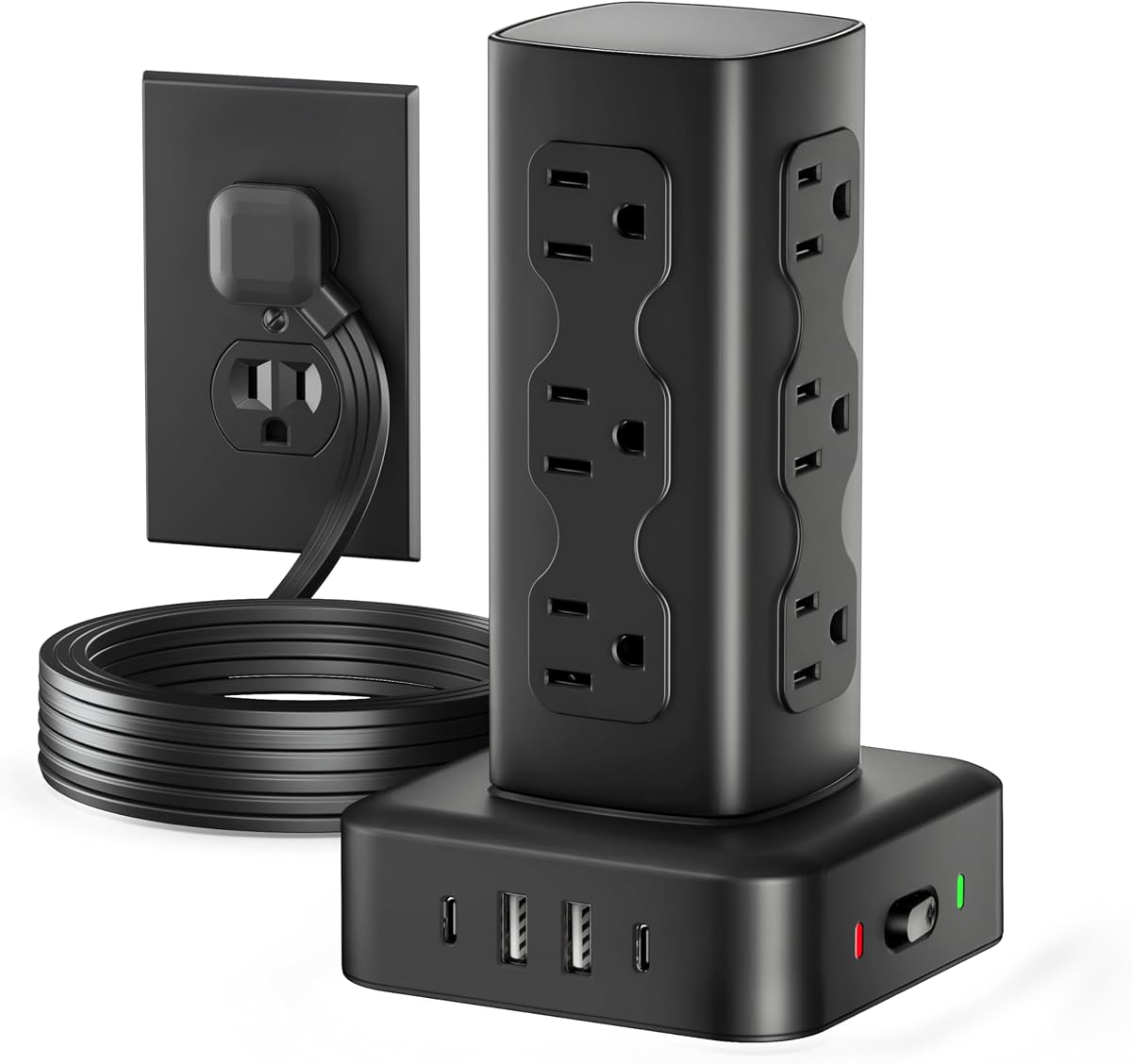
Power Strip Tower with 12 AC Outlets & 4 USB Ports(2 USB C), 6FT Cord
4.7Editor score
16-in-1 power options
2000-joule surge protection
0.31in flat plug design
This expert guide compares the top 10 charging tower models for 2026, evaluating surge protection, outlet count, USB speeds, and space-saving designs to help
A charging tower transforms a single wall outlet into a powerful hub for all your electronic devices. These vertical power strips save desk space while offering multiple AC outlets and fast USB ports for phones, laptops, and more.
We evaluated ten leading models based on outlet spacing, surge protection joules, USB charging speeds, and cord length. Our analysis focuses on safety certifications, build quality, and real-world usability for home offices and dorm rooms.
Each pick highlights specific strengths like retractable cords or high-wattage USB-C ports. Note that availability and pricing vary by retailer, so verify current stock before purchasing to ensure you get the latest model.
4.7Editor score

4.5Editor score

4.7Editor score
The following table provides a side-by-side comparison of all ten selected charging towers. Review each model's outlet count, USB capabilities, cord length, and protection features to identify the best fit for your setup.


This kakyanill charging tower offers a robust 17-in-1 solution for power-hungry spaces. With a 4.5 rating, it balances capacity and safety, featuring a circuit breaker rated for 1875W to handle high-wattage appliances like printers or mini-fridges.
We may earn a commission when you buy through this link, at no additional cost to you.
The standout feature is the retractable 6-foot cord, which rotates into the base to eliminate tripping hazards. The 1.5-inch spacing between AC outlets ensures large adapters do not block neighboring ports, a common pain point in vertical power strips.
While the retractable mechanism adds complexity, the benefit of a tidy workspace is substantial. The ultra-slim 0.35-inch plug sits flush against the wall, allowing installation behind furniture where standard plugs would protrude awkwardly.
Ideal for home offices or dorm rooms with limited outlet access, this tower keeps devices organized and protected. Its mix of AC and USB ports ensures every gadget has a dedicated spot without needing extra adapters.
The twist-to-retract mechanism allows you to store excess cord inside the base, keeping your floor clear of tangling wires when not in full use.
Built with a 1875W/15A circuit breaker, this tower safely powers high-demand electronics while preventing overheating or short circuits in your home setup.
We may earn a commission when you buy through this link, at no additional cost to you.
The JACKYLED tower excels in managing complex setups like gaming stations with its 18-in-1 capacity. Its 4.7 rating reflects user satisfaction with the independent switches on each layer, allowing precise control over connected devices.
We may earn a commission when you buy through this link, at no additional cost to you.
With 1050 joules of surge protection, it guards consoles and monitors against voltage spikes. The smart USB ports detect device needs to deliver safe charging speeds, while the 2 USB-C and 4 USB-A ports cover modern handhelds and controllers.
The 6.5-foot retractable cord adds flexibility, letting you pull it to the desk edge and store it when done. However, the tower's substantial size requires a stable surface to prevent tipping during heavy plug-in sessions.
This model is perfect for users needing granular power management and robust surge defense. It keeps a cluttered desk organized by grouping devices by function and switching them off individually to save energy.
Each layer has an independent switch with an indicator light, allowing you to isolate power to specific device groups without unplugging them manually.
Featuring 1050 joules of protection, this tower handles substantial energy surges, keeping sensitive electronics like PCs and cameras safe during storms or grid fluctuations.
We may earn a commission when you buy through this link, at no additional cost to you.
This Kakyanill station stands out with 115W total USB charging, featuring two 65W PD ports capable of powering laptops. With a 4.5 rating, it appeals to users needing high-speed charging for multiple mobile devices and computers simultaneously.
We may earn a commission when you buy through this link, at no additional cost to you.
The retractable 6-foot cord helps manage clutter effectively, allowing clean placement near desks. Its 4-sided compact design minimizes footprint while offering enough outlets for phones, tablets, and lamps without taking up much shelf space.
Safety is prioritized with a built-in reset/off switch and anti-slip rubber feet to keep the tower stable. However, for best charging performance, users may need to remove phone cases to prevent overheating during high-wattage sessions.
This model is ideal for tech-savvy users who need USB-C PD power alongside standard outlets. It streamlines your desk by eliminating multiple wall adapters for laptops and tablets, centralizing all power needs.
The dual 65W USB-C ports can charge laptops and tablets at fast speeds, reducing the need for separate proprietary power bricks for portable devices.
Four rubber feet grip the surface firmly to prevent sliding or tipping when plugging or unplugging multiple heavy adapters from the outlets.
We may earn a commission when you buy through this link, at no additional cost to you.
Offering exceptional value, this Olcorife tower provides 16-in-1 power options with a robust 2000-joule surge protection rating. Its 4.7 score highlights reliability, making it a smart choice for users prioritizing safety without a high price tag.
We may earn a commission when you buy through this link, at no additional cost to you.
The 0.31-inch flat plug sits flush against walls, solving the issue of outlets behind furniture. A 6-foot extension cord gives flexibility to position the tower conveniently, though it lacks the retractable feature found in premium models.
While the USB ports are standard speeds, they are sufficient for phones and tablets. The wide spacing ensures bulky adapters work without blocking neighbors, making this a practical pick for families needing reliable outlet expansion.
This tower is perfect for tight budgets where safety and capacity are non-negotiable. It brings order to messy desks and protects expensive electronics from surges while keeping costs low and setup straightforward.
With 2000 joules of protection, this tower offers strong defense against voltage spikes, safeguarding computers and gaming gear from sudden power surges.
The 0.31-inch flat plug allows installation in narrow spaces behind cabinets or sofas where thicker plugs would prevent other outlets from being used.
We may earn a commission when you buy through this link, at no additional cost to you.
This TenTrend tower focuses on USB charging power with 230W total output, including two 65W USB-C ports for laptops. Its 4.5 rating confirms its ability to handle multiple high-power devices efficiently without overheating.
We may earn a commission when you buy through this link, at no additional cost to you.
The compact 3.15-inch square base saves significant desk space, while color-coded USB ports help users identify charging speeds quickly. The 5-foot flat cord lies flush on floors to prevent tripping, ideal for bedroom or office corners.
Although it has fewer AC outlets, the USB capacity is generous. The safety features include overcurrent and overheat protection, ensuring that even when charging multiple phones and tablets simultaneously, the unit remains cool.
Perfect for digital nomads or tech-heavy desks, this tower reduces adapter clutter. It is a specialized choice for those needing high-wattage USB power in a small, tidy package that blends into any workspace.
Ports are color-coded orange for high-power laptop charging and blue or green for mobile devices, simplifying identification of the correct port for each gadget.
The 3.15×3.15 inch footprint occupies minimal desk real estate, making it easy to place on crowded nightstands without blocking other items.
We may earn a commission when you buy through this link, at no additional cost to you.
This TenTrend tower solves reach issues with a 10-foot pure copper extension cord. Its 4.7 rating reflects satisfaction with the long cord, allowing placement far from the wall outlet while keeping the plug hidden behind furniture.
We may earn a commission when you buy through this link, at no additional cost to you.
The ultra-thin 0.27-inch plug fits tight spaces easily, preventing blocking of adjacent sockets. The 20-in-1 capacity provides ample AC and USB options, though USB charging is standard speed for non-critical devices like lamps.
Safety features include a fire-resistant ABS+PC shell rated for high temperatures and an on/off switch to cut power completely. The rubber feet ensure stability on desktops, making it a versatile choice for living rooms.
Ideal for setups requiring reach flexibility, this tower brings power to hard-to-access corners. It is a practical solution for rooms where outlets are distant, offering length and safety in one reliable unit.
Made of pure copper for better current carrying capacity, the 10-foot cord reaches distant outlets while maintaining safety and reducing power loss.
At 0.27 inches thick, the plug is extremely slim, allowing it to tuck behind sofas or beds without blocking nearby outlets for other appliances.
We may earn a commission when you buy through this link, at no additional cost to you.
The Anker desktop charger delivers premium quality with 100W USB-C output, enough to power most laptops. Its 4.7 rating is backed by a robust 8-point safety system designed to protect devices from overvoltage and short circuits effectively.
We may earn a commission when you buy through this link, at no additional cost to you.
With 3 AC and 6 USB ports, it offers a balanced layout for a tidy desk. The heavier weight of 19.75 oz ensures stability during use, preventing tipping even when multiple cables are plugged into the base.
Safety is paramount with a comprehensive system protecting against electrical hazards. While the AC count is lower, the high-wattage USB-C ports reduce the need for separate adapters, keeping your workspace clean and efficient.
This model suits users prioritizing brand trust and high-speed USB charging over sheer outlet volume. It is an excellent choice for minimalist setups where safety and charging speed matter most to your tech gear.
Supporting up to 100W individually, the USB-C ports can fast charge laptops and tablets efficiently, removing the need for extra power bricks.
Anker engineers this unit with eight safety layers to shield your electronics from overvoltage and short circuits, ensuring reliable daily operation.
We may earn a commission when you buy through this link, at no additional cost to you.
This tower features a dedicated 20W PD USB-C port that charges iPhones from 0 to 50 percent in thirty minutes. With a 4.5 rating, it offers fast mobile charging alongside standard AC outlets and additional USB options.
We may earn a commission when you buy through this link, at no additional cost to you.
The 10-foot flat cord makes it easy to place the tower away from the wall without creating tripping hazards. Wide-spaced outlets at 1.5 inches ensure large adapters fit without blocking neighboring ports, increasing usability.
Safety is ensured with 1800J surge protection and a flame-retardant housing. The weighted base prevents tipping when plugging heavy devices, adding to the overall stability and safety of the unit in any environment.
Perfect for iPhone users seeking rapid charge, this tower balances speed and safety. It is a practical addition to bedrooms or offices where keeping a phone topped up quickly is a daily priority.
The dedicated port delivers 20W fast charging specifically for iPhones and iPads, significantly reducing wait times compared to standard USB chargers.
A non-slip weighted base ensures the tower remains upright and secure, preventing tipping during repeated plugging and unplugging of heavy adapters.
We may earn a commission when you buy through this link, at no additional cost to you.
This compact tower measures just 3.15 inches wide, making it ideal for crowded nightstands. Its 4.7 rating reflects a balance of safety and space efficiency, with wide-spaced outlets that accommodate bulky adapters easily.
We may earn a commission when you buy through this link, at no additional cost to you.
The 6-foot extension cord provides reasonable reach for most desks or bedside tables. Featuring 1800J surge protection and a reset/off switch, it prioritizes safety and energy savings for everyday use in home or dorm settings.
The flat plug sits flush against the wall, allowing tight placement behind furniture. Rubber feet keep the tower rock-solid to prevent sliding, ensuring it stays stable even when multiple devices are connected simultaneously.
Perfect for small apartments or dorms, this tower maximizes outlet count in minimal footprint. It is a smart choice for students or renters needing organized power without taking up valuable floor or desk space.
Measuring only 3.15 inches square, this tower occupies less space than traditional strips, leaving room for books or decor on your desk.
Outlets spaced 1.5 inches apart ensure large power bricks do not block adjacent ports, maximizing the utility of each AC connection.
We may earn a commission when you buy through this link, at no additional cost to you.
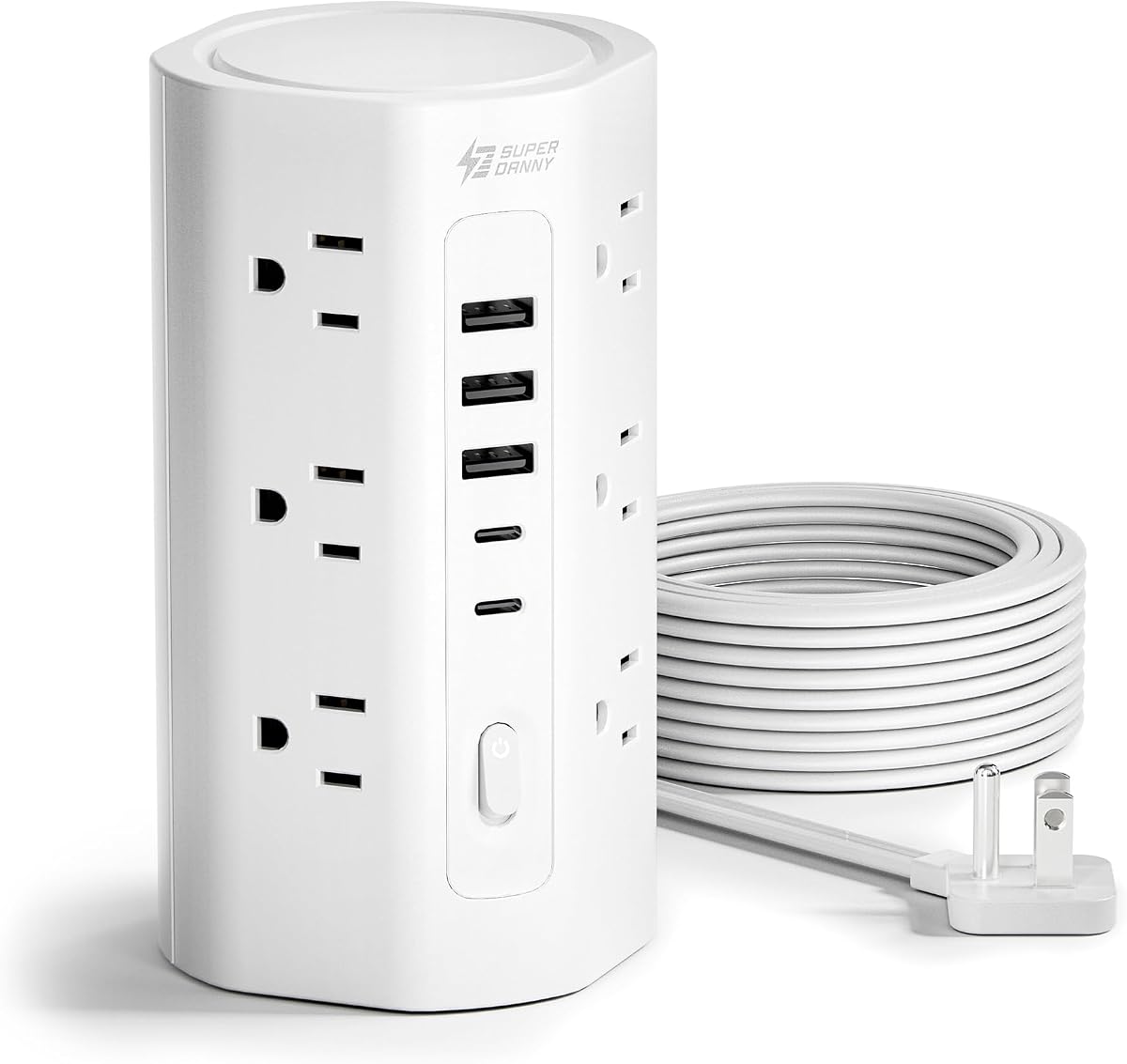
The SUPERDANNY tower offers a 10-foot flat cord for flexible placement, ideal for rooms with outlets far from desks. Its 4.7 rating indicates strong performance, backed by a 3-year maintenance or replacement plan for peace of mind.
We may earn a commission when you buy through this link, at no additional cost to you.
With 1700J surge protection and a 10A/1250W overload limit, it ensures device safety. The 4-sided vertical layout naturally separates cords to keep your workspace organized, while anti-slip feet prevent sliding during daily use.
The 0.31-inch flat plug fits flush behind furniture, saving space and preventing blockage. This model balances reach, capacity, and safety features to serve large rooms or multi-device setups effectively.
Perfect for living rooms or offices needing reach, this tower delivers reliable power across distances. It is a practical choice for those who value a long cord and extended warranty coverage in their power setup.
The 10-foot flat extension cord reaches distant outlets while tucking neatly along walls to eliminate tripping hazards and cord clutter.
SUPERDANNY includes a 3-year maintenance or replacement plan, offering long-term support and reliability for your investment in a power tower.
We may earn a commission when you buy through this link, at no additional cost to you.
Selecting the right charging tower involves assessing outlet count, USB capabilities, safety protections, and physical dimensions to match your specific needs.
Look for a tower with enough AC outlets to handle your largest devices, such as laptop adapters or lamps. Widely spaced outlets are crucial because large plugs often block neighboring ports in compact designs.
Ensure the tower offers at least 12 AC outlets if you have many peripherals, and verify the inch measurement between ports to prevent physical blocking.
Check if the USB ports support fast charging protocols like Power Delivery or Quick Charge for modern phones. Higher wattage USB-C ports are essential if you need to charge laptops directly from the tower.
Prioritize towers with dedicated high-wattage USB-C ports if you rely on USB for powering portable computers and tablets.
Surge protection ratings indicate how much energy the tower can absorb during voltage spikes. Aim for 1500 joules or more to safeguard expensive electronics like computers and gaming consoles.
A higher joule rating means better protection against electrical surges that could damage your connected devices over time.
Standard cords range from 5 to 10 feet. If your outlet is far from your desk, a 10-foot cord prevents stretching or the need for extra adapters.
Consider flat cords for easier tucking along baseboards, or retractable cords for a clean look when excess length is not needed.
Measure your available space to ensure the tower fits comfortably. A compact base saves desk real estate, while a heavy base ensures stability against tipping when multiple plugs are inserted.
Choose a tower that balances size and weight to suit your workspace, whether on a cluttered desk or a narrow nightstand.
Look for certifications like UL, FCC, or RoHS to confirm the tower meets industry safety standards. Fire-resistant materials like ABS+PC prevent overheating and reduce fire risks.
Certified towers provide peace of mind that the product has passed rigorous testing for electrical safety and durability.
Features like individual outlet switches or an overall reset/off switch allow you to manage power consumption and convenience. Some models offer indicators to show working status.
Extra features like retractable cords or warranty plans can improve user experience and long-term reliability.
Ensure the tower supports the voltage and plug types of your devices. Most towers work with standard US plugs, but verify if you need specific port types for international adapters or unique chargers.
Check port compatibility for your specific phone, tablet, and laptop models to ensure efficient and safe charging.
Place the tower on a stable, flat surface away from water sources to prevent electrical hazards. Ensure the cord runs straight without pinching or twisting to maintain safe current flow and prevent damage.
Plug the tower into a wall outlet and connect your devices starting with high-power items. Use individual switches to turn on specific groups as needed, keeping unused devices off to save energy.
Regularly inspect the cord and outlets for wear or damage. Keep the tower cool by ensuring ventilation is not blocked by objects, and avoid overloading beyond its rated wattage to prevent overheating.
Yes, a charging tower often provides more outlets and USB ports than a traditional flat strip while saving floor space. Its vertical design helps organize cables better and prevents clutter on desks or floors.
Many modern towers include USB-C Power Delivery ports capable of fast charging. Verify the wattage per port, as higher wattage like 20W or 65W ensures quicker charging for phones and laptops.
Surge protection is essential to shield expensive electronics from voltage spikes caused by lightning or power fluctuations. Towers with 1500+ joules provide robust defense against electrical damage.
A 6 to 10-foot cord offers flexibility for most rooms. If your outlet is far, choose a longer cord to avoid running extension cables across the floor which creates tripping hazards.
Check the tower's total wattage rating, typically 1875W or less. Avoid exceeding this limit by plugging in too many high-power appliances simultaneously to prevent overheating or breaker tripping.
Unplug the tower before cleaning. Use a soft dry cloth to wipe dust from outlets and vents. Avoid water or wet cleaners to prevent electrical damage to internal components.
We reviewed ten top charging towers ranging from budget-friendly to premium high-wattage models. Each option offers unique strengths like retractable cords, fast USB-C charging, or extensive outlet capacity to suit different needs.
Prioritize safety features like surge protection and fire-resistant materials when making your choice. Also consider the physical size and cord length to ensure the tower fits comfortably in your workspace.
Prices and availability may fluctuate across retailers. Check current listings to verify warranty details and stock before buying to secure the best value for your power management setup.