
Switch 2 Pro Controller Charging Station
3.5Editor score
Dual charging for pro controllers
5V 2A stable power input
Compact space-saving desktop stand
This guide compares the top 10 controller charging dock for Switch 2 options, evaluating design, safety, capacity, and lighting features to help you choose the
Keeping your controllers charged is essential for uninterrupted gaming sessions. A reliable charging dock ensures your devices are ready whenever you want to play without needing to plug them in individually.
We compared ten top-rated stations based on compatibility, charging speed, safety features, and design. Each option offers unique benefits like RGB lighting, multiple slots, and magnetic alignment for ease of use.
Each pick highlights key specs and real-world performance to help you decide. Prices and availability can change, so check the linked pages for the most current offers before purchasing your next accessory.
3.5Editor score

4.7Editor score
4.6Editor score
The following table provides a side-by-side comparison of all ten products. It highlights key specifications like charging capacity, compatibility, and unique features to help you make an informed decision.


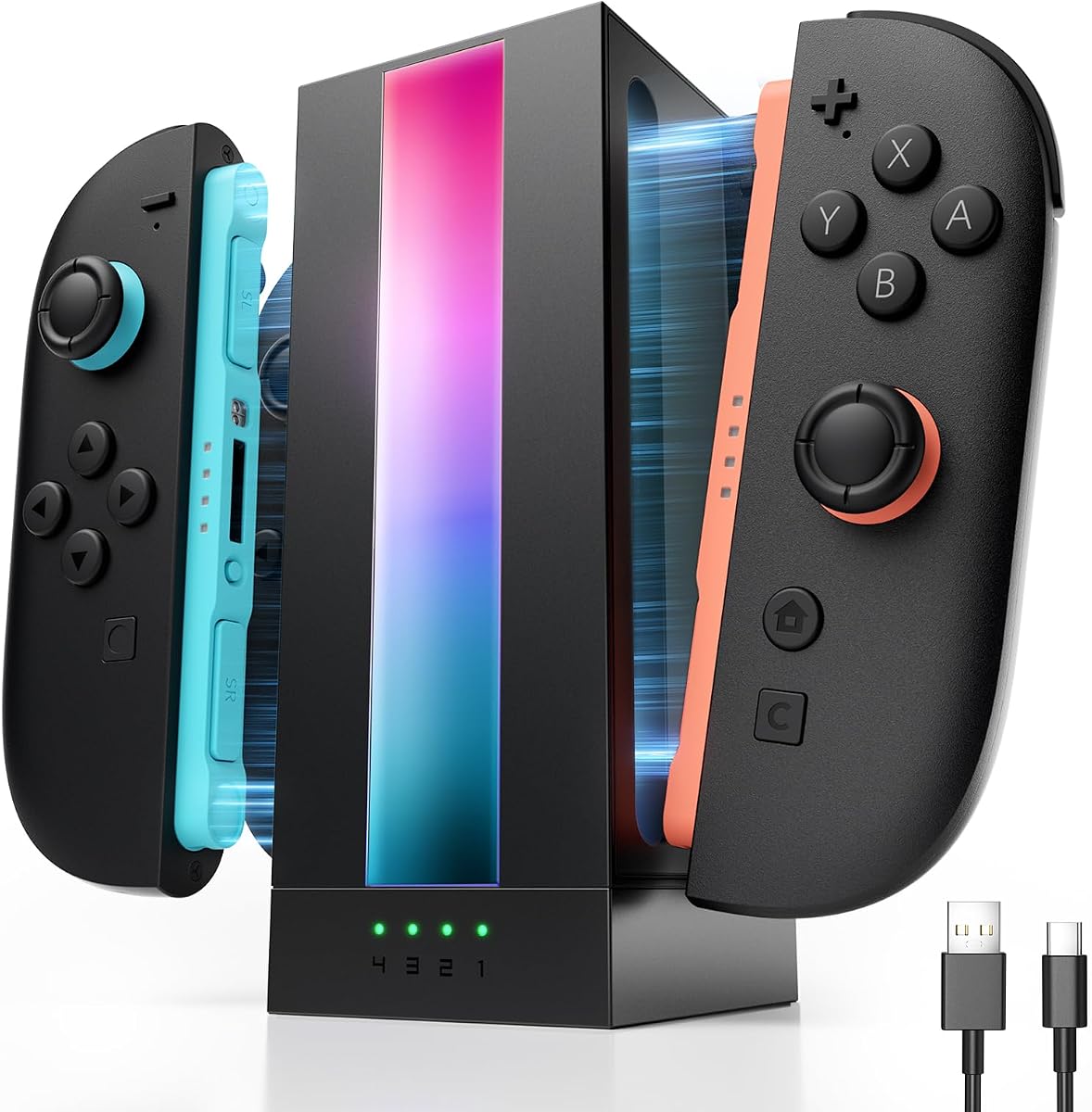
This dock is designed exclusively for Nintendo Switch 2 Joy-Cons. With a 4.7 rating, it stands out for its magnetic alignment and ability to charge four controllers simultaneously. It makes keeping your controllers ready quick and easy.
We may earn a commission when you buy through this link, at no additional cost to you.
The magnetic design allows you to drop Joy-Cons in without worrying about orientation. It saves your charging ports from repeated wear. The nine RGB modes let you customize the look to match your gaming setup perfectly.
While it supports four Joy-Cons, it does not work with third-party models. It also requires a separate power adapter which is not included. These are minor trade-offs for the convenience and protection it offers.
This dock is ideal for families or groups who play multiplayer games often. It ensures you never run out of battery during a session. We recommend it for anyone wanting a stylish and functional Joy-Con solution.
The magnetic alignment prevents damage from plugging and unplugging repeatedly. This extends the lifespan of your Joy-Con charging ports significantly.
With nine RGB modes and memory function, you can set your favorite look. It activates automatically when powered on for a seamless experience.
We may earn a commission when you buy through this link, at no additional cost to you.
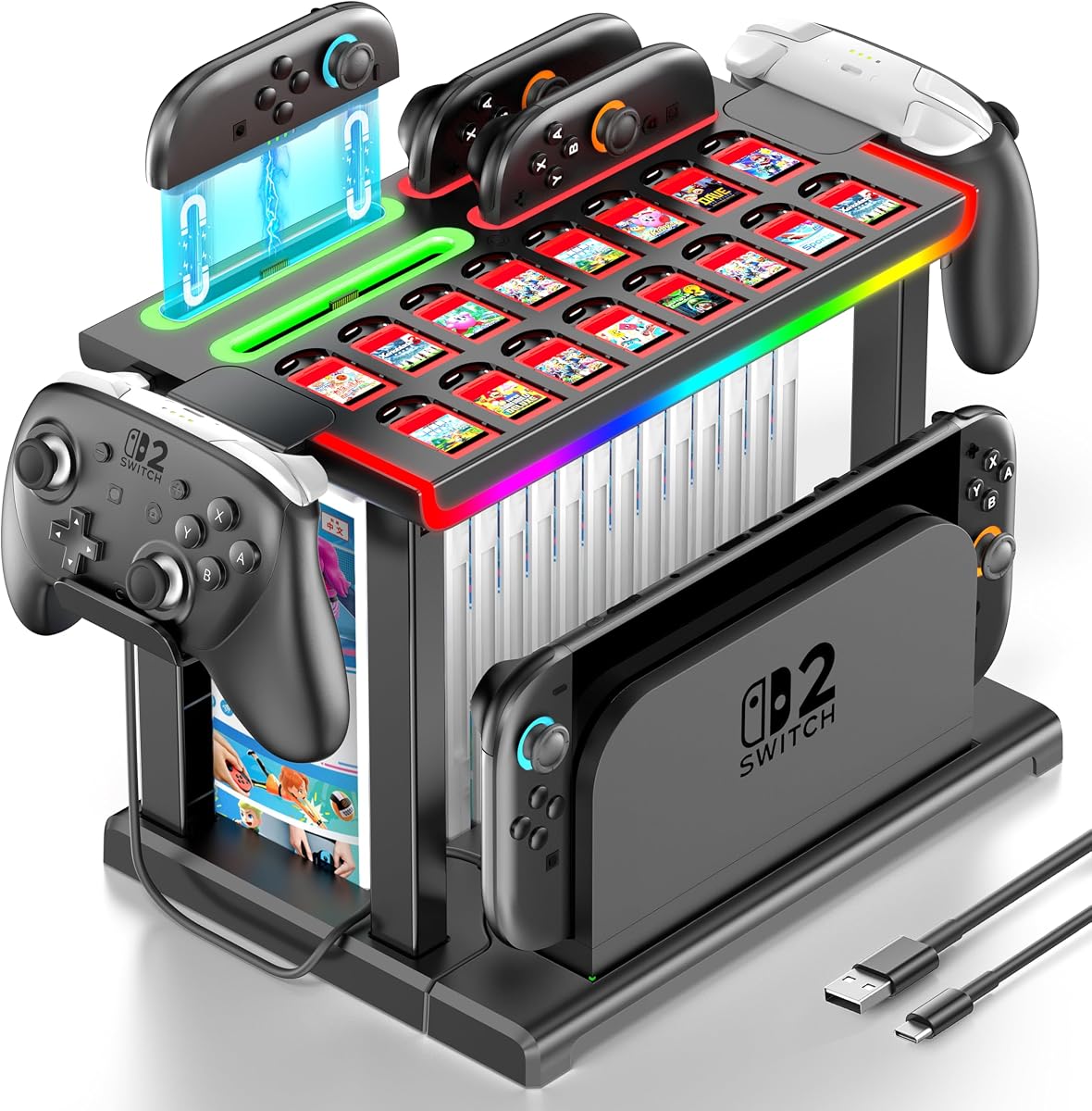
This organizer station is a powerhouse for keeping your gaming area neat. It holds 16 game cases, cards, and two Pro Controllers. It also charges four Joy-Cons at once with clear LED indicators for status.
We may earn a commission when you buy through this link, at no additional cost to you.
The RGB lighting modes sync with your gaming rhythm for an immersive feel. You can cycle through seven single colors and two multi-color modes easily. Non-slip pads keep it sturdy on any surface.
It has a larger footprint than simple docks which may take up space. The TV Dock is not included so you must own one separately. These details matter for setup planning but overall it is very functional.
This is perfect for enthusiasts who own many games and need organization. It keeps accessories accessible and protects your desktop from scratches. We highly recommend it for serious gamers looking for storage and charging.
It holds Joy-Cons, Pro Controllers, 16 game cases, and cards. This all-in-one design saves significant space compared to separate organizers.
The RGB lights sync with gaming rhythm to enhance every moment. You can turn them off with a long press when not needed.
We may earn a commission when you buy through this link, at no additional cost to you.
This station is designed to charge two Switch 2 Pro Controllers at the same time. It uses 5V 2A input for fast and stable charging. LED indicators show red when charging and green when full.
We may earn a commission when you buy through this link, at no additional cost to you.
It is affordable and great for those who only need Pro Controllers. It has smart protection to prevent overheating or short circuits. The compact design fits neatly on any desk or TV stand.
It lacks Joy-Con charging which limits its use if you have both types. The rating is lower than others which means reviews are mixed. However it still offers solid performance for its basic purpose.
We recommend this for buyers who want a simple Pro Controller charger. It keeps your controllers organized and ready for next sessions. Just ensure your power source supports the recommended input.
It charges two Pro Controllers simultaneously with a stable input. This reduces waiting time and keeps your setup tidy.
LED indicators show charging status clearly at a glance. This makes monitoring easy without checking the console.
We may earn a commission when you buy through this link, at no additional cost to you.
This dock charges Switch Pro and 2 Pro Controllers plus PS5 and Xbox. It has 2 ports for simultaneous charging with clear LED status. Removable Type-C adapters help protect your controllers during use.
We may earn a commission when you buy through this link, at no additional cost to you.
It is versatile for multi-console gamers. The Type-C adapters reduce wear on ports which is great for longevity. Just use a 5V 2A adapter for best performance as low power causes delays.
PowerA controllers are not supported so check your device before buying. Some users may need to replace included adapters if they do not fit thick cases. These are minor issues for a universal station.
This is a great choice if you own multiple console types. It simplifies charging and keeps your desk organized. We suggest it for gamers who switch between Nintendo Xbox and PlayStation.
Charges Switch Pro PS5 and Xbox Series X controllers at once. This versatility saves space for multi-console gaming setups.
Removable Type-C adapters reduce wear on your controllers. They allow easy drop-in charging without repeated plugging.
We may earn a commission when you buy through this link, at no additional cost to you.
This charging base from PowerA is designed for Joy-Con and wireless controllers. It has LED lights to show when your controllers are charged. It is known for its bold eye-catching design that looks great on any desk.
We may earn a commission when you buy through this link, at no additional cost to you.
As an official brand you can expect quality compatibility with Nintendo products. It charges Joy-Con and Pro Controllers together which is convenient. The setup is simple with no complex tools required.
There is less info on fast charging speeds compared to others. You should also check if it supports the new Switch 2 Joy-Con fit specifically. These are minor checks for a known trusted brand.
This is ideal for those who trust official accessories. It keeps your controllers charged and organized with a sleek look. We recommend it for fans of the PowerA brand.
PowerA is a known brand for Nintendo accessories. This ensures reliable compatibility with your controllers.
LED lights indicate when controllers are charged. This makes it easy to see at a glance.
We may earn a commission when you buy through this link, at no additional cost to you.
This charger supports Nintendo Joy-Con Pro PS5 controllers all in one. It can charge four Joy-Cons at once which is great for groups. It uses a USB-C port which is modern and convenient.
We may earn a commission when you buy through this link, at no additional cost to you.
The fireproof panel adds safety during long charging sessions. It includes an 80cm cable and a one-year promise which shows confidence. The plug and play setup makes it easy to use.
Controllers are not included so ensure you have the right ones. You may want to verify Switch 2 compatibility since titles vary. These are reasonable checks for a versatile station.
This is a great value for families or casual gamers. It keeps multiple controllers ready at once safely. We suggest it for those wanting a simple reliable charger.
Charges 4 Joy-Cons and 2 Pro or PS5 at once. This covers many needs without buying multiple chargers.
The fireproof panel ensures safety while charging controllers. It protects against overheating during extended use.
We may earn a commission when you buy through this link, at no additional cost to you.
This dock charges two controllers at once with wide USB-C compatibility. It works with Switch Pro PS5 and Xbox Series X. USB-C adapters are included to help protect your controllers from wear.
We may earn a commission when you buy through this link, at no additional cost to you.
The compact low-standby design fits neatly on TV stands or desks. LED indicators let you see status at a glance. Just use a 5V 2A adapter for stable efficient charging.
It does not work with PowerA or some third-party models. You need to remove thick cases for the adapter to fit fully. These are minor points to note before purchase.
This is ideal for those with multiple USB-C controllers. It keeps your setup organized and protects your ports. We recommend it for gamers who value port protection.
USB-C adapters allow easy drop-in charging without wear. This extends the lifespan of your controller ports.
The compact low-standby design fits anywhere easily. It does not take up extra space on your desk.
We may earn a commission when you buy through this link, at no additional cost to you.
This dock charges four Joy-Cons at once with magnetic alignment. It supports dual-side charging so you can place them either way. Each slot has an LED indicator to show real-time status.
We may earn a commission when you buy through this link, at no additional cost to you.
The nine RGB modes add a fun personal touch to your setup. A smart chip prevents overcharging and overheating to keep your controllers safe. The magnetic design helps alignment and reduces wear.
It only works with Switch 2 Joy-Cons so check your model. Controllers are not included which means you must buy them separately. These are clear specs to consider before purchasing.
This is great for anyone needing quick Joy-Con charging. It keeps your area organized and safe. We suggest it for those prioritizing speed and style.
Dual-side charging lets you place Joy-Cons any way. This offers convenience for fast swaps during play.
Nine RGB modes personalize your gaming space. This enhances your visual enjoyment while playing.
We may earn a commission when you buy through this link, at no additional cost to you.
This dock supports Switch 2 1 and OLED Joy-Con and Pro controllers. It has ten slots and eleven RGB modes for customization. It includes two USB 2.0 ports for data or device charging.
We may earn a commission when you buy through this link, at no additional cost to you.
The Y-Type cable lets you power from the official dock easily. LED indicators show status clearly. It takes about 3 hours to charge fully which is reasonable for multiple devices.
Third-party controllers are not supported. The dock power is recommended which adds steps but ensures stability. These are minor trade-offs for multi-model versatility.
This is ideal for households with multiple Switch models. It consolidates charging into one station. We recommend it for anyone with a mixed Switch collection.
Compatible with Switch 2 1 and OLED models and Pro controllers. This versatility makes it great for varied collections.
Includes two USB 2.0 ports for extra devices. This adds convenience for charging phones or other gadgets.
We may earn a commission when you buy through this link, at no additional cost to you.
This dock is exclusive to Switch 2 Joy-Cons and charges all four fast. It reaches full charge in 2.5 hours which is 30% more efficient than others. Each port has an independent LED indicator for status.
We may earn a commission when you buy through this link, at no additional cost to you.
The dynamic RGB light bar adds a stylish touch to your desk. Safety features include overcharge and short-circuit protection to keep your controllers safe. A 1.5m cable is included but not the adapter.
It does not work with 2017 or OLED models which limits versatility. You need a separate power adapter for full speed. These are important checks for model and setup.
This is best for Switch 2 owners needing quick charging. It keeps you ready without long waits. We suggest it for speed and safety focus.
Full charge in 2.5 hours reduces wait times. This ensures no battery interrupts during multiplayer sessions.
Each port has an LED to show charging or full. This makes it easy to see at a glance.
We may earn a commission when you buy through this link, at no additional cost to you.
Choosing the right charging dock depends on your specific needs and controller types. This guide breaks down the key factors to consider.
Ensure the dock works with your exact Joy-Con models. Some docks are exclusive to Switch 2 Joy-Cons while others support multiple generations.
Check product details for Switch 2 specific support before buying.
Consider how many controllers you need to charge at once. Options range from two to four Joy-Cons or Pro Controllers.
Choose a capacity that matches your household needs.
Look for docks that support 5V 2A input for faster charging. Some docks advertise full charge times around 2.5 to 3 hours.
Ensure your power adapter supports the required input.
Safety chips like overcharge and short-circuit protection are essential. They extend controller lifespan and prevent overheating.
Always verify the dock includes smart protection.
Measure your available desk space. Some docks are compact while others serve as storage hubs for games and cards.
Choose a design that fits your setup style.
RGB lighting can add style to your gaming setup. Many docks offer multiple modes and memory settings for convenience.
Look for options that sync with gaming rhythm if desired.
Some docks include adapters while others do not. Power sources may be USB or via the Switch dock.
Check what is included in the box before purchasing.
Compare the features against the price. Higher-end options offer more slots and safety while budget docks are simpler.
Choose a dock that balances cost with your needs.
To use the dock, simply plug it into a power source using the included or recommended adapter. Place your Joy-Cons on the slots ensuring the magnetic or alignment guides help them sit properly.
Watch the LED indicators to see when your controllers are fully charged. Most docks will show a different color such as green when the charge is complete.
Keep the dock clean and dry to avoid short circuits. Avoid touching the metal connectors with bare hands to prevent corrosion over time.
Not all docks support third-party controllers. Most docks specifically work with official Switch 2 Pro and Joy-Cons. Check the product details before buying.
Most docks take around 2.5 to 3 hours to charge four Joy-Cons fully. The exact time depends on the power adapter used and battery levels.
Many docks do not include the wall adapter. Some may include USB cables. Always check the package contents before purchasing.
Some universal docks support both types. Dedicated Joy-Con docks may only charge Joy-Cons. Review the product specs carefully.
The LED indicator usually changes color. The smart protection chip will stop charging to prevent overcharging.
Most docks require 5V 2A input. Using a lower power adapter may result in slow charging. Check the dock's requirements.
We reviewed the top 10 docks for Switch 2 including options like FASTSNAIL for magnetic ease and the Organizer Station for storage. Each offers unique benefits for different needs.
Prioritize compatibility and safety features when making your choice. Look for smart chips and proper input support to protect your controllers.
Check the latest prices and availability before you buy. Availability and offers can change so always verify current details.