
EMEET C960 1080P Webcam
4.4Editor score
1080P video with privacy cover
Built-in 2 omnidirectional mics
Automatic light adjustment feature
This guide compares the top 1080p webcams for 2026 based on video quality, autofocus, privacy features, and compatibility to help you choose the right model.
Finding the right 1080p webcam is essential for clear video calls and professional streaming. High-quality cameras ensure you look sharp and sound clear during meetings or content creation sessions at home or in the office.
We evaluated ten top-rated models focusing on image clarity, audio performance, privacy controls, and ease of setup. Each product was assessed against key criteria like lens quality, microphone strength, and software compatibility to ensure reliable performance across platforms.
Every pick in this list highlights specific strengths for different user needs such as business use streaming or casual calls. Keep in mind that prices can fluctuate over time so check the current links for the most up to date pricing information available.
4.4Editor score

4.6Editor score

4.6Editor score
Here is a side by side comparison of all ten selected webcams highlighting their key specifications and unique selling points to help you make an informed decision quickly.




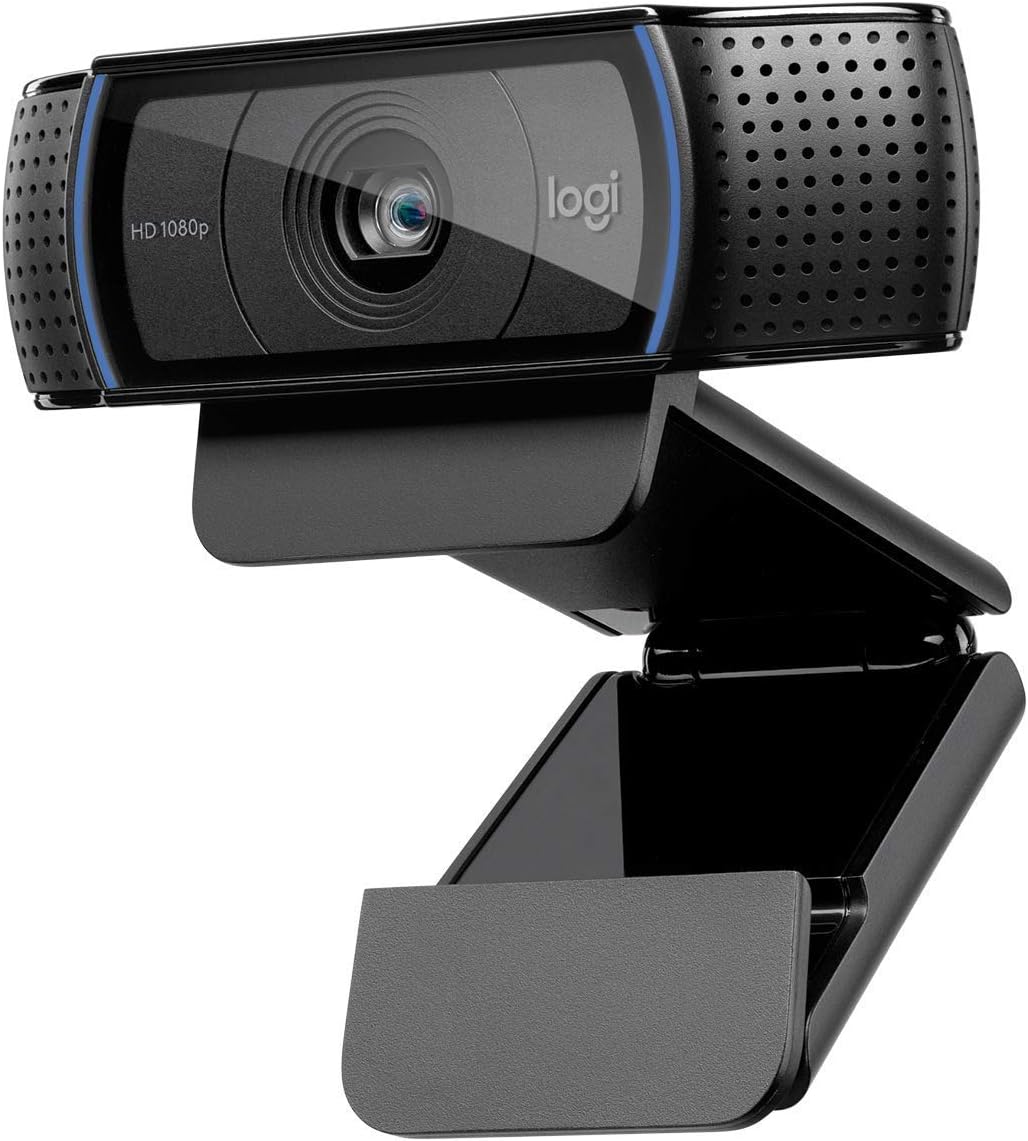


The Logitech C920x HD Pro stands out as a top choice for users seeking reliable Full HD performance. With a 4.6 rating from numerous customers it delivers crisp 1080p video at 30fps that looks professional on screen.
We may earn a commission when you buy through this link, at no additional cost to you.
Its standout features include HD autofocus and automatic light adjustment which ensures you remain sharp and bright even when ambient lighting is poor. The dual microphones capture stereo sound that reduces background noise effectively during calls and recordings.
While it lacks a physical privacy shutter the image quality and ease of use make it a strong contender for daily use. The XSplit VCam license included adds value by allowing virtual background changes without a green screen.
This webcam is ideal for professionals and streamers who prioritize consistent video quality and audio clarity. It works seamlessly with Windows 11 and most major video conferencing platforms ensuring smooth operation across your workflow.
The automatic light adjustment technology fine-tunes exposure to produce bright razor-sharp images even in dimly lit rooms where other cameras might struggle.
Stereo audio with dual mics ensures your voice sounds natural and clear which is essential for long conference calls or recording instructional videos.
We may earn a commission when you buy through this link, at no additional cost to you.
The EMEET C960 offers exceptional value for those needing a dependable 1080p camera without breaking the bank. It provides realistic video quality and includes a cover for privacy making it practical for home office use.
We may earn a commission when you buy through this link, at no additional cost to you.
Key strengths include automatic light adjustment and two built-in omnidirectional microphones that pick up voice clearly. The 90 degree wide-angle lens allows more participants to be seen without needing to adjust the camera frequently.
Trade-offs involve fixed focus which means you need to position yourself at the right distance for optimal sharpness. However for typical desk setups this limitation rarely impacts the overall user experience negatively.
This model is perfect for students or casual users who need a reliable webcam for Zoom or Teams. Its compatibility with Windows and macOS along with easy setup makes it an accessible choice for anyone.
The included cover can be removed automatically to meet privacy needs ensuring you have control over when the lens is exposed during calls.
Support for both USB Type-A and Type-C adapters ensures you can connect this camera to a wide range of devices without extra cables.
We may earn a commission when you buy through this link, at no additional cost to you.
The Logitech C920e is designed specifically for business environments requiring certified compatibility with major video calling platforms. Its robust design and features ensure seamless integration into corporate workflows and remote work setups.
We may earn a commission when you buy through this link, at no additional cost to you.
Highlights include certified Zoom and Microsoft Teams support which guarantees reliable performance during critical meetings. The attachable privacy screen gives users peace of mind by allowing them to confirm lens visibility at a glance.
While it carries a higher price tag the durability and enterprise-focused features justify the cost for professionals. The adjustable clip and tripod threads add versatility for mounting options that standard models lack.
Ideal for office workers and remote teams this webcam delivers consistent quality and reliability. It is fully compatible with Windows 11 and works with all popular video calling applications for universal use.
Being certified for Zoom and Microsoft Teams ensures seamless integration in the workplace so you can focus on meetings without technical distractions.
The sturdy adjustable clip and 1/4 inch threads provide flexibility to mount the webcam on laptops monitors or tripods as needed.
We may earn a commission when you buy through this link, at no additional cost to you.
The Logitech C920S HD Pro is a refined version of a classic webcam featuring a privacy shutter for enhanced security. It delivers premium video quality that makes you look like a professional during calls and recordings.
We may earn a commission when you buy through this link, at no additional cost to you.
Features like HD autofocus and light correction ensure razor-sharp high definition in every environment. The stereo audio with dual microphones captures natural sound which is crucial for clear communication on calls.
The main trade-off is the manual privacy shutter which requires a physical slide rather than electronic control. Despite this the overall build and performance make it a solid choice for home offices.
This camera is best suited for users who want a balance of price and performance without sacrificing essential features. It works well with most video calling platforms and offers reliable operation out of the box.
The privacy shutter puts you in control of what you show and protects the lens with a snugly fitting cover for added security.
Recorded videos benefit from the glass lens and full HD capabilities ensuring they are crisp and vibrantly colored for future viewing.
We may earn a commission when you buy through this link, at no additional cost to you.
The Logitech Brio 101 brings unique value with compatibility for Nintendo Switch 2 gameChat mode alongside standard video calling. It uses RightLight technology to reduce shadows ensuring you look your best during streams or calls.
We may earn a commission when you buy through this link, at no additional cost to you.
Its integrated webcam cover allows for total reliable privacy when not in use. The built-in microphone ensures clear audio during calls and it connects easily via a standard USB A cable for reliability.
While it lacks advanced software controls the hardware quality and environmental focus with recycled plastic appeal to many users. The easy plug-and-play setup works with Teams Zoom and Google Meet without extra drivers.
This webcam is ideal for gamers and home office workers who want simplicity and style. It offers a balance of performance and eco-conscious design at a reasonable price point.
Unique support for Nintendo Switch 2 gameChat mode expands its utility beyond typical PC use for gaming enthusiasts.
RightLight boosts brightness by up to fifty percent reducing shadows so you look your best in various lighting conditions.
We may earn a commission when you buy through this link, at no additional cost to you.
The NexiGo N60 supports a vast range of operating systems making it versatile for diverse tech setups. It produces sharp and clear videos with a two MP CMOS sensor and fixed focus lens optimized for indoor use.
We may earn a commission when you buy through this link, at no additional cost to you.
Built-in noise-cancelling microphone reduces ambient noise to enhance sound quality during calls. The privacy cover blocks the lens when not in use helping provide security and peace of mind for users.
Setup is incredibly fast ready to use in approximately one minute without additional drivers. While the fixed focus is limiting for distant shots it works well for standard desk distances.
This camera suits users needing broad compatibility across Windows Mac Android and Linux. It is a practical choice for general conferencing and casual streaming with reliable performance.
Works with a wide range of operating systems including Windows macOS Linux and Android for flexible device support.
Ready to use in approximately one minute or less on any compatible device without the need for complex installation steps.
We may earn a commission when you buy through this link, at no additional cost to you.
The EMEET S600 offers high-end performance with a Sony sensor and PDAF autofocus for sharp detailed video. It supports 4K at 30fps and 1080p at 60fps for smooth visuals ideal for content creation.
We may earn a commission when you buy through this link, at no additional cost to you.
Its advanced autofocus provides faster speed and higher precision than common autofocus systems. The adjustable FOV allows you to focus on yourself or your surroundings depending on your needs.
Although it costs more the image quality and flexibility justify the investment for streamers. The integrated privacy cover and rugged design ensure durability and convenience in various setups.
This model is best for aspiring streamers and creators demanding top-tier performance. It balances simplicity and advanced needs with optional software for customization of image parameters.
The Sony 1/2.55 inch sensor delivers crisp clear images far exceeding typical webcam quality for professional results.
Phase detection autofocus offers significant advantages over standard autofocus ensuring stable performance in various scenes.
We may earn a commission when you buy through this link, at no additional cost to you.
The Logitech HD Pro C920 remains a trusted name in webcams offering consistent Full HD performance. It is designed for widescreen video calling and recording ensuring you look sharp on modern displays.
We may earn a commission when you buy through this link, at no additional cost to you.
With a long history of reliability it works seamlessly with most video conferencing applications. Its build quality and audio performance continue to meet expectations for everyday use.
While newer models may have additional features this version offers a solid baseline for quality without unnecessary complexity. It is suitable for users who prefer simplicity and proven results.
Ideal for businesses and individuals needing a dependable camera this model delivers clear visuals and sound. Its compatibility with desktop and laptop setups makes it versatile for various environments.
A proven reliable model that has maintained high user satisfaction over years of consistent use in offices and homes.
Optimized for widescreen video calling to ensure proper framing and visibility during high quality communication sessions.
We may earn a commission when you buy through this link, at no additional cost to you.
The Logitech Brio 105 offers affordable Full HD resolution for business use ensuring meetings feel natural. It features RightLight 2 technology to improve image quality in suboptimal lighting conditions.
We may earn a commission when you buy through this link, at no additional cost to you.
Certified for Google Meet and compatible with major operating systems it supports seamless deployment via Logitech Sync. The integrated webcam cover gives employees confidence that their privacy is protected.
While it lacks advanced features the simplicity and reliability make it suitable for corporate environments. The plug-and-play design ensures employees can start calls quickly without configuration issues.
This model is perfect for small businesses needing a balance of cost and functionality. It supports Chromebooks and remote deployment making it accessible for various work arrangements.
Certified for Google Meet and compatible with major operating systems ensuring seamless integration for workplace video calls.
Supported by Logitech Sync for remote deployment and management helping IT teams ensure devices stay up to date.
We may earn a commission when you buy through this link, at no additional cost to you.
The Logitech Brio 100 Renewed provides high definition video quality as a certified refurbished product. It delivers clear and smooth video streaming at up to Full HD 1080p resolution.
We may earn a commission when you buy through this link, at no additional cost to you.
With a 58 degree diagonal field of view it captures more of your surroundings during calls. The easy USB connection works seamlessly with popular video conferencing applications without drivers.
Choosing a renewed product offers eco-friendly benefits without compromising on performance. It is a cost effective way to access reliable webcam technology for standard meetings and calls.
This model suits environmentally conscious users needing a straightforward HD camera. Its integrated microphone and plug-and-play compatibility make it ready for immediate use in any setup.
Opting for a certified renewed product reduces waste while providing reliable technology at a lower price point.
Full HD 1080p resolution at 30 fps ensures clear and smooth video streaming and recording for professional results.
We may earn a commission when you buy through this link, at no additional cost to you.
Selecting the right webcam depends on your specific needs and environment. This guide outlines key factors to consider before making a purchase.
Resolution refers to the number of pixels a camera captures and 1080p is the standard for high definition video. Frame rate indicates how many images are captured per second with 30fps being typical for smooth calls.
Look for 1080p at 30fps or higher for professional quality. If you stream or record content consider models that support 60fps for smoother motion.
Autofocus allows the camera to adjust sharpness as you move while fixed focus works best at a specific distance. Autofocus is more versatile but may be slower.
Choose autofocus if you move frequently during calls. Fixed focus is acceptable if you stay seated at a desk consistently.
Many webcams struggle in dim lighting leading to grainy images. Technology like automatic light adjustment or wider apertures help capture clear video in darker rooms.
Prioritize cameras with light correction features if you often work in environments with limited natural light.
Privacy shutters or covers allow you to physically block the lens when not in use. This ensures no one can view you without permission.
Always check if a model includes a physical privacy cover or shutter for peace of mind especially when working from home.
Built-in microphones vary in quality with some featuring noise cancellation for clearer voice capture. Stereo microphones offer better spatial audio than mono options.
If audio quality is critical consider models with dual microphones or external mic support for better sound clarity.
Most webcams use USB connections but some support USB-C or adapters. Ensure the camera works with your operating system and video apps.
Check that the device is plug-and-play for your OS and supports the platforms you use like Zoom or Teams.
A sturdy build ensures the webcam stays in place during use. Mounting options like clips or tripod threads add flexibility for different setups.
Look for adjustable clips or tripod mounts if you need to position the camera on varied surfaces or heights.
Some manufacturers provide software for customizing settings like brightness or background removal. Others rely on third-party apps for advanced features.
Evaluate if you need proprietary software for advanced control or if basic plug-and-play suffices for your needs.
To get the best image quality position your webcam at eye level with a light source behind the camera facing you. This setup reduces shadows and ensures your face is well illuminated during calls.
Regularly clean the lens with a soft microfiber cloth to remove dust and fingerprints that can blur your image. Avoid using harsh chemicals that might damage the lens coating or plastic casing.
Ensure your USB port provides enough power for the camera to function correctly. If using a hub choose a powered one to prevent connectivity issues or inconsistent performance.
Yes 1080p webcams offer noticeably sharper and more detailed video which is essential for professional meetings. The extra resolution helps you look more polished and ensures text or details in the background are clear.
Most modern 1080p webcams are plug-and-play and work immediately when connected via USB. Some models include optional software for advanced settings but basic functionality requires no additional drivers.
Yes the webcams listed in this guide are compatible with both Windows and macOS. Most support versions like Windows 11 and macOS 10.14 or later ensuring broad system compatibility.
Choose a webcam with automatic light adjustment or low-light features to improve visibility. You can also add a small desk lamp to provide adequate lighting for clearer images.
Check the product description for certification badges or explicit mentions of platform support. Most major webcams work with these applications but certified models guarantee seamless integration.
While not strictly necessary a privacy shutter offers extra security by physically blocking the lens when not in use. It prevents accidental recording and gives peace of mind during daily use.
We have highlighted ten top 1080p webcams that cover various needs from budget friendly options to premium business models. Each picks offers unique features like autofocus privacy covers or certification for specific platforms.
Prioritize factors like image quality privacy controls and compatibility based on how you plan to use the camera. Investing in a reliable model ensures clear communication and professional appearances in any setting.
Remember to check current prices and availability before purchasing as deals can change frequently. Use the provided links to find the best value for your needs today.