
NIMO 15.6'' AI Ready Laptop
4.9Editor score
Silent and efficient power
180 degree lay-flat hinge
Premium metal top cover
Finding a durable and stylish computing device often starts with looking for an all metal laptop. These devices offer superior build quality, better heat dissipation, and a premium feel that plastic models cannot match. Whether you need a machine for work or entertainment, the right chassis matters.
We have analyzed the current market to bring you a curated list of the finest options available today. Our comparison focuses on real-world usability, component quality, and the longevity of the materials used in construction. Each entry represents a distinct choice for different user needs.
Every pick below highlights key strengths and potential trade-offs to help you decide quickly. Note that availability and pricing can shift frequently, so verifying the latest details before purchase is always recommended. We aim to provide clarity in a crowded marketplace.
4.9Editor score

4.4Editor score

5.0Editor score
As an Amazon Associate we earn from qualifying purchases.
The following table provides a side-by-side look at the specifications and key attributes of each model on our list. This allows you to quickly compare processing power, memory capacity, storage options, and display technologies across different price points and use cases.




This device offers a striking combination of a large screen and ample storage within an all metal casing. It is designed to provide a robust physical feel while delivering significant space for files and applications without immediate need for external drives.
We may earn a commission when you buy through this link, at no additional cost to you.
The 32GB of RAM paired with a massive 2TB SSD ensures that you can keep numerous applications open simultaneously while storing large media libraries locally. The touchscreen interface adds a layer of modern interaction that mimics mobile devices, potentially streamlining tasks like drawing or navigation.
While the processor is a basic quad-core model, the ample RAM helps mitigate potential slowdowns during heavy multitasking. However, users expecting high-end gaming or intensive video editing performance might find the CPU limiting despite the generous memory and storage specifications.
Ideal for office work, accounting, or general productivity where storage and screen real estate are priorities over raw processing power. The metal body offers durability and a premium aesthetic that stands out among many budget-friendly plastic alternatives in the current market.
The metal body provides superior heat dissipation and a premium look compared to plastic models. It resists scratches and offers a sturdy feel that enhances the overall perceived quality of the laptop.
With 32GB RAM and 2TB SSD, this model excels at handling large data sets and multitasking. You will rarely face issues with running out of space or memory when working with large files.
We may earn a commission when you buy through this link, at no additional cost to you.
The Dell Latitude Rugged 5430 is built for environments where standard laptops might fail. Its rugged construction ensures longevity, while the Core i7 processor provides the computational power needed for demanding business tasks and multitasking.
We may earn a commission when you buy through this link, at no additional cost to you.
This model includes Windows 11 Pro, which offers advanced security and management features ideal for professional environments. The 32GB of RAM allows for seamless switching between heavy applications, ensuring that workflow remains uninterrupted even with multiple browser tabs and software running.
Despite its robust build, the device carries some weight which might be a consideration for frequent travelers. Additionally, while the processor is capable, it is based on an older architecture compared to the latest chips available in 2026.
Perfect for field technicians, business professionals, or anyone needing a reliable machine that can withstand rough handling. The combination of durability, high RAM, and a touchscreen interface makes it a versatile choice for professional use.
Designed to withstand tough conditions, this laptop offers peace of mind for users working in variable environments. The rugged build protects internal components from bumps and minor drops.
Windows 11 Pro and high-end specs cater to professional needs. Features like BitLocker and Active Directory support enhance security and manageability for organizational use.
We may earn a commission when you buy through this link, at no additional cost to you.
The HP OmniBook 3 stands out for its incredible battery life, lasting up to 41 hours on a single charge. This makes it an ideal companion for long workdays or travel where access to power outlets is limited or unreliable.
We may earn a commission when you buy through this link, at no additional cost to you.
Its 2K OLED display delivers rich colors and deep blacks, enhancing visual media consumption and productivity tasks. The Snapdragon processor offers efficient performance for daily tasks and includes AI features designed to streamline workflows through integrated tools like Otter.ai and Copilot.
While the 16GB of RAM is sufficient for most tasks, it is not upgradeable, which might limit future-proofing compared to systems with accessible slots. Users should also be aware that ARM-based processors may have specific compatibility nuances with certain legacy x86 applications.
Best for students, writers, or professionals who prioritize mobility and battery endurance over raw processing power. The slim design and premium OLED screen ensure a delightful user experience for those who value portability and visual quality.
With up to 41 hours of battery life, you can work unplug for days. This feature ensures that you remain productive even in remote locations without power access.
The 2K OLED display offers vibrant colors and sharp details. This screen quality enhances everything from reading documents to watching media, providing a premium viewing experience.
We may earn a commission when you buy through this link, at no additional cost to you.
This NIMO laptop strikes an excellent balance between affordability and build quality, featuring a premium metal top cover that adds durability. The Intel N150 processor provides silent, energy-efficient power, making it a great choice for library study or quiet office environments.
We may earn a commission when you buy through this link, at no additional cost to you.
It comes with a comprehensive 2-year warranty and dedicated USA support, offering peace of mind for long-term use. The laptop is designed for seamless multitasking and fast boots, and users can easily expand storage via M.2 slots or Micro SD if needed.
While 8GB of RAM is standard for this price point, it might be limiting for heavy multitasking with many browser tabs open. However, the expandable storage helps mitigate file storage issues for users with growing digital libraries.
Recommended for students and professionals seeking a reliable, portable device without breaking the bank. The lightweight design and robust warranty make it a smart investment for everyday productivity and casual entertainment needs.
The N150 processor runs quietly, making it perfect for shared spaces. You can focus on your tasks without the distraction of loud fan noise during operation.
With a 2-year warranty and dedicated support, you have long-term protection for your device. This assurance is valuable for users who need consistent performance without frequent maintenance worries.
We may earn a commission when you buy through this link, at no additional cost to you.
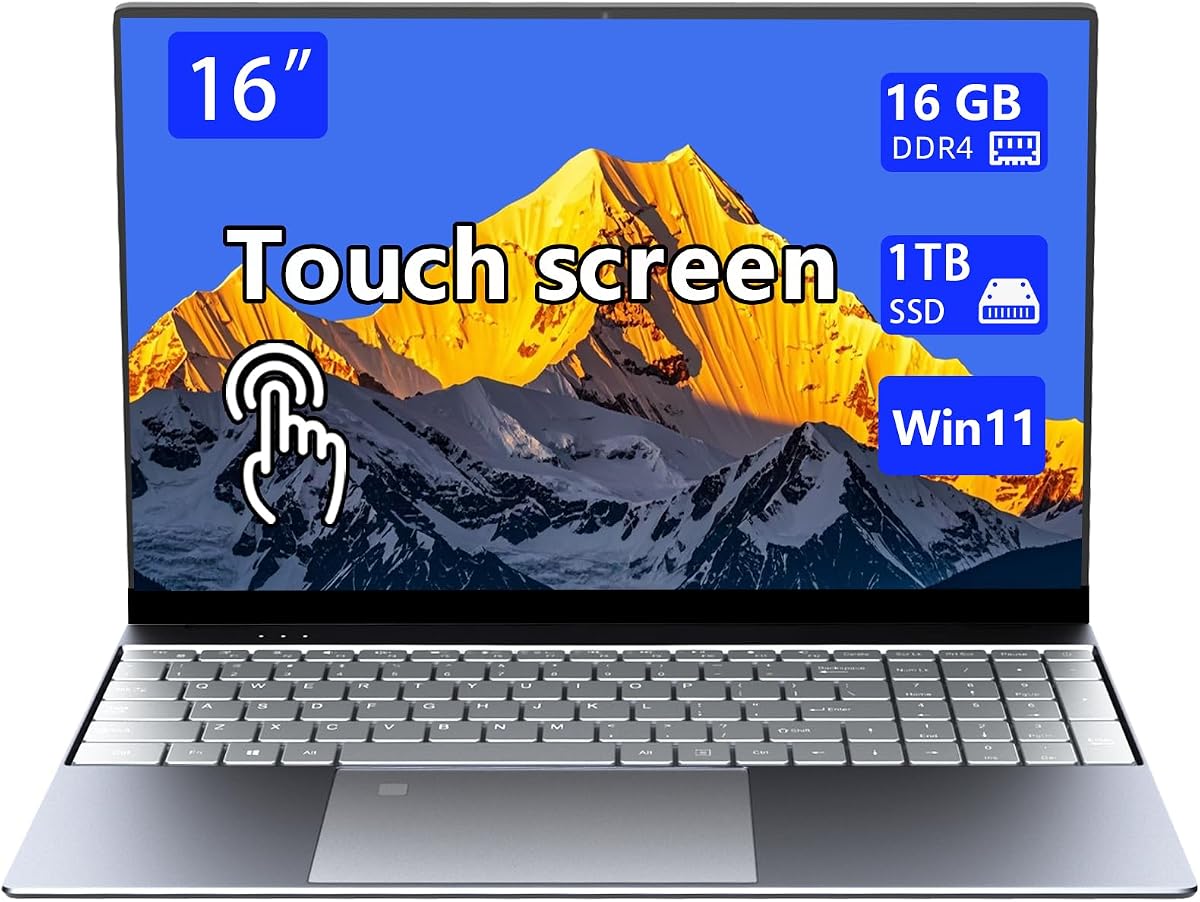
This 16-inch model brings a high-end metal body to a lower price point, offering a premium feel without the premium cost. It includes 16GB of RAM and a 1TB SSD, providing a solid foundation for multitasking and storage needs.
We may earn a commission when you buy through this link, at no additional cost to you.
The touchscreen and fingerprint recognition add convenient layers of interaction and security, allowing for quick logins and intuitive navigation. The backlit keyboard ensures you can work comfortably in low-light environments without straining your eyes.
Despite the attractive specifications, user ratings suggest potential issues with reliability or quality control. Buyers should weigh the impressive hardware list against feedback regarding performance stability and build consistency before making a decision.
Suitable for budget-conscious users who need specific specs like 16GB RAM and 1TB storage. It is a strong contender if you verify its condition upon arrival, as the metal build and feature set are compelling for the price.
With 16GB RAM and 1TB SSD, this laptop offers strong specs for the price. These components support smooth switching between applications and ample space for personal files.
Fingerprint recognition and a touchscreen enhance daily usability. These features provide quick access and intuitive control, making routine tasks easier and more efficient to perform.
We may earn a commission when you buy through this link, at no additional cost to you.
The HP Everyday Slim Laptop is designed with cloud integration in mind, pairing a 128GB SSD with 1TB of OneDrive storage. This setup is perfect for users who prefer storing files in the cloud to save local space and ensure easy accessibility from any device.
We may earn a commission when you buy through this link, at no additional cost to you.
It includes Microsoft Office 365, making it ready for productivity work right out of the box. The laptop is exceptionally thin and lightweight, weighing just over 3 pounds, which makes it easy to slip into a bag for daily commutes or travel.
Local storage is limited to 128GB, which relies heavily on the included cloud subscription for expansion. Users who prefer keeping large media files locally may need to manage storage carefully or rely on external drives for their media libraries.
Ideal for students or casual users who live in the cloud and prioritize portability and software bundles. The included Office subscription and long battery life make it a practical choice for everyday tasks and travel.
With 1TB OneDrive and limited local storage, this laptop encourages cloud usage. This ensures your files are safe and accessible from anywhere with an internet connection.
Microsoft Office 365 is included, providing all necessary tools for productivity immediately. You can start writing, editing, and presenting without needing additional software purchases.
We may earn a commission when you buy through this link, at no additional cost to you.
This 16-inch laptop combines a full metal body with a powerful Core i7 processor and 16GB of RAM. It targets users who want a premium aesthetic and solid performance for multitasking and creative work without spending a premium amount.
We may earn a commission when you buy through this link, at no additional cost to you.
The 1920×1200 IPS display offers a generous amount of screen real estate with narrow bezels, making it comfortable for reading and multitasking. Fingerprint recognition and a backlit keyboard add layers of convenience and security to the daily user experience.
While the hardware is robust, some legacy ports and standards like Bluetooth 4.2 are present instead of newer versions. This might limit connectivity options for the latest peripherals, but it does not hinder general functionality for most users.
Best for individuals seeking a well-rounded machine that looks and feels expensive. The combination of metal build, Core i7 speed, and 16GB RAM makes it a viable option for office work and light creative tasks.
The 100% recycled aluminum enclosure looks striking and feels durable. It resists scratches and offers a high-quality touch that elevates the device's overall appeal.
With a fingerprint reader and backlit keyboard, typing and security are handled easily. These small details contribute significantly to a smooth daily workflow and comfortable usage.
We may earn a commission when you buy through this link, at no additional cost to you.
This Dell model features modern DDR5 RAM and an AMD Ryzen 7 processor, offering blazing-fast performance for demanding tasks. The 16-inch touchscreen provides ample vertical space for productivity, making it a strong contender for professionals needing desktop-class power on the go.
We may earn a commission when you buy through this link, at no additional cost to you.
The 16:10 aspect ratio delivers 11% more vertical space than standard screens, which is beneficial for coding and document work. With 300-nit brightness and IPS technology, the display ensures vibrant colors and comfortable viewing angles for extended work sessions.
While storage is limited to 256GB, the fast PCIe NVMe SSD ensures rapid boot times and application launches. Users with large file collections will need to rely on external storage or cloud solutions to expand their capacity effectively.
Recommended for power users, engineers, and content creators who need modern connectivity and strong processing speeds. The combination of DDR5 memory and Ryzen performance ensures the machine remains capable for future software demands.
DDR5 RAM and Ryzen 7 speeds provide exceptional responsiveness. This ensures that even heavy multitasking and resource-intensive applications run smoothly without slowdowns.
The 16:10 aspect ratio offers more vertical space for efficient workflow. This extra space is particularly useful for coding, writing, and managing multiple windows simultaneously.
We may earn a commission when you buy through this link, at no additional cost to you.
This KONZID laptop features a metal shell that adds a touch of durability and style to its slim profile. Weighing just 3.7 pounds and measuring 0.72 inches thick, it is designed to slip easily into a backpack for daily commutes or travel.
We may earn a commission when you buy through this link, at no additional cost to you.
It offers a respectable 16GB of RAM which helps in handling multiple tasks without lag, paired with a fast 256GB SSD. The connectivity options are rich, including multiple USB ports and Type-C, ensuring you can connect various peripherals without dongles.
The N95 processor is efficient for standard office tasks but might struggle with heavy workloads. The battery life is decent for a day of work but not exceptional, so keeping a charger handy is advisable for long meetings.
Best for students and business professionals who prioritize portability and build materials. The metal shell and high RAM count make it a versatile machine for general productivity and multitasking on the move.
The metal shell and thin design make it a practical travel companion. It resists wear better than plastic models and fits easily in standard bags for daily transport.
With multiple USB ports and Type-C, you can connect almost anything without adapters. This feature ensures that your workflow remains uninterrupted during presentations or file transfers.
We may earn a commission when you buy through this link, at no additional cost to you.
The FIREBAT laptop stands out with a premium all-metal body and a high-performance Ryzen 7 processor. It is designed for users who need serious computational power for gaming or video editing while maintaining a portable form factor suitable for travel.
We may earn a commission when you buy through this link, at no additional cost to you.
With 32GB of DDR5 RAM and a massive 1TB PCIe 4.0 SSD, this device ensures fast data transfer speeds and ample space for large projects. The 2560×1600 WQXGA display with a 120Hz refresh rate delivers crisp visuals and smooth motion for both work and entertainment.
While the performance is top-tier, the battery life may be shorter during intensive tasks due to the high power consumption of the components. However, the large 80Wh battery helps mitigate this, offering reasonable endurance for standard productivity tasks.
Ideal for professionals, gamers, and content creators who want a powerful, reliable machine in a sleek chassis. The expandable storage and RAM slots ensure that you can upgrade the system as your needs grow over time.
With 32GB DDR5 and Ryzen power, this laptop handles heavy workloads effortlessly. It is capable of running complex software and games without noticeable lag or slowdown.
The WQXGA 120Hz display offers stunning detail and smooth motion. This makes editing high-resolution media or watching content a visually rich and comfortable experience.
We may earn a commission when you buy through this link, at no additional cost to you.
Choosing an all metal laptop involves weighing build quality against performance needs and budget constraints. This section outlines the key factors to consider before making your final decision.
All metal laptops typically use aluminum or magnesium alloys, which offer superior durability and heat dissipation compared to plastic. Look for finishes that resist fingerprints and scratches to maintain a premium look over time.
Ensure the construction feels solid with minimal flex in the lid and keyboard area.
Select a processor that matches your workload. For basic tasks, an Intel Core i5 or AMD Ryzen 5 is sufficient, while heavy multitasking or creative work benefits from Core i7 or Ryzen 7 models with higher core counts.
Check benchmark scores and reviews to gauge real-world performance for your specific needs.
At least 16GB of RAM is recommended for future-proofing and smooth multitasking in 2026. Storage should ideally be an NVMe SSD for speed, with 512GB being a comfortable minimum for most users.
Opt for models with expandable slots if you anticipate needing more space later on.
A high-resolution screen with good color accuracy is essential for productivity and media consumption. Look for IPS or OLED panels with at least 1920×1200 resolution for clarity.
Consider the brightness and refresh rate if you work in bright environments or play games.
Portable laptops should offer at least 8 hours of battery life to get you through a workday. All metal bodies can sometimes dissipate heat better, which may help with power efficiency and battery longevity.
Check independent reviews for real-world usage times rather than just manufacturer claims.
Ensure the laptop has the necessary ports like USB-C, HDMI, and USB-A to connect your peripherals without relying on dongles. Wi-Fi 6 or 6E support is crucial for fast wireless speeds in 2026.
Verify that the device includes audio jacks and card readers if needed for your workflow.
Metal laptops can be heavier than plastic ones due to the materials used. Check the weight and dimensions to ensure the device fits comfortably in your bag and is easy to carry for long periods.
Aim for under 4 lbs if you travel frequently with your computer.
Reliable customer support and a good warranty are critical for protecting your investment. Look for brands that offer at least a one-year warranty and accessible technical support channels.
Read reviews regarding after-sales service to ensure you will be supported if issues arise.
To maintain the finish of your metal laptop, wipe it down regularly with a soft, lint-free cloth. Avoid abrasive cleaners or harsh chemicals that could scratch or dull the surface over time.
Keep your device in a cool, dry place when not in use to prevent thermal stress and moisture damage. Ensure proper ventilation by not placing it on soft surfaces like blankets while it is running.
Regularly update your operating system and drivers to maintain security and performance. Consider performing periodic disk cleanups and managing startup apps to keep the system running smoothly for years.
All metal laptops offer superior durability and a premium feel compared to plastic models. The metal chassis helps dissipate heat more effectively, which can improve performance stability. They are also more resistant to scratches and wear over time.
Often, yes. Metal is denser than plastic, which can add weight to the device. However, manufacturers use lightweight alloys like aluminum to balance durability with portability. It is best to check the specific weight before purchasing.
This depends on the specific model. Some laptops have removable RAM slots, while others solder the memory to the motherboard for a slimmer design. Always check the specifications or service manual to confirm upgradeability.
Metal is generally better at conducting heat away from internal components than plastic. This often leads to cooler running temperatures, but it does not guarantee a silent fan or lower internal temperatures in all scenarios.
It depends on your workflow. Touchscreens offer intuitive navigation and are great for creative work but can drain battery life. If you value portability and battery, a non-touch screen might be more efficient.
Use a microfiber cloth slightly dampened with water or a dedicated screen cleaner. Avoid spraying liquid directly onto the device. Always turn off the laptop and let it dry completely before using it again.
Whether you choose the budget-friendly NIMO or the powerful FIREBAT, each of these models offers a unique balance of metal build and functionality. We have highlighted the best value and premium options to suit a wide range of needs.
Consider your primary use case and how long you plan to keep the device when prioritizing specs like RAM and storage. Battery life and display quality are equally important factors for daily satisfaction.
Prices and availability change frequently in the fast-moving tech market. We encourage you to check the latest pricing and reviews before buying to ensure you get the best deal available today.