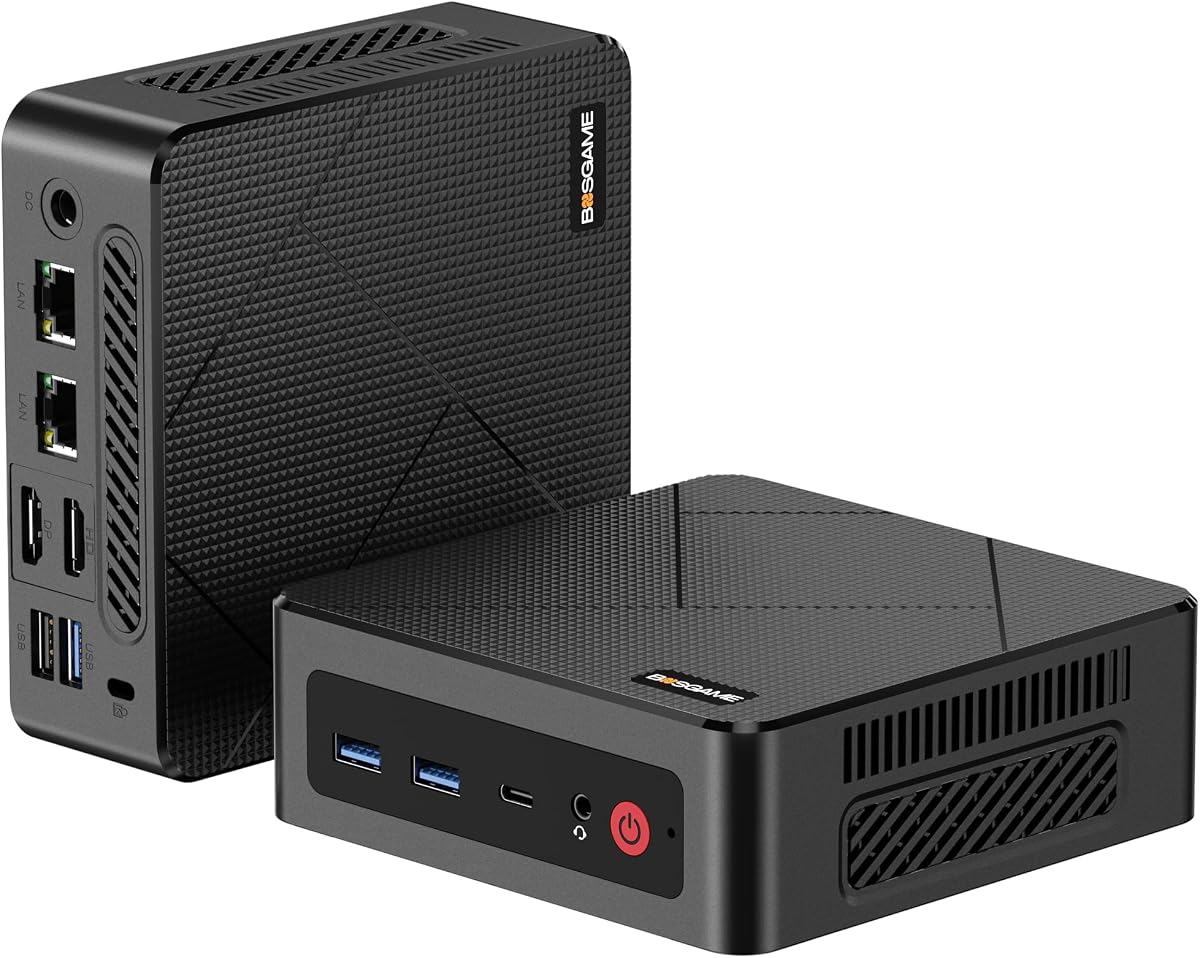
BOSGAME E4 Air
4.2Editor score
Ryzen 5 3500U CPU
Affordable entry price
Triple 4K display support
This guide compares the top 10 Linux Mini Pcs available in October 2026 to help you find the right balance of performance, price, and open-source support.
Linux Mini Pcs offer a compact and efficient alternative to traditional desktop towers while running open-source operating systems that prioritize privacy and performance. These devices are ideal for developers, home lab enthusiasts, and anyone seeking a lightweight computing experience without the overhead of proprietary software licensing or bloatware.
We have carefully evaluated ten distinct models ranging from budget-friendly entry points to high-end workstations capable of handling complex virtualization tasks. Each product was assessed based on its processor architecture, memory expandability, storage options, connectivity ports, and specific Linux compatibility or pre-installation status to ensure a comprehensive overview.
Every pick in this list highlights unique strengths such as dual-channel memory support, triple display outputs, or specialized networking features suitable for firewalls and NAS servers. Please note that product availability and pricing fluctuate frequently so always verify the latest details before making your final purchasing decision today.
4.2Editor score

4.8Editor score

4.9Editor score
The following comparison table provides a side-by-side overview of all ten selected Linux Mini Pcs highlighting their core specifications and key differentiators for easy reference during your selection process.


The TK Node Mini PC stands out as a premier choice for those seeking a reliable Linux Mini PC with built-in support for modern workflows. It ships with Zorin OS Core which provides a familiar interface for users transitioning from Windows while maintaining the security and efficiency of an open-source environment. The device is assembled and quality-checked in the United States ensuring high build standards and accessible local support for warranty claims.
We may earn a commission when you buy through this link, at no additional cost to you.
Its AMD Ryzen R2314 processor delivers efficient 4-core performance suitable for everyday productivity virtualization and containerization tasks. The standout feature here is the storage flexibility with dual NVMe SSD slots supporting up to 4TB total capacity which is rare in this form factor. Furthermore the triple 4K display support via HDMI DisplayPort and USB-C allows for expansive multi-monitor setups ideal for developers or power users.
While the base configuration includes 8GB of RAM users can expand this significantly up to 64GB thanks to dual SO-DIMM slots. The only notable trade-off is the absence of Thunderbolt connectivity which might limit high-speed peripheral daisy-chaining for some professionals. However for general Linux deployments requiring steady 24/7 operation and flexible expansion this model offers exceptional value and reliability.
This Mini PC is best suited for small business environments home labs and individual developers who prioritize ease of setup and long-term support. The inclusion of a VESA mounting kit and essential cables means it is ready to deploy immediately upon unboxing making it a top recommendation for those seeking a hassle-free Linux experience.
Zorin OS Core is designed specifically to ease the transition for Windows users moving to Linux by offering a familiar desktop layout and pre-installed compatibility tools for running Windows applications.
Having two M.2 slots for NVMe drives allows users to separate their operating system and storage workloads improving overall system responsiveness and simplifying backups or migrations.
We may earn a commission when you buy through this link, at no additional cost to you.
The Beelink SER3 is a compelling option for users who need solid multitasking capabilities without breaking the bank. It comes equipped with 16GB of DDR4 RAM which is a significant advantage over many competitors in this price range that often ship with only 8GB. This memory capacity ensures smooth operation when running multiple browser tabs applications and background services simultaneously.
We may earn a commission when you buy through this link, at no additional cost to you.
Powered by the AMD Ryzen 3 3200U processor this unit leverages the Radeon Vega 3 graphics to handle light gaming and 4K video playback efficiently. The dual HDMI ports allow you to connect two high-resolution monitors easily making it a great choice for home offices or media centers. The thermal design is robust enough to maintain performance during extended workloads without excessive noise or heat.
However the processor is limited to two cores and four threads which may struggle with highly intensive tasks like heavy video rendering or complex compilation jobs. Additionally the storage configuration relies on a single M.2 slot which limits future expansion compared to models with dual SSD slots. Despite these limitations it remains a strong contender for general productivity and home entertainment use.
This model is highly recommended for budget-conscious buyers who want immediate performance upon installation without needing to upgrade memory. The lifetime technical support and comprehensive warranty further enhance its appeal providing peace of mind for long-term usage in home or small office settings.
Starting with 16GB of RAM ensures that the system does not bottleneck during heavy multitasking sessions which is often the first limiting factor in entry-level Mini PCs.
The dual HDMI setup enables a dual-monitor workspace that boosts productivity by allowing side-by-side application usage without requiring external docks or adapters.
We may earn a commission when you buy through this link, at no additional cost to you.
The ASUS NUC 14 Pro represents the pinnacle of performance available in the Mini PC category tailored specifically for Linux users who need enterprise-grade capabilities. It comes pre-installed with Linux Mint ensuring a stable and privacy-focused environment that is ideal for developers and AI researchers. The inclusion of the latest Intel Ultra 7 processor with 16 cores and 22 threads provides massive computational power for virtualization and machine learning tasks.
We may earn a commission when you buy through this link, at no additional cost to you.
Memory and storage are top-tier with 64GB of DDR5 RAM and a blazing-fast 2TB PCIe SSD which eliminate bottlenecks during heavy data processing. The device supports up to four 4K HDR displays making it perfect for complex multi-monitor workflows or financial trading setups. Connectivity is extensive featuring Thunderbolt 4 and WiFi 6E for ultra-fast data transfers and wireless networking speeds.
While the price is significantly higher than other models on this list the performance and build quality justify the investment for professional use cases. The advanced cooling system ensures silent operation even under intense loads maintaining stability for 24/7 server or workstation duties. However the larger physical size might not fit in ultra-compact spaces compared to other Mini PCs.
This Mini PC is designed for professionals and power users who cannot compromise on speed or expandability. Whether you are training AI models running multiple virtual machines or need a powerful home workstation this device offers the raw power and connectivity required for demanding Linux workflows.
Linux Mint offers a lightweight and clutter-free experience that pairs perfectly with the powerful hardware ensuring the system remains responsive and free from unnecessary bloatware.
Thunderbolt 4 provides a unified port for charging data and display output allowing users to connect high-speed peripherals and docking stations with a single cable for simplified desk management.
We may earn a commission when you buy through this link, at no additional cost to you.
The Beelink Mini S12 Pro is an excellent choice for office environments that prioritize energy efficiency and reliable daily performance. It features the Intel N100 processor which is a low-power option that still delivers respectable performance for web browsing document editing and light media consumption. The inclusion of 16GB of DDR4 RAM ensures that the system remains smooth and responsive even with multiple applications open at once.
We may earn a commission when you buy through this link, at no additional cost to you.
This model supports dual HDMI 4K output making it easy to set up a dual-monitor workstation for increased productivity without needing an external dock. The cooling system is designed to be nearly silent which is crucial for open office spaces or quiet home environments. Additionally the support for AV1 decoding ensures smooth playback of modern video content without taxing the CPU.
One limitation is that it has a single RAM slot which caps the memory upgrade potential at 16GB. While sufficient for most office tasks this might limit future-proofing for users who anticipate growing memory needs. The storage options include an M.2 slot and a SATA interface allowing for reasonable expansion if you need to store large local files.
For businesses or home users looking for a compact and efficient PC that runs cool and quietly this model is a strong contender. It handles daily workflows with ease and provides modern connectivity features like WiFi 6 and Bluetooth 5.2 to keep peripherals connected reliably.
The N100 processor has a very low thermal design power which reduces electricity costs and heat generation making it ideal for systems that run continuously without active cooling fans.
Support for AV1 decoding means that streaming services like YouTube and Netflix deliver higher quality video at lower bandwidth usage improving the overall viewing experience on this Mini PC.
We may earn a commission when you buy through this link, at no additional cost to you.
The KAMRUI Pinova P2 delivers impressive AMD-based performance in a sleek compact design that appeals to both home users and business professionals. It is powered by the Ryzen 7 3300U which features Zen 3 architecture providing a significant boost in single-core and multi-core performance compared to older generations. This makes it capable of handling more demanding tasks like data analysis or light content creation efficiently.
We may earn a commission when you buy through this link, at no additional cost to you.
A standout feature is the triple 4K display output allowing users to connect three monitors simultaneously via HDMI DisplayPort and USB-C. This makes it an exceptional tool for stock trading or monitoring multiple applications side-by-side without needing a complex docking station. The system also uses LPDDR4X memory which offers high speeds and low power consumption for better battery efficiency if paired with a portable setup.
The memory is soldered and not upgradeable which means you must choose the right configuration at purchase time. Additionally the base storage is limited to 256GB but expansion is possible via additional M.2 slots for up to 4TB total capacity. The cooling system is optimized to keep the device running quietly even under load maintaining a professional environment.
This Mini PC is perfect for users who need strong graphical performance and multi-monitor support in a small package. Its balance of power efficiency and expandability makes it a versatile choice for home offices or light production work where screen real estate is critical.
Having three independent 4K screens allows for a massive workspace where you can keep reference materials communication tools and your main work area visible all at once.
The Zen 3 design improves instructions per clock which means the processor can do more work with the same amount of power resulting in snappier performance across apps.
We may earn a commission when you buy through this link, at no additional cost to you.
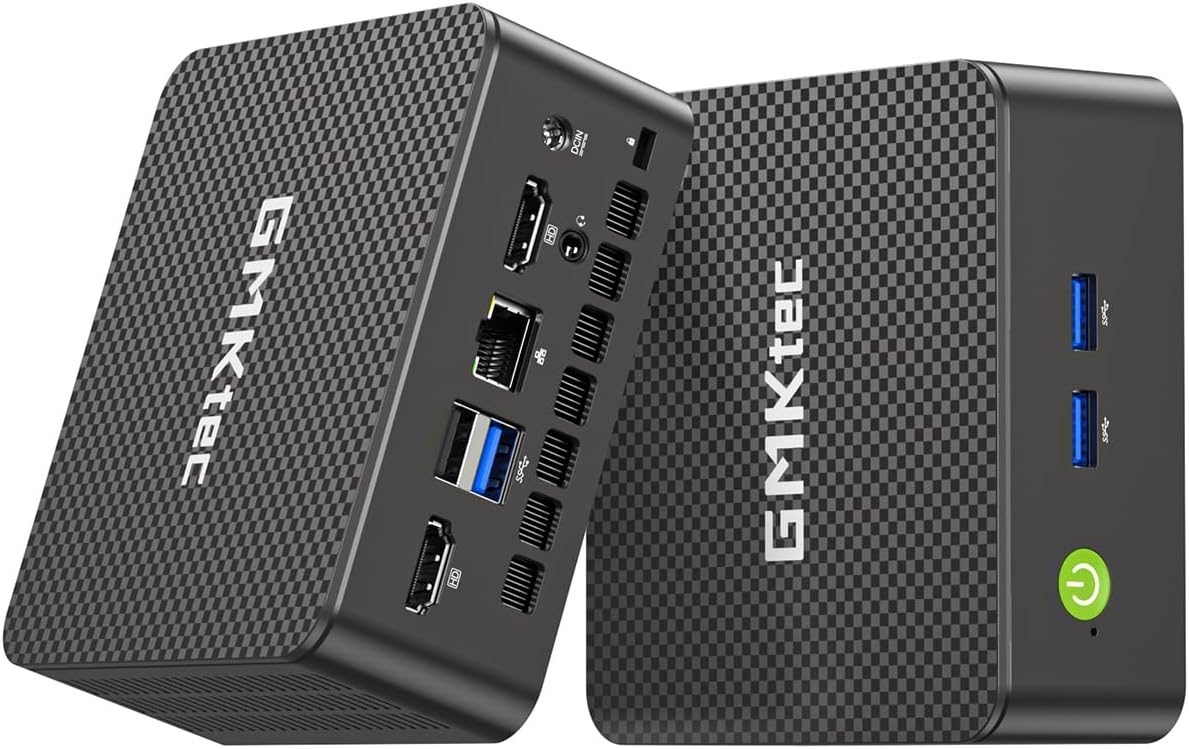
The GMKtec G11 is uniquely positioned for users who want to build a home server or network appliance using Linux Mini PCs. It features dual 2.5GbE Ethernet ports which allow it to function as a high-speed firewall router or network storage server. This dual-network capability is rare in consumer Mini PCs and makes it ideal for virtualizing multiple networked services securely.
We may earn a commission when you buy through this link, at no additional cost to you.
The processor is the Ryzen Embedded R2514 which offers solid performance for its class. It supports dual-channel memory which significantly boosts memory bandwidth compared to single-channel alternatives. This feature ensures that tasks like 4K video playback or running multiple virtual machines remain smooth and responsive without lag or stuttering during heavy network traffic.
Connectivity includes WiFi 6E and multiple USB 3.2 ports providing plenty of bandwidth for external storage and peripherals. The device also supports triple 4K displays making it a powerful all-in-one solution for work and networking needs. However its specialized nature means it might be overkill for simple office tasks where standard single LAN ports suffice.
For tech enthusiasts or small businesses needing a robust secure network core this Mini PC is an outstanding choice. It provides the hardware foundation required to run advanced software like pfSense or OPNsense efficiently while also serving as a capable desktop workstation.
Dual Ethernet ports allow you to create separate internal and external networks enabling firewall configurations that isolate your home network from the public internet for better security.
The embedded R2514 chip is designed for 24/7 operation ensuring reliable performance over long periods without overheating or throttling during critical server tasks.
We may earn a commission when you buy through this link, at no additional cost to you.
The CyberGeek Mini PC stands out for its high-end Core i9 processor which brings desktop-class performance into a small form factor. This makes it suitable for demanding workloads like 3D rendering or compiling large codebases where raw processing power is critical. It comes preloaded with Ubuntu Linux providing a stable and developer-friendly environment right out of the box for immediate use.
We may earn a commission when you buy through this link, at no additional cost to you.
The system includes 32GB of DDR4 RAM and a 1TB PCIe SSD which ensures ample space and speed for large projects and data storage. Connectivity is robust with six USB ports and dual LAN options giving you plenty of flexibility to connect peripherals and network devices. The triple display support allows for a wide visual workspace enhancing productivity across multiple screens.
One consideration is that the high-performance CPU generates significant heat which may result in fan noise under heavy load. The physical size is also larger than ultra-compact Mini PCs meaning it takes up more desk space. Despite this the performance benefits make it a compelling option for users who need serious computing power in a portable shape.
This device is best for developers and content creators who need a powerful workstation that can travel to different locations. It bridges the gap between traditional towers and Mini PCs delivering impressive speed and expandability for complex professional tasks.
The Core i9-11900H offers 8 cores and 16 threads ensuring that heavy multitasking and compute-intensive tasks run without slowing down your workflow.
Ubuntu Linux is a preferred platform for developers offering a vast library of tools and libraries pre-installed to streamline coding and deployment environments.
We may earn a commission when you buy through this link, at no additional cost to you.
The BOSGAME E5 is a versatile Mini PC that balances everyday productivity with advanced networking capabilities. It features two ultra-fast 2.5GbE Ethernet ports making it an ideal candidate for home labs or network security projects. This dual LAN setup allows for robust firewall or router deployments running on open-source software while still serving as a daily driver for work tasks.
We may earn a commission when you buy through this link, at no additional cost to you.
Powered by the Ryzen 3 5300U this unit delivers stable performance for business software and multitasking. The system includes 16GB of DDR4 RAM and a fast 512GB NVMe SSD ensuring quick boot times and fluid application loading. Expansion is friendly with dual M.2 slots for storage allowing you to add more capacity without replacing the primary drive.
While it uses Wi-Fi 5 instead of the newer Wi-Fi 6 standard the wired LAN options provide consistent high-speed connectivity for stationary setups. The cooling system is efficient and quiet keeping the device pleasant to use in close proximity. Triple 4K display support further extends its utility for users needing multiple screens for productivity.
This Mini PC is highly recommended for tech enthusiasts who want a dual-purpose device for work and home server experiments. It offers the flexibility to run virtual machines securely while maintaining enough performance for general office and media consumption tasks.
Having two M.2 slots allows you to separate your operating system from your data storage improving overall performance and simplifying system backups and maintenance routines.
The ability to drive three 4K monitors ensures that you can maximize your workspace efficiency for tasks like monitoring dashboards or extensive document editing.
We may earn a commission when you buy through this link, at no additional cost to you.
The BOSGAME E4 Air is a fantastic entry-level option for users seeking a low-cost Linux Mini PC without sacrificing essential features. It runs the AMD Ryzen 5 3500U processor which provides reliable power for daily tasks like web browsing and document editing. The triple 4K display output is a rare feature at this price point allowing for multi-monitor productivity setups on a budget.
We may earn a commission when you buy through this link, at no additional cost to you.
Connectivity includes dual Gigabit LAN ports which can be useful for networking projects or reliable wired connections at home. The system includes 8GB of DDR4 RAM and a 256GB SATA SSD which ensures decent boot times and storage for basic applications. It is pre-installed with a clean system making it ready for use with minimal setup required.
The primary trade-off is the limited RAM which is not easily expandable on all configurations. Additionally the SATA SSD is slower than modern NVMe drives which might impact loading speeds for heavy applications. However for light computing and office use this device offers exceptional value and stability over time.
This Mini PC is perfect for students or secondary workstations where budget is a priority. It provides a solid foundation for Linux usage and includes a reliable warranty to ensure peace of mind for long-term ownership and support needs.
Even at an entry-level price the ability to run three 4K screens allows for a powerful visual setup that can compete with much more expensive desktop systems.
Having two LAN ports enables simple network segregation or failover configurations which is valuable for home labs or small office security setups.
We may earn a commission when you buy through this link, at no additional cost to you.
The GMKtec G3S is a compact Mini PC designed for routine office tasks and home entertainment needs. It features the Intel N95 processor which offers a solid performance upgrade over previous low-power chips. This makes it capable of handling daily applications smoothly while maintaining a very low power profile for energy efficiency and silent operation.
We may earn a commission when you buy through this link, at no additional cost to you.
It includes 8GB of DDR4 RAM and a fast 256GB M.2 SSD ensuring that the system boots quickly and loads applications without delay. The dual HDMI 2.0 ports support 4K video playback at 60Hz making it an ideal media center device for streaming services. Support for AV1 decoding ensures smooth high-quality video viewing with minimal bandwidth usage.
While it lacks the expandability of higher-end models it provides a reliable and self-contained solution for general computing. The compact design allows it to fit discreetly behind a monitor or on a small shelf without taking up much space. Connectivity options include WiFi 5 and Bluetooth 5.0 which are sufficient for standard home network environments.
This model is best for users looking for a simple plug-and-play device for media consumption or light web tasks. It offers excellent value for money and ensures that your digital life remains connected and efficient without the complexity of larger desktop systems.
AV1 decoding capability means that modern streaming platforms can run at full quality without requiring high CPU usage keeping the device cool and quiet during movie nights.
The small physical footprint makes it easy to mount behind a monitor using a VESA mount keeping your desk clutter-free and organized for a clean workspace.
We may earn a commission when you buy through this link, at no additional cost to you.
Selecting the right Linux Mini PC requires considering several factors ranging from processor performance to memory expandability and specific operating system compatibility to ensure long-term satisfaction.
The CPU is the brain of your Mini PC and determines how well it handles tasks like virtualization media rendering and multitasking. Look for modern architectures like AMD Ryzen or Intel Core series for robust performance while low-power N-series chips are great for basic office tasks or home media centers.
Always match the processor choice to your intended workload to ensure you get the best value for your budget without overpaying for unnecessary power.
Linux systems generally run smoothly with 8GB of RAM but 16GB or more is recommended if you plan on running multiple virtual machines or heavy development tools. Storage speed matters significantly so prioritize NVMe SSDs over SATA drives to ensure fast boot times and responsive application loading across your desktop.
Check if the model offers upgradeable slots for RAM and storage since this flexibility extends the lifespan of the device as your data needs grow over time.
Ensure the Mini PC has enough USB ports HDMI or DisplayPort outputs to support your monitors and peripherals. Features like Thunderbolt or multiple Ethernet ports can be critical for professional setups requiring high-speed data transfer or advanced network configurations like dual-WAN routing or firewall management.
Modern wireless standards like WiFi 6E also improve network reliability and speed for users who rely on wireless connections for their daily computing tasks.
Some Mini PCs come with pre-installed Linux distributions like Ubuntu Zorin or Mint which simplifies setup and ensures driver compatibility. If you plan to install a custom OS verify that the hardware components like audio and WiFi are well-supported by the open-source community to avoid driver headaches after purchase.
Pre-installed systems are often optimized for the specific hardware model reducing the risk of configuration issues and saving you time on initial setup tasks.
Because Mini PCs have limited space for airflow thermal management is critical for maintaining consistent performance under load. Look for models with robust cooling solutions like copper heat pipes or dual fans if you plan to run 24/7 workloads like servers or media transcoding without overheating.
A silent fan design is also important for home offices where noise distraction can be a major issue during video calls or focused work sessions.
If you need multiple monitors check the model's maximum resolution and display count support. Many Mini PCs support dual 4K displays but some high-end models offer triple outputs which can significantly boost productivity by expanding your screen real estate for complex workflows.
Always verify the specific port types and their capabilities to ensure they match your monitor requirements such as needing HDMI 2.1 for high refresh rates or USB-C for single-cable docking.
A solid warranty and responsive customer support are crucial because hardware failures can happen regardless of quality. US-based support or longer warranty terms provide peace of mind and ensure you can get help quickly if issues arise with your Linux Mini PC.
Brands that offer lifetime technical support or comprehensive replacement policies add significant value to your purchase protecting your investment over the long term.
When setting up your Linux Mini PC ensure all vents are unobstructed to allow proper airflow and prevent overheating. Use a high-quality power adapter and consider a surge protector to safeguard sensitive electronics from power fluctuations that could damage the internal components.
Keep the system clean by periodically using compressed air to remove dust from the fans and vents which helps maintain optimal cooling performance. If you notice the device running hot or noisy it may be time to check the thermal paste or clean the internal components carefully.
Regularly update your operating system and kernel to ensure security patches and hardware optimizations are applied. Install a reliable firewall like UFW on Linux to protect your Mini PC from network threats especially if it is connected to the internet continuously.
Many of the models we reviewed come with Linux distributions like Ubuntu Zorin OS or Mint pre-installed. This ensures immediate usability and driver compatibility for most users. However some budget models may ship with Windows so check the product description carefully if you want Linux out of the box.
Most models feature at least one upgradeable slot for memory and storage but some budget units have soldered RAM. Always verify the specific specifications for your model to see if dual SO-DIMM slots or M.2 expansion is available to meet your future needs.
The GMKtec G11 and BOSGAME E5 are excellent choices for server tasks because they feature dual Gigabit Ethernet ports. These allow you to run network appliances like firewalls or routers efficiently while still handling standard Linux server workloads.
Yes AMD Mini PCs generally have excellent Linux support as most of their graphics and processor drivers are open source. This ensures that hardware acceleration works smoothly without requiring proprietary software that can be difficult to maintain on Linux systems.
Several models in this guide support triple 4K display outputs using a mix of HDMI DisplayPort and USB-C connections. This makes them ideal for users who need a multi-monitor workspace for trading monitoring or complex design work without extra docking stations.
Most Mini PCs in this list are designed for office and productivity tasks rather than heavy gaming. While they can handle light indie titles or retro gaming they are not intended to run modern AAA games due to limited graphical power compared to dedicated desktop graphics cards.
Choosing the right Linux Mini PC depends heavily on your specific needs whether it is for powerful development work home networking or basic media consumption. The TK Node Mini PC and ASUS NUC 14 Pro lead in versatility and performance while budget-friendly options like the BOSGAME E4 Air offer great value for essential tasks.
Prioritize models that offer expandable RAM and storage to ensure your system remains useful as your requirements evolve over time. Modern Mini PCs have closed the performance gap with traditional desktops making them a practical and efficient solution for many computing scenarios in the home and office.
Always check current pricing and availability before purchasing since tech products change quickly in the market. By selecting a model with the right features you will enjoy a fast quiet and efficient computing experience that respects your privacy and enhances productivity.