
CORSAIR RS120-R ARGB Reverse Fans White Triple Pack
4.7Editor score
Reverse rotor design for visible lighting
Eight RGB LEDs per fan
High static pressure for radiators
This guide compares the top Corsair case fans for cooling performance, RGB lighting, and noise levels to help you choose the right fans for your PC build.
Choosing the right case fans is crucial for maintaining optimal temperatures and ensuring your system runs quietly. Corsair offers a wide range of options designed to meet various needs and budgets.
We have evaluated ten top models based on airflow, static pressure, lighting features, and build quality. Our goal is to provide a clear comparison to simplify your decision-making process.
Each pick highlights key specifications and real-world performance traits. Please note that prices and availability can change frequently, so verify current details before purchasing your final setup.
4.7Editor score

4.6Editor score
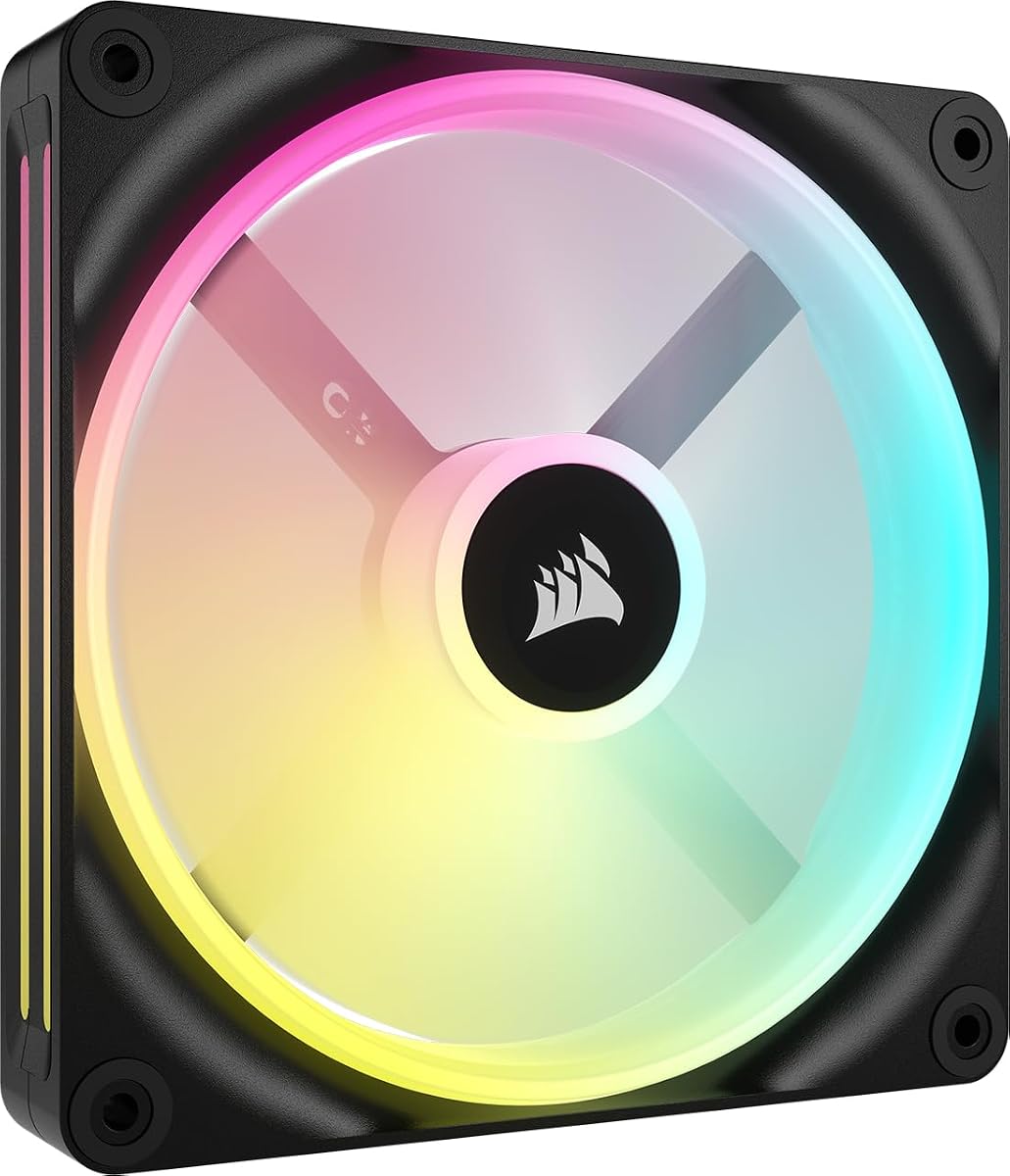
4.4Editor score
The following table provides a side-by-side comparison of the ten selected Corsair fans, highlighting their unique specifications and key selling points for easy reference.


The CORSAIR RS120 ARGB Triple Pack stands out as a top contender for users seeking balanced performance without breaking the bank. With a solid rating, it delivers reliable cooling and vibrant lighting. Its standout quality lies in the streamlined connectivity options that simplify installation significantly.
We may earn a commission when you buy through this link, at no additional cost to you.
Key strengths include precise PWM speeds up to 2100 RPM and impressive airflow of 72.8 CFM. The Anti-vortex vanes focus airflow where needed, making these fans excellent for radiator mounting. The Magnetic Dome Bearing ensures longevity while keeping noise levels low during operation.
One trade-off is the reliance on specific motherboard headers for full ARGB functionality. This is acceptable for most modern builds where compatibility is standard. Users should verify their board supports 5V ARGB before purchasing to ensure full lighting features work as expected.
This pack is ideal for enthusiasts upgrading their case or building a new system on a budget. It offers premium features like AirGuide technology at a mid-tier price point. We recommend it for anyone prioritizing airflow and ease of cable management.
The daisy-chain design reduces clutter by allowing multiple fans to connect via single PWM and ARGB cables. This saves motherboard headers and improves internal airflow by minimizing cable obstruction.
CORSAIR AirGuide Technology directs air precisely at hot components. This focused approach maximizes cooling efficiency compared to standard radial fans that disperse air in all directions.
We may earn a commission when you buy through this link, at no additional cost to you.
The CORSAIR iCUE Link LX120 RGB Triple Pack offers an unparalleled experience for those invested in the iCUE ecosystem. It ranks highly for its integration capabilities and stunning visual effects. The inclusion of the System Hub sets it apart from standard triple packs.
We may earn a commission when you buy through this link, at no additional cost to you.
This fan excels with dual light loops providing customizable lighting across inner and outer zones. Its static pressure of 5.22mm H2O makes it robust for radiator use. The bridge connectors eliminate most wiring, creating a clean internal look effortlessly.
The primary drawback is the cost, which reflects the premium hub inclusion. While expensive, the time saved on cable management justifies the investment for many. It ensures a neat build with minimal clutter and maximum control.
Ideal for users seeking a unified lighting and control solution, this kit simplifies complex builds. It is best for those who already use iCUE compatible hardware. We recommend it for enthusiasts wanting a high-end, coordinated look.
Bridge connectors link fans directly to each other and the hub. This eliminates individual wires for each unit, drastically reducing cable clutter inside the PC case.
With 18 LEDs and dual loops, the lighting is immersive. It syncs with other iCUE devices, offering a cohesive and vibrant visual theme throughout the system.
We may earn a commission when you buy through this link, at no additional cost to you.
The Corsair RS120-R ARGB Reverse White Triple Pack solves a common aesthetic issue: visible lighting on intake fans. It is a budget-friendly option that does not compromise on performance. The reverse rotor ensures the LEDs are unobstructed when mounted at the front.
We may earn a commission when you buy through this link, at no additional cost to you.
Performance highlights include high static pressure ideal for obstructed radiators. The Zero RPM mode keeps the system silent during light tasks. It matches well with white builds, offering a sleek look that enhances modern system designs effectively.
One consideration is that reverse fans might look odd if used as exhausts. This is acceptable given the specific purpose of these fans. Users should install them primarily as intakes to maximize their visual and functional benefits.
This pack is perfect for builders prioritizing aesthetics on a budget. It delivers solid airflow while fixing the wiring cable. We recommend it for white theme builds needing functional and pretty intake fans.
The reverse rotor places the frame behind the blades. This hides the frame when used as intake, allowing full visibility of the RGB lighting without obstruction.
Zero RPM mode stops fans at idle. This eliminates unnecessary noise when the system is not under load, improving comfort during daily tasks.
We may earn a commission when you buy through this link, at no additional cost to you.
The Corsair RS120-R ARGB Reverse Black Triple Pack is the ideal counterpart for black-themed builds. It offers the same benefits as the white version but with a dark finish. This ensures the intake fans look clean and professional without bright frames.
We may earn a commission when you buy through this link, at no additional cost to you.
It provides robust cooling with high static pressure and PWM control. The reverse rotor design allows the lighting to shine through clearly. This combination of performance and aesthetics makes it a strong choice for standard black PC setups.
Users should note that while lighting is customizable, it relies on motherboard software. This is a standard limitation for ARGB fans. The trade-off is acceptable given the price and performance benefits provided by this triple pack.
This option is best for users wanting a sleek black interior. It avoids the clutter of extra frames and wires. We recommend it for dark-themed builds seeking effective cooling with minimal visual distraction.
The black finish blends seamlessly with dark cases. It prevents the white frames of standard fans from disrupting a monochrome interior design theme effectively.
High static pressure pushes air through restricted areas. This ensures the cooling remains efficient even when fans are mounted directly against radiators or filters.
We may earn a commission when you buy through this link, at no additional cost to you.
The Corsair iCUE Link QX140 RGB Single Fan is a powerhouse for 140mm slots. It moves significant air while offering unique lighting effects like Time Warp. It is designed for users who want large case fans without sacrificing style or quiet operation.
We may earn a commission when you buy through this link, at no additional cost to you.
Its magnetic dome bearing ensures quiet operation even at high speeds. The zero RPM mode adds to its versatility by stopping the fan when not needed. This makes it suitable for both silent and high-performance system configurations effectively.
One limitation is the need for a System Hub for full features. While sold separately, it enables the seamless chaining that this fan supports. Users should plan to buy the hub separately to get the full benefit of the ecosystem.
This fan is ideal for case upgrades needing high volume airflow. It fits perfect into 140mm spots easily. We recommend it for those looking to add quiet cooling to their chassis.
Time Warp lighting mode offers unique animations. This creates a dynamic visual experience that stands out from standard static lighting patterns available in other fans.
Zero RPM mode keeps the fan still at low loads. This ensures your system remains virtually silent during browsing or document editing tasks without compromising cooling.
We may earn a commission when you buy through this link, at no additional cost to you.
The CORSAIR iCUE Link LX120-R RGB Triple Fan Kit merges reverse aesthetics with premium connectivity. It offers dual light loops for superior lighting control. This kit is perfect for users who want the best of both worlds: clean looks and smart management.
We may earn a commission when you buy through this link, at no additional cost to you.
With strong static pressure and included QuikTurn screws, installation is straightforward. The reverse rotor ensures the lights are visible even as intake. It delivers high quality cooling while maintaining a clean look inside the case.
The main constraint is the dependency on the iCUE Link Hub. This ensures the streamlined setup but adds to the total cost. It is an acceptable trade-off for those seeking a professional cable management solution.
This kit suits high-end builds needing efficient airflow. The reverse fans look great, and the hub simplifies wiring. We recommend it for premium systems prioritizing both cooling and aesthetics equally.
QuikTurn screws make mounting simple. You can secure fans in seconds without tools, speeding up the build process significantly for any user.
Dual Light Loops provide deeper color effects. This allows for complex lighting scenes that sync perfectly with other devices in your PC setup.
We may earn a commission when you buy through this link, at no additional cost to you.
The CORSAIR iCUE Link RX140 MAX RGB Single Fan is a specialized option for high density radiators. Its 5mm thicker blade allows more air movement at lower speeds. This results in exceptional airflow with less noise, perfect for water cooling setups.
We may earn a commission when you buy through this link, at no additional cost to you.
The static pressure is designed to push through dense radiator fins efficiently. With a windowed frame, you can view lighting from the side. This adds a unique visual element to the internal layout of your system effectively.
Fitment is a consideration as the thick profile may not fit all cases. Users should check clearances before buying. The performance gains often justify this space requirement for optimized cooling builds with tight constraints.
This fan is best for water cooling enthusiasts. It offers maximum cooling with minimal noise. We recommend it for systems needing high performance radiator fans.
The thicker blade moves more air at lower speeds. This reduces acoustic noise while improving thermal performance compared to standard fans of the same size.
The windowed frame allows side visibility. You can see the RGB effects from multiple angles, adding depth to the overall lighting design of your PC.
We may earn a commission when you buy through this link, at no additional cost to you.
The CORSAIR RS120 MAX Single Fan is built for maximum static pressure. Its 30mm thickness provides a larger blade for superior cooling. This makes it ideal for high density radiators where air resistance is a challenge.
We may earn a commission when you buy through this link, at no additional cost to you.
Constructed from Liquid Crystal Polymer, it offers durability and rigidity. This reduces vibration and noise. The black finish fits standard dark cases, blending in while delivering top tier performance where it matters most.
One limitation is the thick frame which restricts compatibility. Users must ensure their case has enough space. This is acceptable for those prioritizing raw cooling performance over compact dimensions.
This fan is perfect for hard core cooling. It handles heat exceptionally well. We recommend it for builders needing maximum airflow without RGB distractions.
Liquid Crystal Polymer ensures stiffness and longevity. This material choice reduces vibration and improves overall structural integrity compared to standard plastic fans.
High static pressure pushes through dense radiators. This ensures cooling efficiency remains high even with thick or restricted airflow paths in the chassis.
We may earn a commission when you buy through this link, at no additional cost to you.
The CORSAIR iCUE Link RX140 RGB Single Fan is a strong white option for 140mm spots. It delivers significant airflow with robust static pressure. The windowed frame enhances visibility, making it a great choice for custom loops.
We may earn a commission when you buy through this link, at no additional cost to you.
With a high static pressure of 3.79mm H2O, it handles obstructed airflow well. The magnetic dome bearing ensures quiet operation. It balances performance and style effectively for white PC builds.
The limitation is the dependency on the Link Hub for seamless integration. This is standard for this series. Users should verify compatibility before purchase to ensure smooth setup and control of the system.
Ideal for white builds needing reliable cooling. It offers a clean look with solid performance. We recommend it for those seeking quality fans for a premium setup.
Designed to push through resistance. This ensures the fan performs well even when mounted tightly against a radiator or dense mesh filter.
The white finish matches modern setups. It avoids the contrast of black fans in a white chassis, creating a unified and professional look.
We may earn a commission when you buy through this link, at no additional cost to you.
This kit offers a complete entry into the iCUE Link ecosystem. It includes two fans and the hub, solving connection issues upfront. Being renewed, it provides potential cost savings for budget conscious builders wanting premium features.
We may earn a commission when you buy through this link, at no additional cost to you.
The 140mm fans offer strong cooling, and the hub enables clean cabling. It simplifies setup significantly compared to standard fans. This makes it a great starting point for upgrading existing systems or building new ones.
Buying renewed may involve minor cosmetic wear or limited warranty. While acceptable, buyers should review the return policy. It is an economic choice for those comfortable with renewed electronics.
Best for those needing a hub and fans together. It saves time and money. We recommend it for users seeking a streamlined fan solution for their PC.
Getting fans and hub together simplifies budgeting. It removes the need to buy them separately, ensuring compatibility and easy setup for any build.
Renewed products offer savings over new. While they may have minor signs of use, they function like new and provide excellent value for the price.
We may earn a commission when you buy through this link, at no additional cost to you.
Selecting the right fans requires balancing cooling performance with noise levels and aesthetics. This guide outlines the key factors to consider.
Fan size determines physical fit and airflow potential. 120mm fans are versatile for many cases, while 140mm fans move more air quietly. Always check case specs before buying.
Verify your case supports the chosen size. 140mm fans often require specific mounting points.
Airflow measures air volume, ideal for intake. Static pressure measures force, crucial for radiators. Choose high airflow for cases and high static for cooling loops.
Prioritize static pressure for radiators. Airflow is better for open cases.
Noise affects comfort. Fans with Magnetic Dome bearings operate quieter. Look for decibel ratings; lower is better for silent builds.
Check dB ratings in reviews. Quiet fans improve daily usage.
RGB adds style but costs more. Non-RGB is cheaper and functional. Decide if lighting matters for your build goals.
Non-RGB saves cost. RGB enhances aesthetics.
PWM control allows speed adjustment via headers. iCUE Link allows software control. Check motherboard support for your preferred method.
PWM is universal. Link is ecosystem specific.
Some models need hubs for control. These simplify wiring but add cost. Check if the hub is included or sold separately.
Check hub inclusion. This affects budget.
Reverse fans hide frames for cleaner looks. Standard fans show frames. Reverse fans are pricier but visually appealing.
Use reverse for intake. Standard works for exhaust.
Triple packs save money over singles. Bundles with hubs may cost more. Compare per-unit prices before buying.
Buy packs for best value. Bundles save time.
Install fans securely using screws or mounts. Ensure airflow direction matches intake or exhaust requirements. Correct orientation is vital for cooling performance.
Connect to motherboard headers or hubs. Use daisy-chain cables if supported to reduce clutter. Proper connections ensure all fans function correctly.
Clean dust regularly to maintain airflow. Dust buildup reduces efficiency. Use compressed air to keep blades free of debris.
Not all fans require a hub, but iCUE Link models do. Standard ARGB fans work with motherboard headers. Check the specific model details before purchase.
Fans with high static pressure like the RS120 MAX are ideal. They push air through dense fins efficiently. Standard fans work but may be quieter.
Reverse fans are better for aesthetics on intake. They hide the frame. Performance is similar to standard fans.
Yes, you can mix sizes if your case supports them. However, consistent fans ensure balanced airflow and appearance. Check mount options first.
You can control speeds via motherboard BIOS or software. PWM headers allow automatic adjustments. iCUE Link offers detailed software control.
Most work with standard PWM headers. ARGB requires 5V headers. Verify motherboard support for full features.
Yes, it reduces noise and wear. It is a premium feature that improves longevity. Consider it for silent systems.
RGB has fixed zones; ARGB allows per-LED control. ARGB offers more customization. Standard RGB is simpler and often cheaper.
We highlighted top picks like the LX120 RGB for premium integration and the RS120-R for budget reverse options. These models cover most user needs effectively.
Prioritize airflow and static pressure based on your cooling demands. If aesthetics matter, consider reverse or iCUE Link fans for a polished look.
Always check current prices and compatibility before buying. Availability fluctuates, and details may change. Verify specs to ensure a smooth upgrade experience.