
TP-Link TL-SG105
4.7Editor score
Five gigabit ports available
Plug and play setup
Metal housing design
This guide compares the top Eero Ethernet Switch and network expansion options to help you find the best solution for your home or office connectivity needs.
Finding the right network expansion hardware is crucial for modern home offices and smart setups. An Eero Ethernet Switch helps you connect wired devices while maintaining seamless mesh coverage throughout your property efficiently.
We analyzed ten top-rated products ranging from PoE gateways to unmanaged switches. Our comparison focuses on port speed, power delivery, ease of setup, and overall network reliability for various user scenarios.
Each pick highlights key strengths and ideal use cases for different budgets. Please note that product availability and pricing can change quickly, so verify current details before making your final purchase decision today.
4.7Editor score

4.8Editor score

4.4Editor score
The following table offers a side-by-side view of all ten selected network expansion devices. Review port counts, speed capabilities, and management features to identify the right fit for your specific wired connectivity requirements.



The Amazon eero PoE Gateway stands out as a comprehensive networking hub that merges routing and switching into one sleek device. With a rating of 4.4 stars, it appeals to users seeking a clean setup for PoE devices without extra hardware clutter.
We may earn a commission when you buy through this link, at no additional cost to you.
Its standout feature is the inclusion of ten ports, two of which support up to 10 GbE speeds. This allows for massive throughput on wired connections. Additionally, the built-in 140W power supply provides pooled power for up to eight PoE access points, simplifying cabling significantly.
While the price point is higher than standalone switches, the convenience of having a dedicated router and switch in one unit justifies the investment for many. The only trade-off is that it is optimized for eero devices, so non-eero PoE gear might not get full benefit from the integration.
This unit is ideal for homes or offices already using eero mesh systems that need to expand wired connectivity. If you want fewer cables and a unified management interface, this gateway is the top recommendation for professional-grade setups.
The gateway handles power delivery for access points internally, removing the need for bulky external power injectors or separate switches.
With 10GbE ports, your network is ready for future high-speed internet plans and demanding data transfer tasks without hardware upgrades.
We may earn a commission when you buy through this link, at no additional cost to you.
The TP-Link TL-SG105 is a straightforward solution for expanding wired connections without breaking the bank. Rated 4.7 stars, it delivers reliable gigabit speeds for basic networking needs in small homes or offices effectively.
We may earn a commission when you buy through this link, at no additional cost to you.
It features five ports that support auto-negotiation, ensuring devices connect at their optimal speed. The metal casing provides durability, while the fanless design ensures silent operation. Energy-efficient tech reduces power consumption without impacting performance.
Since it is unmanaged, there are no configuration settings to tweak. This makes it perfect for users who want simplicity. The limitation is the port count, which may not suit larger setups, but for small networks, it is unbeatable value.
Choose this switch if you need to connect a few wired devices like a PC or printer near your router. Its low cost and robust build make it a top choice for budget-conscious buyers needing immediate connectivity.
Plug-in design means no software or technical knowledge is required to get your devices online immediately.
The shielded metal ports and casing offer better protection against interference compared to plastic alternatives.
We may earn a commission when you buy through this link, at no additional cost to you.
The NETGEAR GS308EP offers advanced control for users who need to manage power delivery and traffic flow. With a 4.8-star rating, it is highly regarded for its reliability and professional-grade features in small business environments.
We may earn a commission when you buy through this link, at no additional cost to you.
It includes eight PoE+ ports with a total power budget of 62W, enough to power multiple access points or cameras. The Easy Smart Managed interface allows you to configure VLANs and prioritize traffic. Per-port controls give you precise power management.
The fanless design keeps noise levels down, making it suitable for quiet offices. While it offers more features than basic switches, this comes with a need for some initial configuration. However, the benefits for network optimization are significant.
This switch is best for those deploying IP cameras or VoIP phones who need QoS and security features. If you require a balance of PoE power and manageable networking tools, this unit is a top-tier choice.
Adjust power per port remotely to save energy or troubleshoot devices without physical access.
Use QoS settings to ensure critical applications like video conferencing get priority bandwidth over downloads.
We may earn a commission when you buy through this link, at no additional cost to you.
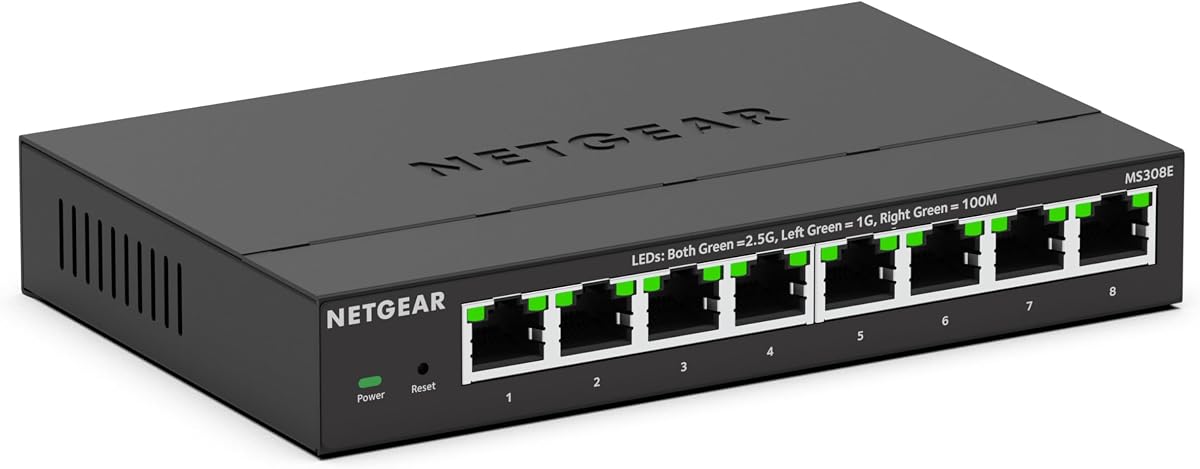
For users with high-speed internet plans, the NETGEAR MS308E delivers multi-gigabit performance across eight ports. Its 4.3-star rating reflects its solid build and ability to push speeds beyond standard gigabit limits efficiently.
We may earn a commission when you buy through this link, at no additional cost to you.
The ports auto-negotiate up to 2.5Gbps, which is ideal for newer devices or NAS systems needing faster transfers. It retains the Easy Smart features for VLANs and QoS. The design is compact and supports wall mounting for flexible placement.
One benefit is that it often works with existing Cat5e cables rather than requiring Cat6 upgrades for 2.5G. However, the price is higher than unmanaged gigabit options. Users should verify regional compatibility before purchasing.
This switch is perfect for tech enthusiasts upgrading their home network to match gigabit-plus internet. If you need faster LAN speeds for media servers or gaming rigs, this is a strong option to consider.
Multi-gigabit ports prepare your network for upcoming hardware and internet speed advancements.
The intuitive interface makes setting up advanced features accessible even for intermediate users.
We may earn a commission when you buy through this link, at no additional cost to you.
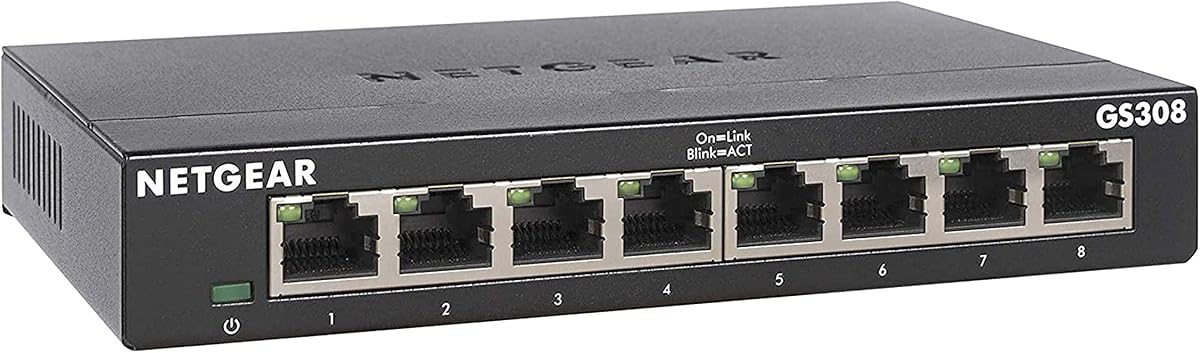
The NETGEAR GS308 is a reliable workhorse for expanding wired connections with eight ports. Rated 4.8 stars, it provides consistent gigabit speeds and durability for homes or small offices needing simple connectivity.
We may earn a commission when you buy through this link, at no additional cost to you.
It features auto-negotiating ports that detect the best speed for each device. The metal case ensures longevity and heat dissipation. Being unmanaged, it requires no configuration. It fits seamlessly into any network setup.
The lack of PoE means you cannot power devices like cameras directly. However, for standard data devices like PCs, printers, and consoles, it is an excellent choice. The fanless design keeps it quiet on your desk.
Select this switch for a straightforward network expansion where cost and ease of use matter most. It is a trusted brand option for users who just want more ports without technical complexity or management overhead.
High user ratings confirm consistent uptime and speed for daily computing tasks.
Eight ports allow you to connect multiple devices without needing another switch immediately.
We may earn a commission when you buy through this link, at no additional cost to you.
The NETGEAR GS305E brings managed features to a compact five-port form factor. With a 4.7-star rating, it is ideal for users who need VLANs and QoS without a large chassis or high price tag.
We may earn a commission when you buy through this link, at no additional cost to you.
It offers an intuitive interface for configuring VLANs and monitoring ports. The compact metal design allows desktop or wall mounting. Fanless operation ensures it stays quiet. It is energy-efficient for 24/7 operation.
While it has fewer ports than other models, the management capabilities are valuable for segmenting networks. If you need to separate guest traffic from personal devices, this switch provides that functionality. It is a great entry-level managed option.
Buy this if you need to separate network traffic for security or performance. Its size makes it easy to hide in tight spots while still offering professional-grade control over your connections.
Prioritize critical data packets to ensure smooth performance for gaming or calls.
Wall mount option saves desk space and keeps cables organized in smaller areas.
We may earn a commission when you buy through this link, at no additional cost to you.
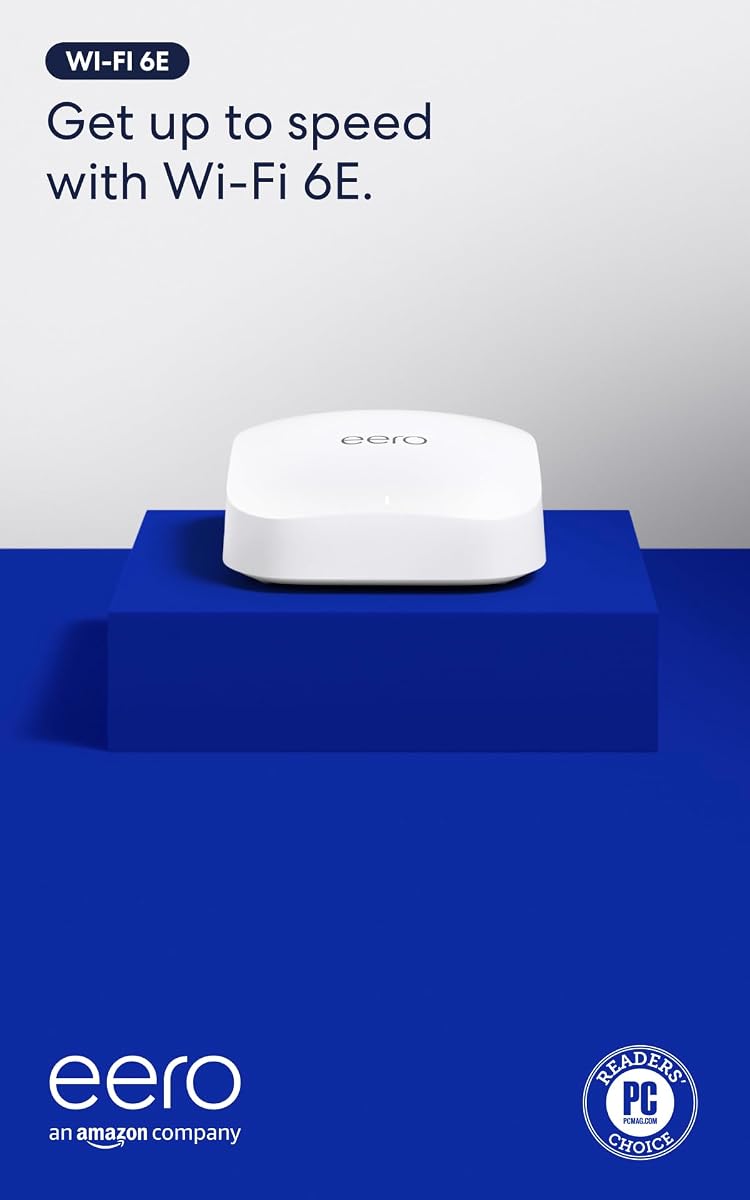
The eero Pro 6E is a powerful mesh router that includes a 2.5Gb Ethernet port for wired connections. Rated 4.3 stars, it serves as a central hub for wireless and wired devices in modern smart homes.
We may earn a commission when you buy through this link, at no additional cost to you.
It supports Wi-Fi 6E for lower latency and faster speeds. The TrueMesh tech optimizes routing. The single Ethernet port can connect a switch to expand wired options. It covers up to 2000 sq ft and supports many devices.
While not a dedicated switch, its Ethernet port is excellent for connecting a PC or gaming console directly. The wireless speed is high. Limitations include having fewer ports than a dedicated switch, but it is great for whole-home coverage.
This router is best for homes needing strong Wi-Fi and one high-speed wired link. If you prioritize wireless coverage and simplicity, and can add a small switch later, this device is a strong top contender.
Wi-Fi 6E offers access to the 6GHz band for less interference and higher speeds.
The wired port can easily bridge to an external switch for more cable connections.
We may earn a commission when you buy through this link, at no additional cost to you.
The eero 6 offers a balance of price and performance for wireless networks. With a 4.4-star rating, it supports Wi-Fi 6 and includes Ethernet ports for wired devices, acting as a gateway for your home network.
We may earn a commission when you buy through this link, at no additional cost to you.
It covers up to 1500 sq ft and supports 75+ devices. The Zigbee hub helps with smart home devices. Setup is quick. It connects easily to switches for wired needs, making it versatile for standard internet plans.
The Ethernet ports are standard gigabit, which is fine for most users. It does not have the 2.5Gb speed of the Pro version. However, for general use, it is reliable and cost-effective for whole-home wireless.
Choose this for a straightforward mesh system if you do not need extreme wired speeds. It is an excellent central hub that can pair with an external switch for full wired coverage.
The built-in hub removes the need for a separate smart home bridge.
App-guided configuration makes connecting your first device simple and fast.
We may earn a commission when you buy through this link, at no additional cost to you.
The eero PoE 7 is a cutting-edge access point designed for the fastest networks. Rated 4.1 stars, it supports Wi-Fi 7 and offers robust wired backhaul options for high-performance environments.
We may earn a commission when you buy through this link, at no additional cost to you.
It features a 10GbE port that allows for gigabit-plus wired throughput. Being PoE powered, it reduces cable clutter. The tri-band design boosts speeds. It can serve as an access point or gateway with strong coverage.
The requirement for a PoE source might mean you need a switch like the eero PoE Gateway. The cost is high, but future-proofing justifies it. It is built for power users who need maximum speed and density.
This access point is ideal for offices or homes with heavy device counts. If you need the latest standards and strong wired backhaul, it is a top choice for advanced network builds.
The 10GbE port ensures your wireless access point does not bottleneck your internet.
Designed to handle hundreds of devices without performance drops in busy areas.
We may earn a commission when you buy through this link, at no additional cost to you.
The eero 7 brings Wi-Fi 7 technology to a wider audience. With a 4.4-star rating, it supports 2.5Gb internet plans and offers Ethernet ports for wired connections, making it versatile for modern networks.
We may earn a commission when you buy through this link, at no additional cost to you.
It covers 2000 sq ft and supports 120+ devices. The auto-sensing 2.5Gb Ethernet ports allow for fast wired links. It is backward compatible with older eeros, letting you expand easily. Updates keep it secure.
Being dual-band, it may not push the same multi-gigabit wireless speeds as tri-band models. However, it is cost-effective. If you want the latest tech without the premium price, this router is a good entry point.
This device is best for upgrading to Wi-Fi 7 at a reasonable price. It pairs well with switches for wired expansion and ensures your home network is ready for future high-speed demands.
Adopt Wi-Fi 7 early to benefit from faster wireless speeds and better latency.
Works with existing eero units, allowing you to mix models as needed.
We may earn a commission when you buy through this link, at no additional cost to you.
Selecting the right network expansion device depends on your specific needs for power, management, and speed. Use these factors to narrow down the options that fit your setup.
Determine how many devices need wired connections. For small setups, five ports might suffice, while larger offices need eight or more. Check if ports are standard Gigabit or Multi-Gigabit for higher speeds.
Choose a port count that leaves room for growth without overpaying for unused capacity.
If you plan to connect cameras or access points, you will need Power over Ethernet. Ensure the switch provides enough total wattage for your devices. Unmanaged PoE switches are easier to set up than managed ones.
Verify the total power budget matches the sum of your connected PoE devices.
Unmanaged switches work out of the box and are cheaper. Managed switches offer control over VLANs and traffic priority but require configuration. Consider your technical skills and network complexity before buying.
Opt for unmanaged for simplicity and managed for advanced network control needs.
Standard Gigabit switches offer 1Gbps, which is fine for most homes. Multi-Gigabit options like 2.5G or 10G are better for high-speed internet or NAS storage. Ensure your internet plan matches switch speeds.
Match the switch speed to your internet and internal network demands to avoid bottlenecks.
Consider where the switch will sit. Desktop models need a dedicated surface, while wall-mount options save space. Look for fanless designs to reduce noise in living areas or offices.
Choose a design that fits your available space and noise tolerance levels.
If you use eero hardware, dedicated PoE gateways offer seamless integration. Third-party switches work fine but lack specific features. Check if your devices work best with specific standards like 802.3bt.
Prioritize native ecosystem support if you use eero for a smoother experience.
Metal casings protect against heat and interference. Reliable brands often offer longer warranties and support. Avoid cheap plastic models if the device will run continuously.
Invest in durable materials and warranty coverage for long-term reliability.
Prices range from affordable unmanaged units to premium PoE solutions. Decide if you need extra features like VLANs or just basic connectivity. Balance cost against the features you will actually use.
Focus on value by buying only the features you need rather than unnecessary extras.
Start by connecting the switch to your router or gateway using a high-quality Ethernet cable. Plug in the power adapter and ensure all LEDs indicate a stable connection before adding devices.
For PoE models, connect compatible devices directly to the PoE ports so they receive both power and data. Use the provided app or software to manage settings if your switch is a smart managed unit.
Keep the device in a well-ventilated area to prevent overheating. Avoid blocking air vents on metal casings. Check connections periodically to ensure cables are secure and LEDs show active links.
If your cameras require PoE, you need a switch that supports PoE or a standard switch with PoE injectors. A dedicated PoE switch simplifies installation by delivering power directly through the Ethernet cable.
Yes, you can connect an Ethernet switch to the LAN port of your eero router to expand wired connections. This allows you to connect multiple devices via cable without affecting wireless performance.
Unmanaged switches are plug-and-play with no configuration. Managed switches allow you to control traffic, VLANs, and settings. Choose managed if you need network control; otherwise, unmanaged is simpler.
If you have internet speeds above 1Gbps or use large file transfers on a NAS, multi-gigabit switches are worth it. For standard browsing and streaming, standard gigabit is usually sufficient.
Check the wattage of each PoE device you plan to connect and add them up. Ensure the switch's total power budget exceeds this sum. Also verify the PoE standard matches your device requirements.
Some managed switches benefit from firmware updates to fix bugs or add features. Unmanaged switches often run fixed firmware. Check the manufacturer's site for instructions if updates are available.
We explored ten excellent options for expanding your network with wired connections. From budget-friendly gigabit switches to high-end PoE gateways, there is a solution for every level of complexity.
Prioritize your specific needs like speed, PoE power, and port count when making a choice. If you value simplicity, unmanaged switches work well. For advanced control and power, managed PoE models are ideal.
Prices and availability can shift frequently, so always check the latest details before purchasing. The right switch ensures a stable, fast network ready to handle your devices efficiently.