
JEIBAO Mac Book Pro Charger
4.5Editor score
High efficiency charging rate
Long 6.6ft cable length
Multi-layered safety protection
This expert guide compares the top 100W chargers for MacBook Pro focusing on speed, safety, and portability to help you choose the right power adapter today.
Finding a reliable power source for your laptop is essential for productivity. A high-wattage USB C charger ensures your device stays powered during long work sessions without compromising on charging speed or safety features.
We evaluated ten top-rated models based on performance, compatibility, and build quality. Our analysis covers fast charging capabilities, safety protections, and real-world usability for MacBook Pro owners and other USB C device users.
Each selection highlights unique strengths like portability or multi-device support. Remember that prices fluctuate frequently so check current listings before purchasing to ensure you get the best deal available right now.
4.5Editor score

4.5Editor score

4.7Editor score
Below you will find a detailed side-by-side comparison of all ten products reviewed in this guide. Each entry highlights key specifications and unique features to help you decide quickly.


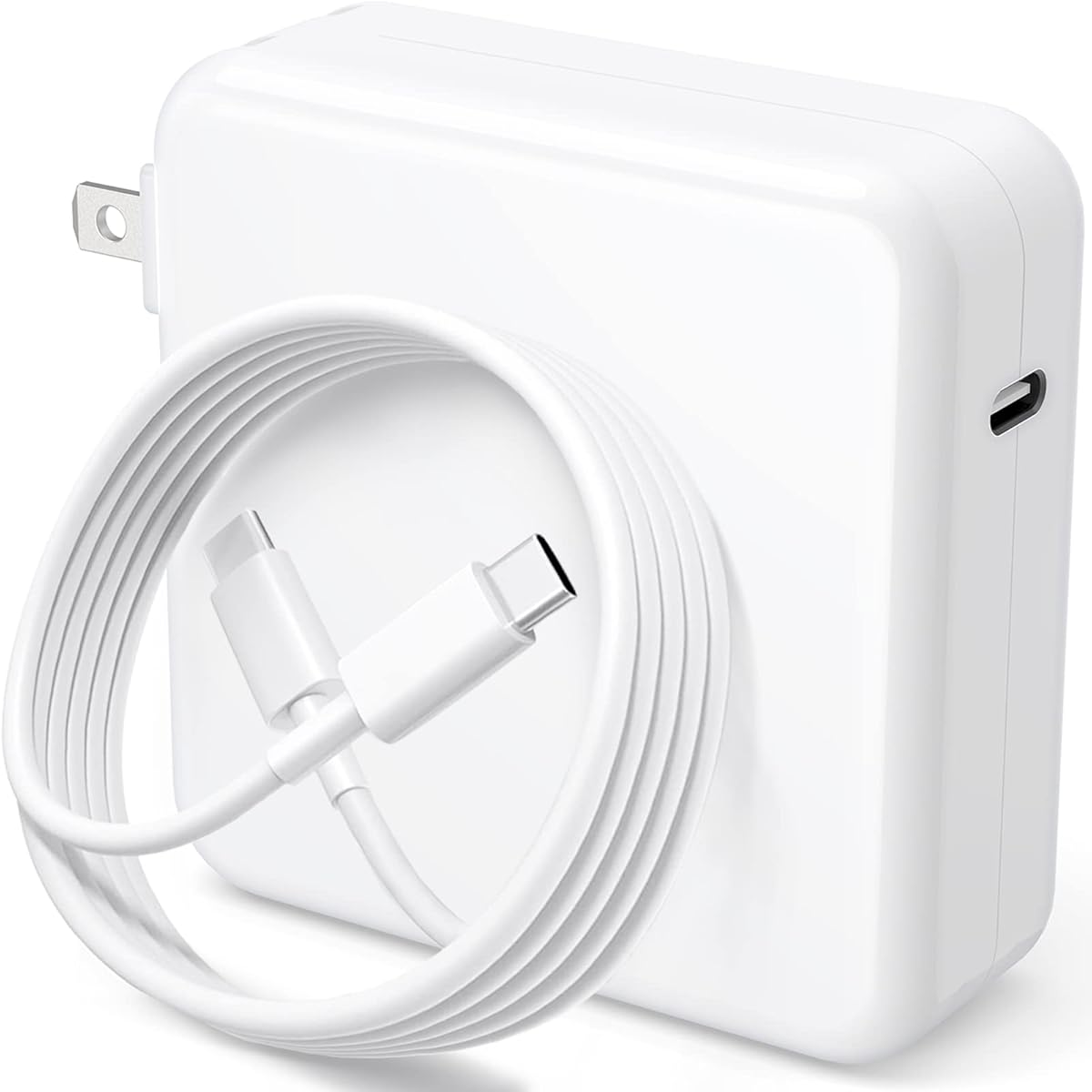

This charger stands out as a top choice for MacBook Pro users needing reliable power. It offers 100W output and includes a complete AC adapter kit for immediate use without extra purchases.
We may earn a commission when you buy through this link, at no additional cost to you.
The built-in cooling system prevents overheating during long sessions. Its IC chip technology protects against overloads and short circuits ensuring your device remains safe during fast charging cycles.
While it delivers excellent performance it lacks a digital display to monitor power usage. The plug is standard size which may take up more outlet space than ultra-compact alternatives.
Ideal for professionals needing a dependable replacement charger it supports all M chips and USB-C laptops. It is a solid investment for anyone prioritizing safety and full-speed charging support.
The charger uses IC chip technology to guard against overload short circuit and overheating ensuring safe device operation.
It works flawlessly with MacBook Pro Air and all USB-C laptops and phones making it a versatile option.
We may earn a commission when you buy through this link, at no additional cost to you.
Anker delivers a compact solution ideal for frequent travelers. Its foldable plug saves space in your bag while the 100W output ensures your MacBook charges quickly wherever you go.
We may earn a commission when you buy through this link, at no additional cost to you.
ActiveShield technology monitors temperature continuously to ensure safety. PowerIQ 3.0 provides seamless compatibility with various devices from smartphones to high-power laptops.
The included cable is only five feet which might limit reach from distant outlets. Price is higher than budget options but the build quality and warranty justify the investment.
Perfect for students and commuters needing a reliable on-the-go charger. It balances performance and portability well making it a great choice for active users who value convenience.
The compact size and foldable plug make it easy to take anywhere saving valuable space in bags.
Exclusive ActiveShield safety tech provides 24/7 temperature monitoring to protect you and your devices.
We may earn a commission when you buy through this link, at no additional cost to you.
JEIBAO offers an efficient charging solution without breaking the bank. It delivers 96% efficiency and supports PD 3.0 for fast stable power delivery across many devices.
We may earn a commission when you buy through this link, at no additional cost to you.
The safety features include protection against overcurrent and short circuits. It automatically adjusts power output to match the needs of your specific laptop or phone.
Customer support responds within 24 hours but some users find it slower than premium brands. The basic look is functional but lacks premium finishes found on other chargers.
Great for budget-conscious buyers needing reliable performance. It handles heavy-duty tasks well and the long cord adds flexibility for desk setups or home office use.
PD 3.0 technology outperforms lower wattage adapters and supports 100W fast charging speeds efficiently.
Smart chip provides protection against overcurrent short circuits overheating and overvoltage for safe use.
We may earn a commission when you buy through this link, at no additional cost to you.
This Nano Charger packs a serious punch in a tiny frame. It is small like AirPods Pro and locks in place with durable prongs for stable charging during use.
We may earn a commission when you buy through this link, at no additional cost to you.
ActiveShield 2.0 monitors temperature millions of times daily to safeguard devices. It charges a 14-inch MacBook to half battery in under thirty minutes for quick top-ups.
The price is higher than other options and the cable is integrated which limits replacement options. It is best for those prioritizing size over cost efficiency.
Perfect for travelers with tight luggage space. It delivers fast charging performance without bulk and the security features provide peace of mind for expensive electronics.
Enjoy the freedom of charging on the move with a charger that is tiny and packs a serious power punch.
ActiveShield 2.0 intelligently monitors temperature three million times per day to adjust power output.
We may earn a commission when you buy through this link, at no additional cost to you.
UNAWUDOH offers a full-speed replacement for older adapters. It supports 100W output and includes a 6.6ft cable to provide flexibility for your workspace setup.
We may earn a commission when you buy through this link, at no additional cost to you.
The Multi-Protect system monitors over-voltage and overheating continuously. It automatically allocates optimal wattage to prevent damage to low-power devices during charging.
Some users report inconsistent build quality compared to top brands. The cable is fixed which means you cannot replace it if it frays over time.
Ideal for developers and office pros needing uninterrupted workflow. It charges laptops to fifty percent in thirty minutes making it great for power users on tight deadlines.
This 100W adapter delivers maximum PD fast-charging efficiency for essential power supply upgrades.
Built with premium thermal materials and compliant with strict safety standards for reliable use.
We may earn a commission when you buy through this link, at no additional cost to you.
Sunveza provides extra power headroom with 118W output. It is designed for high-performance laptops needing more wattage than standard 100W chargers can deliver.
We may earn a commission when you buy through this link, at no additional cost to you.
The efficiency rate reaches 96% meaning less energy is lost as heat. It automatically converts power output to match connected devices for optimal performance.
It may run slightly warm under continuous heavy load. The price is moderate but you pay for the extra power capacity available in this unit.
Perfect for users with demanding MacBook Pro models needing extra headroom. It ensures stable energy inflow and charges phones quickly from zero to eighty percent in minutes.
High-efficiency fast charger with up to 96% efficiency rate for stable energy inflow.
Smart chip safeguards against over-current over-voltage and temperature for long service life.
We may earn a commission when you buy through this link, at no additional cost to you.
This GaN charger offers efficiency gains over older silicon models. It includes a cooling system to maintain performance even at full power output during long sessions.
We may earn a commission when you buy through this link, at no additional cost to you.
Safety features protect against overload and short circuits with IC chip technology. It supports data syncing at 480Mbps so you can transfer files while charging.
The unit feels slightly heavier than plastic equivalents. The cable length is fixed so moving further from the outlet might require an extension.
Ideal for tech-savvy users wanting modern GaN benefits. It handles charging and data tasks effectively and the protection features ensure safe operation for valuable devices.
Built-in cooling system prevents overheating even at full power output for reliable long-term use.
Max 100W output with 5A support and IC protection against overload and short circuits.
We may earn a commission when you buy through this link, at no additional cost to you.
This 120W unit focuses on battery longevity with hardware systems. It claims to keep battery capacity at 97% with intelligent charging routines reducing aging over time.
We may earn a commission when you buy through this link, at no additional cost to you.
It charges laptops quickly and passes bending tests for durability. The foldable design protects the screen from scratches and makes it portable for travel.
Battery health features are software based and unverified by third parties. It is heavier than GaN options but the durability offers reliability for daily use.
Good for those worried about long-term battery life. The folding plug protects the device and the efficiency ensures quick charging with minimal energy loss.
Built-in dynamic systems keep maximum battery capacity to 97% to reduce aging.
USB C cord passes BW-TC17 test and 20000+ times bending test for longer life.
We may earn a commission when you buy through this link, at no additional cost to you.
UGREEN delivers 160W total power with five ports for all your gear. It features a rotatable digital display showing real-time output and temperature status clearly.
We may earn a commission when you buy through this link, at no additional cost to you.
The display shows animated emoticons for user-friendly feedback. Single ports support up to 140W for high-wattage laptops while the rest share remaining power.
It is the most expensive option and occupies a large space on the wall. The price reflects its premium build and unique display functionality for tech enthusiasts.
Best for households needing one charger for everything. It eliminates cable clutter and the display makes it easy to see what your devices are using.
Unique real-time monitor displays total output wattage per-port power and temperature status.
Five-in-one block enables simultaneous multi-device charging for desktop organization.
We may earn a commission when you buy through this link, at no additional cost to you.
This GaN charger offers four ports for sharing power. It delivers up to 100W on a single port ensuring fast charging for laptops or tablets when used alone.
We may earn a commission when you buy through this link, at no additional cost to you.
It charges MacBook Air models to half battery in thirty minutes. Dynamic sensors monitor temperature to adjust power output for device safety during use.
Some laptops may not reach full speed due to protocol limits. It is pricier than single-port units but the versatility justifies the cost for multiple device users.
Ideal for travelers needing a compact all-in-one solution. The small size fits in your palm and the foldable plug saves space in luggage for business trips.
Connect a single USB C device for up to 100W of power and maximum support.
Three USB C ports and one USB A port provide 100W to phones tablets and laptops.
We may earn a commission when you buy through this link, at no additional cost to you.
Selecting the right charger involves considering more than just wattage. You need to evaluate compatibility safety features and portability to find a unit that meets your specific needs.
Ensure the charger supports at least 100W to handle high-performance MacBook Pro models. Lower wattage may slow down charging or prevent battery increase under heavy use.
Look for chargers that support 100W to full speed for your specific laptop model.
Check that the charger uses USB-C ports which are standard on modern MacBook Pros. Some units may require adapters for older devices with different ports.
Universal USB-C support ensures you can charge phones and tablets as well.
Safety is critical when charging expensive devices. Look for built-in protections against overvoltage overheating and short circuits to prevent damage.
Chargers with certified safety standards like PD 3.0 offer better reliability and risk mitigation.
A well-built charger should resist wear and tear from daily use. Check reviews for mentions of cable durability and plug reliability.
Invest in models with reinforced cables and strong housings to extend lifespan.
If you travel often a compact charger with a foldable plug is preferable. Large units may be cumbersome in tight spaces or small bags.
GaN technology often allows for smaller designs without sacrificing power output.
Check the included cable length to ensure it reaches your power outlet comfortably. Longer cables like six feet offer more flexibility for desk use.
E-Mark certified cables ensure safe transmission of high power without risking device safety.
A good warranty shows manufacturer confidence. Look for at least 18 months of coverage and responsive customer support for peace of mind.
Brands with strong support teams resolve issues faster if defects occur.
Compare prices against features offered. Premium units may cost more but provide multi-port options or displays that add value for power users.
Budget models work well if you prioritize cost over advanced features like displays.
Connect the USB-C end of the cable to your MacBook Pro port securely. Plug the AC adapter into a wall outlet to begin the charging process immediately.
Ensure the charger is placed in a well-ventilated area to prevent heat buildup during use. Avoid covering it with blankets or placing it on soft surfaces while in operation.
Regularly inspect the cable for any fraying or damage and replace it if needed. Keep the connector ports clean to maintain a strong connection for optimal charging efficiency.
Yes 100W is sufficient for most MacBook Pro 16-inch models. It supports full-speed charging and handles typical workloads without slowing down battery performance.
Absolutely. USB-C chargers are universal and will safely charge iPads and other tablets. The device will draw the appropriate wattage it needs.
It is normal for chargers to warm up during heavy use. Models with cooling systems stay cooler but should not be covered or placed on soft surfaces.
PD 3.0 stands for Power Delivery 3.0 a USB standard for fast charging. It negotiates power levels between the charger and device for safe efficient charging.
Typically a 100W charger takes about one hour and thirty minutes for a full charge. Charging to fifty percent takes roughly twenty to thirty minutes.
Multi-port chargers support multiple devices but total output will be shared. A single port charger cannot charge multiple laptops simultaneously.
Most products listed include a cable in the box. Always check the product details to confirm what is included before purchasing to save time.
Yes modern chargers have safety features that prevent overcharging. However unplug them when not in use for long periods to save energy and ensure safety.
We have reviewed ten top chargers offering a range of features from budget-friendly options to premium multi-device hubs. Each model balances performance and reliability for different user needs.
Prioritize safety certifications and power output when making your choice. Portability matters for travelers while multi-port support is key for multi-device users.
Prices change often so compare current listings before you buy. The right charger ensures your MacBook stays powered without compromising on safety or efficiency.