
Canon Canoscan Lide 300
4.2Editor score
Auto Scan Mode detects items
USB connectivity for simple setup
Compact design fits easily on desks
Finding the right scanner for your home or office can be challenging with so many options available. A good flatbed scanner offers high resolution, fast speeds, and reliable software for turning physical documents into digital files.
We compared ten top models based on resolution, scanning speed, connectivity, and software features. Our list covers options for photos, documents, and large formats to help you choose the best tool for your workflow.
Each pick highlights key strengths and trade-offs to help you decide quickly. Prices and availability change often so be sure to check current listings before you buy to get the best deal on your new scanner.
4.2Editor score

3.7Editor score

3.7Editor score
As an Amazon Associate we earn from qualifying purchases.
Here is a side by side comparison of all ten models ranked by performance and value. Use this table to quickly see specs like resolution, size support, and key features before you read the detailed reviews.


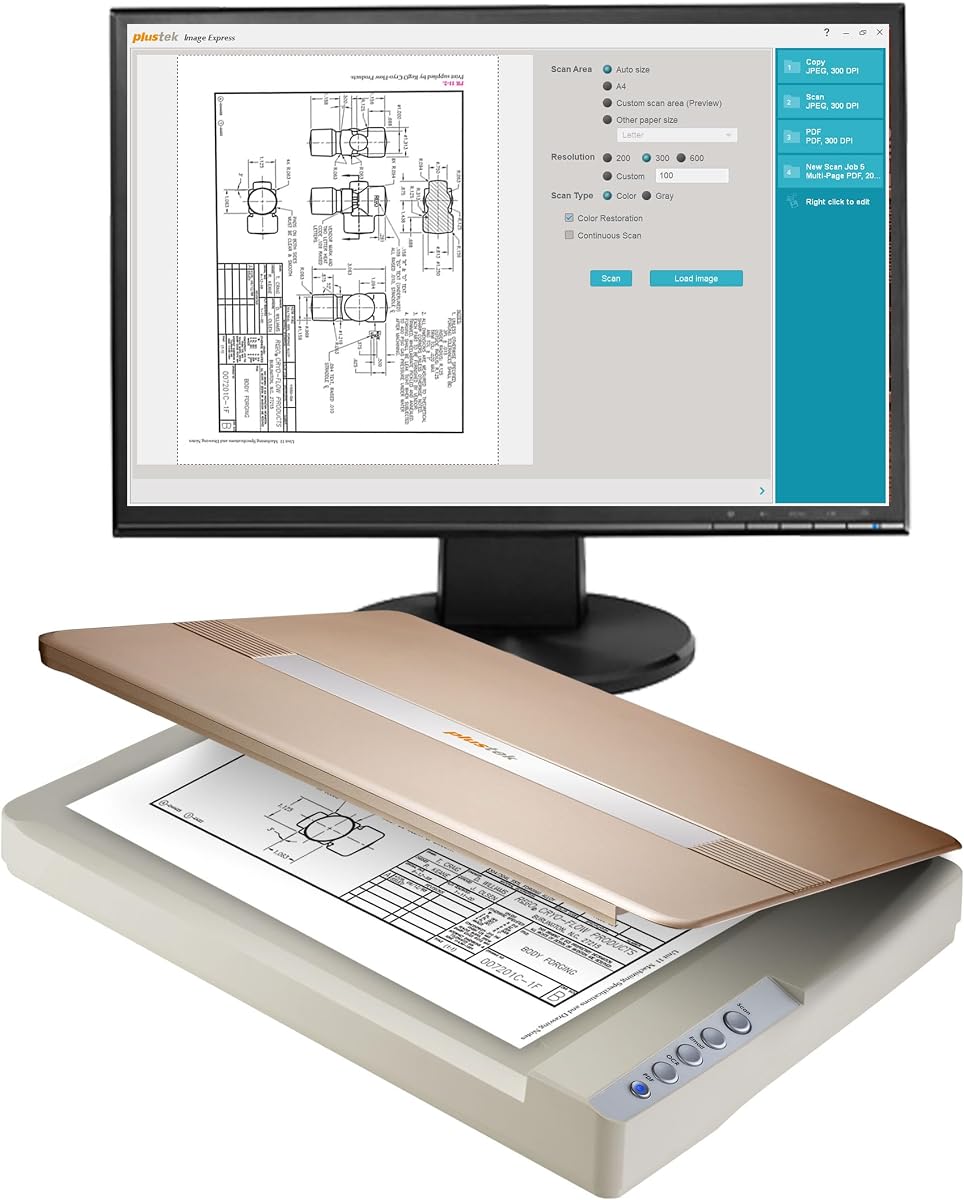
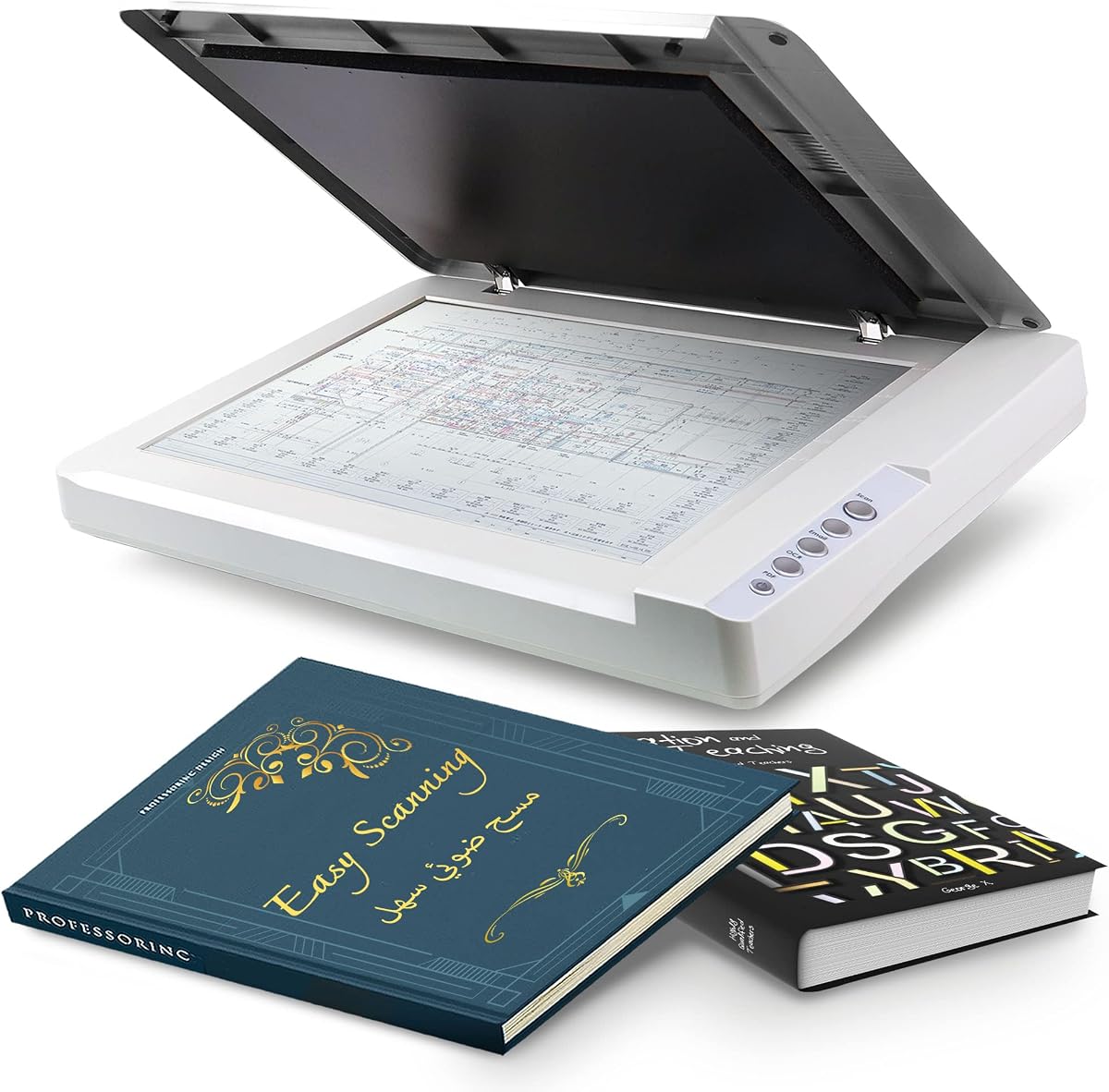


The Epson Perfection V39 II is a top choice for home users focused on photo digitization. It carries a solid rating and delivers high detail with its 4800 dpi optical resolution. This makes it ideal for archiving old photo albums and prints.
We may earn a commission when you buy through this link, at no additional cost to you.
Its standout feature is the Easy Photo Fix technology which restores color to faded images with a single click. The high-rise lid allows you to scan books and photo albums without damaging the spine. USB power means you can take it anywhere without extra adapters.
On the downside the scan speeds are modest compared to office units. It is not designed for heavy daily document processing. For home photo projects this trade-off is acceptable given the image quality and portability you get.
If you want to preserve family memories with sharp detail and simple operation this scanner is the right pick. It balances resolution and ease of use better than many competitors in its class.
The Easy Photo Fix tool automatically enhances faded images so your memories stay vibrant over time without complex editing.
At just a few pounds it fits on any desk and the built-in kickstand allows vertical storage when not in use.
We may earn a commission when you buy through this link, at no additional cost to you.
The Canon Canoscan Lide 300 earns a high rating for its simplicity and performance at a low price. It is designed for users who need to digitize documents and photos quickly without complicated setup or software.
We may earn a commission when you buy through this link, at no additional cost to you.
Its Auto Scan Mode detects what you are scanning and adjusts settings for you saving time on manual adjustments. The one-touch buttons let you send scans to email or save PDFs in one step. It is very small and fits on any desk.
While it lacks advanced features like automatic document feeding it makes up for it with speed and ease of use. For light home or small office tasks it offers excellent value. Just note the software is basic compared to premium units.
If you need an affordable reliable scanner for everyday documents and photos this model is the best budget pick. It delivers consistent results without breaking the bank.
This feature automatically recognizes documents or photos and applies the right settings so you do not have to adjust options manually.
Its small footprint leaves room for other office tools while still providing a full letter size scanning surface for your needs.
We may earn a commission when you buy through this link, at no additional cost to you.
The VIISAN 3120 A3 stands out for professionals who need to scan oversized documents like maps and blueprints. It offers a generous 12 by 17 inch scanning area with high quality output and fast speeds for its class.
We may earn a commission when you buy through this link, at no additional cost to you.
Its frameless glass allows you to scan edge to edge without worrying about borders. The Auto Scan function starts when you close the lid which speeds up batch work. It works well for libraries and schools needing to digitize large materials.
It is larger and heavier than standard scanners and needs a wall outlet for power. These are minor trade-offs for the large format capability. If you need to scan big items regularly this model delivers excellent value.
For architects schools and offices dealing with large documents this scanner is the premium choice. It balances size speed and resolution better than most alternatives.
The glass extends to the edges so you can scan large posters and maps without cropping important details or text.
Close the lid to begin scanning automatically saving time when digitizing multiple pages or items in a row.
We may earn a commission when you buy through this link, at no additional cost to you.
The VIISAN VF3240 A3 builds on the previous model with faster speeds and higher resolution options. It is designed for CAD drafts and high volume office use where time is critical for digitization workflows.
We may earn a commission when you buy through this link, at no additional cost to you.
It can scan an A3 page in four seconds at 200 dpi which is unmatched in this category. The frameless glass and Auto Scan function make continuous scanning efficient. It also includes buttons for email and print tasks.
Windows users are limited to 1200 dpi for A3 scans while Mac can use full resolution. This may matter for very detailed engineering drawings. Still it is a powerful tool for busy offices needing speed and size.
If you handle frequent large document scans and need speed this model is the right fit. It offers the best balance of resolution and throughput for professional use.
Four second scan times mean you can process large volumes of documents quickly without waiting for slow processing cycles.
Quick buttons for scan email and print let you complete common tasks without opening software menus or saving files first.
We may earn a commission when you buy through this link, at no additional cost to you.
The Epson Perfection V19 II is a compact alternative to the V39 II with similar photo focused features. It is ideal for users who need to save space while still getting high resolution scans of photos and small documents.
We may earn a commission when you buy through this link, at no additional cost to you.
It includes Easy Photo Fix to restore color to faded prints and a high-rise lid for books. The kickstand lets you store it vertically which saves desk space. USB power keeps it easy to move between rooms.
It is slower for document batches and lacks large format support. For home photo archiving these are acceptable limits. It balances size and quality better than many other compact options on the market.
If space is limited but you want high quality photo scans this model is the top choice. It delivers sharp images without taking up much room.
The built-in kickstand allows you to stand the scanner upright to free up valuable desk space when not in use.
Buttons let you scan and save in one step so you do not need to open software or adjust settings manually.
We may earn a commission when you buy through this link, at no additional cost to you.
The Plustek OpticPro A320E is built for offices that need to handle large documents and manage files efficiently. Its DocAction software makes it easy to save scans in multiple formats and send them to folders or printers.
We may earn a commission when you buy through this link, at no additional cost to you.
It supports A3 size and works with TWAIN and WIA drivers for broad software compatibility. This makes it a solid choice for legal and technical teams. It also supports Linux and Mac which many users need.
It is heavier and requires AC power which limits portability. For stationary office use this is not an issue. The file management features save time and reduce manual organization tasks.
If you need to scan large maps and files this scanner is the best fit. It offers robust tools for professionals who value organization and compatibility.
This tool lets you choose file formats and save destinations in one step so files are organized without extra effort.
TWAIN and WIA drivers ensure the scanner works with most document management systems and image editing software you use.
We may earn a commission when you buy through this link, at no additional cost to you.
The Plustek OpticSlim 1680 is designed for users who prioritize speed and ease of use. It can scan tabloid documents in just three seconds which is excellent for daily office workflows. The one-key buttons make it simple to send scans to email or printers.
We may earn a commission when you buy through this link, at no additional cost to you.
It is easy to understand and includes settings to check image adjustments before saving. This reduces errors and re-scans. It works with TWAIN and ICA drivers for broad compatibility with Mac and Windows.
It does not have a document feeder for batch tasks. For single sheet large pages this is not a limit. The speed and simplicity make it a strong choice for small offices and schools.
If you need to scan large documents quickly without complex steps this is the best pick. It delivers speed and simplicity in one compact unit.
Pre-set buttons let you finish scans and send files with a single touch so you save time on repetitive tasks.
This feature shows image adjustments in real time so you can fix lighting or crop before finalizing your scan.
We may earn a commission when you buy through this link, at no additional cost to you.
The Plustek OS1180 is a solid choice for libraries and schools that need to digitize large documents. It offers reliable A3 scanning with good resolution and fast speeds for its class. The LED light saves energy and warms up instantly.
We may earn a commission when you buy through this link, at no additional cost to you.
Its ABBYY OCR makes PDFs searchable which saves time when searching text. The one-touch buttons simplify tasks so staff can use it with minimal training. It balances performance and ease of use well.
It is not as fast as premium models and needs AC power. For shared workspaces these are minor issues. It is built for consistent daily use without much maintenance or setup.
If you need a reliable scanner for public use or shared offices this is the best choice. It balances speed accuracy and ease of use.
OCR technology turns scans into text so you can search files by keyword without reading each page manually.
Buttons let you start common tasks with one click so anyone can use the scanner without training on complex software.
We may earn a commission when you buy through this link, at no additional cost to you.
The Epson DS-1630 is unique because it combines a flatbed with an automatic document feeder. This makes it ideal for offices that scan both single sheets and multi-page documents daily. It supports duplex scanning to save time.
We may earn a commission when you buy through this link, at no additional cost to you.
It has a fifty-page ADF for batch work and sends scans directly to Dropbox and SharePoint. The flatbed handles photos and passports which other units cannot. It is built for mixed workflows.
It is larger and requires a dedicated spot on your desk. For home users this may be too big. For small offices needing flexibility this is the most versatile pick available.
If you need to scan stacks of documents and delicate items this model is the best fit. It offers the most flexibility in one unit.
Load multiple pages and let the ADF scan them in one go so you do not have to place pages manually.
Save scans to cloud accounts with one click so you do not have to save and upload files later.
We may earn a commission when you buy through this link, at no additional cost to you.
The Plustek OpticSlim 2700 is a fast and affordable option for users who need quick scans. It can finish a color scan in three seconds which is great for daily office use. It also creates editable PDFs with one touch.
We may earn a commission when you buy through this link, at no additional cost to you.
The software auto-rotates and crops images which saves manual editing time. The one-touch buttons simplify common tasks. It works with TWAIN protocol for broad software compatibility on Windows and Mac.
It does not scan large pages or handle batches. For standard documents this is not an issue. It is fast and easy to use which makes it a great value for home and small offices.
If you want speed and simplicity at a fair price this model is the best choice. It delivers quick scans without complex steps.
Built-in PDF button creates searchable and editable files so you can copy text later without using OCR manually.
Software fixes skewed or rotated pages automatically so you do not have to crop or adjust them after the scan.
We may earn a commission when you buy through this link, at no additional cost to you.
Choosing the right scanner depends on your needs for size speed and software. This guide breaks down the key factors to consider before you buy.
Scan speed matters if you have many documents to digitize. Models with one-touch buttons and fast processing save time daily. Look for scanners that offer quick scan times in color mode.
Standard letter size scanners work for most home users. If you need to scan maps or blueprints choose a large format model. A3 size units handle up to twelve by seventeen inches.
Resolution determines image sharpness and clarity. Four-eight hundred dpi is ideal for photos while six hundred dpi works for text. Higher resolution ensures fine details are captured clearly.
Good software makes scanning and organizing easy. Look for OCR text recognition and cloud support. Tools like photo restore and auto-scan save time and reduce manual steps.
USB powered models are portable and easy to move. Some need AC power for more stability. Check that the scanner supports your operating system.
An ADF lets you scan multiple pages without lifting them. This is vital for office use. Flatbeds are better for books and photos.
If you need to move the scanner often choose a lightweight model. Small units save space. Larger units offer more features but stay in one place.
Prices range from budget to premium. Set a limit and pick the features you need. High resolution and speed cost more but save time.
Always place your document face down on the glass and close the lid firmly. This ensures the scanner captures the full page without distortion or shadows. Use the one-touch buttons to start tasks quickly.
Keep the glass clean with a soft cloth to avoid dust marks. Clean the rollers if your model has an ADF. This keeps scans sharp and prevents jams over time.
Store the scanner in a dry place away from direct sunlight. Update drivers when available to ensure compatibility. This helps the scanner last longer and run smoothly.
Most models support standard letter size up to eight and a half by eleven inches. Some offer A3 or tabloid support up to twelve by seventeen inches. Check the product specs for the exact size limits before buying.
All models come with drivers and basic software for scanning. You can use third party apps like Adobe or Windows Image Acquisition too. The software includes tools like OCR and PDF creation to save time.
Yes all models can scan photos and prints. Some offer higher resolution like 4800 dpi for better detail. They also include tools to restore color and remove scratches from old photos easily.
Compact units work with USB power which saves outlets. Larger models need AC power for more stability and performance. Check the specs for your chosen model to confirm power needs.
Speed varies from three to ten seconds per page. Larger models and higher resolutions may take longer. Check the scan time for color mode in the specs before you buy.
Scanners with a high-rise removable lid can handle books and photo albums. This lets you open them fully and place them on the glass. Avoid forcing heavy books on standard flatbeds.
Most models support Mac with TWAIN or ICA drivers. Check the product page for OS versions. Some may need you to download drivers from the manufacturer website.
Some models like Epson offer direct cloud support for Dropbox and SharePoint. Others need you to save to your computer first then upload. Look for cloud features if you need remote access.
The ten scanners we reviewed cover every need from photos to large blueprints. The Epson V39 II leads for photo work while the VIISAN A3 models excel at large formats.
Choose based on speed and size first then software and budget. A scanner that fits your daily workflow saves time and effort in the long run.
Prices and availability change often so check current listings before you buy. This guide helps you find the best value for your needs today.