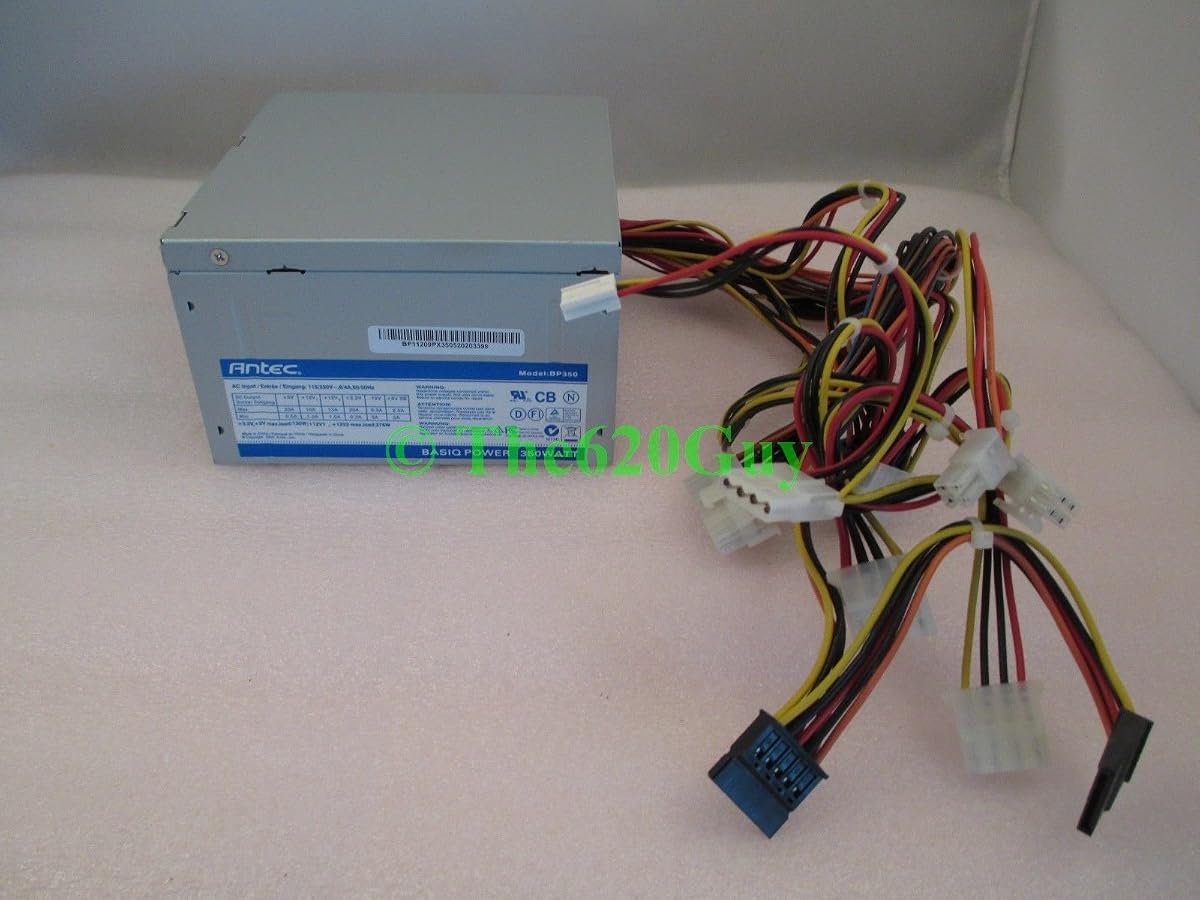
Antec BP350 Basiq Power
5.0Editor score
Proven reliability
Budget friendly
Standard connectors
This guide compares the top 350W PSU models for budget builds, small form factor PCs, and energy efficient desktops to help you choose the best power supply
Choosing the right power supply is critical for system stability. A good 350W PSU delivers consistent voltage, protects components, and ensures quiet operation for everyday computing tasks.
We evaluated ten top models based on efficiency ratings, build quality, connector options, and safety features. Each unit offers unique benefits for different system requirements and form factors.
Every pick highlights key strengths and potential trade-offs to guide your decision. Remember that stock levels and retailer offers may vary, so check current availability before purchasing.
5.0Editor score

5.0Editor score

This table presents a side-by-side overview of all ten selected power supplies, highlighting their key specifications and distinguishing features to simplify your selection process.


This power supply earns our top pick by delivering exactly what low end desktop users need without unnecessary complexity. It features a clear rating that reflects its consistent performance across standard office and home use cases.
We may earn a commission when you buy through this link, at no additional cost to you.
The standout qualities include its adjustable voltage switch and thermal sensor controlled fan. These features ensure that the unit adapts to your local power grid and keeps noise to a minimum during daily operations.
While it does not offer high efficiency ratings like Gold or Platinum, its design prioritizes reliability for low energy systems. The trade off is acceptable given the target use case and cost effectiveness.
Anyone building a simple office PC or media center should consider this model first. It provides safe, stable power with minimal fuss for systems that do not require high wattage or overclocking.
The manual 115/230V switch lets you configure the unit for your region, preventing damage from mismatched power inputs.
The fan speed adjusts automatically based on thermal sensors, ensuring quiet performance even during extended use periods.
We may earn a commission when you buy through this link, at no additional cost to you.
This model represents the quintessential budget choice for builders who need reliable power without extra bells or whistles. Its perfect rating highlights the trust users place in the Antec brand for entry level systems.
We may earn a commission when you buy through this link, at no additional cost to you.
The workhorse nature of this unit lies in its simplicity. It delivers 350 watts consistently, supports standard ATX12V specifications, and provides the essential connectors required for most basic motherboards and storage drives.
It lacks modern efficiency certifications and premium cooling features, but that is intentional to keep costs down. The trade off is acceptable for systems that run quietly under light loads and do not push power limits.
Choose this if you are assembling a school computer, basic workstation, or first build on a tight budget. It offers the stability you need from a known manufacturer without overspending on unused features.
Antec brings years of industry experience to this unit, ensuring a foundation of quality that generic brands cannot match.
With no complex features to fail, this PSU focuses entirely on its core job: delivering stable power to your components.
We may earn a commission when you buy through this link, at no additional cost to you.
This unit stands out for users needing a high performance power supply in a compact chassis. Its 80 Plus Gold certification ensures energy efficiency, while the Flex ATX 1U form factor fits tight enclosures.
We may earn a commission when you buy through this link, at no additional cost to you.
The design supports 24/7 operation at rated temperatures, making it ideal for servers or always on workstations. It uses a strong single 12V rail to maintain stability during sustained loads, which is critical for reliability.
Fixed cables can be less flexible than modular options in tight cases, but they reduce cost and potential failure points. This trade off is justified for specialized builds where space and efficiency are the primary concerns.
Select this if you are building a mini PC, NAS, or small server that requires consistent power without the bulk of a standard tower unit. It balances performance and size better than most competitors.
The Gold certification minimizes wasted energy, lowering electricity bills and heat output in sensitive environments.
Rated for 24/7 use, this unit is built to handle continuous workloads without degrading over time.
We may earn a commission when you buy through this link, at no additional cost to you.
Offering 500 watts instead of 350, this unit provides excellent value for those who might want a bit of future proofing. The 80 Plus White certification guarantees basic efficiency standards while keeping costs low.
We may earn a commission when you buy through this link, at no additional cost to you.
A 120mm ultra quiet fan ensures the system runs cool and silent, which is a major plus for office or bedroom setups. Active PFC technology helps with power factor and grid compatibility across different regions.
Protection features include over power, voltage, and short circuit safeguards to keep components safe. The five year warranty adds peace of mind that is rare at this price point.
This is a smart buy if you want slightly more capacity than 350 watts without spending much more. It is robust enough for general use, light gaming, and media centers with a long term focus.
The larger fan moves more air at lower speeds, reducing noise while keeping temperatures in check.
The five year warranty shows confidence in durability, protecting your investment against early failures.
We may earn a commission when you buy through this link, at no additional cost to you.
This supply offers 80 Plus Bronze certification, which is a solid step up from White for everyday efficiency. It delivers 500 watts of continuous power with reliable features for general computing tasks.
We may earn a commission when you buy through this link, at no additional cost to you.
The black cables maintain a neat look inside the case, avoiding the distracting multi color wires found on older models. A 120mm fan runs quietly, ensuring that the PSU does not become the noisiest component.
Protection systems cover over voltage, current, power, and short circuits, ensuring safe operation under various conditions. The five year warranty matches competitors and adds trust to the purchase.
Choose this if you want a balance of cost and efficiency without paying for modular features. It fits standard ATX cases well and is suitable for budget gaming builds or home office PCs.
All black cables simplify cable management and look better in visible case setups without extra cost.
Bronze certification means less wasted power and heat compared to non certified or White rated units.
We may earn a commission when you buy through this link, at no additional cost to you.
This model is designed for quiet operation with a specifically rated 80mm fan that minimizes noise. It adheres to ATX12V V2.01 standards, making it compatible with most common motherboards and components.
We may earn a commission when you buy through this link, at no additional cost to you.
The build quality reflects Antec's reputation for solid entry level products. It provides the essential power connections and protection features needed for a stable basic system without unnecessary complexity.
While the fan is smaller than 120mm options, it is tuned for low noise at typical loads. The trade off is adequate airflow for low heat systems, which matches the intended use case perfectly.
Pick this if you prioritize silence in a small office PC or library computer. It delivers stable power at a low price point while keeping acoustic output to a minimum.
The fan is engineered to run quietly, making it ideal for sound sensitive environments like bedrooms.
Supporting ATX12V V2.01 ensures broad compatibility with standard desktop motherboards from recent years.
We may earn a commission when you buy through this link, at no additional cost to you.
This unit offers 450 watts, which is more than enough headroom for basic systems. It includes auto thermal fan control, which adjusts speed based on temperature to balance noise and cooling.
We may earn a commission when you buy through this link, at no additional cost to you.
The connector flexibility is a major plus, with splitable CPU and motherboard connectors to fit various board requirements. Protection systems cover a wide range of electrical risks for safe operation.
While it lacks formal efficiency ratings, the cost remains low and features remain functional for everyday tasks. The trade off is that it may be noisier or less efficient than certified models.
Buy this if you need extra watts at a very low cost and do not care about efficiency labels. It works well for budget builds where basic stability is the primary goal.
The fan speeds up or down automatically based on internal temperature to optimize performance and noise.
Split connectors allow the PSU to adapt to different motherboard requirements without extra adapters.
We may earn a commission when you buy through this link, at no additional cost to you.
This supply is designed for small form factor builds with ITX or Flex ATX cases. Its modular design helps manage cables in tight spaces, improving airflow and aesthetics inside compact chassis.
We may earn a commission when you buy through this link, at no additional cost to you.
Full range Active PFC allows it to operate on 90 to 264 volts, making it versatile for international travel or diverse power environments. It provides 400 watts to cover standard desktop requirements comfortably.
The 40mm fan is small to fit the case but uses double ball bearings for longevity. Note that proper connection is required to power on, which is typical for modular units.
Choose this for mini PC builds where space is limited and clean cabling is a priority. It bridges the gap between compact size and flexible connectivity for small systems.
Modular connectors mean you only use the cables you need, reducing clutter in small cases.
The wide input voltage range makes it ready for use in most countries without manual switches.
We may earn a commission when you buy through this link, at no additional cost to you.
This listing covers a range of generic ATX power supplies under the HG2 series. They provide standard 350 watts for typical office and basic desktop systems without specific branding details.
We may earn a commission when you buy through this link, at no additional cost to you.
The focus is on basic functionality and cost effectiveness. These units are suitable for simple replacements or builds where the power supply is not a primary concern or bottleneck.
Without detailed efficiency or protection data, the trade off is reliance on basic safety mechanisms. The value comes from availability and compatibility with standard ATX form factors.
Consider this if you need a straightforward replacement and do not have specific certification requirements. It is a functional choice for systems that do not push power limits.
Ideal for replacing a failed unit in a simple system where performance needs are low.
Standard ATX sizing ensures it fits most common desktop cases without modification.
We may earn a commission when you buy through this link, at no additional cost to you.
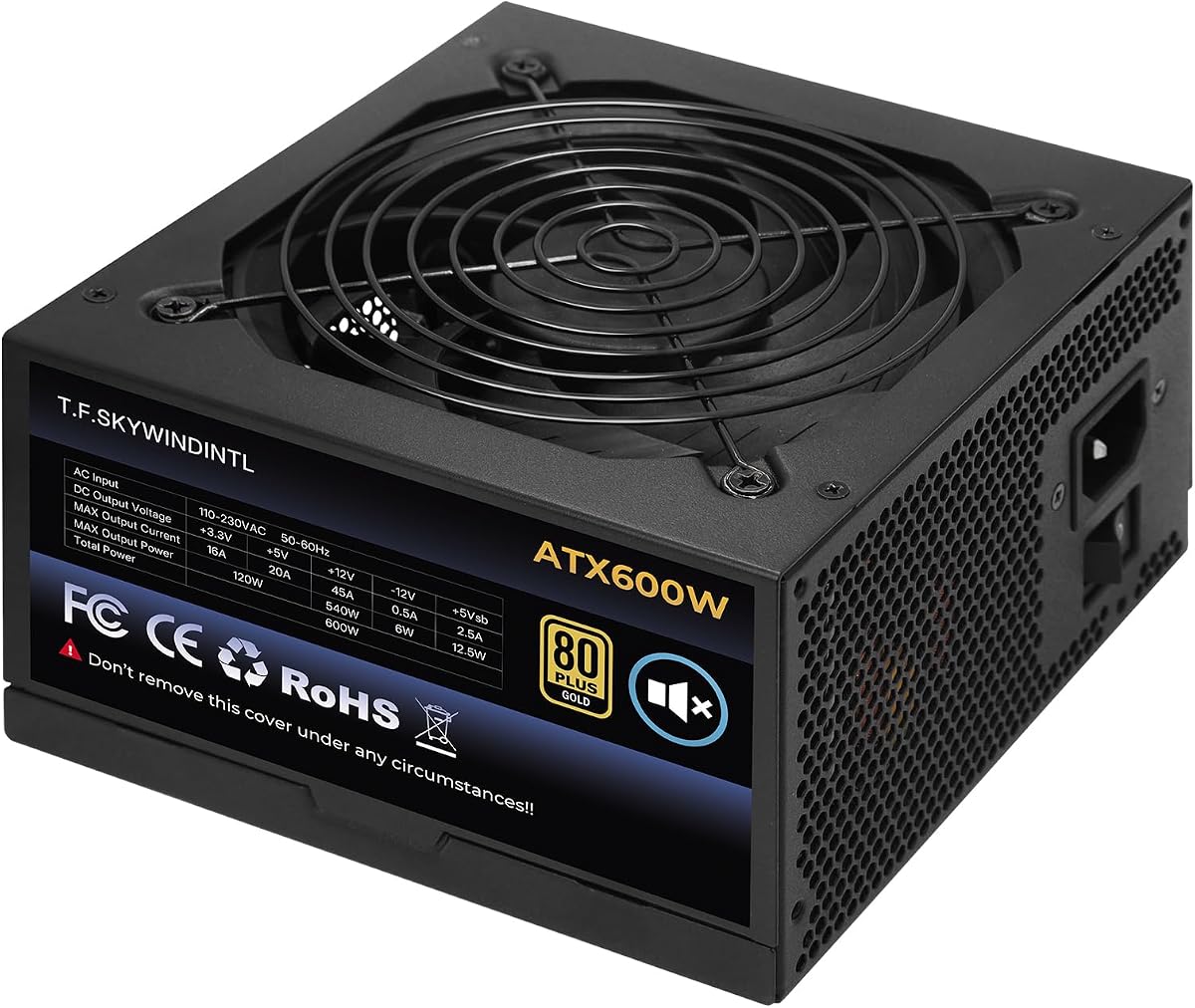
This unit is listed here as an upgrade option for those who may outgrow 350 watts quickly. It delivers 600 watts of power with 80 Plus Gold efficiency, offering excellent performance for a competitive price.
We may earn a commission when you buy through this link, at no additional cost to you.
The 125mm fluid dynamic bearing fan is designed for quiet, long life operation with effective cooling. Active PFC ensures stable power delivery across a wide voltage range, enhancing reliability under load.
Non modular cables can be cumbersome, but the extra connectors support multiple GPUs and drives. This is a strong value if you need more than 350 watts without paying for high end brands.
Select this if you plan to add a dedicated graphics card or run multiple peripherals. It provides the headroom to future proof your build without immediate replacement.
At 600 watts, this unit supports components that a standard 350 watt supply cannot handle.
Gold certification reduces heat and electricity costs, improving system stability and longevity.
We may earn a commission when you buy through this link, at no additional cost to you.
Selecting the right power supply involves evaluating efficiency, safety, and compatibility to match your system needs.
Look for certifications like 80 Plus White, Bronze, or Gold to ensure energy efficiency and less wasted heat. Higher ratings mean lower electricity usage and quieter operation.
Prioritize Bronze or Gold for better long term value, even if the cost is slightly higher.
Ensure the PSU fits your case size, such as standard ATX or compact Flex ATX/ITX for small builds. Mismatched sizes can cause installation issues or airflow problems.
Always check your case specifications before purchasing to confirm compatibility.
Verify that the unit includes necessary connectors like 24 pin motherboard, CPU power, and PCIe for graphics cards. Missing cables can prevent system startup or limit upgrades.
Splitable or modular connectors offer better flexibility for different motherboard layouts.
Choose a PSU with protections like OVP, UVP, OCP, and SCP to safeguard components against electrical faults. These features prevent damage from surges or short circuits.
Safety protections are essential for maintaining system health and component lifespan.
Larger fans like 120mm or 125mm tend to run quieter at lower speeds than smaller ones. Thermal control also helps keep noise down during light loads.
If you need a silent PC, look for units rated for low noise operation.
A longer warranty, such as five years, indicates the manufacturer's confidence in reliability. It provides peace of mind in case of early failure.
Always check the warranty terms to understand what is covered.
Units with automatic or adjustable voltage support (115/230V) work across different countries. Active PFC helps maintain efficiency and stability across voltages.
Select a unit with a wide range if you travel or live in regions with unstable power.
Established brands often provide better quality control and support compared to generic options. Research user reviews and community feedback before buying.
A trusted brand can save you from common reliability issues over time.
First, ensure your PSU is properly grounded and the voltage switch matches your local power grid. Connect all essential cables to the motherboard and drives before powering on.
Keep the PSU intake and exhaust vents free from dust by cleaning them every few months with compressed air. This maintains proper airflow and prevents overheating.
Monitor system temperatures using software tools to verify that the PSU fan operates correctly under load. Replace the unit immediately if you detect strange noises or burning smells.
Generally no, unless you are using a very low power system without a dedicated graphics card. Most modern gaming PCs require at least 450W or more for stability with a GPU.
It means the power supply has at least 90 percent efficiency at typical loads, reducing electricity waste and heat compared to lower rated units. It helps lower your long term energy costs.
Not necessarily. Modular units are useful for cable management in tight cases, but non modular options work fine in standard ATX cases and cost less.
A quality unit can last five to ten years with proper ventilation and stable power conditions. Using protective features like surge suppressors can extend its lifespan further.
Yes, this wattage is more than enough for a basic system with an SSD, CPU, and integrated graphics. Just ensure you have all necessary connectors for your motherboard.
A failed PSU may prevent the system from turning on or cause instability. It can also damage components, so look for good protection features to minimize this risk.
Yes, Active PFC improves power factor and efficiency while allowing the PSU to work across a wider range of voltages. It helps prevent wasted energy and improves stability.
Check your motherboard manual for required power cables, such as CPU and motherboard connectors. Also consider any drives or GPUs that may need SATA or PCIe power.
We highlighted top choices like the PC Power Supply for low noise, the Antec Basiq for budget needs, and the Silverstone for premium compact use. Each offers distinct benefits based on your system and space.
Focus on safety features and efficiency ratings when making your final decision to ensure long term reliability and energy savings. Proper compatibility checks will save you installation headaches later.
Remember to check current availability and retailer offers as stock varies. We hope this guide helps you find the right power supply for your 2026 build with confidence.