
Samsung 49" Odyssey G9 (G91F)
4.4Editor score
1000R curved display
DisplayHDR 600 support
144Hz refresh rate
Finding the right display can transform your simulation racing experience into something truly immersive. A 49 inch ultrawide monitor provides the panoramic view needed to see every turn and competitor without turning your head.
We evaluated ten top models based on resolution, refresh rate, curvature, and response time. Our analysis focuses on how well each screen handles the dynamic visuals and fast motion typical of professional racing simulators.
Each pick highlights specific strengths for different budgets and setups. Prices and availability change frequently so verify current listings before purchasing to ensure you get the best value for your racing rig today.
4.4Editor score

4.3Editor score

4.6Editor score
As an Amazon Associate we earn from qualifying purchases.
This table summarizes the key specifications of each model to help you compare performance features side by side for your specific racing simulation needs.




The Raywego 49 Inch Curved Ultrawide Gaming Monitor stands out as a top contender for sim racing setups. With a DQHD resolution and 165Hz refresh rate it delivers crisp visuals and smooth motion essential for competitive racing.
We may earn a commission when you buy through this link, at no additional cost to you.
Its 1500R curvature wraps around your field of vision allowing you to see every corner and competitor without turning your head. The VA panel provides deep contrast which helps when racing through dark tunnels or night stages.
While it lacks built-in speakers the connectivity options are robust allowing flexible setups. The 1ms response time ensures minimal ghosting so you react to hazards instantly. This balance of performance and value makes it a strong recommendation.
Drivers seeking an immersive ultra-wide experience without breaking the bank should consider this model. It replaces dual monitors seamlessly and offers excellent productivity features for streaming or tracking telemetry while you race.
The 1500R curve mimics the natural curvature of the human eye reducing eye strain during long races.
A 165Hz refresh rate ensures that fast motion remains fluid and free from distracting screen tearing.
We may earn a commission when you buy through this link, at no additional cost to you.
Samsung's OLED G9 offers a visual experience that rivals real track visibility. The QD-OLED technology produces true blacks and infinite contrast making shadows in corners incredibly detailed. This is vital for spotting other cars in low light conditions.
We may earn a commission when you buy through this link, at no additional cost to you.
The response time is nearly instantaneous at 0.03ms eliminating motion blur completely. You will see every drift and slide with perfect clarity. While the price is high the immersion factor is unmatched for serious sim racers.
Features like thermal modulation help protect the panel during extended sessions. The wide color gamut brings track textures to life. However careful usage is recommended to avoid image retention on static HUD elements.
If you prioritize absolute image quality and have the budget this is the premier choice. It elevates the simulation to a near-reality level with its stunning dynamic range and color accuracy.
This panel type combines quantum dots with OLED for brighter colors and deeper blacks than traditional screens.
With near-zero latency the monitor keeps up with the fastest steering inputs without any lag.
We may earn a commission when you buy through this link, at no additional cost to you.
The INNOCN 49C1R blends productivity and gaming capabilities seamlessly. Its high resolution ensures every telemetry graph is readable. The USB-C port simplifies cable management for laptops or modern gaming PCs.
We may earn a commission when you buy through this link, at no additional cost to you.
With 99% sRGB coverage colors remain consistent across games and applications. The built-in speakers allow for quick voice communication without external audio setups. This makes it versatile for streaming while racing.
The 120Hz refresh rate is sufficient for most racing sims though not the fastest on the market. If you value workspace utility alongside gameplay this monitor offers a balanced feature set for home offices.
Racers who also edit videos or stream content will appreciate the flexibility. It provides a wide canvas to manage chats and telemetry without cluttering your primary game view.
Connect your laptop and charge it simultaneously using a single USB-C cable for a clean setup.
Integrated speakers offer a convenient way to hear game audio without extra hardware or speakers.
We may earn a commission when you buy through this link, at no additional cost to you.
This G9 model pushes performance boundaries with a 240Hz refresh rate. For sim racers this ensures every frame updates instantly keeping you ahead of the pack. The 1000R curvature creates a cockpit-like feel that is hard to beat.
We may earn a commission when you buy through this link, at no additional cost to you.
High peak brightness helps in bright tracks where glare might hide details. The HDR1000 support delivers intense light and dark contrasts. This makes night racing and sunset laps look incredibly realistic on the screen.
The Auto Source Switch feature reduces downtime when switching devices. It detects powered consoles or PCs automatically. While the deep curve takes adjustment it offers an unmatched wrap-around view for focused sessions.
Competitive drivers needing maximum speed and immersion should look to this model. It supports AMD FreeSync Premium Pro to ensure smooth visuals without tearing during rapid cornering or crashes.
The 1000R curve matches the radius of the human eye for a natural and engaging viewing experience.
High HDR brightness ensures details remain visible even in direct sunlight or glare conditions.
We may earn a commission when you buy through this link, at no additional cost to you.
The 2025 model of the Odyssey G9 maintains the high standards of its lineage. It delivers a consistent 144Hz experience that matches most high-end graphics cards. The curvature wraps tightly to keep your focus centered on the track.
We may earn a commission when you buy through this link, at no additional cost to you.
DisplayHDR 600 ensures that shadows have texture and highlights pop. This contrast helps you spot braking markers quickly. The ergonomic stand allows precise height adjustments which is vital for long endurance races.
Auto Source Switch reduces friction when testing different simulators on various devices. While expensive it provides a stable and reliable platform for serious gaming. The color accuracy is strong across the entire screen width.
Drivers who want a premium all-rounder without OLED risks will prefer this. It balances performance and durability offering a professional-grade display for home racing rigs.
Fully adjustable tilt and height ensure you can find the perfect viewing angle for comfort.
With high refresh rates and fast response time motion stays fluid even during high-speed straights.
We may earn a commission when you buy through this link, at no additional cost to you.
CRUA offers a strong contender for those needing reliable performance without high-end branding costs. The 165Hz rate keeps gameplay smooth and responsive. With high color coverage tracks look vibrant and true to life.
We may earn a commission when you buy through this link, at no additional cost to you.
The contrast ratio aids in distinguishing cars against dark asphalt. Flicker-free tech reduces eye fatigue during endurance sessions. The stand adjusts height well though wall mounting might offer better ergonomics.
This unit handles multitasking efficiently with PIP and PBP modes. It works well for racing and other tasks simultaneously. The build quality is robust enough for daily use without compromise.
Racers seeking a dependable screen with good specs at a reasonable price should consider this. It delivers the essential features needed for immersion and precision without unnecessary extras.
High sRGB coverage ensures accurate colors for both racing games and content creation tasks.
Flicker-free technology helps prevent eye strain during long and intense gaming sessions.
We may earn a commission when you buy through this link, at no additional cost to you.
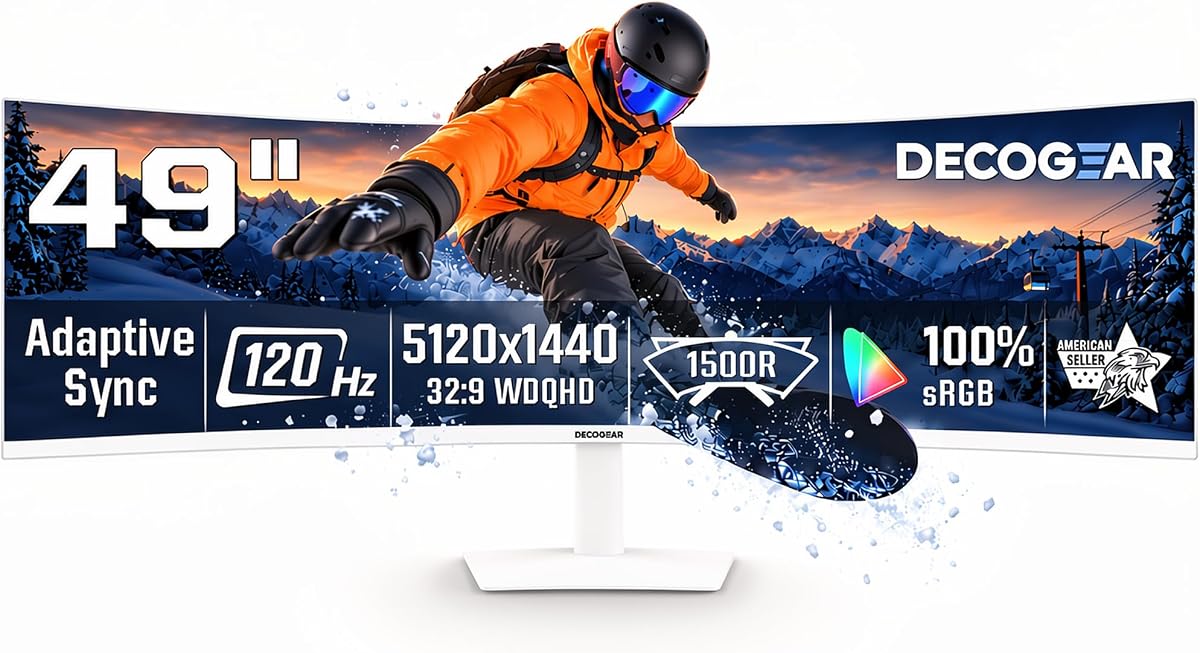
The Deco Gear monitor is well suited for hybrid setups where work meets play. It features KVM functionality allowing one keyboard to control multiple devices easily. This is great for testing different racing sims on different PCs.
We may earn a commission when you buy through this link, at no additional cost to you.
USB-C power delivery simplifies laptop connections by providing both data and charging. The built-in speakers make quick audio checks convenient. It supports 120Hz which is adequate for most racing needs.
Color accuracy is sufficient for casual use but less critical for pros. The low blue light modes protect eyes during work shifts. Overall it offers flexibility for mixed usage environments.
If you need a versatile screen that supports productivity tools alongside racing this is a solid choice. It reduces cable clutter and improves workflow without sacrificing too much gaming performance.
Control multiple computers with one keyboard and mouse saving desk space and setup time.
Connect laptops easily with power delivery that charges devices while displaying video.
We may earn a commission when you buy through this link, at no additional cost to you.
ASUS brings its gaming expertise to this ultrawide monitor. While the resolution is lower it still covers a wide field of view effectively. The 144Hz refresh rate ensures smooth gameplay for competitive titles.
We may earn a commission when you buy through this link, at no additional cost to you.
FreeSync 2 HDR supports adaptive brightness which helps during night races. The GamePlus overlays can provide on-screen timing tools. This utility helps refine your driving technique without pausing the simulation.
Eye care technology reduces blue light and flicker. This makes long sessions more comfortable for your eyes. The curve wraps sufficiently to maintain focus without causing excessive distortion.
Drivers looking for proven gaming tech with reliable support might prefer this. It balances traditional gaming features with the wide format needed for realistic track immersion.
On-screen overlays provide timing and reference data to help improve your racing performance.
HDR support enhances contrast making shadows and bright spots more distinct and realistic.
We may earn a commission when you buy through this link, at no additional cost to you.
The Z-Edge monitor offers impressive speed with a 240Hz refresh rate. This makes fast-paced races look fluid and responsive. The 1ms response time ensures that there is no lag between your inputs and the screen.
We may earn a commission when you buy through this link, at no additional cost to you.
Color gamut coverage is strong providing vivid visuals. Built-in speakers allow for quick feedback without extra gear. This model is great for competitive drivers needing high frame rates.
Connectivity is flexible with multiple HDMI and DP ports. It supports various consoles and PCs without hassle. The screen remains sharp even at high resolutions for detailed track reading.
Competitive gamers prioritizing speed and smooth motion will find this appealing. It delivers professional-grade performance metrics at a price point that appeals to many.
A 240Hz refresh rate ensures that every frame updates instantly for smooth and responsive gameplay.
With a 1ms response time the monitor keeps up with rapid changes in the racing environment.
We may earn a commission when you buy through this link, at no additional cost to you.
Samsung's OLED G93SC delivers top-tier performance for serious sim racers. The QD-OLED panel ensures perfect blacks and vibrant colors. This makes night tracks look stunning and helps you spot details in the dark.
We may earn a commission when you buy through this link, at no additional cost to you.
Response time is incredibly fast eliminating blur completely. You will notice every tire slip and slide instantly. Auto connect ensures that you get to your racing action without delays.
The design is sleek and modern with a premium metal finish. It fits well in any gaming setup. However care should be taken with static HUD elements to prevent burn-in over time.
For those seeking the highest fidelity and speed this monitor is unmatched. It combines cutting-edge technology with immersive design to bring racing to life on your screen.
OLED technology provides perfect blacks and infinite contrast for realistic dark and light scenes.
Auto Source Switch detects devices automatically so you can start racing instantly.
We may earn a commission when you buy through this link, at no additional cost to you.
Selecting the right monitor involves balancing several technical factors that directly impact your driving performance and comfort.
Resolution determines how sharp the track details and telemetry appear. For 49 inch monitors DQHD or 5K2K resolutions provide the best balance of sharpness and performance. Higher resolution helps you read small text and see distant competitors clearly.
Look for models with at least DQHD 5120×1440 to ensure clarity across the entire screen.
Refresh rate controls how many frames appear per second. Higher rates like 165Hz or 240Hz make motion smoother and reduce motion blur. This is critical for high-speed racing where quick reactions are needed.
Aim for a minimum of 144Hz to keep gameplay fluid and responsive during intense moments.
Curvature affects immersion and how naturally the screen wraps around your vision. Tighter curves like 1000R create a cockpit feel while moderate curves like 1500R offer a balance. Consider your desk depth and seating position.
Choose a curve that matches your field of view to maximize immersion without distortion.
Response time measures how quickly a pixel changes color. Faster times prevent ghosting and motion blur. For racing 1ms is ideal to ensure that your inputs appear instantly on the screen.
Prioritize monitors with 1ms response time to avoid lag during critical racing maneuvers.
Accurate colors make the environment look realistic. Look for high sRGB or DCI-P3 coverage. This ensures that track textures and lighting appear as intended.
Seek monitors with high color gamut coverage for a more vibrant and true-to-life image.
Multiple ports like HDMI and DisplayPort allow flexible connections. USB-C can simplify laptop setups with power delivery. Ensure the monitor supports the inputs your PC or console uses.
Check that the monitor has the specific ports needed for your current setup.
Adjustable stands help you find a comfortable viewing angle. Height and tilt adjustments reduce strain during long sessions. VESA compatibility allows custom mounting solutions.
Ensure the monitor offers ergonomic adjustments or VESA mount options for comfort.
VA panels offer good contrast while OLED offers perfect blacks. VA is often more affordable while OLED is premium. Choose based on your budget and desire for image quality.
Select the panel type that best fits your visual priorities and budget constraints.
Proper setup ensures optimal performance and longevity. Position the monitor so the center aligns with your natural eye level to avoid neck strain. Use the stand adjustments or a VESA arm to find the ideal height.
Adjust the brightness and contrast settings to match your room lighting. High brightness can cause eye fatigue in dark rooms. Use night mode features to reduce blue light during evening sessions.
Clean the screen gently with a microfiber cloth to remove dust. Avoid harsh chemicals or abrasive materials. Keep cables organized to prevent tripping hazards and maintain a clean desk environment.
For 49 inch monitors DQHD 5120×1440 is ideal for balancing clarity and performance. Higher resolutions like 5K2K offer sharper details but require powerful graphics cards to render smoothly in games.
A 1000R curve is very deep and creates maximum immersion but may distort edges slightly. It is excellent for sim racing but ensure your desk allows enough space for the curvature.
Yes high refresh rates often require DisplayPort 1.4 or HDMI 2.1 to support the bandwidth. Check your cable specs to ensure they can handle the desired refresh rate and resolution.
Yes these monitors are excellent for productivity due to their wide screen real estate. You can run multiple applications side by side which boosts efficiency for data tracking and streaming.
A 240Hz refresh rate provides incredibly smooth motion which helps in competitive racing. It reduces motion blur and allows for faster visual updates when reacting to sudden track changes.
Avoid leaving static HUD elements on screen for long periods. Use screen savers and enable auto-dimming features. Regularly move static elements to prevent image retention over time.
Most models include HDMI and DisplayPort for PCs and consoles. Some also offer USB-C for laptops which can provide data and power. Check specific models for the exact ports you need.
Built-in speakers offer convenience for quick audio checks without external hardware. However external speakers or headsets still provide better sound quality for immersive racing experiences.
The top picks offer distinct strengths ranging from OLED clarity to high refresh speeds. Selecting the right model depends on your specific budget and performance needs for racing.
Prioritize features like refresh rate and response time if competition is your goal. For general immersion a high-quality curve and contrast are essential to the experience.
Always check current availability and pricing before purchasing as these factors change frequently. Investing in the right display enhances your setup and brings your simulation to life.