
AI Voice Recorder Lite
4.4Editor score
Unlimited transcription included
Credit card sized design
Smart AI summaries
This guide compares the top AI meeting transcription devices for professionals, students, and teams seeking accurate notes and summaries.
Modern professionals need reliable tools to capture every word during meetings. AI transcription devices convert audio into text automatically, saving hours of manual note-taking and ensuring no detail is missed.
We evaluated ten leading AI voice recorders based on accuracy, battery life, storage, and smart features like summarization. Our analysis includes real-world performance and user feedback to help you choose the right device.
Each pick highlights specific strengths and ideal use cases for different needs. Prices and availability may change, so check current listings before making your final decision on these innovative productivity tools.
4.4Editor score

4.8Editor score
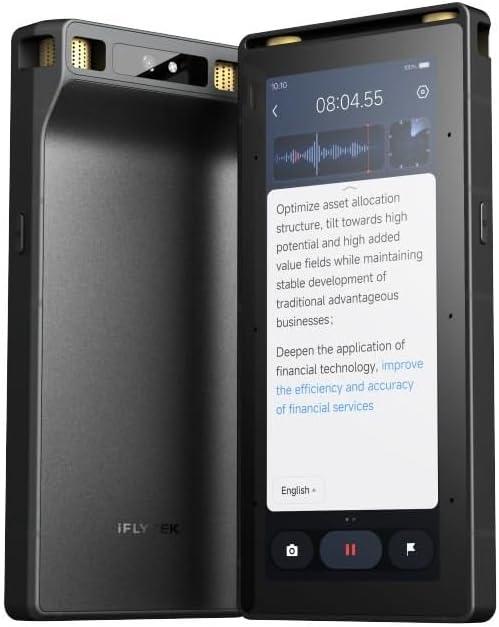
This table provides a side-by-side comparison of the top ten devices focusing on their unique capabilities and technical specifications.



The Comu Action Pro stands out with its impressive 70-hour battery life and auto-generated document features. Its rating reflects high user satisfaction for capturing detailed meeting notes efficiently.
We may earn a commission when you buy through this link, at no additional cost to you.
Its six-mic setup including a bone-conduction mic ensures crystal-clear audio even in noisy environments. The device automatically drafts slides and emails from conversations, saving significant post-meeting time.
While the price is higher, the productivity gains justify the cost for busy professionals. The MagSafe design adds convenience for iPhone users during active recording sessions.
Buy this if you need long recording sessions and automated document generation. It delivers reliable performance and smart insights for serious meeting transcription needs.
Comu transforms raw audio into editable slides and emails without prompts. This feature streamlines workflow by turning notes into actionable deliverables instantly.
The adaptive six-mic array with motion sensors captures precise sound. This setup ensures every voice is recorded clearly for accurate transcription.
We may earn a commission when you buy through this link, at no additional cost to you.
This Lite version offers unlimited transcription in a portable design perfect for everyday use. It combines a smart personal assistant with robust security features for sensitive meetings.
We may earn a commission when you buy through this link, at no additional cost to you.
The web search AI allows deeper insights beyond recordings by finding relevant context. Its slim size fits easily in wallets while maintaining enterprise-grade privacy standards.
It lacks advanced hardware compared to premium models but covers core needs well. Users may need premium plans for calendar sync and advanced agents.
Ideal for students and professionals needing reliable transcription without subscription costs. It balances functionality and affordability effectively for light recording users.
The free starter plan includes unlimited transcription and summaries. This removes financial barriers for users who need regular meeting documentation.
Measuring only 3mm thin and 1.02 oz it is highly portable. It adheres magnetically to phones for seamless hands-free recording sessions.
We may earn a commission when you buy through this link, at no additional cost to you.
This device offers offline transcription and translation without internet dependency making it secure for sensitive environments. Its premium build includes hardware encryption and a five-year pro membership.
We may earn a commission when you buy through this link, at no additional cost to you.
With an eight-microphone array it captures audio clearly from twenty meters away. Real-time projection enhances collaboration during large meetings by displaying live transcripts instantly.
The high price reflects enterprise-grade features and offline processing capabilities. Complexity may overwhelm casual users but it suits large hall recordings well.
Purchase for secure cross-border business where internet access is limited. It provides unmatched range and privacy for high-stakes meeting documentation.
Process transcription and translation without internet connectivity. This ensures privacy and availability in secure or remote locations.
Live projection displays transcripts during meetings instantly. This feature helps teams stay aligned on key points in real time.
We may earn a commission when you buy through this link, at no additional cost to you.
The Plaud Note Pro combines audio with visual and text inputs for richer context. Its ASK Plaud feature allows conversational insights based on recorded content.
We may earn a commission when you buy through this link, at no additional cost to you.
AI directional audio isolates voices even in noisy rooms for clarity. The ultra-slim credit card design ensures it fits anywhere while supporting Apple Find My.
Privacy compliance standards like HIPAA make it suitable for sensitive sectors. Subscription upgrades are needed for higher transcription limits.
Buy for users needing integrated photos and notes with audio. It excels at providing comprehensive context for complex meeting follow-ups.
Snap photos or type notes during recording for context. This creates a richer understanding of meeting details beyond audio.
Ask questions about recordings to get instant insights. The AI summarizes key points and suggests next steps accurately.
We may earn a commission when you buy through this link, at no additional cost to you.
Pocket works as an AI assistant with seamless MagSafe attachment for iPhone users. It captures meetings with one tap and organizes data into clear summaries.
We may earn a commission when you buy through this link, at no additional cost to you.
Ask Pocket provides instant insights across meetings to save review time. The four-day battery life ensures it stays powered throughout long work weeks.
It prioritizes ease of use and hands-free recording over advanced controls. Some insights require premium subscriptions to unlock fully.
Choose this if you want effortless integration with iPhone devices. Its simplicity and reliability make it ideal for daily productivity.
Attach easily to MagSafe devices for hands-free recording. This convenience ensures you never miss important conversations during travel.
Generates key items and conversation maps automatically. This helps users focus on discussions rather than note-taking.
We may earn a commission when you buy through this link, at no additional cost to you.
Comulytic offers a free starter plan with unlimited transcription for all users. Its vertical knowledge base captures industry terms precisely across sectors like law and finance.
We may earn a commission when you buy through this link, at no additional cost to you.
Wi-Fi sync pushes files to the cloud up to ten times faster than Bluetooth. The triple-mic array ensures clear audio capture even in crowded rooms.
It balances cost and performance effectively for most professionals. While premium tools exist the free version covers essential needs well.
Select this for cost-effective reliable transcription with industry focus. It provides strong value without hidden monthly charges for users.
Understands professional terms in insurance real estate and law. This accuracy ensures transcripts remain relevant for specific industries.
Cloud uploads happen quickly via Wi-Fi during recording. This keeps files safe and accessible across devices instantly.
We may earn a commission when you buy through this link, at no additional cost to you.
Powered by GPT 5.5 this recorder delivers 98% accuracy and deep analysis. It supports 150 languages and includes 64GB of local storage for large files.
We may earn a commission when you buy through this link, at no additional cost to you.
The included desktop software allows advanced editing and export options. End-to-end encryption ensures full data sovereignty for all users.
Its rugged design withstands daily use better than slimmer competitors. The ecosystem relies heavily on connected software for best results.
Ideal for global teams needing high accuracy and robust tools. It provides comprehensive language support and secure data management.
GPT 5.5 engine ensures industry leading transcription quality. This minimizes errors during critical academic or business negotiations.
Includes desktop software for advanced management. This provides a complete workflow from recording to archiving.
We may earn a commission when you buy through this link, at no additional cost to you.
This non-pro version retains the ultra-slim profile and local storage security. It uses advanced models like GPT 5.5 for high accuracy and privacy.
We may earn a commission when you buy through this link, at no additional cost to you.
Multimodal input captures audio plus notes and images for better context. Global security standards ensure compliance for legal or medical sectors.
It offers similar core features at a slightly lower price point. The battery life is 30 hours which is standard for the category.
Buy for portable reliable transcription without advanced directional audio. It balances portability and security effectively for everyday users.
Store up to 64GB locally without internet. This allows secure recording even in disconnected environments.
At 0.12 inches thin it fits easily in pockets. The slim design ensures it is always ready for meetings.
We may earn a commission when you buy through this link, at no additional cost to you.
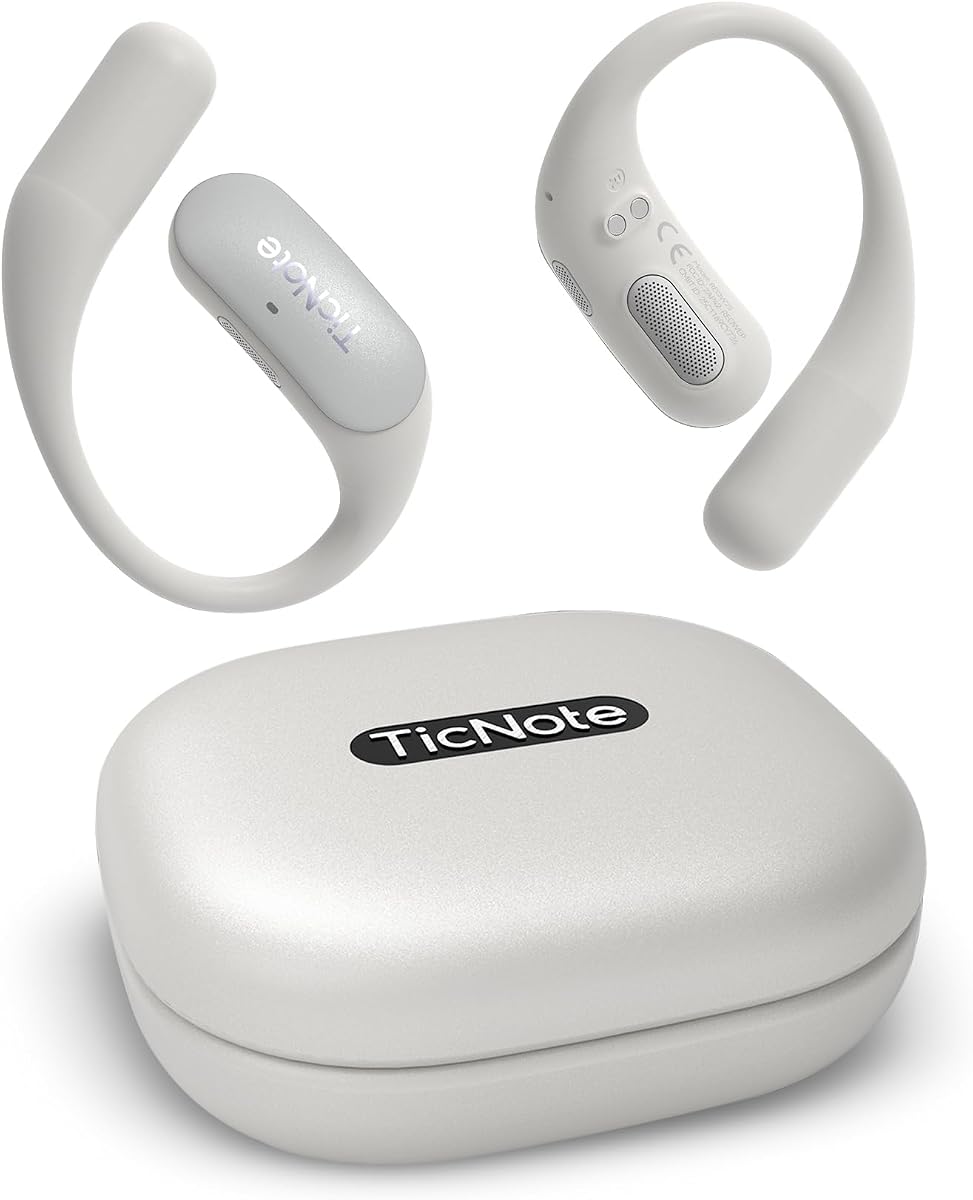
Designed as a wearable recorder TicNote Pods WiFi is ideal for hands-free meetings. It features Shadow AI support and collaborative editing for team workflows.
We may earn a commission when you buy through this link, at no additional cost to you.
The dual-mic array captures audio clearly from ten meters away in busy rooms. All data is encrypted and stored on US-based cloud servers.
Battery life is limited to five hours of continuous recording. It requires Wi-Fi for most transcription and translation features.
Choose for team collaboration and collaborative editing features. It supports multilingual teams and ensures privacy with US servers.
Share notes and transcripts with team via cloud. This ensures everyone stays aligned on outcomes and action items.
Voice activated recording ensures hands-free operation. This is perfect for daily business communication and client calls.
We may earn a commission when you buy through this link, at no additional cost to you.
This version of Comulytic Note Pro features a 45-hour battery life for long sessions. It offers unlimited free transcription powered by advanced ChatGPT and Gemini models.
We may earn a commission when you buy through this link, at no additional cost to you.
Wi-Fi sync transfers files ten times faster than Bluetooth for efficiency. CCPA compliance ensures data remains private and secure for California users.
It balances strong battery life with essential features well. The interface is straightforward and suitable for basic recording tasks.
Buy for reliability and cost efficiency with long battery needs. It provides consistent performance for students and professionals alike.
45 hours of continuous recording ensures all day use. This is ideal for back to back meetings or travel.
Free starter plan includes unlimited transcription and summaries. Users can upgrade for advanced tools like needed.
We may earn a commission when you buy through this link, at no additional cost to you.
Selecting the right AI transcription device involves evaluating several technical and practical factors for your specific workflow.
Accuracy is the most critical factor for useful transcripts. Look for devices with high percentage ratings and advanced language models like GPT or Gemini for detailed analysis.
Higher accuracy reduces manual editing time and ensures professional results for all meetings.
Battery life determines how long you can record without interruption. For long days, choose devices offering at least 30 hours of continuous recording or quick charging options.
Always check standby time to ensure the device stays ready when you need it.
Multiple microphones and noise cancellation are essential for capturing clear audio in busy environments. Devices with beamforming or directional audio isolate voices effectively.
Investing in strong hardware ensures transcripts remain accurate even with background noise.
Local storage capacity and cloud sync options affect file management. Wi-Fi sync is faster than Bluetooth for uploading large audio files to your devices.
Ensure the device offers enough local storage for your needs and secure cloud backups.
Sensitive data requires encryption and compliance with standards like HIPAA or GDPR. Check for end-to-end encryption and clear policies on data processing.
Privacy controls are non-negotiable for legal or medical professionals handling client information.
Some devices require monthly plans for unlimited transcription while others offer free starter plans. Evaluate the total cost of ownership before purchasing hardware.
Unlimited free plans save money long-term for heavy users needing daily summaries.
Slim and lightweight designs make carrying the device effortless during travel. Features like magnetic attachment or credit card sizes add convenience.
Choose a design that fits comfortably in your pocket or bag for daily use.
Global teams need support for multiple languages and real-time translation. Verify the number of supported languages to ensure seamless cross-border communication.
Wide language support expands the device's utility for diverse work environments.
To start using your device, charge it fully and install the companion mobile app. Connect the device via Wi-Fi or Bluetooth to enable syncing and access the dashboard.
Press the one-tap recording button to capture meetings. Avoid covering the microphones and keep the device close to speakers for best audio quality.
Regularly clear local storage and update firmware for performance. Clean the device with a soft dry cloth to maintain its finish and functionality over time.
Yes, most of these devices support call recording modes that capture remote meetings clearly. You may need to place the device near your computer speaker for best results.
Some models require internet for cloud processing but others offer offline options. Always check if the device supports offline transcription if you work in low connectivity areas.
High-end AI transcriptions now reach 98% accuracy which rivals human transcribers. Complex accents or background noise may still require manual review for perfect results.
Yes, most reputable devices use end-to-end encryption and comply with global security standards. Check the manufacturer's privacy policy to ensure your data remains private.
Many devices support cloud sharing and team collaboration features directly from their apps. This allows easy export of notes and summaries to shared workspaces.
Some devices with vibration sensors or dedicated call modes record phone calls automatically. Others require manual activation so check specifications for call support.
The top picks offer a range of features from unlimited free plans to advanced document generation. Choosing the right one depends on your specific needs and workflow.
Prioritize battery life and accuracy if you attend frequent meetings daily. Portability and privacy are essential if you travel often or handle sensitive data.
Remember that prices and plans can change over time. Always verify current features and pricing on the manufacturer's site before buying.