
AOC 27" Gaming Monitor FHD 260Hz Overclocked NVIDIA G-SYNC Compati. 27G51Z
4.6Editor score
260Hz Overclocked Rate
Adaptive Sync Support
Frameless Design
Finding the right display is essential for any modern computing setup. Aoc monitors offer a wide range of options tailored to gamers and professionals alike.
We evaluated ten models based on refresh rates, panel types, and build quality. Our goal is to highlight performance and versatility across different price points.
Each pick shows key strengths and real-world usage scenarios. Note that availability and offers may change, so check current details before purchasing.
4.6Editor score

4.6Editor score
4.4Editor score
As an Amazon Associate we earn from qualifying purchases.
The following table provides a side-by-side look at key specifications for every model featured in this guide. Use it to quickly compare screen size, resolution, and refresh rates.


This AOC model stands out with its QHD resolution and high refresh rate. It received a strong rating from users who prioritize smooth gameplay.
We may earn a commission when you buy through this link, at no additional cost to you.
The 240Hz refresh rate ensures fluid motion in fast-paced titles. The IPS panel delivers vibrant colors that make scenes pop on screen.
While it lacks extensive ergonomic features, the tilt range is adequate for most desks. The response time keeps blur to a minimum.
Gamers seeking a balance of resolution and speed should consider this display. It offers excellent value for competitive setups.
The QHD resolution provides crisp detail for both games and productivity tasks.
Adaptive sync reduces screen tearing for a smoother visual experience across GPUs.
We may earn a commission when you buy through this link, at no additional cost to you.
This model brings high-speed gaming to a budget-friendly price point. It earned a high rating for its performance relative to cost.
We may earn a commission when you buy through this link, at no additional cost to you.
The 260Hz overclocked rate ensures smooth motion in esports titles. The IPS panel maintains wide viewing angles for collaborative sessions.
Resolution is limited to Full HD, which may not suit content creators. However, the power efficiency helps reduce long-term electricity costs.
Ideal for players focused on frame rates over pixel density. It delivers solid performance for entry-level competitive setups.
The 260Hz rate pushes the monitor beyond standard limits for ultra-smooth visuals.
Eco Mode keeps typical usage low to support sustainable computing habits.
We may earn a commission when you buy through this link, at no additional cost to you.
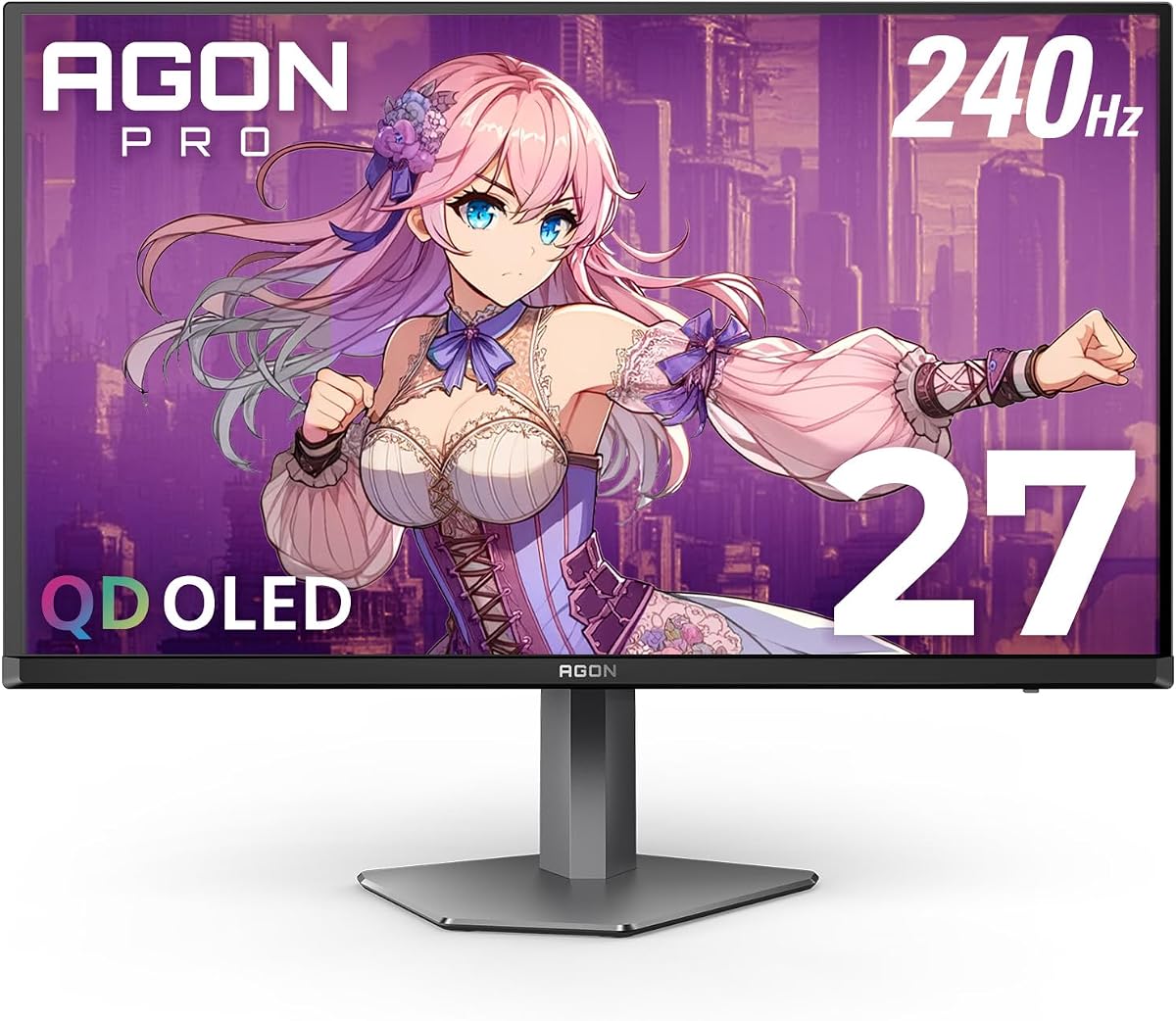
This OLED monitor delivers unparalleled black levels and speed. Users praise its visual fidelity and rapid response in competitive play.
We may earn a commission when you buy through this link, at no additional cost to you.
The 0.03ms GTG response time minimizes ghosting effectively. HDR10 support enhances dynamic range for a more immersive view.
The premium cost may be prohibitive for some buyers. Rear lighting adds flair but requires power management in dark rooms.
Enthusiasts seeking top-tier visuals will appreciate this investment. It sets a high standard for modern gaming displays.
Self-luminous pixels ensure true blacks that make visuals appear richer.
Designed to maximize console performance with low latency features.
We may earn a commission when you buy through this link, at no additional cost to you.
A 4K display tailored for work and media consumption. It received a decent rating for its clarity and multimedia capabilities.
We may earn a commission when you buy through this link, at no additional cost to you.
The high resolution allows for sharp text and detailed images. Built-in speakers simplify desktop setups by removing the need for external audio.
It lacks features essential for high-speed gaming like adaptive sync. Brightness is adequate for indoor office environments effectively.
Professionals needing screen real estate will find it useful. It balances quality and utility for general computing tasks.
4K resolution provides ample space for multitasking and detailed edits.
Built-in speakers offer convenient sound without extra cables.
We may earn a commission when you buy through this link, at no additional cost to you.
This large curved screen wraps around the viewer for depth. It earned good marks for its balance of size and performance.
We may earn a commission when you buy through this link, at no additional cost to you.
The 1500R curvature helps maintain focus on the action. QHD resolution provides enough detail for close-up gaming sessions.
VA panels can show color shifts when viewed off-center. Reflections may be an issue in brightly lit rooms without shade.
Best for single-player experiences where immersion is key. The warranty offers peace of mind for long-term usage.
VA technology ensures deep blacks for rich visual storytelling.
Low Blue Mode reduces eye strain during long work hours.
We may earn a commission when you buy through this link, at no additional cost to you.
A unique mix of large screen and high-speed refresh rate. Users noted its smooth performance in competitive environments.
We may earn a commission when you buy through this link, at no additional cost to you.
The 240Hz rate ensures fluid motion across the wide screen. Low latency makes it suitable for fast-paced shooters.
Full HD may look soft on a 32-inch display. However, the frameless design helps reduce visual distraction.
Gamers prioritizing fluid motion over pixel count should consider this. It offers a distinct advantage for reaction-based games.
Low latency ensures your commands register instantly in-game.
Optimized for console gaming with variable refresh support.
We may earn a commission when you buy through this link, at no additional cost to you.
This OLED model rivals professional displays with its precision. It received praise for its stunning visual output and speed.
We may earn a commission when you buy through this link, at no additional cost to you.
The 0.03ms response time ensures no motion blur is visible. Color gamut coverage makes it ideal for creative and gaming use.
Burn-in remains a concern for static-heavy use cases. It requires careful settings management to ensure longevity.
Ideal for users who want the highest fidelity available. It represents the cutting edge of current display technology.
Wide gamut ensures vibrant and accurate color reproduction.
G-SYNC compatibility prevents tearing on NVIDIA systems.
We may earn a commission when you buy through this link, at no additional cost to you.
This model offers full OLED performance with ergonomic flexibility. Users appreciate the inclusion of a USB hub for easier connections.
We may earn a commission when you buy through this link, at no additional cost to you.
The stand allows for precise height adjustments to reduce strain. HDR400 certification ensures better contrast in supported content.
The cost is high, requiring a substantial budget. Proper setup is needed to maximize its advanced visual capabilities.
Best for dedicated gamers who need full flexibility. It combines top-tier visuals with necessary functional features.
USB hub simplifies connecting peripherals without extra hubs.
Height adjustable stand ensures comfortable viewing angles.
We may earn a commission when you buy through this link, at no additional cost to you.
A compact monitor that delivers quick refresh rates for gaming. It is well-rated for its responsiveness on a smaller screen.
We may earn a commission when you buy through this link, at no additional cost to you.
The 200Hz rate ensures smooth gameplay for entry-level setups. Wide color coverage makes images appear lively and sharp.
It lacks height adjustment which may cause posture issues. However, the low input lag supports console gaming effectively.
Ideal for users with limited desk space. It provides a strong balance of speed and color in a small package.
Optimized to unleash high frame rates on current consoles.
Wide sRGB coverage ensures natural and bright colors.
We may earn a commission when you buy through this link, at no additional cost to you.
A refreshed option that offers solid performance for budget users. It has a high rating for its value and reliability.
We may earn a commission when you buy through this link, at no additional cost to you.
The 100Hz refresh rate is a solid upgrade over standard 60Hz. Eye care features help maintain comfort during long hours.
Connectivity is limited compared to newer models. However, the deep contrast makes it suitable for dark rooms.
Best for secondary setups or budget builds. It provides decent speed and contrast for general tasks.
Blue light filter reduces strain for extended viewing.
VESA support allows flexible mounting solutions on any wall.
We may earn a commission when you buy through this link, at no additional cost to you.
Selecting the right monitor depends on your specific needs and usage environment. This guide breaks down key factors to consider.
Panel type affects color accuracy and viewing angles. IPS panels offer better colors while VA provides deeper blacks.
Choose IPS for creativity and VA for contrast in dark rooms.
Higher refresh rates ensure smoother motion in games. Aim for 144Hz or more for competitive play.
Standard 60Hz is sufficient for office work only.
Fast response times reduce ghosting during movement. Look for 5ms or lower for gaming.
Slower speeds may cause blur in fast scenes.
Resolution determines pixel density and clarity. 1080p is budget-friendly while 4K offers sharp details.
Balance resolution with GPU power for best results.
Ensure the monitor supports your device inputs. HDMI and DisplayPort are standard for modern systems.
USB hubs add convenience for peripherals.
Adjustable stands help maintain healthy posture. Tilt and height adjustments are vital for long hours.
Fixed stands may limit comfort over time.
Adaptive sync technologies prevent screen tearing. FreeSync and G-SYNC compatibility are essential for smooth visuals.
Check compatibility with your specific graphics card.
Larger screens offer immersion but require desk space. Curved panels wrap around the user for focus.
Select size based on your viewing distance.
Clean the screen with a soft, dry cloth to remove dust. Avoid harsh chemicals that might damage the coating.
Calibrate display settings to match your room lighting. Use presets for different tasks like gaming or reading.
Ensure proper ventilation around the monitor to prevent overheating. Regularly check cable connections for secure fits.
Yes, many models feature high refresh rates and low response times suitable for fast action. Adaptive sync helps maintain smooth visuals during gameplay.
QHD offers higher resolution than 1080p but less than 4K. It balances sharpness and performance well for mid-range PCs.
Most gaming models support G-SYNC or FreeSync. Check specific product details to confirm compatibility with your GPU.
Curved screens provide a more immersive experience for wide setups. They may cause minor distortion if viewed from an extreme angle.
Yes, most feature VESA mount holes for flexible installation. Use a compatible arm for optimal positioning on your desk.
Gaming monitors typically cover 100% sRGB for vibrant visuals. Professional models may offer wider DCI-P3 coverage for accuracy.
These top picks cover a wide range of needs from budget to premium. Each model offers distinct advantages for specific use cases.
Prioritize your main activities to find the perfect fit. Speed matters for gamers while resolution suits creators.
Always check current availability and offers before making a decision. Conditions may vary by region and time.