
ASUS Vivobook Go 15.6 FHD Slim Laptop
4.3Editor score
AMD Ryzen 3 Processor
8GB RAM 128GB SSD
Lightweight Design
Finding the right laptop for your needs can be challenging especially when there are so many options available on the market today. ASUS Vivobook laptops offer a great balance of performance style and affordability for various users. Whether you need a machine for work school or entertainment there is likely a model that fits your specific requirements perfectly.
We have carefully evaluated ten different ASUS Vivobook models to bring you this comprehensive guide. Our comparison focuses on key aspects such as processor speed memory storage display quality and overall build durability. By analyzing these factors we aim to provide you with clear insights into what each laptop offers and how they stack up against one another.
Each pick in this list highlights specific strengths and ideal use cases for different types of buyers. You will find options ranging from budget-friendly choices to high-performance machines capable of handling demanding tasks. Please note that prices and availability can change so it is always a good idea to check the current details before making your final purchase decision.
4.3Editor score

4.5Editor score

4.2Editor score
As an Amazon Associate we earn from qualifying purchases.
The following table provides a side-by-side comparison of all ten ASUS Vivobook models included in this guide to help you quickly identify the specifications and features that matter most to your needs.


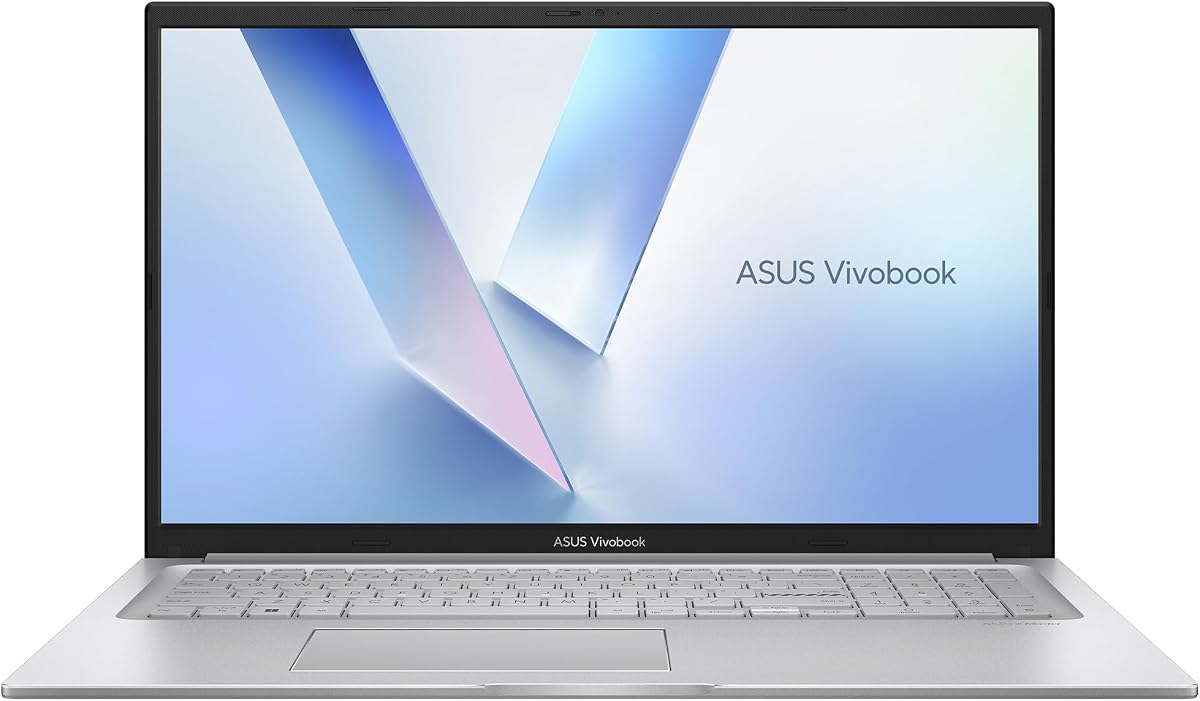




This ASUS Vivobook 15 model stands out as a top choice for users seeking high performance and advanced features. With a rating of 4.5 stars it delivers exceptional computing power suited for demanding professional or creative workflows. The inclusion of an Intel Core i9 processor ensures seamless multitasking and AI-ready capabilities for future-proofing your setup.
We may earn a commission when you buy through this link, at no additional cost to you.
The device features 32GB of RAM and a 1TB SSD which provides ample speed and storage for large files and applications. Its 15.6-inch FHD display offers clear visuals without glare making it comfortable for extended use. Security and convenience are enhanced with a fingerprint reader and physical webcam shield alongside backlit keys for low-light typing.
While the bundle includes a specialized PCO cooler to manage thermal performance the price reflects these premium upgrades. Some users might find the specs more than they need for casual use but it justifies the investment for heavy workloads. The upgraded components come with extended coverage providing additional peace of mind for long-term usage.
It is ideal for professionals students or creators who require a fast and reliable machine for complex tasks. The combination of top-tier hardware and thoughtful accessories makes this a standout option in the Vivobook lineup. If you value performance and expandability this model offers a compelling package worth considering for your next laptop purchase.
The Core i9 processor is optimized for AI workloads ensuring smooth operation for modern software demands.
The bundled PCO cooler helps maintain peak processor frequency during intensive tasks to prevent overheating.
We may earn a commission when you buy through this link, at no additional cost to you.
This Vivobook 16 features the Qualcomm Snapdragon X processor which is designed for exceptional power efficiency and AI capabilities. With a 4.4 rating it appeals to users prioritizing long battery life and seamless connectivity. The 16-inch WUXGA display provides sharp visuals ideal for media consumption and everyday productivity tasks.
We may earn a commission when you buy through this link, at no additional cost to you.
The Adreno GPU supports smooth performance while optimizing power consumption for all-day use. Sixteen gigabytes of RAM and 512GB of storage offer balanced specs for general computing needs. Windows 11 Home ensures a modern secure experience compatible with most applications and cloud services.
Keep in mind that Snapdragon processors may have different software compatibility compared to traditional Intel or AMD chips. However for basic tasks and supported apps this laptop delivers a responsive and efficient experience. The quiet blue finish adds a touch of style without being too flashy for professional environments.
Choose this model if you need a portable machine with strong battery performance and a large screen. It suits travelers or students who value mobility and visual clarity over raw gaming power. The integration of AI features and fast connectivity makes it a forward-thinking choice for daily use.
The Snapdragon X chip is built for multi-day battery life reducing the need for frequent charging.
The 16-inch WUXGA screen offers vibrant colors and a 60Hz refresh rate for smooth visuals.
We may earn a commission when you buy through this link, at no additional cost to you.
This lightweight portable notebook combines a Core i7 processor with a spacious 16-inch WUXGA display for a versatile experience. It holds a 4.5 rating reflecting satisfaction with its performance and build quality for everyday computing tasks. The Iris Xe Graphics handle standard visuals smoothly while keeping power demands moderate for portability.
We may earn a commission when you buy through this link, at no additional cost to you.
With 16GB of RAM and a 512GB SSD the system boots quickly and supports multitasking efficiently. The black chassis offers a professional look suitable for office or campus use. Connectivity is well covered with USB-C USB-A HDMI and audio ports eliminating the need for extra adapters.
While the integrated graphics are not suited for heavy gaming they excel at productivity and media playback. The absence of a touch screen might limit some users but it keeps the device affordable and responsive. Weighing less than larger desktop replacements it fits easily into bags for on-the-go work.
Ideal for students and professionals needing a balance of screen real estate and mobility. The combination of Core i7 speed and ample storage ensures it handles most applications without slowdowns. If you prioritize a larger display in a compact frame this Vivobook is a reliable option to consider.
Designed as a lightweight notebook it is easy to carry around for work or study sessions.
A variety of ports including USB-C and HDMI allows easy connection to peripherals and displays.
We may earn a commission when you buy through this link, at no additional cost to you.
This 17.3-inch model offers a spacious display ideal for users who need extra screen space for work or media. With a 4.0 rating it provides reliable performance for everyday tasks while emphasizing durability and comfort. The Intel Core 7 150U processor supports smooth operation for multitasking and general applications.
We may earn a commission when you buy through this link, at no additional cost to you.
The numeric keyboard is a practical addition for data entry making it suitable for business or academic use. Storage is ample with a 1TB SSD ensuring you have room for files and programs. Fast charging allows you to quickly replenish battery levels so you stay productive throughout the day.
The cool silver finish and lay-flat hinge facilitate collaboration and a modern look. Military-grade standards add confidence for rugged use though the larger size may reduce portability. Some users note average performance compared to higher-end models but it remains a solid choice for specific needs.
Select this laptop if screen size and numeric input are priorities for your workflow. It works well as a desktop replacement or for stationary work where mobility is less critical. The balance of storage display and durability makes it a practical option for those needing a larger workspace.
The 17.3-inch display offers ample workspace for multiple windows and detailed visual tasks.
Built-in numeric keys simplify data entry and calculations for productivity focused users.
We may earn a commission when you buy through this link, at no additional cost to you.
This Vivobook Go 15 offers a compelling value with an AMD Ryzen 5 processor and essential specs for daily use. Rated 4.3 stars it delivers smooth performance for browsing streaming and productivity applications. The mixed black finish and slim NanoEdge bezels enhance the visual appeal without compromising on screen size.
We may earn a commission when you buy through this link, at no additional cost to you.
Fast charging technology allows you to get up to 50% battery in just 30 minutes for minimal downtime. AI noise-canceling improves call quality ensuring clear communication during meetings or classes. Military-grade standards confirm the build can withstand everyday wear and tear over time.
While the RAM is moderate it suits light to moderate workloads effectively. The integrated graphics handle casual media well but are not intended for demanding gaming or editing. This model strikes a good balance between cost and capability for budget-conscious buyers.
Choose this if you need a reliable laptop for basic tasks at an accessible price. It is well-suited for students or home users who prioritize battery life and durability. The combination of Ryzen speed and quick charging makes it a practical everyday companion.
Fast-charge technology replenishes battery quickly keeping you connected without long waits.
AI noise-canceling isolates unwanted noise for smoother video calls and communication.
We may earn a commission when you buy through this link, at no additional cost to you.
This slim laptop provides an entry-level option with DDR5 memory and essential features for everyday tasks. It holds a 4.3 rating and is ideal for users seeking a portable and durable machine without high costs. The Ryzen 3 processor supports basic productivity while keeping power consumption and heat low.
We may earn a commission when you buy through this link, at no additional cost to you.
A webcam privacy shutter adds a layer of security for online calls and browsing. The 180-degree hinge allows flexible positioning for comfortable viewing angles. Storage is modest but suitable for cloud-based workflows or light local file management needs.
While storage might be limited expanding options exist depending on device design. The lightweight form factor makes it easy to carry between classes or work sites. Durability standards ensure it can handle the rigors of daily transport and usage.
Perfect for students or secondary users needing a dependable laptop for web and documents. The price point and privacy features make it a smart choice for cost-conscious buyers. If you rely on external storage or cloud services this model serves your needs well.
The built-in webcam shutter offers instant privacy control without needing software toggles.
Slim dimensions and low weight make it easy to slip into a bag for travel.
We may earn a commission when you buy through this link, at no additional cost to you.
This customized Vivobook model boasts a perfect 5.0 rating reflecting high satisfaction with its performance and upgrades. The Core i9 processor delivers elite-level power suitable for demanding professional or creative workflows. Users can choose configurations with up to 48GB of RAM and 2TB SSD for massive capacity and speed.
We may earn a commission when you buy through this link, at no additional cost to you.
Windows 11 Pro adds enterprise-grade features like BitLocker encryption and advanced management tools. The numeric keyboard and fingerprint reader enhance productivity and security for business users. A physical webcam shield maintains privacy while a blue chassis adds a distinctive look to the device.
The customization is managed by PCOnline US which provides extended coverage on upgraded parts. This allows buyers to tailor specs to exact needs rather than settling for standard options. The combination of raw power and flexible memory makes it a future-proof investment.
Ideal for power users who need maximum performance and storage for complex projects. The Pro OS and security features cater well to business environments. If you want a machine that can grow with your requirements this highly rated option is worth exploring.
Choose RAM and storage levels that match your specific workload and budget needs.
Windows 11 Pro includes security and management tools beneficial for professional use.
We may earn a commission when you buy through this link, at no additional cost to you.
This 14-inch laptop offers an unusual combination of an entry-level processor with 24GB of RAM and large storage. Rated 4.1 stars it caters to users who prioritize multitasking memory over raw CPU power for basic tasks. The compact size makes it highly portable while maintaining a full HD screen for clear visuals.
We may earn a commission when you buy through this link, at no additional cost to you.
The 1TB SSD provides ample space for files and applications without external drives. Wi-Fi 6 ensures fast and stable internet connectivity for streaming and video calls. The blue design and backlit keyboard add usability in various lighting environments around the home or office.
While the i3 processor is not for heavy workloads the ample RAM helps smooth out browser-based multitasking. This setup is beneficial for users who keep many tabs open or run memory-heavy apps like browsers or virtual machines. However CPU bound tasks may see limitations compared to higher-tier processors.
Choose this if you need a small form factor with high memory and storage at a reasonable cost. It suits home office users or travelers who value capacity and portability. The balance of RAM and SSD makes it a functional workhorse for everyday computing needs.
Twenty-four gigabytes of RAM allow for extensive multitasking and smooth application switching.
Fourteen-inch footprint keeps the device light and easy to carry in a backpack.
We may earn a commission when you buy through this link, at no additional cost to you.
This 14-inch Vivobook delivers a high-rated experience with Snapdragon X technology and Copilot+ PC capabilities. The 4.8 rating indicates strong user satisfaction with its performance and modern feature set. It provides crisp visuals and efficient computing tailored for new AI-driven tasks in Windows 11.
We may earn a commission when you buy through this link, at no additional cost to you.
With 16GB of RAM and 512GB SSD it handles everyday workflows smoothly while ensuring quick access to data. The Adreno GPU supports media and light graphics tasks effectively. Its compact size and blue finish suit users who value style and portability in equal measure.
Copilot+ features unlock AI tools like enhanced search and live captions that simplify daily use. While some legacy apps may run in emulation mode modern optimized apps perform impressively well. The design prioritizes battery life and connectivity making it a reliable daily driver.
Select this for a modern lightweight machine ready for AI tools and efficient performance. It works well for students or professionals who need a stylish and capable ultrabook. The combination of features and ratings makes it a standout in the compact laptop segment.
Access AI-powered features like Recall and Live Captions for enhanced productivity and discovery.
FHD+ resolution ensures crisp and clear visuals for work and media consumption.
We may earn a commission when you buy through this link, at no additional cost to you.
This premium 14-inch Vivobook combines a Ryzen AI 7 processor with Copilot+ PC features for cutting-edge performance. Rated 4.2 stars it delivers strong productivity and visual fidelity for demanding users. The WUXGA display offers higher resolution for sharper text and better media viewing than standard FHD screens.
We may earn a commission when you buy through this link, at no additional cost to you.
The XDNA NPU accelerates AI tasks ensuring efficient local processing for features like live translation and image generation. With 16GB RAM and 512GB SSD it handles multitasking and storage needs effectively. Battery life up to 12 hours supports all-day usage with fast charging capabilities for quick top-ups.
The platinum gold finish adds a distinctive look that stands out from typical laptop colors. While new Copilot+ features may still be rolling out the hardware is ready to leverage them fully. The backlit keyboard and ergonomic design improve comfort during extended work sessions at any time.
Ideal for users seeking a high-end compact laptop with AI and display advantages. It suits creators and professionals who value both performance and aesthetic design. If you want a forward-looking machine with strong battery and visual specs this model is an excellent choice.
The XDNA NPU optimizes AI workloads for faster local task execution and efficiency.
WUXGA resolution delivers sharper visuals with better color and detail for creative tasks.
We may earn a commission when you buy through this link, at no additional cost to you.
Choosing the right Vivobook depends on your specific needs for performance portability and budget. This guide outlines key factors to consider so you can find a model that matches your workflow and preferences.
The processor is the brain of your laptop determining how fast it handles tasks. For basic web browsing and documents entry-level i3 or Ryzen 3 models work well. Power users should look for i5 i7 or Ryzen 5 7 processors to manage multitasking and heavier applications smoothly.
For demanding workloads consider higher-end i9 or AI-optimized chips for future-proofing.
RAM affects how many programs you can run simultaneously without slowdowns. Eight gigabytes is the minimum for smooth daily use while 16GB or more is better for professional tasks. Storage should be an SSD for speed with 512GB being a practical baseline for most users.
More capacity means fewer worries about filling up your drive over time.
Screen size ranges from 14 to 17 inches impacting portability and workspace. Larger displays are great for multitasking but add weight to your bag. Look for WUXGA or FHD resolution for clear text and vibrant colors especially if you consume media regularly.
Prioritize matte finishes to reduce glare in bright environments.
Battery duration varies widely based on component efficiency and usage patterns. Models with Snapdragon X or Ryzen AI chips often offer longer battery life due to optimized power use. If you travel frequently aim for systems rated at least 8 to 10 hours of real-world use.
Fast charging support also helps keep you productive when outlets are scarce.
If you move often choose a 14 or 15-inch model under 4 pounds for easy transport. Larger 17-inch laptops provide more screen space but are better suited for stationary use. Check dimensions to ensure it fits comfortably in your preferred backpack or case.
Slim designs with sturdy builds offer the best balance of mobility and durability.
Ensure the laptop has enough ports for your peripherals and displays. USB-C USB-A HDMI and audio jacks cover most common needs without requiring dongles. Wi-Fi 6 or 6E ensures fast and stable wireless connections for streaming and cloud access.
Additional features like SD card readers help specific workflows like photography.
Security is important for protecting personal and professional data. Models with fingerprint readers and webcam privacy shields add extra layers of protection. Windows 11 Pro includes BitLocker and advanced management tools for enterprise-level security needs.
Physical privacy controls also offer peace of mind during video calls.
Vivobook models span from budget-friendly to premium options so decide your price range first. Higher prices usually bring better processors more RAM or unique features like AI acceleration. Balance what you need against what you can afford to get the best long-term value.
Look for bundles or upgrades that provide extra specs at reasonable rates.
To get the most out of your Vivobook start by setting up power management settings for longer battery life. Adjust screen brightness based on your environment to reduce eye strain and save energy. Use built-in tools like Windows 11 features to organize apps and keep your desktop clutter-free.
Protect your device by using a sleeve or case when carrying it in a bag. Avoid placing heavy objects on top of the laptop to prevent screen or hinge damage. Keep vents clear of dust and debris to maintain proper airflow and cooling performance during heavy use.
Regularly update your system and drivers to ensure security and performance stability. Backup important files to cloud storage or an external drive to prevent data loss. Clean the keyboard and screen with a soft microfiber cloth and avoid harsh chemicals that could damage surfaces.
Yes many Vivobook models are designed specifically for students and professionals with features like long battery life and portable designs. They handle word processing spreadsheets and presentations efficiently. Look for options with at least 8GB of RAM for smooth multitasking during busy school or work days.
It depends on the specific model as some Vivobook devices have soldered RAM while others allow upgrades. Check the product description or manufacturer specs before purchasing to confirm if RAM slots are available. Custom bundles often offer upgraded options that bypass the need for manual upgrades later.
Casual gaming is supported on Vivobook models with dedicated graphics or stronger integrated graphics like Iris Xe. While they are not gaming laptops they can run lighter titles well. Consider models with Ryzen 5 or higher processors to ensure smoother gameplay for popular games.
Most new Vivobook laptops include a standard one-year manufacturer warranty covering parts and labor. Custom bundles may offer extended coverage on upgraded components from third-party sellers. Always review warranty terms before buying to understand what is covered and for how long.
Many Vivobook models meet military-grade durability standards which test resistance to drops vibrations and extreme temperatures. This makes them suitable for travel and daily commuting without worrying about minor bumps. Using a protective sleeve still helps maintain the condition during transit.
Models with Snapdragon X or Ryzen AI processors typically provide the longest battery life due to optimized power efficiency. Look for those rated at over 10 hours of use for all-day mobility. Always consider screen brightness and task intensity as these affect actual battery duration in real-world scenarios.
In summary this guide covers ten strong ASUS Vivobook options ranging from budget-friendly to high-performance models. The top picks include the Core i9 bundle for power users and the Vivobook Go series for affordable portability. Each model brings unique strengths that suit different needs from school to professional work.
When choosing prioritize the processor and RAM based on your typical tasks to ensure smooth performance. Display size and battery life are also critical for portability and daily comfort. Consider your budget and any specific features like AI capabilities or enhanced security that might benefit your workflow.
Remember that prices and availability can change so check current listings before making a decision. Visit product pages for the latest offers and detailed specs to confirm the best fit. With the right ASUS Vivobook you can enjoy a reliable and efficient computing experience for years to come.