
Time Clocks for Employees Small Business
4.1Editor score
No monthly fees
Standalone operation
USB data export
This guide compares the top biometric fingerprint scanner time clock models for small businesses, evaluating features like accuracy, cloud sync, and security
Finding the right time tracking solution is crucial for modern businesses seeking efficiency and accuracy. A biometric fingerprint scanner time clock eliminates manual errors and ensures secure employee attendance records without the need for paper cards or complex software setups.
We have carefully evaluated ten leading models based on their recognition speed, user capacity, connectivity options, and overall reliability. Our analysis focuses on devices that offer robust security features while remaining user-friendly for managers and employees across various workplace environments.
Each selection highlights specific strengths such as cloud integration, standalone operation, or multi-modal authentication. Please note that product availability and pricing may vary over time, so checking the latest details before purchasing is always recommended for the best value.
4.1Editor score

4.7Editor score

4.1Editor score
The following table provides a side-by-side comparison of the top ten biometric time clock models available this year. Each entry highlights key specifications to help you quickly identify the device that best fits your operational needs and budget constraints.




The NGTeco Time Clock stands out as a top choice for small businesses needing reliable and quick employee tracking. With a high rating and advanced fingerprint sensors, it ensures accurate attendance records without requiring complex network setups or monthly fees.
We may earn a commission when you buy through this link, at no additional cost to you.
Its standout feature is the fast fingerprint recognition that works even with wet or dry fingers in under half a second. The mobile app allows managers to edit punches and view real-time sync which simplifies payroll adjustments significantly.
While it requires a local network for some edits, the built-in backup system ensures data remains safe during power outages. This balance of security and usability makes it a robust option for growing teams.
Businesses looking for a hassle-free, accurate time tracking solution with excellent support will find this device ideal. It combines durability with modern app controls to streamline daily operations effectively.
The advanced sensor authenticates fingerprints quickly, reducing wait times for employees and ensuring secure clock-ins around the clock.
Auto-calculated work hours and easy USB or email exports help managers process payroll faster with fewer manual errors.
We may earn a commission when you buy through this link, at no additional cost to you.
This comprehensive time clock offers multiple biometric authentication methods including face palm and fingerprint scanning to prevent time theft effectively. It connects to WiFi or LAN to send punch data directly to the cloud for remote monitoring.
We may earn a commission when you buy through this link, at no additional cost to you.
The system automates payroll processing with alerts for early or late punches and approaching overtime. The included mobile app adds convenience with geo-fencing to ensure employees clock in from approved locations.
While a subscription plan is needed for advanced features beyond a free trial the lifetime warranty provides long-term peace of mind. This makes it a strong choice for businesses prioritizing security and remote management.
Organizations needing versatile verification options and detailed online reporting should consider this model. It balances high security with user-friendly tools to support efficient workforce management.
Using multiple biometric options helps eliminate buddy punching and ensures only authorized employees can clock in or out.
Connect to the cloud via WiFi or LAN to track attendance and manage payroll from anywhere using the mobile app.
We may earn a commission when you buy through this link, at no additional cost to you.
This standalone time clock is perfect for businesses wanting to avoid monthly subscriptions or network setups. It calculates work hours automatically and transfers data via USB ensuring secure local storage without internet dependency.
We may earn a commission when you buy through this link, at no additional cost to you.
With support for multiple languages and included RFID cards it offers flexibility for diverse teams. The setup is straightforward allowing users to start tracking time within minutes without technical expertise.
Although it lacks remote access capabilities the reliability and cost-effectiveness make it a smart choice for small on-site teams. The one-year warranty and lifetime support add value to this affordable package.
If you need a simple secure and budget-friendly solution for tracking employee hours this device delivers. It eliminates paper cards and manual calculations while keeping costs low.
No internet or software is needed and there are no monthly fees making it an economical choice for small businesses.
Export records via USB for secure offline management and avoid the need for complex network configurations.
We may earn a commission when you buy through this link, at no additional cost to you.
This cloud-connected time clock enables managers to access attendance data from anywhere using a web browser. It supports customizable shifts and automatic report generation which simplifies complex scheduling for diverse teams.
We may earn a commission when you buy through this link, at no additional cost to you.
Powered by AWS servers it ensures bank-grade data security and compliance with global standards. Offline functionality allows punches to be captured and synced once the network is restored preventing data loss.
While it requires a stable WiFi connection the free core features and lifetime technical support offer excellent value. It is well-suited for businesses needing remote oversight and detailed compliance tracking.
Organizations looking for secure remote management without heavy subscription costs will appreciate this model. It combines robust security with flexible scheduling tools to support modern workforces.
Access real-time data from any device via a web portal ensuring you stay connected even when away from the office.
Set custom shift rules and overtime policies to match your unique team needs and avoid manual scheduling errors.
We may earn a commission when you buy through this link, at no additional cost to you.
This model improves on previous versions with dual-band WiFi for faster and more stable connectivity. The built-in backup battery ensures the device keeps running during power outages protecting attendance data from loss.
We may earn a commission when you buy through this link, at no additional cost to you.
Managers can use a mobile app to track clock-ins and generate payroll-ready reports on the go. Flexible overtime rules allow for precise calculations that align with specific company compensation policies.
While it relies on cloud connectivity for full features the local backup power adds a layer of reliability. This makes it a strong choice for offices where internet stability or power reliability might be concerns.
Businesses needing reliable connection and data protection should consider this advanced cloud time clock. It balances modern remote access with practical hardware safeguards for continuous operation.
Dual-band WiFi and a built-in battery backup ensure uninterrupted tracking even during network or power disruptions.
Configure dual-level overtime rules automatically compute hours to simplify complex payroll calculations.
We may earn a commission when you buy through this link, at no additional cost to you.
The uAttend JR2000 offers a comprehensive cloud-based solution designed to streamline both time tracking and payroll tasks. It supports multiple identification methods including fingerprint RFID and PIN for flexible employee access.
We may earn a commission when you buy through this link, at no additional cost to you.
With real-time data access and comprehensive reporting tools managers can gain insights into productivity and labor costs. Automatic backups ensure data security and easy retrieval whenever needed for audits or reports.
While some features require a subscription the system is designed to reduce manual work and switching costs. It is ideal for businesses wanting an all-in-one system that integrates smoothly with payroll processes.
Companies seeking a unified solution for attendance and payroll automation will find this device valuable. It provides flexibility with multiple verification methods while keeping data secure in the cloud.
Automate payroll with time and attendance data and handle tax filings with ease using the integrated system.
View and manage employee attendance from any device ensuring you have immediate oversight of your workforce.
We may earn a commission when you buy through this link, at no additional cost to you.
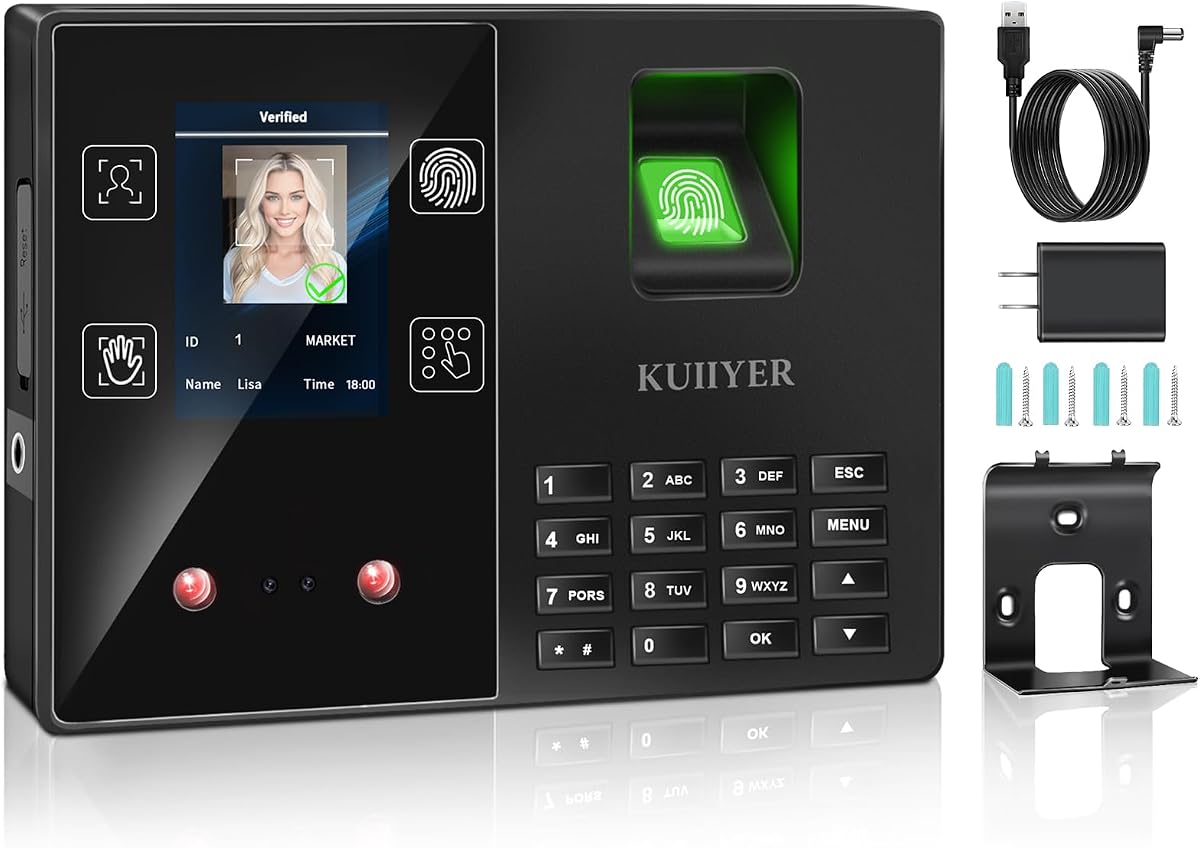
This device offers four biometric verification methods including face palm and fingerprint in a single unit without monthly fees. It supports up to 1000 users and features a color display with voice announcements for user-friendly operation.
We may earn a commission when you buy through this link, at no additional cost to you.
The intelligent voice system confirms identity and details after clocking in which reduces confusion. Data can be managed via USB flash drive ensuring security without network dependencies for smaller offices.
While it has a lower rating compared to others it provides extensive features at a budget-friendly price point. The capacity and versatility make it suitable for medium-sized teams needing flexible options.
If you need high capacity and multiple verification options without ongoing costs this model is worth considering. It balances functionality and affordability for growing small businesses.
Supports face palm fingerprint and PIN identification to accommodate diverse employee preferences and security needs.
Color LCD and voice prompts make it easy for all employees to clock in and verify their identity quickly.
We may earn a commission when you buy through this link, at no additional cost to you.
The H1 model is a straightforward standalone device that keeps data private without requiring internet or WiFi. It automatically calculates working hours and allows easy export via USB for secure management.
We may earn a commission when you buy through this link, at no additional cost to you.
Setup is quick with step-by-step guides and supports multiple languages for diverse teams. The absence of monthly fees makes it an economical choice for businesses that prefer one-time purchases.
While it lacks remote features the simplicity and security are ideal for on-site teams. The one-year warranty and lifetime support provide additional confidence in this basic but reliable device.
Businesses seeking a simple secure and fee-free solution for tracking hours will find this device suitable. It eliminates manual errors while keeping data entirely under your control.
Data stays local and fully under your control since no internet connection is required for operation.
Stop calculating hours by hand as the system automatically totals employee time to reduce errors.
We may earn a commission when you buy through this link, at no additional cost to you.
This standalone unit allows businesses to get started in minutes without WiFi or complex software. All attendance data can be exported via USB drive to ready-to-use Excel reports for instant payroll integration.
We may earn a commission when you buy through this link, at no additional cost to you.
With support for up to 500 user profiles it scales well for expanding teams. The internal backup system preserves data during power loss ensuring records stay secure and retrievable.
While it does not offer app controls the durability and zero setup hassle make it efficient for busy environments. It combines cost-effective tracking with industrial-grade reliability.
Businesses looking for a scalable solution without internet needs will find this device practical. It provides accurate digital tracking that reduces paper waste and supply costs.
Get started in minutes with no complex setup required for immediate time tracking capability.
Internal backup preserves all punch records during power loss to keep your data secure.
We may earn a commission when you buy through this link, at no additional cost to you.
This USB device provides a compact way to add fingerprint verification to a computer-based attendance system. It offers fast and accurate recognition suitable for desktop use and portable access control.
We may earn a commission when you buy through this link, at no additional cost to you.
Compatible with most attendance software it allows easy connection and setup for existing setups. The lightweight design makes it convenient for daily office use without taking up much space.
While it requires compatible software to function the hardware is reliable and fast. It serves as a cost-effective upgrade for offices already using software for tracking.
If you need a simple hardware upgrade for existing software this device is a good choice. It adds a layer of security with minimal installation effort.
Connect via USB for easy setup with most attendance software systems.
Fast fingerprint recognition ensures secure and quick access verification.
We may earn a commission when you buy through this link, at no additional cost to you.
Choosing the right time clock requires evaluating several key factors to ensure it meets your specific operational needs and budget.
Consider whether you need fingerprint only or multi-modal options like face palm or PIN. Multiple methods increase security and flexibility for different work environments.
Choose the method that best fits your employee preferences and security requirements.
Decide between standalone USB export models and cloud-based systems with WiFi. Cloud options offer remote access while standalone devices keep data local.
Select connectivity based on whether you need remote monitoring or prefer offline security.
Check the maximum number of users the device supports. Ensure it can handle your current workforce and potential future growth.
Pick a device that scales with your business to avoid needing frequent upgrades.
Look for tools that automate payroll calculations and export data easily. Advanced reports help track productivity and reduce manual errors.
Prioritize systems that integrate well with your existing payroll software.
Ensure the device is built with durable materials for daily use. Check warranty terms and support availability for peace of mind.
Opt for products with strong support to handle any technical issues quickly.
Compare the upfront cost against any ongoing subscription fees. Some models have higher initial prices but lower long-term costs.
Choose the option that offers the best value over time.
Assess how easy the device is to set up and use. Intuitive interfaces save time for both managers and employees.
Select a model with clear instructions and user-friendly software.
Ensure the system protects employee data through encryption or local storage. Cloud systems should comply with data protection standards.
Prioritize privacy features that align with your compliance needs.
Start by following the setup guide to enroll employee fingerprints or other biometric data. Ensure each employee scans multiple times for accurate recognition.
Regularly clean the scanner surface with a soft cloth to prevent dust or oils from affecting accuracy. Avoid using harsh chemicals that might damage the sensor.
Check data exports periodically to confirm all records are saved correctly. Update firmware or software when available to maintain performance and security.
Biometric scanners are highly accurate as they use unique physical traits to verify identity. Most modern devices have error rates below one percent ensuring reliable attendance tracking.
Yes many models offer standalone operation where data is stored locally. You can export records via USB to manage them without an internet connection.
Some devices have built-in backup batteries to save data during outages. Others rely on internal storage that preserves records until power is restored.
Many standalone models have no monthly fees. Cloud-based systems may offer free core features but charge for advanced reporting or remote access.
Most small business models support between 500 and 1000 users. This range is usually sufficient for growing teams without needing multiple devices.
Many devices allow export in formats compatible with popular payroll systems. Some even offer direct integration features for seamless data transfer.
Most modern units are designed for quick setup within minutes. Follow the provided guides to enroll users and configure basic settings easily.
Many devices support alternative methods like PIN or RFID cards. This ensures all employees can clock in even if biometrics are not feasible.
The top picks offer a range of options from secure cloud-based systems to budget-friendly standalone devices. Each model provides unique strengths to suit different business sizes and needs.
Prioritize features like security connectivity and ease of use to streamline your operations. Matching the right device to your workflow will save time and reduce errors.
Always verify the latest product details and compatibility before making a purchase. The right time clock can transform how you manage attendance and payroll efficiently.