
Brailliant BI 40X Braille Display
5.0Editor score
40-cell refreshable display
Connects to multiple devices
Long battery life support
This guide compares the top 10 Braille displays for blind users covering refreshable units slates and keyboards to help you choose the right accessibility tool
Finding the right Braille display can transform how blind users interact with technology every single day. These devices provide tactile feedback that allows you to read text write documents and navigate screens with confidence and precision across various environments.
We have evaluated the top models available this month based on portability display size connectivity options and overall build quality. Our analysis focuses on real world usability for students professionals and everyday users who need reliable access to digital content.
Each pick below highlights specific strengths weaknesses and ideal use cases to help you make an informed decision. Keep in mind that pricing and availability can fluctuate so always verify current details before finalizing your purchase online.
5.0Editor score

4.5Editor score

4.9Editor score
The following table provides a side-by-side overview of each product to help you compare key specifications and features quickly before making your final selection.




The Brailliant BI 20X is a top choice for users needing a portable refreshable Braille display that balances performance and size. It receives high marks for its connectivity options and built-in apps that support reading and writing tasks effectively.
We may earn a commission when you buy through this link, at no additional cost to you.
This device allows connection to five Bluetooth devices and one USB device simultaneously making it ideal for switching between phones tablets and computers seamlessly. The onboard KeySoft Lite apps include editors calculators and access to online libraries like Bookshare and NLS BARD.
While the 20-cell width is sufficient for most reading tasks it may feel limiting for users accustomed to wider displays. However the compact design makes it easy to carry daily and the long battery life ensures reliability throughout the day.
This display is best suited for students and professionals who need a reliable portable tool for accessing digital text. Its combination of features makes it a strong recommendation for those seeking a versatile Braille interface.
The ability to connect to five Bluetooth devices and one USB device at once allows seamless switching between smartphones tablets and computers.
Onboard KeySoft Lite apps provide editing calculation and library access without needing external software for basic tasks.
We may earn a commission when you buy through this link, at no additional cost to you.
The Brailliant BI 40X stands out as a premium option for users who need a larger Braille display for complex reading and writing tasks. Its 40-cell width provides more context per line making it ideal for detailed work.
We may earn a commission when you buy through this link, at no additional cost to you.
This model features Bluetooth 5 technology for faster and more stable wireless connections. It also supports connection to five Bluetooth devices and one USB device simultaneously. The onboard KeySoft Lite apps support editing and library access just like the 20X model.
The 32GB internal storage offers more space for files compared to the 20X. However the larger size and higher cost may not be necessary for casual users. The battery life remains strong at up to 20 hours for all-day use.
This display is recommended for professionals and advanced students who require a wider view of text. Its robust features and reliable connectivity make it a top-tier choice for serious Braille users.
The 40-cell refreshable display provides more text per line for better context during complex reading tasks.
Bluetooth 5 technology ensures faster and more stable wireless connections for reliable multi-device use.
We may earn a commission when you buy through this link, at no additional cost to you.
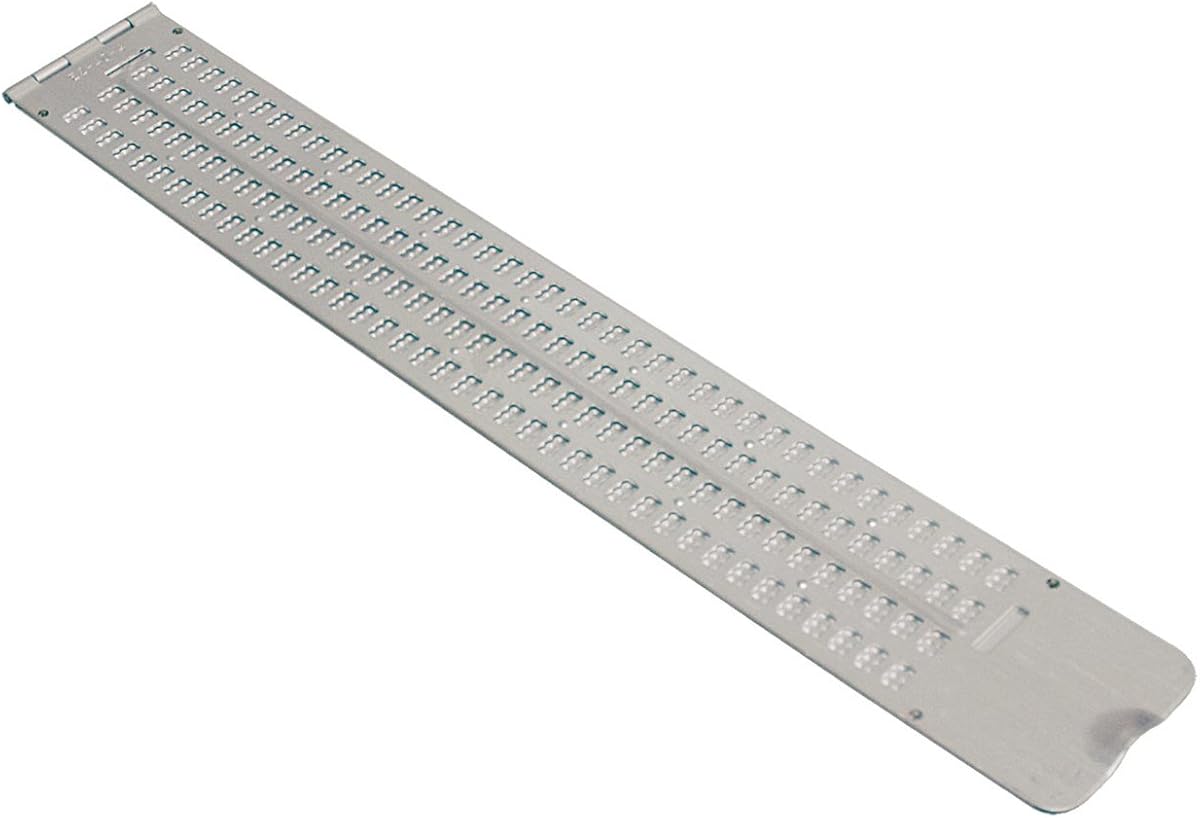
This Braille slate offers a traditional manual way to write Braille notes without electronics. It features 13 lines with 36 cells across and is made of durable aluminum for longevity. The pins down design means you write from the back and read from the front.
We may earn a commission when you buy through this link, at no additional cost to you.
The thumb notch makes it easy to open and close the hinged slate. It includes a free stylus for embossing dots. This tool is great for quick notes or learning Braille dots without relying on digital devices.
While functional it requires physical effort to write and does not support digital reading or screen readers. It is best used as a supplementary tool for practice or short notes rather than daily digital access.
This slate is suitable for students or beginners who want to practice manual Braille writing. Its sturdy build and large writing area make it a reliable low-cost option for basic tasks.
The pins down design allows you to emboss Braille from the back and read from the front with a stylus.
Made of durable aluminum this slate withstands daily use and includes a thumb notch for easy handling.
We may earn a commission when you buy through this link, at no additional cost to you.
This business card slate is an ultra-thin aluminum tool designed for small notes and embossing Braille on labels. It features a built-in signature guide to help you write perfectly straight. The slate measures about 4 inches by 2.5 inches.
We may earn a commission when you buy through this link, at no additional cost to you.
It allows you to emboss 4 lines with 12 cells per line which is ideal for business cards or container labels. The durable Classic Stylus is included for writing. This tool is great for quick demos or personal notes.
The limited writing area means it is not suitable for long documents. However its portability and low cost make it a perfect accessory for anyone who needs a compact Braille writing option.
This slate is best for users who need a pocketable tool for short notes or labeling. Its simple design and signature guide make it easy to use even for beginners.
The built-in guide ensures you write Braille or sign your name perfectly straight on cards and labels.
Ultra-thin and lightweight this slate fits easily in pockets or bags for on-the-go use.
We may earn a commission when you buy through this link, at no additional cost to you.
This Full-Page Slate allows you to write on a standard letter-size sheet of paper without moving the slate around. It has 25 lines and 28 cells per line providing a large area for notes. The plastic construction is quiet and durable.
We may earn a commission when you buy through this link, at no additional cost to you.
You can snap your paper in and write page after page without interrupting your flow. If you get interrupted you can leave the paper inside and return later. Embossed line numbers help you find your spot again easily.
While it does not connect to devices it is an excellent tool for long writing sessions or assignments. The plastic is quieter than metal which is considerate in shared spaces like offices or classrooms.
This slate is ideal for students or writers who prefer manual Braille production. Its large size and quiet operation make it a practical choice for daily writing tasks.
Designed specifically for North American letter-size paper this slate lets you write without moving it down.
Made of thick durable plastic this slate produces less noise than metal options for quiet work environments.
We may earn a commission when you buy through this link, at no additional cost to you.
This pocket slate is made of lightweight durable aluminum and fits easily in a briefcase or backpack. It has 4 lines with 40 cells each giving you a good amount of writing space for a small tool. The pins up design is standard for slate writing.
We may earn a commission when you buy through this link, at no additional cost to you.
It is ideal for quick notes or reminders while you are out and about. The lightweight construction makes it easy to carry without adding bulk to your bag. It serves as a convenient manual writing solution.
While it cannot read digital text it is a useful accessory for jotting down thoughts manually. The 40 cells per line allow for decent sentence length on a single row.
This slate is recommended for users who need a portable manual writing tool for short tasks. Its compact size and durability make it a reliable everyday companion.
Easily fits in a briefcase or backpack this slate is perfect for carrying along on daily outings.
Made of lightweight durable aluminum this slate withstands regular use without adding weight to your bag.
We may earn a commission when you buy through this link, at no additional cost to you.
The Hable One is a portable Braille keyboard that connects to iPhones and Android smartphones. It features 8 tactile buttons for accurate navigation and typing. No prior Braille knowledge is needed as it includes free onboarding calls and tutorials.
We may earn a commission when you buy through this link, at no additional cost to you.
This device is small and private allowing you to type while your phone stays in your pocket. It works with built-in screen readers and supports voice commands like Siri. The battery lasts over one month on a single charge.
While it does not show Braille text for reading it is excellent for inputting commands and texts discreetly. The learning curve is low with support to help you master it quickly.
This keyboard is best for users who want a private portable way to type and navigate devices. Its long battery life and ease of use make it a strong accessory for smartphone users.
No prior Braille knowledge is needed to use the keyboard as free onboarding calls and tutorials are provided.
Highly portable and private this device lets you type while your phone stays securely in your pocket or bag.
We may earn a commission when you buy through this link, at no additional cost to you.
This handheld label maker is designed for organizing and marking items with Braille. It produces Braille letters and numbers on 3/8 or 1/2 inch vinyl labeling tape. One roll of half-inch tape is included with the device.
We may earn a commission when you buy through this link, at no additional cost to you.
You spin a dial to select the letter squeeze the trigger to emboss the symbol then cut and stick. The upper rim of the dial is embossed in Braille for easy selection. It is lightweight and easy to carry.
While it is limited to labeling tasks it is a useful tool for organizing household items or containers. The manual operation is simple but does require attention to detail.
This label maker is recommended for users who need to label items for accessibility. Its ease of use and included tape make it a practical starting point for home organization.
Spin the dial to select the letter and squeeze the trigger to make Braille symbols for quick labeling.
The upper rim of the dial is embossed in Braille making it easy to select letters by touch.
We may earn a commission when you buy through this link, at no additional cost to you.
These transparent Braille stickers are a very economical way to create a bilingual keyboard. They use an easy peel-and-stick method to install and do not slip ooze or curl. The stickers are printed on clear Lexan so the original key legends show through.
We may earn a commission when you buy through this link, at no additional cost to you.
They are perfect for visually impaired individuals or seniors who want to add Braille to an existing keyboard. The stickers are designed for Windows PC keyboards and help users navigate keys by touch.
While they do not provide a refreshable display they are a helpful tool for learning key locations. The transparent material ensures you can still see standard key functions if needed.
This accessory is recommended for users who want a low-cost way to add Braille to their setup. It is a practical solution for home or office use.
The stickers are printed on clear Lexan so the original key legend shows through for a bilingual keyboard.
Use an easy peel-and-stick method to install without leaving residue or causing damage to keys.
We may earn a commission when you buy through this link, at no additional cost to you.
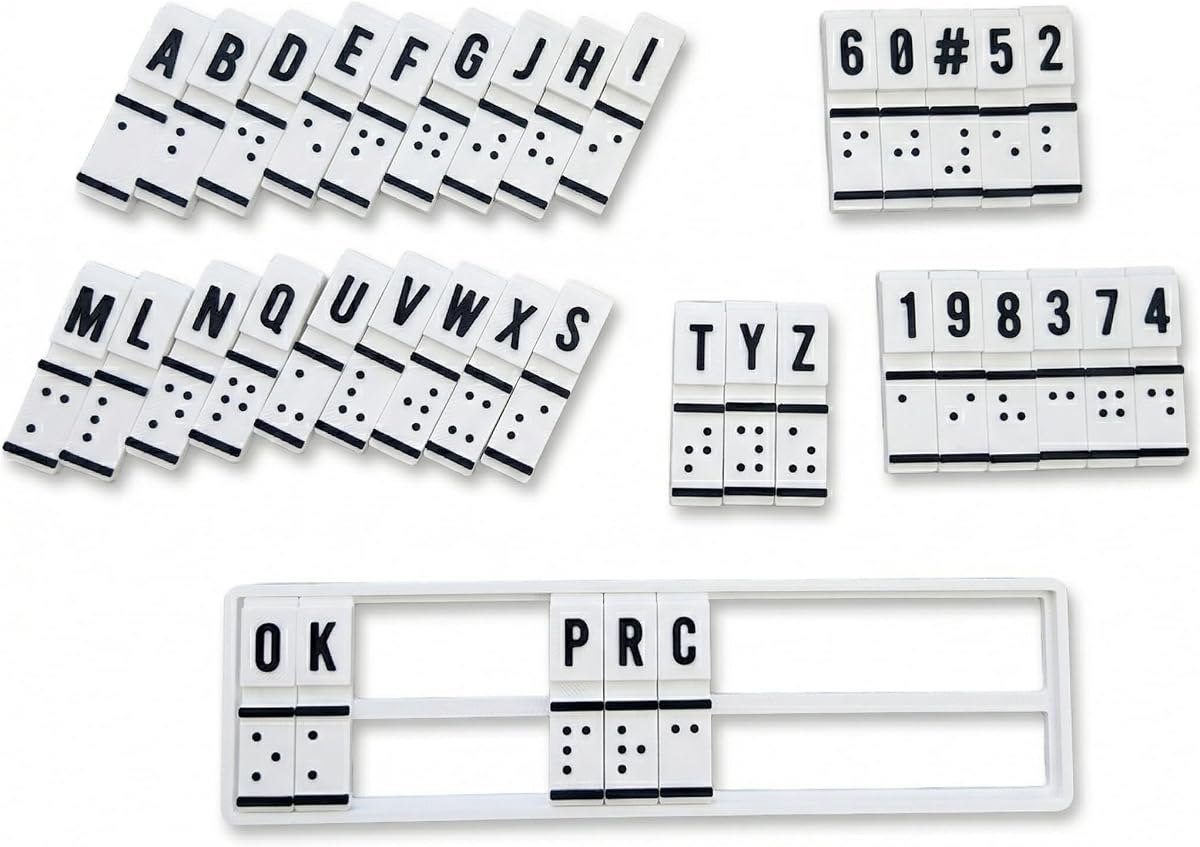
This interactive Braille trainer combines education hands-on training and translation functions in one compact device. It features raised Braille cells and mechanisms for manual input and output. It is designed for beginners practicing dot patterns or converting text to Braille.
We may earn a commission when you buy through this link, at no additional cost to you.
You can feel create and read Braille directly without electronics which helps build muscle memory and confidence. It supports blind and low-vision users including educators and parents. It is sturdy for repeated use in homes or schools.
While the build is simple it serves as a practical tool for self-study or classroom teaching. The translation functions help bridge communication between sighted and non-sighted individuals.
This device is best for beginners or educators looking for a hands-on learning aid. It is a practical gift for promoting Braille literacy and inclusion.
Features raised Braille cells and mechanisms for manual input and output allowing you to feel and read directly.
Thoughtfully designed for educators parents and rehabilitation specialists this tool helps promote Braille literacy.
We may earn a commission when you buy through this link, at no additional cost to you.
Choosing the right Braille device depends on your specific needs whether you want a refreshable display a manual slate or an input device. This guide covers key factors to consider.
The number of cells in a refreshable display determines how much text you can see at once. Common options are 20-cell 40-cell or larger. A wider display reduces scrolling and helps with context but may be larger and more expensive.
Consider your typical tasks. If you read short documents a 20-cell display may suffice. For longer texts or coding a 40-cell display provides more space for detail and navigation.
Modern refreshable displays offer Bluetooth and USB connections. Look for models that support multiple Bluetooth devices so you can switch between phones and computers easily.
Bluetooth 5 technology offers better stability and range than older versions. Ensure the device supports your operating system like iOS or Android for full functionality.
For daily use battery life is critical. Many top models offer up to 20 hours on a single charge which covers a full work day or more.
Check if the device uses USB-C charging which is convenient and widely available. Long battery life ensures you are not interrupted during important tasks.
If you carry your device daily weight and size matter. Compact models like the 20X are easier to carry than larger 40X units.
Manual slates and keyboards are generally lighter and take less space. Choose a form factor that fits your lifestyle whether at home or on the go.
Some refreshable displays include built-in apps like editors calculators and library access. These reduce the need for external software.
Look for support for popular online libraries like Bookshare or NLS BARD. Onboard features add value and make the device a standalone tool.
Refreshable displays are a significant investment compared to manual slates. Prices vary based on features and display size.
Manual slates and labels are low cost options for basic writing or labeling. Determine your budget and needs before choosing between electronic and manual tools.
Ensure the device offers both reading and writing capabilities. Cursor routing keys and a Perkins-style keyboard allow efficient input.
Some models like the Hable One focus on input without display output. Choose based on whether you need to read tactile text or just type.
Check that the device works with your preferred screen reader and operating system. Most major displays support NVDA JAWS and VoiceOver.
Compatibility ensures smooth integration with your existing setup. Read user reviews to confirm real-world performance with your devices.
Start by charging your device fully before first use. Connect it to your phone or computer via Bluetooth or USB and follow the onboarding guide. Learn the cursor routing keys and Perkins keyboard layout for efficient navigation.
To maintain your device keep the display pins clean and free of debris. Use a soft cloth to wipe the surface. Store the device in a protective case when not in use to prevent scratches.
For manual slates keep the stylus sharp but not too sharp to avoid damaging paper. Clean the embossing areas periodically to remove dust. Always store slates closed to protect the pins from bending.
A refreshable display shows text dynamically on electronic pins that can be updated instantly for reading and writing digital content. A manual slate requires you to emboss dots manually with a stylus for static notes. Refreshable displays connect to devices while slates are standalone tools.
Most modern refreshable Braille displays support Bluetooth connections to both iOS and Android smartphones. They work with screen readers like VoiceOver and TalkBack to provide access to apps and content. Check specific compatibility before purchasing.
High-quality refreshable displays often offer up to 20 hours of battery life on a single charge. This allows all-day use without needing to recharge. Always check the manufacturer specs for exact estimates.
Yes manual Braille slates require no electricity. They use mechanical embossing to create dots on paper. This makes them reliable for situations where power or devices are not available.
Some devices like the Hable One do not require prior Braille knowledge. However for most refreshable displays knowing standard contracted or uncontracted Braille is essential to use the output effectively.
Most refreshable displays include charging cables and carrying cases. Manual slates usually come with a stylus. Some packages include extra tape rolls or stickers depending on the product type.
We have reviewed ten top options ranging from advanced refreshable displays to manual slates. The Brailliant BI 40X offers the best premium experience while the Braille Store Business Card Slate is ideal for budget buyers.
Prioritize features like battery life connectivity and display size based on how you plan to use the device daily. If you need portability look for compact models. For detailed work consider wider displays.
Prices and availability can change so verify current details before buying. These tools empower independent access to technology and information for blind users everywhere.