
512MB Flash Drives 100 Pack Bulk and Wholesale USB Flash Drives 100 Pack Metal Thumb Drive Pen Drive USB Drive Pack USB Memory Stick (Not 512G)
4.5Editor score
100 units total count
Metal clip design
Plug and play ready
This guide compares the top bulk USB flash drives for businesses and schools, evaluating capacity, speed, durability, and value to help you choose the right
Bulk USB flash drives provide reliable portable storage for distributing files across many devices. They are essential for education, corporate training, and event giveaways where individual units must be cost effective and durable enough for repeated use.
We compared ten distinct bulk packs based on capacity, transfer speed, build quality, and warranty support. Our analysis focuses on real-world performance metrics and compatibility across Windows, Mac, and Linux systems to ensure broad usability.
Each product listing highlights key specifications and practical use cases to guide your purchasing decision. Prices and availability may change over time so always verify current offers before completing your order for these versatile storage tools.
4.5Editor score

4.6Editor score

4.6Editor score
The following comparison table provides a side by side overview of all ten bulk USB flash drive packages we evaluated. It highlights key specifications including capacity, interface type, and distinctive design features to help you quickly identify the right option for your needs.


The PNY 32GB Turbo Attaché 3 USB 3.0 Flash Drive 10-Pack stands out as a top choice for bulk storage needs due to its reliable performance and modern interface. With a rating near 4.6 stars it delivers consistent results for transferring movies and documents across devices.
We may earn a commission when you buy through this link, at no additional cost to you.
Its USB 3.0 interface offers transfer speeds up to ten times faster than standard USB 2.0 drives making it ideal for time-sensitive tasks. The durable light-weight design ensures the drives withstand daily handling while the sliding collar protects the connector without needing a cap.
Users should note that while the capless design is convenient the sliding mechanism may require occasional maintenance to prevent sticking over extended use. Additionally compatibility with USB 2.0 ports is supported but at slower speeds which may affect workflow in older environments.
This pack is best suited for organizations needing efficient data distribution across multiple computers. The combination of speed durability and ease of use makes it a strong recommendation for any bulk purchase requiring reliable mobile storage solutions.
The USB 3.0 interface ensures that large files like videos and high-resolution photos move quickly between devices saving valuable time during distribution tasks.
The sliding collar and capless construction protect the USB connector from damage while maintaining a compact profile that fits easily in pockets or bags.
We may earn a commission when you buy through this link, at no additional cost to you.
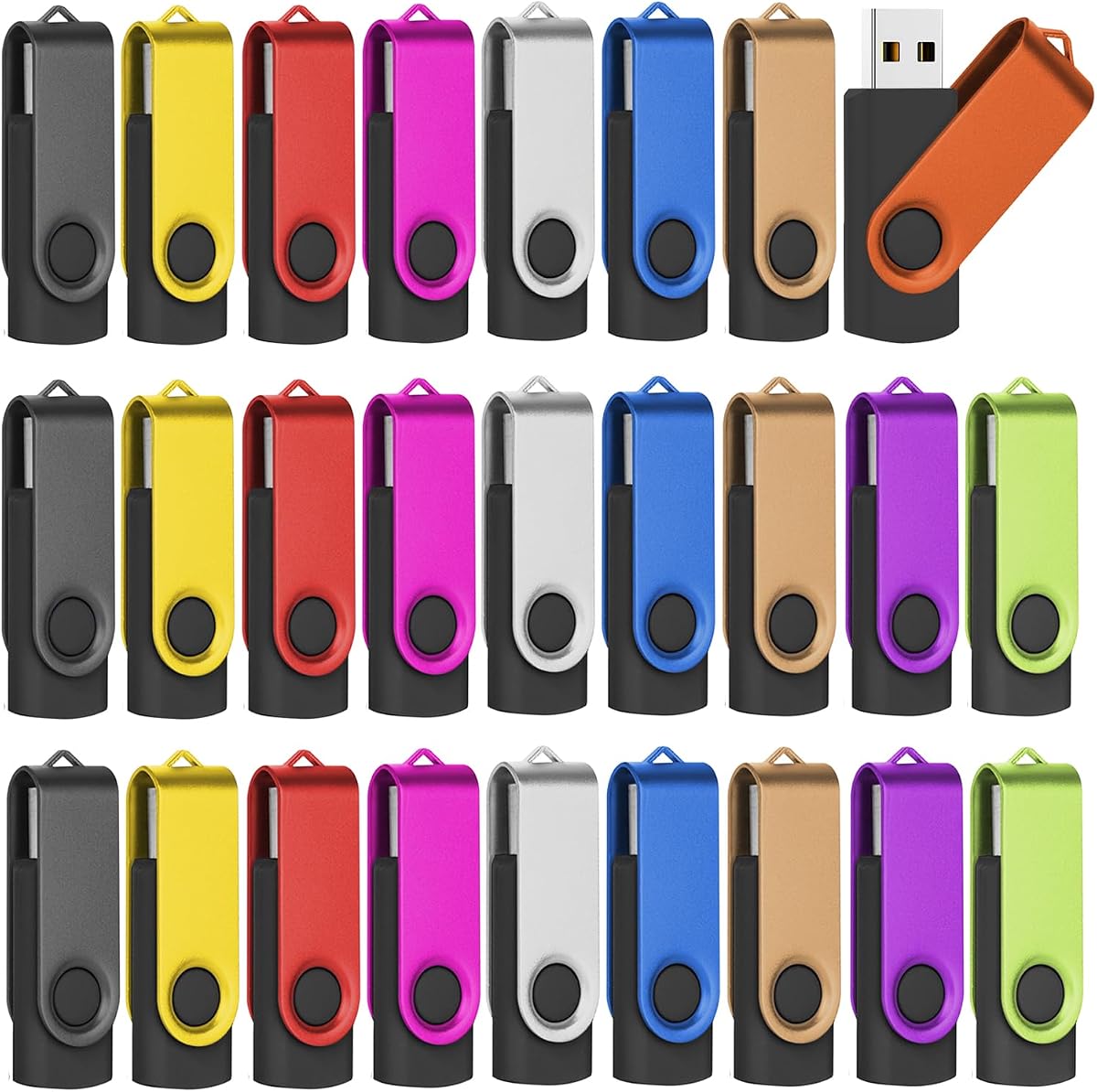
This 100-pack of 512MB USB flash drives offers an incredibly low cost per unit making it ideal for simple text file sharing or software installers. With a rating of 4.5 stars it provides reliable basic storage for large scale distribution needs.
We may earn a commission when you buy through this link, at no additional cost to you.
The drives feature a metal clip design that allows easy attachment to keychains or backpacks preventing loss during use. They operate on USB 2.0 standards which ensures compatibility with virtually any computer from laptop or desktop manufactured in the last two decades.
Storage space is limited to 512MB which restricts use to small documents or audio files rather than high-resolution media. Transfer speeds are also modest compared to USB 3.0 options but remain adequate for basic file swapping tasks.
This product is best for businesses or schools needing to distribute simple informational files to many recipients. The sheer volume and low price make it a practical choice for giveaways or internal data sharing where capacity is not a priority.
With one hundred units in a single package this option ensures you have enough drives for large events or classroom setups without needing multiple orders.
While capacity is limited these drives are perfect for sharing text documents small presentations or software keys that do not require extensive storage space.
We may earn a commission when you buy through this link, at no additional cost to you.
The Micro Center SuperSpeed 20 Pack 64GB USB 3.0 Flash Drive combines high capacity with reliable performance making it a top premium option for bulk needs. With a rating of 4.6 stars these drives deliver consistent results for storing and transferring large media files.
We may earn a commission when you buy through this link, at no additional cost to you.
Each drive offers 64GB of storage which accommodates hours of video or thousands of documents easily. The USB 3.0 interface supports transfer speeds up to 70MB/s significantly reducing wait times when moving data between computers and portable devices.
The hard plastic cover protects the USB connector from dust and damage during storage while the rear loop attaches to a keychain for secure transport. However the covered design adds slight bulk compared to capless alternatives which may affect pocket comfort.
This set is perfect for professionals or educators needing to distribute rich media content securely. The inclusion of a 2-year warranty further ensures reliability over time making it a sound investment for long-term business or academic use.
With 64GB per drive users can store extensive libraries of photos videos or software without worrying about filling up the drive quickly.
The hard plastic cover shields the USB plug from physical damage ensuring longevity and preventing connection issues during repeated use.
We may earn a commission when you buy through this link, at no additional cost to you.
This 50-pack of 128MB USB flash drives offers unique color variety to help organize files by category or user. With a rating of 4.5 stars it provides reliable storage for small files across multiple devices with ease.
We may earn a commission when you buy through this link, at no additional cost to you.
The drives feature a frosted metal cover that resists fingerprints while offering a sleek professional look. Each unit includes a lanyard hole design allowing easy attachment to lanyards or keychains for secure transport and quick access during events.
Storage capacity is limited to 128MB which restricts use to small documents or text files. Transfer speeds follow USB 2.0 standards which are sufficient for basic file transfers but may feel slow when handling larger datasets.
This product is best for teachers or event planners needing to categorize data visually. The color choices and included lanyards make it practical for distributing different materials to groups while keeping everything organized and identifiable.
Ten different colors allow users to assign specific drives to different departments or file types making identification instant and efficient.
The frosted metal finish prevents fingerprints and gives the drives a premium look suitable for client-facing environments or corporate use.
We may earn a commission when you buy through this link, at no additional cost to you.
The XUANREG 50-Pack of 128MB USB flash drives provides broad compatibility with Windows Linux and Mac systems for versatile use. With a rating near 4.6 stars it ensures reliable connectivity across diverse hardware environments without needing extra drivers.
We may earn a commission when you buy through this link, at no additional cost to you.
These drives are compact and lightweight making them easy to carry in pockets or bags during travel. The plug and play functionality means no software installation is required allowing immediate access to stored files upon connection to any USB port.
Capacity is limited to 128MB which limits storage to small documents or text based files. Transfer speeds are standard for USB 2.0 which may take longer for larger files but remains acceptable for quick data swapping tasks.
This product is best for organizations with mixed device fleets needing simple file transfer tools. Its universal compatibility and low cost make it a practical choice for distributing digital handouts or small software updates efficiently.
Compatible with Windows Mac and Linux these drives ensure seamless file transfer regardless of the operating system used by recipients.
The lightweight and compact design allows users to carry multiple drives comfortably without adding bulk to their daily carry items.
We may earn a commission when you buy through this link, at no additional cost to you.
The KOOTION 16GB 20-Pack offers a balanced mix of capacity and quantity for versatile data storage needs. With a rating of 4.5 stars these drives provide reliable performance for storing photos videos and general files across multiple devices.
We may earn a commission when you buy through this link, at no additional cost to you.
The swivel metal design covers the USB port to protect it from damage while the integrated loop allows easy attachment to keychains or backpacks. This construction ensures the drive remains compact and secure during daily transport or events.
Each drive offers 16GB of space which accommodates a decent library of media files without requiring constant file management. Transfer speeds are standard for USB 2.0 which may be slow for very large datasets but remains adequate for common uses.
This product is best for students or small businesses needing moderate storage for presentations or media. The swivel design and keychain loop make it practical for everyday use while the quantity supports distribution across multiple users.
The 360-degree rotating metal side covers the USB connector when not in use preventing physical damage and loss of the protective cap.
With 16GB per drive users can store significant amounts of data including high-quality photos or video clips without needing multiple drives.
We may earn a commission when you buy through this link, at no additional cost to you.
The EASTBULL 50-Pack of 16GB bulk flash drives provides a large quantity of storage units ready for corporate or event distribution. With a rating of 4.5 stars it offers reliable performance and quality assurance for business settings.
We may earn a commission when you buy through this link, at no additional cost to you.
Each drive undergoes double testing to ensure functional integrity before reaching customers. The FAT32 file system ensures broad compatibility across different operating systems allowing seamless file access on most modern computers without formatting issues.
Capacity stands at 16GB per unit which accommodates substantial amounts of data for presentations or media. The included lanyards help prevent loss during events while the compact design makes them easy to distribute in bulk without bulk.
This product is best for companies hosting conferences or large-scale training sessions. The combination of quality control large quantity and broad compatibility makes it a practical choice for professional data distribution needs.
Double testing by quality machines ensures that each drive in the pack works reliably reducing the risk of defects upon arrival.
The FAT32 format allows these drives to work with both Windows and Mac systems ensuring smooth file transfers across different user environments.
We may earn a commission when you buy through this link, at no additional cost to you.
The MECHEER 4GB 20-Pack offers straightforward storage solutions with clear visual feedback during data transfers. With a rating of 4.5 stars these drives provide reliable performance for quick file swapping and basic backup tasks.
We may earn a commission when you buy through this link, at no additional cost to you.
Each drive features an LED indicator that lights up when the drive is active helping users verify connectivity status easily. The swivel metal cap protects the USB port while the rugged aluminum casing ensures durability during daily use.
Storage capacity is limited to 4GB which restricts use to small files or documents. Transfer speeds are standard for USB 2.0 which may feel slow for larger datasets but remains sufficient for lightweight tasks.
This product is best for schools or events needing simple drives without complex setup. The LED light and swivel design make it user-friendly for recipients of all technical levels ensuring hassle-free file sharing.
The LED light provides visual confirmation of data transfer status allowing users to know when it is safe to remove the drive.
The aluminum casing withstands daily wear and tear ensuring the drive remains functional even after accidental drops or rough handling.
We may earn a commission when you buy through this link, at no additional cost to you.
The EASTBULL 50-Pack of 16GB flash drives in blue offers a visually distinct option for school or classroom distribution. With a rating of 4.5 stars it provides reliable performance for storing student assignments or project files.
We may earn a commission when you buy through this link, at no additional cost to you.
Each drive undergoes double testing to ensure functional integrity before reaching customers. The blue color helps differentiate these units from other office supplies while the included lanyards prevent loss during classroom activities.
Capacity stands at 16GB per unit which accommodates substantial amounts of data for educational projects. Transfer speeds follow USB 2.0 standards which are adequate for standard document and media files but may be slower for large datasets.
This product is best for educational institutions needing bulk storage for student projects. The color coding and quality control ensure that data remains organized and secure while supporting large-scale distribution efficiently.
The blue color makes these drives easily distinguishable from other storage options reducing confusion in mixed-use environments like schools.
With 16GB capacity these drives can store complex project files or media collections needed for student presentations or assignments.
We may earn a commission when you buy through this link, at no additional cost to you.
The FEBNISCTE 64GB 10-Pack combines high storage capacity with color variety for organized data management. With a rating of 4.5 stars it provides reliable performance for storing large files across multiple users.
We may earn a commission when you buy through this link, at no additional cost to you.
Each drive offers 64GB of storage which accommodates extensive media libraries or software collections. The ten distinct colors help identify different users or file categories ensuring quick access without confusion.
The swivel metal cap protects the USB port while the included lanyards prevent loss during transport. Transfer speeds are standard for USB 2.0 which may take longer for large files but remains acceptable for general tasks.
This product is best for small teams needing high capacity storage with clear identification. The combination of volume and color variety ensures data remains organized and accessible while supporting efficient workflow management.
With 64GB per drive users can store substantial amounts of data without needing frequent file deletion or management.
Ten different colors allow users to assign specific drives to different users or projects ensuring quick and error-free identification.
We may earn a commission when you buy through this link, at no additional cost to you.
Selecting the right bulk USB flash drives requires understanding capacity transfer speed and durability needs for your specific use case. This guide outlines key factors to consider to ensure optimal performance and value.
Capacity determines how much data each drive can hold ranging from small 128MB units to larger 64GB options. For simple text or software sharing smaller capacities may suffice but large media files require higher storage.
Evaluate your typical file size and volume needs before selecting a pack to ensure drives meet requirements without frequent deletion.
USB 3.0 drives offer significantly faster transfer speeds compared to USB 2.0 models which affects overall workflow efficiency. Faster speeds are beneficial when moving large files across multiple recipients quickly.
Consider your priority between budget and speed when selecting an interface type as USB 3.0 models often cost more but save time.
Bulk drives often undergo frequent handling so durable casing and protective features like caps or swivel covers are essential. A sturdy build reduces the risk of physical damage during transport or events.
Look for metal housing or reinforced covers that can withstand drops or rough handling to extend the lifespan of your investment.
Ensure the drives work with the operating systems used by your recipients whether Windows Mac or Linux. Cross-platform compatibility reduces friction and ensures everyone can access files without technical barriers.
Check product specifications for OS support before purchasing to avoid issues with file system formats like FAT32 or exFAT.
Reliable manufacturers often include warranties to cover defects and ensure product longevity. A warranty can provide peace of mind when investing in bulk quantities that are critical for business operations.
Review warranty terms carefully to understand coverage duration and conditions for replacement or support in case of hardware failures.
Bulk packs vary significantly in unit count so choose a package size that matches your distribution needs. Proper packaging ensures drives remain secure during shipping and ready for immediate use.
Consider packs that include accessories like lanyards or color-coded options to improve organization and reduce loss during large scale events.
Connect the USB flash drive to an available USB port on your computer to activate it. The drive should appear as a removable storage device in your file explorer without requiring additional software installation.
Always use the safe eject function before removing the drive to prevent data corruption or file loss. This ensures all transfers are complete and the drive is ready for removal without errors.
Store drives in a cool dry place away from direct sunlight to maintain internal components integrity. Avoid bending or crushing the USB connector to prevent physical damage that could render the drive unusable.
Most modern bulk USB flash drives support both Windows and Mac systems out of the box. Check the product specifications for macOS compatibility to ensure seamless file transfer without needing special formatting tools.
With proper handling and storage bulk USB flash drives can last for several years depending on usage frequency. Avoid exposing them to extreme temperatures or water to maximize their operational lifespan.
Some manufacturers offer custom branding options for bulk orders but this often requires purchasing larger quantities. Contact the seller directly to inquire about customization services and associated minimum order requirements.
USB 3.0 drives offer faster data transfer speeds compared to USB 2.0 models making them better for large files. However USB 3.0 drives are typically more expensive while USB 2.0 remains widely compatible with older devices.
Use the safe eject or e icon in your system tray before physically removing the drive. This ensures all data is written correctly and prevents potential corruption or file loss during removal.
Flash drives are suitable for short to medium-term data storage but are not ideal for archival purposes. For critical long-term data consider using cloud storage or hard drives with higher durability ratings.
Selecting the right bulk USB flash drives depends on balancing capacity speed and durability for your specific distribution needs. The top picks offer varied options ranging from budget-friendly 512MB packs to high-performance 64GB USB 3.0 drives.
Prioritize compatibility and warranty coverage to ensure the drives work seamlessly across your environment and remain supported over time. Always match the storage capacity to your typical file sizes to avoid unnecessary bulk or limited usability.
Remember that pricing and availability can fluctuate so verify current offers before finalizing your purchase decision. Use this guide as a reference to identify the best bulk solution for your educational or business distribution requirements.