
LG UL3G 43" Class 4K UHD Conference Room & Digital Signage IPS LED Display (43UL3G-B) Bundle Including: 2X HDMI Cable, Surge Protector, Cable Ties, TV Cleaning Kit
4.2Editor score
43 Inch 4K
Bundle Includes Cables
IPS Panel
Modern conference rooms require reliable displays that support seamless collaboration and clear visuals. Choosing the right monitor ensures everyone sees content clearly, whether in person or joining remotely. This guide explores the leading options available today.
We evaluated ten top-rated conference room monitors based on resolution, connectivity options, and commercial durability. Our analysis considers size, integration with video conferencing platforms, and ease of installation to provide a comprehensive ranking.
Each pick highlights unique strengths, from budget-friendly bundles to premium commercial-grade displays. Prices and availability may change, so verify details before purchasing. Use this guide to find the monitor that best fits your meeting space needs.
4.2Editor score

4.5Editor score
5.0Editor score
As an Amazon Associate we earn from qualifying purchases.
The following table provides a quick side-by-side comparison of all ten selected conference room monitors. It highlights key specifications like size, resolution, and unique features to help you make an informed decision quickly.

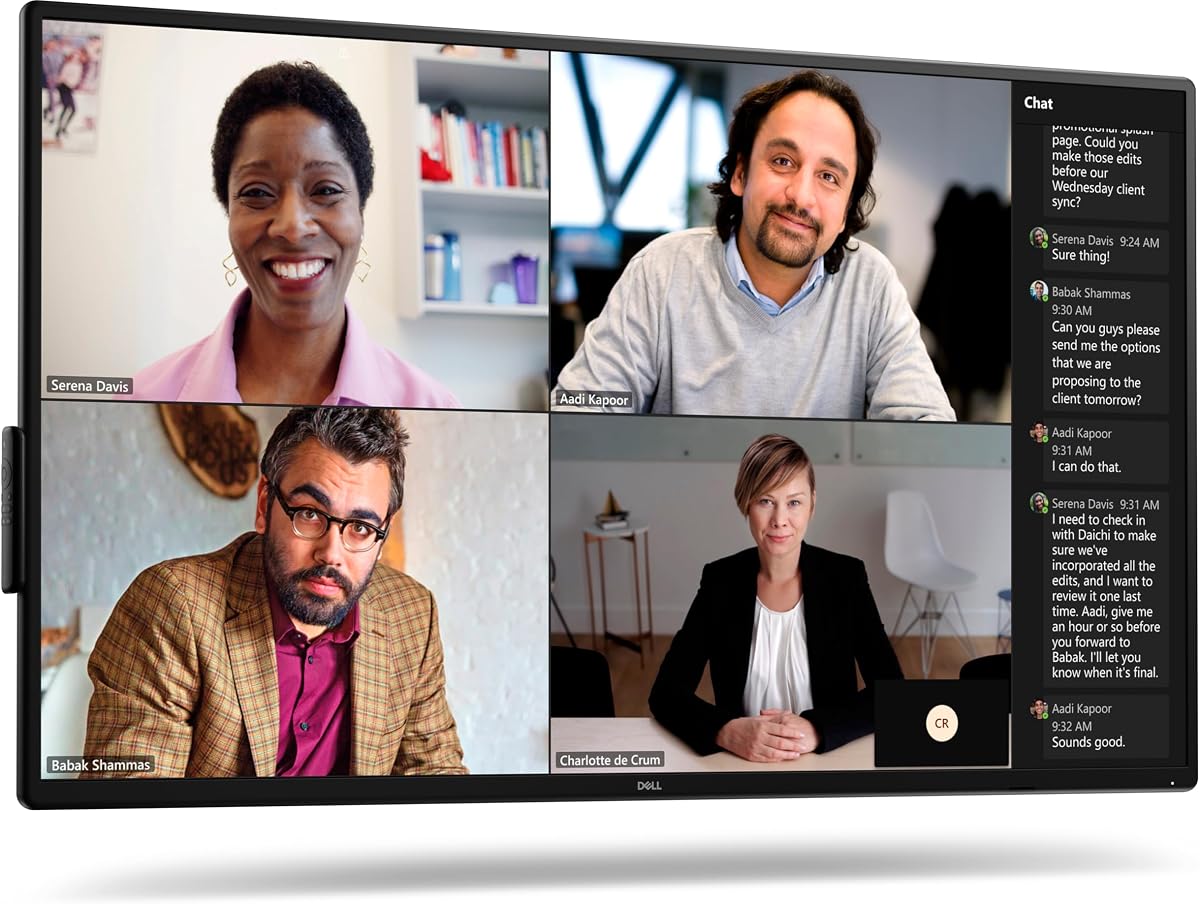


The Dell 55 4K Conference Room Monitor stands out as a top choice for modern meeting spaces. With its 55-inch display and anti-glare finish, it ensures clear visibility for all participants. The integrated speakers simplify setup by removing the need for external audio solutions.
We may earn a commission when you buy through this link, at no additional cost to you.
Its wide viewing angles and anti-glare technology make it suitable for rooms with varied lighting. Security features like the lock slot and cable lock slot add peace of mind for public or shared spaces. This model balances performance with practical enterprise features effectively.
While the price point is higher than some alternatives, the quality and durability justify the investment. The lack of built-in smart features might require a separate streaming device, but this allows for flexible integration with existing video conferencing hardware.
This monitor is ideal for corporate boardrooms or classrooms needing reliable, high-definition displays. If you prioritize clarity and security in a shared environment, the Dell P5524Q is a strong recommendation for your next upgrade.
The anti-glare surface reduces reflections, ensuring text and graphics remain sharp even under bright overhead lights.
Built-in lock slots allow users to secure cables and prevent unauthorized removal of the display unit.
We may earn a commission when you buy through this link, at no additional cost to you.
The Samsung QB65R offers a commanding 65-inch presence perfect for large conference rooms. Its 4K UHD resolution and dynamic Crystal Color technology deliver lifelike visuals that enhance presentations. Built-in connectivity options like Wi-Fi and Bluetooth simplify content sharing without extra dongles.
We may earn a commission when you buy through this link, at no additional cost to you.
Intelligent UHD upscaling ensures that even standard definition content looks crisp on the large panel. The slim design facilitates easy mounting, while the SoC technology removes the need for external media players. This makes it an all-in-one solution for digital signage and meetings.
Despite its advantages, the size demands careful space planning and professional installation. The advanced features might have a learning curve for non-technical staff, but the quality of the display is undeniable. It is a premium choice for impactful visual communication.
If you need a large, high-performance display for impactful presentations, the QB65R is excellent. Its blend of size, resolution, and smart features makes it a top-tier option for ambitious enterprise environments.
This technology enhances color accuracy, ensuring charts and slides are vibrant and easy to interpret.
Integrated Bluetooth and Wi-Fi allow tablets and phones to share content directly with the display.
We may earn a commission when you buy through this link, at no additional cost to you.
The LG UL3G delivers excellent value for smaller meeting rooms needing 4K clarity. Its IPS panel ensures consistent colors and wide viewing angles. The included bundle with HDMI cables and a surge protector simplifies installation and protects your investment immediately.
We may earn a commission when you buy through this link, at no additional cost to you.
Support for sensors and external devices makes it versatile for modern workspaces. The built-in SoC allows smooth content playback without extra hardware. Remote monitoring via Control Manager helps IT teams manage the device efficiently from a central location.
While the screen is smaller than premium models, it fits well in huddle rooms. The basic interface is straightforward but lacks advanced smart features found in higher-end units. For budget-conscious buyers, this offers a strong foundation for video conferencing.
For small teams or offices on a budget, the LG UL3G is a practical choice. It provides the essential features needed for clear communication without unnecessary expenses.
Getting HDMI cables and a surge protector in the box saves setup time and additional costs.
Control Manager allows IT admins to oversee display settings and status remotely.
We may earn a commission when you buy through this link, at no additional cost to you.
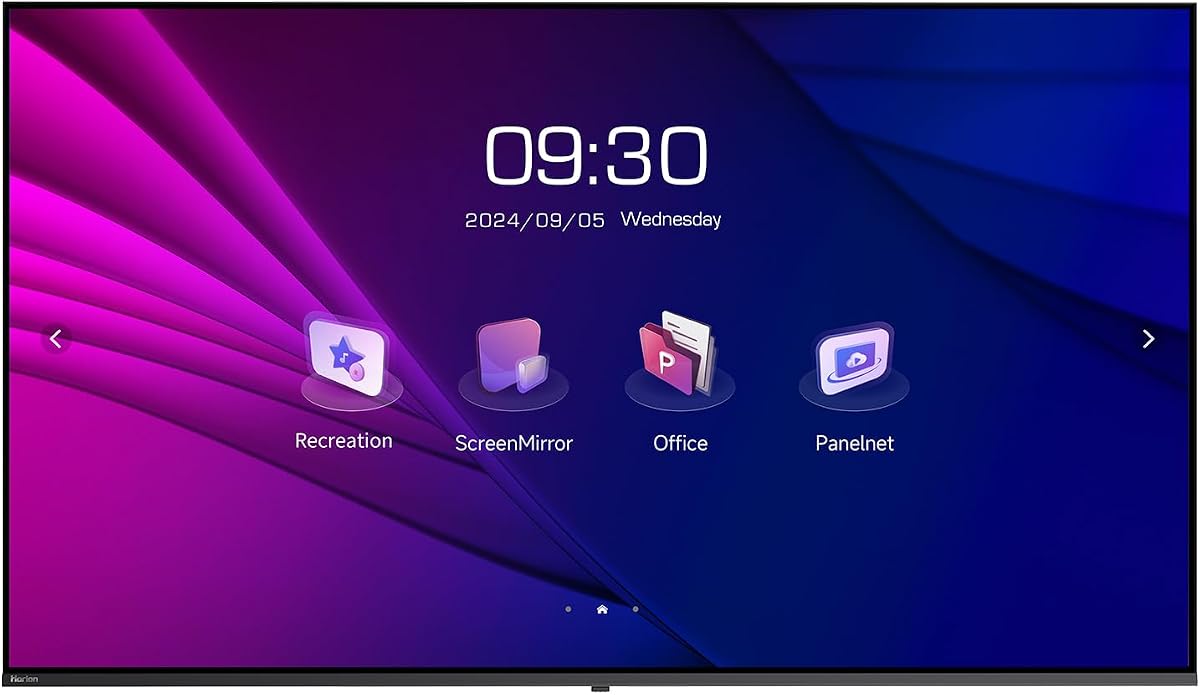
The HORION 75 provides a massive canvas for high-impact meetings and signage. Its 4K resolution and 320 cd/m2 brightness ensure visibility even in bright retail spaces. The dual WiFi system separates internet and casting traffic, reducing lag during presentations.
We may earn a commission when you buy through this link, at no additional cost to you.
Vertical mounting capability allows for lobby directories or shelf-edge promotions. TUV Rheinland low blue light certification reduces eye strain during long usage. With 24/7 operational reliability, it handles commercial demands far better than consumer TVs.
The weight and size make it less ideal for small home offices. The price reflects its commercial grade, but the robust build justifies the cost for heavy use. It is a top-tier solution for high-traffic environments.
If you need a reliable, massive display for business or retail, the HORION 75 is unmatched. Its durability and specialized features make it a premier choice for professional settings.
Separate WiFi modules for internet and casting prevent interference and ensure smooth streaming.
Certified technology cuts harmful emissions by 40 percent to protect user eyes during long meetings.
We may earn a commission when you buy through this link, at no additional cost to you.
The Dell P5525QC focuses on connectivity and performance for modern enterprise setups. Its USB-C port supports high-speed data and power delivery, simplifying laptop connections. The 400cd/m2 brightness ensures the screen remains visible in well-lit conference environments.
We may earn a commission when you buy through this link, at no additional cost to you.
Designed for commercial use, it offers stable performance and reliable color accuracy via IPS technology. The 60Hz refresh rate ensures smooth video playback during conferences. While it lacks a smart OS, this allows for seamless integration with existing PCs.
The higher price is a consideration compared to consumer screens. However, the durability and connectivity options make it suitable for frequent daily use. It is a solid workhorse for professional collaboration spaces.
For offices needing robust connectivity and high brightness, the P5525QC is a strong contender. It prioritizes reliable performance and streamlined cabling for tech-heavy environments.
USB-C allows power and video to flow through one cable, reducing cable clutter on desks.
400cd/m2 brightness ensures clear visibility even when meeting rooms have strong overhead lighting.
We may earn a commission when you buy through this link, at no additional cost to you.
This Philips model is tailored for huddle rooms needing integrated video conferencing. The built-in 5MP webcam with Windows Hello support streamlines login and calls. Its curved 1500R panel enhances immersion and helps reduce eye strain during long sessions.
We may earn a commission when you buy through this link, at no additional cost to you.
The 21:9 aspect ratio provides extra horizontal space for spreadsheets or dual windows. USB-C docking transfers video and power efficiently. While the 3.8 rating suggests mixed user feedback, the feature set is compelling for small meeting spaces.
Potential buyers should note the lower rating might indicate reliability concerns with the webcam module. The premium replacement warranty offers some mitigation for this risk. It is a convenient option for small teams.
If you need a simple, all-in-one solution for small teams, this Philips monitor is worth considering. Its webcam integration saves desk space and simplifies setup significantly.
Windows Hello facial recognition allows quick and secure login without typing passwords repeatedly.
The 21:9 UltraWide format lets you view multiple documents side by side efficiently.
We may earn a commission when you buy through this link, at no additional cost to you.
The Samsung QB43R is a compact commercial display designed for reliability. Its 43-inch size fits well in small conference rooms or lobbies. The 5.0 rating indicates high user satisfaction regarding its clarity and build quality.
We may earn a commission when you buy through this link, at no additional cost to you.
Compatibility with Cisco WebEx room kits makes it an ideal partner for enterprise software. Intelligent UHD upscaling ensures any video content looks sharp. The slim bezel design creates an elegant look without distracting from the content.
While it has fewer ports than larger models, it covers basic connectivity needs. The 3-year warranty adds value for businesses managing asset lifecycles. It is a straightforward, effective choice for standard meeting needs.
For small to medium meeting rooms needing a reliable 4K display, the QB43R is excellent. Its high rating and commercial durability make it a safe bet for business use.
Certified compatibility with WebEx room kits ensures seamless integration for professional conferencing.
Content is processed to look sharper on the 4K panel, improving standard definition visuals.
We may earn a commission when you buy through this link, at no additional cost to you.
The Sony FW75BZ30L represents high-end commercial display technology. Its 75-inch screen with 4K HDR support delivers exceptional contrast and color depth. The VA LCD panel provides deep blacks and high brightness suitable for critical viewing.
We may earn a commission when you buy through this link, at no additional cost to you.
Flexibility in orientation means it can be mounted in landscape or portrait modes. This is useful for lobbies or vertical signage. While it lacks consumer smart features, the raw performance is superior for professional video playback.
The price reflects its premium positioning, making it suitable for executive suites or flagship stores. Build quality is robust, ensuring long-term reliability. It is a top choice where visual quality is the highest priority.
If you demand the highest video quality for executive presentations, this Sony model is unmatched. Its premium construction and visual performance justify the investment for critical viewing.
High Dynamic Range support ensures richer color contrast for impactful visual presentations.
Support for both landscape and portrait orientations allows versatile installation options.
We may earn a commission when you buy through this link, at no additional cost to you.
The Samsung QE50T balances size and durability for general commercial use. Its 50-inch screen is ideal for average conference rooms. The IP5X dust-proof rating ensures protection against particulates in demanding environments.
We may earn a commission when you buy through this link, at no additional cost to you.
Designed for 16/7 operation, it handles heavy daily usage without overheating. The side bezel-less design creates a clean look for multi-screen installations. Built-in media players allow direct USB content playback without a PC.
While the brightness is lower than premium models, it is sufficient for indoor use. The 3-year warranty provides peace of mind for long-term investment. It is a practical option for offices needing steady performance.
For businesses needing a reliable mid-size screen with dust protection, the QE50T is a solid pick. Its operational rating and warranty make it durable for commercial schedules.
The IP5X rating keeps internal components safe from dust and debris over time.
Built to run for 16 hours a day, this monitor handles high-traffic commercial shifts well.
We may earn a commission when you buy through this link, at no additional cost to you.
The Logitech MeetUp is a specialized system designed to pair with displays. It offers a 4K camera with a wide 120-degree field of view, ensuring all participants are captured. Beamforming mics capture voices clearly up to four meters away.
We may earn a commission when you buy through this link, at no additional cost to you.
Motorized pan and tilt allow you to track movement or focus on whiteboards. Its plug-and-play nature makes it easy to deploy with various conferencing platforms. The system supports expansion mics for larger rooms if needed.
Note that this is a camera unit, not a monitor itself. It is a critical component for high-quality video conferencing setups. If you already have a monitor, this adds the necessary video clarity.
For upgrading video conferencing quality in huddle rooms, the MeetUp is the gold standard. Its high resolution and flexible mounting make it essential for remote work.
The 120-degree lens captures everyone in the room, reducing the need for repositioning.
Microphones focus on voices in the room, filtering out background noise during calls.
We may earn a commission when you buy through this link, at no additional cost to you.
Choosing the right monitor requires balancing screen size, resolution, and connectivity needs. This section details the key factors to consider before making your final purchase decision for any meeting environment.
Screen size determines how many people can see the content comfortably. For small huddle rooms, 43 to 50 inches is often sufficient. For large boardrooms, 65 to 75 inches or more may be necessary to ensure visibility from the back of the room. The aspect ratio also matters; standard 16:9 is ideal for video, while 21:9 UltraWide can enhance productivity for multitasking.
Match the screen size to the room dimensions and typical seating capacity.
4K UHD resolution (3840 x 2160) is now the standard for conference displays, offering sharp text and detailed graphics. This clarity ensures that spreadsheets and charts are legible from any angle. Avoid Full HD monitors for professional settings unless budget is extremely tight.
Always opt for 4K resolution to ensure future-proof visual quality.
Modern conferences rely on various devices like laptops, tablets, and phones. Look for multiple HDMI inputs, USB-C with power delivery, and wireless casting capabilities. These options reduce cable clutter and simplify connection processes for participants.
Ensure your monitor supports the specific ports your team uses daily.
Commercial monitors are built to run longer hours (16/7) than consumer TVs. They often include better cooling systems and warranty coverage for business use. Choosing a commercial-grade model extends the lifespan of the display in high-traffic meeting rooms.
Select commercial-grade units for frequent daily use to avoid burnout.
Integrated speakers and microphones can simplify setups by eliminating external sound systems. However, dedicated conferencing cameras and speakers often provide better audio quality. Check if the monitor supports specific video conferencing software like Teams or Zoom natively.
Evaluate if integrated audio meets your quality requirements or if external devices are needed.
VESA mounting compatibility allows you to use standard wall mounts or rolling carts. Consider if the monitor supports portrait orientation for lobbies or directories. Proper mounting ensures safety and optimal viewing angles for all participants.
Check VESA standards and mounting flexibility before finalizing your purchase.
Some monitors include built-in smart operating systems or System-on-Chip technology. This removes the need for an external media player. While convenient, these can add cost. Ensure the software is compatible with your preferred conferencing tools.
Decide if you need an all-in-one solution or prefer using your own PC.
Business use often warrants better warranty coverage than consumer purchases. Look for 3-year or longer commercial warranties. This ensures support for maintenance or replacement if the unit fails during critical meetings.
Prioritize warranties that cover commercial usage hours.
Set up the monitor in a central location where everyone can see it clearly. Connect all necessary cables using the appropriate inputs like HDMI or USB-C. Ensure power cables are secure and hidden to prevent accidental disconnection during meetings.
Keep the display clean using a microfiber cloth to remove dust and fingerprints. Avoid harsh chemicals that might damage the anti-glare coating. Regular cleaning ensures consistent visibility and prevents buildup over time.
For commercial models, configure settings to match typical usage patterns like brightness and energy saving. Use software tools to update firmware for optimal performance. Proper maintenance extends the life of the display significantly.
For standard conference rooms with 6 to 10 participants, a 55 to 65-inch monitor is typically ideal. This size ensures visibility from all seats without overwhelming the space. For smaller huddle rooms, 43 inches may suffice, while larger spaces require 75 inches or more.
Yes, commercial monitors are designed for longer operating hours and offer better warranty coverage. They often have higher brightness and more durable panels than consumer TVs. This makes them more reliable for frequent daily business meetings.
Many modern conference monitors support wireless casting via Wi-Fi or Bluetooth. This allows you to share content from laptops or phones without cables. Look for built-in Miracast or AirPlay compatibility for easy setup.
Not necessarily. Many monitors have built-in media players or SoC technology to run apps independently. However, connecting a PC is often preferred for secure corporate conferencing platforms like Teams or Zoom.
Anti-glare screens reduce reflections from overhead lights and windows. This improves visibility and reduces eye strain during long meetings. It is particularly useful in rooms with bright natural or artificial lighting.
Use a VESA-compliant wall mount or rolling cart suitable for the monitor's weight. Ensure the mounting surface is sturdy enough to support the display. Professional installation is recommended for heavy 75-inch or larger units.
Choosing the right conference room monitor significantly impacts meeting productivity and collaboration. The top picks like the Dell P5524Q and HORION 75 offer excellent balance between quality and features for most businesses.
Prioritize size, resolution, and connectivity based on your specific room needs. Commercial-grade durability is key for offices with daily usage to ensure longevity.
Prices and availability are subject to change, so verify current listings before purchasing. Use this guide to find the perfect visual solution for your team.