
havit HV-F2056 Laptop Cooling Pad
4.4Editor score
Ultra-portable slim design
Ergonomic stand with two height settings
Extra USB port and power switch
Gaming laptops generate significant heat during intense sessions. A quality cooling fan ensures stable performance and extends hardware life by managing thermal output effectively.
We evaluated ten leading cooling solutions based on airflow, noise, and compatibility with MSI models. Our analysis highlights features that matter most for gamers and professionals.
Each pick details specific strengths and ideal use cases. Prices fluctuate frequently, so verify current listings before purchasing to ensure the best value for your needs.
4.4Editor score

4.4Editor score

5.0Editor score
As an Amazon Associate we earn from qualifying purchases.
This table presents a side-by-side comparison of all ten cooling fans. We highlight key specifications to help you quickly identify the right model for your MSI laptop.


The Razer Laptop Cooling Pad Adaptive Smart stands out with its intelligent fan control. It earns a 4.4 rating by dynamically managing airflow based on system load.
We may earn a commission when you buy through this link, at no additional cost to you.
Its airtight pressure chamber ensures no cool air leakage. The 140 mm brushless fan spins up to 3000 RPM, significantly reducing CPU and GPU temperatures for MSI laptops.
While effective, the premium price and reliance on Razer Synapse might deter some users. However, the seamless integration justifies the cost for Razer ecosystem users.
Buyers seeking top-tier performance and smart features should choose this model. It maximizes thermal headroom for sustained gaming sessions.
This cooling pad adjusts fan speeds automatically from idle to full load. It ensures consistent performance without manual intervention.
Through Razer Synapse, you can calibrate fan curves for noise or temperature. This level of control is unmatched in standard cooling pads.
We may earn a commission when you buy through this link, at no additional cost to you.
The havit HV-F2056 offers exceptional value for budget-conscious gamers. With a 4.4 rating, it delivers quiet cooling for laptops up to 17 inches.
We may earn a commission when you buy through this link, at no additional cost to you.
Its three ultra-quiet fans create a noise-free environment. The dual height settings provide ergonomic comfort during long sessions.
While it lacks advanced features, it fulfills its core function effectively. The lightweight design makes it ideal for travelers.
Students and casual gamers looking for affordable cooling should consider this option. It balances cost and performance well.
The fans are designed to minimize noise while maintaining airflow. This ensures distractions during gaming or work are kept to a minimum.
Adjustable height settings allow you to customize your viewing angle. This reduces neck strain during extended use.
We may earn a commission when you buy through this link, at no additional cost to you.
This cooling pad is engineered specifically for MSI Raider and GE series laptops. It holds a perfect 5.0 rating for its targeted thermal efficiency.
We may earn a commission when you buy through this link, at no additional cost to you.
Its industrial-grade turbofan reduces CPU and GPU temperatures by 40 degrees in 90 seconds. The sealed wind pressure design ensures maximum airflow.
At max speed, noise reaches 60 dB. However, the performance gain during heavy loads justifies the trade-off for serious gamers.
MSI laptop owners seeking maximum thermal headroom should choose this model. It combines specialized design with powerful cooling.
Retractable side panels and footrests support various laptop sizes. The design ensures compatibility with large 18-inch gaming machines.
The high-power adapter and air duct design maximize fan strength. This setup delivers rapid heat dissipation for demanding tasks.
We may earn a commission when you buy through this link, at no additional cost to you.
This cooling pad targets MSI Vector and Creator series laptops. It achieves a 5.0 rating for its powerful cooling capabilities and tailored fit.
We may earn a commission when you buy through this link, at no additional cost to you.
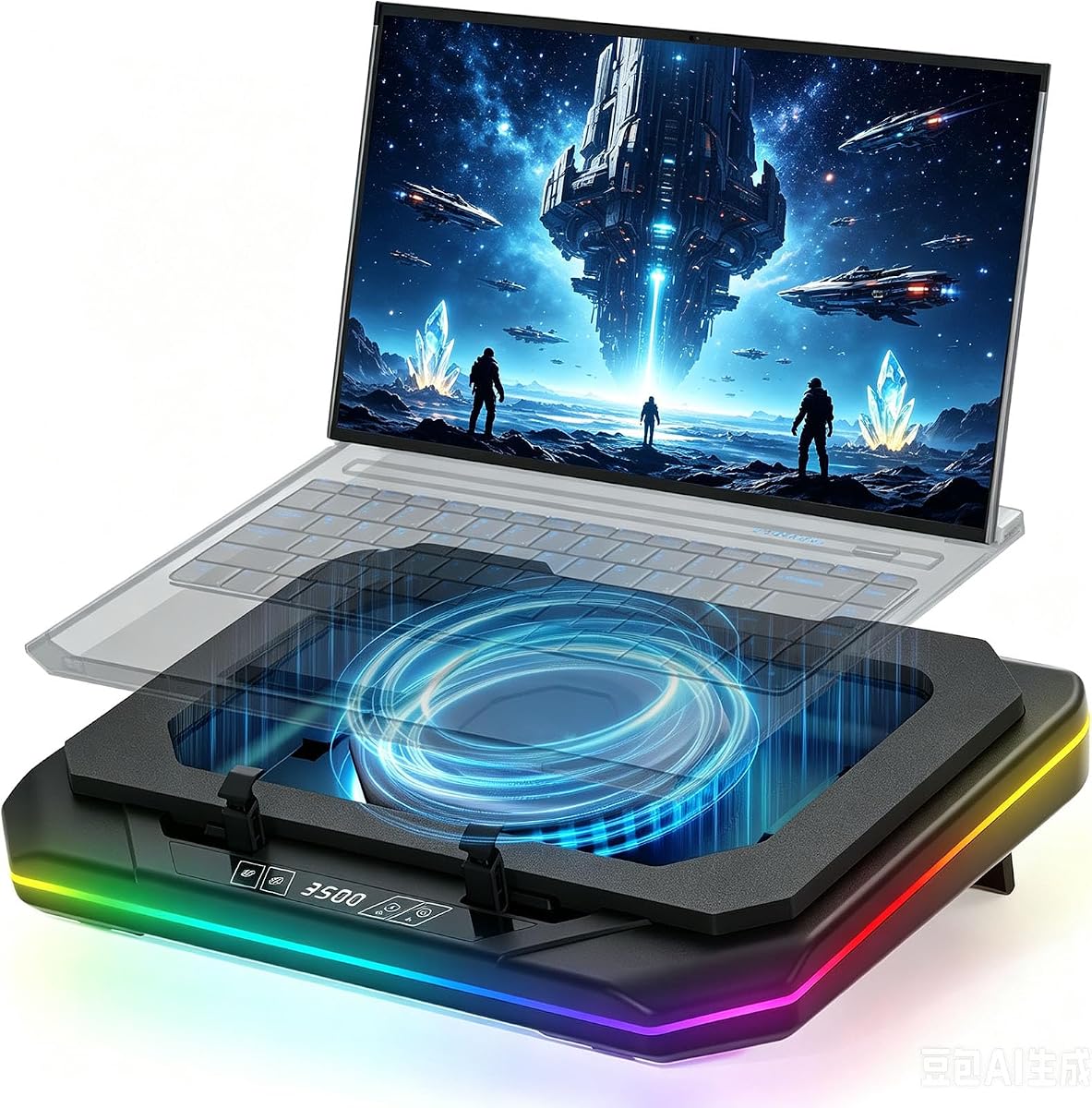
The turbofan spins between 800 and 3500 RPM. Sealed wind pressure significantly reduces surface temperatures quickly.
Noise levels can be high at top settings. Users sensitive to sound may prefer lower speeds or other models.
Gamers with Vector or Creator laptops will find ideal compatibility. Its performance exceeds standard cooling pads significantly.
Foldable footrests support laptops of different sizes. This flexibility makes it suitable for various gaming setups.
The RGB light strip offers 6 adjustable modes. This adds a cool gaming atmosphere to your desk setup.
We may earn a commission when you buy through this link, at no additional cost to you.
The Kootek cooling pad features five built-in fans for broad coverage. Its 4.4 rating reflects reliable performance for laptops between 12 and 17 inches.
We may earn a commission when you buy through this link, at no additional cost to you.
One large fan and four smaller fans create efficient airflow. Two switches allow flexible control over fan combinations and LEDs.
The blue LEDs might be distracting for some users. However, they provide visual confirmation of fan status.
Users needing versatile cooling for multiple devices should consider this. It offers good flexibility and ergonomic support.
Switches allow you to control fans individually or together. This helps balance cooling power with noise levels.
Six adjustable height settings enable optimal typing angles. This improves posture during long gaming sessions.
We may earn a commission when you buy through this link, at no additional cost to you.
The ChillCore pad supports laptops up to 19.3 inches. With a 4.2 rating, it provides extensive cooling for oversized gaming machines.
We may earn a commission when you buy through this link, at no additional cost to you.
Nine fans create powerful airflow. An LCD display shows current fan speed intuitively.
The complexity of buttons and settings may overwhelm some users. Yet the extensive RGB options are visually appealing.
Owners of large laptops will appreciate the coverage. It delivers robust cooling for big-screen gaming.
Nine fans cover large laptop surfaces effectively. This ensures uniform cooling across the chassis.
Ten RGB light modes provide customization. You can match lighting to your gaming setup.
We may earn a commission when you buy through this link, at no additional cost to you.
The llano V12 Ultra offers AI temperature control via Myth.cool software. It holds a 4.5 rating for its smart features and cooling efficiency.
We may earn a commission when you buy through this link, at no additional cost to you.
Its turbofan cuts CPU and GPU temps by up to 22 degrees in 90 seconds. Removable dust filters ensure long-term performance.
Software reliance may complicate setup for some. Yet automated control simplifies management significantly.
Tech-savvy gamers will enjoy the automation. It delivers powerful cooling with minimal manual input.
Software adjusts fan speed automatically based on workload. This eliminates the need for manual tweaking.
The dust filter is removable and easy to clean. This prevents debris buildup and extends lifespan.
We may earn a commission when you buy through this link, at no additional cost to you.
The llano V12 delivers robust cooling with its large turbo booster fan. It achieves a 4.4 rating for its balanced feature set.
We may earn a commission when you buy through this link, at no additional cost to you.
Its dust filtration system protects internal components. Touch-mute buttons control RGB lighting easily.
While USB ports are 2.0, they suffice for peripherals. Users must avoid connecting charging devices.
Users seeking a balance of cooling and connectivity should consider this. It provides reliable performance and comfort.
The high-density filter captures debris effectively. This prevents common dust buildup issues inside the laptop.
Intuitive touch buttons allow precise control. Adjusting settings requires minimal effort during use.
We may earn a commission when you buy through this link, at no additional cost to you.
This cooling pad excels in quiet operation with 35 dBA noise. A 4.5 rating reflects its ability to cool without noise.
We may earn a commission when you buy through this link, at no additional cost to you.
Its sealed airflow design directs air efficiently. A spring-loaded bracket grips laptops securely.
Lack of included adapter means checking USB ports. Yet USB-C plug and play simplifies setup.
Quiet environments need this model. It provides effective cooling without disruptive sounds.
Patented fan design cools harder at lower speeds. This ensures minimal noise even during gaming.
Multiple adjustable angles improve posture. The stand replaces a separate riser for efficiency.
We may earn a commission when you buy through this link, at no additional cost to you.
The llano Gaming Laptop Cooler V12 offers durable construction. With a 4.4 rating, it supports laptops from 15 to 21 inches.
We may earn a commission when you buy through this link, at no additional cost to you.
Its 5.5-inch turbofan achieves significant temperature drops. An LED display provides real-time fan speed tracking.
Weight might make it less portable. However, the sturdy design ensures stability during intense gaming.
Users prioritizing stability and cooling power should choose this. It balances performance and durability well.
The reinforced chassis supports heavy-duty laptops. This prevents wobbling and ensures consistent airflow.
An LED display shows fan speed accurately. This helps you monitor cooling performance effectively.
We may earn a commission when you buy through this link, at no additional cost to you.
Selecting the right cooling fan involves evaluating performance, compatibility, noise, and features. Here are key factors to consider before purchasing.
Ensure the cooling pad supports your specific MSI laptop size. Models like MSI Raider or Vector often benefit from tailored cooling solutions.
Choose a pad with adjustable side panels or frames to match your device dimensions accurately.
Look for turbofans with high RPM ranges and sealed airflow designs. These features maximize heat dissipation during intense sessions.
Prioritize pads claiming rapid temperature drops for reliable thermal management.
Noise can vary significantly based on fan speed. Select quiet fans if you work or game in sound-sensitive environments.
Check reviews for actual noise levels at maximum speed to set expectations.
A sturdy chassis prevents wobbling under heavy laptops. Durable materials extend the lifespan of the cooling pad.
Metal mesh surfaces offer better stability than plastic alternatives.
Adjustable height settings improve posture during long use. Look for stands that offer multiple tilt options.
Ergonomic design reduces neck and shoulder strain over time.
Integrated USB hubs add value by connecting peripherals directly. Ensure ports support data transfer as needed.
Consider Type-C support for modern devices.
RGB lighting enhances aesthetics but may not impact performance. Choose adjustable modes to match your setup.
Ensure control buttons are intuitive for easy adjustments.
Removable dust filters prevent debris buildup. This feature helps maintain long-term airflow efficiency.
Select pads with easy-to-clean filters for maintenance convenience.
Place the cooling pad on a flat surface and align your MSI laptop with its intake vents. Ensure side panels or seals fit snugly around the device for optimal airflow.
Connect the USB or power cable and turn on the fans. Adjust height and fan speed settings based on usage. Use lower speeds for quiet work.
Regularly clean dust filters with a soft cloth or vacuum. Replace filters if they become clogged. This routine ensures consistent cooling performance and extends device lifespan.
Yes, cooling pads provide additional airflow to internal components. They significantly reduce temperatures and help prevent throttling during gaming sessions.
Match the pad size to your laptop dimensions. For 17-inch laptops, choose a pad supporting up to 17 or 18 inches for full coverage.
USB-powered pads work well for moderate use. High-end gaming laptops may benefit from powered adapters for stronger fan performance.
Most cooling pads are universal. Adjustable side panels ensure compatibility with laptops from various brands beyond MSI models.
No, cooling pads are designed to protect hardware. They reduce heat stress and help maintain device longevity when used correctly.
Clean dust filters every few weeks depending on usage. Regular maintenance prevents airflow blockages and keeps cooling efficiency high.
This guide highlights ten top cooling fans for MSI gaming laptops. Each option offers unique strengths for different user needs and budgets.
Prioritize compatibility, thermal performance, and noise levels when choosing. The right cooling fan enhances performance and protects your investment.
Prices and availability change frequently. Always verify current listings before purchasing to ensure you secure the best deal available today.