
Dell Optiplex 9020 Desktop
3.6Editor score
Powerful Quad-Core Processor
500GB HDD Storage
Includes 20 Inch Monitor
This guide compares the top desktop computers for kids in 2026, evaluating performance, durability, display quality, and value to help you choose the right
Finding the right desktop computers for kids can be a challenging task for parents and educators alike. You need a machine that balances performance with durability, ensuring it can handle schoolwork, creative projects, and recreational gaming without breaking the bank. This guide explores ten carefully selected options that meet these criteria effectively.
We have compared these products based on critical specifications such as processor speed, memory capacity, storage type, and display quality. Our analysis focuses on how well each system supports multitasking, runs educational software, and connects to modern peripherals. We also consider the physical design and warranty coverage to ensure long-term reliability for young users.
Each pick in this list highlights specific strengths, from budget-friendly bundles to premium all-in-one units. You will see detailed breakdowns of pros and cons to help you make an informed decision. Please note that product availability and pricing can change frequently, so verify current details before purchasing to ensure you get the best value available today.
3.6Editor score

4.5Editor score

4.3Editor score
This comparison table provides a side-by-side overview of all ten desktop computers selected for this guide, allowing you to quickly assess key specifications like processor type, memory amount, storage capacity, and included display size to find the model that best fits your specific needs and budget constraints.




This renewed Dell Optiplex 9020 offers a compelling entry point for families seeking desktop computers for kids. With a rating of 3.6 stars, it delivers reliable performance for basic computing tasks. The standout quality lies in its complete bundle, which includes a 20-inch monitor and peripherals, saving you from buying them separately.
We may earn a commission when you buy through this link, at no additional cost to you.
The system features an Intel Quad-Core i5 processor paired with 8GB of DDR3 RAM. This configuration allows your child to run multiple browser tabs, educational software, and light creative tools without excessive lag. The 500GB HDD provides ample space for storing school projects, photos, music, and movies. Additionally, the inclusion of Windows 11 Pro ensures you have access to the latest security updates and features.
While the DDR3 memory and traditional hard drive are older technologies compared to modern SSDs, they are sufficient for the intended use case. The HDD might take slightly longer to boot or load applications, but this trade-off is acceptable given the budget-friendly price. The renewed status means the unit has been tested and certified to function like new.
This desktop is ideal for parents who need a functional workstation for school and homework without breaking the bank. If your child primarily needs a machine for web browsing, document editing, and video streaming, this model provides excellent value. We recommend this option for families prioritizing cost-efficiency and ready-to-use packaging over raw speed.
The inclusion of a monitor and RGB productivity accessories means you can set up a workstation immediately upon arrival without additional purchases.
Running Windows 11 Pro ensures compatibility with the latest educational software and provides enhanced security features for family use.
We may earn a commission when you buy through this link, at no additional cost to you.
The HP 21.5 FHD All-in-One desktop stands out as a top choice for kids who need a modern and efficient computing experience. Boasting an impressive 4.5 star rating, this system combines sleek design with capable performance. It is particularly notable for its use of DDR5 memory and a modern N100 processor, ensuring smooth multitasking for homework and entertainment.
We may earn a commission when you buy through this link, at no additional cost to you.
This all-in-one unit features a 21.5-inch Full HD display with anti-glare properties, reducing eye strain during long study sessions. The Intel N100 processor handles everyday tasks effortlessly, while the 8GB DDR5 RAM ensures quick responsiveness when switching between applications. The included 8-in-1 docking hub adds significant versatility, allowing you to connect various peripherals easily without cluttering the main computer ports.
A unique aspect of this model is its storage configuration, which combines internal drive space with an SD card slot via the docking hub. This provides expandable storage options for media files and projects. While the storage solution is flexible, relying on an SD card for primary storage might be less reliable than a dedicated internal SSD, which is a consideration for long-term data management.
We recommend this HP model for families looking for a clean, space-saving solution that minimizes cable clutter. It is perfect for shared family spaces where aesthetics and ease of use are important. If your child needs a reliable machine for research, writing, and video calls, this All-in-One delivers a premium feel at a competitive price point.
The built-in 8-in-1 docking hub expands port options significantly, making it easy to connect printers, cameras, and external drives.
The anti-glare VA display panel reduces reflection and strain, making it comfortable for children to read and watch content for hours.
We may earn a commission when you buy through this link, at no additional cost to you.
The Lenovo 23.8 All-in-One represents the premium end of our selection for desktop computers for kids, offering high-end specs in a stylish package. With a 4.3 star rating, it delivers powerful performance thanks to its Intel i3-N305 Octa-Core processor and 16GB of RAM. This combination ensures that even demanding educational applications and media creation tools run smoothly without stuttering.
We may earn a commission when you buy through this link, at no additional cost to you.
Visually, this desktop impresses with a 23.8-inch Full HD IPS display that features a three-sided borderless design. This design choice creates an immersive viewing experience for videos and interactive learning modules. The storage is handled by a 512GB PCIe NVMe SSD, which provides lightning-fast boot times and quick file access. The sleek, modern aesthetics help it blend seamlessly into any home office or study room.
While the price is higher than the renewed or budget options, the value lies in the speed and build quality. The SSD ensures that the system remains responsive over time, unlike traditional hard drives that may slow down. However, the lack of an optical drive might be a drawback for some older software or DVDs, though most content is now accessed digitally via cloud services.
We suggest this Lenovo model for families who prioritize performance and design aesthetics. It is ideal for children who engage in digital art, coding, or heavier multitasking. If you want a machine that will remain fast and reliable for several years, this premium All-in-One is an excellent investment for your home setup.
The three-sided borderless bezel design maximizes screen real estate, offering a cinema-like experience for educational videos and media.
Support for Wi-Fi 6 and Bluetooth 5.2 ensures stable internet connections and easy pairing with wireless headphones or mice.
We may earn a commission when you buy through this link, at no additional cost to you.
This HP Elite Desktop PC offers a robust configuration for children who require significant memory and storage for their projects. With a 3.5 star rating, it provides a functional platform for multitasking. The standout feature is the 16GB of RAM, which allows for heavy multitasking across many browser windows and applications simultaneously without performance drops.
We may earn a commission when you buy through this link, at no additional cost to you.
The system includes a new 22-inch LED monitor with Full HD resolution, providing a bright and clear workspace. The 1TB hard drive storage ensures you have plenty of room for large files, such as video recordings or extensive game libraries. The inclusion of RGB keyboard and mouse adds a fun, gaming-inspired aesthetic that might appeal to younger users.
However, the reliance on an HDD means that system response times may not be as snappy as systems with SSDs. Booting up and launching programs will take longer, which could be frustrating if your child needs to save and start quickly. The lower user rating suggests there might be some variability in the refurbishing process or component quality.
We recommend this desktop for users who specifically need large storage capacity and high RAM counts for specific software. It is a good fit for families who can tolerate slightly slower load times in exchange for expanded memory. If your child works on large multimedia files or runs virtual machines, the 16GB RAM is a significant advantage.
16GB of RAM supports heavy multitasking, enabling smooth operation of multiple virtual machines or browser-heavy educational work.
The RGB keyboard and mouse add a fun visual element that can make the workstation feel more engaging for young gamers.
We may earn a commission when you buy through this link, at no additional cost to you.
The Dell OptiPlex Desktop is a strong contender for families needing vast storage capacity for media and project files. Rated at 3.6 stars, it offers a solid foundation for general computing tasks. The primary selling point is the 2TB hard drive, which provides an enormous amount of space for storing games, videos, and documents without worrying about running out of room.
We may earn a commission when you buy through this link, at no additional cost to you.
Like the HP Elite, this model also comes with 16GB of RAM, ensuring that performance remains smooth even when running multiple applications at once. The 22-inch LED monitor delivers crisp visuals for learning and entertainment. The bundled RGB keyboard and mouse add a touch of personalization to the setup, making the desk feel more tailored to the user.
The main limitation lies in the processor generation and storage type. The 3rd Gen Core i5 is an older model, which may struggle with newer, more demanding applications or video editing software. Additionally, the HDD will result in slower boot and load times compared to SSDs. While sufficient for basic tasks, it might feel sluggish for power users.
This desktop is best suited for families who need a media server or a machine primarily for storage and light productivity. If your child creates content that requires saving large files locally, the 2TB drive is a massive benefit. Just be aware that the age of the CPU limits its longevity for high-performance tasks.
The 2TB hard drive allows you to store years of schoolwork, media files, and downloaded content without needing external drives.
Combining 16GB RAM with 2TB storage provides a good balance for multitasking and storing large amounts of data simultaneously.
We may earn a commission when you buy through this link, at no additional cost to you.
This HP Windows 11 Desktop stands out because it pairs a capable processor with modern storage technology. With a rating of 3.8 stars, it offers a well-rounded experience for home and school use. The inclusion of a 500GB SSD is a significant upgrade over traditional hard drives, ensuring faster boot times and quicker access to applications and files.
We may earn a commission when you buy through this link, at no additional cost to you.
The system features 16GB of DDR4 RAM and an Intel i5 8th Gen processor, which handles multitasking with ease. The 24-inch LCD monitor provides a generous workspace for creative tasks and gaming. Additional peripherals like a webcam and speakers are included, making it ready for video calls and online classes right out of the box.
One consideration is the small form factor of the tower, which saves space but might limit future internal upgrades. However, for most users, the included specs are sufficient. The 8th Gen i5 is still quite capable for modern software. The presence of Wi-Fi 6 ensures stable wireless connectivity for streaming and browsing.
We recommend this HP model for families seeking a balance between performance and convenience. The SSD makes a noticeable difference in daily usability compared to HDD-only systems. If your child needs a reliable machine for daily schoolwork, video calls, and light gaming, this configuration offers a smooth experience at a reasonable price.
The 500GB SSD ensures the system boots in seconds and applications launch instantly, saving valuable study time.
Built-in webcam and speakers mean you do not need to buy extra peripherals to attend online classes or meet with teachers.
We may earn a commission when you buy through this link, at no additional cost to you.
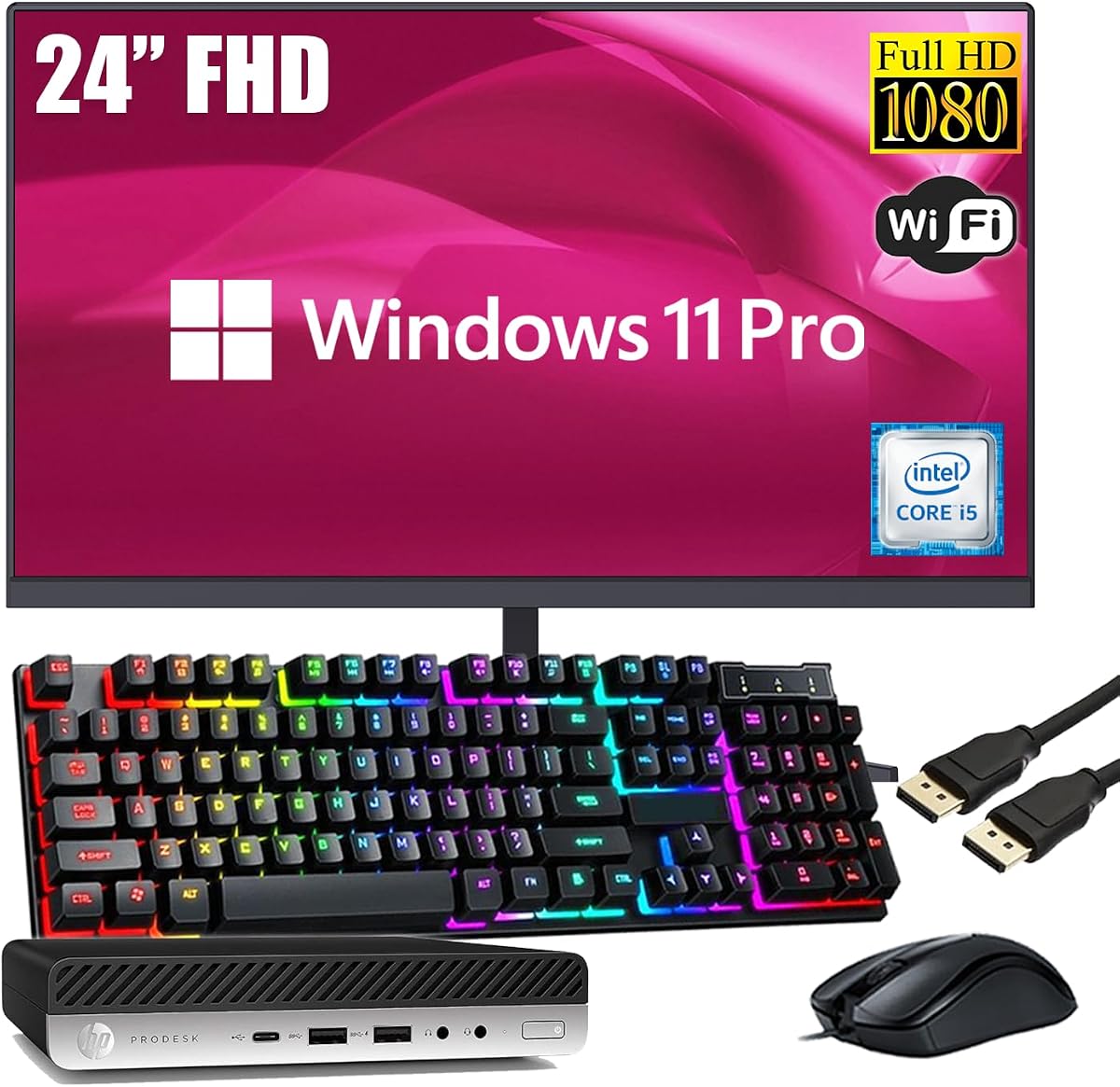
The HP ProDesk 600 Mini is an excellent choice for smaller desks or shared spaces where footprint matters. Rated at 4.2 stars, it combines reliability with efficiency. The mini desktop form factor saves significant desk space while still providing the power needed for schoolwork and browsing. It includes a 24-inch monitor, offering a good balance of screen real estate and physical size.
We may earn a commission when you buy through this link, at no additional cost to you.
This model features a 256GB SSD, which guarantees fast performance for everyday tasks. The Intel i5-8500T processor is optimized for low power consumption while delivering solid speed. The inclusion of a USB-C port adds modern connectivity options, allowing for easier connection of newer peripherals. The system comes pre-tested, ensuring a smooth setup experience.
The 8GB of RAM is standard for general use but might be a limiting factor if your child runs many applications simultaneously. However, for typical school tasks like browsing and word processing, it is sufficient. The SSD ensures that even with 8GB RAM, the system feels responsive and quick to start up.
We suggest this mini desktop for families who want a tidy workspace without sacrificing too much power. It is ideal for children who have their own small study corner. If you prefer a clean setup with minimal cables and a smaller tower, this HP bundle offers a practical and efficient solution for home computing.
The mini tower fits in tight spaces, allowing for a cleaner desk environment that encourages focus on schoolwork.
The USB-C port provides faster data transfer and charging options for modern devices, keeping your setup future-ready.
We may earn a commission when you buy through this link, at no additional cost to you.
The Lenovo 24 All-in-One offers a business-grade build quality in a compact design suitable for home use. With a 4.2 star rating, it provides reliable performance for daily tasks. The combination of 16GB RAM and a PCIe SSD ensures that the system remains fast and responsive. The 23.8-inch FHD display delivers sharp visuals for media consumption and reading.
We may earn a commission when you buy through this link, at no additional cost to you.
Lenovo includes a suite of modern connectivity features, such as Wi-Fi 6 and Bluetooth 5.2, ensuring stable connections to networks and peripherals. The Ventilation-Hear technology helps keep the system cool and quiet, which is beneficial during long study sessions. The wireless keyboard and mouse reduce desk clutter, creating a streamlined workspace for your child.
While the Intel N100 processor is efficient, it is an entry-level chip that may struggle with heavy multimedia editing. However, it is perfectly capable for web browsing, document creation, and streaming. The 256GB PCIe SSD is fast but offers less storage space compared to 512GB options, so you might need external storage for large media libraries.
We recommend this Lenovo model for users who value a clean design and reliable connectivity. The inclusion of 16GB RAM helps maintain performance longevity even if the CPU is modest. If your child needs a quiet, efficient machine for daily schoolwork and communication, this All-in-One is a strong candidate for consideration.
The Ventilation-Hear technology ensures the computer operates quietly, reducing distractions during homework and focused study times.
The included wireless keyboard and mouse eliminate cable clutter, making the desk area safer and easier to clean.
We may earn a commission when you buy through this link, at no additional cost to you.
The Dell Optiplex 7010 package is one of the most affordable options available for families needing a basic computer. With a rating of 3.8 stars, it serves well as a secondary machine or a starter PC. The system includes a DVD drive, which can be useful for installing software from physical discs or watching DVDs without needing external drives.
We may earn a commission when you buy through this link, at no additional cost to you.
This desktop features a 3.2GHz Quad Core i5 processor and 8GB of RAM, providing adequate power for standard tasks. The 19-inch LCD monitor is functional but smaller than modern standards, which might feel cramped for multitasking. The tower is compact and fits well in corners, making it easy to integrate into a home office setup.
As with most systems using HDDs and older monitors, the performance will not be lightning fast. Boot times and application loading will take longer than SSD systems. The 19-inch screen means your child might need to adjust window sizes frequently when researching or writing essays. However, for basic browsing and email, it remains capable.
We suggest this model for families on a tight budget who need a functional backup computer or a simple machine for basic tasks. If the main use case is reading text and looking at images, this system works fine. It is a practical choice for those who prioritize low cost over modern display size and speed.
The included DVD drive allows access to physical media and legacy software that might not be available digitally.
The small tower design saves floor and desk space, ideal for apartments or smaller bedrooms with limited room.
We may earn a commission when you buy through this link, at no additional cost to you.
The Lenovo IdeaCentre All-in-One is a modern computing solution that emphasizes speed and design. With a rating of 4.3 stars, it offers reliable performance for everyday use. The standout feature is the 512GB PCIe SSD, which provides ample storage space for documents and media while ensuring fast system responsiveness. This makes it a strong option for students who need quick access to their files.
We may earn a commission when you buy through this link, at no additional cost to you.
The Intel N100 processor paired with 8GB of RAM handles standard productivity tasks well. The 23.8-inch FHD IPS display offers vibrant colors and sharp text, which is excellent for reading and creative work. The slim design integrates the monitor and PC into one unit, reducing desk clutter and creating a clean aesthetic. Connectivity includes USB-C and Wi-Fi 6 for modern peripheral support.
While the 8GB RAM is standard for this class of device, it may become a bottleneck if your child runs many heavy applications at once. However, for general use like web browsing, word processing, and streaming, it is sufficient. The SSD ensures that the system feels snappy even without maximum memory. The lack of upgradeability is a trade-off for the sleek design.
We recommend this IdeaCentre for families who want a stylish and fast computer for daily homework and browsing. The large SSD ensures you have enough space without needing external drives. If your child values a tidy desk and fast performance over raw power, this all-in-one offers a great balance of features and usability for home environments.
The 512GB SSD provides plenty of room for apps, files, and downloads while maintaining high speed performance.
The inclusion of USB-C ensures compatibility with modern accessories, future-proofing your setup for new devices.
We may earn a commission when you buy through this link, at no additional cost to you.
Selecting the right desktop computer for a child involves balancing technical specifications with practical needs such as durability, space, and budget. This guide outlines the key factors to consider to ensure you choose a machine that supports education and entertainment effectively.
The processor is the brain of the computer and determines how fast tasks are completed. For kids, an Intel i3 or i5 processor usually provides enough speed for web browsing, word processing, and light gaming. Older processors might struggle with modern educational apps, so look for at least an 8th Gen Intel Core or newer equivalent.
Always check the core count and clock speed. More cores allow for better multitasking when your child needs to research, write, and listen to music at the same time. A faster processor ensures that learning tools load quickly and run smoothly.
RAM (Random Access Memory) allows the computer to handle multiple open programs. 8GB is the minimum recommended for general use today, but 16GB is preferable if your child plans on running virtual machines or heavy editing software. Insufficient RAM leads to lag and slow performance.
Consider future-proofing your purchase. Software demands increase over time, so having extra RAM ensures the computer remains usable for longer. If you can afford it, opt for 16GB to avoid bottlenecks as your child grows.
Storage determines how many files you can keep on the machine. SSDs (Solid State Drives) are significantly faster than HDDs (Hard Disk Drives) and make the computer feel more responsive. A 500GB SSD is a sweet spot for most students. HDDs offer more space but are slower.
Check the total capacity to ensure there is enough room for documents, photos, and games. If you choose a smaller SSD, ensure the system has ports for external drives. Speed should generally trump capacity for better daily performance.
The monitor is what your child looks at for hours, so quality matters. Aim for at least 22 inches with a Full HD (1920×1080) resolution for sharp text and images. Anti-glare coatings help reduce eye strain during long study sessions.
Consider an All-in-One design if desk space is limited. These units save space by combining the screen and tower. Ensure the display is adjustable or has a stand that allows for comfortable viewing angles to prevent neck pain.
Modern computers need to connect to printers, headphones, and external drives. Look for a mix of USB-A and USB-C ports. USB-C is becoming standard for charging and data. Ensure there is a headphone jack and Ethernet port if wired internet is needed for stability.
Wi-Fi 6 support is beneficial for faster wireless internet speeds. Bluetooth is essential for connecting wireless mice and headphones. A versatile port selection prevents the need for adapters and dongles.
Windows 11 is the current standard and offers the best support for educational apps and games. It includes parental control features that help manage screen time and content. Ensure the system comes with a valid license to avoid security risks from unauthorized software.
Some bundles include Office suites or antivirus software, which can save money. However, be aware of bloatware. You can often remove pre-installed apps to keep the system clean. Check if the system supports updates and security patches.
Kids may be rough on equipment, so durability is important. Tower PCs can be replaced partially if damaged, whereas All-in-Ones are harder to repair. Look for sturdy builds and reinforced corners. A secure stand prevents the monitor from tipping over easily.
Consider the footprint of the computer. A small form factor saves desk space. Ensure the casing is made of materials that are easy to clean. Dust filters can help keep the internal components running cool in dusty environments.
Prices vary widely based on specs. Renewed computers offer significant savings but come with limited warranties. New models offer peace of mind with full support. Balance your budget with the required performance to get the best long-term value.
Consider the total cost of ownership. Sometimes buying a slightly more expensive model with an SSD saves you from buying external storage or peripherals. Focus on specs that matter most to your child's specific needs.
When setting up the desktop, place it on a stable, flat surface away from direct sunlight or heat sources. Ensure there is enough space behind the tower for ventilation cables. This prevents overheating and extends the lifespan of the internal components.
Keep the screen and keyboard clean by using a microfiber cloth to wipe away dust and fingerprints. Avoid using harsh chemicals that might damage the screen coating. Encourage your child to wash their hands before using the computer to prevent grime from building up on the keyboard.
Regularly update the operating system and software to maintain security and performance. Teach your child how to save files properly using cloud services or external drives. These habits protect data and ensure the computer remains fast and reliable for schoolwork and fun.
All-in-One desktops save space and look cleaner, which is great for shared family areas. However, tower PCs allow for easier upgrades if you need more power later. Choose based on whether space or upgradeability is more important.
For most students, a 512GB SSD provides enough room for documents, images, and educational software. If you plan on storing large video files or games, consider 1TB or external drive options. Speed is more important than sheer capacity for daily performance.
Yes, 8GB is sufficient for basic web browsing, word processing, and video streaming. However, if your child runs many applications simultaneously or uses heavy creative tools, 16GB is recommended to prevent lag. More RAM ensures smooth multitasking.
A 22 to 24-inch monitor offers a good balance of workspace and desk size. It allows for comfortable viewing without taking up too much space. Ensure the resolution is at least Full HD for clear text. Larger screens are helpful for creative projects.
Renewed computers are cheaper but may have shorter warranties. New computers come with full support and the latest parts. If budget is tight, a high-quality renewed unit is a good option. Check seller ratings carefully before purchasing.
Yes, SSDs are much faster and more reliable for daily use. They boot up quickly and load applications instantly. HDDs are slower but offer more storage space. If possible, prioritize an SSD for better performance. You can add external storage later if needed.
We have reviewed ten desktop computers for kids that offer a range of options for different budgets and needs. The HP 21.5 All-in-One and Lenovo 23.8 All-in-One stand out for their modern features and ease of use. Budget options like the Dell Optiplex 9020 provide reliable performance for families watching costs.
When making your final decision, prioritize the specifications that match your child's activities. If they need speed for creative work, focus on RAM and SSD storage. For basic homework, a standard configuration works well. The right choice depends on balancing current needs with future growth.
Remember to check current prices and availability before purchasing to ensure you get the best deal. Product details can change, so verify the latest specs to meet your requirements. With the right desktop, your child can study, create, and play with confidence and efficiency.