
Lexar D50E 128GB Solid State Dual Drive
4.6Editor score
Up to 400MB/s read speeds
Durable metal housing
Dual USB-A and USB-C connectors
This guide compares the top flash drives for EDC based on speed, durability, and compatibility to help you choose the perfect portable storage solution.
Everyday carry enthusiasts know that reliable storage is essential for modern mobility. A quality flash drive ensures your files are accessible across devices without bulky cables or cloud dependencies. Choosing the right model balances speed, durability, and form factor for daily use.
We evaluated ten top-rated models focusing on transfer performance, build quality, and connector versatility. Our analysis includes real-world specifications and user feedback to highlight which drives deliver consistent reliability for professionals and casual users alike.
Each pick below details key strengths and potential trade-offs to guide your decision. Prices and availability fluctuate regularly so verify current listings before purchasing. Your ideal drive depends on specific needs like capacity, interface, and ruggedness requirements.
4.6Editor score

4.3Editor score

4.5Editor score
This side-by-side comparison highlights the key specifications and features of each top-rated drive to help you quickly identify the best match for your everyday carry needs.


The Lexar D40E stands out as an editor choice for everyday carry due to its versatile dual connector design. With USB Type-A and Type-C options built into a single slim unit it eliminates the need for adapters. Its 4.3 star rating reflects solid performance across modern and legacy devices.
We may earn a commission when you buy through this link, at no additional cost to you.
Performance relies on USB 3.2 Gen 1 technology offering transfer speeds up to 100MB/s based on internal testing. This speed is sufficient for transferring documents and media files without excessive wait times. The swivel mechanism protects connectors without caps ensuring durability during daily transport.
Trade-offs include slightly slower speeds compared to newer high-performance models on the market. Some users may find the 100MB/s rate limiting for large video file transfers. However the convenience of dual interfaces often outweighs this minor drawback for general use.
This drive suits professionals and students needing reliable cross-platform storage. Its metal enclosure and encryption features add layers of security and durability. For those prioritizing versatility and compact form the D40E is a strong recommendation.
The dual connector design allows seamless file transfers between older PCs and modern smartphones without extra cables.
The rotating connector mechanism prevents physical damage and eliminates lost caps ensuring long-term reliability in pockets.
We may earn a commission when you buy through this link, at no additional cost to you.
The Lexar D50E delivers premium performance with read speeds up to 400MB/s and write speeds up to 360MB/s. This makes it ideal for users handling large media files or requiring fast data synchronization. Its 4.6 rating indicates high satisfaction among professionals seeking speed and reliability.
We may earn a commission when you buy through this link, at no additional cost to you.
Speed is the key differentiator here offering four times faster transfers than standard USB 3.0 drives. The metal housing protects the connectors and internal components against daily wear. Additionally the Lexar App supports easy photo backups on mobile devices adding practical utility.
Premium pricing is the main trade-off compared to budget options. While the speed justifies the cost for power users casual users may not need such high throughput. The metal design also makes it slightly heavier than plastic alternatives.
Power users and creatives should consider this drive for efficient workflow integration. Its robust build and fast performance ensure files move quickly between devices. If speed and durability are priorities the D50E is a top-tier choice.
High-speed read and write capabilities significantly reduce waiting times for large video or project file transfers.
The free Lexar App enables easy photo management and backups on iOS and Android devices for convenience.
We may earn a commission when you buy through this link, at no additional cost to you.
The SANDISK Ultra Luxe offers an excellent balance of performance and aesthetics making it a standout budget choice. With read speeds up to 400MB/s it rivals more expensive models. Its 4.5 rating confirms reliability and user satisfaction across diverse everyday carry scenarios.
We may earn a commission when you buy through this link, at no additional cost to you.
The luxurious metal enclosure provides both style and protection for internal components. The retractable connector prevents damage and keeps the drive compact in pockets. A convenient keyring hole allows attachment to bags or keys ensuring the drive is never misplaced.
The USB-C interface may limit compatibility with older Type-A ports unless adapters are used. Users with legacy hardware should verify port types before purchasing. However for modern laptops and smartphones this interface is increasingly standard and practical.
Students and professionals seeking style and performance should choose this drive. It combines practical speed with a polished look fitting any EDC setup. For those prioritizing value and design the Ultra Luxe is highly recommended.
The sleek full-cast metal enclosure offers durability and a premium look that fits well in any professional environment.
A smooth retractable connector protects the port from wear and tear without requiring separate caps or storage.
We may earn a commission when you buy through this link, at no additional cost to you.
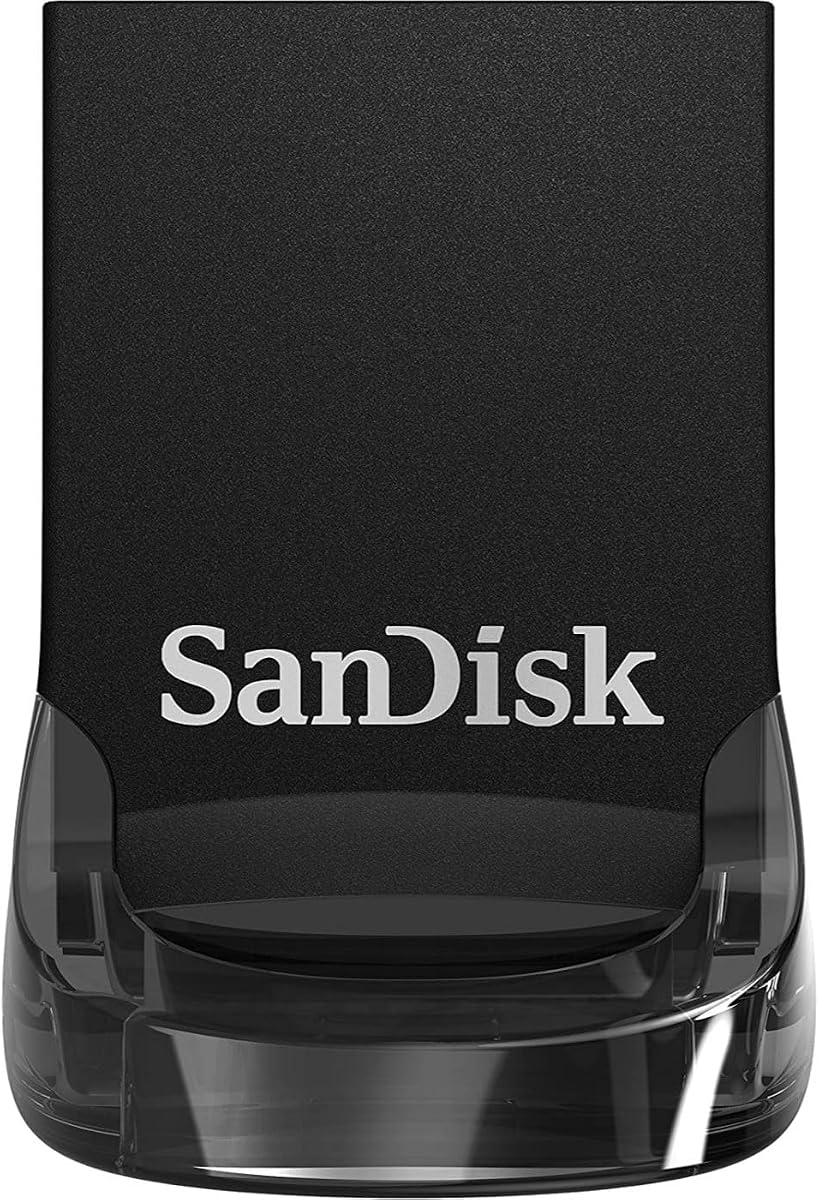
The SANDISK Ultra Fit is designed for minimalism with a plug-and-stay design that leaves ports free for other devices. Its compact form makes it ideal for laptops and car audio systems. With 256GB of storage it offers ample space for photos and videos in a tiny package.
We may earn a commission when you buy through this link, at no additional cost to you.
Performance reaches read speeds up to 400MB/s depending on host device and port type. Transferring a full-length movie takes under thirty seconds saving valuable time. The 4.4 rating suggests users appreciate the convenience and speed despite occasional port compatibility notes.
To achieve maximum speeds a USB 3.0 port is required which may not be present on all devices. Users with older USB 2.0 ports will experience slower transfer rates. This is a common limitation for high-speed drives across the industry.
Users needing extra storage on thin laptops or consoles will find this drive perfect. Its small size prevents port obstruction while providing reliable data access. For space-constrained EDC setups the Ultra Fit is an excellent option.
The ultra-compact plug-and-stay shape ensures it doesn't block adjacent ports or get caught in bags.
Password protection via downloadable software keeps sensitive files private using 128-bit AES encryption standards.
We may earn a commission when you buy through this link, at no additional cost to you.
The SANDISK Extreme Fit is purpose-built for modern USB-C ecosystems like tablets and latest laptops. Its snug fit ensures stable connections without wobbling or disconnecting. With read speeds up to 400MB/s it handles large files efficiently for daily tasks.
We may earn a commission when you buy through this link, at no additional cost to you.
The included Memory Zone app helps manage files directly on mobile devices and computers. This feature adds significant value for users organizing media libraries. The 4.6 rating reflects strong performance and ease of use across tested devices.
Its limitation lies in exclusive USB-C compatibility requiring adapters for legacy Type-A ports. Users with mixed device fleets should consider dual connector options instead. For those fully invested in USB-C tech this drive is ideal.
Tech users focusing on mobile-first workflows should prefer this drive. The app integration and high speeds streamline file management effectively. If USB-C coverage is sufficient the Extreme Fit delivers robust functionality.
The SANDISK Memory Zone app organizes files on Windows or Mac ensuring easy access to photos and documents.
A snug fitting design maintains stable connections preventing accidental data loss during file transfers.
We may earn a commission when you buy through this link, at no additional cost to you.
The Lexar JumpDrive D400 offers substantial 256GB storage in a versatile dual connector package. Users can connect to PCs and smartphones effortlessly without switching drives. The 4.6 rating suggests strong trust in its performance and reliability over time.
We may earn a commission when you buy through this link, at no additional cost to you.
Transfer speeds reach up to 130MB/s based on internal testing which is solid for daily backups. The metal housing provides protection against physical damage during daily carry. Security features like Lexar DataShield add peace of mind for sensitive data.
Read speeds are moderate compared to newer high-speed models but sufficient for standard file transfers. The bulk of a dual connector may be slightly larger than single-port options. Still the capacity and flexibility justify this for most users.
Users needing large storage and cross-device access should consider this model. It balances durability and capacity well for professionals managing extensive libraries. For versatile storage needs the D400 is a dependable choice.
256GB capacity allows for storing thousands of photos videos and documents without running out of space.
Lexar DataShield provides advanced security features to protect files from unauthorized access effectively.
We may earn a commission when you buy through this link, at no additional cost to you.
The SAMSUNG BAR Plus earns a high 4.7 rating due to its reliable performance and rugged design. Its metal casing withstands daily wear and environmental exposure better than plastic models. This makes it a favorite for users prioritizing physical durability.
We may earn a commission when you buy through this link, at no additional cost to you.
Read speeds reach up to 300MB/s offering quick access to files across compatible ports. Water shock and temperature proof features ensure data safety in harsh conditions. The key ring prevents loss making it convenient for everyday carry.
The 64GB capacity may be limiting for users storing large media libraries. Those needing more space should opt for higher capacity models. However for essential documents and small media this capacity is often sufficient.
Outdoor enthusiasts and frequent travelers should choose this drive for resilience. Its rugged build ensures data remains safe regardless of conditions. If durability is your main concern the BAR Plus is highly recommended.
The rugged metal casing protects against water shock and temperature extremes ensuring reliable data storage.
An integrated key ring attachment prevents accidental loss during daily transport and busy travel.
We may earn a commission when you buy through this link, at no additional cost to you.
The PNY Elite-X Fit is designed to sit flush with ports preventing interference in tight spaces. Its sliding design allows for easy port access while protecting the connector. This makes it ideal for users with multiple devices needing minimal interference.
We may earn a commission when you buy through this link, at no additional cost to you.
Transfer speeds reach up to 200MB/s depending on the connected host device. This speed supports efficient photo and video transfers from mobile devices. The 4.5 rating reflects user satisfaction with its functionality and form factor.
Write speeds are slightly lower than read speeds which may affect backup tasks. Optimal performance requires unobstructed port access which can be blocked by thick cases. Users should remove cases during transfers for best results.
Mobile users needing to free up device space will appreciate this design. The capacity supports extensive media storage without bulk. For compact portability the Elite-X Fit is an excellent practical solution.
Low profile housing leaves other ports available for simultaneous use without blocking connections.
Transfer photos and videos from mobile devices to create room for more new memories and apps.
We may earn a commission when you buy through this link, at no additional cost to you.
The SANDISK Ultra Luxe brings premium aesthetics to USB-A drives with its full cast metal design. It offers fast read speeds and secure storage in a stylish package. The 4.5 rating indicates high satisfaction with both looks and functionality.
We may earn a commission when you buy through this link, at no additional cost to you.
Transfer speeds reach up to 400MB/s making file movement quick and efficient. Password protection software adds a layer of security for confidential files. Users can download the software to enable encryption features as needed.
The metal finish may show fingerprints over time requiring occasional cleaning. While durable it can be slightly heavier than plastic alternatives. These minor issues do not significantly impact daily performance or utility.
Professionals needing a reliable stylish drive for older systems should consider this model. The combination of speed and design makes it a practical and attractive choice. For USB-A reliability the Ultra Luxe is highly recommended.
The elegant full cast metal design ensures a sophisticated look suitable for professional environments.
Password protection software using AES encryption ensures sensitive documents stay private and secure.
We may earn a commission when you buy through this link, at no additional cost to you.
The Lexar M400 provides reliable performance with USB 3.2 Gen 1 speeds ideal for standard workflows. Its 4.4 rating confirms consistent functionality across various systems. This model serves as a solid choice for users seeking dependable storage.
We may earn a commission when you buy through this link, at no additional cost to you.
Transfer speeds reach up to 150MB/s which is sufficient for most everyday file needs. DataShield offers added security ensuring files remain private during transport. The design balances style with practical durability for long-term use.
Backward compatibility ensures it works with older USB 3.0 and 2.0 ports. Speed will decrease on older ports but basic functionality remains intact. This flexibility adds value for mixed-device environments.
Users needing a no-fuss reliable drive for daily backups will find this suitable. Its security features and compatibility make it a versatile tool. For consistent performance the M400 is a reliable option.
The durable design protects internal components while maintaining a sleek and professional appearance.
Lexar DataShield ensures files are protected against unauthorized access for privacy and peace of mind.
We may earn a commission when you buy through this link, at no additional cost to you.
Choosing the right flash drive for everyday carry requires balancing performance durability and compatibility with your devices.
Consider the ports available on your most frequently used devices. USB Type-A drives work with older laptops while Type-C is standard on modern machines. Dual connector drives offer maximum flexibility if you switch between different devices.
For most EDC setups a dual connector drive ensures you can connect to any device without adapters.
Transfer speeds determine how quickly files move between devices. Look for USB 3.2 Gen 1 or higher to ensure fast transfers especially for large video files. Read speeds are generally higher than write speeds on most drives.
Prioritize drives with read speeds over 200MB/s if you regularly move large data sets.
Capacity needs vary based on file sizes and usage habits. Basic documents require less space while high-resolution media demands hundreds of gigabytes. Choose a capacity that prevents frequent deletions or transfers.
For most everyday carry users 128GB to 256GB offers a balanced range of usable storage.
Build quality affects longevity especially in rugged EDC scenarios. Metal enclosures protect against drops and temperature extremes better than plastic. Water and shockproof features add extra security for outdoor activities.
Select a drive with metal construction and protective features for reliable daily transport.
Size matters when carrying items daily. Compact drives with retractable connectors prevent port obstruction and damage. Swivel designs avoid lost caps but may protrude slightly more than flush fitting models.
Low-profile or retractable designs offer the best balance between protection and minimalism.
Protecting sensitive data is crucial for professional users. Look for drives with hardware or software encryption features like AES 256-bit. Password protection ensures unauthorized users cannot access stored files.
Choose drives with built-in encryption software to secure sensitive files effectively.
Manufacturer software can enhance functionality with automatic backup or file management tools. Check if the drive includes apps that simplify transferring files from mobile devices. Useful apps save time and streamline workflows.
Look for bundled apps like Photo Backup or Memory Zone for easier device management.
A solid warranty indicates manufacturer confidence in the product. Three-year limited warranties are common and cover manufacturing defects. This safety net ensures support if issues arise during daily use.
Always check warranty terms to ensure protection against hardware failures over time.
Proper usage ensures your drive performs well and lasts longer. Always safely eject the drive from your operating system before unplugging it to prevent data corruption. Avoid removing the drive while files are actively transferring to avoid file errors.
Protect your drive from extreme physical conditions whenever possible. Keep it away from water excessive heat or direct sunlight to maintain internal integrity. Store it in a protective case or dedicated pocket to avoid scratches and impact damage.
Regular maintenance includes checking for file errors and updating any manufacturer software. Periodically backing up critical files to another location ensures data safety if the drive fails. This habit prevents data loss and keeps your workflow smooth.
Yes flash drives are ideal for everyday carry due to their compact size and portability. They provide secure local storage without relying on cloud connectivity or external power. Choosing a durable model ensures reliability in daily scenarios.
USB 3.2 offers faster theoretical data transfer speeds and improved power delivery compared to USB 3.0. Drives labeled USB 3.2 Gen 1 typically offer speeds up to 5 Gbps. Compatibility is maintained across both standards via backward design.
If your devices only have USB Type-A ports you will need an adapter for USB-C drives. Dual connector drives eliminate the need for adapters by including both connector types built in. This saves space and reduces extra gear in your kit.
Always eject the drive safely before removal and avoid unplugging during file transfers. Regular backups of important data to another location or cloud service mitigate failure risks. Using security software prevents unauthorized access to sensitive files.
Some rugged models are water-resistant but not all drives offer this feature. Always check product specifications for water proof ratings before relying on them in wet environments. Drying the drive thoroughly after exposure ensures continued functionality.
ExFAT is generally best for compatibility across Windows macOS and Linux systems. It supports large file sizes and works on most devices without formatting issues. Choose this format when sharing files across multiple operating systems easily.
Choosing the right flash drive depends on balancing speed durability and connectivity needs. The Lexar D40E and D50E lead in versatility and performance while the SANDISK Ultra Luxe offers great value for budget-conscious users. Each model serves distinct scenarios ensuring reliable data access.
Prioritize features like dual connectors or rugged builds if your EDC involves travel. Compatibility with your devices and storage capacity should also guide your final selection to prevent workflow interruptions. Investing in quality ensures peace of mind during daily carry.
Remember that prices fluctuate regularly so confirm current listings before making a purchase. Checking for warranty details and included software can add significant value to your choice. The ideal drive keeps your data safe and accessible whenever you need it.