
GIGABYTE B550 Gaming X V2
4.5Editor score
Affordable AM4 socket support
Solid 10+3 power phases
Reliable PCIe 4.0 support
This guide compares the top Gigabyte motherboard models across AMD and Intel platforms to help you find the best board for gaming, work, and budget builds.
Choosing the right motherboard is crucial for any PC build. Gigabyte offers a wide range of options that balance performance, features, and affordability for various user needs and budgets.
We evaluated ten top Gigabyte motherboards based on power delivery, connectivity options, thermal performance, and overall value. Our analysis focuses on real-world usability and compatibility with modern processors.
Each pick highlights specific strengths and ideal use cases to simplify your decision. Keep in mind that product availability and pricing can change over time, so verify current details before purchasing.
4.5Editor score

4.4Editor score

4.2Editor score
The following table provides a side-by-side comparison of all ten selected Gigabyte motherboards to help you quickly identify key specifications and differences between each model.


The B650 AORUS Elite AX stands out as a top choice for AMD AM5 builders seeking balance. Its solid rating reflects consistent performance across gaming and productivity tasks alike.
We may earn a commission when you buy through this link, at no additional cost to you.
Key strengths include the commanding 14+2+1 power phase design which ensures stable power delivery even under heavy loads. The comprehensive thermal design with covered MOSFET heatsinks keeps temperatures in check during intensive sessions.
Trade-offs include a premium price point compared to entry boards and some users find the RGB Fusion software less intuitive. These are acceptable given the board's feature set and build quality.
This board is ideal for enthusiasts upgrading to Ryzen 9000 or 8000 series CPUs who want future-proof connectivity. It is a highly recommended pick for reliable high-end AM5 builds.
The digital VRM solution provides consistent power for demanding processors ensuring no throttling during extended use.
With PCIe 5.0 M.2 and USB-C 3.2 Gen 2 this board supports the latest storage and peripheral technologies.
We may earn a commission when you buy through this link, at no additional cost to you.
The X870 AORUS Elite WIFI7 offers next-generation connectivity for AM5 platform users. It scores high on features including WiFi 7 and USB4 which future proof the build.
We may earn a commission when you buy through this link, at no additional cost to you.
Its 16+2+2 power phases deliver robust performance suitable for high-end Ryzen processors. The VRM and M.2 thermal guards ensure components stay cool even under sustained loads.
While expensive, the inclusion of WiFi 7 and USB4 justifies the cost for early adopters. Users not needing these features may find better value elsewhere.
Buyers seeking the latest tech on AMD platforms will appreciate this board. It is a top choice for those wanting maximum connectivity and performance.
WiFi 7 provides significantly faster wireless speeds and lower latency for streaming and online gaming.
Four M.2 slots allow for expansive storage expansion without sacrificing PCIe lane distribution.
We may earn a commission when you buy through this link, at no additional cost to you.
The X870E AORUS PRO ICE combines premium performance with a striking white aesthetic. It is ideal for builders prioritizing visual appeal alongside cutting-edge specs.
We may earn a commission when you buy through this link, at no additional cost to you.
Its 16+2+2 power design with 80A smart stages ensures stable operation for demanding workloads. The thermal design protects critical components from overheating during stress tests.
The price is higher than standard models but the aesthetic and feature set offer unique value. It is best suited for custom loop or white theme builds.
Enthusiasts looking for a standout board will love this option. It delivers top performance while making a visual statement in any case.
The white PCB and heatsinks create a cohesive look for high-end custom builds without needing extra cables.
Beyond looks the board handles high-core count CPUs with ease thanks to strong VRM engineering.
We may earn a commission when you buy through this link, at no additional cost to you.
The Z890 AORUS Master is tailored for Intel Core Ultra Series 2 processors. It brings advanced connectivity and power delivery to the latest Intel platform.
We may earn a commission when you buy through this link, at no additional cost to you.
With 18+1+2 power phases and Thunderbolt 4 this board offers exceptional throughput for workstations. The 10GbE LAN is a standout feature for power networking needs.
The cost is high and the new socket means limited future upgrades. However, for professional workflows the speed and stability are unmatched.
Professionals needing high-speed data transfer should consider this board. It is a top-tier choice for modern Intel builds requiring maximum bandwidth.
Dual Thunderbolt 4 ports allow for fast external storage and daisy chaining of devices.
10GbE LAN supports high throughput for file servers and local network transfers without bottlenecks.
We may earn a commission when you buy through this link, at no additional cost to you.
The B650 Eagle AX is a standout value choice for new AMD AM5 systems. It offers high ratings due to its balance of features and cost.
We may earn a commission when you buy through this link, at no additional cost to you.
Its 12+2+2 VRM is capable of handling mainstream Ryzen CPUs. The triple M.2 slots and USB 3.2 Gen2x2 provide excellent practical connectivity.
While lacking some premium features like PCIe 5.0 for GPU the board is future-proof enough for most users. It is a practical choice for tight budgets.
Builders seeking a reliable affordable AM5 board will find this model appealing. It is a top recommendation for entry level modern AMD systems.
Three M.2 slots allow for multiple fast drives without needing extra expansion cards.
Despite lower cost the board includes essential modern features like DDR5 and WiFi 6E.
We may earn a commission when you buy through this link, at no additional cost to you.
The B550 AORUS Elite AX V2 is a top pick for those upgrading existing AM4 systems. It maintains high ratings for reliability and feature inclusion.
We may earn a commission when you buy through this link, at no additional cost to you.
Its 12+2 power phases provide stable power for Ryzen 5000 series CPUs. The 2.5 GbE LAN and WiFi 6 offer great networking speeds for the price.
While DDR4 is slower than DDR5 this board maximizes the value of older hardware. It is a smart choice for budget-conscious AM4 users.
Users needing an affordable upgrade path should look to this board. It offers excellent stability and performance for the current AM4 platform.
Designed to extract maximum performance from AM4 CPUs with efficient power delivery.
Q-Flash Plus allows BIOS updates without installing CPU or RAM for easy maintenance.
We may earn a commission when you buy through this link, at no additional cost to you.
The Z790 Eagle AX delivers solid performance for mainstream Intel builds. It balances cost and features effectively for mid-range users.
We may earn a commission when you buy through this link, at no additional cost to you.
Its 12+1+1 power phase supports high-end Intel Core CPUs well. The board includes essential connectivity like PCIe 5.0 and USB 3.2 Gen 2×2.
While the VRM is basic compared to premium boards it handles mainstream use cases. It is a reliable choice for daily workloads.
Users building a modern Intel PC on a budget will find this appealing. It is a strong recommendation for stable gaming systems.
Delivers stable power for Core processors without unnecessary premium features.
Includes USB 3.2 Gen 2×2 and DDR5 for faster data transfer speeds.
We may earn a commission when you buy through this link, at no additional cost to you.
The Z790 AORUS Elite AX offers high-end power delivery for Intel 14th Gen CPUs. It is a premium choice for serious builds requiring stability.
We may earn a commission when you buy through this link, at no additional cost to you.
Its 16+1+2 phases ensure no throttling during heavy loads. The four M.2 slots provide ample storage expansion without sacrificing other components.
While the cost is high the robust features justify it for demanding users. It is a top pick for overclocking and gaming.
Users seeking a reliable Z790 board should consider this option. It combines performance and connectivity effectively for high-end setups.
Strong VRM design supports stable overclocking for Intel Core CPUs.
Four M.2 slots allow for multiple high-speed NVMe SSDs for large workloads.
We may earn a commission when you buy through this link, at no additional cost to you.
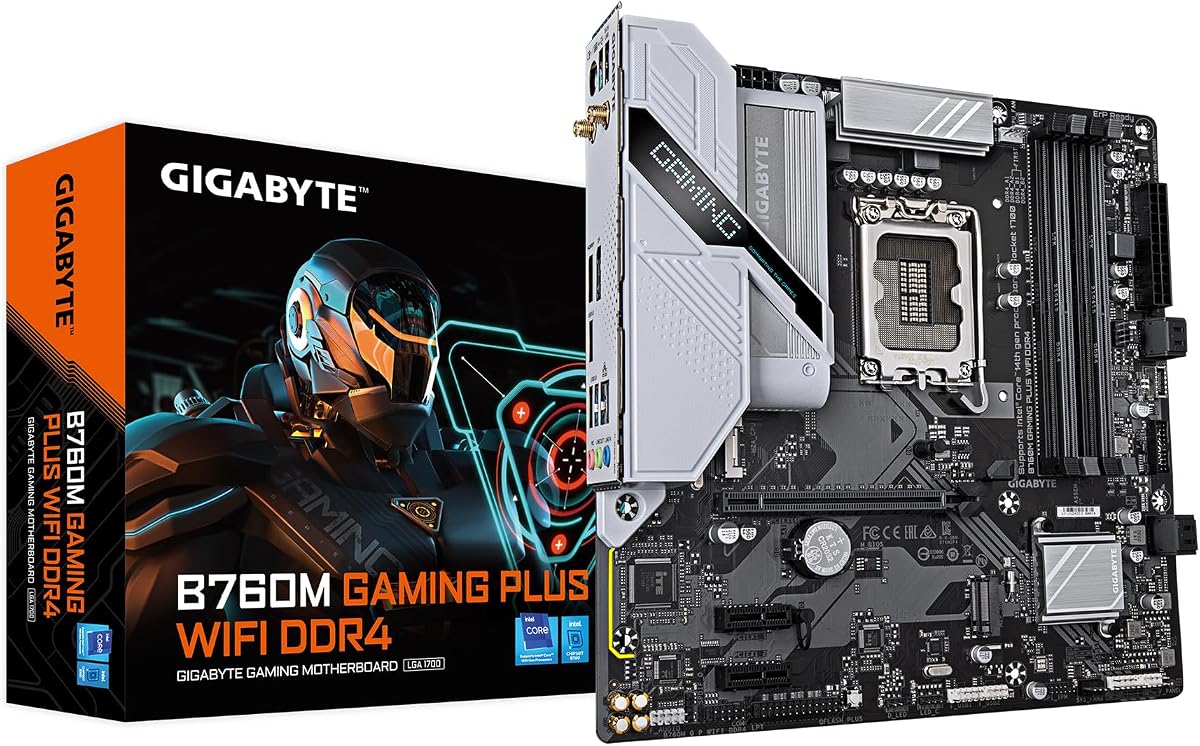
The B760M Gaming Plus WiFi is ideal for compact builds using DDR4 memory. It scores well for value and practical features.
We may earn a commission when you buy through this link, at no additional cost to you.
Its 4+1+1 power phases are sufficient for mainstream gaming CPUs. The M-ATX design fits smaller cases while retaining essential connectivity like USB-C.
While not for high-end builds it is perfect for office or gaming PCs. It is a reliable option for budget friendly small form factor systems.
Builders needing a compact board will find this appealing. It is a smart choice for those prioritizing space efficiency.
M-ATX form factor fits smaller cases while maintaining essential features and performance.
4+1+1 phases provide stable power for budget CPUs without throttling.
We may earn a commission when you buy through this link, at no additional cost to you.
The B550 Gaming X V2 is the top budget choice for AM4 builds. It is highly rated for its price to performance ratio and reliability.
We may earn a commission when you buy through this link, at no additional cost to you.
Its 10+3 power phases are strong for a budget board ensuring stable operation. The inclusion of PCIe 4.0 and M.2 slots makes it future proof.
While lacking WiFi the board covers all essential features for desktop users. It is an excellent choice for budget builds requiring stability.
Anyone building on a tight budget should consider this board. It offers great value without compromising on core performance.
Delivers high-end features like 10+3 VRMs at an entry level price.
Supports Ryzen 5000 series with stable power for gaming and productivity.
We may earn a commission when you buy through this link, at no additional cost to you.
Selecting the right motherboard requires understanding your CPU platform, performance needs, and budget. Here are key factors to consider.
Ensure the socket matches your processor whether it is AMD AM5 or Intel LGA 1851. Using the wrong socket will prevent the system from booting.
Always check the supported CPU list for BIOS updates to guarantee compatibility with your chosen processor.
A strong VRM ensures stable power for your CPU especially if you plan to overclock. Look for higher phase counts for high-end CPUs.
Sufficient power delivery prevents thermal throttling and extends the lifespan of your system components.
DDR5 offers higher speeds but costs more than DDR4. Choose based on your budget and performance needs.
Verify memory capacity and speed limits to ensure they meet your application requirements.
Check for essential ports like USB 3.2 or Thunderbolt 4. Also consider network speed like 10GbE for professional use.
Sufficient connectivity prevents needing extra cards for peripherals and storage devices.
Effective heatsinks and thermal guards keep components cool during high loads. Look for features like M.2 thermal guards.
Good thermal design ensures consistent performance and reliability over long sessions.
ATX boards offer more features while M-ATX saves space. Ensure your case supports the board size you choose.
Selecting the right form factor prevents physical installation issues and cable management problems.
If WiFi is needed check if the board includes integrated modules like WiFi 6E or 7. This saves the cost of a separate adapter.
Built-in wireless improves convenience and reduces cable clutter for your desktop setup.
Determine how much you are willing to spend and prioritize features you actually need. Higher price does not always mean better value.
Focus on core specs like VRM and connectivity that impact daily use most.
Install the motherboard carefully on standoff screws to prevent short circuits. Ensure all connectors are snug and aligned correctly during assembly.
Update the BIOS regularly using Q-Flash Plus or the onboard tool for security and performance improvements. Keep BIOS backups for easy recovery if issues arise.
Clean dust regularly using compressed air to maintain airflow and cooling efficiency. Keep the system well ventilated to prolong hardware lifespan and stability.
For gaming the B650 AORUS Elite AX is highly recommended for AMD users due to strong power and modern connectivity. Intel users may prefer the Z790 AORUS Elite AX for similar features. Both boards deliver stable performance for high frame rates.
If you rely on wireless internet a model with integrated WiFi like the B650 Eagle AX is convenient. Otherwise a wired connection via Ethernet is often more stable and faster for desktops.
AORUS models usually feature stronger power delivery better cooling and more premium components. Gaming models offer solid performance at a lower price with fewer high-end features.
No DDR5 support depends on the chipset and CPU generation. Newer models like B650 and Z890 support DDR5 while older ones like B550 only support DDR4.
You can use Q-Flash Plus which allows updates without a CPU installed or use the BIOS interface with a USB drive. Check the official site for firmware versions and instructions.
PCIe 5.0 provides double the bandwidth of PCIe 4.0 enabling faster storage and graphics card performance. It is future proof for upcoming hardware upgrades.
The top picks range from budget AM4 options to premium AM5 and Intel boards. Each serves different needs from entry builds to high-end workstations.
Prioritize power delivery and connectivity features that match your CPU and peripherals. Avoid overpaying for features you will not use regularly.
Always verify current availability and compatibility before purchasing. Prices and stock can change so check product details regularly for the best value.