
LeapFrog 2-in-1 LeapTop Touch
4.7Editor score
Flip screen tablet mode
Customizable name features
Five learning modes
Discover the top laptops for 5 year olds compared for educational value, durability, and fun features to support early learning.
Finding the right laptop for a five year old child can be a challenging task for any parent looking to support early learning and digital literacy. These devices need to be durable enough to withstand enthusiastic play while offering engaging educational content that sparks curiosity. We have researched the market to identify the most suitable options available for young learners today.
Our comparison process involves evaluating key features such as screen quality, battery life, educational software, and overall build durability. We looked closely at how each model handles interaction, what learning modes are available, and whether the design encourages safe and ergonomic usage. This ensures that the products we highlight truly meet the developmental needs of kindergarten aged children.
Each pick in this guide showcases specific strengths ranging from bilingual learning capabilities to creative tools like cameras and music players. You will find detailed insights into how these laptops function and what to expect from their performance over time. Please keep in mind that product availability and pricing can change frequently on retailer sites.
4.7Editor score

4.5Editor score

4.2Editor score
This side by side comparison highlights the unique attributes of each laptop to help you find the perfect match for your child's interests and learning goals.





This laptop stands out as the top recommendation for kindergarten aged children due to its comprehensive educational design and realistic interface. It features a full size keyboard and cursor controller that mimic adult computers helping young users build foundational skills early. The device is packed with over eighty activities covering math science language arts and music making it a versatile learning tool.
We may earn a commission when you buy through this link, at no additional cost to you.
The bilingual capability is a major strength allowing children to explore content in both English and Spanish seamlessly. This feature supports early language acquisition and keeps the learning experience fresh as the child grows. The offline nature of the activities ensures that playtime remains uninterrupted by connectivity issues or parental Wi Fi management.
While the reliance on AA batteries is a minor drawback compared to rechargeable options the performance is robust and consistent. The need to replace batteries regularly is a trade-off for the freedom from charging cables and battery degradation over time. Parents appreciate the durability which withstands typical toddler handling without compromising functionality.
Families looking for a robust educational tool that mirrors real computer usage will find this model ideal. It bridges the gap between toy and tool effectively preparing children for future academic technology use. We highly recommend this laptop for parents seeking a structured yet engaging introduction to digital literacy.
The ability to switch between English and Spanish enriches the learning experience significantly. It allows children to associate concepts with words in two languages naturally.
Pre-loaded activities mean no internet dependency. This ensures safety and simplicity for parents who prefer controlled screen environments.
We may earn a commission when you buy through this link, at no additional cost to you.
This educational laptop captures attention with its enchanting unicorn theme making it particularly popular among young children who love magical creatures. The design is ergonomic and slim ensuring it is comfortable for small hands to grip for extended periods. It offers a solid range of educational activities including mathematics logic and music to keep minds engaged.
We may earn a commission when you buy through this link, at no additional cost to you.
The music features allow kids to compose and play melodies fostering creativity alongside cognitive skills. Logic games challenge memory and speed providing a balanced approach to entertainment and education. The realistic mouse and keyboard help children familiarize themselves with standard computer inputs in a playful context.
While the screen size is modest it remains functional for the preloaded activities. Battery performance is typical for this class of toy laptop requiring regular replacement during heavy use. The overall build quality feels sturdy enough to survive drops and bumps common in play environments.
For parents prioritizing a device that sparks initial interest through design this is a strong contender. It effectively combines fun visuals with substantive learning modules. It is a great option for gift giving when a thematic appeal is desired alongside educational value.
Children can explore notes and compose simple tunes. This early exposure to music theory enhances pattern recognition skills.
The slim design ensures it fits easily on small laps. This promotes better posture during learning sessions.
We may earn a commission when you buy through this link, at no additional cost to you.
This model distinguishes itself with a vibrant 4.3 inch color screen that enhances visual engagement for young learners. The clarity of the display makes it easier for children to follow instructions and read text compared to monochrome alternatives. It includes 48 distinct learning modes covering essential topics like alphabet mathematics and general knowledge.
We may earn a commission when you buy through this link, at no additional cost to you.
One standout feature is the clock reading activity which teaches time management skills in an interactive way. The realistic mouse and keyboard layout support the development of motor skills needed for future computing tasks. The laptop is designed with a sleek profile that feels modern and appealing to tech savvy kids.
Prospective buyers should note the protective film on the screen which must be removed for optimal viewing. This small step is often overlooked but is necessary to experience the full visual quality. The unit is robust and handles active play well without showing signs of wear quickly.
If visual quality is a priority for your child this laptop offers excellent value. It balances practical learning with engaging visuals effectively. It is a reliable choice for parents wanting a screen focused learning tool that supports varied educational needs.
The color screen keeps children focused longer. Bright visuals help maintain attention during learning tasks.
Clock reading games introduce the concept of time. This practical knowledge supports daily routine understanding.
We may earn a commission when you buy through this link, at no additional cost to you.
This versatile toy transforms from a laptop into a tablet making it a dynamic tool for different learning styles. The flip screen design is intuitive and easy for children to manipulate independently. It offers five distinct learning modes including ABCs numbers games music and messages that cater to various developmental stages.
We may earn a commission when you buy through this link, at no additional cost to you.
Parents can customize the device to spell their child's name adding a personal touch that encourages engagement. The build quality is consistent with LeapFrog products known for durability and safety in children's educational toys. The price point makes it an accessible entry point for families exploring digital learning.
While the screen is smaller than other models it is sufficient for the preloaded activities. The simplicity of the interface reduces cognitive load allowing kids to focus on core concepts. It is an excellent starter device that introduces computer concepts without overwhelming the user.
For families on a budget this laptop delivers exceptional value without compromising on educational content. It is ideal for younger children within the age range who need a simple interface. We recommend it as a primary gift or supplementary learning tool.
Switching between laptop and tablet mimics modern tech trends. This helps children adapt to different input methods.
Seeing their own name on the screen builds confidence. Personal connection increases motivation to use the device.
We may earn a commission when you buy through this link, at no additional cost to you.
This laptop offers a unique level of personalization allowing children to create an avatar and set their own name and age. This feature fosters a sense of ownership and encourages repeated engagement with the device. It includes thirty activities with leveled learning ensuring that challenges grow with the child's abilities.
We may earn a commission when you buy through this link, at no additional cost to you.
The introduction to Spanish words provides a gentle early language exposure suitable for preschool and early elementary ages. Logic games and animal sound discovery keep the experience dynamic and entertaining. The sleek black and pink design appeals to children looking for a stylish gadget that looks like a real computer.
Battery life is average requiring replacement after extended play sessions. The limited color options might not suit every preference but the quality of the unit is high. The activities are well structured and educational without feeling like a chore.
Parents who value personalization and structured learning paths will appreciate this model. It balances fun and education effectively through its engaging avatar system. It is a strong choice for children who enjoy role play and customizing their digital environment.
Customizable avatars help kids connect with the device. Identity building is a key part of early learning.
Activities adapt to skill level. This ensures the child remains challenged but not frustrated.
We may earn a commission when you buy through this link, at no additional cost to you.
This device bridges the gap between toy and real computer offering a genuine Android experience tailored for children. The 10 inch HD touchscreen provides ample space for reading and gaming making it ideal for video content and apps. Access to Google Play allows parents to choose from a vast library of educational games and tools.
We may earn a commission when you buy through this link, at no additional cost to you.
Parental controls are robust enabling time limits and app management to ensure safe usage. The customizable profiles allow multiple children to have their own safe and tailored environment. The hardware includes USB and WiFi connectivity ensuring it integrates well into modern home networks.
The investment is higher than toy laptops but the utility and longevity are significant. It serves as a transition device for children ready for more advanced learning. The build quality is sleek and portable suitable for travel and daily use.
For tech savvy parents who want a real computer experience this is the top choice. It offers flexibility and safety that toy laptops cannot match. We recommend it for families looking for a device that grows with the child into later school years.
Access to thousands of apps ensures longevity. Educational needs change as the child grows.
Parental settings manage time and content. This gives peace of mind during unsupervised use.
We may earn a commission when you buy through this link, at no additional cost to you.
This laptop stands out with a functional camera that allows children to take photos and apply fun filters. It encourages creativity and helps kids document memories with family and friends in a safe environment. The device includes 64 learning activities covering a wide range of subjects to keep children engaged for hours.
We may earn a commission when you buy through this link, at no additional cost to you.
The screen quality is vibrant and the realistic keyboard supports typing practice. The camera feature adds a unique social element that standard educational laptops often lack. It is designed to be lightweight and easy to handle for young users.
While the camera quality is not comparable to smartphones it is perfect for toy grade usage. The focus on creativity complements the educational content well. It is a well rounded device that balances learning with fun.
Families who want to inspire artistic expression alongside academics will find this model compelling. It is suitable for active children who enjoy interactive play. We recommend it for its unique blend of education and creative tools.
The camera allows kids to capture moments. This fosters a sense of ownership over their learning.
Sixty four modes ensure there is always something new. Variety prevents boredom during use.
We may earn a commission when you buy through this link, at no additional cost to you.
Although this device is a tablet rather than a laptop it is included for its superior educational content and durability. The shatter safe screen and tough bumper make it resilient against drops. It includes a stylus which helps teach handwriting skills alongside digital interaction.
We may earn a commission when you buy through this link, at no additional cost to you.
The LeapFrog Academy subscription offers thousands of games and videos that adapt to the child's progress. Parent controls allow for time management and safe browsing. The rechargeable battery ensures that the device is ready to use without constant battery replacement.
While it lacks a keyboard the focus on touch and stylus input is valuable for writing development. The ecosystem is curated ensuring high quality content suitable for young learners. It serves as a robust alternative for families preferring touch interfaces.
For parents prioritizing content quality and durability this is an excellent choice. It supports a wide range of developmental skills through its app library. We recommend it for children who need a sturdy learning device that grows with them.
Using a stylus aids handwriting preparation. This supports motor skills for future pen use.
Apps adjust to the child's level. This personalized approach keeps learning effective.
We may earn a commission when you buy through this link, at no additional cost to you.
This laptop combines educational value with a popular theme that resonates with many young children. It features 124 activities in English and Spanish providing extensive content for long term use. The logic and music games ensure that fun remains a central part of the learning experience.
We may earn a commission when you buy through this link, at no additional cost to you.
The compact size makes it easy to carry around during travel or family trips. It is designed with a realistic keyboard and mouse to encourage proper usage habits. The build quality is consistent with other models from this manufacturer ensuring durability.
While the theme might limit appeal for those not interested in the brand the educational core remains solid. The bilingual aspect is a significant asset for language development. It offers great value given the number of included activities.
For children who love the theme this device ensures high engagement and motivation. It is a practical choice for travel due to its size. We recommend it for families looking for a portable and content rich learning toy.
Compact size makes it easy to carry. It is ideal for keeping kids entertained on the go.
English and Spanish modes support language growth. Exposure to multiple languages happens naturally.
We may earn a commission when you buy through this link, at no additional cost to you.
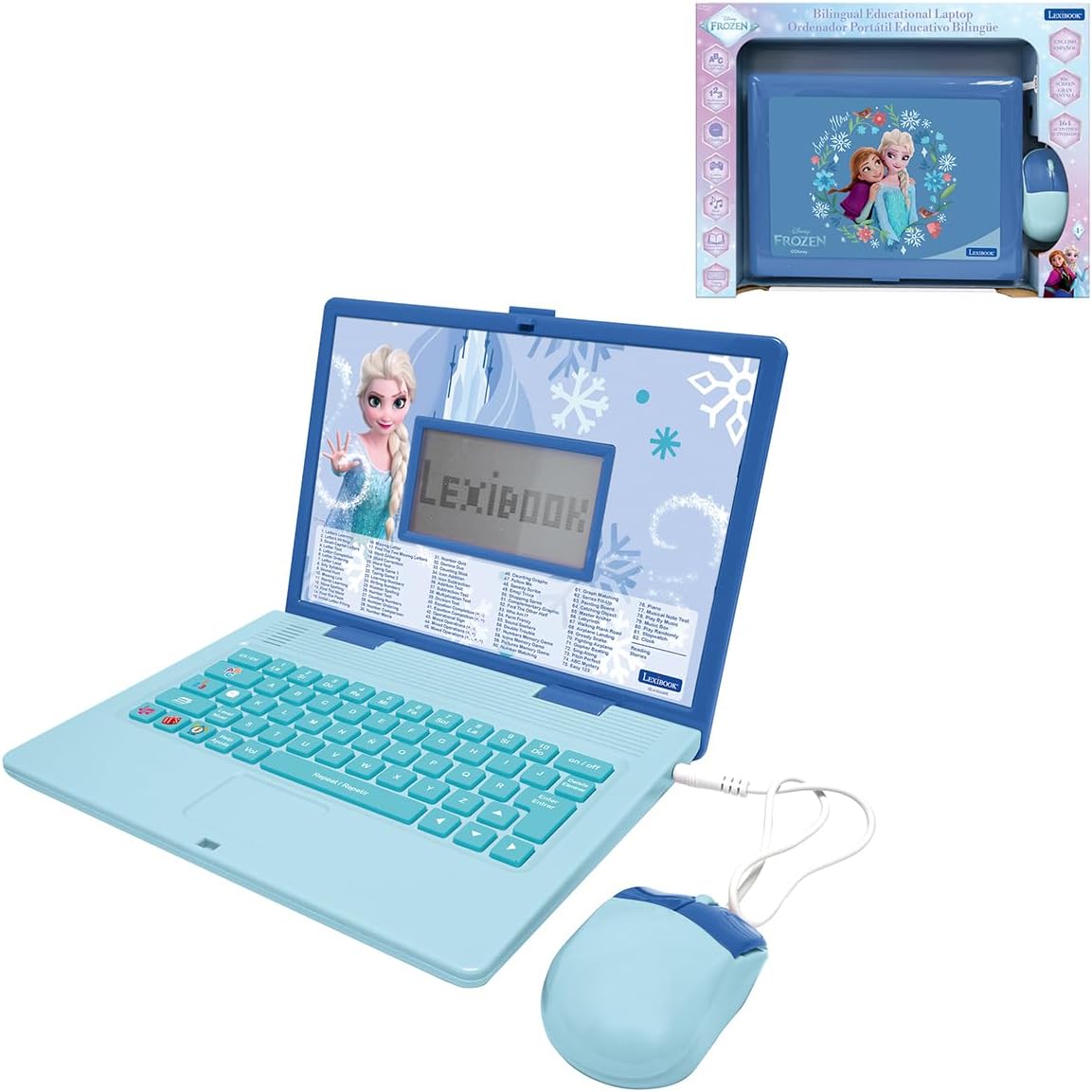
This laptop utilizes a beloved character theme to motivate young learners through over 160 activities. It covers vocabulary spelling math and music ensuring a comprehensive educational experience. The voice guidance helps children navigate the device independently without parental assistance.
We may earn a commission when you buy through this link, at no additional cost to you.
The lightweight design makes it easy for children to carry and handle. The bilingual mode supports language learning in a familiar context. It is a fun and functional toy that keeps children engaged for significant periods.
While the features are basic the sheer volume of content compensates for technical simplicity. The theme provides a strong hook for children who are fans of the characters. It serves well as an entertainment and learning tool.
For families seeking a device that combines popular culture with education this is a strong option. It is ideal for children who respond well to familiar characters. We recommend it for its engaging content and ease of use.
Familiar characters increase motivation to learn. Engagement is higher when the context is enjoyable.
Audio prompts help kids navigate alone. This supports independent play and discovery.
We may earn a commission when you buy through this link, at no additional cost to you.
Selecting the right learning laptop involves considering durability educational content and design preferences to match your child's needs.
Look for laptops that offer a wide range of activities such as math, language, and music to keep learning engaging. The content should be age appropriate and adapt as the child grows to ensure long term value. High quality educational tools provide structured learning that supports school readiness.
Prioritize models with diverse learning modes that cover multiple subjects comprehensively.
Children often handle devices roughly so the laptop should be made of sturdy materials that can withstand drops. Reinforced edges and durable keyboards are essential for maintaining functionality over time. A well built device saves money by avoiding frequent replacements.
Ensure the laptop has a robust design that resists daily wear and tear.
A clear color screen helps with visual engagement and reading clarity which are vital for young learners. While size varies, ensure the display is bright enough to see well in different lighting conditions. High resolution text prevents eye strain during extended play sessions.
Choose a screen that balances clarity with battery efficiency.
Decide between battery operated or rechargeable models based on your usage patterns. Rechargeable units reduce waste and cost over time while battery models offer simpler replacement without charging cords. Consider how often you want to manage power for the device.
Select a power source that aligns with your daily routine and travel needs.
If language exposure is important look for laptops that support switching between English and Spanish. Bilingual features help children develop vocabulary in two languages naturally through interactive play. This adds significant value to the educational experience.
Verify that the language options are easy to switch for the child.
Realistic keyboard and mouse layouts help children prepare for future computer usage. Ergonomic designs ensure that small hands can use the device comfortably for long periods. Input devices should be responsive to provide immediate feedback during play.
Opt for realistic input tools to build early typing and navigation skills.
Features like music players or cameras make the device more fun and encourage creativity. A balance between education and entertainment ensures the child remains motivated to use the laptop. These elements can make learning feel less like work.
Include tools that spark creativity such as music or photo modes.
For more advanced devices parental controls are essential for managing screen time and access. Look for customizable profiles and content filtering to ensure safe digital exploration. These features give peace of mind while allowing freedom of play.
Ensure the device allows you to manage time and content securely.
Place the laptop on a flat surface or a child-safe desk to prevent it from sliding or falling. Ensure the area around the device is clear of toys and food to avoid accidents during use. Supervise initial setup to help the child understand how to turn the device on and off.
Keep the keyboard and screen clean by wiping them gently with a soft dry cloth. Avoid using water or cleaning chemicals that might damage the electronics or leave residue. Regular maintenance ensures the device looks good and functions properly for longer periods.
If the laptop uses batteries, keep them in a cool dry place when not in use. Replace batteries promptly when the device shows signs of low power to prevent leakage. For rechargeable models, follow the manufacturer's charging guidelines to maximize battery life and safety.
Yes, these educational laptops are designed with safety in mind using non-toxic materials and smooth edges. They typically do not require internet connections for toy models, reducing exposure to online risks. Always supervise screen time to ensure healthy usage habits are established early.
Most of the toy laptops in this list operate offline with pre-loaded activities to ensure safety and simplicity. However, the more advanced Android-based models may connect to Wi-Fi for apps and downloads. Always check the specific connectivity options before purchasing.
Most of the toy models use AA batteries which are easy to replace and widely available. The advanced Android laptops typically come with built-in rechargeable lithium-ion batteries. Check the product details for specific battery requirements before buying to ensure you have the right supplies.
Toy laptops with pre-loaded content generally do not support content updates or new apps. However, more advanced devices with app stores allow parents to download additional educational materials. If updates are important, consider models with online connectivity and app store access.
Battery life varies by model and usage but generally ranges from a few hours to several weeks depending on frequency. Continuous activity may drain battery faster while sporadic use extends the life. Using high-quality batteries can help maintain consistent performance over time.
The screens on these devices are typically small and low brightness to minimize eye strain compared to tablets or phones. Limiting usage time and taking regular breaks is still recommended to protect vision health. These devices are designed to be less intense than standard computers.
We have reviewed ten top laptops that offer unique features ranging from bilingual learning to creative camera tools. The VTech Genio Bilingual JuniorBook leads as the best overall option due to its comprehensive curriculum and realistic design. The LeapFrog 2-in-1 LeapTop Touch offers incredible value for families seeking a budget friendly solution.
When prioritizing your choice consider whether your child needs a simple toy or a more advanced device with real computer capabilities. The LexiBook LAPTAB provides a premium experience for those willing to invest in a transition device for future learning. Ensure the device supports your educational goals and matches your child's interests.
Please remember that prices and availability may change on retailer sites so check current listings before purchasing. We hope this guide helps you find the perfect laptop to spark curiosity and support early learning for your child. Your investment in their digital literacy will pay off as they grow and develop.